Page 296 of 592
296
3-3. Using the rear audio system
Rear seat enter tainment system features (if equipped)
The rear seat entertainment system is designed for the rear passen-
gers to enjoy audio and DVD vide o separately from the front audio
system.
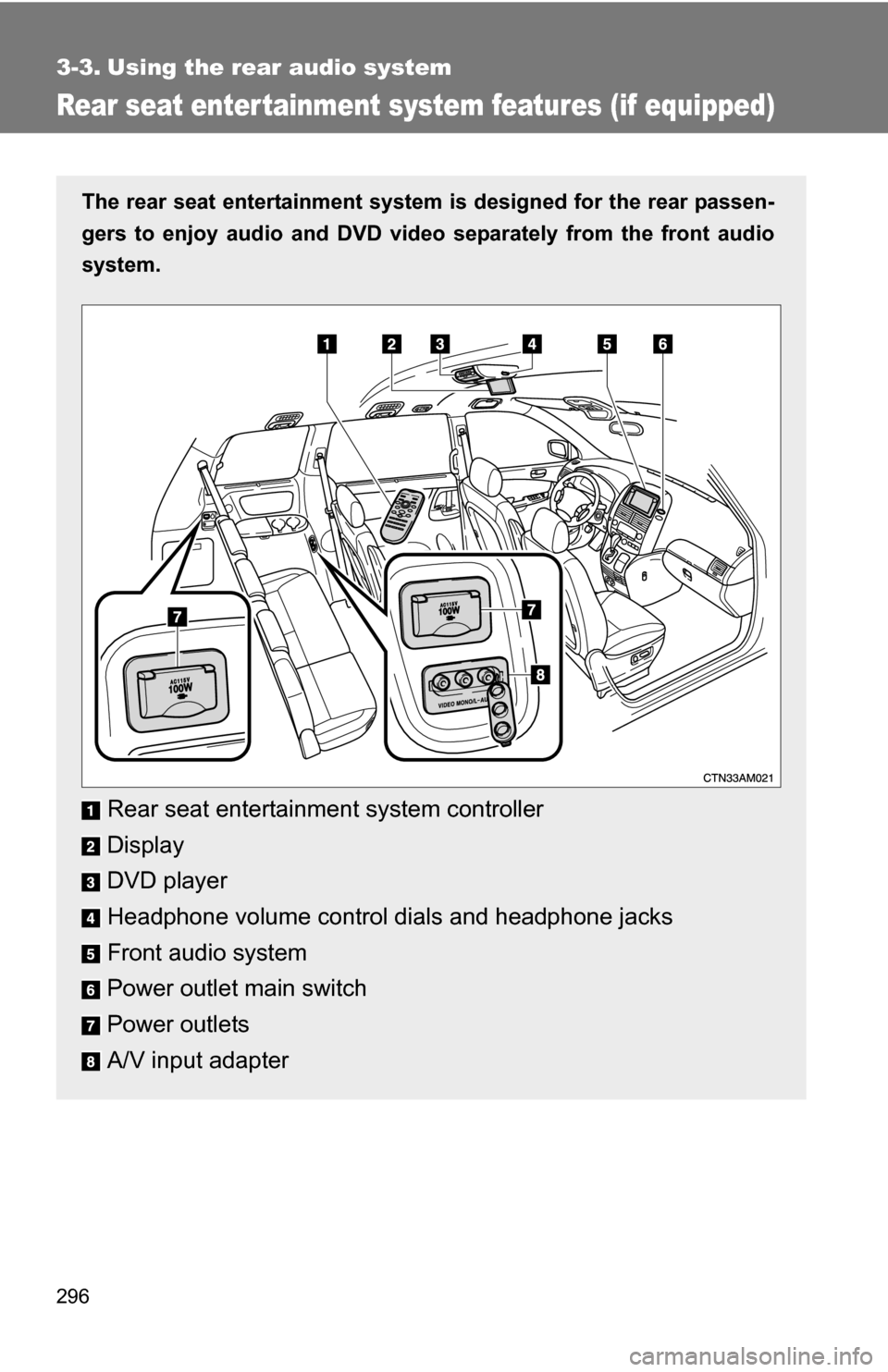
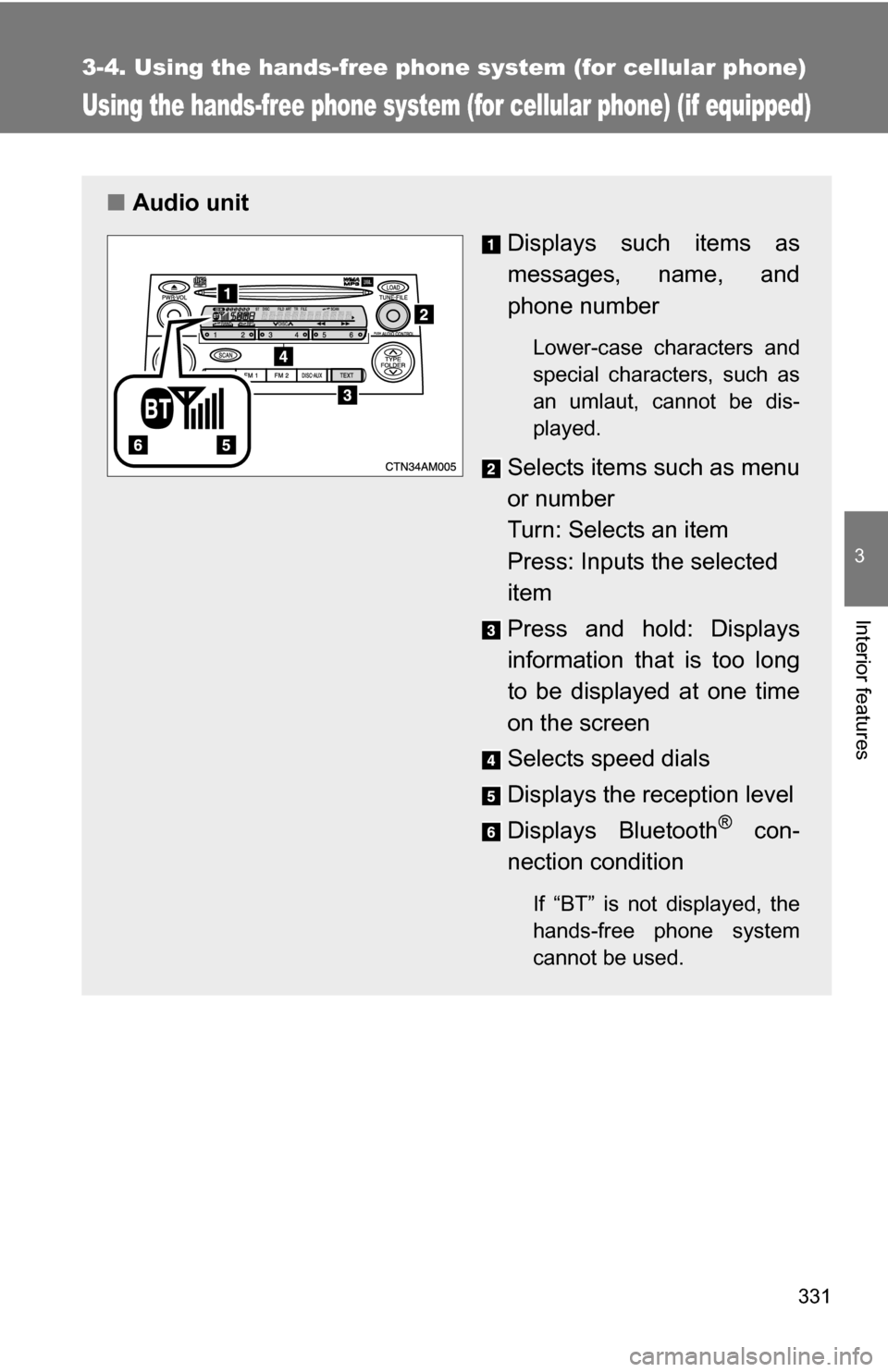
Rear seat entertainment system controller
Display
DVD player
Headphone volume control dials and headphone jacks
Front audio system
Power outlet main switch
Power outlets
A/V input adapter
Page 298 of 592
298 3-3. Using the rear audio system
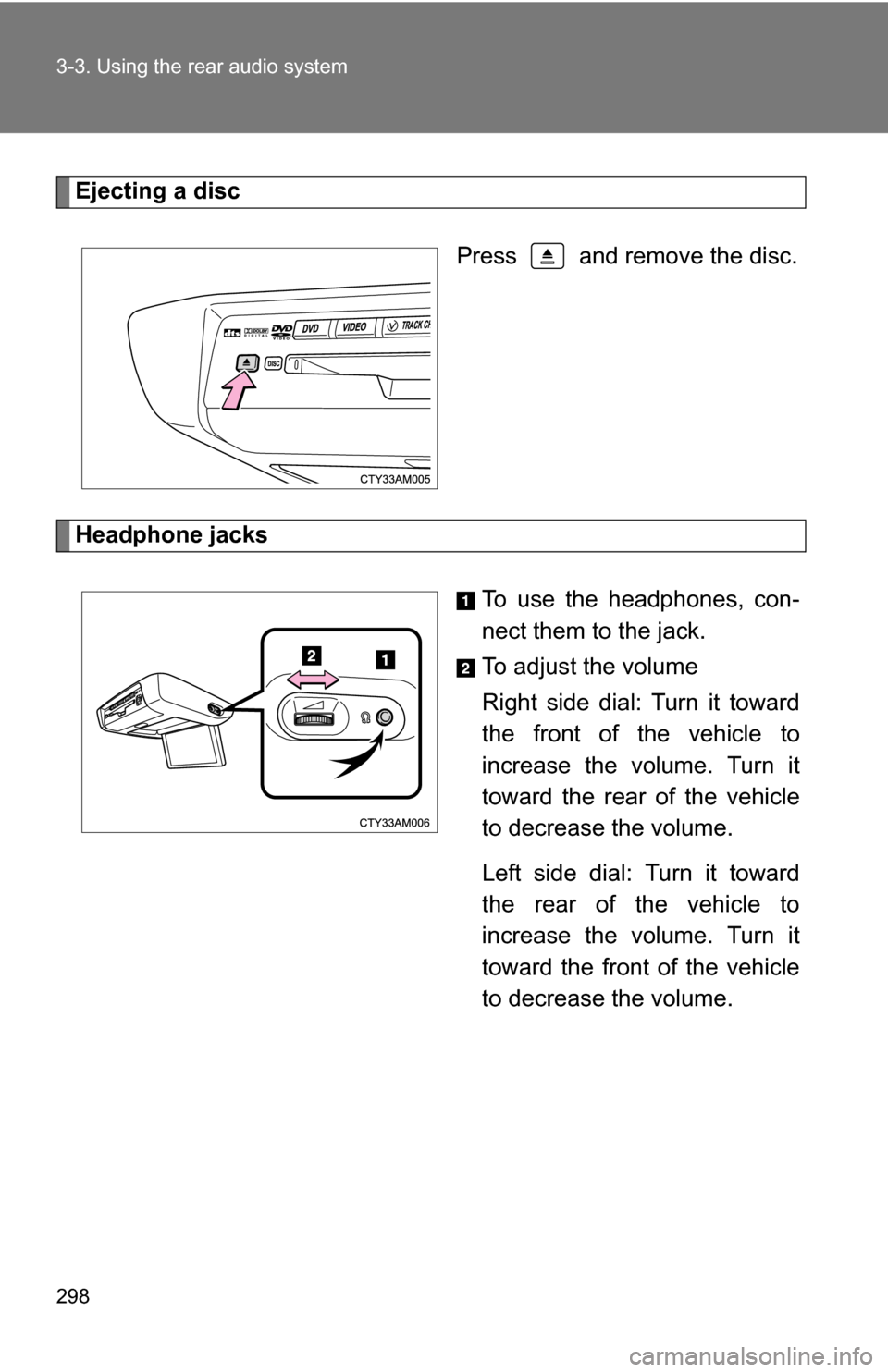
Ejecting a discPress and remove the disc.
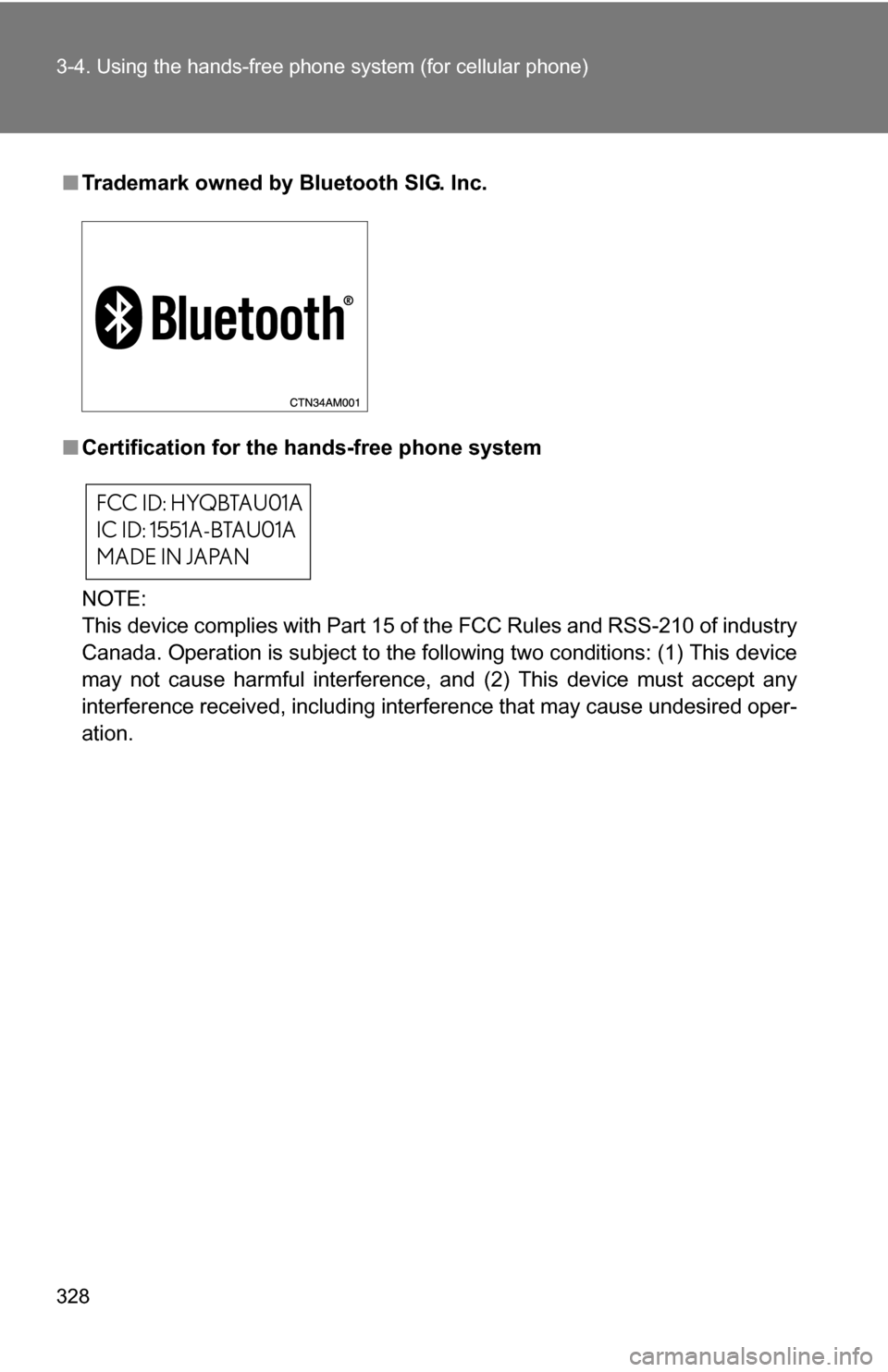
Headphone jacks To use the headphones, con-
nect them to the jack.
To adjust the volume
Right side dial: Turn it toward
the front of the vehicle to
increase the volume. Turn it
toward the rear of the vehicle
to decrease the volume.
Left side dial: Turn it toward
the rear of the vehicle to
increase the volume. Turn it
toward the front of the vehicle
to decrease the volume.
Page 301 of 592
301
3-3. Using the rear audio system
3
Interior features
■
Headphones
With some headphones generally available in the market, it may be difficult
to catch signals properly. Toyota recommends the use of Toyota genuine
wireless headphones.
Please contact your Toyota dealer for further details.
■ Vo l u m e
●Adjust the volume when you connect the headphones to the jack. Loud
sounds may have a significant impact on the human body.
● Conversational speech on some DVDs is recorded at a low volume to
emphasize the impact of sound effects. If you adjust the volume assum-
ing that the conversations represent the maximum volume level that the
DVD will play, you may be startled by louder sound effects or when you
change to a different audio source. Be sure to adjust the volume with this
in mind.
CAUTION
■While driving
Do not use headphones.
Doing so may cause an accident, resulting in death or serious injury.
■ When the rear seat entert ainment system is not used
Keep the display closed.
In the event of an accident or sudden braking, the opened display may hit an
occupant's body, resulting in injury.
■ To prevent accidents and electric shock
Do not disassemble or modify the remote controller.
■ When the remote controller is not used
Stow the remote controller.
Injuries may result in the event of an accident or sudden braking.
■ Removed battery and other parts
Keep away from children.
These parts are small and if swallowed by a child they can cause choking.
Page 327 of 592

327
3
Interior features
3-4. Using the hands-free phone system (for cellular phone)
Hands-free phone system (for cellular phone) features (if equipped)
■Conditions affecting operation
The hands-free phone system may not operate normally in the following situ-
ations:
●The cellular phone is turned off, or located outside the service area.
● The cellular phone has a low battery.
● The cellular phone is not connected to the system.
● The cellular phone is behind the seat or in the glove box, or metal mate-
rial covers or touches the phone.
■ When transferring ownership of the vehicle
Be sure to initialize the system to prevent personal data from being improp-
erly accessed.
■ Required profiles for the cellular phone
●HFP (Hands Free Profile) Ver. 1.0
● OPP (Object Push Profile) Ver. 1.1
If your cellular phone does not support HFP, you cannot enter the Bluetooth
®
phone, and take OPP service individually.
Owners of models equipped with a navigation system should refer to
the “Navigation System Owner's Manual”.
This system supports Bluetooth
®, which allows you to make or
receive calls without using cables to connect a cellular phone and
the system, and without oper ating the cellular phone.
TitlePage
Using the hands-free phone system
(for cellular phone) P. 331
Making a phone call P. 339
Setting a cellular phone P. 345
Security and system setup P. 350
Using the phone book P. 353
Page 328 of 592
328 3-4. Using the hands-free phone system (for cellular phone)
■Trademark owned by Bluetooth SIG. Inc.
■ Certification for the hands-free phone system
NOTE:
This device complies with Part 15 of the FCC Rules and RSS-210 of industry
Canada. Operation is subject to the following two conditions: (1) This device
may not cause harmful interference, and (2) This device must accept any
interference received, including interference that may cause undesired oper-
ation.
FCC ID: HYQBTAU01A
IC ID: 1551A-BTAU01A
MADE IN JAPAN
Page 329 of 592

329
3-4. Using the hand
s-free phone system (for cellular phone)
3
Interior features
NOTICE:
This equipment has been tested and found to comply with the limits for a
Class B digital device, pursuant to Part 15 of the FCC Rules. These limits
are designed to provide reasonable protection against harmful interference
in a residential installation. This equipment generates, uses and can radiate
radio frequency energy and, if not installed and used in accordance with the
instructions, may cause harmful interference to radio communications. How-
ever, there is no guarantee that interference will not occur in a particular
installation. If this equipment does cause harmful interference to radio or
television reception, which can be determined by turning the equipment off
and on, the user is encouraged to try to correct the interference by one or
more of the following measures:
●Reorient or relocate the receiving antenna.
● Increase the separation between the equipment and receiver.
● Connect the equipment into an outlet on a circuit different from that to
which the receiver is connected.
● Consult the dealer or an experienced radio/TV technician for help.
FCC WARNING:
Changes or modifications in construction not expressly approved by the
party responsible for compliance could void the user's authority to operate
the equipment.
CAUTION:
Radio Frequency Radiation Exposure
This equipment complies with FCC radiation exposure limits set forth for
uncontrolled equipment and meets the FCC radio frequency (RF) Exposure
Guidelines in Supplement C to OET65. This equipment has very low levels
of RF energy that it deemed to comply without maximum permissive expo-
sure evaluation (MPE). But it is desirable that it should be installed and oper-
ated with at least 20 cm and more between the radiator and person’s body
(excluding extremities: hands, wrists, feet and legs).
Co-location:
This transmitter must not be co-located or operated in conjunction with any
other antenna or transmitter.
Page 330 of 592
330 3-4. Using the hands-free phone system (for cellular phone)
CAUTION
■Caution while driving
Do not use a cellular phone, or connect the Bluetooth
® phone.
NOTICE
■To prevent damage to a cellular phone
Do not leave a cellular phone in the vehicle. The temperature inside may
become high resulting in damage to the phone.
Page 331 of 592
331
3-4. Using the hands-free phone system (for cellular phone)
3
Interior features
Using the hands-free phone system (for cellular phone) (if equipped)
■Audio unit
Displays such items as
messages, name, and
phone number
Lower-case characters and
special characters, such as
an umlaut, cannot be dis-
played.
Selects items such as menu
or number
Turn: Selects an item
Press: Inputs the selected
item
Press and hold: Displays
information that is too long
to be displayed at one time
on the screen
Selects speed dials
Displays the reception level
Displays Bluetooth
® con-
nection condition
If “BT” is not displayed, the
hands-free phone system
cannot be used.