Page 309 of 508
309
3-4. Using the hands-free
system (for cellular phone)
3
Interior features
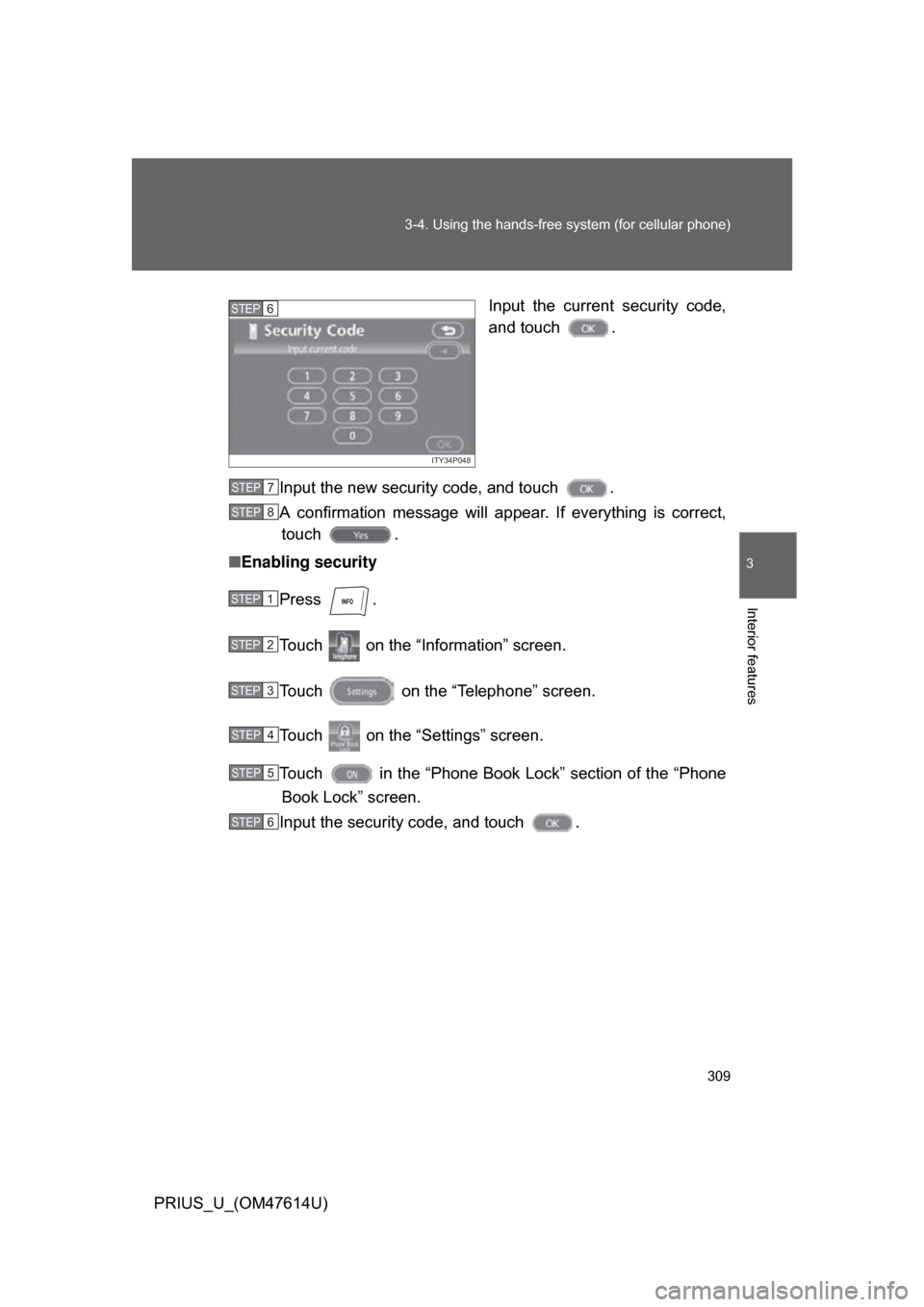
PRIUS_U_(OM47614U) Input the current security code,
and touch .
Input the new security code, and touch .
A confirmation message will a ppear. If everything is correct,
touch .
■ Enabling security
Press .
Touch on the “Information” screen.
Touch on the “Telephone” screen.
Touch on the “Settings” screen.
Touch in the “Phone Book Lock” section of the “Phone
Book Lock” screen.
Input the security code, and touch .
ITY34P048
STEP6
STEP7
STEP8
STEP1
STEP2
STEP3
STEP4
STEP5
STEP6
Page 310 of 508
310 3-4. Using the hands-free system (for cellular phone)
PRIUS_U_(OM47614U)■
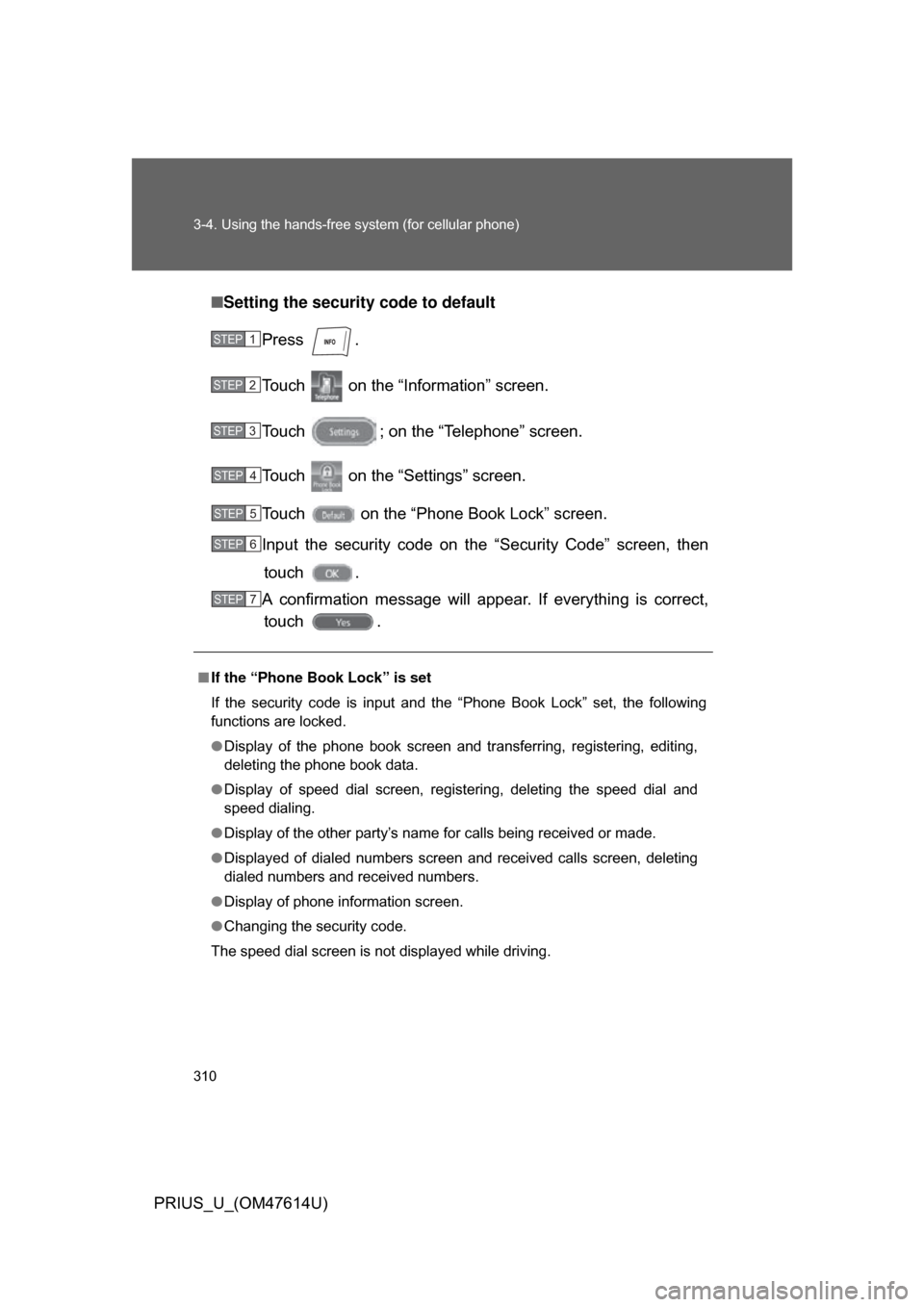
Setting the security code to default
Press .
Touch on the “Inf ormation” screen.
Touch ; on the “Telephone” screen.
Touch on the “Settings” screen.
Touch on the “Phone Book Lock” screen.
Input the security code on t he “Security Code” screen, then
touch .
A confirmation message will appear. If everything is correct, touch .
■ If the “Phone Book Lock” is set
If the security code is input and the “Phone Book Lock” set, the following
functions are locked.
● Display of the phone book screen and transferring, registering, editing,
deleting the phone book data.
● Display of speed dial screen, registering, deleting the speed dial and
speed dialing.
● Display of the other party’s name for calls being received or made.
● Displayed of dialed numbers screen and received calls screen, deleting
dialed numbers and received numbers.
● Display of phone information screen.
● Changing the security code.
The speed dial screen is not displayed while driving.
STEP1
STEP2
STEP3
STEP4
STEP5
STEP6
STEP7
Page 311 of 508
311
3-4. Using the hands-free
system (for cellular phone)
3
Interior features
PRIUS_U_(OM47614U)
Setting a Bluetooth® phone
■ Selecting a Bluetooth
® phone
If multiple Bluetooth
® phones are registered, follow the below pro-
cedure to select the Bluetooth® phone to be used. You may only
use one phone at a time.
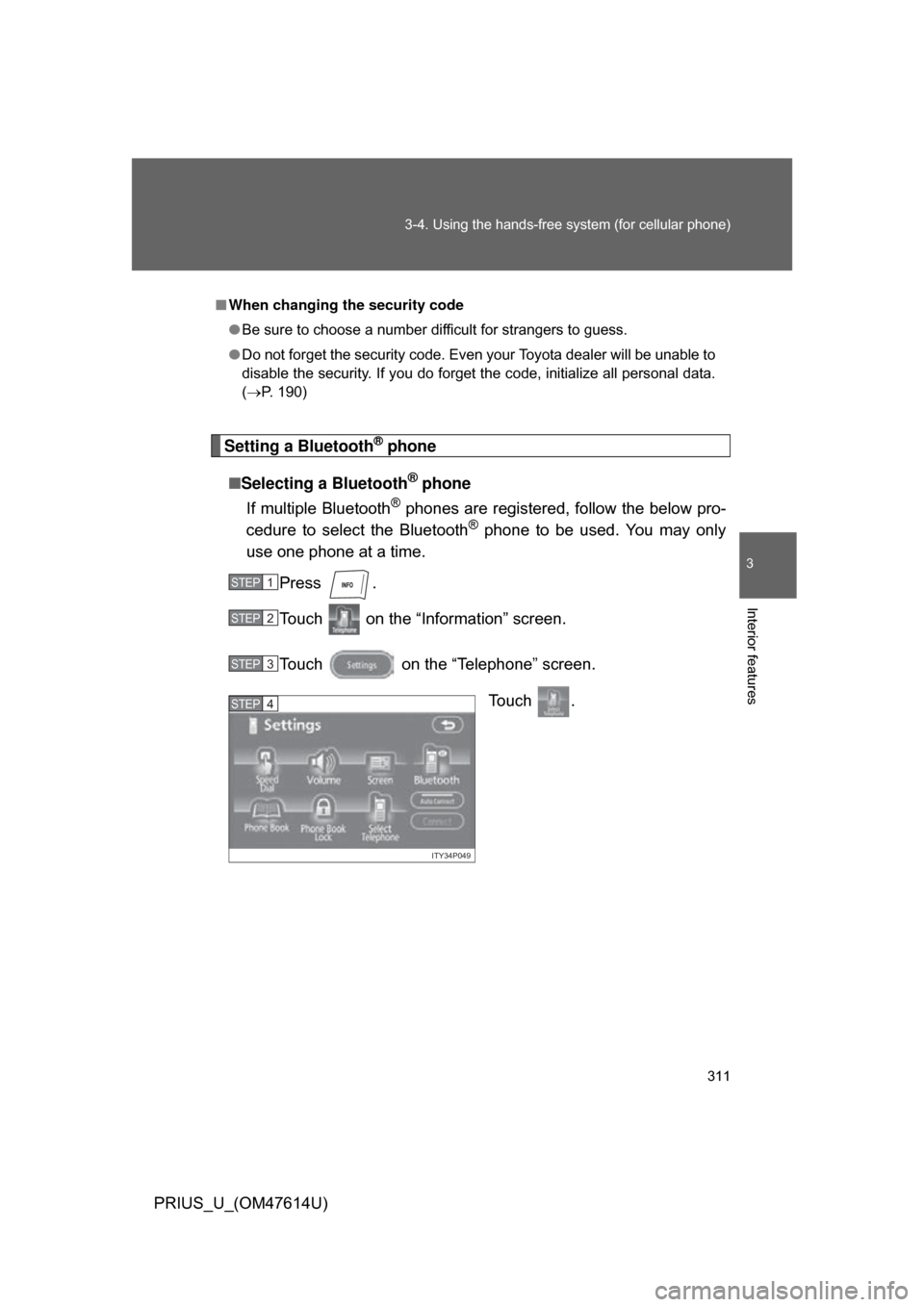
Press .
Touch on the “Information” screen.
Touch on the “Telephone” screen.
Touch .
■When changing the security code
● Be sure to choose a number difficult for strangers to guess.
● Do not forget the security code. Even your Toyota dealer will be unable to
disable the security. If you do forget the code, initialize all personal data.
(P. 190)
STEP1
STEP2
STEP3
ITY34P049
STEP4
Page 332 of 508
332
3-7. Other interior features
PRIUS_U_(OM47614U)
Floor mats
CAUTION
■When inserting the floor mat
Observe the following precautions.
Failure to do so may result in the floor mat slipping and interfering with the
movement of the pedals during driving, resulting in an accident.
● Make sure the floor mat is properly placed on the vehicle carpet and the
correct side faces upward.
● Do not place floor mats on top of existing mats.
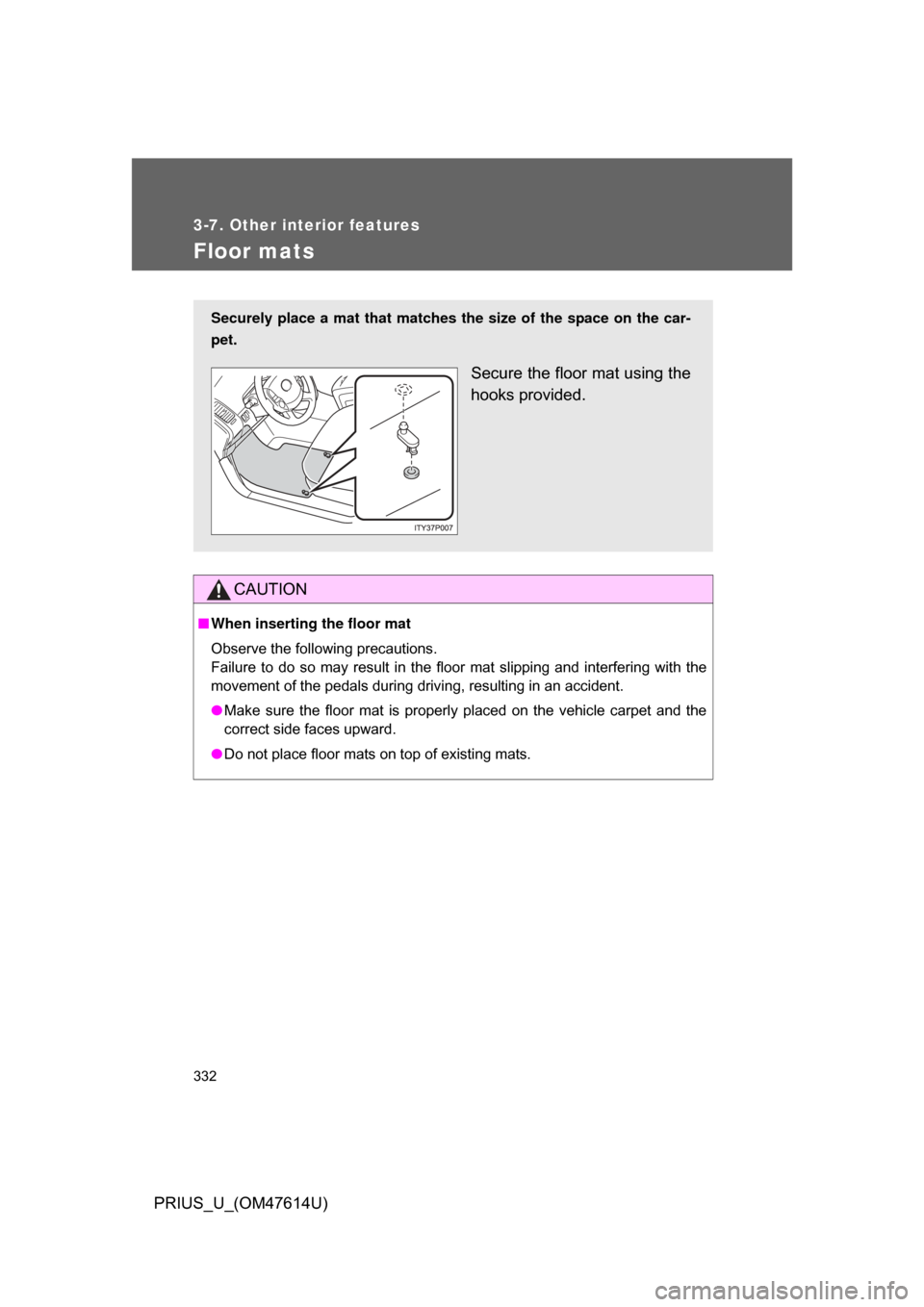
Securely place a mat that matches the size of the space on the car-
pet.
Secure the floor mat using the
hooks provided.
Page 333 of 508
333
3-7. Other interior features
3
Interior features
PRIUS_U_(OM47614U)
Luggage compar tment features
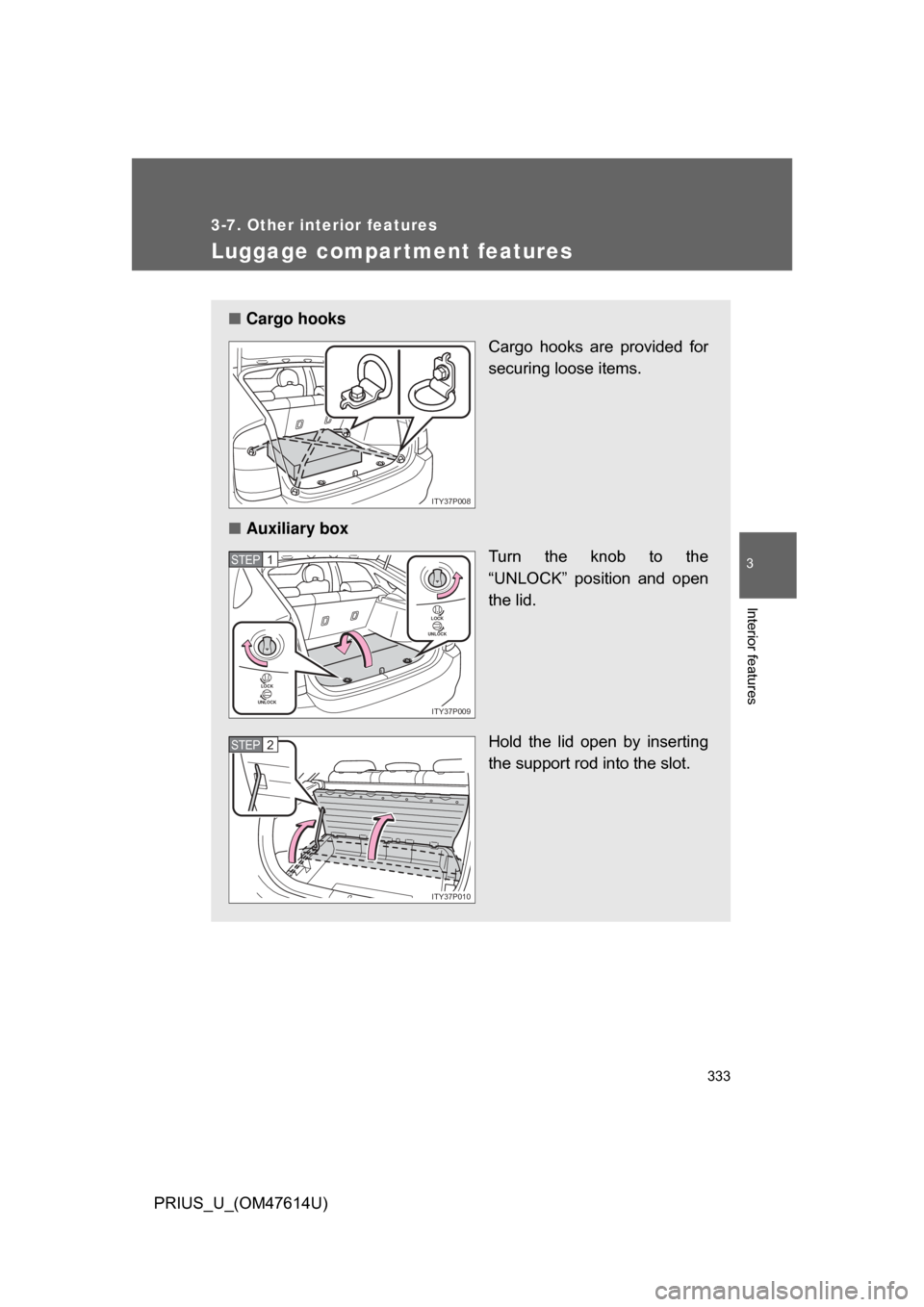
■Cargo hooks
Cargo hooks are provided for
securing loose items.
■ Auxiliary box
Turn the knob to the
“UNLOCK” position and open
the lid.
Hold the lid open by inserting
the support rod into the slot.
ITY37P008
LOCK
UNLOCK
LOCK
UNLOCK
ITY37P009
STEP1
ITY37P010
STEP2
Page 334 of 508
334 3-7. Other interior features
PRIUS_U_(OM47614U)
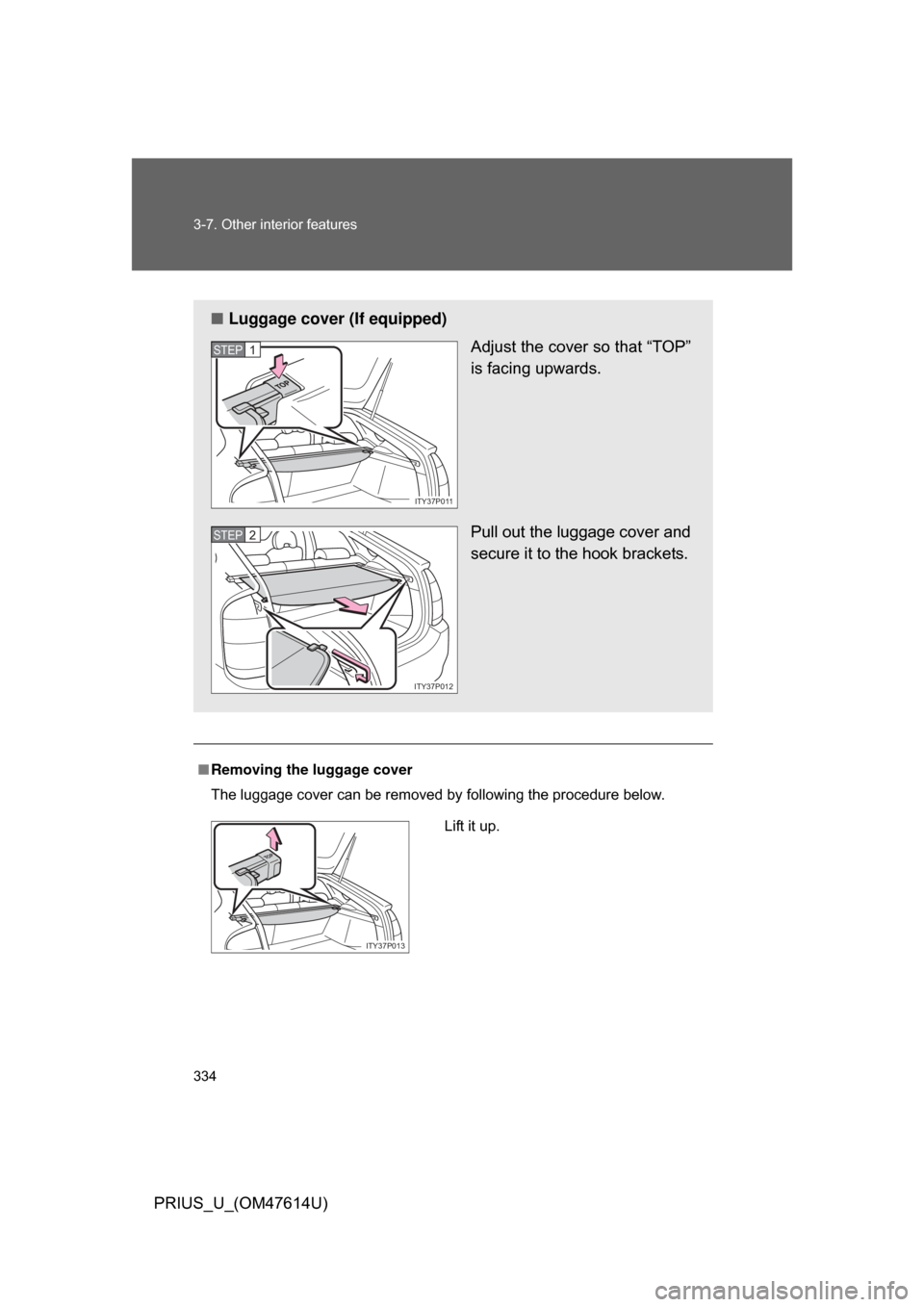
■Removing the luggage cover
The luggage cover can be removed by following the procedure below.
■ Luggage cover (If equipped)
Adjust the cover so that “TOP”
is facing upwards.
Pull out the luggage cover and
secure it to the hook brackets.
ITY37P011
STEP1
ITY37P012
STEP2
Lift it up.
TOP
ITY37P013
Page 336 of 508
336
3-7. Other interior features
PRIUS_U_(OM47614U)
Garage door opener
The garage door opener (HomeLink Universal Transceiver) is manufac-
tured under license from HomeLink.
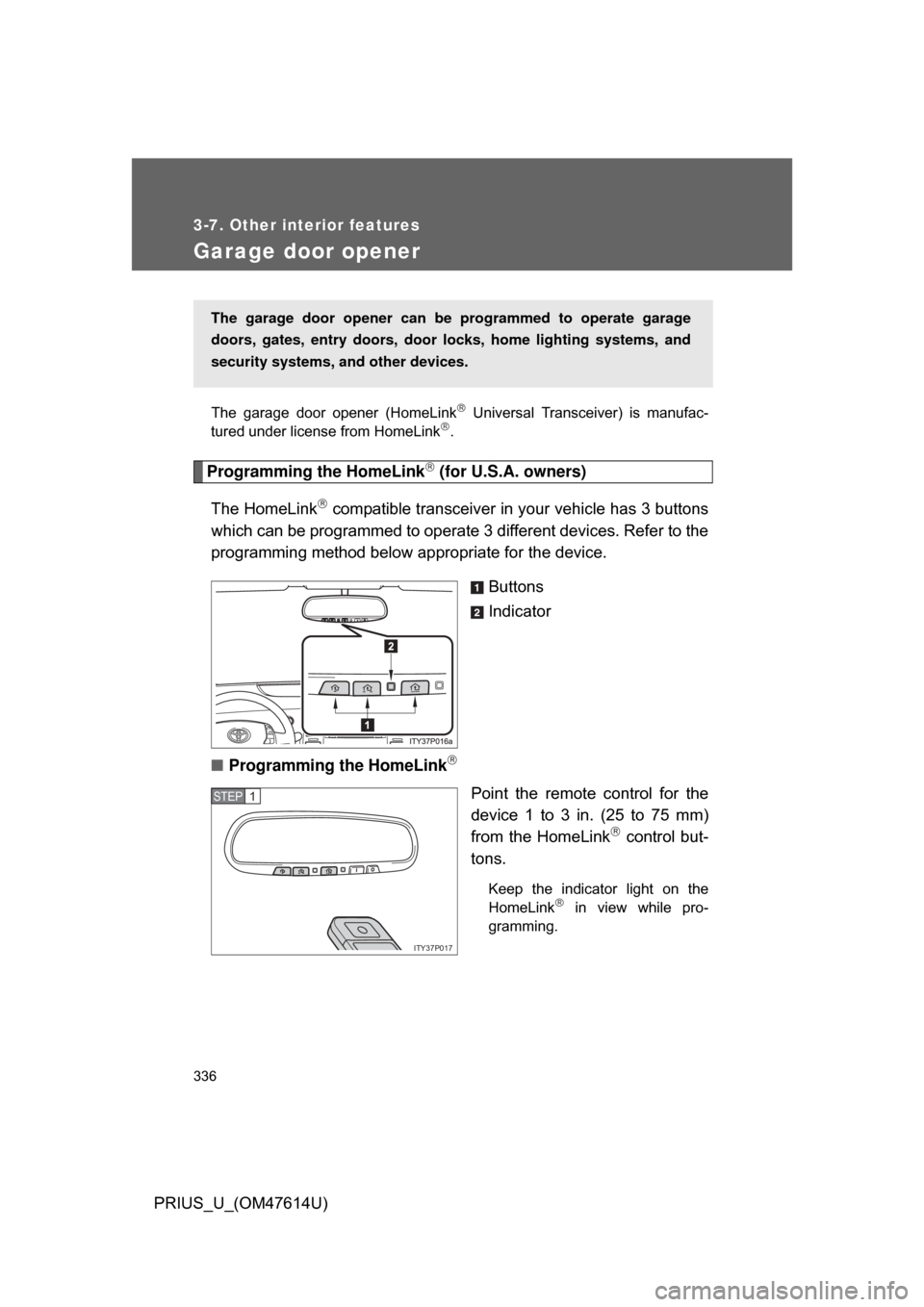
Programming the HomeLink (for U.S.A. owners)
The HomeLink
compatible transceiver in your vehicle has 3 buttons
which can be programmed to operate 3 different devices. Refer to the
programming method below appropriate for the device.
Buttons
Indicator
■ Programming the HomeLink
Point the remote control for the
device 1 to 3 in. (25 to 75 mm)
from the HomeLink
control but-
tons.
Keep the indicator light on the
HomeLink in view while pro-
gramming.
The garage door opener can be programmed to operate garage
doors, gates, entry doors, door locks, hom e lighting systems, and
security systems, and other devices.
,7<��3���
67(3�
Page 339 of 508
339
3-7. Other interior features
3
Interior features
PRIUS_U_(OM47614U)
Test the operation of the HomeLink
by pressing the newly
programmed button. Check to see if the gate/device operates
correctly.
Repeat the steps above to program another device for each of
the remaining HomeLink
buttons.
■ Programming other devices
To program other devices such as home security systems, home
door locks or lighting, contact your authorized Toyota dealer for
assistance.
■ Reprogramming a button
The individual HomeLink
buttons cannot be erased but can be
reprogrammed. To reprogram a button, follow the “Basic program-
ming” instructions.
Operating the HomeLink
Press the appropriate HomeLink button. The HomeLink indicator
light on the HomeLink transceiver should turn on.
The HomeLink continues to send a signal for up to 20 seconds as long
as the button is pressed.
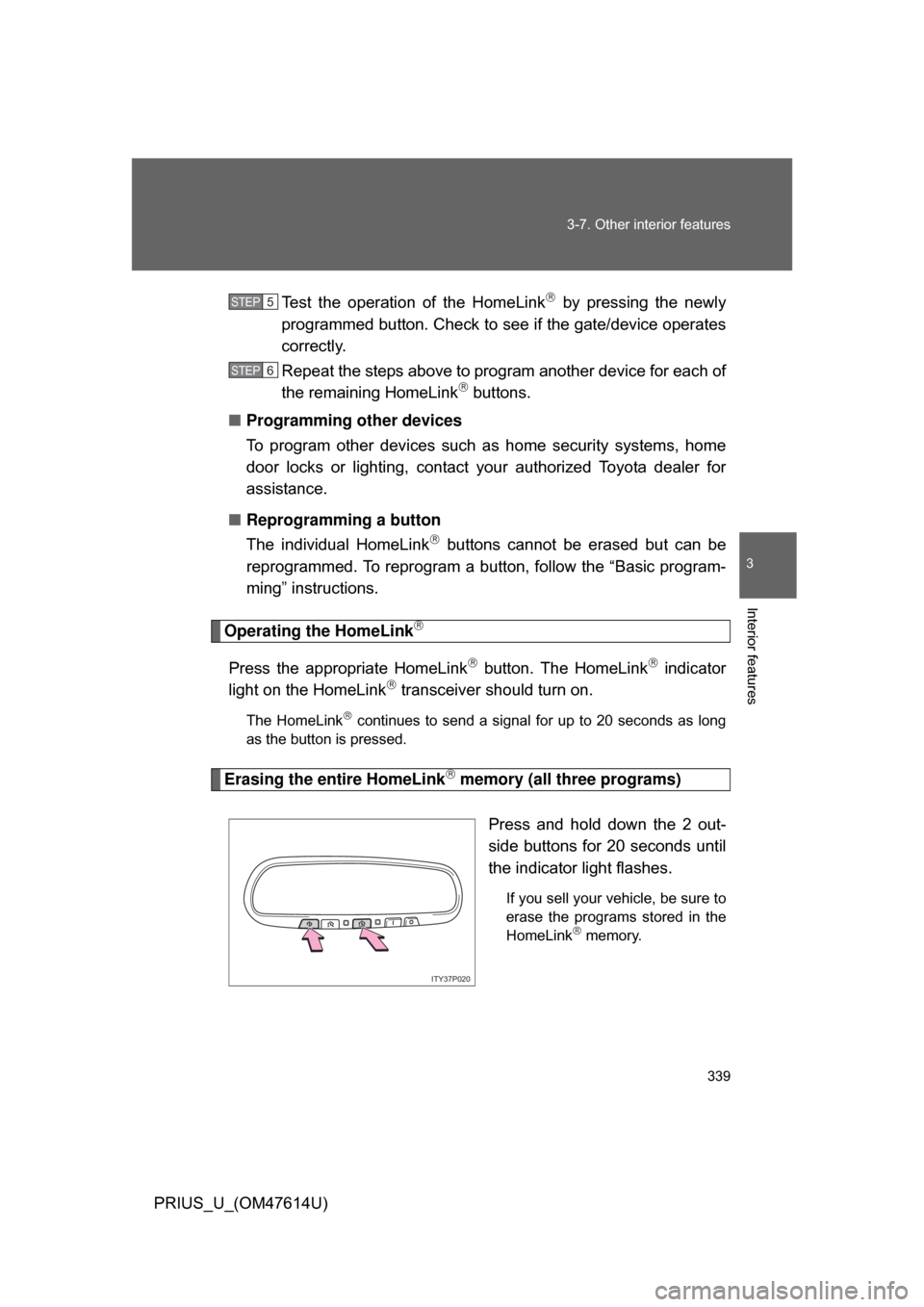
Erasing the entire HomeLink memory (all three programs)
Press and hold down the 2 out-
side buttons for 20 seconds until
the indicator light flashes.
If you sell your vehicle, be sure to
erase the programs stored in the
HomeLink
memory.
STEP5
STEP6
ITY37P020