Page 294 of 520
294
3-3. Using the rear audio/video system
Using the video mode
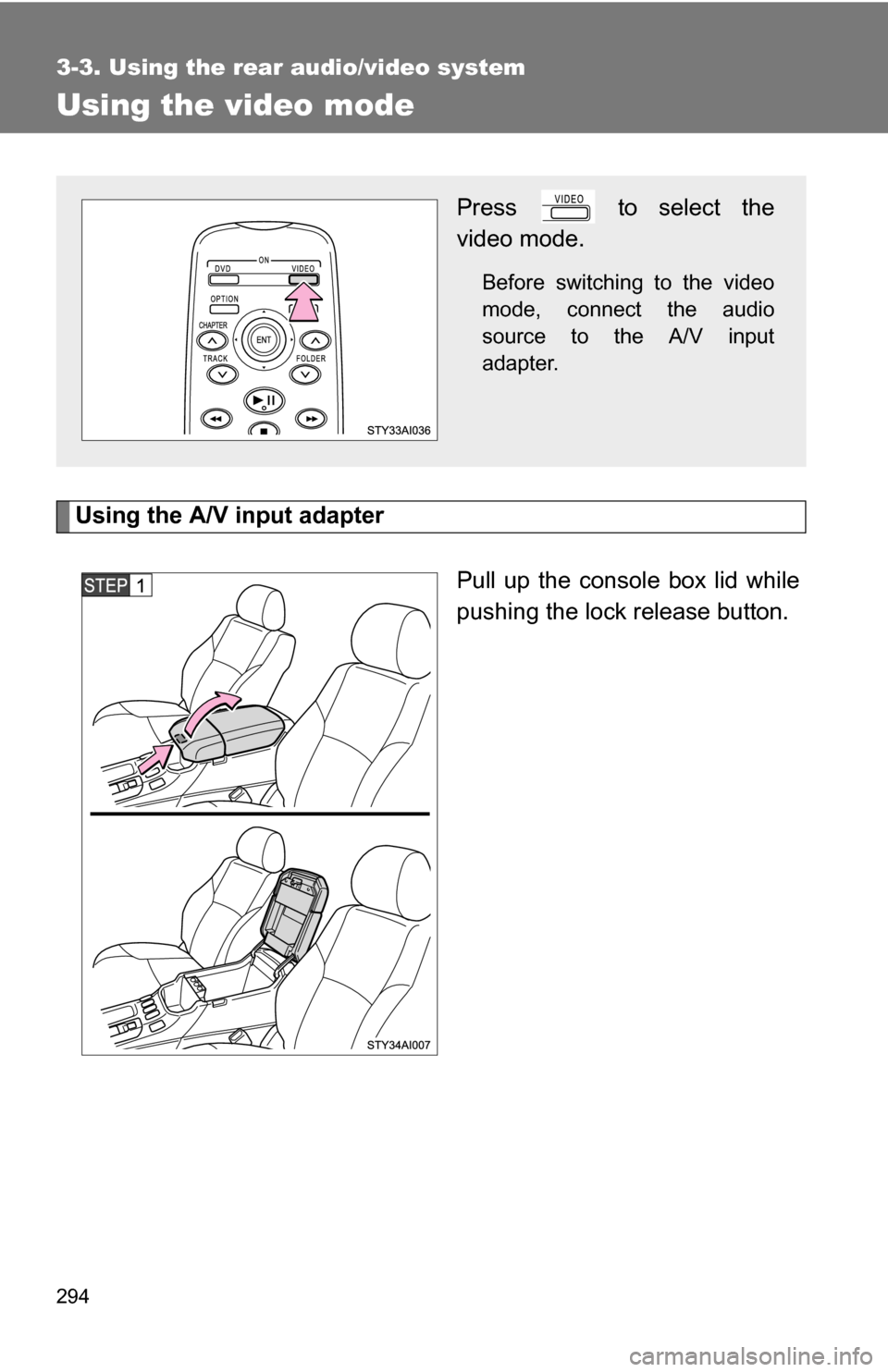
Using the A/V input adapterPull up the console box lid while
pushing the lock release button.
Press to select the
video mode.
Before switching to the video
mode, connect the audio
source to the A/V input
adapter.
Page 297 of 520
297
3-3. Using the rear audio/video system
3
Interior features
Changing the Setup Menu settings
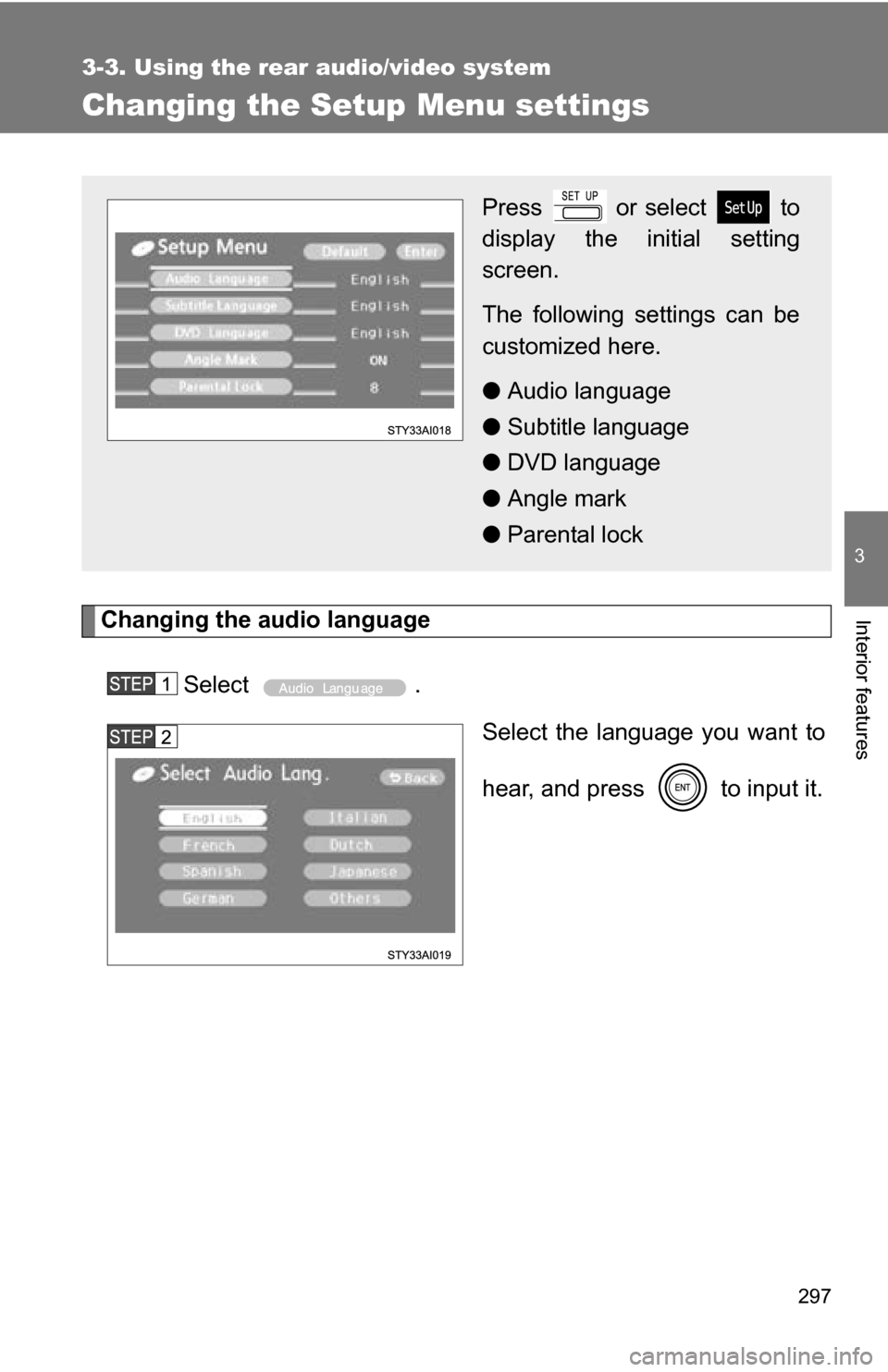
Changing the audio languageSelect . Select the language you want to
hear, and press to input it.
Press or select to
display the initial setting
screen.
The following settings can be
customized here.
●Audio language
● Subtitle language
● DVD language
● Angle mark
● Parental lock
Page 305 of 520
305
3
Interior features
3-4. Using the interior lights
Interior lights list
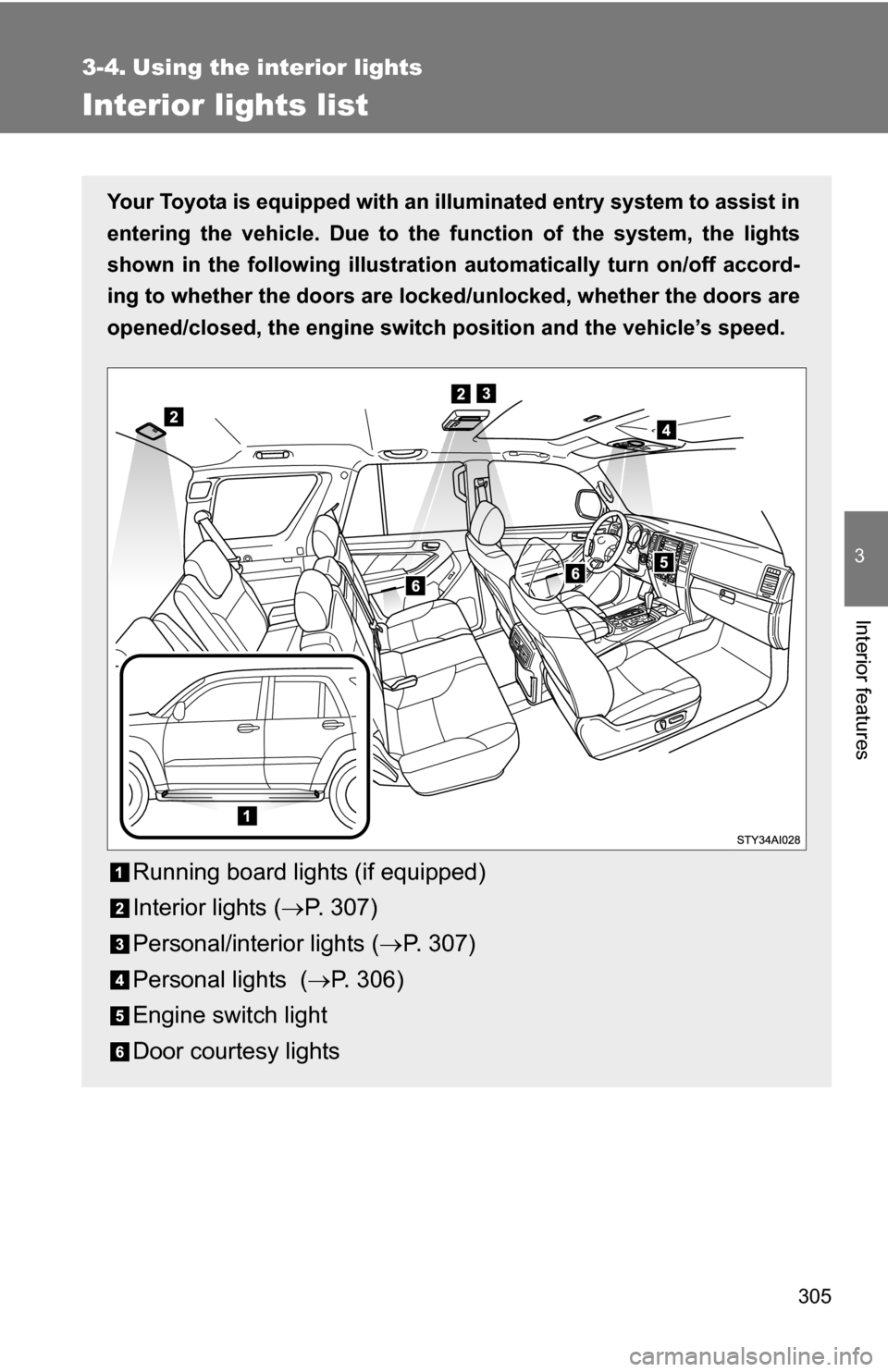
Your Toyota is equipped with an illuminated entry system to assist in
entering the vehicle. Due to the function of the system, the lights
shown in the following illustration automatically turn on/off accord-
ing to whether the doo rs are locked/unlocked, whether the doors are
opened/closed, the engine switch position and the vehicle’s speed.
Running board lights (if equipped)
Interior lights ( P. 307)
Personal/interior lights ( P. 307)
Personal lights ( P. 306)
Engine switch light
Door courtesy lights
Page 310 of 520
310 3-5. Using the storage features
Glove boxUnlock with the master key
Lock with the master key
Pull the lever up.
■ Auxiliary box in the glove box (if equipped)
CAUTION
■Caution while driving
Keep the glove box closed.
Injuries may result in the event of an accident or sudden braking.
Open the lid.
Glove box
Page 311 of 520
311
3-5. Using the
storage features
3
Interior features
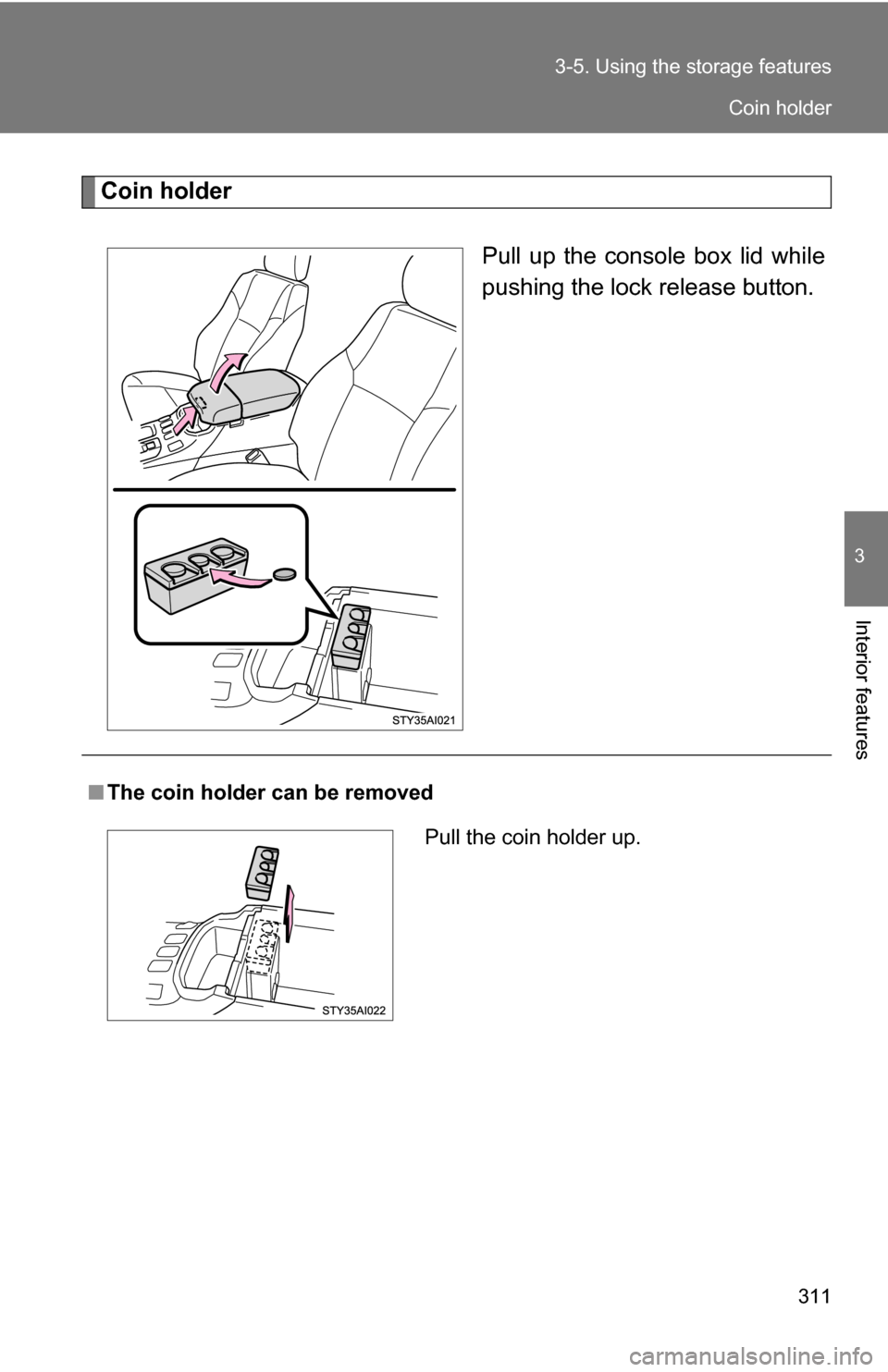
Coin holder
Pull up the console box lid while
pushing the lock release button.
■The coin holder can be removed
Pull the coin holder up.
Coin holder
Page 312 of 520
312 3-5. Using the storage features
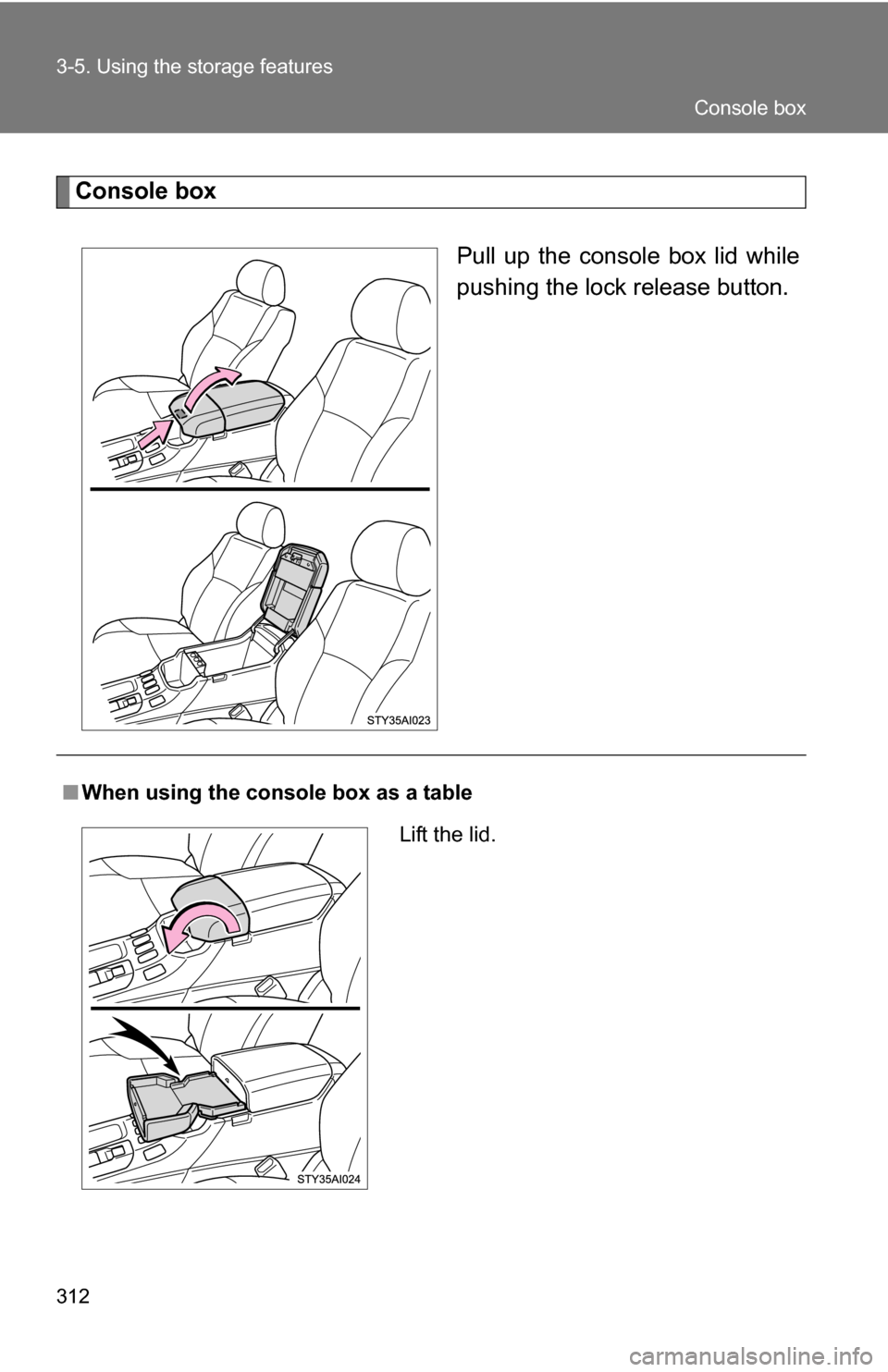
Console boxPull up the console box lid while
pushing the lock release button.
■When using the console box as a table
Lift the lid.
Console box
Page 313 of 520
313
3-5. Using the
storage features
3
Interior features
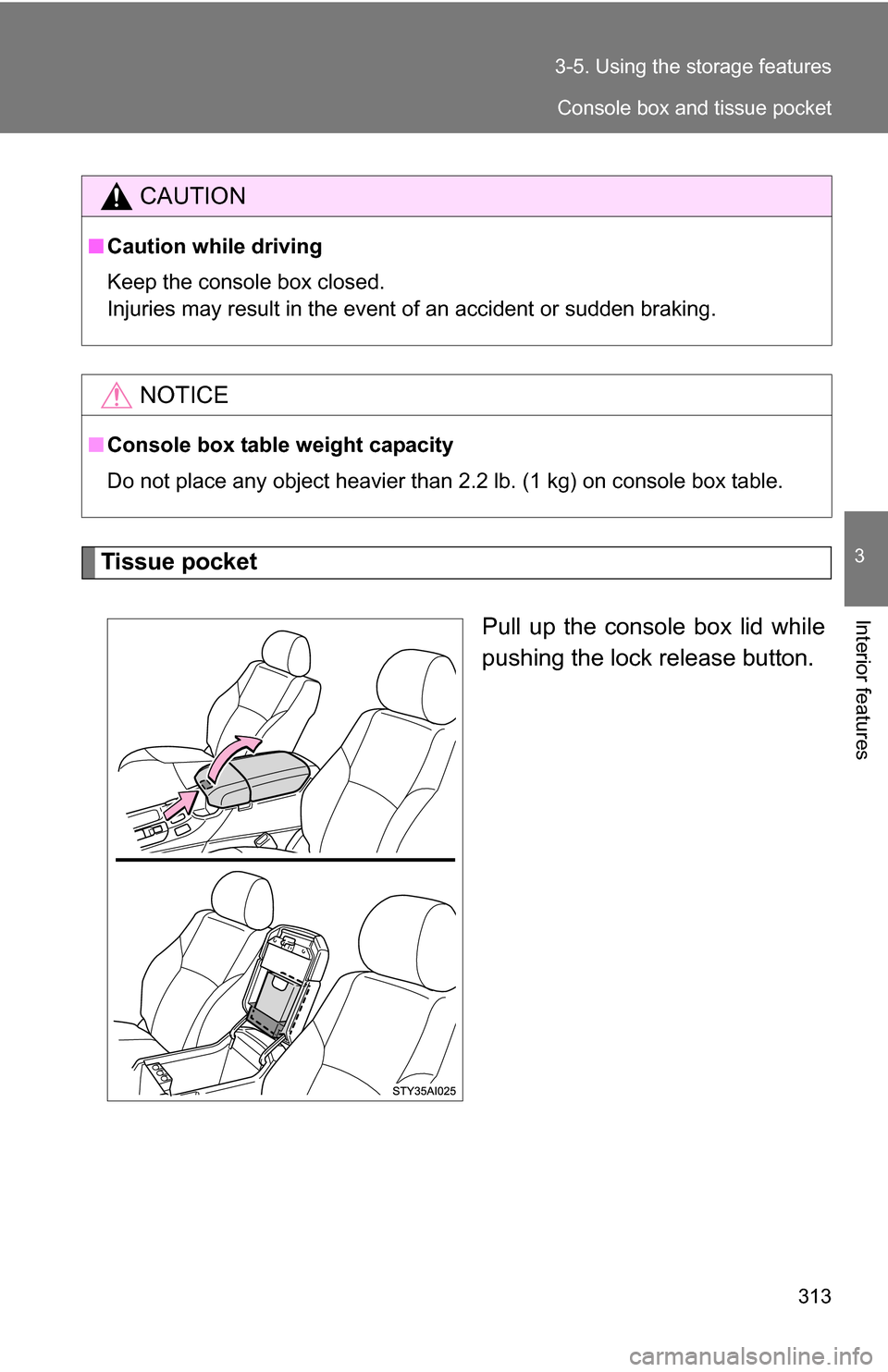
Tissue pocket
Pull up the console box lid while
pushing the lock release button.
CAUTION
■Caution while driving
Keep the console box closed.
Injuries may result in the event of an accident or sudden braking.
NOTICE
■Console box table weight capacity
Do not place any object heavier than 2.2 lb. (1 kg) on console box table.
Console box and tissue pocket
Page 322 of 520
322 3-5. Using the storage features
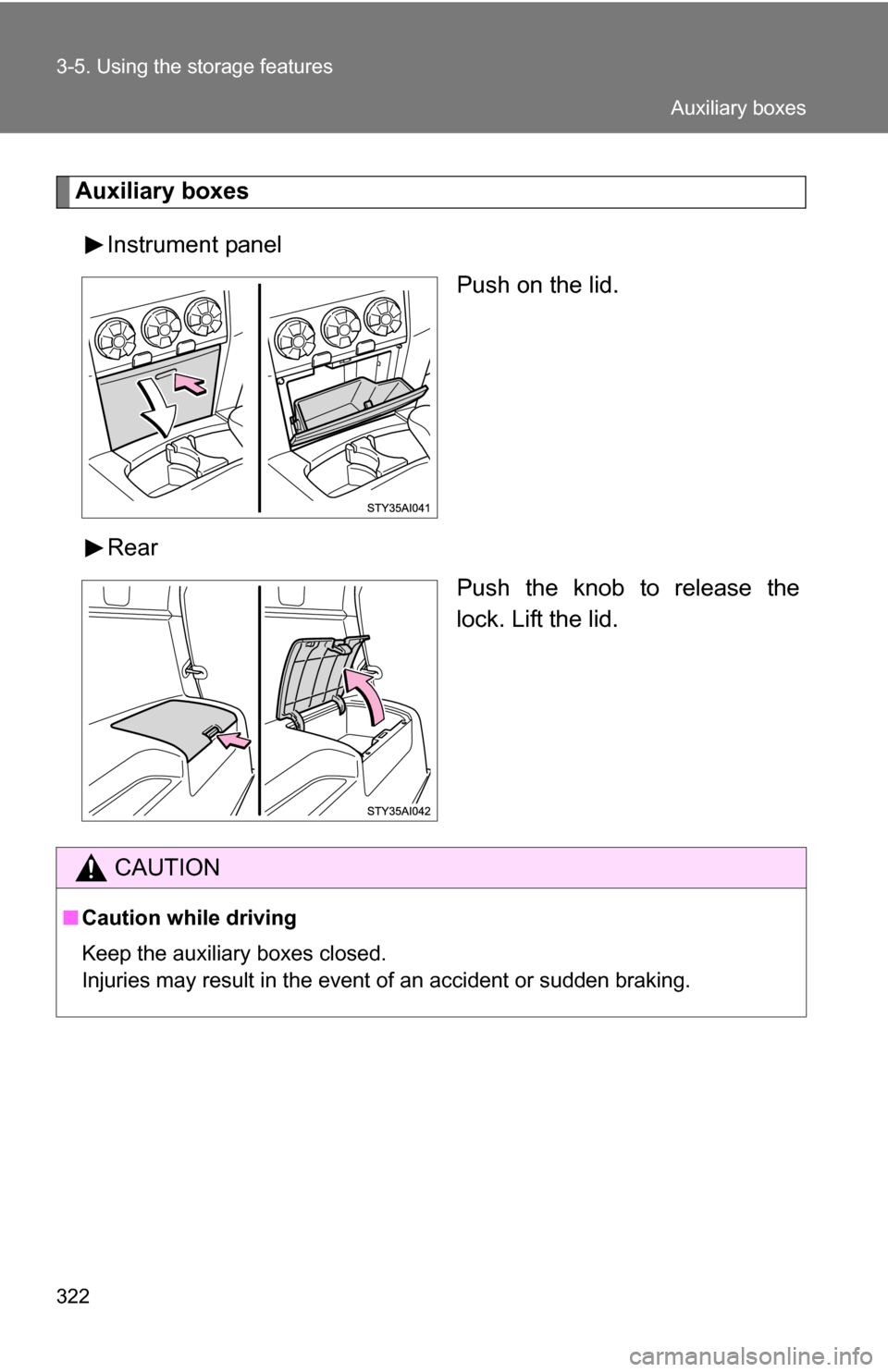
Auxiliary boxesInstrument panel Push on the lid.
Rear Push the knob to release the
lock. Lift the lid.
CAUTION
■Caution while driving
Keep the auxiliary boxes closed.
Injuries may result in the event of an accident or sudden braking.
Auxiliary boxes