Page 223 of 520
223
2-5. Driving information
2
When driving
●
Always place wheel blocks under both the vehicle and the trailer
wheels when parking. Apply the parking brake firmly, and put the
transmission in P. Avoid parking on a slope, but if unavoidable, do
so only after performing the following:
Apply the brakes and keep them applied.
Have someone place wheel blocks under both the vehicle and
trailer wheels.
When the wheel blocks are in pl ace, release the brakes slowly
until the blocks absorb the load.
Apply the parking brake firmly.
Shift into P and turn off the engine.
● When restarting after parking on a slope:
With the transmission in P, start the engine. Be sure to keep
the brake pedal pressed.
Shift into a forward gear. If reversing, shift into R.
Release the parking brake and brake pedal, and slowly pull or
back away from the wheel blocks. Stop and apply the brakes.
Have someone retrieve the blocks.
■ Service connector for towing brake controller (if equipped)
Your vehicle is equipped with a service
connector for the trailer brake controller
as shown.
Page 229 of 520

3
229
Interior features
3-1. Using the air conditioning system and defogger
Air conditioning system .... 230
Rear window and outside rear view mirror defoggers .... 240
3-2. Using the audio system
Audio system (without navigation system)
.......... 241
Using the radio ................. 244
Using the CD player ......... 250
Playing back MP3 and WMA discs ..................... 257
Optimal use of the audio system ........................... 266
Using the AUX adapter .... 269
Using the steering wheel audio switches ............... 271
3-3. Using the rear audio/video system
Rear seat entertainment system ........................... 274
Using the DVD player (DVD video) ................... 280
Using the DVD player (video CD)...................... 288
Using the DVD player (audio CD/CD text) ........ 291
Using the DVD player (MP3 discs) .................... 292
Using the video mode ...... 294
Changing the Setup Menu settings .......................... 297 3-4. Using the interior lights
Interior lights list ............... 305
• Personal lights ............... 306
• Personal/interior lights ... 307
• Interior light .................... 307
3-5. Using the storage features
List of storage features .... 309
• Glove box....................... 310
• Coin holder .................... 311
• Console box ................... 312
• Tissue pocket ................. 313
• Trash holder................... 314
• Overhead console .......... 316
• Cup holders ................... 316
• Bottle holders ................. 321
• Auxiliary boxes ............... 322
3-6. Other interior features Sun visors ........................ 323
Vanity mirrors ................... 324
Clock ................................ 325
Outside temperature display............................ 326
Rear side-view mirrors ..... 328
Power outlets ................... 329
Seat heaters..................... 334
Armrest ............................ 336
Floor mat .......................... 337
Luggage compartment features .......................... 338
Garage door opener......... 345
Compass .......................... 350
Page 239 of 520
239
3-1. Using the air conditioning system
and defogger
3
Interior features
CAUTION
■To prevent the windshield from fogging up
Do not use during cool air operation in extremely humid weather. The
difference between the temperature of the outside air and that of the wind-
shield can cause the outer surface of the windshield to fog up, blocking your
vision.
NOTICE
■To prevent battery discharge
Do not leave the air conditioning system on longer than necessary when the
engine is stopped.
Page 266 of 520
266
3-2. Using the audio system
Optimal use of the audio system
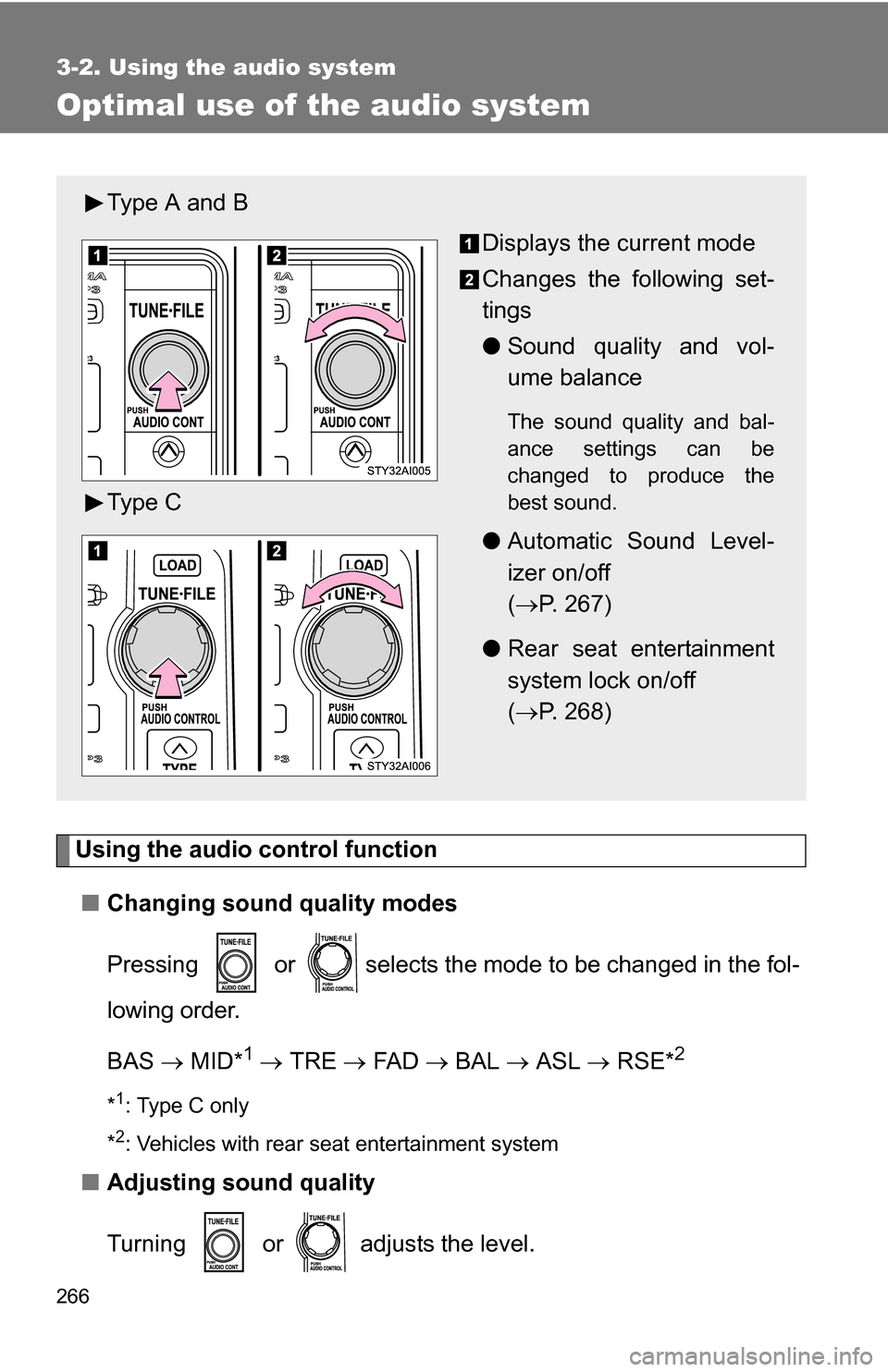
Using the audio control function■ Changing sound quality modes
Pressing or selects the mode to be changed in the fol-
lowing order.
BAS MID*
1 TRE FA D BAL ASL RSE*2
*1: Type C only
*
2: Vehicles with rear seat entertainment system
■ Adjusting sound quality
Turning or adjusts the level.
Type A and B
Displays the current mode
Changes the following set-
tings
●Sound quality and vol-
ume balance
The sound quality and bal-
ance settings can be
changed to produce the
best sound.
●Automatic Sound Level-
izer on/off
( P. 267)
● Rear seat entertainment
system lock on/off
( P. 268)
Type C
Page 268 of 520
268 3-2. Using the audio system
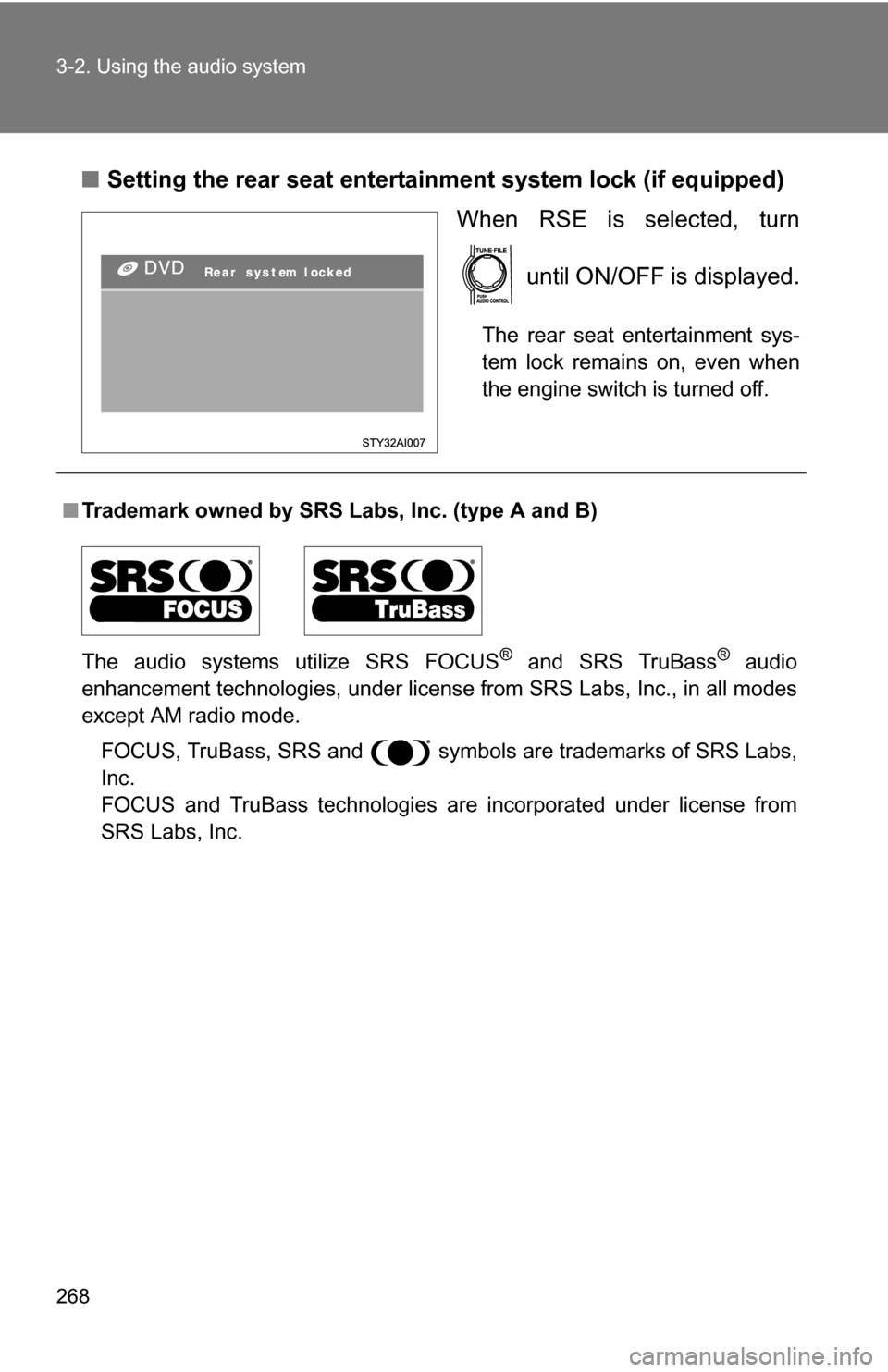
■Setting the rear seat entertainment system lock (if equipped)
When RSE is selected, turn
until ON/OFF is displayed.
The rear seat entertainment sys-
tem lock remains on, even when
the engine switch is turned off.
■Trademark owned by SRS Labs, Inc. (type A and B)
The audio systems utilize SRS FOCUS
® and SRS TruBass® audio
enhancement technologies, under license from SRS Labs, Inc., in all modes
except AM radio mode.
FOCUS, TruBass, SRS and symbols are trademarks of SRS Labs,
Inc.
FOCUS and TruBass technologies are incorporated under license from
SRS Labs, Inc.
Page 269 of 520
269
3-2. Using the audio system
3
Interior features
Using the AUX adapter
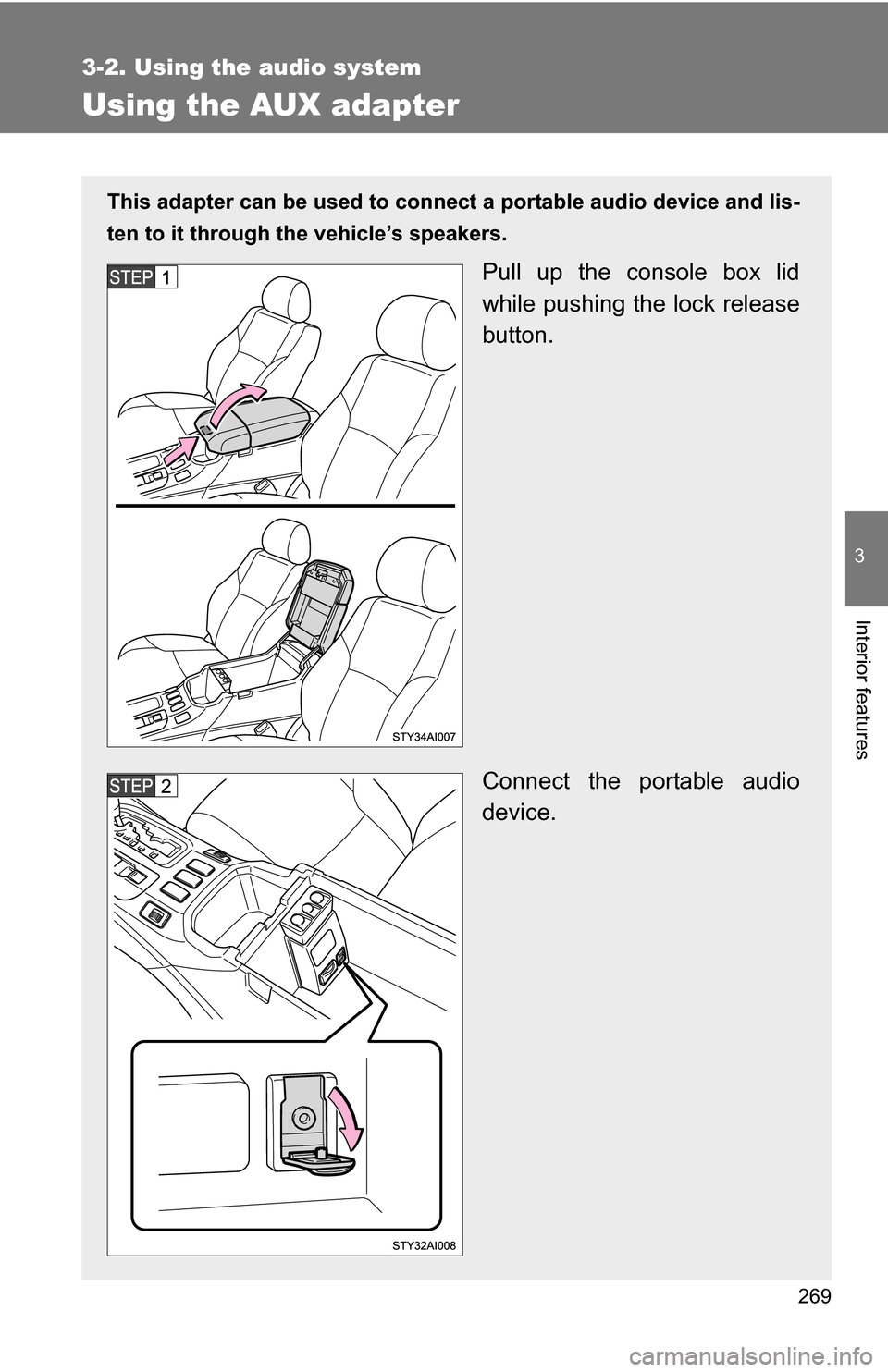
This adapter can be used to connect a portable audio device and lis-
ten to it through the vehicle’s speakers.
Pull up the console box lid
while pushing the lock release
button.
Connect the portable audio
device.
Page 275 of 520
275
3-3. Using the rear audio/video system
3
Interior features
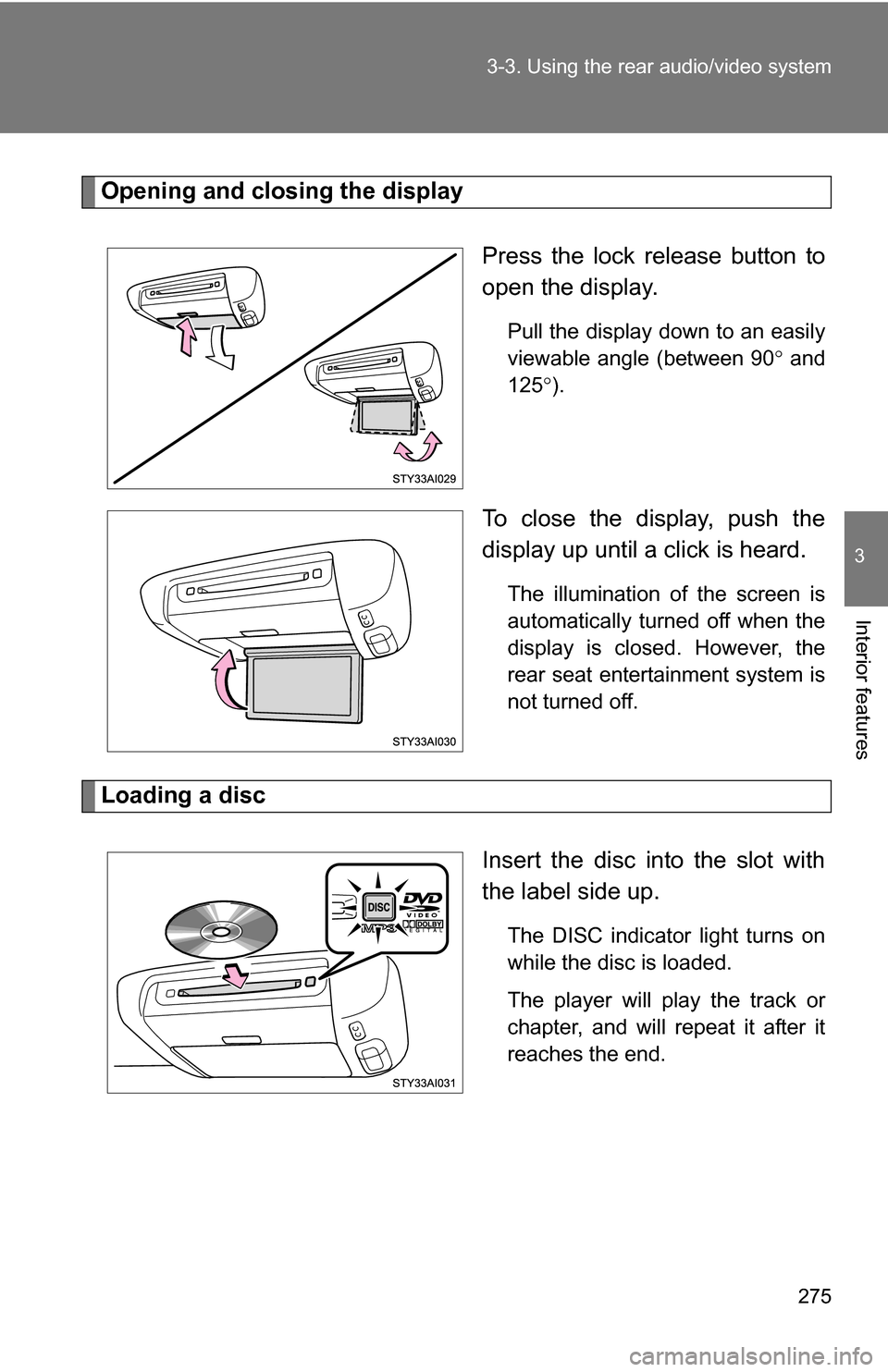
Opening and closing the display
Press the lock release button to
open the display.
Pull the display down to an easily
viewable angle (between 90 and
125 ).
To close the display, push the
display up until a click is heard.
The illumination of the screen is
automatically turned off when the
display is closed. However, the
rear seat entertainment system is
not turned off.
Loading a disc
Insert the disc into the slot with
the label side up.
The DISC indicator light turns on
while the disc is loaded.
The player will play the track or
chapter, and will repeat it after it
reaches the end.
Page 276 of 520
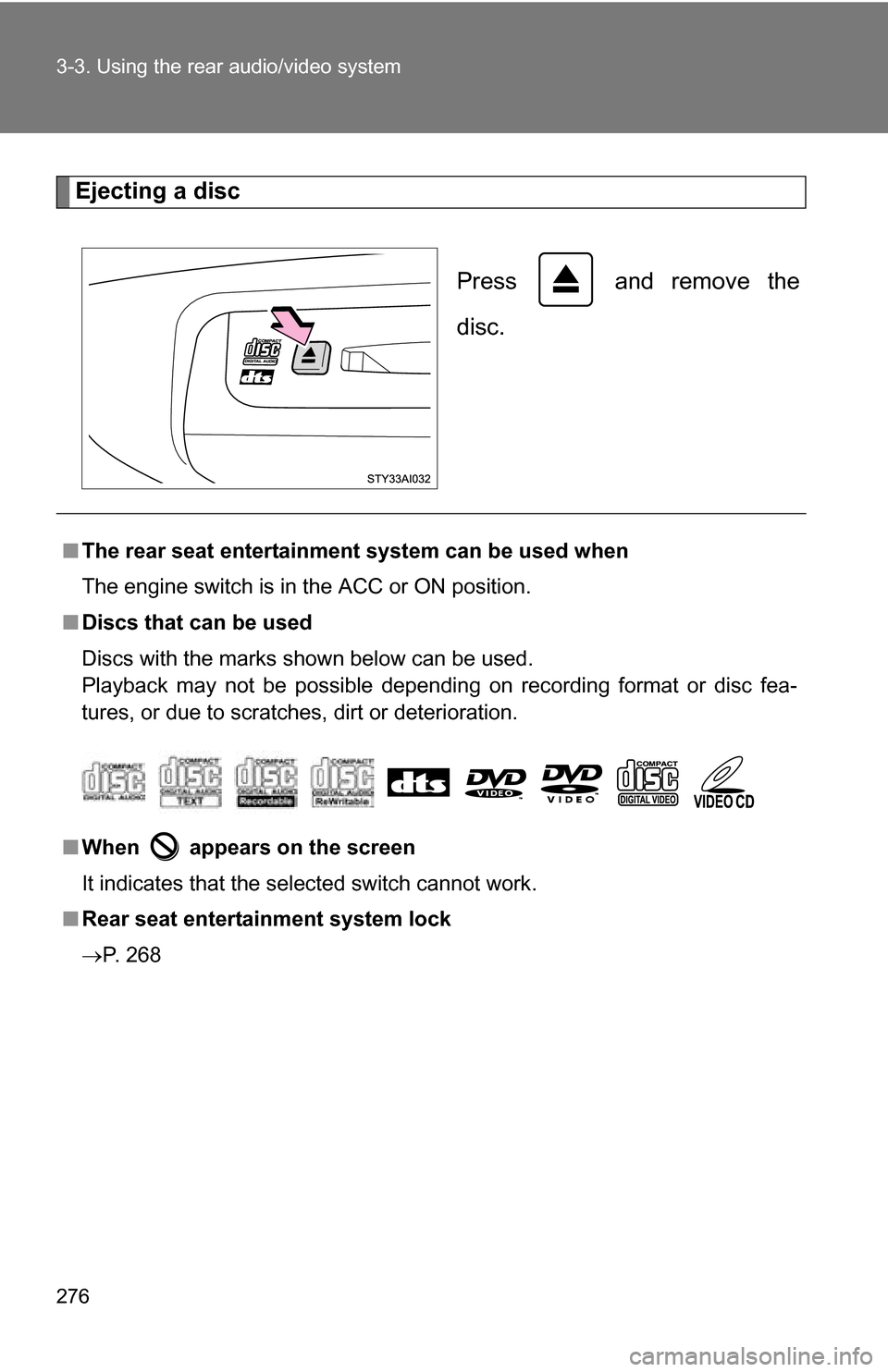
276 3-3. Using the rear audio/video system
Ejecting a discPress and remove the
disc.
■The rear seat entertainmen t system can be used when
The engine switch is in the ACC or ON position.
■ Discs that can be used
Discs with the marks shown below can be used.
Playback may not be possible depending on recording format or disc fea-
tures, or due to scratches, dirt or deterioration.
■ When appears on the screen
It indicates that the selected switch cannot work.
■ Rear seat entertainment system lock
P. 268