Page 68 of 343
66
Seats, Mirrors and Steering Wheel
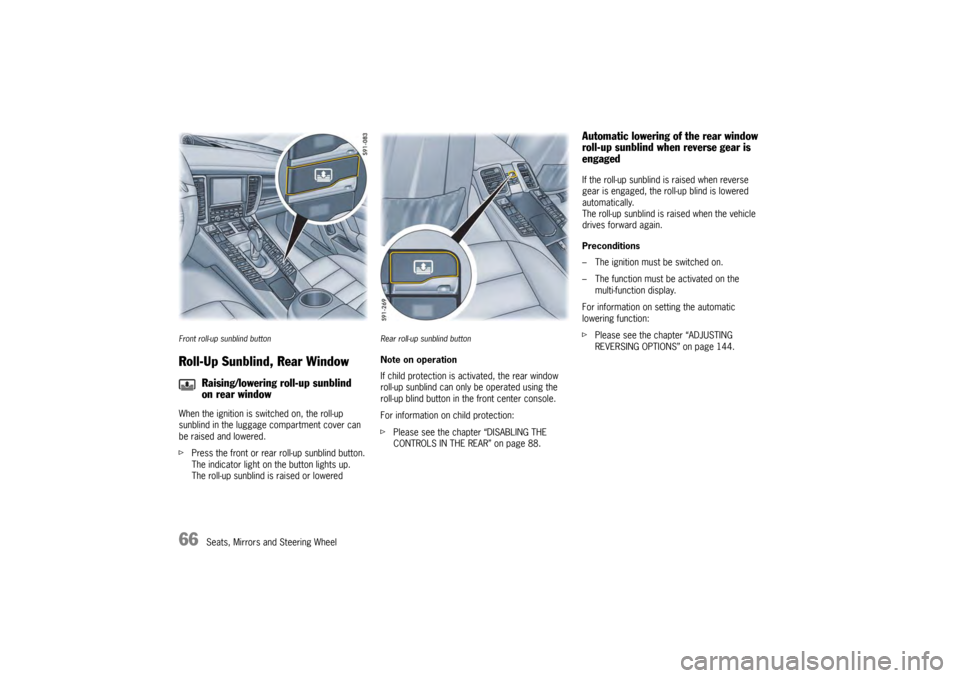
Front roll-up sunblind buttonRoll-Up Sunblind, Rear WindowWhen the ignition is switched on, the roll-up
sunblind in the luggage compartment cover can
be raised and lowered.
fPress the front or rear roll-up sunblind button.
The indicator light on the button lights up.
The roll-up sunblind is raised or lowered
Rear roll-up sunblind buttonNote on operation
If child protection is ac tivated, the rear window
roll-up sunblind can only be operated using the
roll-up blind button in the front center console.
For information on child protection:
f Please see the chapter “DISABLING THE
CONTROLS IN THE REAR” on page 88.
Automatic lowering of the rear window
roll-up sunblind when reverse gear is
engagedIf the roll-up sunblind is raised when reverse
gear is engaged, the roll-up blind is lowered
automatically.
The roll-up sunblind is raised when the vehicle
drives forward again.
Preconditions
– The ignition must be switched on.
– The function must be activated on the
multi-function display.
For information on setting the automatic
lowering function:
f Please see the chapter “ADJUSTING
REVERSING OPTIONS” on page 144.
Raising/lowering roll-up sunblind
on rear window
Page 73 of 343
Air Conditioning
71
General FunctionsNote on operation
Additional settings relating to the climate type and
extended ventilation panel can be adjusted in the
multi-function display on the instrument panel:
f Please see the chapter “AIR-CONDITIONING
SETTINGS ON THE MULTI-FUNCTION
DISPLAY” on page 83.
f Please see the chapter “SETTING AIR
CONDITIONING” on page 146.
On vehicles with comfort memory, all air-
conditioning settings are stored on the relevant
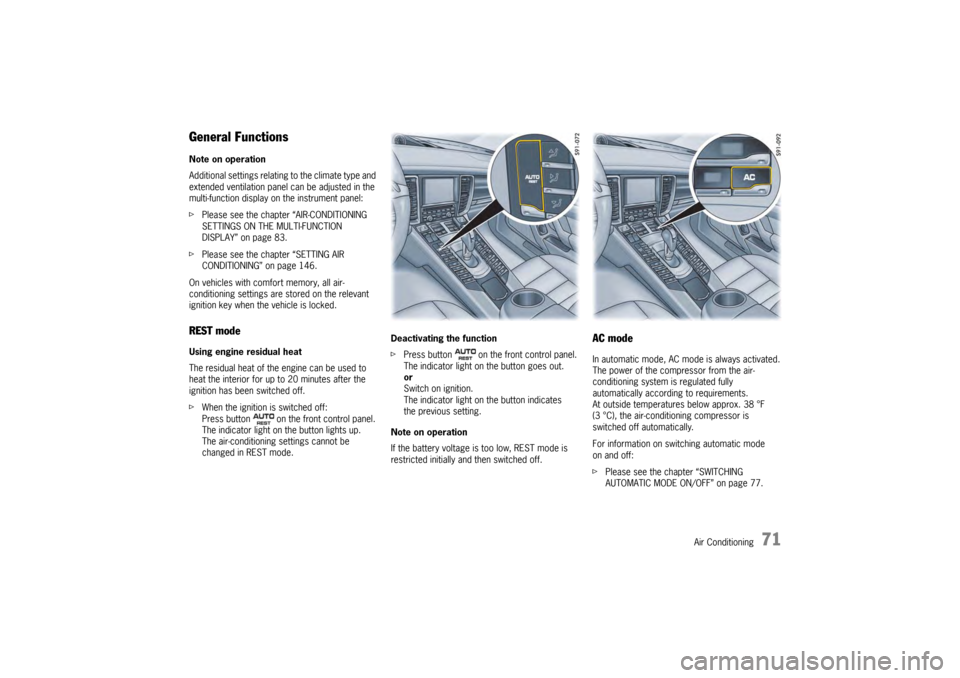
ignition key when the vehicle is locked.REST modeUsing engine residual heat
The residual heat of the engine can be used to
heat the interior for up to 20 minutes after the
ignition has been switched off.
f When the ignition is switched off:
Press button on the front control panel.
The indicator light on the button lights up.
The air-conditioning settings cannot be
changed in REST mode. Deactivating the function
f
Press button on the front control panel.
The indicator light on the button goes out.
or
Switch on ignition.
The indicator light on the button indicates
the previous setting.
Note on operation
If the battery voltage is too low, REST mode is
restricted initially and then switched off.
AC modeIn automatic mode, AC mode is always activated.
The power of the compressor from the air-
conditioning system is regulated fully
automatically according to requirements.
At outside temperatures below approx. 38 °F
(3 °C), the air-conditioning compressor is
switched off automatically.
For information on switching automatic mode
on and off:
f Please see the chapter “SWITCHING
AUTOMATIC MODE ON/OFF” on page 77.
Page 74 of 343
72
Air Conditioning
Switching on AC mode
If you wish to cool th
e passenger compartment
to a temperature lower than the outside
temperature, AC mode must be activated.
f Press button .
The indicator light on the button lights up.
The air-conditioning compressor is
switched on.
or
Press button .
Switching off AC mode
AC mode can be switched off manually to save
fuel, for example.
f Press button .
The indicator light on the button goes out.
The air-conditioning compressor is
switched off.
The cooling function is deactivated.
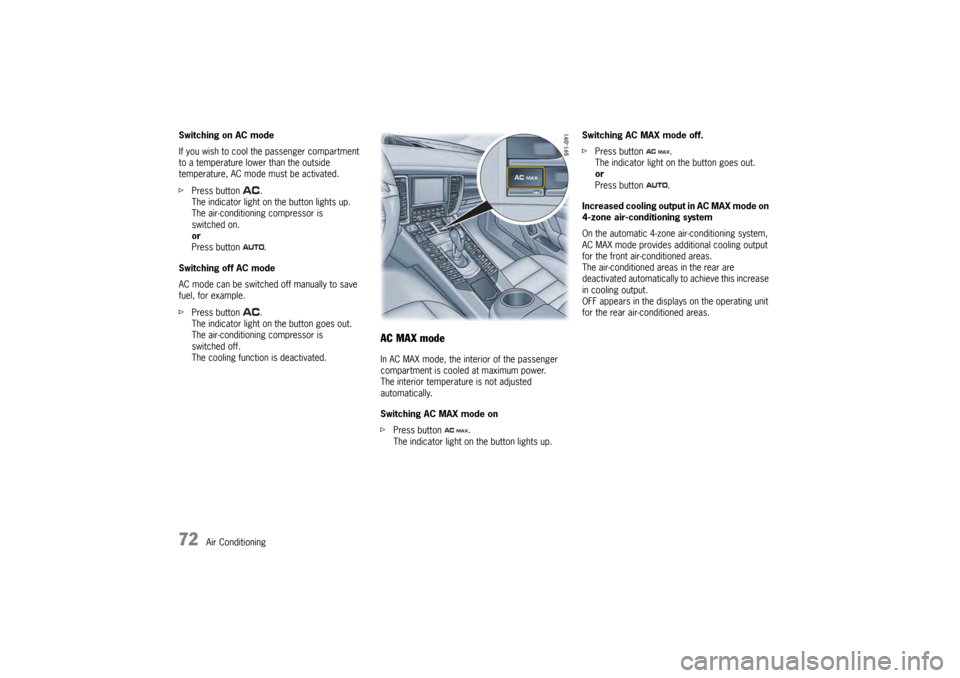
AC MAX modeIn AC MAX mode, the inte rior of the passenger
compartment is cooled at maximum power.
The interior temperature is not adjusted
automatically.
Switching AC MAX mode on
f Press button .
The indicator light on the button lights up. Switching AC MAX mode off.
f
Press button .
The indicator light on the button goes out.
or
Press button .
Increased cooling output in AC MAX mode on
4-zone air-conditioning system
On the automatic 4-zone air-conditioning system,
AC MAX mode provides a dditional cooling output
for the front air-conditioned areas.
The air-conditioned areas in the rear are
deactivated automatically to achieve this increase
in cooling output.
OFF appears in the displays on the operating unit
for the rear air-conditioned areas.
Page 75 of 343
Air Conditioning
73
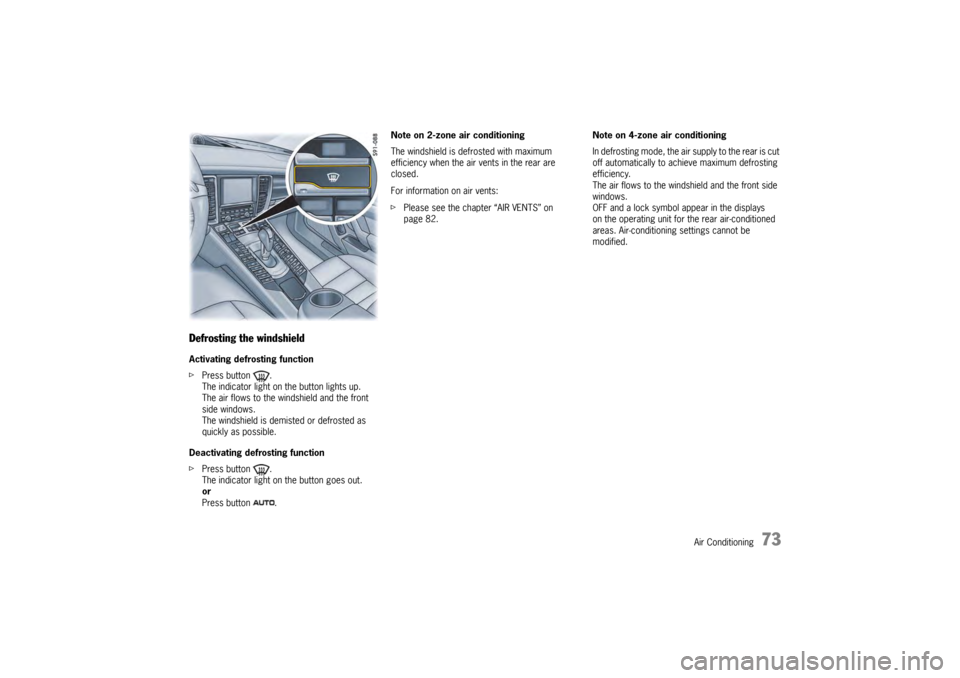
Defrosting the windshieldActivating defrosting function
fPress button .
The indicator light on the button lights up.
The air flows to the windshield and the front
side windows.
The windshield is demisted or defrosted as
quickly as possible.
Deactivating defrosting function
f Press button .
The indicator light on the button goes out.
or
Press button . Note on 2-zone air conditioning
The windshield is defrosted with maximum
efficiency when the air vents in the rear are
closed.
For information on air vents:
f
Please see the chapter “AIR VENTS” on
page 82. Note on 4-zone air conditioning
In defrosting mode, the air
supply to the rear is cut
off automatically to achieve maximum defrosting
efficiency.
The air flows to the windshield and the front side
windows.
OFF and a lock symbol appear in the displays
on the operating unit for the rear air-conditioned
areas. Air-conditioning settings cannot be
modified.
Page 76 of 343
74
Air Conditioning
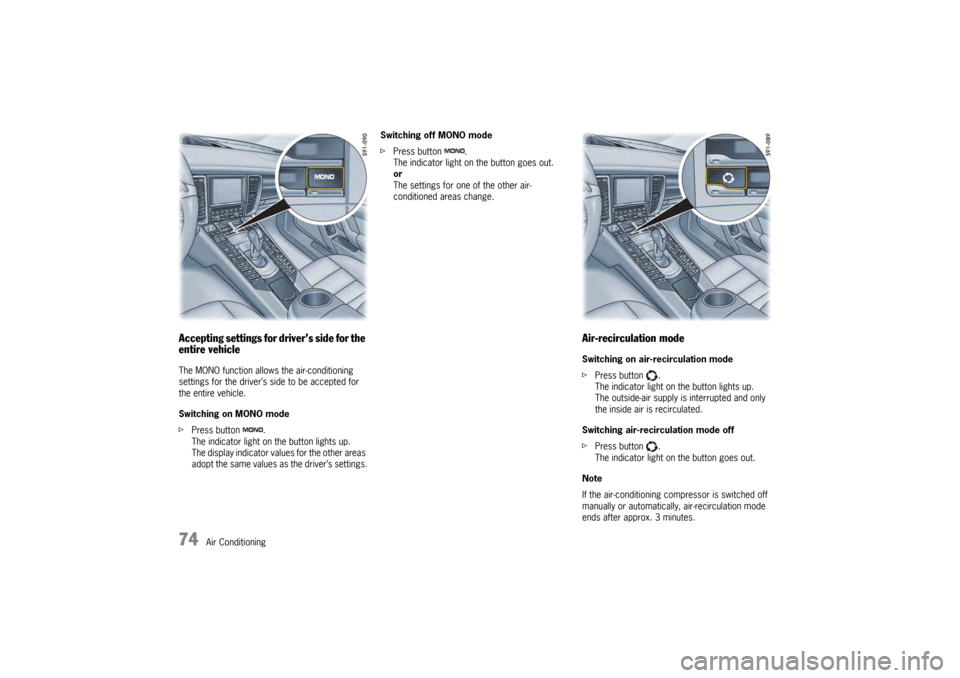
Accepting settings for driver’s side for the
entire vehicleThe MONO function allows the air-conditioning
settings for the driver’s side to be accepted for
the entire vehicle.
Switching on MONO mode
fPress button .
The indicator light on the button lights up.
The display indicator values for the other areas
adopt the same values as the driver’s settings. Switching off MONO mode
f
Press button .
The indicator light on the button goes out.
or
The settings for one of the other air-
conditioned areas change.
Air-recirculation modeSwitching on air-recirculation mode
f Press button .
The indicator light on the button lights up.
The outside-air supply is interrupted and only
the inside air is recirculated.
Switching air-recirculation mode off
f Press button .
The indicator light on the button goes out.
Note
If the air-conditioning co mpressor is switched off
manually or automatically, air-recirculation mode
ends after approx. 3 minutes.
Page 77 of 343

Air Conditioning
75
Setting automatic air-recirculation modeIn automatic air-recirculation mode, the fresh air
supply is adjusted depending on the air quality.
Automatic air-recirculation mode can be switched
on and off on the multi-function display.
At outside temperatures below approx. 50 °F
(10 °C), air-recirculation mode is deactivated
automatically to prevent the windows from
misting.
For information on adjusting automatic air-
recirculation mode on the multi-function display:
fPlease see the chapter “SETTING AIR
CONDITIONING” on page 146.
Note
The recommended operating mode is automatic
air-recirculation mode (default setting).
Information on the air-conditioning
compressorThe air-conditioning compressor:
– Can switch off briefly to ensure sufficient engine cooling if the engine is operating under
extreme load.
– Automatically switches off at temperatures below 38 °F (3 °C) and cannot be switched on,
even manually.
– Operates most effectively with the windows closed.
If the vehicle has been in the sun for a long
time, it is a good idea to ventilate the interior
briefly with the windows open.
– Depending on the outside temperature and humidity, condensation can drip from the
evaporator and form a pool under the vehicle.
This is normal and not a sign of leaks.
Information on automatic load switch-offIf the charging condition of the battery is critical,
the following air-conditioning or heating functions
are restricted initially and then switched off.
– Heated seats
– Heated rear window/External mirror heating
–Fresh-air blower
– Air-conditioning compressor
Page 78 of 343
76
Air Conditioning
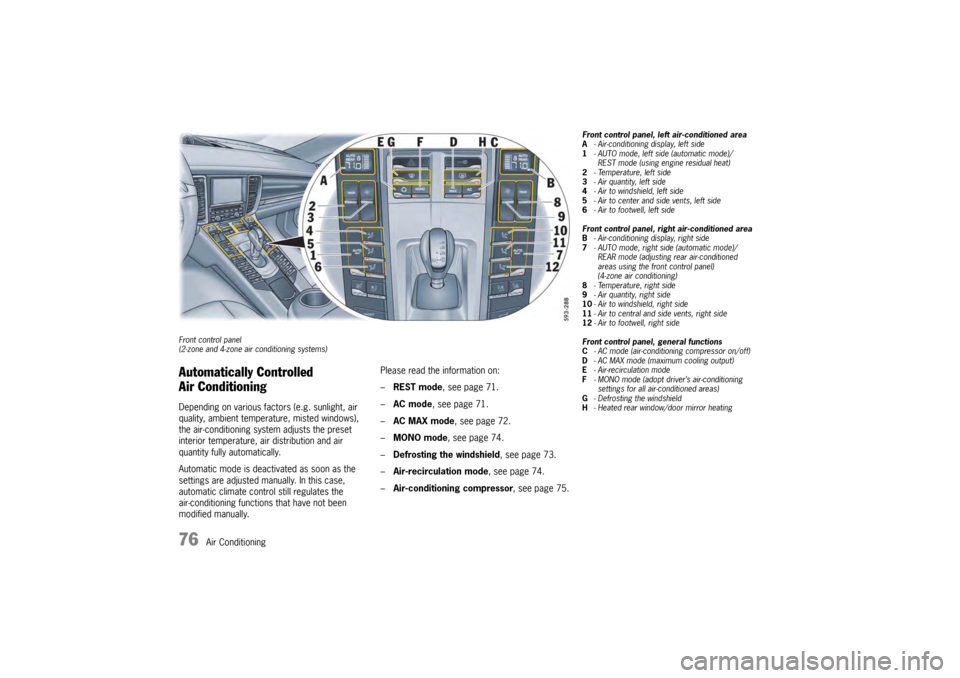
Front control panel
(2-zone and 4-zone air conditioning systems)Automatically Controlled
Air ConditioningDepending on various factors (e.g. sunlight, air
quality, ambient temperature, misted windows),
the air-conditioning system adjusts the preset
interior temperature, air distribution and air
quantity fully automatically.
Automatic mode is deactivated as soon as the
settings are adjusted manually. In this case,
automatic climate control still regulates the
air-conditioning functions that have not been
modified manually. Please read the information on:
–
REST mode , see page 71.
– AC mode , see page 71.
– AC MAX mode, see page 72.
– MONO mode , see page 74.
– Defrosting the windshield , see page 73.
– Air-recirculation mode , see page 74.
– Air-conditioning compressor , see page 75.
Front control panel, left air-conditioned area
A- Air-conditioning display, left side
1 - AUTO mode, left side (automatic mode)/
REST mode (using engine residual heat)
2 - Temperature, left side
3 - Air quantity, left side
4 - Air to windshield, left side
5 - Air to center and side vents, left side
6 - Air to footwell, left side
Front control panel, right air-conditioned area
B - Air-conditioning display, right side
7 - AUTO mode, right side (automatic mode)/
REAR mode (adjusting rear air-conditioned
areas using the front control panel)
(4-zone air conditioning)
8 - Temperature, right side
9 - Air quantity, right side
10 - Air to windshield, right side
11 - Air to central and side vents, right side
12 - Air to footwell, right side
Front control panel, general functions
C - AC mode (air-conditioning compressor on/off)
D - AC MAX mode (maximum cooling output)
E - Air-recirculation mode
F - MONO mode (adopt driver’s air-conditioning
settings for all air-conditioned areas)
G - Defrosting the windshield
H - Heated rear window/door mirror heating
Page 79 of 343
Air Conditioning
77
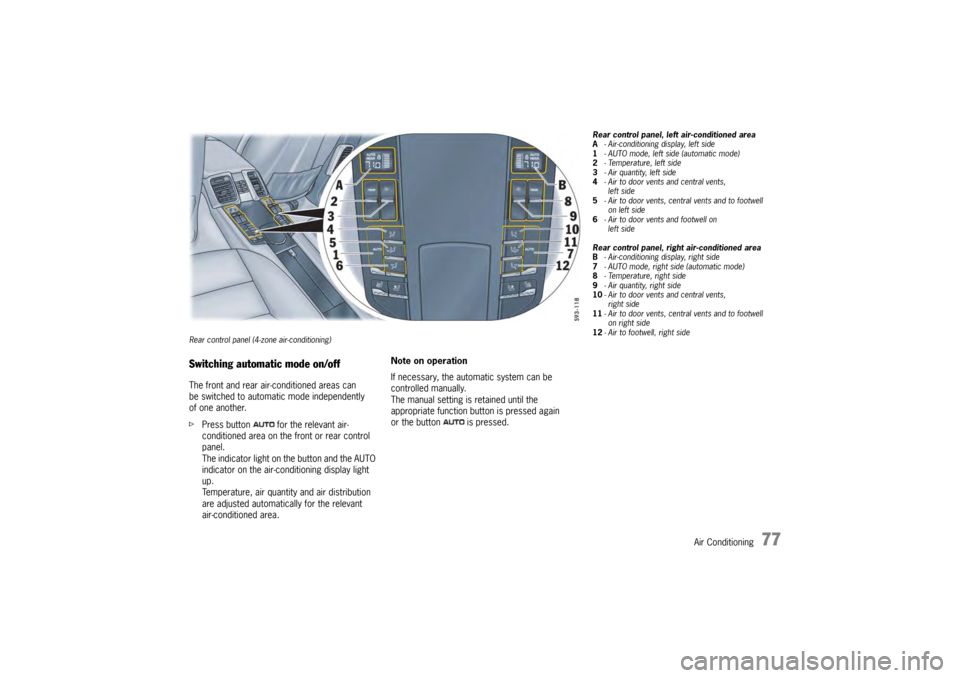
Rear control panel (4-zone air-conditioning)Switching automatic mode on/offThe front and rear air-conditioned areas can
be switched to automatic mode independently
of one another.
fPress button for the relevant air-
conditioned area on the front or rear control
panel.
The indicator light on the button and the AUTO
indicator on the air-conditioning display light
up.
Temperature, air quantity and air distribution
are adjusted automatically for the relevant
air-conditioned area. Note on operation
If necessary, the automatic system can be
controlled manually.
The manual setting is retained until the
appropriate function button is pressed again
or the button is pressed.
Rear control panel, left air-conditioned area
A
- Air-conditioning display, left side
1 - AUTO mode, left side (automatic mode)
2 -Temperature, left side
3 - Air quantity, left side
4 -Air to door vent s and central vents,
left side
5 - Air to door vents, cent ral vents and to footwell
on left side
6 - Air to door vents and footwell on
left side
Rear control panel, right air-conditioned area
B - Air-conditioning display, right side
7 - AUTO mode, right side (automatic mode)
8 - Temperature, right side
9 - Air quantity, right side
10 -Air to door vent s and central vents,
right side
11 - Air to door vents, cent ral vents and to footwell
on right side
12 - Air to footwell, right side