Page 101 of 284
95
Instruments, controls
Picture no: 17913s.tif
Outside temperature A fall in temperature is indicated
immediately and a rise in temperature
after a time delay.
If outside temperature drops below 3 �C,
the symbol : appears in the triple
information display as a warning for icy
road conditions. When temperature
increases to at least 5 �C, the : symbol
goes out.
Picture no: 17338t.tif
In vehicles with graphical information
display 3 or colour information display 3, a
warning message appears in the display as
a warning for icy road surfaces. There is no
message below -5 �C.
:
8:56
-5
,5
°C
07.05.2008
Slippery road-2,5°C
OK
9
Warning
Caution: The road surface may already
be icy even though the display indicates
a few degrees above 0 �C.
Back to overview
Page 110 of 284

104 Instruments, controls
Picture no: 17348t.tif
Stop watch
Select menu item Timer from the Board
Computer menu.
To start, select menu item Start. To stop,
select menu item Stop.
To reset, select menu item Reset . The desired stop watch display can be
selected from the
Optionsmenu 3:
Driving Time excl. Stops
The time the vehicle is in motion is
recorded. Stationary time is not included.
Driving Time incl. Stops
The time the vehicle is in motion is
recorded. The time the vehicle is stationary
with the key in the ignition switch is
included.
Travel Time
Measurement of the time from manual
activation via Start to manual deactivation
via Reset .
Check control
3
Check control monitors the remote control
battery, the brake lamp switch, as well as
important exterior lamps, including the
cable and fuses.
Warning messages appear on the display.
If there are several warning messages, they
are displayed one after the other.
Some of the warning messages appear on
the display in an abbreviated form.
Ü
Board Computer 19,5° 19:36
BC 1
BC 2
00:00:00
Timer Start
Reset
Options
Back to overview
Page 111 of 284
105
Instruments, controls
Acknowledge warning messages as
described on page 96, confirm.
Unacknowledged warning messages can
be re-displayed later.
Warning messages:Remote Control
Battery
check
Remote control battery voltage too low
3 32.
Brakelight switch
check
Brake light does not come on during
braking. Have the cause of the fault
eliminated immediately by a workshop.
Picture no: 18435s.tif
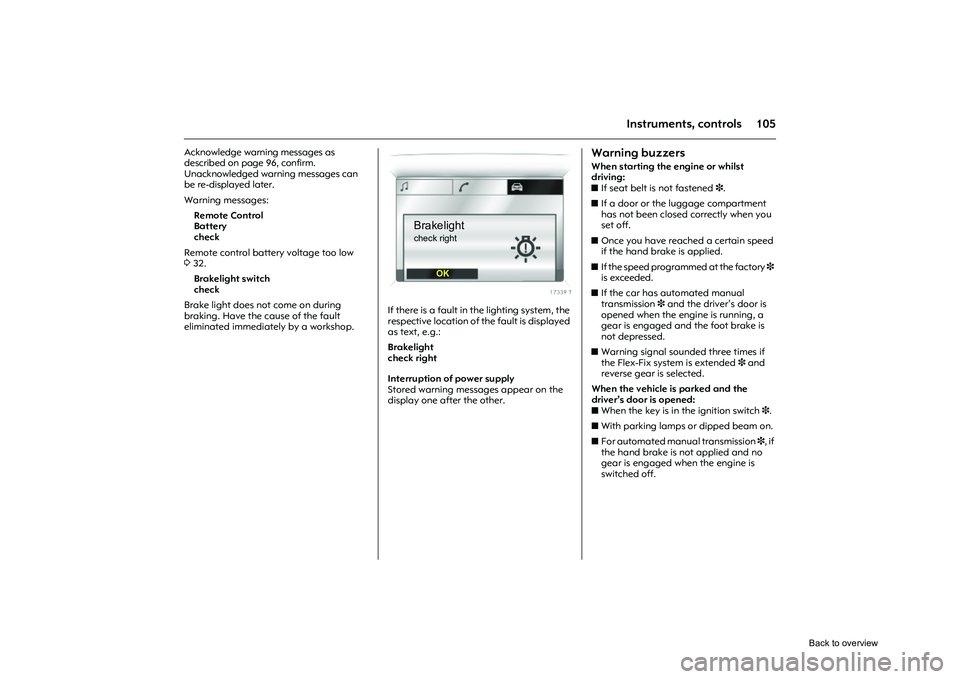
If there is a fault in the lighting system, the
respective location of the fault is displayed
as text, e.g.:
Brakelight
check right
Interruption of power supply
Stored warning messages appear on the
display one after the other.
Warning buzzersWhen starting the engine or whilst
driving:
z If seat belt is not fastened 3.
z If a door or the luggage compartment
has not been closed correctly when you
set off.
z Once you have reached a certain speed
if the hand brake is applied.
z If the speed programmed at the factory 3
is exceeded.
z If the car has automated manual
transmission 3 and the driver’s door is
opened when the engine is running, a
gear is engaged and the foot brake is
not depressed.
z Warning signal sounded three times if
the Flex-Fix system is extended 3 and
reverse gear is selected.
When the vehicle is parked and the
driver’s door is opened:
z When the key is in the ignition switch 3.
z With parking lamps or dipped beam on.
z For automated manual transmission 3, if
the hand brake is not applied and no
gear is engaged when the engine is
switched off.
Brakelightcheck right
OK
Back to overview
Page 114 of 284

108 LightingLighting
Picture no: 18197s.tif
Exterior lightsTurn light switch:
In positions 8 and 9, the tail lamps and
number plate lamps are also on.
Control indicator 8388.
If the ignition is switched off when main
beam or dipped beam is on, the parking
lamps come on.
The parking lamps go off when the ignition
key is removed. Versions with daytime running lights 3
:
Parking lamps are on when the ignition is
switched on and the lig ht switch is set to 7
or A 3. Dipped beam is on when the engine
is running.
The daytime running lig hts switch off when
the ignition is switched off.
Follow the regulations of the country in
which you are driving when using daytime
running lights and fog lamps 3.
Driving abroad 3117.
Exterior lights ....................................... 108
Main beam, headlamp flash .............. 109
Automatic dipped beam
activation A 3................................. 109
Turn signal lamps ................................ 109
Fog lamps > 3.................................... 110
Fog tail lamp r................................... 110
Reversing lamps................................... 110
Hazard warning lamps ....................... 111
Headlamp range adjustment ? 3..... 111
Adaptive Forward Lighting 3 (AFL) .. 112
Lead-me lighting 3............................. 113
Switching on the exterior lighting with the remote control 3......................... 113
Parking lamps ...................................... 114
Instrument illumination, Information display illumination ........................... 114
Courtesy lamp...................................... 114
Battery discharge protection .............. 116
Misted light covers............................... 116
Headlamps when driving abroad ...... 117 7
=Off
8 = Parking lamps
9 = Dipped or main beam
Back to overview
Page 117 of 284
111
Lighting
Picture no: 18169s.tif
Hazard warning lamps Operated with the ¨ button.
To aid location of the pushbutton, the red
surface is illuminated when the ignition
switched on. When the button is pressed,
its control indicator flashes in time with the
hazard warning lamps.
The hazard warning flashers activate
automatically if the airbags deploy.
Picture no: 18200s.tif
Headlamp range adjustment
? 3
Adjust headlamp range to suit the vehicle
load to avoid dazzling oncoming traffic.
Push button
I or
J step-by-step until the
required setting is displayed on the
kilometre display.
The display shows for 4 seconds, when
dipped beam is switched on or every time
the beam range is changed, together with
the symbol ?.
Picture no: 18419s.tif
0 = Front seats occupied
1 = All seats occupied
2 = All seats occupied and luggage
compartment load
3 = Driver’s seat occupied and luggage compartment load
Back to overview
Page 125 of 284
119
Infotainment system
Picture no: 18471s.tif
AUX input
3
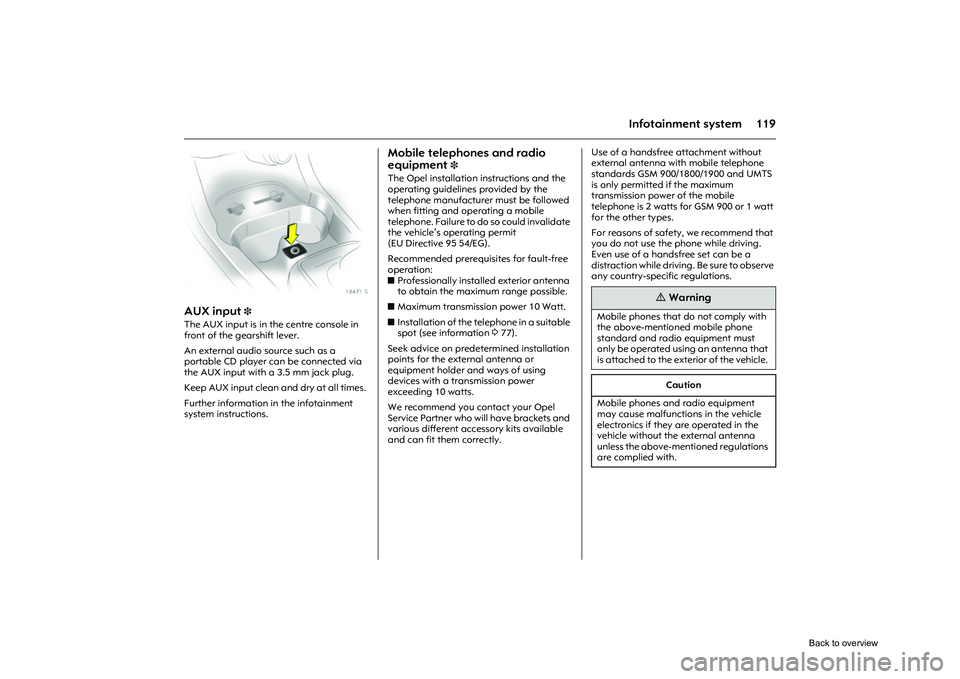
The AUX input is in the centre console in
front of the gearshift lever.
An external audio source such as a
portable CD player can be connected via
the AUX input with a 3.5 mm jack plug.
Keep AUX input clean and dry at all times.
Further information in the infotainment
system instructions.
Mobile telephones and radio
equipment
3
The Opel installation instructions and the
operating guidelines provided by the
telephone manufacturer must be followed
when fitting and operating a mobile
telephone. Failure to do so could invalidate
the vehicle’s operating permit
(EU Directive 95 54/EG).
Recommended prerequisites for fault-free
operation:
z Professionally installed exterior antenna
to obtain the maximum range possible.
z Maximum transmission power 10 Watt.
z Installation of the te lephone in a suitable
spot (see information 377).
Seek advice on predetermined installation
points for the external antenna or
equipment holder and ways of using
devices with a transmission power
exceeding 10 watts.
We recommend you contact your Opel
Service Partner who will have brackets and
various different accessory kits available
and can fit them correctly. Use of a handsfree attachment without
external antenna with mobile telephone
standards GSM 900/1800/1900 and UMTS
is only permitted if the maximum
transmission power of the mobile
telephone is 2 watts for GSM 900 or 1 watt
for the other types.
For reasons of safety, we recommend that
you do not use the phone while driving.
Even use of a handsfree set can be a
distraction while
driving. Be sure to observe
any country-specific regulations.
9
Warning
Mobile phones that do not comply with
the above-mentioned mobile phone
standard and radio equipment must
only be operated using an antenna that
is attached to the exterior of the vehicle.
Caution
Mobile phones and radio equipment
may cause malfunctions in the vehicle
electronics if they are operated in the
vehicle without the external antenna
unless the above-mentioned regulations
are complied with.
Back to overview
Page 131 of 284
125
Climate control
Picture no: 18211s.tif
Heating the foot well
zRotate temperature switch to right-hand
zone.
z Switch on fan.
z Set air distribution switch to K.
Picture no: 18212s.tif
Window demisting and de-icing
Misted or icy windows, e. g. due to damp
weather, damp clothing or low outside
temperatures: z
Turn the temperature switch clockwise as
far as it will go (warm).
z Move fan switch to 3 or 4.
z Move air distribution switch to l.
z To heat footwell at same time, move air
distribution switch to J.
z Open side air vents as required and
direct them towards door windows.
z Switch on heated rear window Ü.
9
Warning
Disregard of the instructions could lead
to misting or icing of the windows and
subsequent accidents due to impaired
visibility.
Back to overview
Page 133 of 284

127
Climate control
Air distribution to l: the air recirculation
system is automatically switched off to
speed up window demisting and prevent
fogging.
Picture no: 18215s.tif
Comfort setting
z Set cooling n as desired.
z Air recirculation system 4 off.
z Set temperature switch as desired.
z Switch on fan at desired speed.
z Set air distribution switch to M or L.
z Open air vents as required, and/or direct
the air flow.
Temperature switch at lower end of
adjustment range: warm er air will flow into
the foot well and cooler air into the upper
zone, with warmer air coming from the side
air vents and cooler air from the centre
vents.
Picture no: 18216s.tif
Maximum cooling
Open windows and sun roof 3 briefly so
that warm air can escape rapidly.
z Cooling n on.
z Air recirculation system 4 on.
z Turn the temperature switch
anticlockwise as far as it will go (cold).
z Move fan switch to 4.
z Set air distribution switch to M.
z Open all air vents.
9
Warning
The air recirculation system minimises
the entry of outside air. The humidity
increases, and the windows can mist up.
The quality of the passenger compart-
ment air deteriorates which may cause
the vehicle occupants to feel drowsy.
Back to overview


