2009 MERCEDES-BENZ E-CLASS COUPE audio
[x] Cancel search: audioPage 117 of 313
play. The curren
ttrac kdoes not appear in
audio AUX mode ( Auxiliary audio mode: exter-
nal audio source connected).
Operating the TV* i
Depending on the digital TV broadcaster,
radio stations can also be received. The
multi-function display shows TV (Radio).
Selecting aradio station (Y page 113).
X Press the 0040or003E button on the steer-
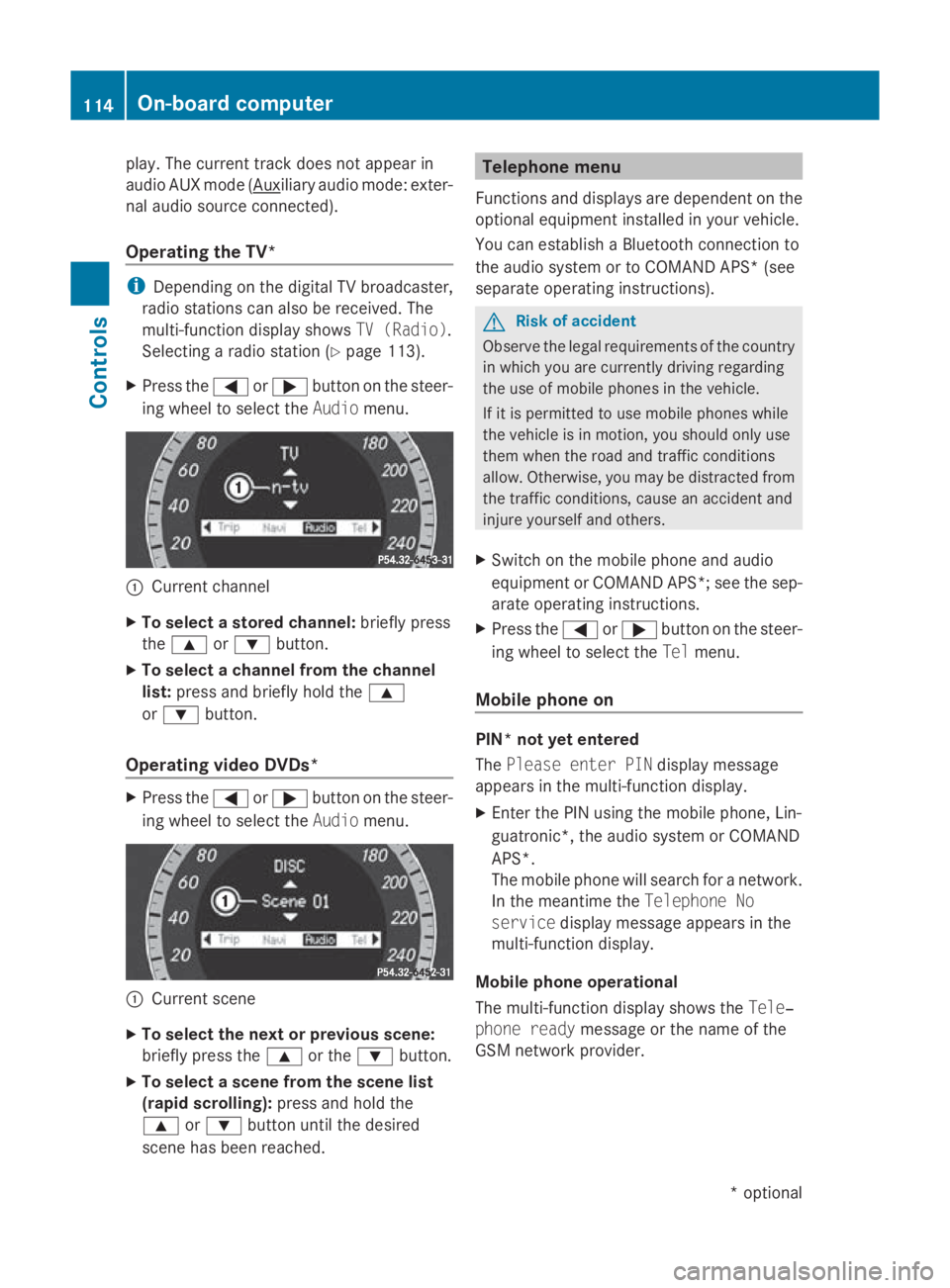
ing wheel to select the Audiomenu. 0046
Current channel
X To select astored channel: briefly press
the 003C or003D button.
X To select achannel from the channel
list: press and briefly hold the 003C
or 003D button.
Operating video DVDs* X
Press the 0040or003E button on the steer-
ing wheel to select the Audiomenu. 0046
Current scene
X To select the next or previous scene:
briefly press the 003Cor the 003Dbutton.
X To select ascene from the scene list
(rapid scrolling): press and hold the
003C or003D button until the desired
scen ehas been reached. Telephone menu
Function sand displays are dependen tonthe
optional equipment installed in your vehicle.
You can establish aBluetoot hconnection to
the audio system or to COMAND APS *(see
separate operatin ginstructions). G
Risk of accident
Observ ethe legal requirements of the country
in which you are currently drivin gregarding
the use of mobile phones in the vehicle.
If it is permitted to use mobile phones while
the vehicle is in motion ,you should only use
them when the road and traffic conditions
allow. Otherwise, you may be distracted from
the traffic conditions, cause an acciden tand
injure yourself and others.
X Switc hont he mobile phone and audio
equipment or COMAND APS*; see the sep-
arate operatin ginstructions.
X Press the 0040or003E button on the steer-
ing wheel to select the Telmenu.
Mobile phone on PIN* not yet entered
The
Please enter PIN display message
appears in the multi-function display.
X Enter the PIN using the mobile phone, Lin-
guatronic*, the audio system or COMAND
APS*.
The mobile phone will search for anetwork.
In the meantime the Telephone No
service display message appears in the
multi-function display.
Mobile phone operational
The multi-function display shows the Tele‐
phone ready message or the name of the
GSM network provider. 114
On-boar
dcomputerControls
*optional
207_AKB
;2;3,en-GB
mkalafa, Version:2.11.8.1
2009-07-23T10:23:49+02:0
0-Seite 114
Page 118 of 313
Accepting
acall If someon
ecallsy ou and you are in the Tel
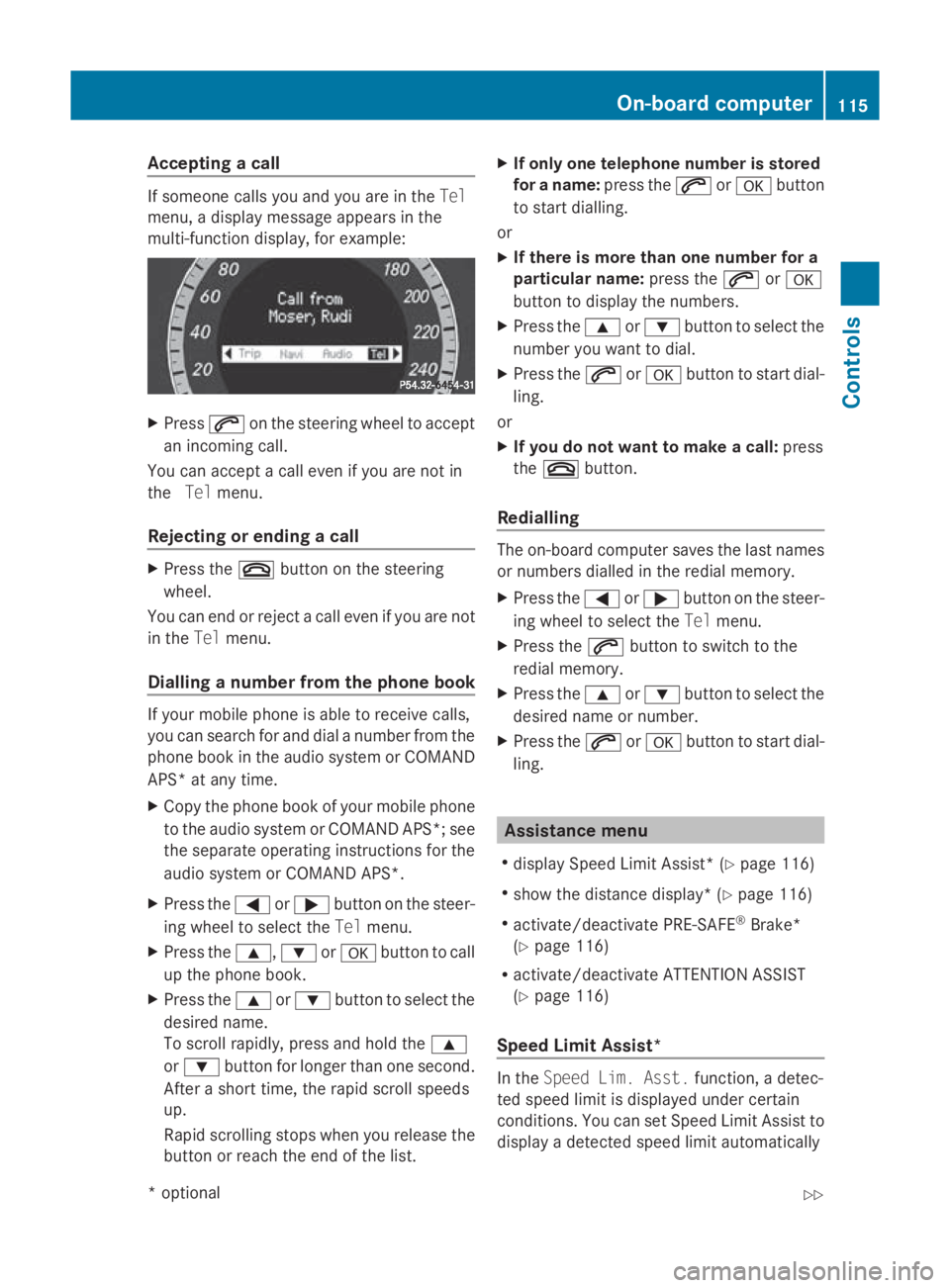
menu, adisplay message appear sinthe
multi-function display, for example: X
Press 006Aon thesteering whee ltoa ccept
an incoming call.
You can accept acall eve nifyou are no tin
the Telmenu.
Rejecting or ending acall X
Press the 007Fbuttonont hesteering
wheel.
You can en dorrejectacall eve nifyou are not
in the Telmenu.
Dialling anumber from th ephone book If your mobile phone is able to receiv
ecalls,
you can search for and dial anumber from the
phone book in th eaudio system or COMAND
APS* at any time.
X Copy th ephone book of your mobile phone
to th eaudio system or COMAND APS* ;see
th es eparat eoperating instruction sfor the
audio system or COMAND APS*.
X Press the 0040or003E buttononthesteer-
ing whee ltos elect the Telmenu.
X Press the 003C,003Dor0064 buttontocall
up th ephone book.
X Press the 003Cor003D buttontoselect the
desired name.
To scrol lrapidly, press and hold the 003C
or 003D buttonfor longer than on esecond.
Afte ras hort time, th erapi dscrolls peeds
up.
Rapid scrollin gstops when you release the
butto norr eachthe endoft helist. X
If only one telephone number is stored
for aname: press the 006Aor0064 button
to start dialling.
or
X If there is mor ethano ne number for a
particular name: press the006Aor0064
butto ntod isplay th enumbers.
X Press the 003Cor003D buttontoselect the
number you want to dial.
X Press the 006Aor0064 buttontostart dial-
ling.
or
X If you do not want to make acall: press
the 007F button.
Redialling The on-board computer saves th
elast names
or number sdialle dint heredial memory.
X Press the 0040or003E buttononthesteer-
ing whee ltos elect the Telmenu.
X Press the 006Abuttontos witch to the
redial memory.
X Press the 003Cor003D buttontoselect the
desired nam eornumber.
X Press the 006Aor0064 buttontostart dial-
ling. Assistance menu
R display Speed Limit Assist* (Y page 116)
R sho wthe distanc edisplay* ( Ypage 116)
R activate/deactivat ePRE-SAFE ®
Brake*
(Y page 116)
R activate/deactivat eATTEN TION ASSIST
(Y page 116)
Speed Limit Assist* In the
Speed Lim .Asst. function ,adetec-
te ds pee dlimi tisd isplayed under certain
conditions. You can set Speed Limit Assis tto
display adetecte dspee dlimi tautomatically On-boar
dcomputer
115Controls
*optio nal
207_AKB; 2; 3, en-GB
mkalafa
,V ersion: 2.11.8.1
2009-07-23T10:23:49+02:00
-Seite 115 Z
Page 121 of 313
Selecting the permanent display func-
tion*
This function is only available for vehicles with
automatic transmission*.
i
Vehicles for the United Kingdom: this
function is not available.
The Permanent display: function allows
you to choose whether the multifunction dis-
play always shows the outside temperature
or the speed in mph.
X Press the 0040or003E button on the steer-
ing wheel to select the Settingsmenu.
X Press the 003Dor003C button to select the
Inst. cluster submenu.
X Press the 0064button to confirm.
X Press the 003Dor003C button to select the
Permanent display: function.
You will see the selected setting: outside
temperature orDig. speedo [mph].
X Press the 0064button to save the setting.
Time/date This submenu is only available on vehicles
with Audio 20.
Your vehicle may be equipped with one of the
following audios
ystems:
A: Audio 20
B: Audio 50 APS*
C: COMAND APS*
X You can see which audios ystem is fitted in
your vehicle by referring to the separate
operating instructions. Depending on the audios
ystem fitted, time
and date are received from GPS satellites and
therefore cannot be set using the on-board
computer. Refer to the following table. A B C
Setting using the on-board com-
puter X
Automatic GPS satellite recep-
tion X X
Set the time zone once; see the
separate operating instructions X X
In the
Time/date submenu, you can set the
time and date.
Setting the time
X Press the 0040or003E button on the steer-
ing wheel to select the Settingsmenu.
X Press the 003Dor003C button to select the
Time/date submenu.
X Press the 0064button to confirm.
X Press the 003Dor003C button to select the
Time: function.
You will see the time currently set.
X Press the 0064button to change it.
X Press the 0040or003E button to select the
display to be changed: hours, minutes.
X Press the 003Dor003C button to set the
selected display.
X Press the 0064button to store the entry.
Setting the date
X Press the 0040or003E button on the steer-
ing wheel to select the Settingsmenu.
X Press the 003Dor003C button to select the
Time/date submenu.
X Press the 0064button to confirm.
X Press the 003Dor003C button to select the
Date: function.
You will see the date currently set.
X Press the 0064button to change it. 118
On-board computerControls
*o
ptional
207_AKB; 2; 3, en-GB
mkalafa,
Version: 2.11.8.1 2009-07-23T10:23:49+02:00-Seite 118
Page 169 of 313
The handling characteristics of
aladen vehi-
cle are dependent on the distribution of the
load within the vehicle. For this reason, you
should observe the following notes when
transportin gaload:
R never exceed the maximum permissible
gross vehicle weight or the permissible axle
loads for the vehicle (including occupants).
R position heavy loads as far forwards and as
low in the boot as possible.
R the load must not protrude above the upper
edge of the seat backrests.
R alway splace the load against the rear or
fronts eat backrests. Make sure that the
seat backrest sare securely locked into
place.
R alway splace the load behind unoccupied
seats if possible.
R secure the load with sufficiently stron gand
wear-resistan tload restraints. Pad sharp
edges for protection.
i Load restraints are available at any quali-
fied specialist workshop, e.g. aMercedes-
Benz Servic eCentre. Stowage compartments
G
Risk of injury
The stowage compartmentsm ust be closed
when items are stored in them. Luggage nets
are not designed to secure heavy items of
luggage.
You or other vehicle occupant scould be
injured by object sbeing thrown around if you:
R brake sharply
R change direction suddenly
R are involved in an accident
Sharp-edged and fragile object smust not be
placed in the luggage net. Do not place hard object
sinthe map pockets.
Object smust not protrude from the map
pockets.
Glove compartment i
Dependin gonthe vehicle's equipment,
there is an AUX-IN connection installed in
the glove compartment,oraM edia Inter-
face*, which is auniversal interface for
portable audio equipment, e.g. for an iPod
or USB device; see the separate Audio or
COMAND APS* operating instructions. X
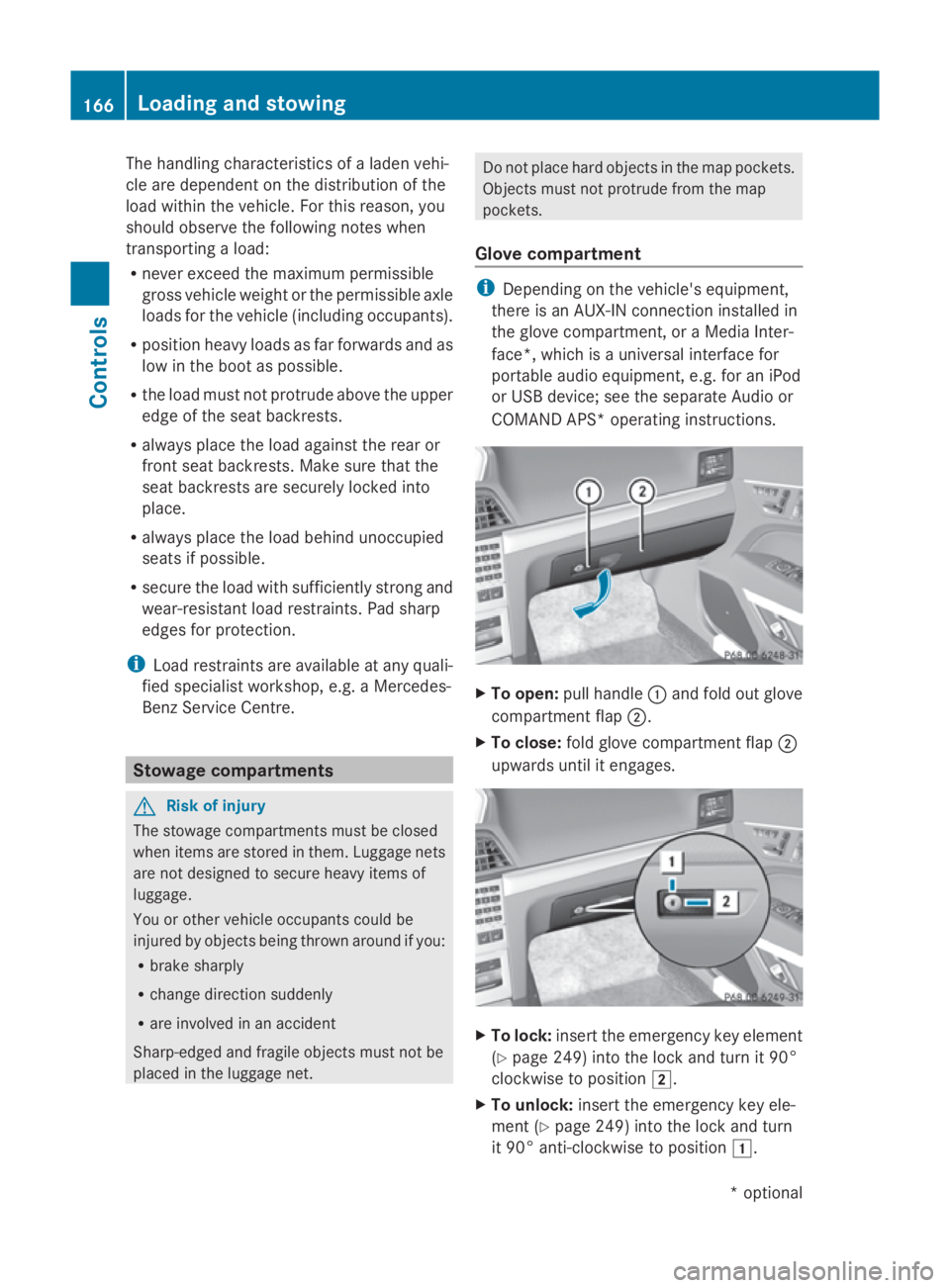
To open: pull handle 0046and fold out glove
compartment flap 0047.
X To close: fold glove compartment flap 0047
upwards until it engages. X
To lock: insert the emergenc ykey element
(Y page 249) into the lock and turn it 90°
clockwise to position 004B.
X To unlock: insert the emergenc ykey ele-
ment (Y page 249) into the lock and turn
it 90° anti-clockwise to position 004A.166
Loading and stowingControls
*o
ptional
207_AKB; 2; 3, en-GB
mkalafa,
Version: 2.11.8.1 2009-07-23T10:23:49+02:00-Seite 166