2009 LINCOLN MKS key
[x] Cancel search: keyPage 115 of 323

Button Start systems as well as a remote keyless entry transmitter. A
maximum of four Intelligent Access Keys can be programmed to your
vehicle.
If your programmed transmitters or standard SecuriLock™ coded keys
(IKTs only) are lost or stolen and you don’t have an extra coded key, you
will need to have your vehicle towed to an authorized dealer. The key
codes need to be erased from your vehicle and new coded keys will need
to be programmed.
Replacing coded keys can be very costly. Store an extra programmed key
away from the vehicle in a safe place to help prevent any
inconveniences. Please visit an authorized dealer to purchase additional
spare or replacement keys.
Programming spare Integrated Keyhead Transmitter (IKT) keys
If you have a Intelligent Access Keys, refer toProgramming Spare
Intelligent Access Keysin this section.
You can program your own Integrated Keyhead Transmitters or standard
SecuriLock™ coded keys to your vehicle. This procedure will program
both the engine immobilizer keycode and the remote entry transmitter
portion of the IKT to your vehicle.Note:A maximum of eight coded
keys can be programmed to your vehicle; only four of these eight can be
IKTs with remote entry functionality.
Tips:
•Only use Integrated Keyhead Transmitters (IKTs) or standard
SecuriLock™ keys.
•You must have two previously programmed coded keys (keys that
already operate your vehicle’s engine) and the new unprogrammed
key(s) readily accessible.
•If two previously programmed coded keys are not available, you must
take your vehicle to your authorized dealer to have the spare key(s)
programmed.
Please read and understand the entire procedure before you begin.
1. Insert the first previously programmedcoded keyinto the ignition.
2. Turn the ignition from off to on. Keep the ignition on for at least three
seconds, but no more than 10 seconds.
3. Turn the ignition off and remove the firstcoded keyfrom the
ignition.
4. Within ten seconds of turning the ignition off, insert the second
previouslycoded keyinto the ignition.
2009 MKS(mks)
Owners Guide (post-2002-fmt)
USA(fus)
Locks and Security
115
Page 116 of 323

5. Turn the ignition from off to on. Keep the ignition on for at least three
seconds, but no more than 10 seconds.
6. Turn the ignition off and remove the second previously programmed
coded keyfrom the ignition.
7. Within 20 seconds of turning the ignition off and removing the
previously programmedcoded key,insert the new unprogrammed key
(new key/valet key) into the ignition.
8. Turn the ignition from off to on. Keep the ignition on for at least six
seconds.
9. Remove the newly programmedcoded keyfrom the ignition.
If the key has been successfully programmed it will start the vehicle’s engine
and will operate the remote entry system (if the new key is an Integrated
Keyhead Transmitter). The theft indicator light (if equipped) will illuminate
for three seconds and then go out to indicate successful programming.
If the key was not successfully programmed, it will not start your
vehicle’s engine and/or will not operate the remote entry features. The
theft indicator light (if equipped) may flash on and off. Wait 20 seconds
and you may repeat Steps 1 through 8. If failure repeats, bring your
vehicle to your authorized dealer to have the new key(s) programmed.
To program additional new unprogrammed key(s), wait 20 seconds and
then repeat this procedure from Step 1.
Programming spare Intelligent Access Keys (if equipped)
If you have Integrated Keyhead Transmitters (IKT) or standard
SecuriLock™ coded keys, refer toProgramming spare Integrated
Keyhead Transmitter (IKT) keysin this section.
You must have two previously programmed Intelligent Access Keys inside
the vehicle and the new unprogrammed Intelligent Access Keys readily
accessible. If two previously programmed keys are not available, you
must take your vehicle to your authorized dealer to have the spare
key(s) programmed.
Note:A maximum of four Intelligent Access Keys can be programmed to
your vehicle. If you would like to replace a previously programmed
access key with a new access key, or if you already have four access keys
programmed to your vehicle, you must take your vehicle and all access
keys to your authorized dealer to be erased and reprogrammed.
Ensure that the vehicle is off before beginning this procedure. Ensure
that all doors are closed before beginning this procedure and that all
doors remain closed throughout the procedure. Perform this procedure
2009 MKS(mks)
Owners Guide (post-2002-fmt)
USA(fus)
Locks and Security
116
Page 117 of 323

exactly as described below, and perform all steps within 30 seconds of
starting the sequence. If any steps are performed out of sequence, stop
and wait for at least one minute before starting again.
Please read and understand the entire procedure before you begin.
1. Place the new unprogrammed Intelligent Access Key in the pocket
inside the glove box.
2. Press the driver or passenger power door unlock control three times.
3. Press and release the brake pedal one time.
4. Press the driver or passenger power door lock control three times.
5. Press and release the brake pedal one time. The indicator on the
Start/Stop button should begin to rapidly flash, indicating that
programming mode has been entered and two programmed Intelligent
Access Keys have been detected in the vehicle.
6. Within one minute, press the start/stop button. A message will be
displayed on the message center indicating that the new Intelligent
Access Key was programmed. If four Intelligent Access Keys have
already been programmed to your vehicle, you cannot program anymore
and the message MAX # OF FOBS LEARNED will be displayed on the
message center.
7. Remove from glove box pocket and press the
orcontrol on the
newly programmed Intelligent Access Keys to exit programming mode.
8. Verify that the remote entry functions operate (lock, unlock) and that
the vehicle starts with new Intelligent Access Key.
If the Intelligent Access Key has been successfully programmed, it can
be used to activate the Intelligent Access with Push Button Start feature
and can be used to start your vehicle.
PERIMETER ALARM SYSTEM
The perimeter anti-theft system will help protect your vehicle from
unauthorized entry.
If there is any potential perimeter anti-theft problem with your vehicle,
ensureALL Integrated Keyhead Transmitters or Intelligent Access
Keysare brought to the authorized dealer to aid in troubleshooting.
Arming the system
When armed, this system will respond if unauthorized entry is
attempted. When unauthorized entry occurs, the system will flash the
turn signal lamps and will sound the horn.
2009 MKS(mks)
Owners Guide (post-2002-fmt)
USA(fus)
Locks and Security
117
Page 118 of 323
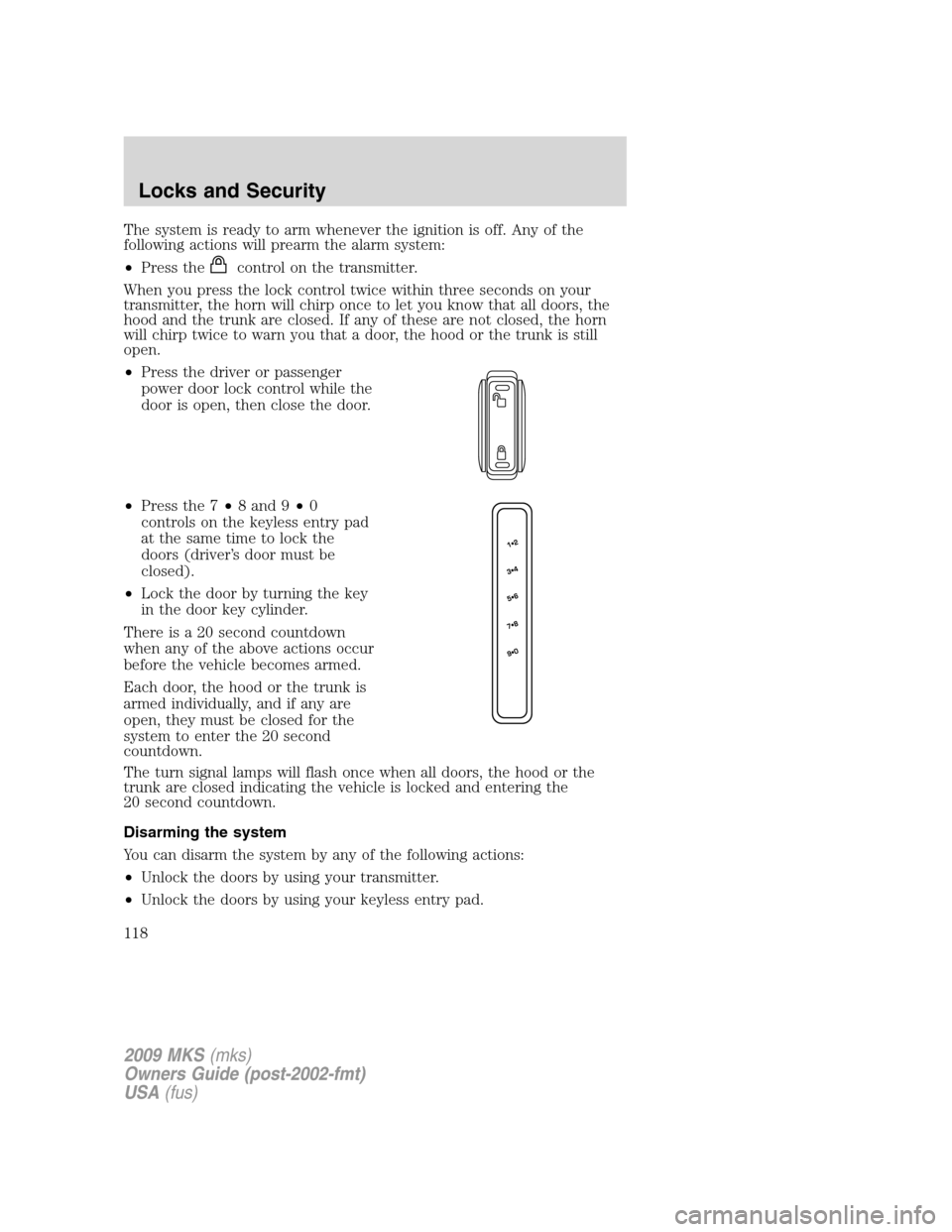
The system is ready to arm whenever the ignition is off. Any of the
following actions will prearm the alarm system:
•Press the
control on the transmitter.
When you press the lock control twice within three seconds on your
transmitter, the horn will chirp once to let you know that all doors, the
hood and the trunk are closed. If any of these are not closed, the horn
will chirp twice to warn you that a door, the hood or the trunk is still
open.
•Press the driver or passenger
power door lock control while the
door is open, then close the door.
•Press the 7•8 and 9•0
controls on the keyless entry pad
at the same time to lock the
doors (driver’s door must be
closed).
•Lock the door by turning the key
in the door key cylinder.
There is a 20 second countdown
when any of the above actions occur
before the vehicle becomes armed.
Each door, the hood or the trunk is
armed individually, and if any are
open, they must be closed for the
system to enter the 20 second
countdown.
The turn signal lamps will flash once when all doors, the hood or the
trunk are closed indicating the vehicle is locked and entering the
20 second countdown.
Disarming the system
You can disarm the system by any of the following actions:
•Unlock the doors by using your transmitter.
•Unlock the doors by using your keyless entry pad.
2009 MKS(mks)
Owners Guide (post-2002-fmt)
USA(fus)
Locks and Security
118
Page 119 of 323
•Unlock the driver door or all doors using the Intelligent Access (if
equipped).
•Unlock the driver’s door with a key. Turn the key toward the rear of
the vehicle to make sure the alarm disarms.
•Turn ignition on.
•Press the
control on the transmitter. This will only shut off the
horn and parking lamps when the alarm is sounding. The alarm system
will still be armed.
Pressing the power door unlock control within the 20 second prearmed
mode will return the vehicle to a disarmed state.
Triggering the anti-theft system
The armed system will be triggered if:
•Any door, the hood or the trunk is opened without using the door key,
keypad, Integrated Keyhead Transmitter or Intelligent Access Key.
•Turn the ignition on with an invalid SecuriLock™ key or IKT (if
equipped).
2009 MKS(mks)
Owners Guide (post-2002-fmt)
USA(fus)
Locks and Security
119
Page 127 of 323
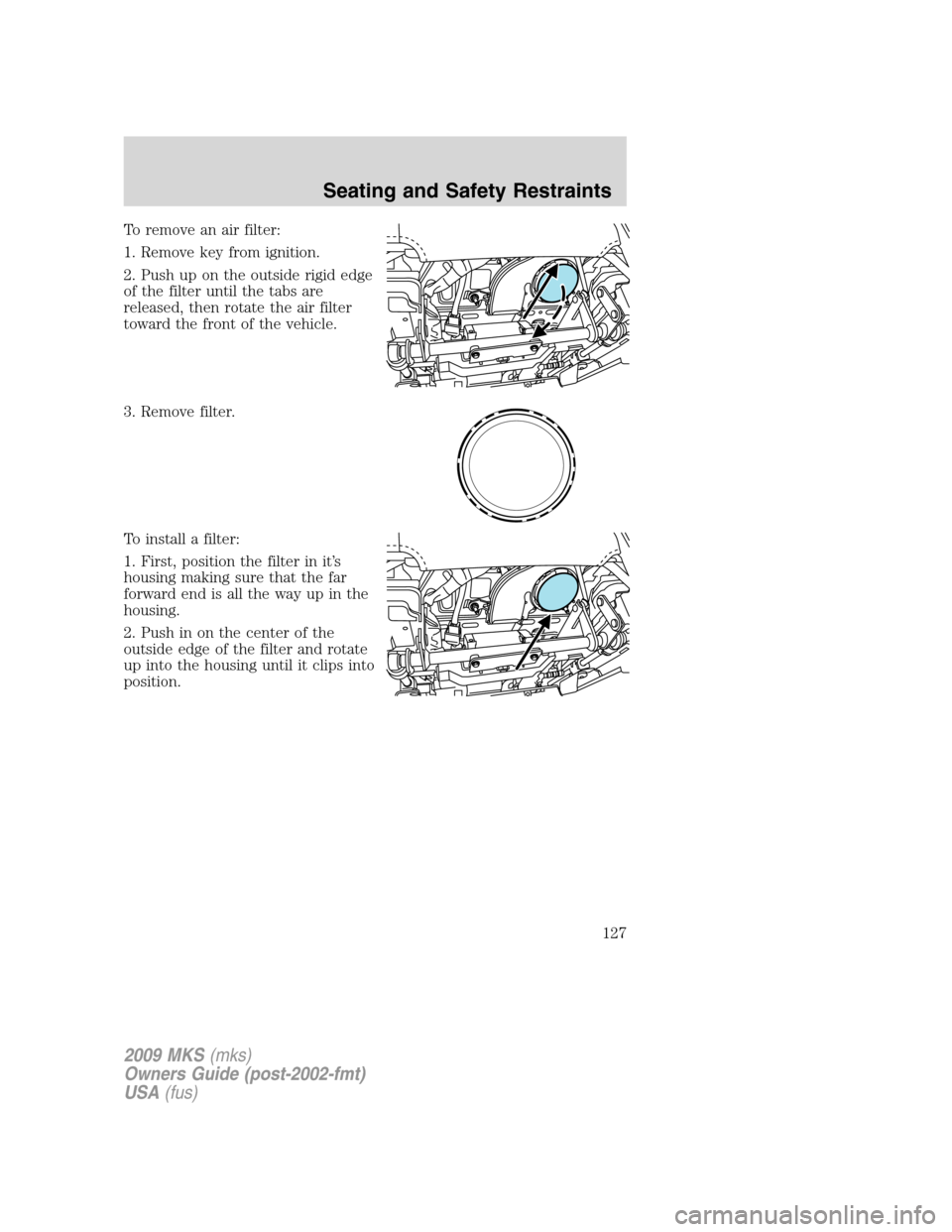
To remove an air filter:
1. Remove key from ignition.
2. Push up on the outside rigid edge
of the filter until the tabs are
released, then rotate the air filter
toward the front of the vehicle.
3. Remove filter.
To install a filter:
1. First, position the filter in it’s
housing making sure that the far
forward end is all the way up in the
housing.
2. Push in on the center of the
outside edge of the filter and rotate
up into the housing until it clips into
position.
2009 MKS(mks)
Owners Guide (post-2002-fmt)
USA(fus)
Seating and Safety Restraints
127
Page 128 of 323

Memory seats/power mirrors/steering column
This system allows automatic
positioning of the driver seat, power
mirrors, and steering column to two
programmable positions.
The memory seat control is located
on the driver door.
•To program position 1, move the
driver seat, mirrors and steering
column to the desired position
using the associated controls.
Press and hold control button 1 for at least two seconds.
•To program position 2, repeat the previous procedure using control
button 2.
A position can be recalled:
•in any gearshift position if the ignition isnoton.
•only in P (Park) or N (Neutral) if the ignition is on.
A memory seat position may be programmed at any time.
The memory positions are also recalled when you press your remote
entry transmitter
(unlock) control (if the transmitter is programmed
to a memory position) or, when you enter a valid personal entry code
that is programmed to a memory position.
To program the memory feature to a remote entry transmitter and for
more information on how to use the keypad, refer toRemote entry
systemin theLocks and Securitychapter.
Easy-entry/easy-exit feature
This feature automatically moves the steering wheel all the way up and
in and moves the driver’s seat rearward 2 in (5 cm) when:
•the transmission is in N (Neutral) or P (Park)
•the key is removed from the ignition cylinder or the push button start
system (if equipped) is switched off (refer toPush button start
systemin theDrivingchapter).
2009 MKS(mks)
Owners Guide (post-2002-fmt)
USA(fus)
Seating and Safety Restraints
128
Page 129 of 323
The seat and steering wheel will move to the original position when:
•the transmission is in N (Neutral) or P (Park)
•the key is placed in the ignition cylinder or when the push button
start system (if equipped) is put in accessory mode (refer toPush
button start systemin theDrivingchapter).
The easy entry feature can be turned off or on through the vehicle
message center. Refer toMessage centerin theDriver controlschapter.
REAR SEATS
Seat-mounted cup holders and armrest storage compartment
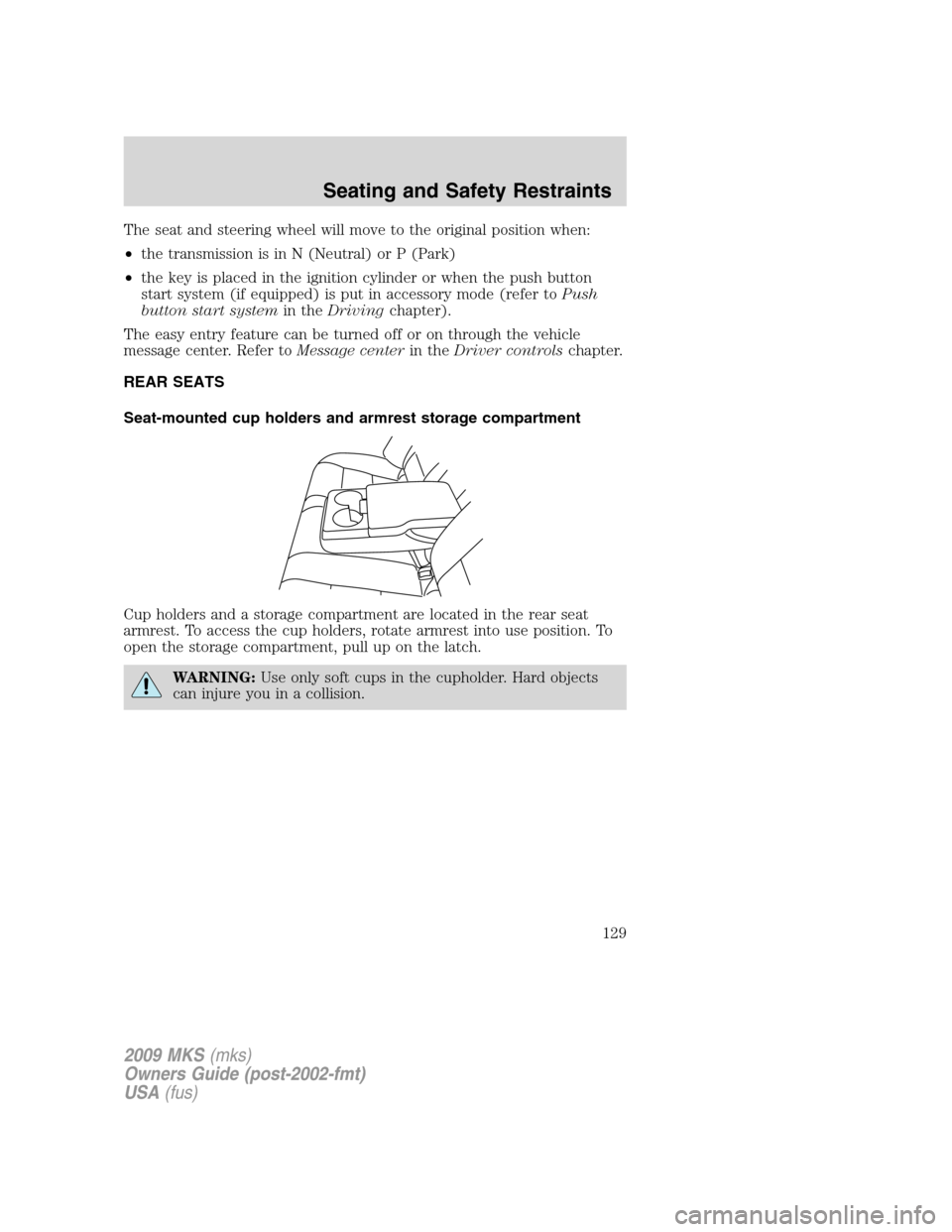
Cup holders and a storage compartment are located in the rear seat
armrest. To access the cup holders, rotate armrest into use position. To
open the storage compartment, pull up on the latch.
WARNING:Use only soft cups in the cupholder. Hard objects
can injure you in a collision.
2009 MKS(mks)
Owners Guide (post-2002-fmt)
USA(fus)
Seating and Safety Restraints
129