2009 LINCOLN MKS alarm
[x] Cancel search: alarmPage 9 of 323

Vehicle Symbol Glossary
Power Windows
Front/Rear
Power Window Lockout
Child Safety Door
Lock/UnlockInterior Luggage
Compartment Release
Panic AlarmEngine Oil
Engine CoolantEngine Coolant
Temperature
Do Not Open When HotBattery
Avoid Smoking, Flames,
or SparksBattery Acid
Explosive GasFan Warning
Power Steering FluidMaintain Correct Fluid
LevelMAX
MIN
Service Engine SoonEngine Air Filter
Passenger Compartment
Air FilterJack
Check Fuel CapLow Tire Pressure
Warning
2009 MKS(mks)
Owners Guide (post-2002-fmt)
USA(fus)
Introduction
9
Page 68 of 323
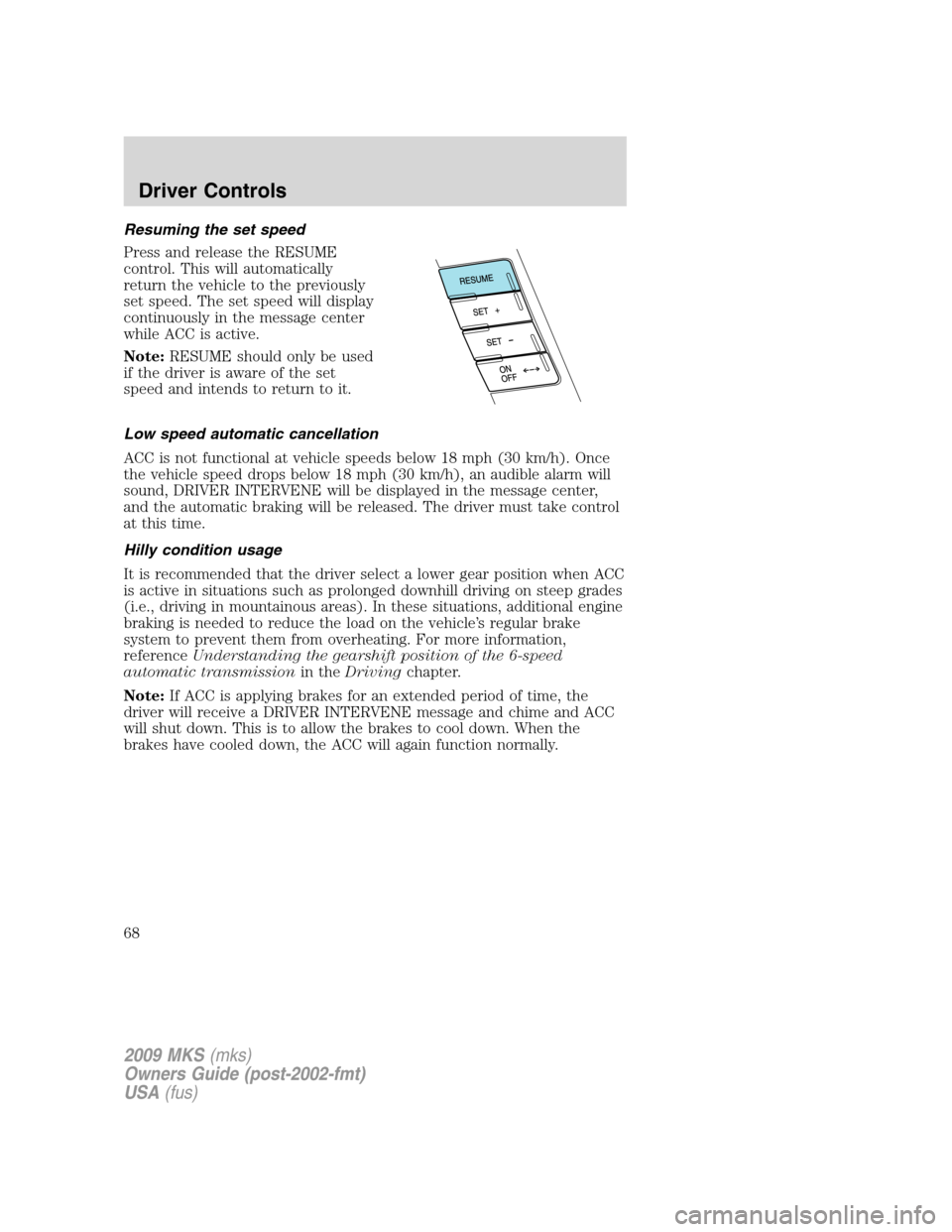
Resuming the set speed
Press and release the RESUME
control. This will automatically
return the vehicle to the previously
set speed. The set speed will display
continuously in the message center
while ACC is active.
Note:RESUME should only be used
if the driver is aware of the set
speed and intends to return to it.
Low speed automatic cancellation
ACC is not functional at vehicle speeds below 18 mph (30 km/h). Once
the vehicle speed drops below 18 mph (30 km/h), an audible alarm will
sound, DRIVER INTERVENE will be displayed in the message center,
and the automatic braking will be released. The driver must take control
at this time.
Hilly condition usage
It is recommended that the driver select a lower gear position when ACC
is active in situations such as prolonged downhill driving on steep grades
(i.e., driving in mountainous areas). In these situations, additional engine
braking is needed to reduce the load on the vehicle’s regular brake
system to prevent them from overheating. For more information,
referenceUnderstanding the gearshift position of the 6-speed
automatic transmissionin theDrivingchapter.
Note:If ACC is applying brakes for an extended period of time, the
driver will receive a DRIVER INTERVENE message and chime and ACC
will shut down. This is to allow the brakes to cool down. When the
brakes have cooled down, the ACC will again function normally.
2009 MKS(mks)
Owners Guide (post-2002-fmt)
USA(fus)
Driver Controls
68
Page 94 of 323
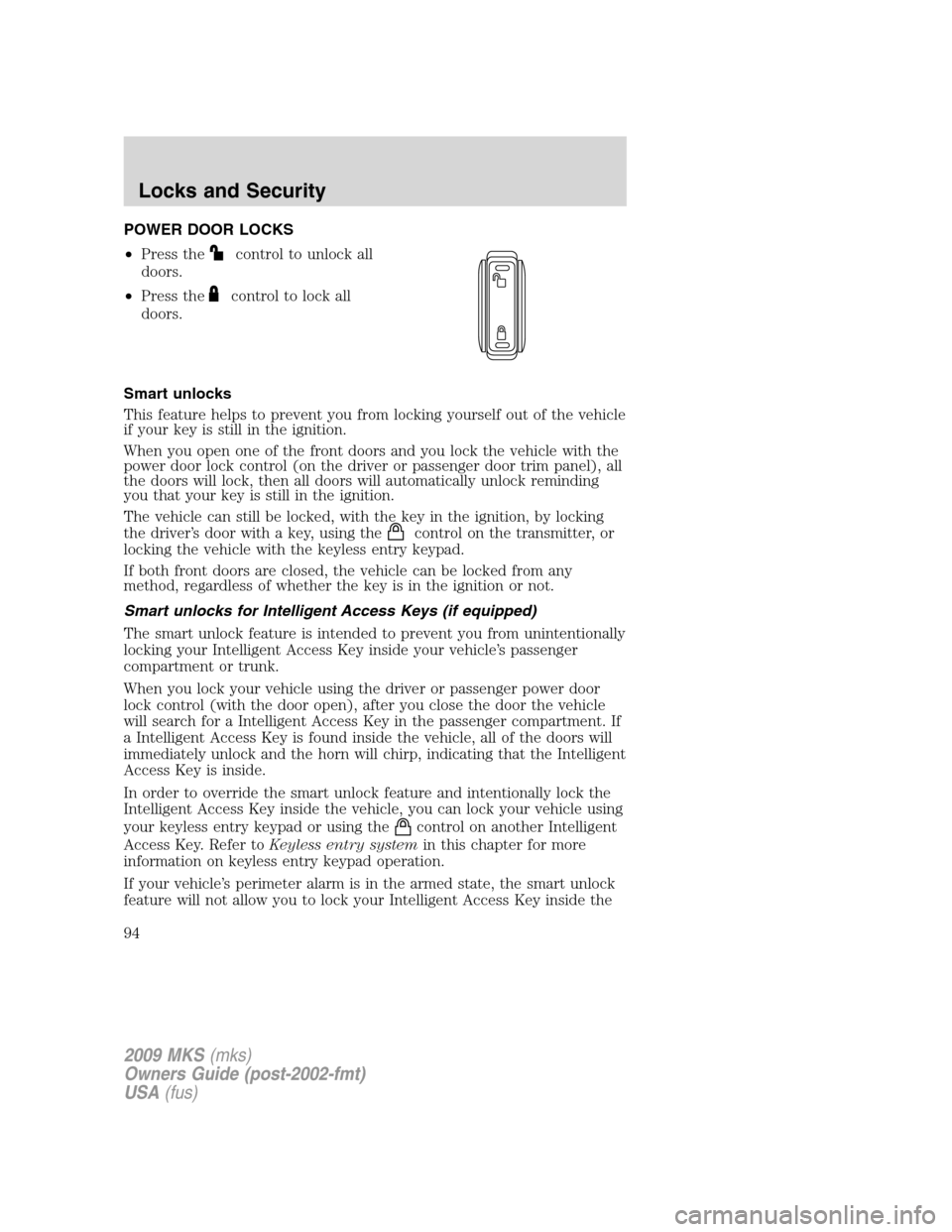
POWER DOOR LOCKS
•Press the
control to unlock all
doors.
•Press the
control to lock all
doors.
Smart unlocks
This feature helps to prevent you from locking yourself out of the vehicle
if your key is still in the ignition.
When you open one of the front doors and you lock the vehicle with the
power door lock control (on the driver or passenger door trim panel), all
the doors will lock, then all doors will automatically unlock reminding
you that your key is still in the ignition.
The vehicle can still be locked, with the key in the ignition, by locking
the driver’s door with a key, using the
control on the transmitter, or
locking the vehicle with the keyless entry keypad.
If both front doors are closed, the vehicle can be locked from any
method, regardless of whether the key is in the ignition or not.
Smart unlocks for Intelligent Access Keys (if equipped)
The smart unlock feature is intended to prevent you from unintentionally
locking your Intelligent Access Key inside your vehicle’s passenger
compartment or trunk.
When you lock your vehicle using the driver or passenger power door
lock control (with the door open), after you close the door the vehicle
will search for a Intelligent Access Key in the passenger compartment. If
a Intelligent Access Key is found inside the vehicle, all of the doors will
immediately unlock and the horn will chirp, indicating that the Intelligent
Access Key is inside.
In order to override the smart unlock feature and intentionally lock the
Intelligent Access Key inside the vehicle, you can lock your vehicle using
your keyless entry keypad or using the
control on another Intelligent
Access Key. Refer toKeyless entry systemin this chapter for more
information on keyless entry keypad operation.
If your vehicle’s perimeter alarm is in the armed state, the smart unlock
feature will not allow you to lock your Intelligent Access Key inside the
2009 MKS(mks)
Owners Guide (post-2002-fmt)
USA(fus)
Locks and Security
94
Page 95 of 323

trunk. When the alarm is armed, if the Intelligent Access Key is detected
in the trunk, the decklid will automatically be released when you attempt
to close it, and the horn will chirp, as a reminder that the Intelligent
Access Key is inside. If you would like to intentionally lock your
Intelligent Access Key in the trunk of your vehicle, first disarm the
perimeter alarm by unlocking the vehicle, then place the Intelligent
Access Key in the trunk, close the trunk, and rearm your perimeter
alarm system by locking the vehicle using your keyless entry keypad or
another Intelligent Access Key. For more information on
arming/disarming of the perimeter alarm system, refer toPerimeter
alarm systemin this chapter.
Opening all windows and moon roof (if equipped)
You can open the vehicle’s windows, and (if equipped) vent the moon
roof (power shade opens) by using the door key in the driver door key
cylinder and/or the
control on the transmitter.
Press and hold the
control on the transmitter for at least two
seconds, or turn the key toward the rear of the vehicle (unlock position)
and hold it for more than two seconds to begin to open all the windows
and vent the moon roof (power shade opens). For the driver door key
cylinder, returning the key to the center position will stop all motion. For
the transmitter, pressing either the
orcontrol on the transmitter
will stop all motion.
Note:The ignition must be off and the accessory delay feature must not
be activated in order for this feature to operate.
Closing all windows and moon roof (if equipped)
You can close the vehicle’s windows and moon roof (if equipped) by
using the door key in the driver door key cylinder or the
control on
the transmitter.
Press and hold the
control on the transmitter for at least two
seconds, or turn the key toward the front of the vehicle and hold it for
more than two seconds to begin to close all the windows and moon roof.
Returning the key in the driver door key cylinder to the center position
will stop all motion.
Note:The ignition must be off and the accessory delay feature must not
be activated in order for this feature to operate.
2009 MKS(mks)
Owners Guide (post-2002-fmt)
USA(fus)
Locks and Security
95
Page 103 of 323

•structures around the vehicle, or
•other vehicles parked next to your vehicle.
The transmitter allows you to:
•remotely unlock the vehicle doors.
•remotely lock all the vehicle doors.
•remotely open the trunk.
•activate the personal alarm.
•arm and disarm the perimeter anti-theft system.
•operate the illuminated entry feature.
•activate the global opening windows feature.
The remote entry lock/unlock feature operates in any ignition position
except while the vehicle is in the start position. The panic feature
operates with the ignition off.
If there are problems with the remote entry system, make sure to take
ALL Integrated Keyhead Transmitters or Intelligent Access Keys
with you to the authorized dealer in order to aid in troubleshooting the
problem.
INTELLIGENT ACCESS (IF EQUIPPED)
WARNING:Radio waves from the Intelligent Access system
transmitters in the vehicle may affect certain implanted medical
devices such as pacemakers or cardiac defibrillators. People having
such implanted medical devices should ask the medical device
manufacturer or their physician whether the Intelligent Access system
may affect the equipment before coming into close proximity with a
vehicle equipped with Intelligent Access. Failure to do so may result in
interference with the medical device, which could result in serious
injury.
Your vehicle will allow you to unlock and enter your vehicle without
actively using a key or transmitter. You can use the Intelligent Access
feature at the driver door or at the trunk. You can activate the Intelligent
Access feature as long as you have one of your Intelligent Access Keys
within range of the driver door or the trunk.
Activating Intelligent Access at the Driver’s Door:If your
Intelligent Access Key is within 3 feet (1 meter) of the drivers door, you
can activate your Intelligent Access system by pressing any button on
the keyless entry keypad. The drivers door will automatically unlock and
the door can be opened.
2009 MKS(mks)
Owners Guide (post-2002-fmt)
USA(fus)
Locks and Security
103
Page 105 of 323

The battery saver feature will turn off the interior lamps 10 minutes after
the ignition is turned off.
Two stage unlocking may be disabled or re-enabled by simultaneously
pressing the
andcontrols on the transmitter for four seconds
(disabling two stage unlock allows all vehicle doors to unlock
simultaneously). The turn lamps will flash twice to indicate that
two-stage unlock was enabled or disabled.
If equipped with Intelligent Access Key, when two stage unlocking is
disabled, Intelligent Access at the driver’s door results in an unlock of all
doors (not just the driver door).
Locking the doors
1. Pressand release to lock all the doors. The turn lamps will flash.
2. Press
and release again within three seconds to confirm that all
the doors are closed.Note:The doors will lock again, the horn will chirp
and the turn lamps will flash once if all the doors and trunk are closed.
Note:If any door or the trunk is not closed, the horn will chirp twice
and the lamps will not flash.
Car finder
Press
twice within three seconds. The horn will chirp and the turn
lamps will flash. It is recommended that this method be used to locate
your vehicle, rather than using the panic alarm.
Sounding a panic alarm
Press
to activate the alarm. The horn will sound and the turn lamps
will flash for a maximum of three minutes. Press again or turn the
ignition on to deactivate, or wait for the alarm to time out in three
minutes.
Note:The panic alarm will only operate when the ignition is off.
Opening the trunk
Press
twice within three seconds to open the trunk.
•Ensure that the trunk is closed and latched before driving your
vehicle. Failure to properly latch the trunk may cause objects to fall
out or block the driver’s rear view.
The remote entry system allows you to open the trunk while the ignition
is in any position. However, if the ignition is on and the gearshift is in D
(Drive), the trunk will only open if the vehicle is moving 3 mph (5 km/h)
or slower.
2009 MKS(mks)
Owners Guide (post-2002-fmt)
USA(fus)
Locks and Security
105
Page 117 of 323

exactly as described below, and perform all steps within 30 seconds of
starting the sequence. If any steps are performed out of sequence, stop
and wait for at least one minute before starting again.
Please read and understand the entire procedure before you begin.
1. Place the new unprogrammed Intelligent Access Key in the pocket
inside the glove box.
2. Press the driver or passenger power door unlock control three times.
3. Press and release the brake pedal one time.
4. Press the driver or passenger power door lock control three times.
5. Press and release the brake pedal one time. The indicator on the
Start/Stop button should begin to rapidly flash, indicating that
programming mode has been entered and two programmed Intelligent
Access Keys have been detected in the vehicle.
6. Within one minute, press the start/stop button. A message will be
displayed on the message center indicating that the new Intelligent
Access Key was programmed. If four Intelligent Access Keys have
already been programmed to your vehicle, you cannot program anymore
and the message MAX # OF FOBS LEARNED will be displayed on the
message center.
7. Remove from glove box pocket and press the
orcontrol on the
newly programmed Intelligent Access Keys to exit programming mode.
8. Verify that the remote entry functions operate (lock, unlock) and that
the vehicle starts with new Intelligent Access Key.
If the Intelligent Access Key has been successfully programmed, it can
be used to activate the Intelligent Access with Push Button Start feature
and can be used to start your vehicle.
PERIMETER ALARM SYSTEM
The perimeter anti-theft system will help protect your vehicle from
unauthorized entry.
If there is any potential perimeter anti-theft problem with your vehicle,
ensureALL Integrated Keyhead Transmitters or Intelligent Access
Keysare brought to the authorized dealer to aid in troubleshooting.
Arming the system
When armed, this system will respond if unauthorized entry is
attempted. When unauthorized entry occurs, the system will flash the
turn signal lamps and will sound the horn.
2009 MKS(mks)
Owners Guide (post-2002-fmt)
USA(fus)
Locks and Security
117
Page 118 of 323
The system is ready to arm whenever the ignition is off. Any of the
following actions will prearm the alarm system:
•Press the
control on the transmitter.
When you press the lock control twice within three seconds on your
transmitter, the horn will chirp once to let you know that all doors, the
hood and the trunk are closed. If any of these are not closed, the horn
will chirp twice to warn you that a door, the hood or the trunk is still
open.
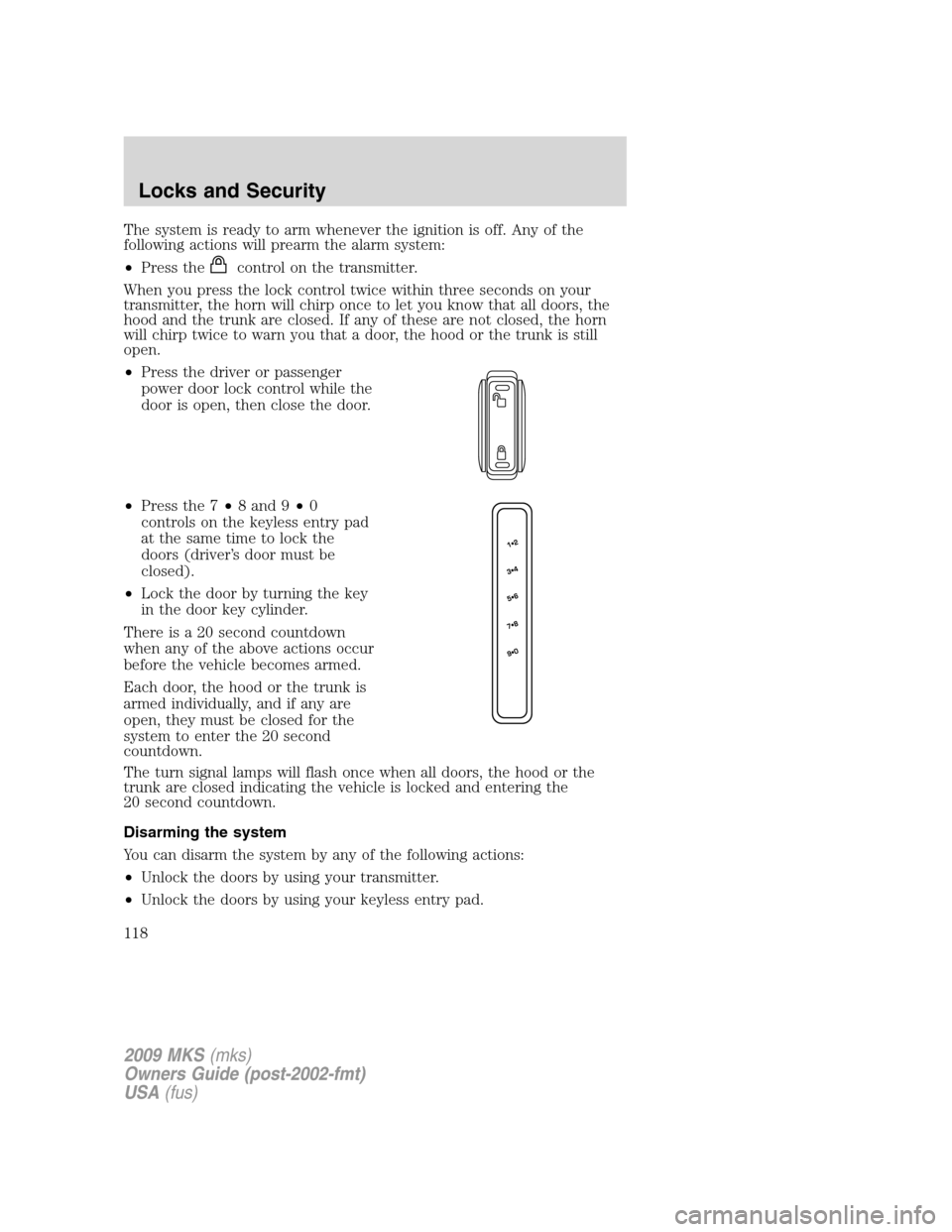
•Press the driver or passenger
power door lock control while the
door is open, then close the door.
•Press the 7•8 and 9•0
controls on the keyless entry pad
at the same time to lock the
doors (driver’s door must be
closed).
•Lock the door by turning the key
in the door key cylinder.
There is a 20 second countdown
when any of the above actions occur
before the vehicle becomes armed.
Each door, the hood or the trunk is
armed individually, and if any are
open, they must be closed for the
system to enter the 20 second
countdown.
The turn signal lamps will flash once when all doors, the hood or the
trunk are closed indicating the vehicle is locked and entering the
20 second countdown.
Disarming the system
You can disarm the system by any of the following actions:
•Unlock the doors by using your transmitter.
•Unlock the doors by using your keyless entry pad.
2009 MKS(mks)
Owners Guide (post-2002-fmt)
USA(fus)
Locks and Security
118