Page 35 of 506
3. Press the power door UNLOCK switch to unlock the
doors.
4. A single chime will indicate the completion of the
programming.
Repeat these steps if you want to return this feature to its
previous setting.
NOTE:Use the Automatic Unlock Doors On Exit feature
in accordance with local laws.
Child-Protection Door Lock System (Rear Doors)
To provide a safer environment for small children riding
in the rear seats, the rear doors are equipped with a Child
Protection Door Lock system.
To Engage the Child Protection Door Lock
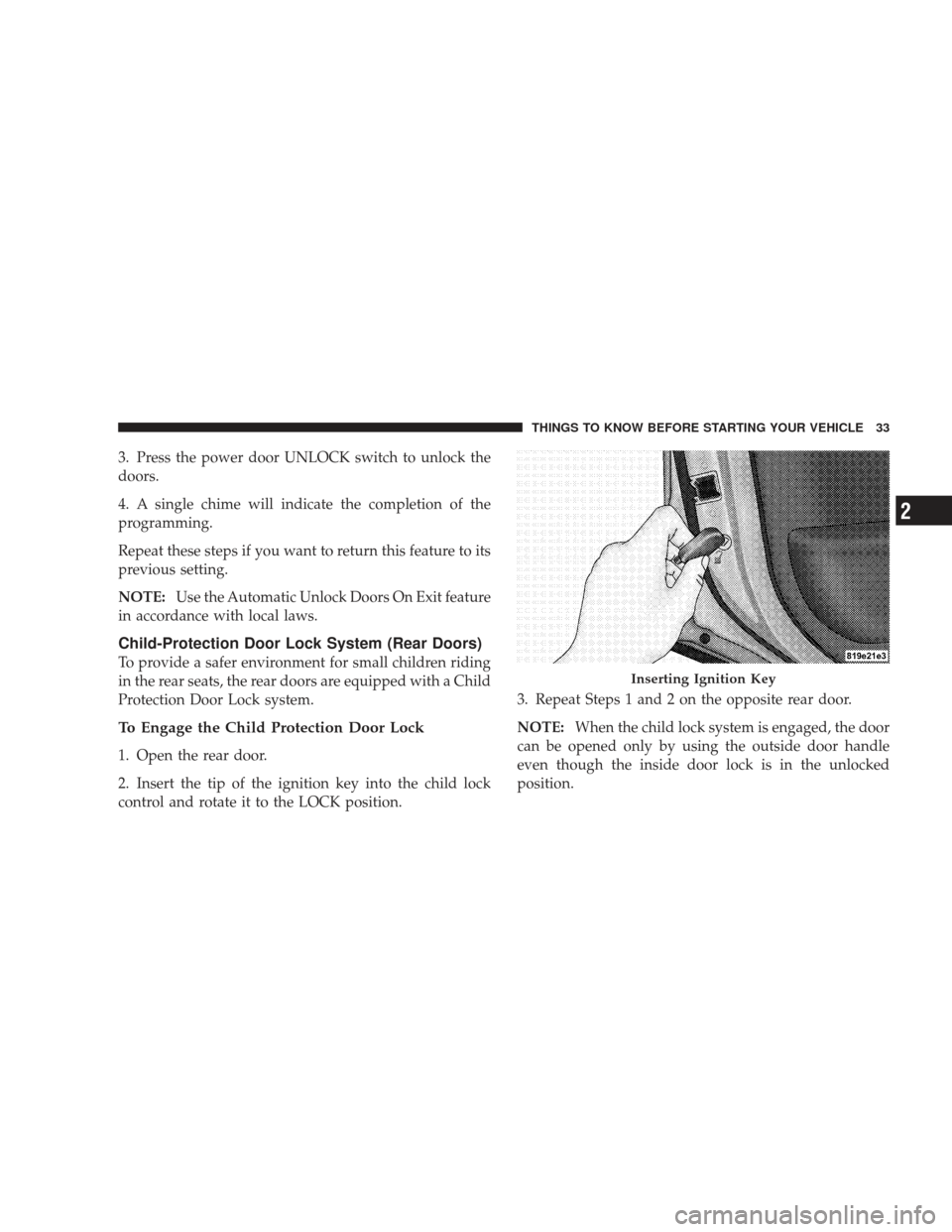
1. Open the rear door.
2. Insert the tip of the ignition key into the child lock
control and rotate it to the LOCK position. 3. Repeat Steps 1 and 2 on the opposite rear door.
NOTE:
When the child lock system is engaged, the door
can be opened only by using the outside door handle
even though the inside door lock is in the unlocked
position.
Inserting Ignition Key
THINGS TO KNOW BEFORE STARTING YOUR VEHICLE 33
2
Page 36 of 506
WARNING!
Avoid trapping anyone in a vehicle in a collision.
Remember that the rear doors can only be opened
from the outside when the child protection locks are
engaged.
NOTE:
•After engaging the Child Protection Door Lock sys-
tem, always test the door from the inside to make
certain it is in the desired position.
•For emergency exit with the system engaged, move
the lock plunger up (unlocked position), roll down the
window, and open the door with the outside door
handle.
To Disengage the Child Protection Door Lock
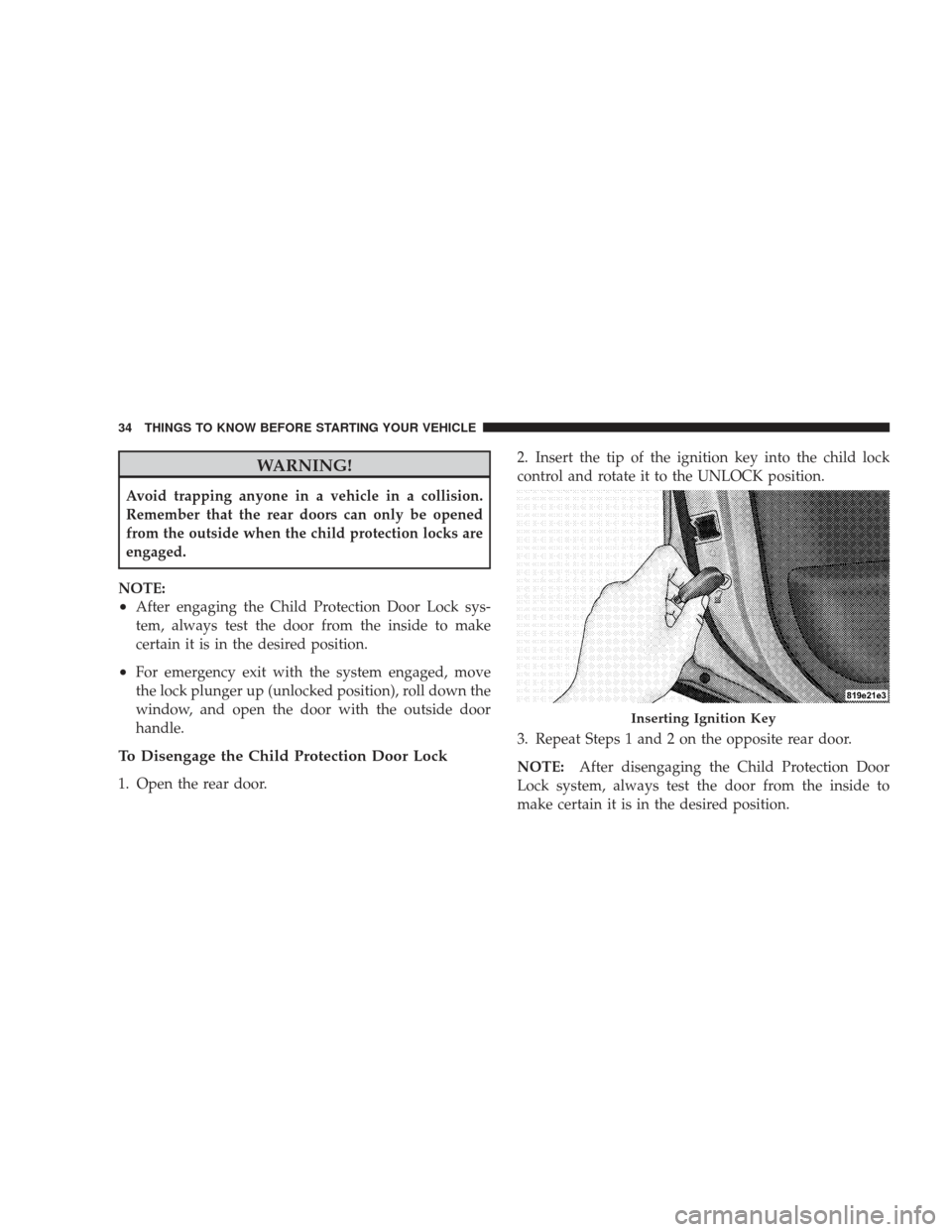
1. Open the rear door. 2. Insert the tip of the ignition key into the child lock
control and rotate it to the UNLOCK position.
3. Repeat Steps 1 and 2 on the opposite rear door.
NOTE:
After disengaging the Child Protection Door
Lock system, always test the door from the inside to
make certain it is in the desired position.
Inserting Ignition Key
34 THINGS TO KNOW BEFORE STARTING YOUR VEHICLE
Page 37 of 506
WINDOWS
Power Windows
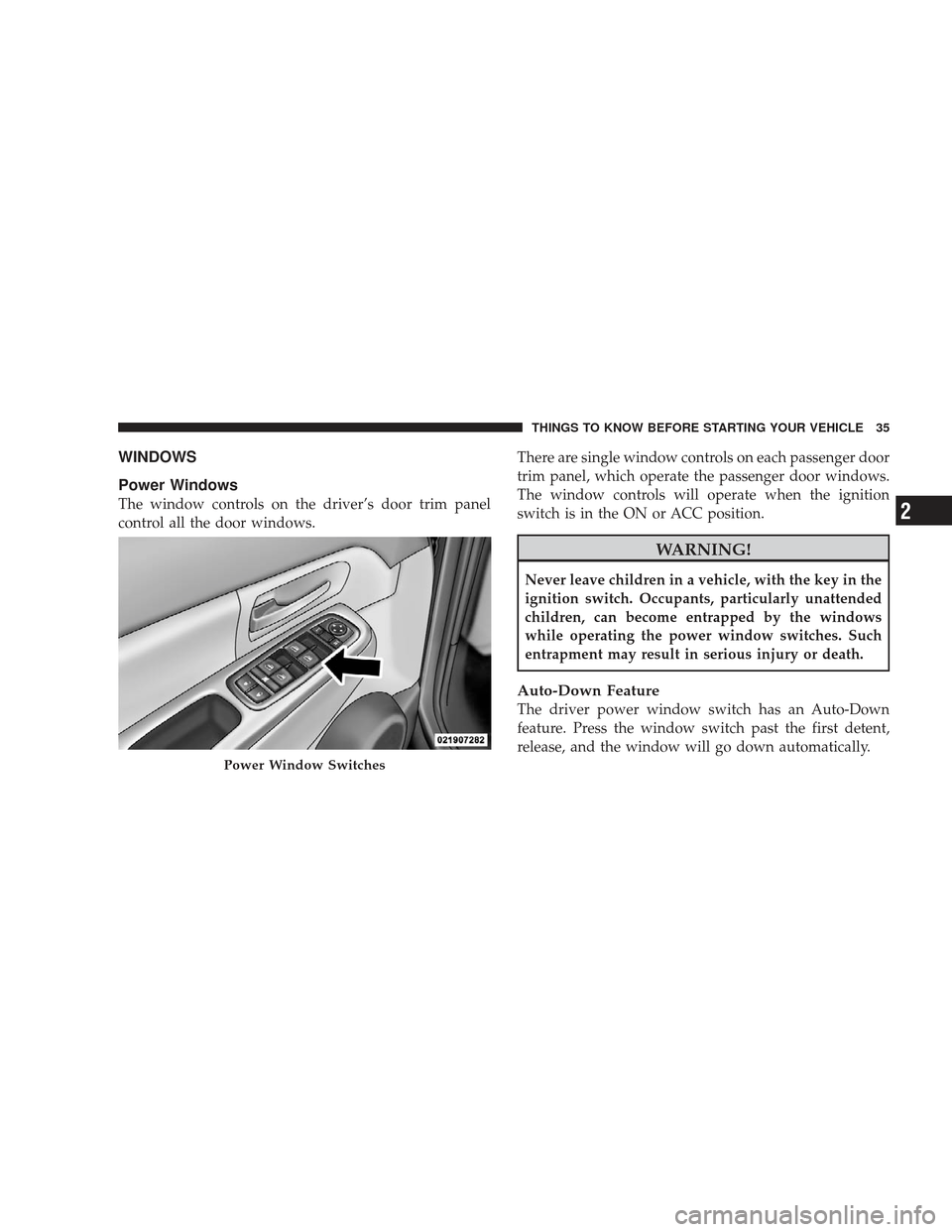
The window controls on the driver’s door trim panel
control all the door windows.There are single window controls on each passenger door
trim panel, which operate the passenger door windows.
The window controls will operate when the ignition
switch is in the ON or ACC position.
WARNING!
Never leave children in a vehicle, with the key in the
ignition switch. Occupants, particularly unattended
children, can become entrapped by the windows
while operating the power window switches. Such
entrapment may result in serious injury or death.
Auto-Down Feature
The driver power window switch has an Auto-Down
feature. Press the window switch past the first detent,
release, and the window will go down automatically.
Power Window Switches
THINGS TO KNOW BEFORE STARTING YOUR VEHICLE 35
2
Page 38 of 506
To open the window part way, press the window switch
to the first detent and release it when you want the
window to stop.
To stop the window from going all the way down during
the Auto-Down operation, pull up on the switch briefly.
For vehicles not equipped with the Electronic Vehicle
Information Center (EVIC), the power window switches
will remain active for 45 seconds after the ignition switch
is turned to the LOCK position. Opening either front
door will cancel this feature.
For vehicles equipped with the EVIC, the power window
switches will remain active for up to 10 minutes after the
ignition switch is turned to the LOCK position. Opening
either front door will cancel this feature. The time is
programmable. For details, refer to “Delay Power Off to
Accessories Until Exit,” under “Personal Settings(Customer-Programmable Features” in the “Electronic
Vehicle Information Center (EVIC),” in Section 4 of this
manual.
Auto Up Feature with Anti-Pinch Protection — If
Equipped
On some models, the driver’s power window switch has
an Auto Up feature. Pull the window switch up to the
second detent, release, and the window will go up
automatically.
To stop the window from going all the way up during the
Auto Up operation, push down on the switch briefly.
To close the window part way, pull the window switch
up to the first detent and release when you want the
window to stop.
36 THINGS TO KNOW BEFORE STARTING YOUR VEHICLE
Page 39 of 506
For vehicles not equipped with the Electronic Vehicle
Information Center (EVIC), the power window switches
will remain active for 45 seconds after the ignition switch
is turned to the LOCK position. Opening either front
door will cancel this feature.
For vehicles equipped with the EVIC, the power window
switches will remain active for up to 10 minutes after the
ignition switch is turned to the LOCK position. Opening
either front door will cancel this feature. The time is
programmable. For details, refer to “Delay Power Off to
Accessories Until Exit,” under “Personal Settings
(Customer-Programmable Features)” in the “Electronic
Vehicle Information Center (EVIC),” in Section 4 of this
manual.NOTE:
•If the window runs into any obstacle during auto-
closure, it will reverse direction and then go back
down. Remove the obstacle and use the window
switch again to close the window.
•Any impact due to rough road conditions may trigger
the auto reverse function unexpectedly during auto-
closure. If this happens, pull the switch lightly to the
first detent and hold to close window manually.
WARNING!
There is no anti-pinch protection when the window
is almost closed. Be sure to clear all objects from the
window before closing.
THINGS TO KNOW BEFORE STARTING YOUR VEHICLE 37
2
Page 52 of 506
BeltAlert�Programming
BeltAlert�can be enabled or disabled by your authorized
dealer or by performing the following steps:
NOTE: Chrysler LLC does not recommend deactivating
BeltAlert�.
1. With all doors closed, and the ignition switch in any
position except ON or START, buckle the driver’s seat
belt.
2. Turn the ignition switch to the ON position, but do not
start the engine. Wait for the Seat Belt Reminder Light to
turn off and then proceed to the next step.
NOTE: You must perform the following steps within
60 seconds of turning the ignition switch to the ON
position. 3. Within 60 seconds of turning the ignition switch to the
ON position, unbuckle and then re-buckle the driver’s
seat belt at least three times within 10 seconds, ending
with the seat belt buckled.
NOTE:
Watch for the Seat Belt Reminder Light to turn
on while unbuckling the seat belt and turn off while
re-buckling the seat belt. It may be necessary to retract
the seat belt.
4. Turn the ignition switch to the LOCK position. A
single chime will sound to signify that you have success-
fully completed the programming.
BeltAlert� can be reactivated by repeating this procedure.
NOTE: When BeltAlert� is deactivated, the Seat Belt
Reminder Light will continue to illuminate as long as the
driver’s seat belt is unbuckled.
50 THINGS TO KNOW BEFORE STARTING YOUR VEHICLE
Page 61 of 506
The ORC also monitors the readiness of the electronic
parts of the system whenever the ignition switch is in
the START or ON position. These include all of the
items listed above except the Passenger Airbag Disable
(PAD) Indicator Light, the instrument panel, and the
steering wheel and column. If the key is in the LOCK
position, in the ACC position, or not in the ignition,
the airbags are not on and they will not inflate.
•The ORC also turns on the “Airbag Warning
Light” and “PAD Indicator Light” for six to
eight seconds as a self-check when the igni-
tion is first turned ON. After the self-check,
the “Airbag Warning Light” will turn off. The “PAD
Indicator Light” will function normally (refer to infor-
mation on Passenger Airbag Disable (PAD) Indicator
Light in this section). If the ORC detects a malfunction
in any part of the system, it turns on the “Airbag Warning Light” either momentarily or continuously. A
single chime will sound if the light comes on again
after initial startup.
WARNING!
Ignoring the “Airbag Warning Light” in your instru-
ment panel could mean you won’t have the airbags to
protect you in a collision. If the light does not come
on, stays on after you start the vehicle, or if it comes
on as you drive, have the airbag system checked right
away.
•The
Occupant Classification System (OCS) is part of
a Federally regulated safety system required for this
vehicle. It is designed to turn off the front passenger
airbag for an empty seat and for occupants classified
in a category other than that of an adult. This could be
a child, teenager, or even a small size adult.
THINGS TO KNOW BEFORE STARTING YOUR VEHICLE 59
2
Page 68 of 506
throat irritation, move to fresh air. If the irritation
continues, see your doctor. If these particles settle on
your clothing, follow the garment manufacturer’s in-
structions for cleaning.
•It is not advisable to drive your vehicle after the
airbags have deployed. If you are involved in another
collision, the airbags will not be in place to protect you.
WARNING!
Deployed airbags and seat belt pretensioners cannot
protect you in another collision. Have the airbags,
seat belt pretensioner, and seat belt retractor assem-
bly replaced by an authorized dealer as soon as
possible. Also, have the Occupant Classification Sys-
tem serviced as well.
Enhanced Accident Response System
In the event of an impact that causes airbag deployment,
with the vehicle stopped, the vehicle communication
network intact, and the power intact, the Enhanced
Accident Response System performs the following func-
tions:
•Cuts off fuel to the engine.
•Flashes hazard lights.
•Turns on the interior lights, which remain on as long as
the battery has power or until the ignition key is
removed.
•Unlocks the doors automatically.
NOTE: The interior lights can only be deactivated if the
key is removed from the ignition switch or the vehicle is
driven.
66 THINGS TO KNOW BEFORE STARTING YOUR VEHICLE