Page 70 of 506
WARNING! (Continued)
•Do not place or hang any items such as add-on
video players on the front passenger seatback. The
additional weight may cause the Occupant Classi-
fication System to be unable to classify the front
seat passenger correctly. This could allow the
passenger frontal airbag to inflate when it is not
desired.
•It is dangerous to try to repair any part of the
airbag system yourself. Be sure to tell anyone who
works on your vehicle that it has an airbag system.
Airbag Warning Light
You will want to have the airbag system ready to inflate
for your protection in an impact. The airbag system is
designed to be maintenance free. If any of the following
occurs, have an authorized dealer service the system
promptly:
•The Airbag Warning Light does not come on or flickers
during the six to eight seconds when the ignition
switch is first turned ON.
•The light remains on or flickers after the six to eight
second interval.
•The light flickers or comes on and remains on while
driving.
68 THINGS TO KNOW BEFORE STARTING YOUR VEHICLE
Page 72 of 506
the U.S. government and various states. Data of a poten-
tially sensitive nature, such as would identify a particular
driver, vehicle, or crash, will be treated confidentially.
Confidential data will not be disclosed by Chrysler LLC to
any third party except when:
1. Used for research purposes, such as to match data
with a particular crash record in an aggregate database,
provided confidentiality of personal data is thereafter
preserved.
2. Used in defense of litigation involving a Chrysler LLC
product.
3. Requested by police under a legal warrant.
4. Otherwise required by law.
Data parameters that may be recorded:
•Diagnostic trouble code(s) and warning light status for
electronically-controlled safety systems, including the
airbag system
•Airbag disable light status (if equipped)
•�Time�of airbag deployment (in terms of ignition
cycles and vehicle mileage)
•Airbag deployment level (if applicable)
•Impact acceleration and angle
•Seat belt status
•Brake status (service and parking brakes)
•Accelerator status (including vehicle speed)
•Engine control status (including engine speed)
•Transmission gear selection
•Cruise control status
•Traction/stability control status
•Tire Pressure Monitoring System status
70 THINGS TO KNOW BEFORE STARTING YOUR VEHICLE
Page 85 of 506
Airbag Warning Light
The light should come on and remain on for six to eight
seconds as a bulb check when the ignition switch is first
turned ON. If the light is not lit during starting, see your
authorized dealer. If the light stays on, flickers, or comes
on while driving, have the system checked by an autho-
rized dealer.
Defroster
Check operation by selecting the defrost mode and place
the blower control on high speed. You should be able to
feel the air directed against the windshield. See your
authorized dealer for service if your defroster is
inoperable.
Periodic Safety Checks You Should Make Outside
the Vehicle
Tires
Examine tires for excessive tread wear and uneven wear
patterns. Check for stones, nails, glass, or other objectslodged in the tread. Inspect the tread and sidewall for
cuts and cracks. Check the wheel nuts for tightness.
Check the tires (including spare) for proper pressure.
Lights
Have someone observe the operation of exterior lights
while you work the controls. Check turn signal and high
beam indicator lights on the instrument panel.
Door Latches
Check for positive closing, latching, and locking.
Fluid Leaks
Check area under vehicle after overnight parking for fuel,
engine coolant, oil, or other fluid leaks. Also, if gasoline
fumes are detected or if fuel, power steering fluid, or
brake fluid leaks are suspected, the cause should be
located and corrected immediately.
THINGS TO KNOW BEFORE STARTING YOUR VEHICLE 83
2
Page 90 of 506
�Rear Park Assist System — If Equipped ...... 158
▫ System Usage Precautions .............. 159
▫ Enabling And Disabling The System ....... 161
▫ System Operation .................... 162
� Garage Door Opener — If Equipped ........ 165
▫ Programming HomeLink� .............. 166
▫ Gate Operator/Canadian Programming .... 169
▫ Using HomeLink� ................... 169
▫ Reprogramming A Single
HomeLink� Button................... 170
▫ Security ........................... 170
▫ Troubleshooting Tips .................. 170
▫ General Information .................. 171 �
Power Sunroof — If Equipped ............ 171
▫ Opening Sunroof — Express ............ 172
▫ Opening Sunroof — Manual Mode ........ 172
▫ Closing Sunroof — Express ............. 172
▫ Closing Sunroof — Manual Mode ........ 173
▫ Pinch Protect Feature ................. 173
▫ Pinch Protect Override ................ 173
▫ Venting Sunroof — Express ............. 173
▫ Sunshade Operation .................. 173
▫ Wind Buffeting ...................... 174
▫ Sunroof Maintenance ................. 174
▫ Ignition Off Operation ................. 174
88 UNDERSTANDING THE FEATURES OF YOUR VEHICLE
Page 108 of 506
Call Termination
To end a call in progress, momentarily press the PHONE
button. Only the active call(s) will be terminated and if
there is a call on hold, it will become the new active call.
If the active call is terminated by the far end, a call on
hold may not become active automatically. This is cell
phone-dependent. To bring the call back from hold, press
and hold the PHONE button until you hear a single beep.
Redial
•
Press the PHONE button to begin.
•After the�Ready�prompt and the following beep, say
�Redial.�
•The uconnect� phone will call the last number that
was dialed from your cellular phone.
NOTE: This may not be the last number dialed from the
uconnect� phone.
Call Continuation
Call continuation is the progression of a phone call on the
uconnect� phone after the vehicle ignition key has been
switched to OFF. Call continuation functionality avail-
able on the vehicle can be any one of three types:
•After the ignition key is switched to OFF, a call can
continue on the uconnect� phone either until the call
ends, or until the vehicle battery condition dictates
cessation of the call on the uconnect �phone and
transfer of the call to the cellular phone.
•After the ignition key is switched to OFF, a call can
continue on the uconnect� phone for a certain dura-
tion, after which the call is automatically transferred
from the uconnect� phone to the cellular phone.
•An active call is automatically transferred to the
cellular phone after the ignition key is switched to
OFF.
106 UNDERSTANDING THE FEATURES OF YOUR VEHICLE
Page 118 of 506
Far End Audio Performance
•
Audio quality is maximized under:
•low-to-medium blower setting,
•low-to-medium vehicle speed,
•low road noise,
•smooth road surface,
•fully closed windows,
•dry weather conditions, and
•operation from the driver’s seat.
•Performance, such as audio clarity, echo, and loudness
to a large degree rely on the phone and network, and
not the uconnect�phone.
•Echo at the far end can sometimes be reduced by
lowering the in-vehicle audio volume.
•In a convertible vehicle, system performance may be
compromised with the convertible top down.
Bluetooth�Communication Link
Cellular phones have been found to lose connection to
the uconnect� phone. When this happens, the connection
can generally be reestablished by switching the phone
off/on. Your cellular phone is recommended to remain in
Bluetooth� ON mode.
Power-Up
After switching the ignition key from OFF to either the
ON or ACC position, or after a language change, you
must wait at least five seconds prior to using the system.
116 UNDERSTANDING THE FEATURES OF YOUR VEHICLE
Page 134 of 506
Heated Seats — If Equipped
This feature heats both the front driver and passenger
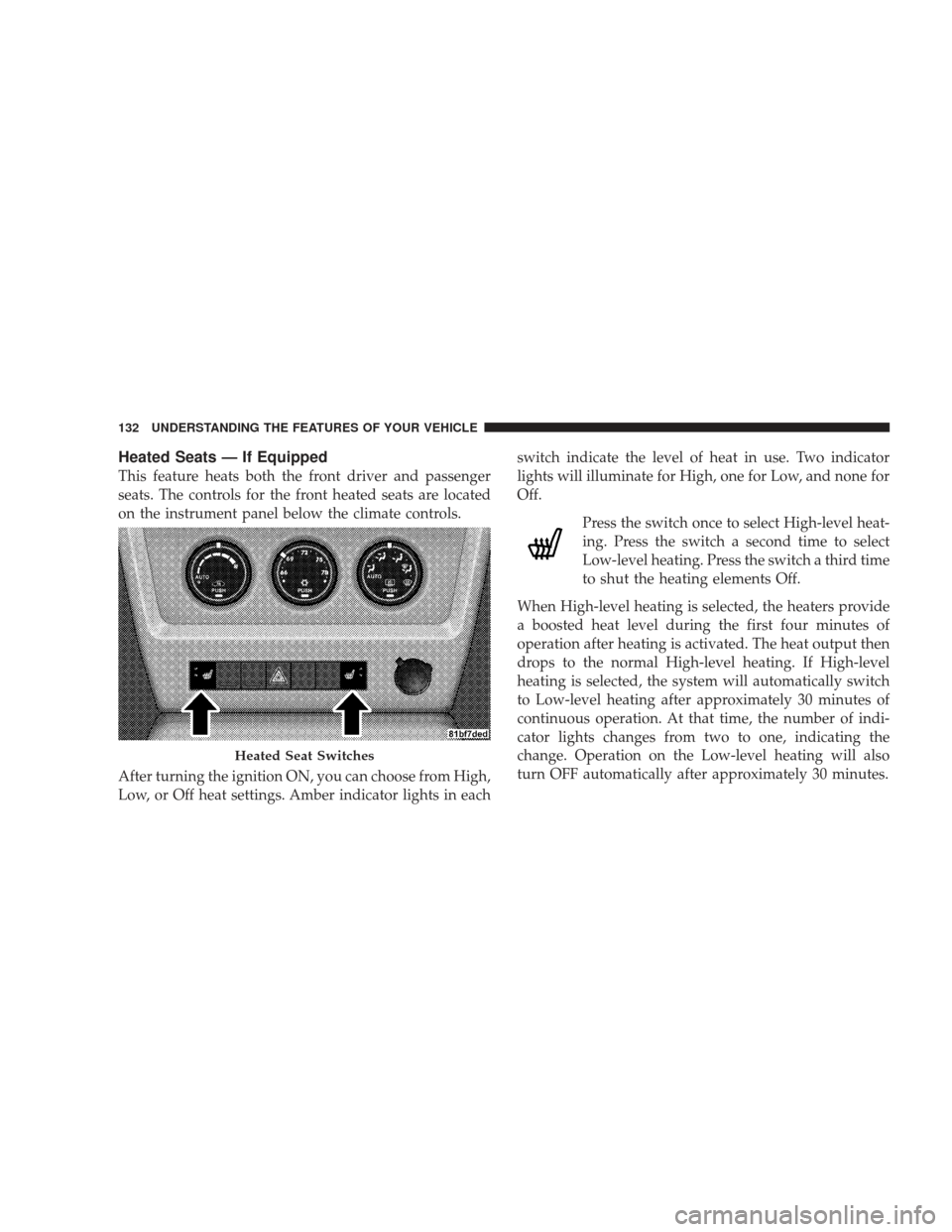
seats. The controls for the front heated seats are located
on the instrument panel below the climate controls.
After turning the ignition ON, you can choose from High,
Low, or Off heat settings. Amber indicator lights in eachswitch indicate the level of heat in use. Two indicator
lights will illuminate for High, one for Low, and none for
Off.
Press the switch once to select High-level heat-
ing. Press the switch a second time to select
Low-level heating. Press the switch a third time
to shut the heating elements Off.
When High-level heating is selected, the heaters provide
a boosted heat level during the first four minutes of
operation after heating is activated. The heat output then
drops to the normal High-level heating. If High-level
heating is selected, the system will automatically switch
to Low-level heating after approximately 30 minutes of
continuous operation. At that time, the number of indi-
cator lights changes from two to one, indicating the
change. Operation on the Low-level heating will also
turn OFF automatically after approximately 30 minutes.
Heated Seat Switches
132 UNDERSTANDING THE FEATURES OF YOUR VEHICLE
Page 138 of 506
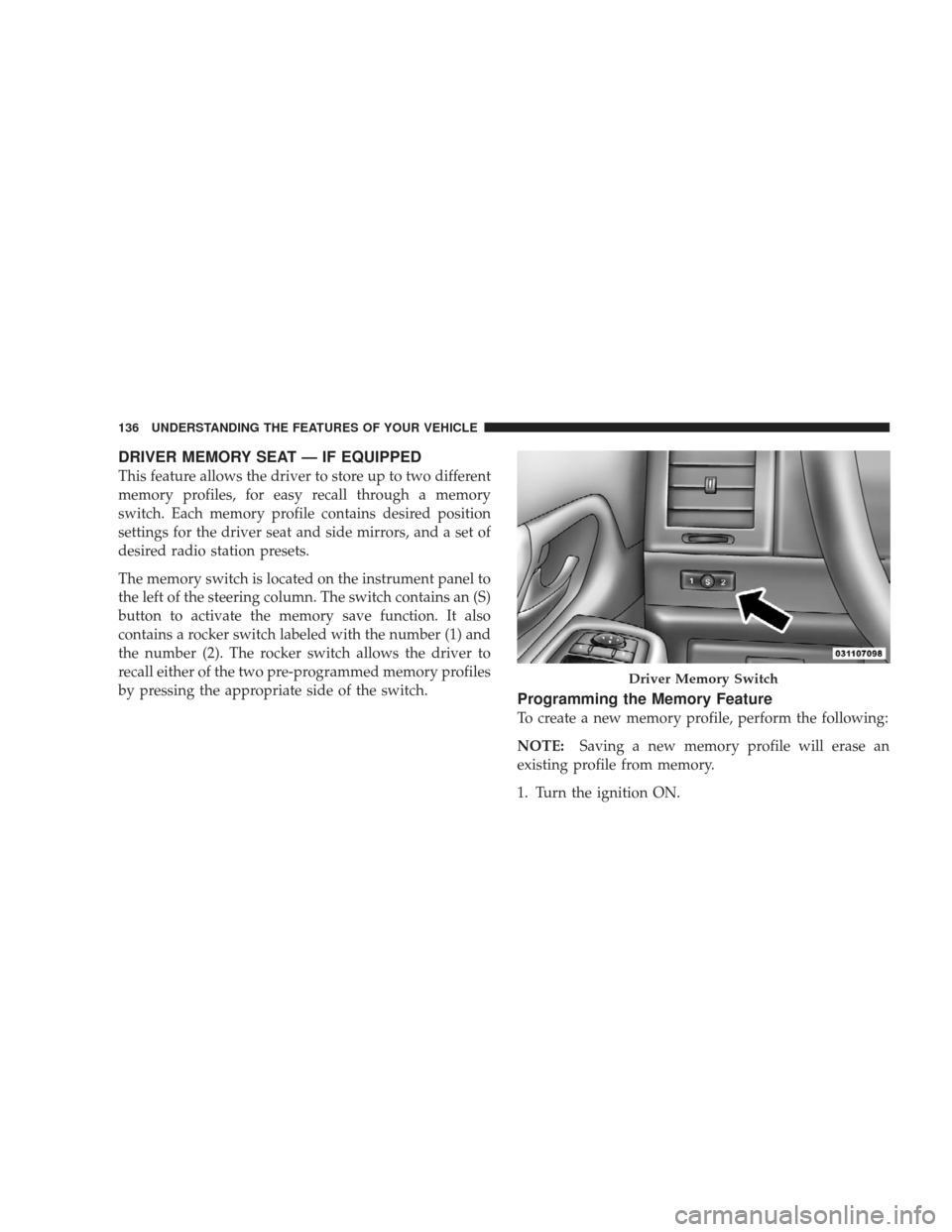
DRIVER MEMORY SEAT — IF EQUIPPED
This feature allows the driver to store up to two different
memory profiles, for easy recall through a memory
switch. Each memory profile contains desired position
settings for the driver seat and side mirrors, and a set of
desired radio station presets.
The memory switch is located on the instrument panel to
the left of the steering column. The switch contains an (S)
button to activate the memory save function. It also
contains a rocker switch labeled with the number (1) and
the number (2). The rocker switch allows the driver to
recall either of the two pre-programmed memory profiles
by pressing the appropriate side of the switch.
Programming the Memory Feature
To create a new memory profile, perform the following:
NOTE:Saving a new memory profile will erase an
existing profile from memory.
1. Turn the ignition ON.
Driver Memory Switch
136 UNDERSTANDING THE FEATURES OF YOUR VEHICLE