Page 276 of 506
CLIMATE CONTROLS
The Air Conditioning and Heating System is designed to
make you comfortable in all types of weather.
Manual Air Conditioning and Heating System
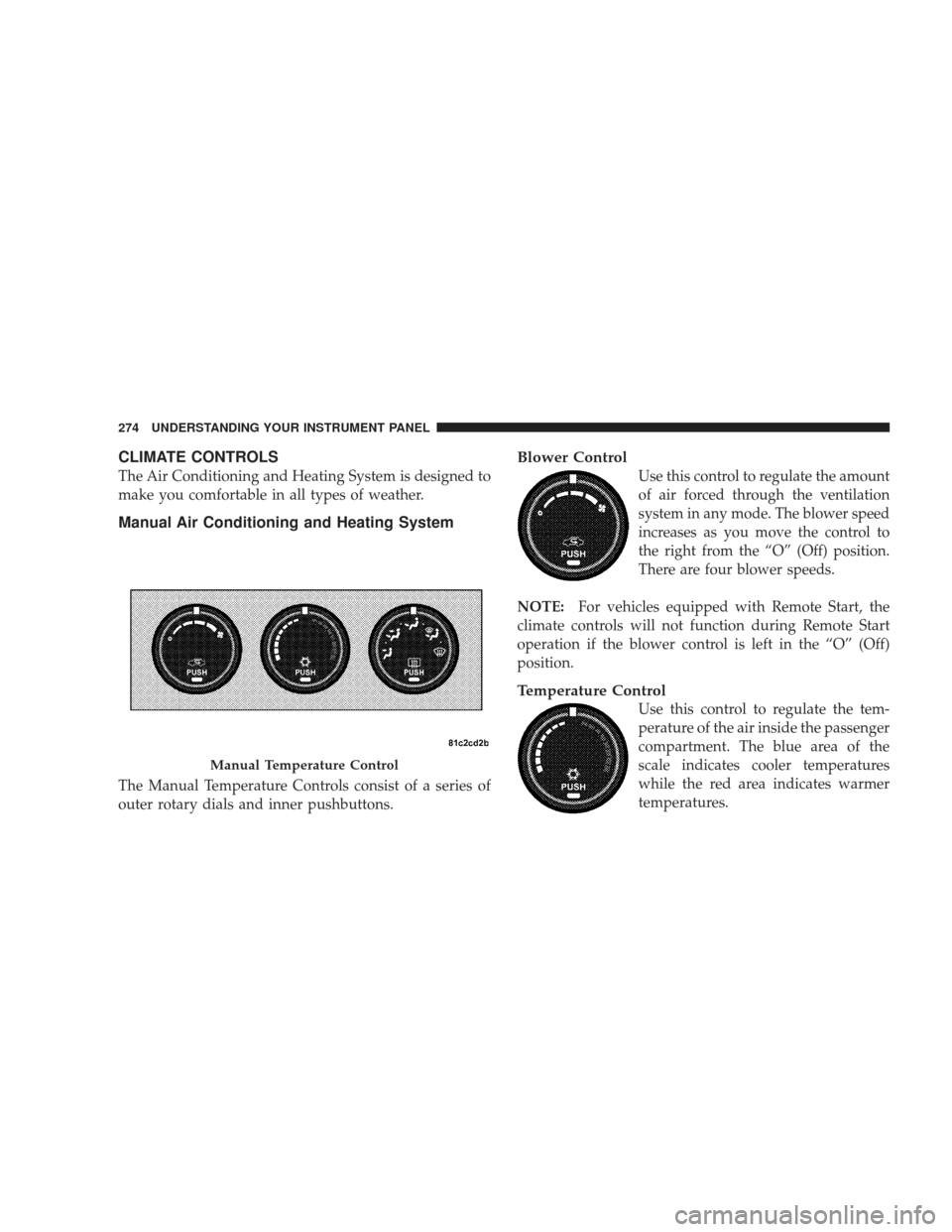
The Manual Temperature Controls consist of a series of
outer rotary dials and inner pushbuttons.
Blower Control
Use this control to regulate the amount
of air forced through the ventilation
system in any mode. The blower speed
increases as you move the control to
the right from the “O” (Off) position.
There are four blower speeds.
NOTE:For vehicles equipped with Remote Start, the
climate controls will not function during Remote Start
operation if the blower control is left in the “O” (Off)
position.
Temperature Control
Use this control to regulate the tem-
perature of the air inside the passenger
compartment. The blue area of the
scale indicates cooler temperatures
while the red area indicates warmer
temperatures.
Manual Temperature Control
274 UNDERSTANDING YOUR INSTRUMENT PANEL
Page 279 of 506
•The A/C can be deselected manually without disturb-
ing the mode control selection.
Air Conditioning Control
Use this button to engage the Air Conditioning. A
light will illuminate when the Air Conditioning
System is engaged
NOTE: The air conditioning compressor will not engage
until the engine has been running for about 10 seconds.
•MAX A/C
For maximum cooling use the A/C and recirculation
buttons at the same time.
•Economy Mode
If economy mode is desired, press the A/C button to turn
off the indicator light and the A/C compressor. Then,
move the temperature control to the desired temperature.
Automatic Temperature Control (ATC) — If
Equipped
Automatic Operation
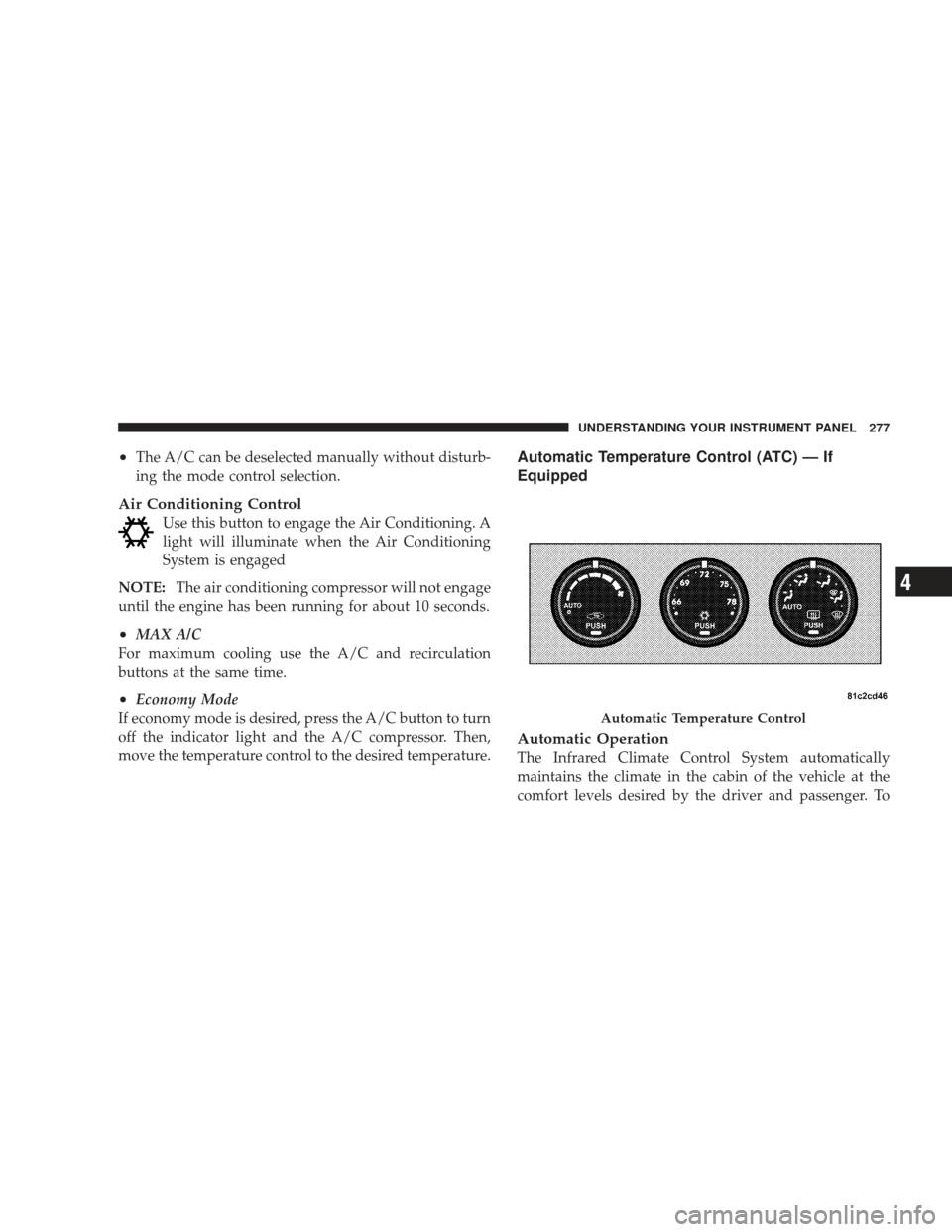
The Infrared Climate Control System automatically
maintains the climate in the cabin of the vehicle at the
comfort levels desired by the driver and passenger. To
Automatic Temperature Control
UNDERSTANDING YOUR INSTRUMENT PANEL 277
4
Page 280 of 506

accomplish this, the system gathers information from the
cabin infrared sensor mounted between the sun-visors
and from various sensors located throughout the vehicle.
The controls on the climate control provide the system
with operator input. Other sensors take account of ve-
hicle speed, A/C pressure, outside temperature, and
engine cooling temperature. Using all of these inputs, the
system automatically adjusts airflow temperature, air-
flow distribution, airflow volume, and the amount of
outside air recirculation. This maintains a comfortable
temperature even under changing conditions.
Operation of the system is quite simple.
1. Turn the Mode Control knob (on the right) and the
Blower Control knob (on the left) to AUTO.
NOTE:The AUTO position performs best for front seat
occupants only. 2. Dial in the temperature you would
like the system to maintain by rotating
the Temperature Control knob.
Once the comfort level is selected, the system will main-
tain that level automatically using the heating system.
Should the desired comfort level require air conditioning,
the system will automatically make the adjustment.
You will experience the greatest efficiency by simply
allowing the system to function automatically. Selecting
the “O” (Off) position on the blower control stops the
system completely and closes the outside air intake.
72°F (22°C) is the recommended setting for maximum
comfort for the average person; however, this may vary.
278 UNDERSTANDING YOUR INSTRUMENT PANEL
Page 332 of 506
Disabling and Enabling HSA
This feature can be turned on or turned off. To change the
current setting, proceed as follows:
For vehicles equipped with the Electronic Vehicle Infor-
mation Center (EVIC), refer to “Hill Start Assist,” under
�Personal Settings (Customer Programmable Features),”
under “Electronic Vehicle Information Center (EVIC)” in
Section 4 of this manual.
For vehicles not equipped with the EVIC, perform the
following steps:
NOTE:You must complete Steps 1 through 8 within
90 seconds.
1. Center the steering wheel (front wheels pointing
straight forward).
2. Shift the transmission into PARK.
3. Apply the parking brake. 4. Start the engine.
5. Rotate the steering wheel one-half turn to the left.
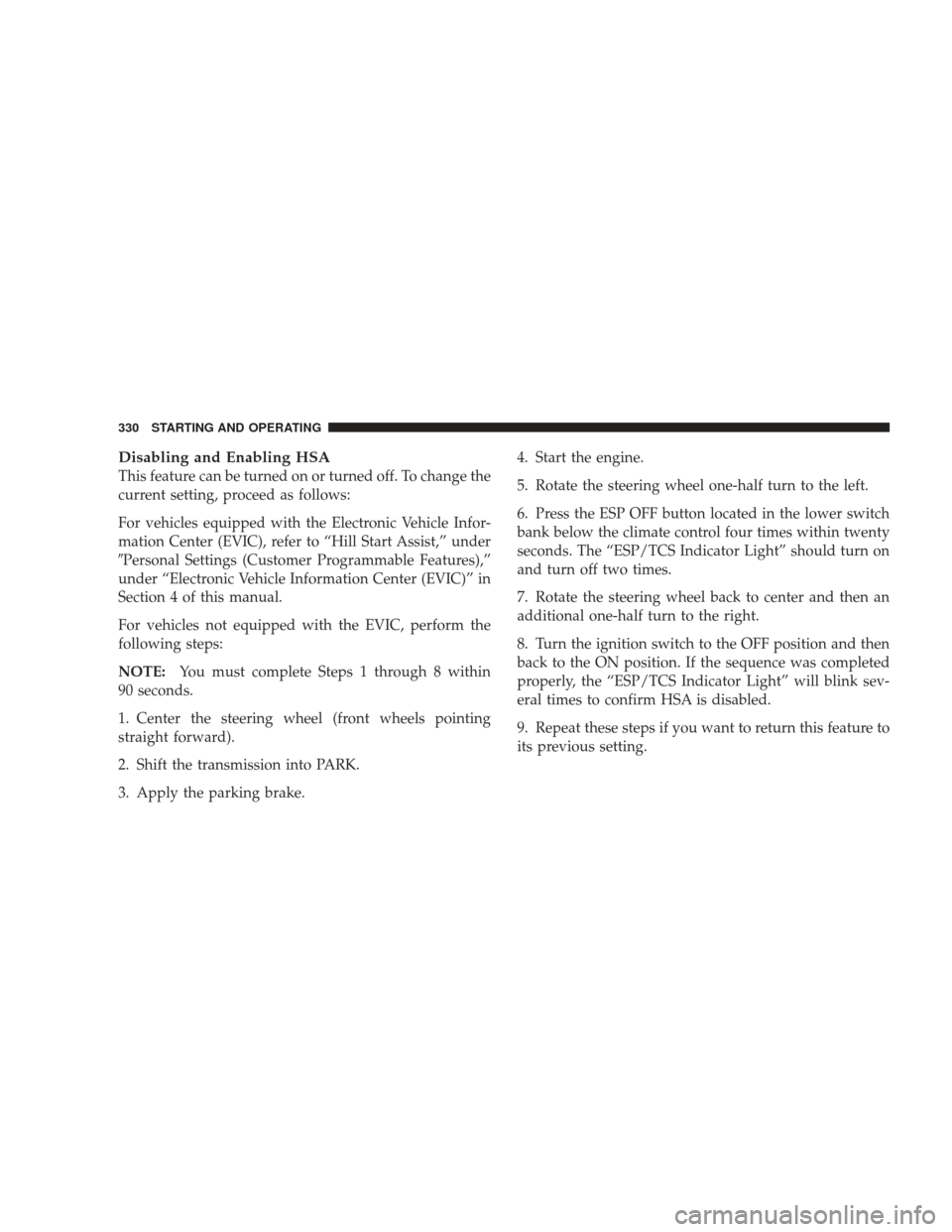
6. Press the ESP OFF button located in the lower switch
bank below the climate control four times within twenty
seconds. The “ESP/TCS Indicator Light” should turn on
and turn off two times.
7. Rotate the steering wheel back to center and then an
additional one-half turn to the right.
8. Turn the ignition switch to the OFF position and then
back to the ON position. If the sequence was completed
properly, the “ESP/TCS Indicator Light” will blink sev-
eral times to confirm HSA is disabled.
9. Repeat these steps if you want to return this feature to
its previous setting.
330 STARTING AND OPERATING
Page 334 of 506
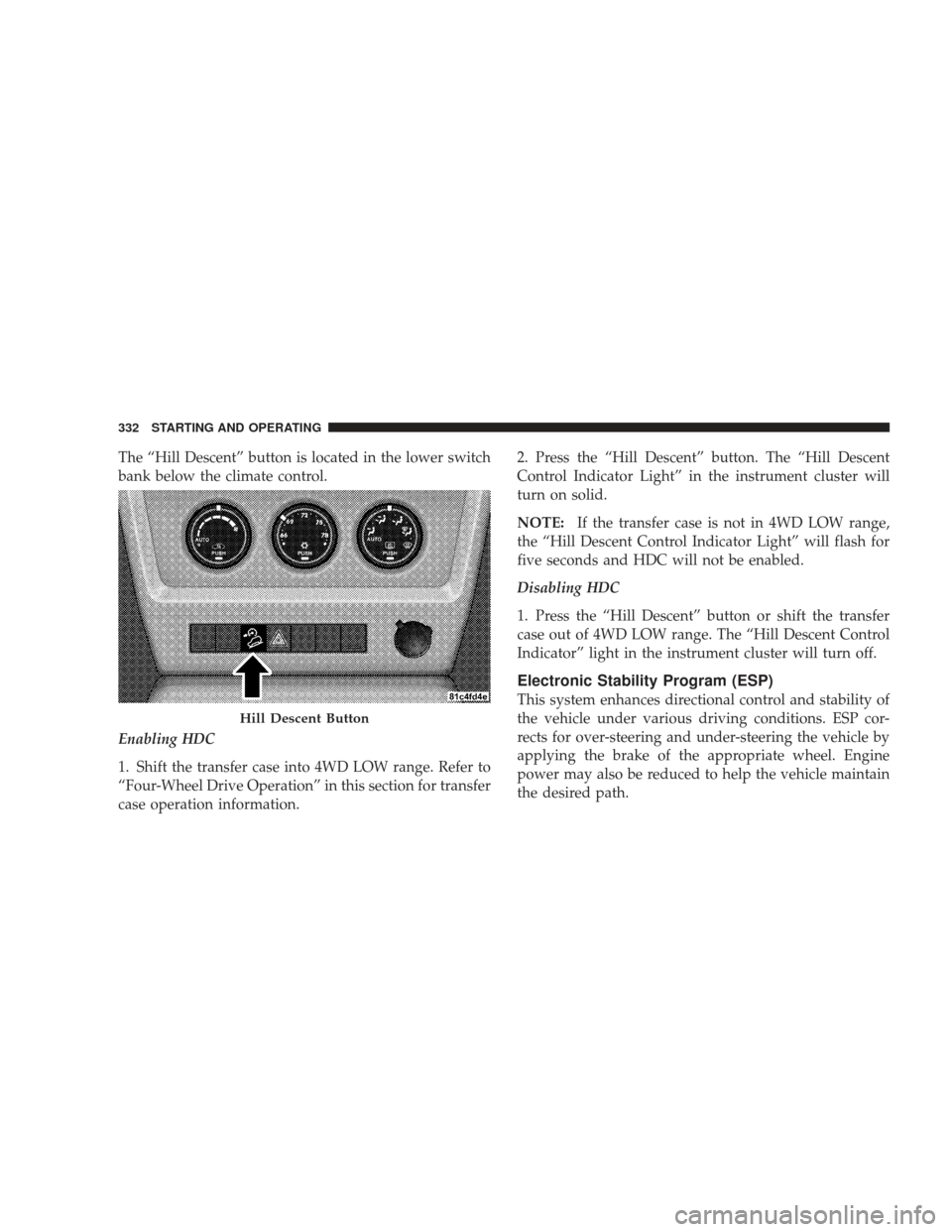
The “Hill Descent” button is located in the lower switch
bank below the climate control.
Enabling HDC
1. Shift the transfer case into 4WD LOW range. Refer to
“Four-Wheel Drive Operation” in this section for transfer
case operation information.2. Press the “Hill Descent” button. The “Hill Descent
Control Indicator Light” in the instrument cluster will
turn on solid.
NOTE:
If the transfer case is not in 4WD LOW range,
the “Hill Descent Control Indicator Light” will flash for
five seconds and HDC will not be enabled.
Disabling HDC
1. Press the “Hill Descent” button or shift the transfer
case out of 4WD LOW range. The “Hill Descent Control
Indicator” light in the instrument cluster will turn off.
Electronic Stability Program (ESP)
This system enhances directional control and stability of
the vehicle under various driving conditions. ESP cor-
rects for over-steering and under-steering the vehicle by
applying the brake of the appropriate wheel. Engine
power may also be reduced to help the vehicle maintain
the desired path.
Hill Descent Button
332 STARTING AND OPERATING
Page 336 of 506
Depending upon model and mode of operation, the ESP
system has up to three operating modes: “ESP On”
“Partial Off,” and “Full Off.”
ESP On — Two-Wheel Drive Vehicles and Four-Wheel
Drive Vehicles in 2WD and 4WD High Range
This is the normal operating mode for ESP when operat-
ing a two-wheel drive vehicle. It is also the normal mode
for operating a four-wheel drive vehicle in 2WD or 4WD
HIGH range. The ESP system will be in “ESP On” mode
whenever the vehicle is started or the transfer case (if
equipped) is shifted out of 4WD LOW range. This mode
should be used for most driving situations. ESP should
only be turned to “Partial Off” or “Full Off” for specific
reasons as noted. Refer to “Partial Off” and to “Full Off”
for additional information.Partial Off — Two-Wheel Drive Vehicles and
Four-Wheel Drive Vehicles in 2WD and 4WD High
Range
The “Partial Off” mode is intended for driving in deep
snow, sand, or gravel. This mode raises the threshold for
TCS and ESP activation, which allows for more wheel
spin than what ESP normally allows.
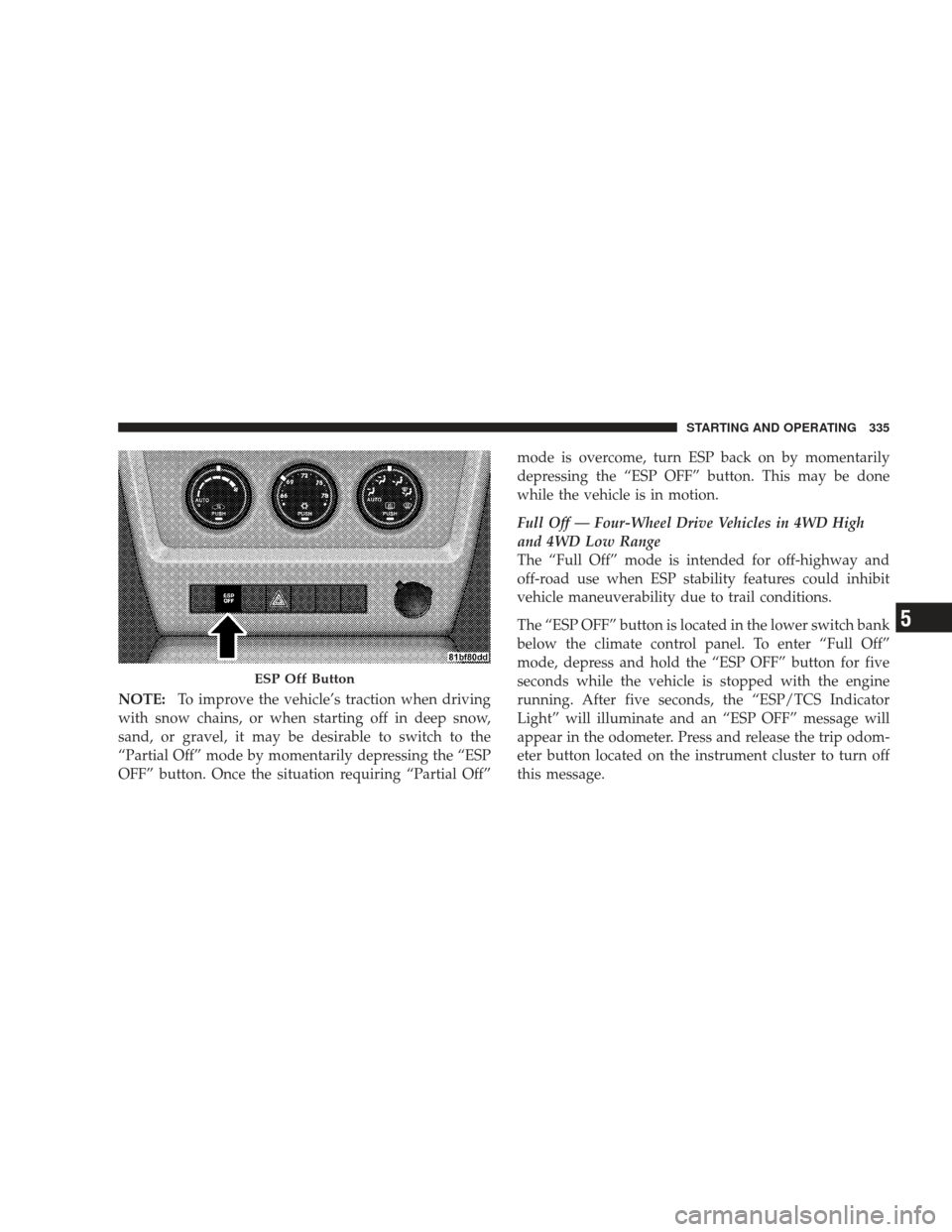
The “ESP OFF” button is located in the lower switch bank
below the climate control. To enter the “Partial Off”
mode, momentarily depress the “ESP OFF” button and
the
�ESP/TCS Indicator Light” will illuminate. To turn
the ESP on again, momentarily depress the �ESP OFF�
button and the �ESP/TCS Indicator Light” will turn off.
This will restore the normal “ESP On” mode of operation.
334 STARTING AND OPERATING
Page 337 of 506
NOTE:To improve the vehicle’s traction when driving
with snow chains, or when starting off in deep snow,
sand, or gravel, it may be desirable to switch to the
“Partial Off” mode by momentarily depressing the “ESP
OFF” button. Once the situation requiring “Partial Off” mode is overcome, turn ESP back on by momentarily
depressing the “ESP OFF” button. This may be done
while the vehicle is in motion.
Full Off — Four-Wheel Drive Vehicles in 4WD High
and 4WD Low Range
The “Full Off” mode is intended for off-highway and
off-road use when ESP stability features could inhibit
vehicle maneuverability due to trail conditions.
The “ESP OFF” button is located in the lower switch bank
below the climate control panel. To enter “Full Off”
mode, depress and hold the “ESP OFF” button for five
seconds while the vehicle is stopped with the engine
running. After five seconds, the “ESP/TCS Indicator
Light” will illuminate and an “ESP OFF” message will
appear in the odometer. Press and release the trip odom-
eter button located on the instrument cluster to turn off
this message.
ESP Off Button
STARTING AND OPERATING 335
5
Page 396 of 506
HAZARD WARNING FLASHER
The Hazard Warning flasher switch is located in the
switch bank below the climate controls.Press the switch to turn on the Hazard Warning
flasher. When the switch is activated, all directional
turn signals will flash on and off to warn oncoming
traffic of an emergency. Press the switch a second time to
turn off the Hazard Warning flasher.
This is an emergency warning system and it should not
be used when the vehicle is in motion. Use it when your
vehicle is disabled and it is creating a safety hazard for
other motorists.
When you must leave the vehicle to seek assistance, the
Hazard Warning flasher will continue to operate even
though the ignition switch is in the LOCK position.
NOTE: With extended use, the Hazard Warning flasher
may wear down your battery.
IF YOUR ENGINE OVERHEATS
In any of the following situations, you can reduce the
potential for overheating your engine by taking the
appropriate action.
•On the highways — slow down.
•In city traffic — while stopped, put transmission in
NEUTRAL, but do not increase engine idle speed.
CAUTION!
Driving with a hot cooling system could damage
your vehicle. If the temperature gauge reads “H,”
pull over and stop the vehicle. Idle the vehicle with
the air conditioner turned off until the pointer drops
back into the normal range. If the pointer remains on
the “H” and you hear continuous chimes, turn the
engine off immediately and call for service.
394 WHAT TO DO IN EMERGENCIES