2009 JEEP LIBERTY engine overheat
[x] Cancel search: engine overheatPage 210 of 506
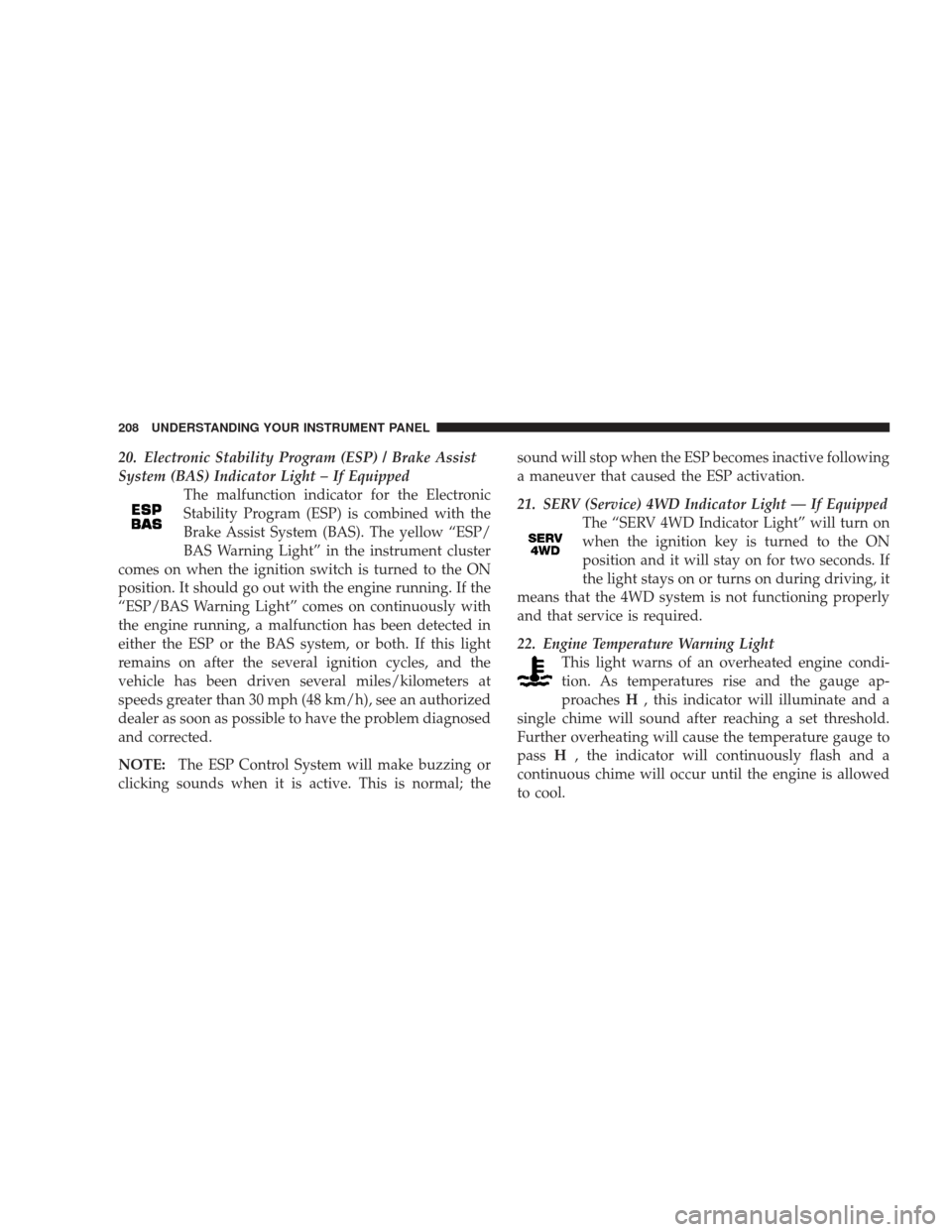
20. Electronic Stability Program (ESP) / Brake Assist
System (BAS) Indicator Light – If EquippedThe malfunction indicator for the Electronic
Stability Program (ESP) is combined with the
Brake Assist System (BAS). The yellow “ESP/
BAS Warning Light” in the instrument cluster
comes on when the ignition switch is turned to the ON
position. It should go out with the engine running. If the
“ESP/BAS Warning Light” comes on continuously with
the engine running, a malfunction has been detected in
either the ESP or the BAS system, or both. If this light
remains on after the several ignition cycles, and the
vehicle has been driven several miles/kilometers at
speeds greater than 30 mph (48 km/h), see an authorized
dealer as soon as possible to have the problem diagnosed
and corrected.
NOTE: The ESP Control System will make buzzing or
clicking sounds when it is active. This is normal; the sound will stop when the ESP becomes inactive following
a maneuver that caused the ESP activation.
21. SERV (Service) 4WD Indicator Light — If Equipped
The “SERV 4WD Indicator Light” will turn on
when the ignition key is turned to the ON
position and it will stay on for two seconds. If
the light stays on or turns on during driving, it
means that the 4WD system is not functioning properly
and that service is required.
22. Engine Temperature Warning Light This light warns of an overheated engine condi-
tion. As temperatures rise and the gauge ap-
proaches H, this indicator will illuminate and a
single chime will sound after reaching a set threshold.
Further overheating will cause the temperature gauge to
pass H, the indicator will continuously flash and a
continuous chime will occur until the engine is allowed
to cool.
208 UNDERSTANDING YOUR INSTRUMENT PANEL
Page 211 of 506
If the light turns on while driving, safely pull over and
stop the vehicle. If the A/C system is on, turn it off. Also,
shift the transmission into NEUTRAL and idle the ve-
hicle. If the temperature reading does not return to
normal, turn the engine off immediately and call for
service. Refer to “If Your Engine Overheats” in Section 6
for more information.
23. Temperature Gauge
The temperature gauge shows engine coolant tempera-
ture. Any reading within the normal range indicates that
the engine cooling system is operating satisfactorily.
The gauge pointer will likely indicate a higher tempera-
ture when driving in hot weather, up mountain grades,
or when towing a trailer. It should not be allowed to
exceed the upper limits of the normal operating range.CAUTION!
Driving with a hot engine cooling system could
damage your vehicle. If temperature gauge reads “H”
pull over and stop the vehicle. Idle the vehicle with
the air conditioner turned off until the pointer drops
back into the normal range. If the pointer remains on
the “H” and you hear continuous chimes, turn the
engine off immediately, and call an authorized deal-
ership for service.
UNDERSTANDING YOUR INSTRUMENT PANEL 209
4
Page 212 of 506
WARNING!
A hot engine cooling system is dangerous. You or
others could be badly burned by steam or boiling
coolant. You may want to call an authorized dealer-
ship for service if your vehicle overheats. If you
decide to look under the hood yourself, see Section 7
of this manual. Follow the warnings under the Cool-
ing System Pressure Cap paragraph.
24. Transmission Temperature Indicator — If Equipped This light indicates that the transmission fluid
temperature is running hot. This may occur
with severe usage, such as trailer towing. If this
light turns on, safely pull over and stop the
vehicle. Then, shift the transmission into NEUTRAL and
run the engine at idle or faster until the light turns off. 25. Trip Odometer Button
Changing the Display
Press and release this button once to change the display
from odometer to “Trip A.” Press and release it again to
change the display from “Trip A” to “Trip B.” On vehicles
equipped with a Base Cluster, press and release it once
again to display the outside temperature. On vehicles
equipped with a Mid Line Cluster, press and release it
once again to display the outside temperature and com-
pass heading in the screen below the speedometer. Refer
to “Vacuum Fluorescent Display” for details.
Resetting the Trip Odometer
Display the trip mileage that you want to reset, “Trip A”
or “Trip B.” Then push and hold the button (approxi-
mately two seconds) until the display resets to 0. The
odometer must be in Trip Mode to reset the trip odom-
eter.
210 UNDERSTANDING YOUR INSTRUMENT PANEL
Page 285 of 506
•Most of the time, when in Automatic Operation, you
can temporarily put the system into Recirculation
mode by pressing the RECIRCULATION button.
However, under certain conditions, while in Auto-
matic Mode, the system is blowing air out the defrost
vents. When these conditions are present, and the
RECIRCULATION button is pressed, the indicator will
flash and then turn off. This tells you that you are
unable to go into recirculation mode at this time. If you
would like the system to go into Recirculation mode,
you must first move the Mode Knob to Panel, Panel/
Floor and then press the RECIRCULATION button.
This feature reduces the possibility of window
fogging.
Operating Tips
NOTE:Refer to the chart at the end of this section for
suggested control settings for various weather condi-
tions.
Summer Operation
The engine cooling system in air-conditioned vehicles
must be protected with a high-quality antifreeze coolant
to provide proper corrosion protection and to protect
against engine overheating. A 50% solution of ethylene
glycol antifreeze coolant in water is recommended. Refer
to “Maintenance Procedures” in Section 7 of this manual
for proper coolant selection.
Winter Operation
Use of the air Recirculation mode during winter months
is not recommended because it may cause window
fogging.
Vacation Storage
Anytime you store your vehicle, or keep it out of service
(i.e., vacation) for two weeks or more, run the air
conditioning system at idle for about five minutes in the
fresh air and high blower settings. This will ensure
adequate system lubrication to minimize the possibility
of compressor damage when the system is started again.
UNDERSTANDING YOUR INSTRUMENT PANEL 283
4
Page 302 of 506
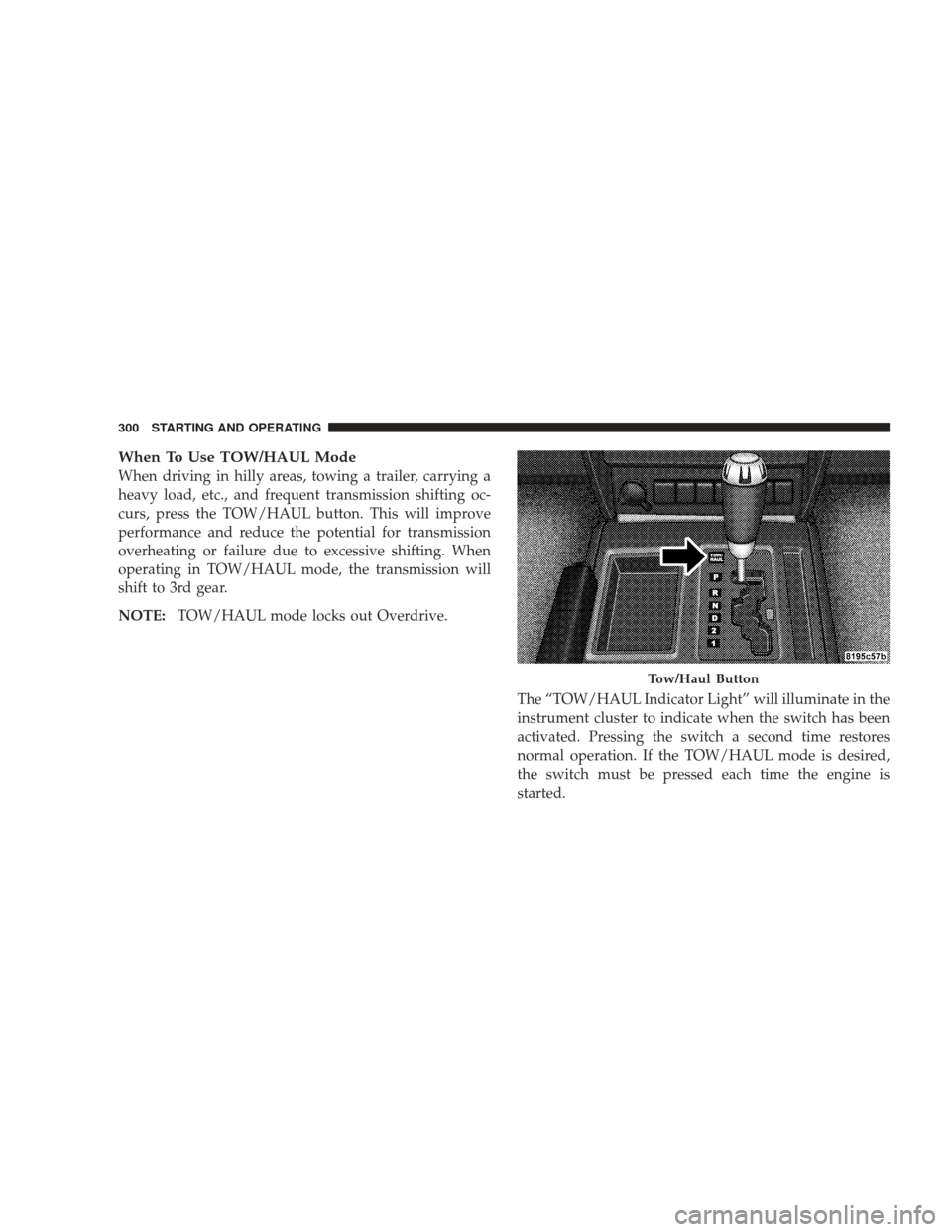
When To Use TOW/HAUL Mode
When driving in hilly areas, towing a trailer, carrying a
heavy load, etc., and frequent transmission shifting oc-
curs, press the TOW/HAUL button. This will improve
performance and reduce the potential for transmission
overheating or failure due to excessive shifting. When
operating in TOW/HAUL mode, the transmission will
shift to 3rd gear.
NOTE:TOW/HAUL mode locks out Overdrive.
The “TOW/HAUL Indicator Light” will illuminate in the
instrument cluster to indicate when the switch has been
activated. Pressing the switch a second time restores
normal operation. If the TOW/HAUL mode is desired,
the switch must be pressed each time the engine is
started.
Tow/Haul Button
300 STARTING AND OPERATING
Page 325 of 506
WARNING! (Continued)
•The capabilities of an ABS equipped vehicle must
never be exploited in a reckless or dangerous
manner, which could jeopardize the user’s safety
or the safety of others.
CAUTION!
The ABS is subject to possible detrimental effects of
electronic interference caused by improperly in-
stalled aftermarket radios or telephones.
NOTE: During severe braking conditions, a pulsing
sensation may occur and a clicking noise will be heard.
This is normal, indicating that the ABS is functioning.
•Do not “ride” the brakes by resting your foot on the
pedal. This could overheat the brakes and result in
unpredictable braking action, longer stopping dis-
tances, or brake damage.
•When descending mountains or hills, repeated brak-
ing can cause brake fade with loss of braking control.
Avoid repeated heavy braking by downshifting the
transmission or locking out overdrive whenever pos-
sible.
•Engines may idle at higher speeds during warm-up,
which could cause rear wheels to spin and result in
loss of vehicle control. Be especially careful while
driving on slippery roads, in close-quarter maneuver-
ing, parking, or stopping.
•Do not drive too fast for road conditions, especially
when roads are wet or slushy. A wedge of water can
STARTING AND OPERATING 323
5
Page 370 of 506
of gasoline may not be indicated on the gasoline pump;
therefore, you should ask your gasoline retailer whether
the gasoline contains MMT. It is even more important to
look for gasolines without MMT in Canada, because
MMT can be used at levels higher than those allowed in
the United States. MMT is prohibited in Federal and
California reformulated gasoline.
Materials Added To Fuel
All gasoline sold in the United States is required to
contain effective detergent additives. Use of additional
detergents or other additives is not needed under normal
conditions and they would result in additional cost.
Therefore, you should not have to add anything to the
fuel.
Fuel System Cautions
CAUTION!
Use the following guidelines to maintain your vehi-
cle’s performance:
•The use of leaded gas is prohibited by Federal law.
Using leaded gasoline can impair engine performance,
and damage the emission control system.
•An out-of-tune engine, or certain fuel or ignition
malfunctions, can cause the catalytic converter to
overheat. If you notice a pungent burning odor or
some light smoke, your engine may be out of tune or
malfunctioning and may require immediate service.
Contact your authorized dealer for service assistance.
368 STARTING AND OPERATING
Page 390 of 506
Towing Tips
Before setting out on a trip, practice turning, stopping,
and backing the trailer in an area located away from
heavy traffic.
Automatic Transmission
The “D” range can be selected when towing. However, if
frequent shifting occurs while in this range, you will
want to activate the TOW/HAUL feature. Refer to “Au-
tomatic Transmission” in this section for additional in-
formation.
NOTE:Using the TOW/HAUL feature while operating
the vehicle under heavy operating conditions will im-
prove performance and extend transmission life by re-
ducing excessive shifting and heat build up. This action
will also provide better engine braking.
If you REGULARLY tow a trailer for more than 45 min-
utes of continuous operation, then change the automatic
transmission fluid and filter according to the interval specified for “police, taxi, fleet, or frequent trailer tow-
ing” in the “Maintenance Schedule” in this manual.
TOW/HAUL
To reduce potential for automatic transmission overheat-
ing, press the TOW HAUL button when driving in hilly
areas or shift the transmission to Drive position “2” on
more severe grades. Refer to “Automatic Transmission”
in this section for additional information.
Electronic Speed Control — If Equipped
Do not use in hilly terrain or with heavy loads.
When using the speed control, if you experience speed
drops greater than 10 mph (16 km/h), disengage until
you can get back to cruising speed.
Use speed control in flat terrain and with light loads to
maximize fuel efficiency.
388 STARTING AND OPERATING