Page 116 of 506
Voice Training
For users experiencing difficulty with the system recog-
nizing their voice commands or numbers, the uconnect�
phone Voice Training feature may be used. To enter this
training mode, follow one of the two following proce-
dures:
From outside the uconnect� phone mode (e.g., from radio
mode):
•Press and hold the VOICE RECOGNITION button for
five seconds until the session begins, or,
•Press the VOICE RECOGNITION button and say the
�Setup, Voice Training� command.
Repeat the words and phrases when prompted by the
uconnect� phone. For best results, the Voice Training
session should be completed when the vehicle is parked
with the engine running, all windows closed, and the
blower fan switched off. This procedure may be repeated with a new user. The
system will adapt to the last trained voice only.
To restore the Voice Recognition system to factory default
settings, enter the Voice Training session via the above
procedure and follow the prompts.
Voice Recognition (VR)
•
For best performance, adjust the rearview mirror to
provide at least12in (1 cm) gap between the overhead
console (if equipped) and the mirror.
•Always wait for the beep before speaking.
•Speak normally, without pausing, just as you would
speak to a person sitting a few feet/meters away from
you.
•Make sure that no one other than you is speaking
during a voice recognition period.
114 UNDERSTANDING THE FEATURES OF YOUR VEHICLE
Page 118 of 506
Far End Audio Performance
•
Audio quality is maximized under:
•low-to-medium blower setting,
•low-to-medium vehicle speed,
•low road noise,
•smooth road surface,
•fully closed windows,
•dry weather conditions, and
•operation from the driver’s seat.
•Performance, such as audio clarity, echo, and loudness
to a large degree rely on the phone and network, and
not the uconnect�phone.
•Echo at the far end can sometimes be reduced by
lowering the in-vehicle audio volume.
•In a convertible vehicle, system performance may be
compromised with the convertible top down.
Bluetooth�Communication Link
Cellular phones have been found to lose connection to
the uconnect� phone. When this happens, the connection
can generally be reestablished by switching the phone
off/on. Your cellular phone is recommended to remain in
Bluetooth� ON mode.
Power-Up
After switching the ignition key from OFF to either the
ON or ACC position, or after a language change, you
must wait at least five seconds prior to using the system.
116 UNDERSTANDING THE FEATURES OF YOUR VEHICLE
Page 126 of 506
Commands
The Voice Recognition (VR) system understands two
types of commands. Universal commands are available at
all times. Local commands are available if the supported
radio mode is active.
Changing the Volume
1. Start a dialogue by pressing the VR button.
2. Say a command (e.g., “Help”).
3. Use the ON/OFF VOLUME rotary knob to adjust the
volume to a comfortable level while the Voice Recogni-
tion (VR) system is speaking. Please note the volume
setting for VR is different than the audio system.
Main Menu
Start a dialogue by pressing the VR button. You may say
“Main Menu” to switch to the main menu.In this mode, you can say the following commands:
•“Radio” (to switch to the radio mode)
•“Disc” (to switch to the disc mode)
•“Memo” (to switch to the memo recorder)
•“System Setup” (to switch to system setup)
Radio AM (or Radio Long Wave or Radio Medium
Wave — If Equipped)
To switch to the AM band, say “AM” or “Radio AM”. In
this mode, you may say the following commands:
•“Frequency” (to change the frequency)
•“Next Station” (to select the next station)
•“Previous Station” (to select the previous station)
•“Radio Menu” (to switch to the radio menu)
•“Main Menu” (to switch to the main menu)
124 UNDERSTANDING THE FEATURES OF YOUR VEHICLE
Page 128 of 506
Memo
To switch to the voice recorder mode, say “Memo”. In
this mode, you may say the following commands:
•“New Memo” (to record a new memo) — During the
recording, you may press the VR button to stop
recording. You proceed by saying one of the following
commands:
“Save” (to save the memo)
“Continue” (to continue recording)
“Delete” (to delete the recording)
•“Play Memos” (to play previously recorded memos)
— During the playback you may press the VR button
to stop playing memos. You proceed by saying one of
the following commands:
“Repeat” (to repeat a memo)
“Next” (to play the next memo)
“Previous” (to play the previous memo)
“Delete” (to delete a memo)
•“Delete All” (to delete all memos)
System Setup
To switch to system setup, say “Setup”. In this mode, you
may say the following commands:
•“Language German”
•“Language Dutch”
•“Language Italian”
•“Language English”
•“Language French”
•“Language Spanish”
•“Tutorial”
•“Voice Training”
126 UNDERSTANDING THE FEATURES OF YOUR VEHICLE
Page 145 of 506
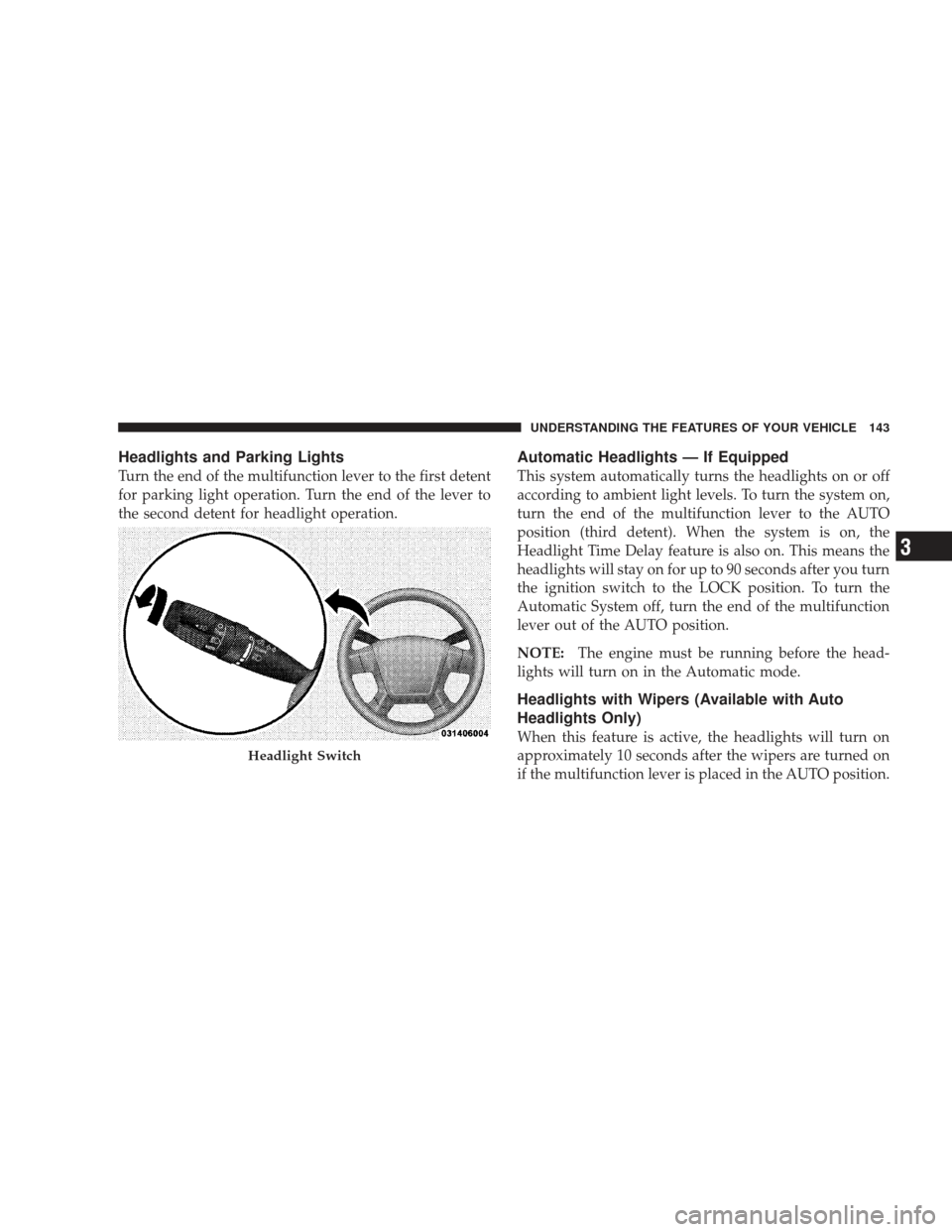
Headlights and Parking Lights
Turn the end of the multifunction lever to the first detent
for parking light operation. Turn the end of the lever to
the second detent for headlight operation.
Automatic Headlights — If Equipped
This system automatically turns the headlights on or off
according to ambient light levels. To turn the system on,
turn the end of the multifunction lever to the AUTO
position (third detent). When the system is on, the
Headlight Time Delay feature is also on. This means the
headlights will stay on for up to 90 seconds after you turn
the ignition switch to the LOCK position. To turn the
Automatic System off, turn the end of the multifunction
lever out of the AUTO position.
NOTE:The engine must be running before the head-
lights will turn on in the Automatic mode.
Headlights with Wipers (Available with Auto
Headlights Only)
When this feature is active, the headlights will turn on
approximately 10 seconds after the wipers are turned on
if the multifunction lever is placed in the AUTO position.
Headlight Switch
UNDERSTANDING THE FEATURES OF YOUR VEHICLE 143
3
Page 151 of 506
Parade Mode (Daytime Brightness Feature)
Rotate the dimmer control to the first detent to brighten
the odometer and radio display when the parking lights
or headlights are on during daylight conditions.
Interior Light On
Rotate the dimmer control completely upward to the
second detent to turn on the interior lights. The interior
lights will remain on when the dimmer control is in this
position.
Interior Light Defeat Off
Rotate the dimmer control completely downward to the
(O) OFF position. The interior lights will remain off when
the doors are open.
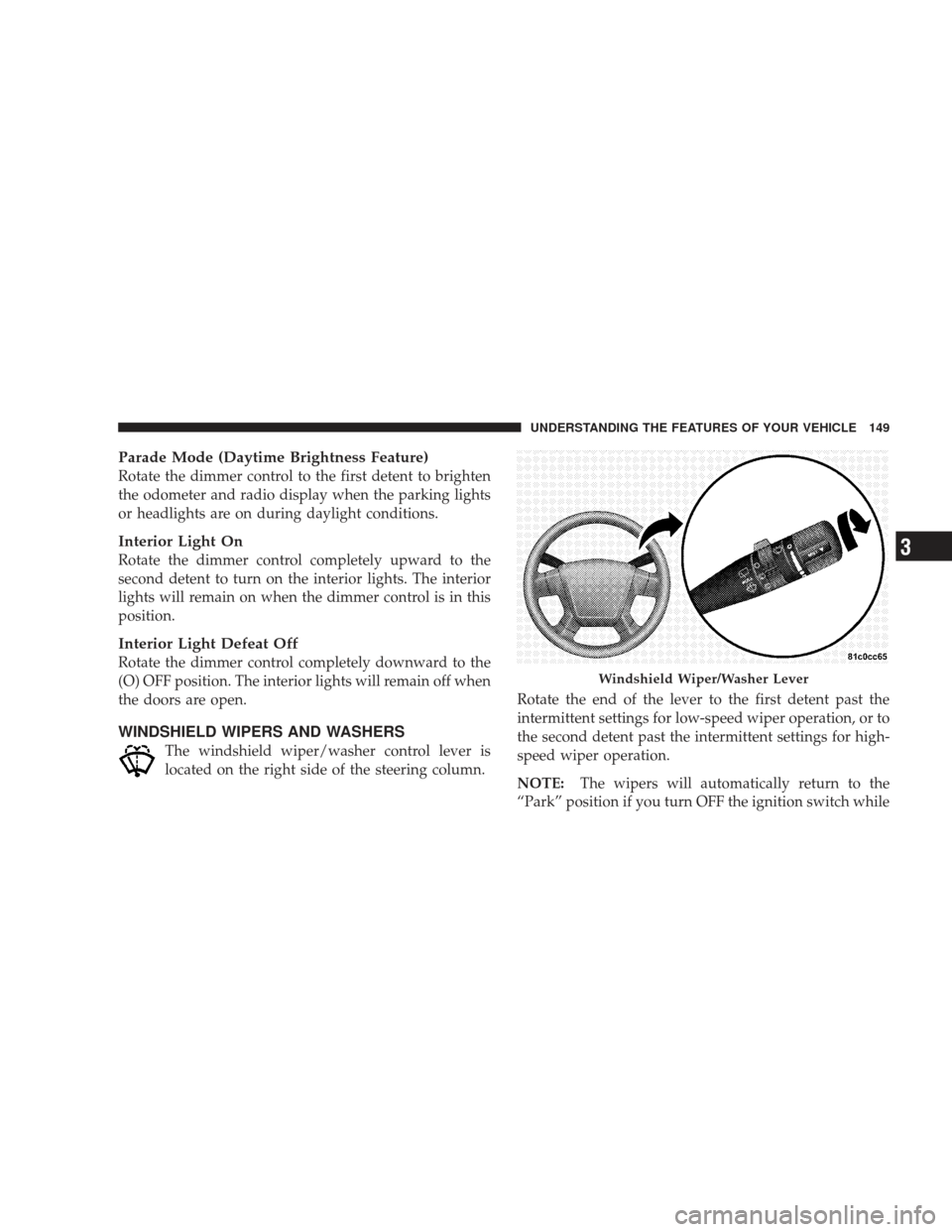
WINDSHIELD WIPERS AND WASHERS
The windshield wiper/washer control lever is
located on the right side of the steering column.Rotate the end of the lever to the first detent past the
intermittent settings for low-speed wiper operation, or to
the second detent past the intermittent settings for high-
speed wiper operation.
NOTE:
The wipers will automatically return to the
“Park” position if you turn OFF the ignition switch while
Windshield Wiper/Washer Lever
UNDERSTANDING THE FEATURES OF YOUR VEHICLE 149
3
Page 155 of 506

•Use of Rain-X�or products containing wax or silicone
may reduce rain sensor performance.
•The rain-sensing feature can be turned on and off
through the Electronic Vehicle Information Center
(EVIC) — if equipped. For details, refer to “Personal
Settings (Customer-Programmable Features)” under
“Electronic Vehicle Information Center (EVIC)” in
Section 4 of this manual.
The rain-sensing system has protective features for the
wiper blades and arms. It will not operate under the
following conditions:
•Low Temperature Wipe Inhibit — The rain-sensing
feature will not operate when the ignition is first
switched ON, the vehicle is stationary, and the outside
temperature is below 32° F (0° C). If the wiper control
is moved, the vehicle speed becomes greater than 0 mph (0 km/h), or the outside temperature rises
above freezing the rain-sensing feature will then op-
erate.
•Neutral Wipe Inhibit
— The rain-sensing feature will
not operate when the ignition is ON, and the shift
lever is in the NEUTRAL position, and the vehicle
speed is less than 5 mph (8 km/h), unless the wiper
control is moved or the shift lever is moved out of the
NEUTRAL position.
•Remote Start Wipe Inhibit (Vehicles Equipped with
Remote Start System) — The rain-sensing feature will
not operate when the vehicle is in remote start mode.
This feature will return to normal operation once
remote start mode is exited. Refer to “Remote Start
System” in Section 2 of this manual for information on
remote start operation.
UNDERSTANDING THE FEATURES OF YOUR VEHICLE 153
3
Page 168 of 506
WARNING!
•Your motorized door or gate will open and close
while you are training the Universal Transceiver.
Do not train the transceiver if people or pets are in
the path of the door or gate. Only use this trans-
ceiver with a garage door opener that has a “stop
and reverse” feature as required by Federal safety
standards. This includes most garage door opener
models manufactured after 1982. Do not use a
garage door opener without these safety features.
Call toll-free 1–800–355–3515 or, on the Internet at
www.HomeLink.com for safety information or as-
sistance.
•Vehicle exhaust contains carbon monoxide, a dan-
gerous gas. Do not run your vehicle in the garage
while training the transceiver. Exhaust gas can
cause serious injury or death.
Programming HomeLink�
Before You Begin
If you have not trained any of the HomeLink� buttons,
erase all channels before you begin training.
To do this, press and hold the two outside buttons for
20 seconds until the red indicator flashes.
It is recommended that a new battery be placed in the
hand-held transmitter of the device being programmed
to HomeLink� for more efficient training and accurate
transmission of the radio-frequency signal.
Your vehicle should be parked outside of the garage
when programming.
1. Turn the ignition switch to the ON/RUN position.
2. Hold the battery side of the hand-held transmitter
away from the HomeLink� button you wish to program.
166 UNDERSTANDING THE FEATURES OF YOUR VEHICLE