Page 57 of 521
NOTE:The interior lights can only be deactivated if the
key is removed from the ignition switch or the vehicle is
driven.
Maintaining Your Airbag System
WARNING!
•Modifications to any part of the airbag system
could cause it to fail when you need it. You could
be injured if the airbag system is not there to
protect you. Do not modify the components or
wiring, including adding any kind of badges or
stickers to the steering wheel hub trim cover or the
upper right side of the instrument panel. Do not
modify the front bumper or vehicle body struc-
ture.
(Continued)
WARNING! (Continued)
•You need proper knee impact protection in a
collision. Do not mount or locate any aftermarket
equipment on or behind the knee bolsters.
•It is dangerous to try to repair any part of the
airbag system yourself. Be sure to tell anyone who
works on your vehicle that it has an airbag system.
NOTE:
Perchlorate Material – special handling may
apply, See www.dtsc.ca.gov/hazardouswaste/perchlorate
THINGS TO KNOW BEFORE STARTING YOUR VEHICLE 55
2
Page 58 of 521

Airbag Warning Light
You will want to have the airbag system ready to inflate
for your protection in an impact. The airbag system is
designed to be maintenance free. If any of the following
occurs, have an authorized dealer service the system
promptly:
•Airbag Warning Light does not come on during the six
to eight seconds after the ignition switch is first turned
on,
•Remains on after the six to eight second interval, or
•Flickers, or comes on and remains on for any period of
time while driving.
NOTE:If the speedometer, tachometer, or any engine
related gauges are not working, the airbag control mod-
ule may also be disabled. The airbags may not be ready
to inflate for your protection. Promptly check the fuseblock for blown fuses. Refer to “Fuses” in Section 7 of this
manual. See your authorized dealer if the fuse is good.
Event Data Recorder (EDR)
In the event of an accident, your vehicle is designed to
record up to five seconds of specific vehicle data param-
eters (see the following list) in an event data recorder
prior to the moment of airbag deployment, or near
deployment, and up to one-quarter second of high-speed
deceleration data during and/or after airbag deployment
or near-deployment. EDR data are ONLY recorded if an
airbag deploys, or nearly deploys, and are otherwise
unavailable.
NOTE:
•A near-deployment event occurs when the airbag
sensor detects severe vehicle deceleration usually in-
dicative of a crash, but not severe enough to warrant
airbag deployment.
56 THINGS TO KNOW BEFORE STARTING YOUR VEHICLE
Page 73 of 521

Airbag Warning Light
The light should come on and remain on for six to eight
seconds as a bulb check when the ignition switch is first
turned ON. If the light is not lit during starting, see your
authorized dealer. If the light stays on, flickers, or comes
on while driving, have the system checked by an autho-
rized dealer.
Defroster
Check operation by selecting the defrost mode and place
the blower control on high speed. You should be able to
feel the air directed against the windshield. See your
authorized dealer for service if your defroster is
inoperable.
Periodic Safety Checks You Should Make Outside
The Vehicle
Tires
Examine tires for excessive tread wear and uneven wear
patterns. Check for stones, nails, glass, or other objectslodged in the tread. Inspect the tread and sidewall for
cuts and cracks. Check the wheel nuts for tightness.
Check the tires (including spare) for proper pressure.
Lights
Have someone observe the operation of exterior lights
while you work the controls. Check turn signal and high
beam indicator lights on the instrument panel.
Door Latches
Check for positive closing, latching, and locking.
Fluid Leaks
Check area under vehicle after overnight parking for fuel,
engine coolant, oil, or other fluid leaks. Also, if gasoline
fumes are detected or if fuel, power steering fluid, or
brake fluid leaks are suspected, the cause should be
located and corrected immediately.
THINGS TO KNOW BEFORE STARTING YOUR VEHICLE 71
2
Page 76 of 521
▫General Information.................. 110
�Voice Recognition System (VR) —
If Equipped.......................... 110
▫Voice Recognition System (VR) Operation . . . 110
▫Commands........................ 112
▫Voice Training...................... 115
�Seats.............................. 115
▫Front Manual Seat Adjustment........... 115
▫Front Seat Adjustment — Recline......... 116
▫Manual Lumbar Support Adjustment...... 116
▫Eight-Way Driver’s Power Seat........... 117
▫Four-Way Passenger’s Power Seat — If
Equipped.......................... 117
▫Head Restraints..................... 118▫Front Heated Seats — If Equipped........ 118
▫Rear Heated Seats — If Equipped......... 120
▫60/40 Split Rear Seat.................. 122
�Driver Memory Seat — If Equipped........ 124
▫Setting Memory Positions And Linking
Remote Keyless Entry (RKE) Transmitter To
Memory........................... 125
▫Memory Position Recall................ 126
▫To Disable A RKE Transmitter Linked To
Memory........................... 127
▫Easy Entry/Exit Seat.................. 128
�To Open And Close The Hood............ 129
�Lights............................. 130
▫Multifunction Lever.................. 130
74 UNDERSTANDING THE FEATURES OF YOUR VEHICLE
Page 77 of 521
▫Headlights And Parking Lights.......... 130
▫Automatic Headlight System —
If Equipped........................ 131
▫SmartBeams — If Equipped............. 132
▫Daytime Running Lights — If Equipped.... 133
▫Automatic Headlight Leveling — HID
Headlights Only..................... 133
▫Instrument Panel And Interior Lights...... 134
▫Battery Saver Feature................. 135
▫Lights-On Reminder.................. 135
▫Fog Lights — If Equipped.............. 135
▫Turn Signals........................ 136
▫High Beam Switch................... 137
▫Flash-To-Pass....................... 137▫Headlight Time Delay................. 137
▫Interior Lights...................... 137
▫Front Map/Reading Lights............. 138
�Windshield Wipers And Washers.......... 139
▫Mist............................. 140
▫Speed Sensitive Intermittent Wiper System . . 140
▫Rain Sensing Wipers — If Equipped....... 141
�Tilt/Telescoping Steering Column.......... 142
�Adjustable Pedals — If Equipped.......... 143
�Electronic Speed Control — If Equipped..... 144
▫To Activate......................... 145
▫To Set At A Desired Speed.............. 145
▫To Deactivate....................... 145
UNDERSTANDING THE FEATURES OF YOUR VEHICLE 75
3
Page 78 of 521

▫To Resume Speed.................... 146
▫To Vary The Speed Setting.............. 146
▫To Accelerate For Passing.............. 147
�Rear Park Assist — If Equipped........... 147
▫Rear Park Assist Sensors............... 147
▫Rear Park Assist Warning Display........ 148
▫Enable/Disable The Rear Park Assist...... 150
▫Service The Rear Park Assist............ 150
▫Cleaning The Rear Park Assist........... 151
�Rear Camera — If Equipped.............. 151
▫Turning The Rear Camera On Or Off — With
Navigation Radio.................... 152
▫Turning The Rear Camera On Or Off —
Without Navigation Radio.............. 152�Overhead Console..................... 153
▫Courtesy/Reading Lights.............. 153
▫Sunglasses Storage................... 154
�Garage Door Opener — If Equipped........ 154
▫Programming HomeLink�.............. 155
▫Gate Operator/Canadian Programming.... 158
▫Using HomeLink�................... 158
▫Reprogramming A Single
HomeLink�Button................... 159
▫Security........................... 159
▫Troubleshooting Tips.................. 159
▫General Information.................. 160
�Power Sunroof — If Equipped............ 160
76 UNDERSTANDING THE FEATURES OF YOUR VEHICLE
Page 79 of 521
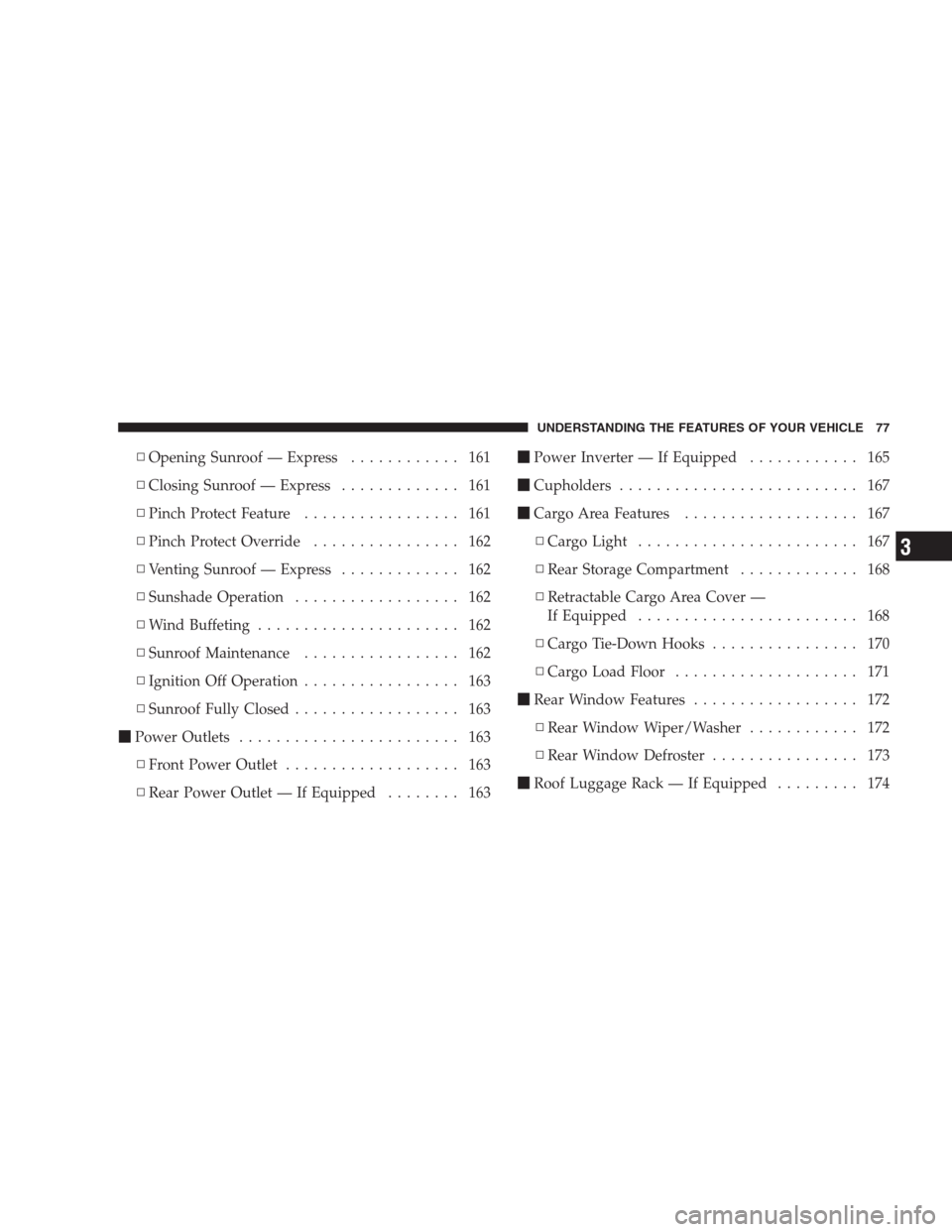
▫Opening Sunroof — Express............ 161
▫Closing Sunroof — Express............. 161
▫Pinch Protect Feature................. 161
▫Pinch Protect Override................ 162
▫Venting Sunroof — Express............. 162
▫Sunshade Operation.................. 162
▫Wind Buffeting...................... 162
▫Sunroof Maintenance................. 162
▫Ignition Off Operation................. 163
▫Sunroof Fully Closed.................. 163
�Power Outlets........................ 163
▫Front Power Outlet................... 163
▫Rear Power Outlet — If Equipped........ 163�Power Inverter — If Equipped............ 165
�Cupholders.......................... 167
�Cargo Area Features................... 167
▫Cargo Light........................ 167
▫Rear Storage Compartment............. 168
▫Retractable Cargo Area Cover —
If Equipped........................ 168
▫Cargo Tie-Down Hooks................ 170
▫Cargo Load Floor.................... 171
�Rear Window Features.................. 172
▫Rear Window Wiper/Washer............ 172
▫Rear Window Defroster................ 173
�Roof Luggage Rack — If Equipped......... 174
UNDERSTANDING THE FEATURES OF YOUR VEHICLE 77
3
Page 80 of 521
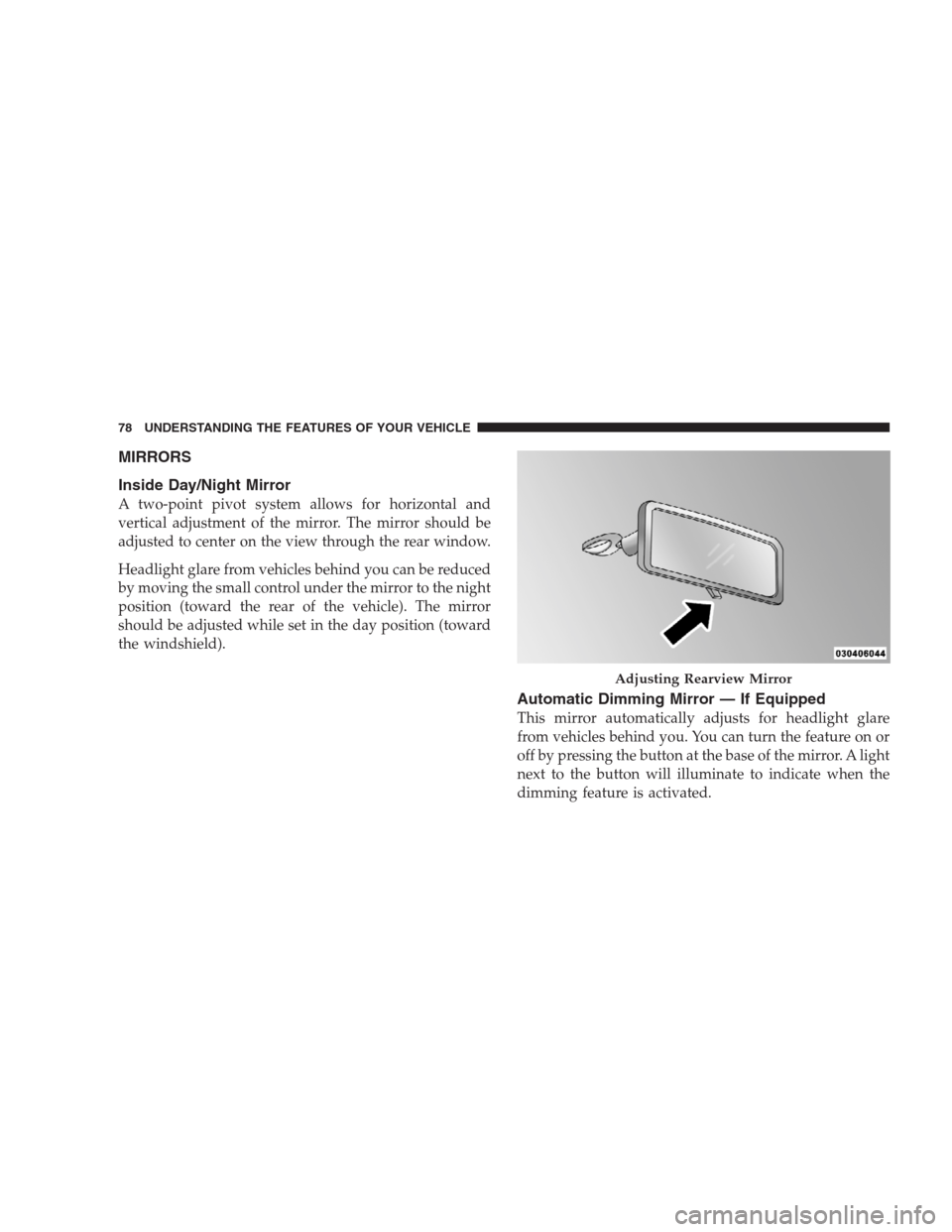
MIRRORS
Inside Day/Night Mirror
A two-point pivot system allows for horizontal and
vertical adjustment of the mirror. The mirror should be
adjusted to center on the view through the rear window.
Headlight glare from vehicles behind you can be reduced
by moving the small control under the mirror to the night
position (toward the rear of the vehicle). The mirror
should be adjusted while set in the day position (toward
the windshield).
Automatic Dimming Mirror — If Equipped
This mirror automatically adjusts for headlight glare
from vehicles behind you. You can turn the feature on or
off by pressing the button at the base of the mirror. A light
next to the button will illuminate to indicate when the
dimming feature is activated.
Adjusting Rearview Mirror
78 UNDERSTANDING THE FEATURES OF YOUR VEHICLE