Page 133 of 521
Automatic Headlight System — If Equipped
Turn the end of the multifunction lever to the third detent
to activate the automatic headlight system.
This system performs two functions. With the engine
running and the multifunction lever in the AUTO posi-
tion, the headlights will turn on and off based on the
surrounding light levels.
Headlights On Automatically With Wipers
If your vehicle is equipped with Automatic Headlights, it
also has this customer programmable feature. When your
headlights are in the automatic mode and the engine is
running, they will automatically turn on when the wiper
system is on.If your vehicle is equipped with a “Rain Sensitive Wiper
System” and it is activated, the headlights will automati-
cally turn on after the wipers complete five wipe cycles
within approximately one minute, and they will turn off
approximately four minutes after the wipers completely
stop. Refer to “Windshield Wipers and Washers” in this
section.
NOTE:When your headlights come on during the
daytime, the instrument panel lights will automatically
dim to the lower nighttime intensity. Refer to “Instru-
ment Panel and Interior Lights” for setting the instru-
ment panel lights to full daytime intensity.
UNDERSTANDING THE FEATURES OF YOUR VEHICLE 131
3
Page 135 of 521
To Deactivate
1. Pull back on the multifunction lever to manually
deactivate the system (normal operation of low beams).
2. Push back on the multifunction lever once again to
reactivate the system.
NOTE:Broken, muddy, or obstructed headlights and
taillights of vehicles in the field of view will cause
headlights to remain on longer (closer to the vehicle).
Also, dirt, film, and other obstructions (sticker, toll box,
etc.) on the windshield or camera lens will cause the
system to function improperly.
Daytime Running Lights — If Equipped
The high beam headlights come on at a low intensity
level whenever the engine is running, and the transmis-
sion is not in the PARK position. The lights will remain
on until the ignition switch is turned to LOCK/ACC, or
the parking brake is engaged. The headlight switch must
be used for normal nighttime driving.
Automatic Headlight Leveling — HID Headlights
Only
This feature prevents the headlights from interfering
with the vision of oncoming drivers. Headlight leveling
automatically adjusts the height of the headlight beam in
reaction to changes in vehicle pitch.
UNDERSTANDING THE FEATURES OF YOUR VEHICLE 133
3
Page 146 of 521
Press the top of the switch to move the pedals rearward
(toward the driver).
•The pedals can be adjusted with the ignition OFF.
•The pedals can be adjusted while driving.
•The pedalscannotbe adjusted when the vehicle is in
REVERSE (R) or when the Electronic Speed Control is
ON. A message will be displayed in the Electronic
Vehicle Information Center (EVIC) if the pedals are
attempted to be adjusted when the system is locked
out (“Adjustable Pedal Disabled — Cruise Control
Engaged” or “Adjustable Pedal Disabled — Vehicle In
Reverse”). Refer to Electronic Vehicle Information
Center (EVIC) in Section 4 for more information.
CAUTION!
Do not place any article under the adjustable pedal’s
or impede its ability to move as it may cause damage
to the pedal controls. Pedal travel may become lim-
ited if movement is stopped by an obstruction in the
adjustable pedal’s path.
ELECTRONIC SPEED CONTROL — IF EQUIPPED
When engaged, Electronic Speed Control takes over
accelerator operations at speeds greater than 25 mph
(40 km/h) for 3.7L, 4.7L, and 5.7L engines; and 14 mph
(23 km/h) for 3.0L diesel engines.
The Electronic Speed Control lever is located on the right
side of the steering wheel.
144 UNDERSTANDING THE FEATURES OF YOUR VEHICLE
Page 148 of 521
Speed Control without erasing the set speed memory.
Pressing the ON/OFF button or turning the ignition
switch OFF erases the set speed memory.
To Resume Speed
To resume a previously set speed, push the RESUME
ACCEL lever up and release. Resume can be used at any
speed above 20 mph (32 km/h) for 3.7L, 4.7L, and 5.7L
engines, and 14 mph (23 km/h) for 3.0L diesel engines.
To Vary The Speed Setting
When the Electronic Speed Control is on, speed can be
increased by pushing up and holding RESUME ACCEL.
Release the lever when the desired speed is reached, and
the new speed will be set.
Tapping RESUME ACCEL once will result ina1mph
(2 km/h) (3.7L, 4.7L, 5.7L, and 3.0L diesel engines) speed
increase. Each time the lever is tapped, speed increases sothat tapping the lever three times will increase speed by
3 mph (5 km/h) (3.7L, 4.7L, 5.7L, and 3.0L diesel en-
gines).
To decrease speed while Electronic Speed Control is on,
push down and hold SET DECEL. Release the lever when
the desired speed is reached, and the new speed will be
set.
Tapping the SET DECEL lever once will result ina1mph
(2 km/h) speed decrease. Each time the lever is tapped,
speed decreases.
NOTE:The Electronic Speed Control system has been
designed to shut down if multiple speed control switch
functions are operated simultaneously in order to ensure
proper operation. If this occurs, the system can be
reactivated by pushing the Electronic Speed Control
switch ON/OFF button and resetting the desired vehicle
SET speed.
146 UNDERSTANDING THE FEATURES OF YOUR VEHICLE
Page 166 of 521
WARNING!
To avoid serious injury or death:
•Do not use a three-prong adapter.
•Do not insert any objects into the receptacles.
•Do not touch with wet hands.
•Close the lid when not in use and while driving
the vehicle.
•If this outlet is mishandled, it may cause an
electric shock and failure.
CAUTION!
•Many accessories that can be plugged in draw
power from the vehicle’s battery, even when not in
use (i.e., cellular phones, etc.). Eventually, if
plugged in long enough, the vehicle’s battery will
discharge sufficiently to degrade battery life
and/or prevent engine starting.
•Accessories that draw higher power (i.e., coolers,
vacuum cleaners, lights, etc.) will degrade the
battery even more quickly. Only use these inter-
mittently and with greater caution.
•After the use of high power draw accessories, or
long periods of the vehicle not being started (with
accessories still plugged in), the vehicle must be
driven a sufficient length of time to allow the
generator to recharge the vehicle’s battery.
164 UNDERSTANDING THE FEATURES OF YOUR VEHICLE
Page 179 of 521
UNDERSTANDING YOUR INSTRUMENT PANEL
CONTENTS
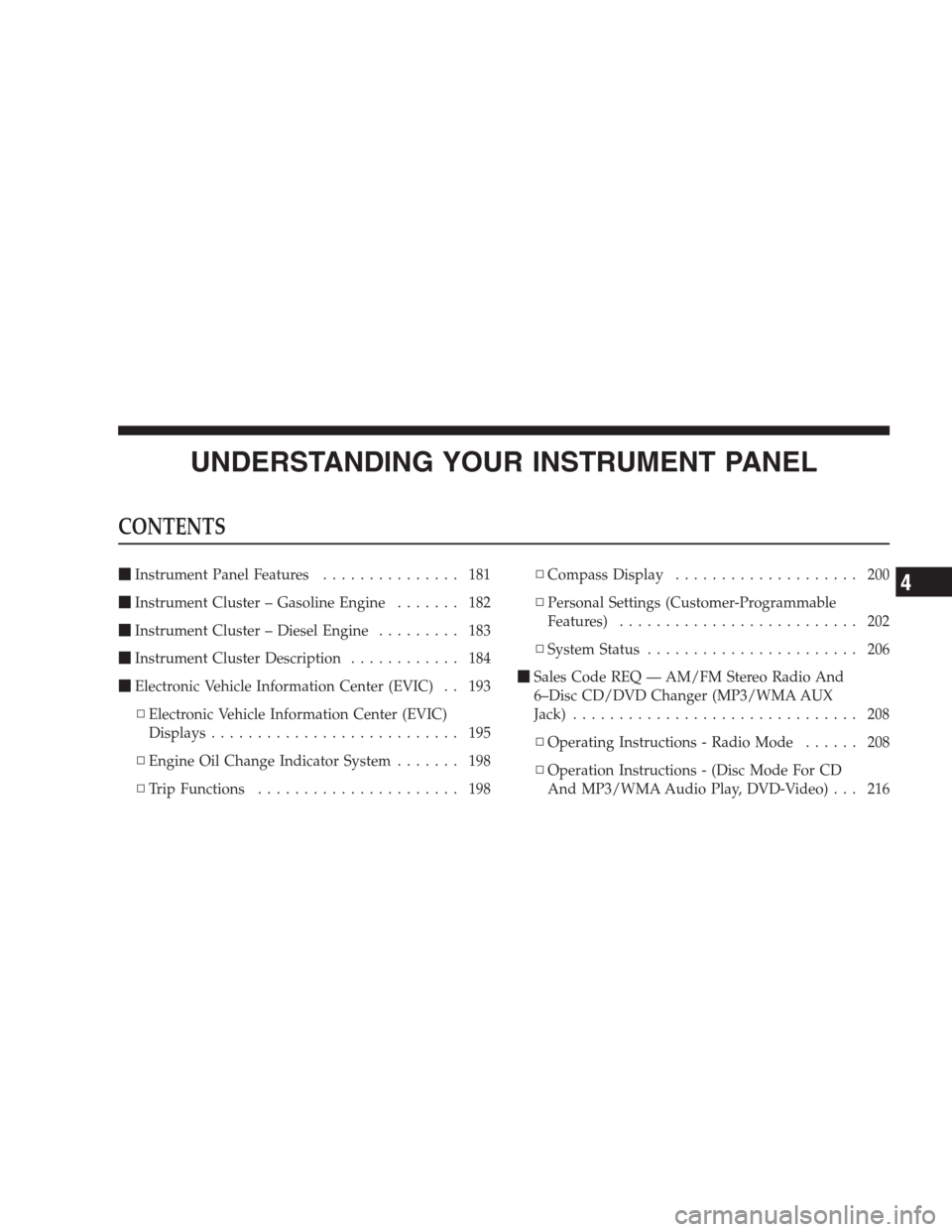
�Instrument Panel Features............... 181
�Instrument Cluster – Gasoline Engine....... 182
�Instrument Cluster – Diesel Engine......... 183
�Instrument Cluster Description............ 184
�Electronic Vehicle Information Center (EVIC) . . 193
▫Electronic Vehicle Information Center (EVIC)
Displays........................... 195
▫Engine Oil Change Indicator System....... 198
▫Trip Functions...................... 198▫Compass Display.................... 200
▫Personal Settings (Customer-Programmable
Features).......................... 202
▫System Status....................... 206
�Sales Code REQ — AM/FM Stereo Radio And
6–Disc CD/DVD Changer (MP3/WMA AUX
Jack)............................... 208
▫Operating Instructions - Radio Mode...... 208
▫Operation Instructions - (Disc Mode For CD
And MP3/WMA Audio Play, DVD-Video) . . . 2164
Page 184 of 521
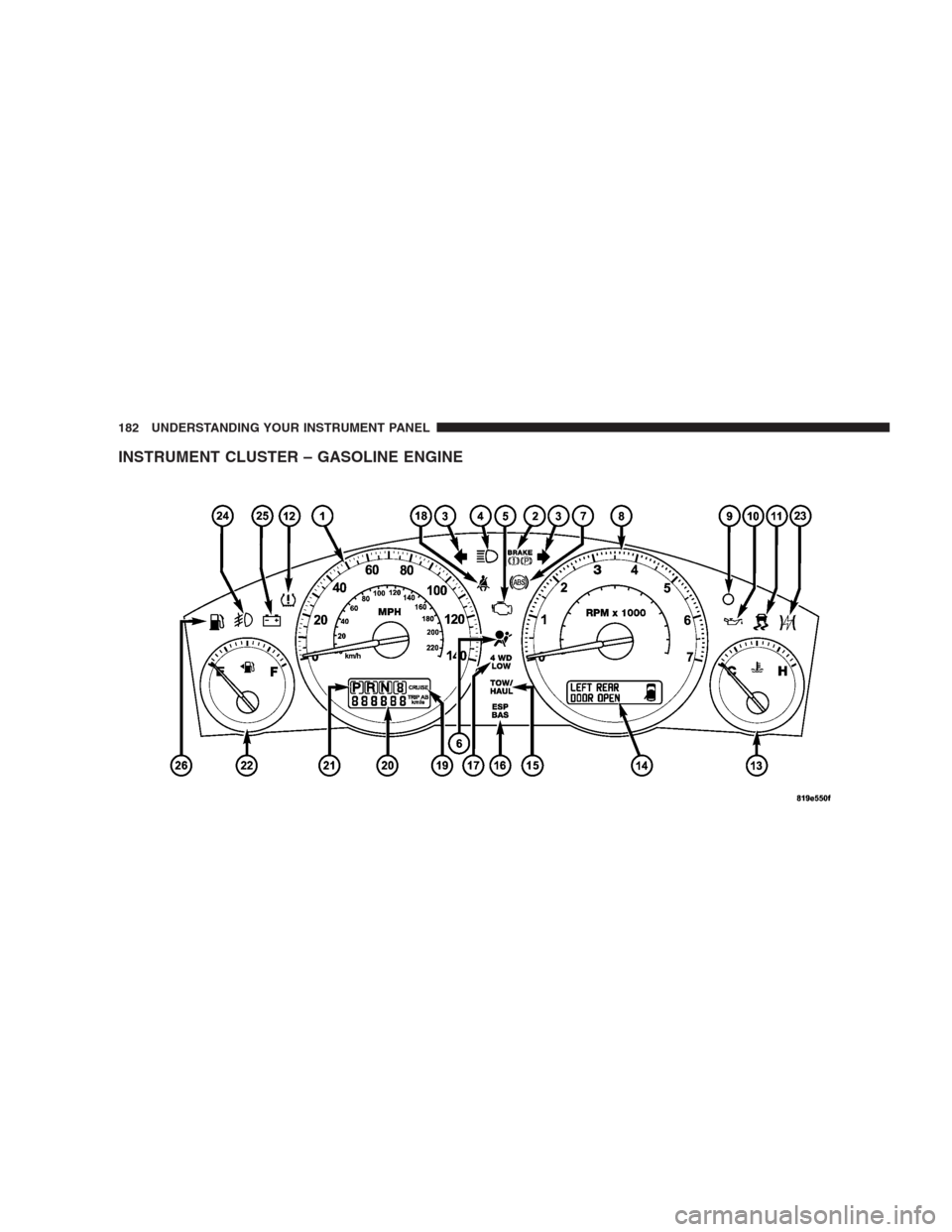
INSTRUMENT CLUSTER – GASOLINE ENGINE
182 UNDERSTANDING YOUR INSTRUMENT PANEL
Page 185 of 521
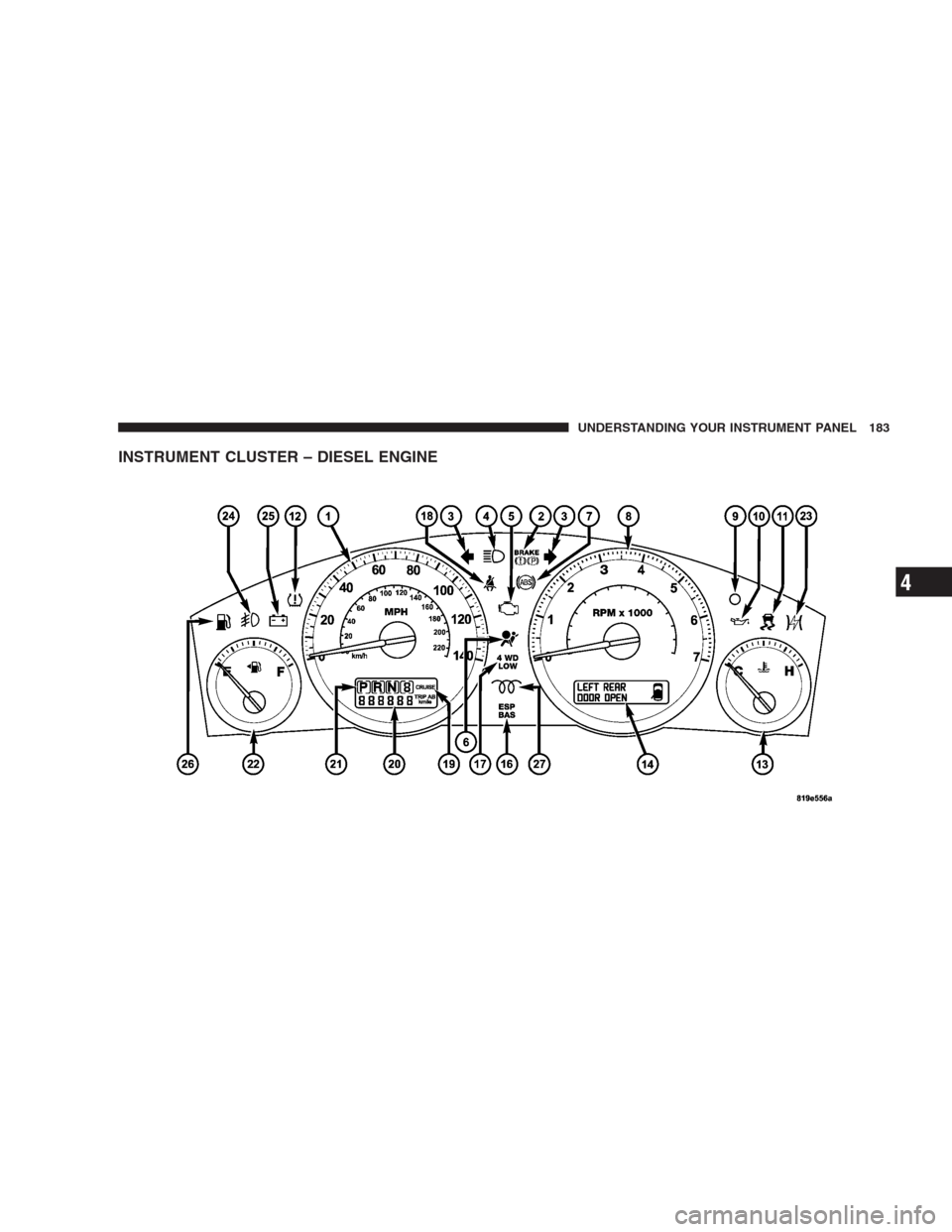
INSTRUMENT CLUSTER – DIESEL ENGINE
UNDERSTANDING YOUR INSTRUMENT PANEL 183
4