Page 67 of 273
1FEATURES OF YOUR HYUNDAI56
B310B02JM-C
(AT)
(MT)(1)
(1)
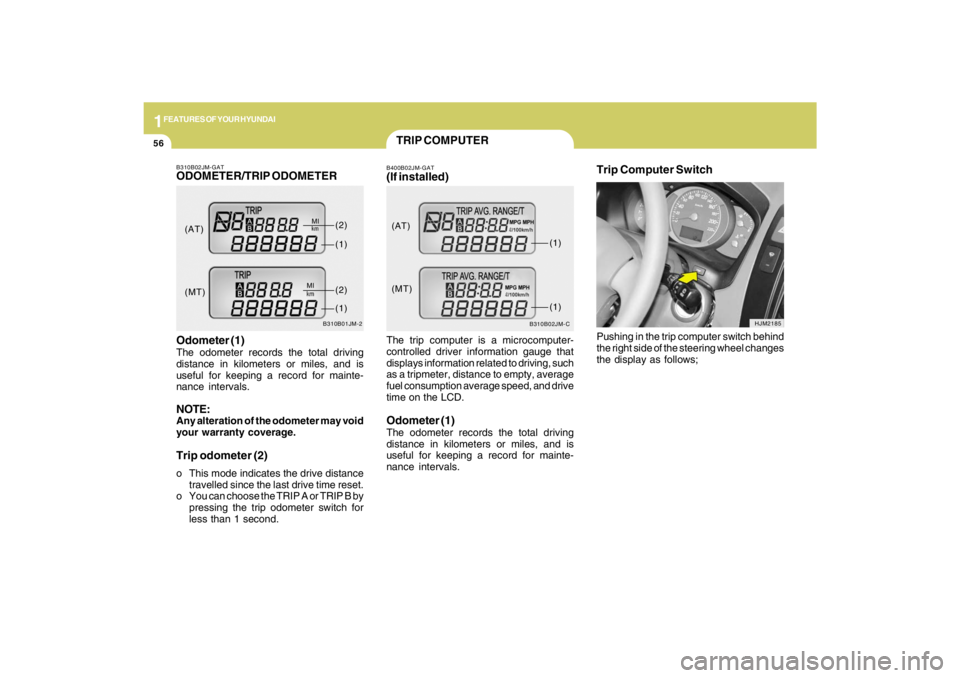
TRIP COMPUTERB400B02JM-GAT(If installed)The trip computer is a microcomputer-
controlled driver information gauge that
displays information related to driving, such
as a tripmeter, distance to empty, average
fuel consumption average speed, and drive
time on the LCD.Odometer (1)The odometer records the total driving
distance in kilometers or miles, and is
useful for keeping a record for mainte-
nance intervals.
Trip Computer Switch
HJM2185
Pushing in the trip computer switch behind
the right side of the steering wheel changes
the display as follows;
B310B02JM-GATODOMETER/TRIP ODOMETER
B310B01JM-2
Odometer (1)The odometer records the total driving
distance in kilometers or miles, and is
useful for keeping a record for mainte-
nance intervals.NOTE:Any alteration of the odometer may void
your warranty coverage.Trip odometer (2)o This mode indicates the drive distance
travelled since the last drive time reset.
o You can choose the TRIP A or TRIP B by
pressing the trip odometer switch for
less than 1 second.(AT)
(MT)(1)
(2)(1)(2)
Page 73 of 273
1FEATURES OF YOUR HYUNDAI62
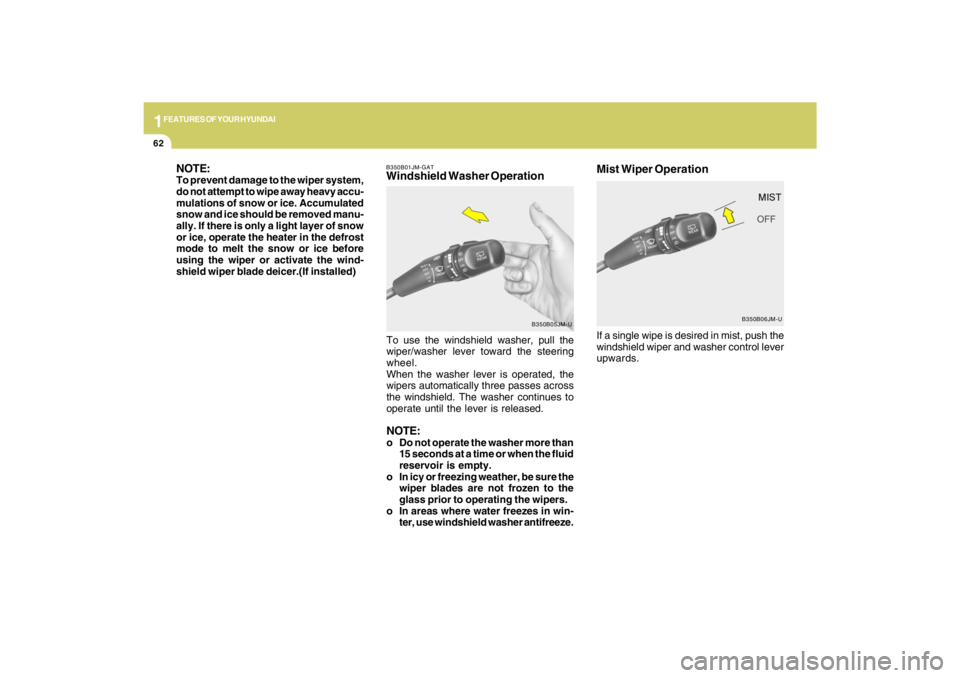
If a single wipe is desired in mist, push the
windshield wiper and washer control lever
upwards.Mist Wiper Operation
B350B06JM-U B350B01JM-GAT
Windshield Washer Operation NOTE:
To prevent damage to the wiper system,
do not attempt to wipe away heavy accu-
mulations of snow or ice. Accumulated
snow and ice should be removed manu-
ally. If there is only a light layer of snow
or ice, operate the heater in the defrost
mode to melt the snow or ice before
using the wiper or activate the wind-
shield wiper blade deicer.(If installed)
To use the windshield washer, pull the
wiper/washer lever toward the steering
wheel.
When the washer lever is operated, the
wipers automatically three passes across
the windshield. The washer continues to
operate until the lever is released.
NOTE:o Do not operate the washer more than
15 seconds at a time or when the fluid
reservoir is empty.
o In icy or freezing weather, be sure the
wiper blades are not frozen to the
glass prior to operating the wipers.
o In areas where water freezes in win-
ter, use windshield washer antifreeze.
B350B05JM-U
Page 88 of 273
1
FEATURES OF YOUR HYUNDAI
77
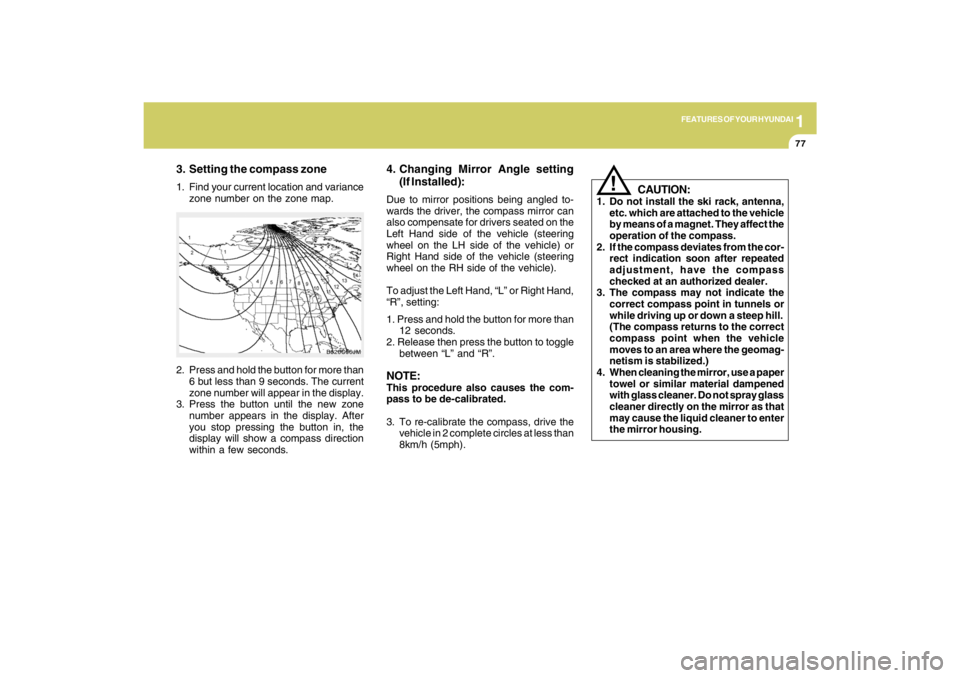
3. Setting the compass zone1. Find your current location and variance
zone number on the zone map.
2. Press and hold the button for more than
6 but less than 9 seconds. The current
zone number will appear in the display.
3. Press the button until the new zone
number appears in the display. After
you stop pressing the button in, the
display will show a compass direction
within a few seconds.
B520C06JM
4. Changing Mirror Angle setting
(If Installed):Due to mirror positions being angled to-
wards the driver, the compass mirror can
also compensate for drivers seated on the
Left Hand side of the vehicle (steering
wheel on the LH side of the vehicle) or
Right Hand side of the vehicle (steering
wheel on the RH side of the vehicle).
To adjust the Left Hand, “L” or Right Hand,
“R”, setting:
1. Press and hold the button for more than
12 seconds.
2. Release then press the button to toggle
between “L” and “R”.NOTE:This procedure also causes the com-
pass to be de-calibrated.
3. To re-calibrate the compass, drive the
vehicle in 2 complete circles at less than
8km/h (5mph).
CAUTION:
1. Do not install the ski rack, antenna,
etc. which are attached to the vehicle
by means of a magnet. They affect the
operation of the compass.
2. If the compass deviates from the cor-
rect indication soon after repeated
adjustment, have the compass
checked at an authorized dealer.
3. The compass may not indicate the
correct compass point in tunnels or
while driving up or down a steep hill.
(The compass returns to the correct
compass point when the vehicle
moves to an area where the geomag-
netism is stabilized.)
4. When cleaning the mirror, use a paper
towel or similar material dampened
with glass cleaner. Do not spray glass
cleaner directly on the mirror as that
may cause the liquid cleaner to enter
the mirror housing.
!
Page 98 of 273
1
FEATURES OF YOUR HYUNDAI
87
HJM2067
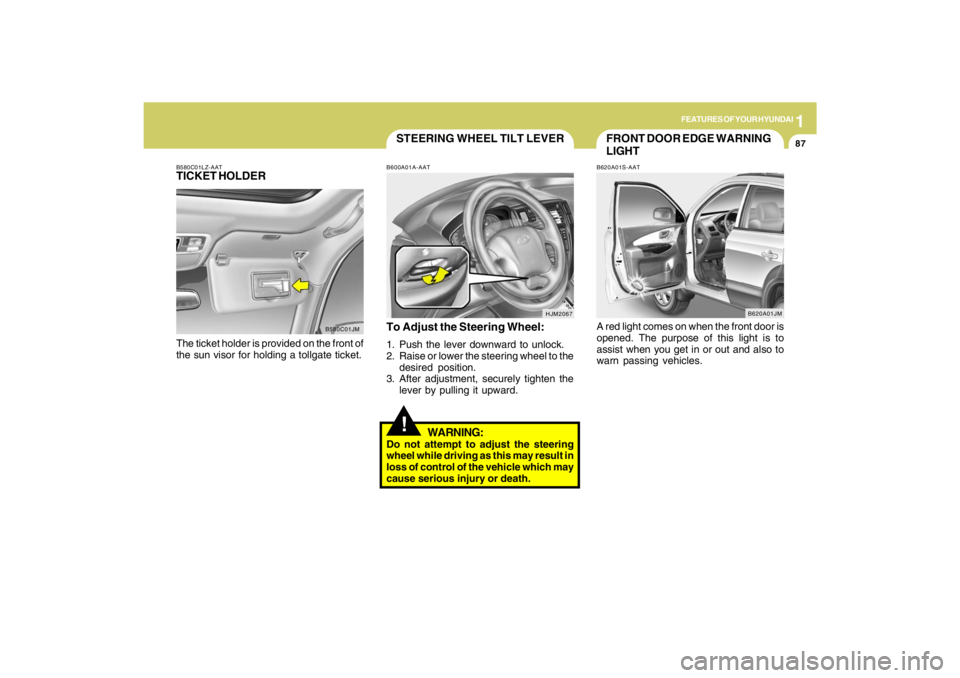
STEERING WHEEL TILT LEVER!
To Adjust the Steering Wheel:1. Push the lever downward to unlock.
2. Raise or lower the steering wheel to the
desired position.
3. After adjustment, securely tighten the
lever by pulling it upward.
WARNING:
Do not attempt to adjust the steering
wheel while driving as this may result in
loss of control of the vehicle which may
cause serious injury or death.B600A01A-AAT
B580C01LZ-AATTICKET HOLDERThe ticket holder is provided on the front of
the sun visor for holding a tollgate ticket.
B580C01JM
FRONT DOOR EDGE WARNING
LIGHTB620A01S-AATA red light comes on when the front door is
opened. The purpose of this light is to
assist when you get in or out and also to
warn passing vehicles.
B620A01JM
Page 99 of 273
1FEATURES OF YOUR HYUNDAI88
B610A01JM
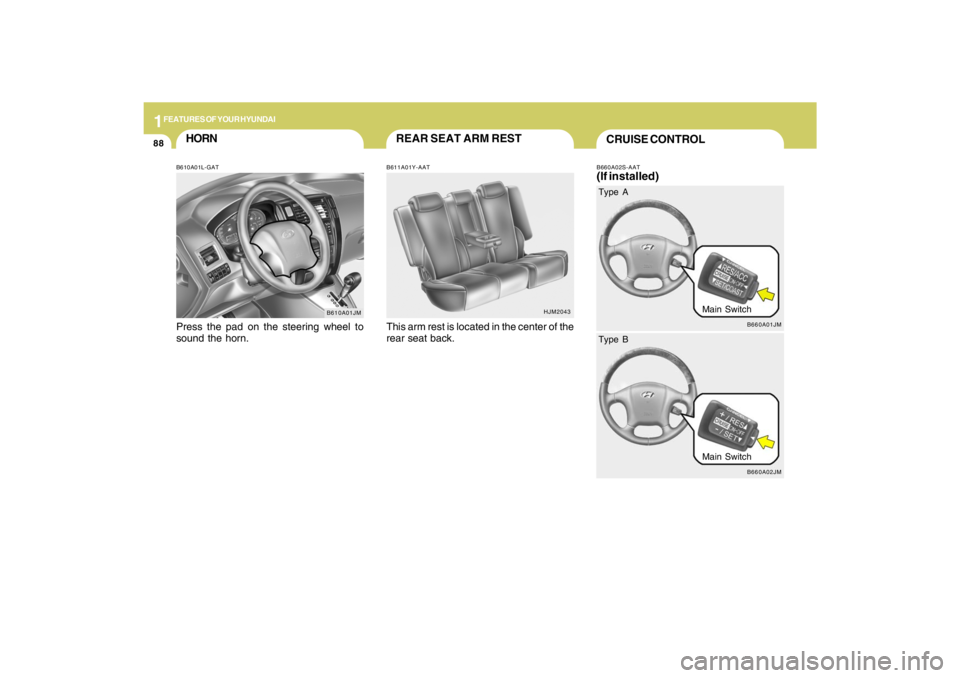
HORNB610A01L-GATPress the pad on the steering wheel to
sound the horn.
HJM2043
REAR SEAT ARM RESTB611A01Y-AATThis arm rest is located in the center of the
rear seat back.
CRUISE CONTROLB660A02S-AAT(If installed)
B660A01JM
Main Switch Type A
B660A02JM
Main Switch Type B
Page 101 of 273
1FEATURES OF YOUR HYUNDAI90
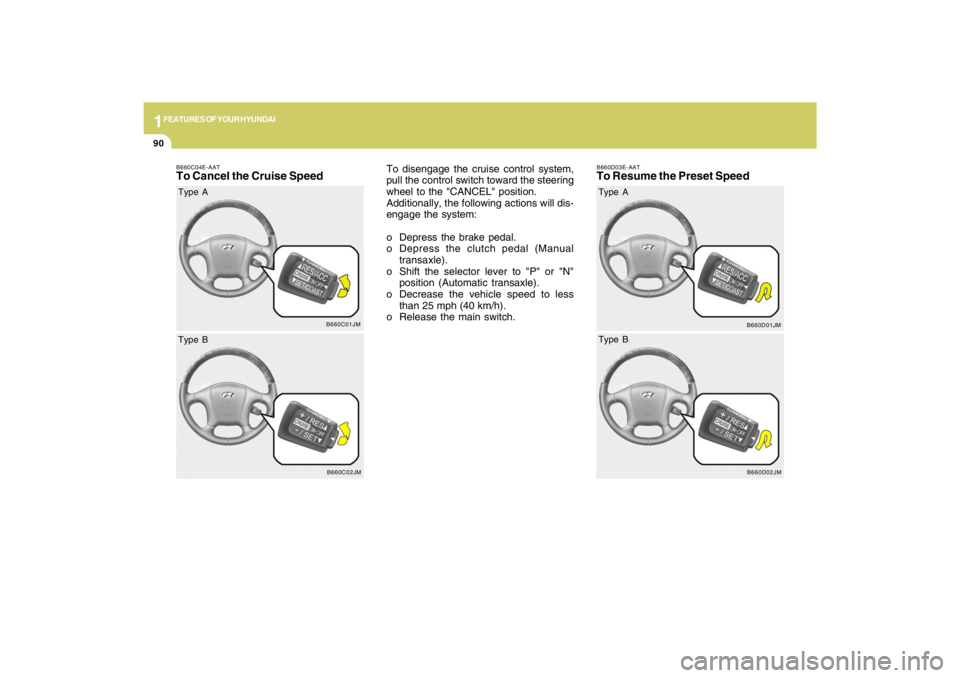
B660C04E-AATTo Cancel the Cruise Speed
To disengage the cruise control system,
pull the control switch toward the steering
wheel to the "CANCEL" position.
Additionally, the following actions will dis-
engage the system:
o Depress the brake pedal.
o Depress the clutch pedal (Manual
transaxle).
o Shift the selector lever to "P" or "N"
position (Automatic transaxle).
o Decrease the vehicle speed to less
than 25 mph (40 km/h).
o Release the main switch.
B660C01JM
Type A
B660C02JM
Type B
B660D03E-AATTo Resume the Preset Speed
B660D01JM
Type A
B660D02JM
Type B
Page 138 of 273
2
DRIVING YOUR HYUNDAI
3
!
!
WARNING:
o The 2WD Tucson is not designed for
off-road use. The 4WD Tucson is de-
signed primarily for use on paved
roads. However, occasional use in
off-highway conditions such as es-
tablished unpaved roads and non-
challenging off-road trails is allowed.
The 4WD Tucson is not designed for
blazing new trails, challenging off-road
conditions, or unpaved hill climbing.
Exceeding the conditions that were
intended for the vehicle's primary
design may result in injury or death.
o Utility vehicles have a significantly
higher rollover rate than other types
of vehicles.o Utility vehicle have higher ground
clearance and a narrower track to
make them capable of performing in
a wide variety of off-road applications.
Specific design characteristics give
them a higher center of gravitiy than
ordinary cars. An advantage of the
higher ground clearance is a better
view of the road allowing you to antici-
pate problem. They are not designed
for cornering at the same speeds as
conventional 2-wheel drive vehicles
any more than low-slung sports cars
are designed to perform satisfacto-
rily under off-road conditions. If at all
possible, avoid sharp turns or abrupt
maneuvers. As with other vehicles of
this type, failure to operate this ve-
hicle correctly may result in loss of
control or vehicle rollover.
o In a rollover crash, an unbelted per-
son is significantly more likely to die
than a person wearing a seat belt.
WARNING:
RISK OF ROLLOVER
!
WARNING:
Your vehicle is equipped with tires de-
signed to provide for safe ride and han-
dling capability.
Do not use a size and type of tire and
wheel that is different from the one that
is originally installed on your vehicle. It
can affect the safety and performance
of your vehicle, which could lead to han-
dling failure or rollover and serious in-
jury.
When replacing the tires, be sure to equip
all four tires with the tire and wheel of the
same size, type, tread, brand and load-
carrying capacity. If you nevertheless
decide to equip your vehicle with any
tire/wheel combination not recom-
mended by Hyundai for off-road driving,
you should not use these tires for high-
way driving.
Page 140 of 273
2
DRIVING YOUR HYUNDAI
5
KEY POSITIONSC040A02A-AAT
CAUTION:
The engine should not be turned off or the
key removed from the ignition key cylin-
der while the car is in motion. The steer-
ing wheel is locked by removing the key.
!
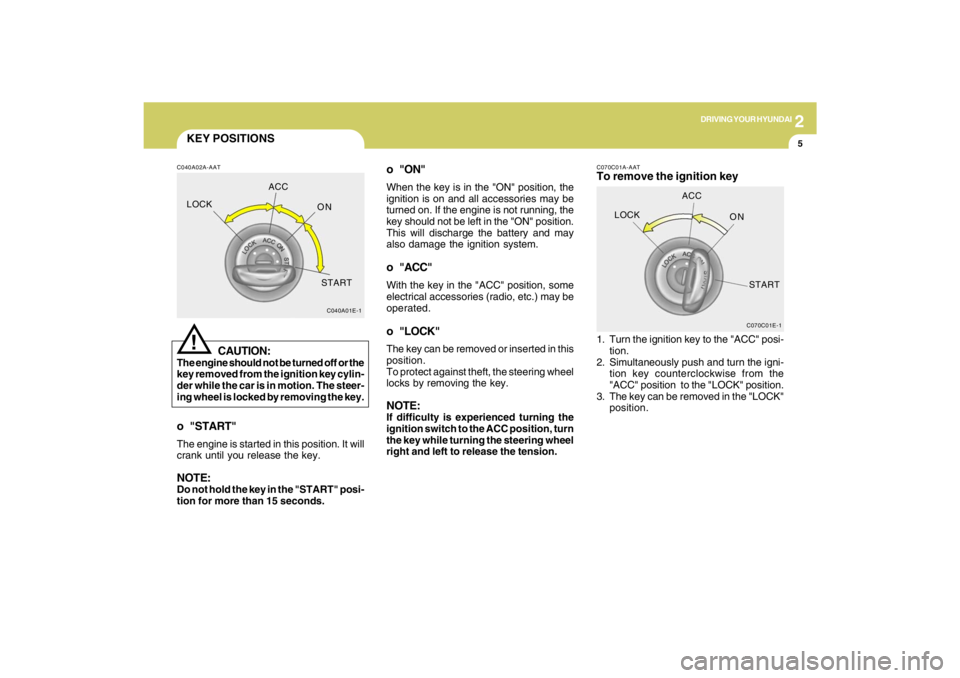
o "START"The engine is started in this position. It will
crank until you release the key.NOTE:Do not hold the key in the "START" posi-
tion for more than 15 seconds.
C040A01E-1
LOCKACC
ON
START
o "ON"When the key is in the "ON" position, the
ignition is on and all accessories may be
turned on. If the engine is not running, the
key should not be left in the "ON" position.
This will discharge the battery and may
also damage the ignition system.o "ACC"With the key in the "ACC" position, some
electrical accessories (radio, etc.) may be
operated.o "LOCK"The key can be removed or inserted in this
position.
To protect against theft, the steering wheel
locks by removing the key.NOTE:If difficulty is experienced turning the
ignition switch to the ACC position, turn
the key while turning the steering wheel
right and left to release the tension.
C070C01E-1
LOCKACC
ON
START
C070C01A-AATTo remove the ignition key1. Turn the ignition key to the "ACC" posi-
tion.
2. Simultaneously push and turn the igni-
tion key counterclockwise from the
"ACC" position to the "LOCK" position.
3. The key can be removed in the "LOCK"
position.