Page 293 of 578
�Î
�Î
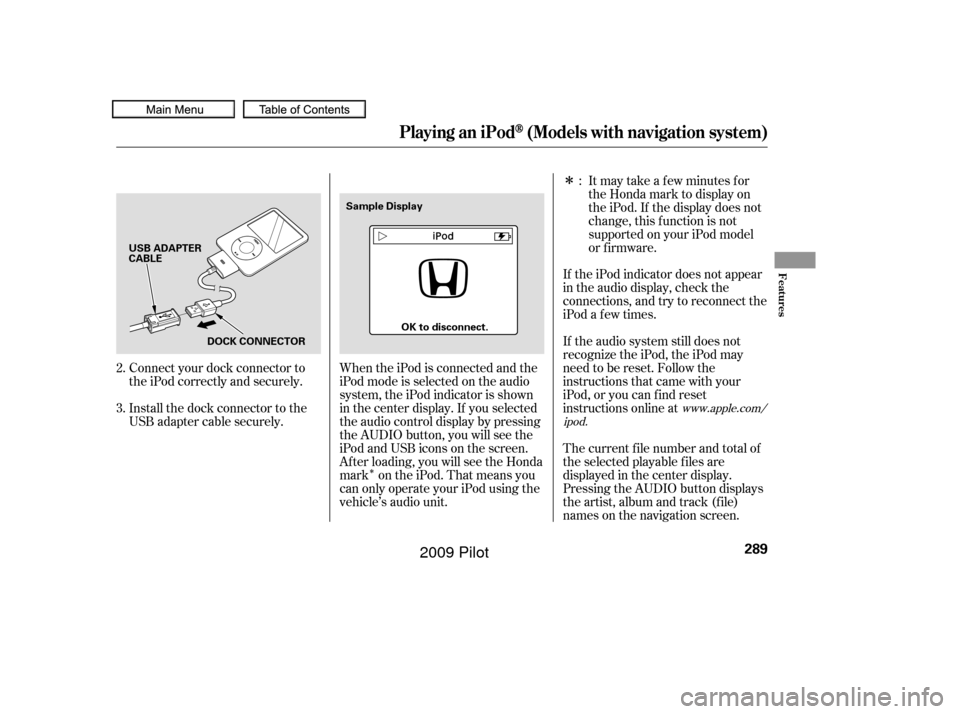
Connect your dock connector to
the iPod correctly and securely.
Install the dock connector to the
USB adapter cable securely. If the iPod indicator does not appear
in the audio display, check the
connections, and try to reconnect the
iPod a f ew times.
If the audio system still does not
recognize the iPod, the iPod may
need to be reset. Follow the
instructions that came with your
iPod, or you can f ind reset
instructions online at
The current f ile number and total of
the selected playable f iles are
displayed in the center display.
Pressing the AUDIO button displays
the artist, album and track (f ile)
names on the navigation screen.
When the iPod is connected and the
iPod mode is selected on the audio
system, the iPod indicator is shown
in the center display. If you selected
the audio control display by pressing
the AUDIO button, you will see the
iPod and USB icons on the screen.
Af ter loading, you will see the Honda
mark on the iPod. That means you
can only operate your iPod using the
vehicle’s audio unit. Itmaytakeafewminutesfor
the Honda mark to display on
the iPod. If the display does not
change, this f unction is not
supported on your iPod model
or f irmware.
2.
3. :
www.apple.com/
ipod.
Playing an iPod(Models with navigation system)
Features
289
USB ADAPTER
CABLE
DOCK CONNECTOR Sample Display
OK to disconnect.
�����—�����—�
���y�
���������
���y���
�(�/���������y���������y
2009 Pilot
Page 294 of 578
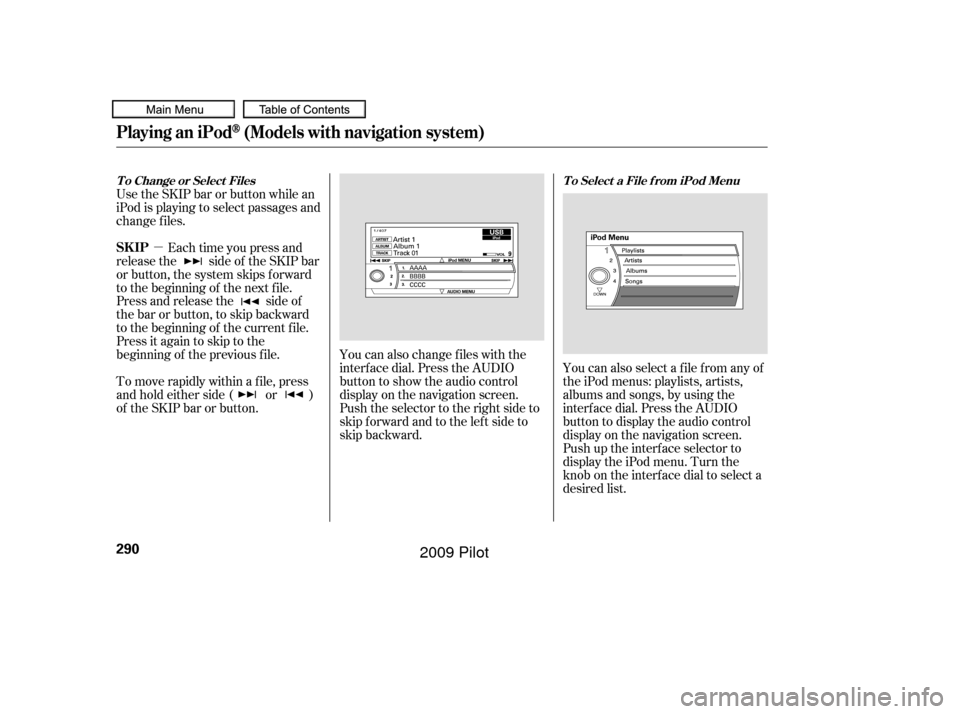
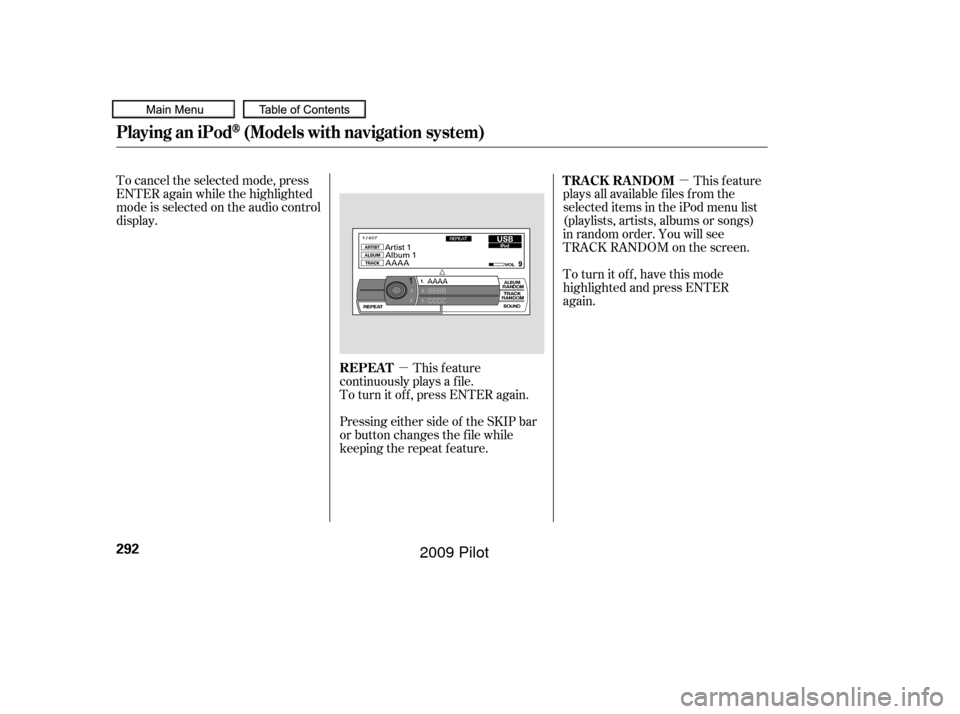
�µYou can also change files with the
interf ace dial. Press the AUDIO
button to show the audio control
display on the navigation screen.
Push the selector to the right side to
skip forward and to the left side to
skip backward. You can also select a file from any of
the iPod menus: playlists, artists,
albums and songs, by using the
interf ace dial. Press the AUDIO
button to display the audio control
display on the navigation screen.
Push up the interf ace selector to
display the iPod menu. Turn the
knob on the interf ace dial to select a
desired list.
Use the SKIP bar or button while an
iPod is playing to select passages and
change f iles.
Each time you press and
releasethe sideof theSKIPbar
or button, the system skips forward
to the beginning of the next file.
Press and release the side of
the bar or button, to skip backward
to the beginning of the current f ile.
Press it again to skip to the
beginning of the previous f ile.
To move rapidly within a f ile, press
andholdeitherside( or )
of the SKIP bar or button.
T o Change or Select Files T o Select a File f rom iPod Menu
Playing an iPod(Models with navigation system)
SK IP
290
�����—�����—�
���y�
�������������y���
�(�/���������y���������y
2009 Pilot
Page 295 of 578
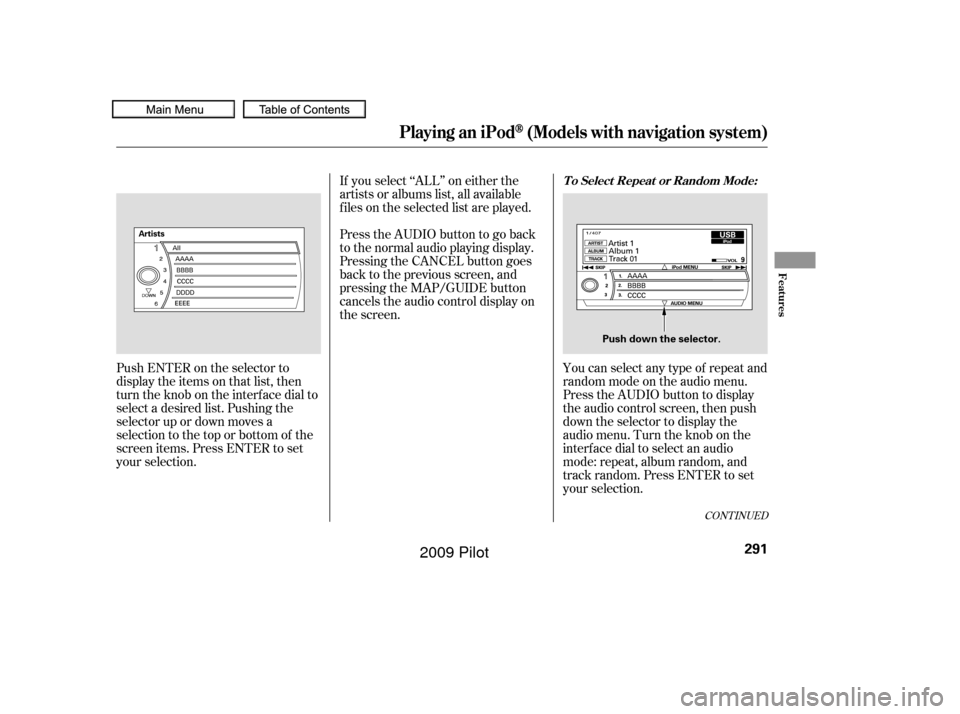
Push ENTER on the selector to
display the items on that list, then
turn the knob on the interface dial to
select a desired list. Pushing the
selector up or down moves a
selection to the top or bottom of the
screen items. Press ENTER to set
your selection.If you select ‘‘ALL’’ on either the
artists or albums list, all available
f iles on the selected list are played.
You can select any type of repeat and
random mode on the audio menu.
Press the AUDIO button to display
the audio control screen, then push
down the selector to display the
audio menu. Turn the knob on the
interf ace dial to select an audio
mode: repeat, album random, and
track random. Press ENTER to set
your selection.
PresstheAUDIObuttontogoback
to the normal audio playing display.
Pressing the CANCEL button goes
back to the previous screen, and
pressing the MAP/GUIDE button
cancels the audio control display on
the screen.
CONT INUED
T o Select Repeat or Random Mode:
Playing an iPod(Models with navigation system)
Features
291
Push down the selector.
�����—�����—�
���y�
�������������y���
�(�/���������y���������y
2009 Pilot
Page 296 of 578
�µ�µ
To cancel the selected mode, press
ENTER again while the highlighted
mode is selected on the audio control
display.
This feature
continuously plays a f ile.
To turn it off, press ENTER again. This feature
plays all available f iles f rom the
selected items in the iPod menu list
(playlists, artists, albums or songs)
in random order. You will see
TRACK RANDOM on the screen.
To turn it off, have this mode
highlighted and press ENTER
again.
Pressing either side of the SKIP bar
or button changes the f ile while
keeping the repeat f eature. REPEAT TRACK RANDOM
Playing an iPod(Models with navigation system)
292
�����—�����—�
���y�
�������������y���
�(�/���������y���������y
2009 Pilot
Page 297 of 578
�µTo turn it off, have this mode
highlighted and press ENTER again.
You can also select another list from
theiPodmenuwhilekeepingthe
random f unction.
Available operating f unction varies
on models or versions. Some
f unctions may not be available on the
vehicle’s audio system.
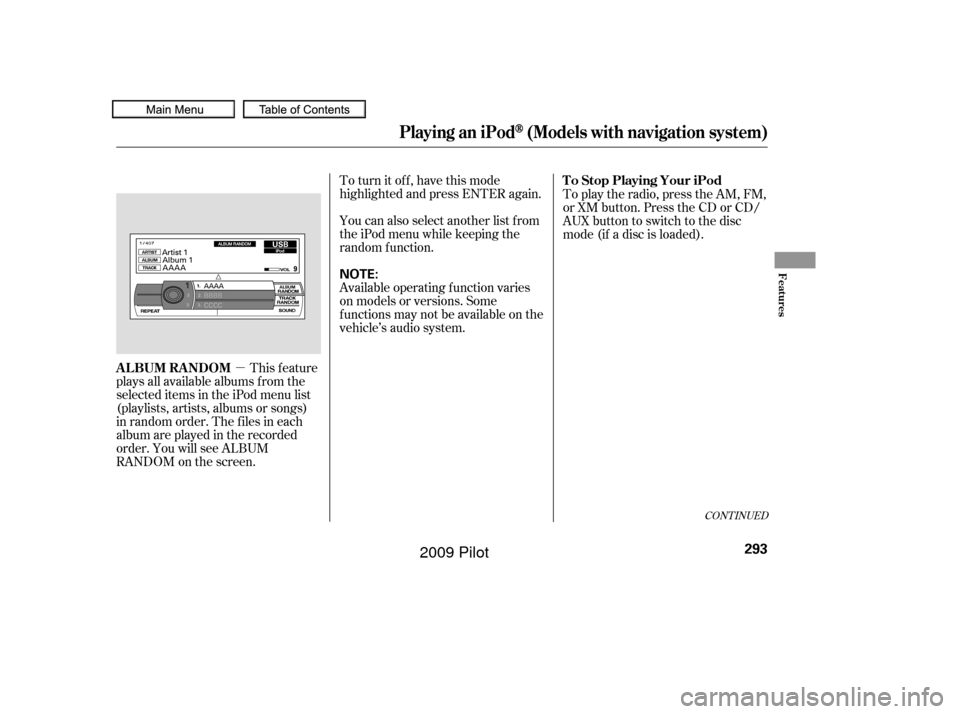
This feature
plays all available albums f rom the
selected items in the iPod menu list
(playlists, artists, albums or songs)
in random order. The f iles in each
album are played in the recorded
order. You will see ALBUM
RANDOM on the screen. To play the radio, press the AM, FM,
or XM button. Press the CD or CD/
AUX button to switch to the disc
mode (if a disc is loaded).
CONT INUED
T o Stop Playing Your iPod
ALBUM RANDOM
Playing an iPod(Models with navigation system)
Features
293
NOTE:
�����—�����—�
���y�
�������������y���
�(�/���������y���������y
2009 Pilot
Page 298 of 578
�Î
�ΠYou can disconnect the iPod at any
time when you see ‘‘OK to
Disconnect’’ message in the iPod
display. Always make sure you see
‘‘OK to Disconnect’’ message in the
iPod display bef ore you disconnect it.
Make sure to f ollow the iPod’s
instructions on how to disconnect
the dock connector f rom the USB
adapter cable.The displayed message may
vary on models or versions. On
some models, there is no
message to disconnect.
When you disconnect the iPod while
it is playing, the center display and
the audio screen (if selected) show
NO DATA. If you see an error message in the
center display, see page .
If you reconnect the same iPod, the
system may begin playing where it
lef t of f , depending on what mode the
iPod is in when it is reconnected.
: 295
Disconnect ing an iPodiPod Error Messages
Playing an iPod(Models with navigation system)
294
�����—�����—�
���y�
�������������y���
�(�/���������y���������y
2009 Pilot
Page 300 of 578
Playing a USB Flash Memory Device (Models with navigation system)
296
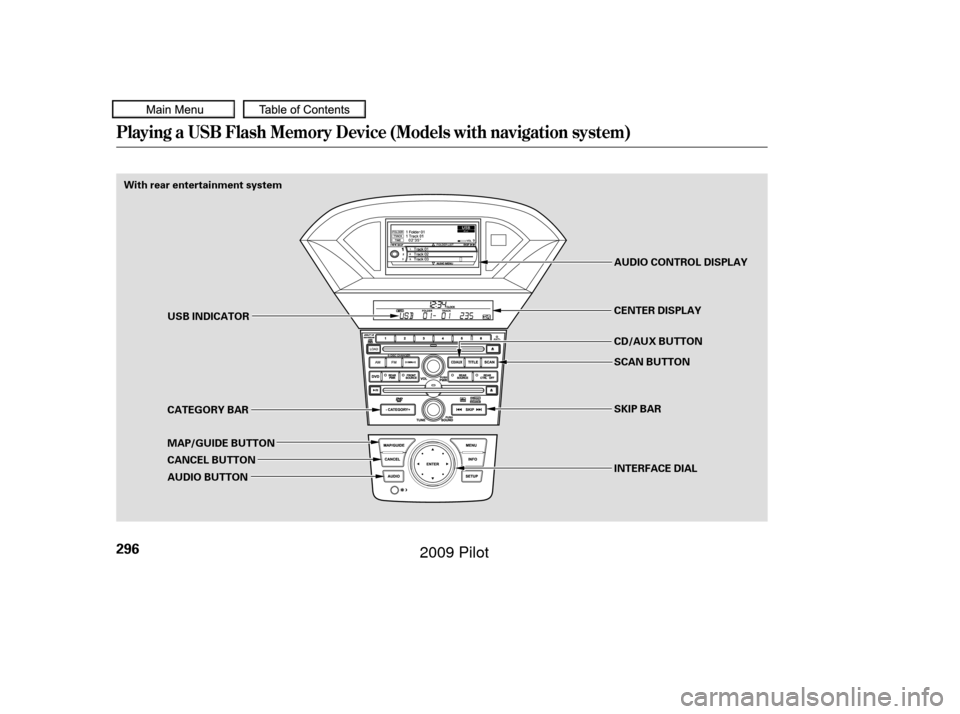
With rear entertainment systemINTERFACE DIAL SKIP BAR SCAN BUTTON CD/AUX BUTTON CENTER DISPLAY AUDIO CONTROL DISPLAY
USB INDICATOR
CATEGORY BAR
MAP/GUIDE BUTTON
CANCEL BUTTON
AUDIO BUTTON
�����—�����—�
���y�
�������������y���
�(�/���������y�������
�y
2009 Pilot
Page 301 of 578
�Î
�ΠThis audio system can operate the
audio f iles on a USB f lash memory
device with the same controls used
f or the in-dash disc changer. To play
a USB f lash memory device, connect
it to the USB adapter cable in the
console compartment, then press the
AUX button. The ignition switch
must be in the ACCESSORY (I) or
ON (II) position.Only AAC f ormat f iles recorded
with iTunes are playable on this
audio unit. Do not keep the USB f lash
memory device in the vehicle.
Direct sunlight and high heat will
damage it.
We recommend backing up your
data bef ore playing a USB f lash
memory device.
Depending on the type and
number of f iles, it may take some
time bef ore they begin to play.
Depending on the sof tware the
f iles were made with, it may not be
possibletoplaysomefiles,or
display some text data.
You can select the AUX mode by
using the navigation system voice
control buttons, but cannot operate
theplaymodefunctions.
The recommended USB f lash
memory devices are 256 Mbyte or
higher USB f lash memory devices.
Some digital audio players may be
compatible as well.
The audio system reads and plays
the audio f iles on the USB f lash
memory device in MP3, WMA or
AAC f ormats. Depending on the
f ormat, the display shows MP3,
WMA or AAC when a USB flash
memory device is playing. The USB
f lash memory device limit is up to
700 f olders or up to 65535 f iles. Some USB f lash memory device
(such as devices with security lock-
out f eatures, etc.) will not work in
this audio unit.
Do not use a device such as a card
reader or hard drive as the device
or your f iles may be damaged.
Do not connect your USB f lash
memory device using a HUB.
Do not use an extension cable to
the USB adapter cable equipped
with your vehicle.
:
CONT INUED
To Play a USB Flash Memory
Device
Voice Cont rol Syst em
Playing a USB Flash Memory Device (Models with navigation system)
Features
297
NOTE:
�����—�����—�
���y�
���������
���y���
�(�/���������y���������y
2009 Pilot