Page 302 of 578
�µ�µ
�µ
�µ
�µ
�µ
�µ
�µ
�µ
�µ �µ
�µ
�µ
�µ
�µ
�µ
�µ
The specif ications f or compatible
MP3 f iles are:
Sampling f requency:
32/44.1/48 kHz (MPEG1)
16/22.05/24 kHz (MPEG2)
Bit rate:
32/40/48/56/64/80/96/112/128/
160/192/224/256/320/VBR kbps
(MPEG1)
Supported standards:
MPEG1 Audio Layer3
MPEG2 Audio Layer3
Partition:
Top partition only
The specif ications f or compatible
WMA f iles are: Maximum layers: 8
Sampling f requency:
32/44.1/48 kHz
Bit rate:
48 320/VBR kbps (Max 384)
Supported standards:
WMA version 7/8/9 Partition:
Top partition only
Maximum layers: 8
The specif ications f or compatible
AAC files are: Sampling f requency:
8/11.025/12/16/22.05/24/32/
44.1/48 kHz
Bit rate:
48 320 kbps
Supported standards:
MPEG4/AAC LC
MPEG2/AAC LC
Partition:
Top partition only
Maximum layers: 8
Even if recorded in MP3, WMA or
AAC f ormat, a f ile with unsupported
version cannot be played. If the
system f inds it, the audio unit
displays UNSUPPORTED, and then
skips to the next f ile. In WMA or AAC format, DRM
(digital rights management) f iles
cannot be played. If the system f inds
a DRM f ile, the audio unit displays
UNPLAYABLE FILE, and then skips
to the next file.
Playing a USB Flash Memory Device (Models with navigation system)
298
�����—�����—�
���y�
�������������y���
�(�/���������y���������y
2009 Pilot
Page 303 of 578
When the USB device is connected
andtheUSBmodeisselectedonthe
audio system, the USB indicator is
showninthecenterdisplay.Italso
shows the f older and f ile numbers.
Pressing the AUDIO button displays
the f older and f ile names, and the
elapsed time in the navigation screen.
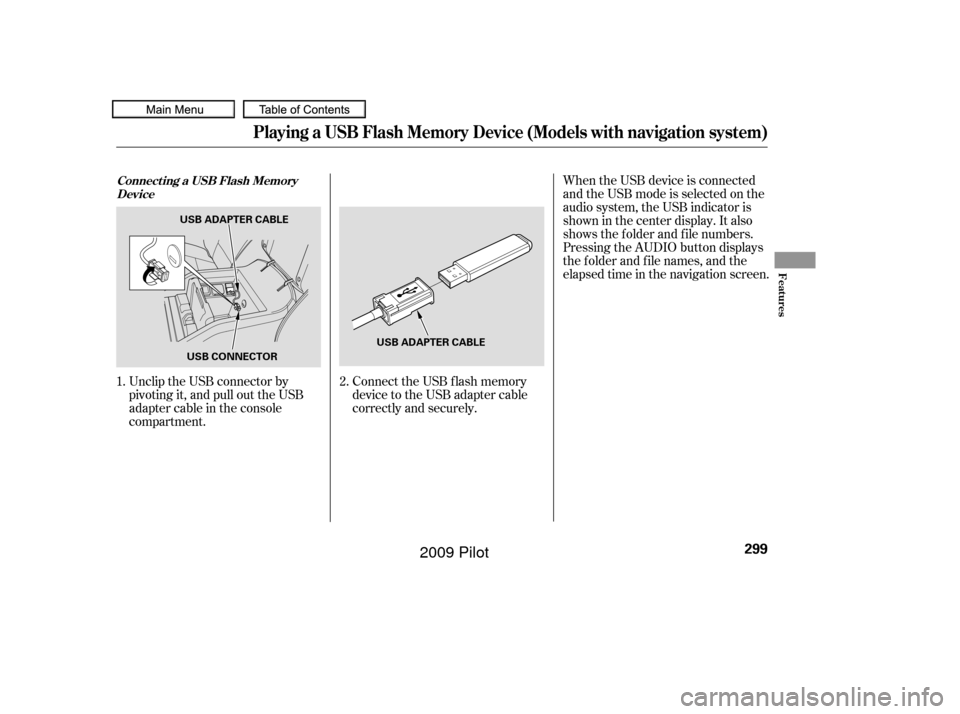
Unclip the USB connector by
pivoting it, and pull out the USB
adapter cable in the console
compartment. Connect the USB f lash memory
device to the USB adapter cable
correctly and securely.
2.
1.Connect ing a USB Flash Memory
Device
Playing a USB Flash Memory Device (Models with navigation system)
Features
299
USB ADAPTER CABLE
USB CONNECTOR USB ADAPTER CABLE
�����—�����—�
���y�
�������������y���
�(�/���������y���������y
2009 Pilot
Page 304 of 578
�µ�µ
�´ �µ
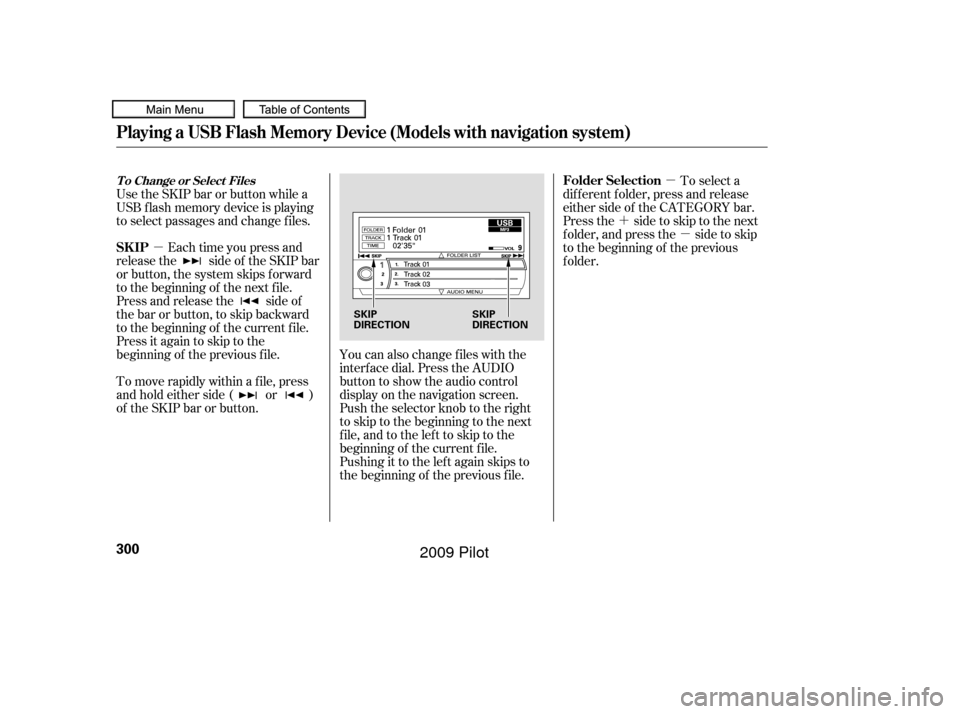
You can also change files with the
interf ace dial. Press the AUDIO
button to show the audio control
display on the navigation screen.
Push the selector knob to the right
to skip to the beginning to the next
file,andtothelefttoskiptothe
beginning of the current f ile.
Pushing it to the lef t again skips to
the beginning of the previous f ile.
Use the SKIP bar or button while a
USB f lash memory device is playing
to select passages and change f iles.
Each time you press and
releasethe sideof theSKIPbar
or button, the system skips forward
to the beginning of the next file.
Press and release the side of
the bar or button, to skip backward
to the beginning of the current f ile.
Press it again to skip to the
beginning of the previous f ile.
To move rapidly within a f ile, press
andholdeitherside( or )
of the SKIP bar or button. To select a
dif f erent f older, press and release
either side of the CATEGORY bar.
Press the side to skip to the next
f older, and press the side to skip
to the beginning of the previous
f older.
T o Change or Select Files
Playing a USB Flash Memory Device (Models with navigation system)
SK IP Folder Selection
300
SKIP
DIRECTION
SKIP
DIRECTION
�����—�����—�
���y�
�������������y���
�(�/���������y���������y
2009 Pilot
Page 305 of 578
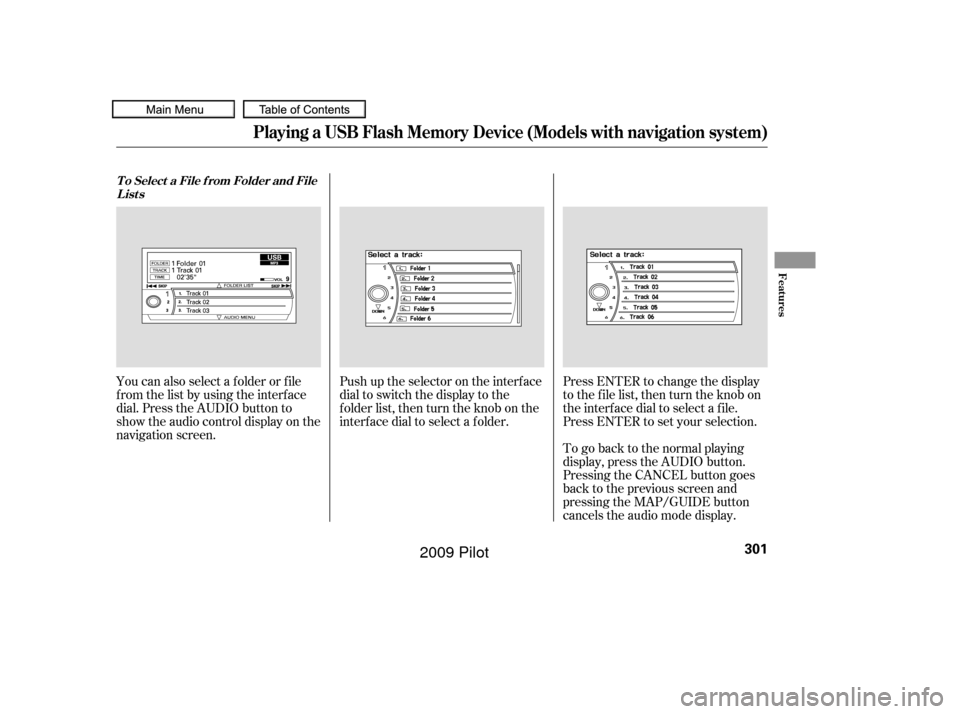
Push up the selector on the interface
dial to switch the display to the
folder list, then turn the knob on the
interf ace dial to select a f older.Press ENTER to change the display
to the file list, then turn the knob on
the interf ace dial to select a f ile.
Press ENTER to set your selection.
You can also select a f older or f ile
fromthelistbyusingtheinterface
dial. Press the AUDIO button to
show the audio control display on the
navigation screen.
To go back to the normal playing
display, press the AUDIO button.
Pressing the CANCEL button goes
back to the previous screen and
pressing the MAP/GUIDE button
cancels the audio mode display.
T o Select a File f rom Folder and File
Lists
Playing a USB Flash Memory Device (Models with navigation system)
Features
301
�����—�����—�
���y�
�������������y���
�(�/���������y���������y
2009 Pilot
Page 306 of 578
�µ�µ
�µ
�µ
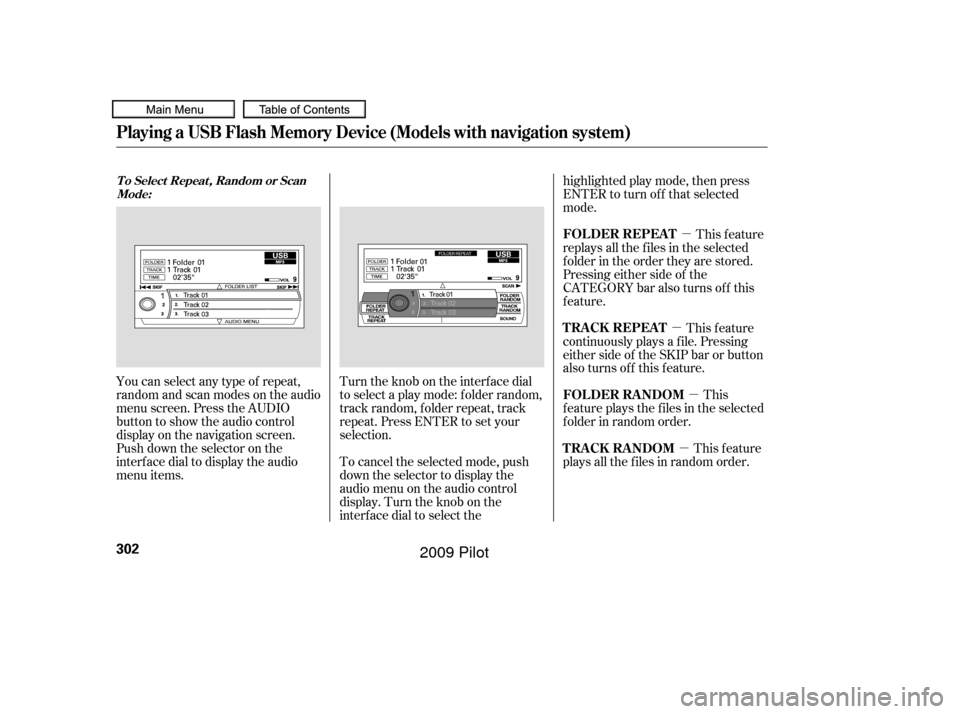
You can select any type of repeat,
random and scan modes on the audio
menu screen. Press the AUDIO
button to show the audio control
display on the navigation screen.
Push down the selector on the
interf ace dial to display the audio
menu items. Turntheknobontheinterfacedial
to select a play mode: f older random,
track random, folder repeat, track
repeat. Press ENTER to set your
selection.
To cancel the selected mode, push
down the selector to display the
audio menu on the audio control
display. Turn the knob on the
interf ace dial to select thehighlighted play mode, then press
ENTER to turn of f that selected
mode.
This feature
replays all the f iles in the selected
f older in the order they are stored.
Pressing either side of the
CATEGORY bar also turns of f this
feature.
This
f eature plays the f iles in the selected
f older in random order.
This feature
plays all the f iles in random order. This feature
continuously plays a f ile. Pressing
either side of the SKIP bar or button
also turns off this feature.
T o Select Repeat , Random or Scan
Mode:
FOLDER REPEAT
FOLDER RANDOM
TRACK RANDOM T RA CK REPEA T
Playing a USB Flash Memory Device (Models with navigation system)
302
�����—�����—�
���y�
�������������y���
�(�/���������y���������y
2009 Pilot
Page 308 of 578
You can disconnect the USB f lash
memory device of any time even if
the USB mode is selected on the
audio system. Make sure to f ollow
the USB f lash memory device’s
instructions when you remove it.
When you disconnect the USB f lash
memory device while it is playing,
the center display and the audio
screen (if selected) show NO DATA.If you see an error message in the
center display, see page .
To play the radio, press the AM, FM,
or XM button. Press the CD or CD/
AUX button to switch to the disc
mode (if a disc is loaded).
If you reconnect the same USB f lash
memory device, the system will
begin playing where it lef t of f . 305
To Stop Playing a USB Flash
Memory Device
USB Flash Memory Device Error
Messages
Disconnect ing a USB Flash Memory
Device
Playing a USB Flash Memory Device (Models with navigation system)
304
�����—�����—�
���y�
���������
�
�y���
�(�/���������y���������y
2009 Pilot
Page 312 of 578
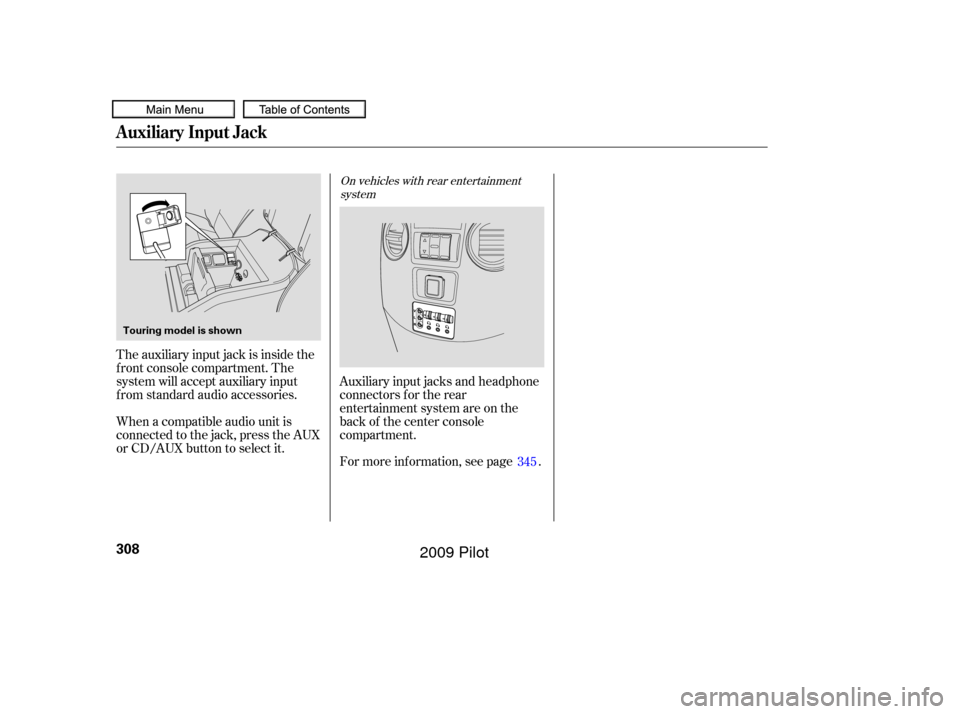
For more inf ormation, see page . Auxiliary input jacks and headphone
connectors f or the rear
entertainment system are on the
back of the center console
compartment.
The auxiliary input jack is inside the
f ront console compartment. The
system will accept auxiliary input
f rom standard audio accessories.
When a compatible audio unit is
connected to the jack, press the AUX
or CD/AUX button to select it.
345
On vehicles with rear entertainment
system
Auxiliary Input Jack
308
Touring model is shown
�����—�����—�
���y�
�������������y���
�(�/���������y�����
���y
2009 Pilot
Page 313 of 578
�Û�Ý�´
�µ
�´�µ �´
�µ
�´ �µ
�´
�µ
CONT INUED
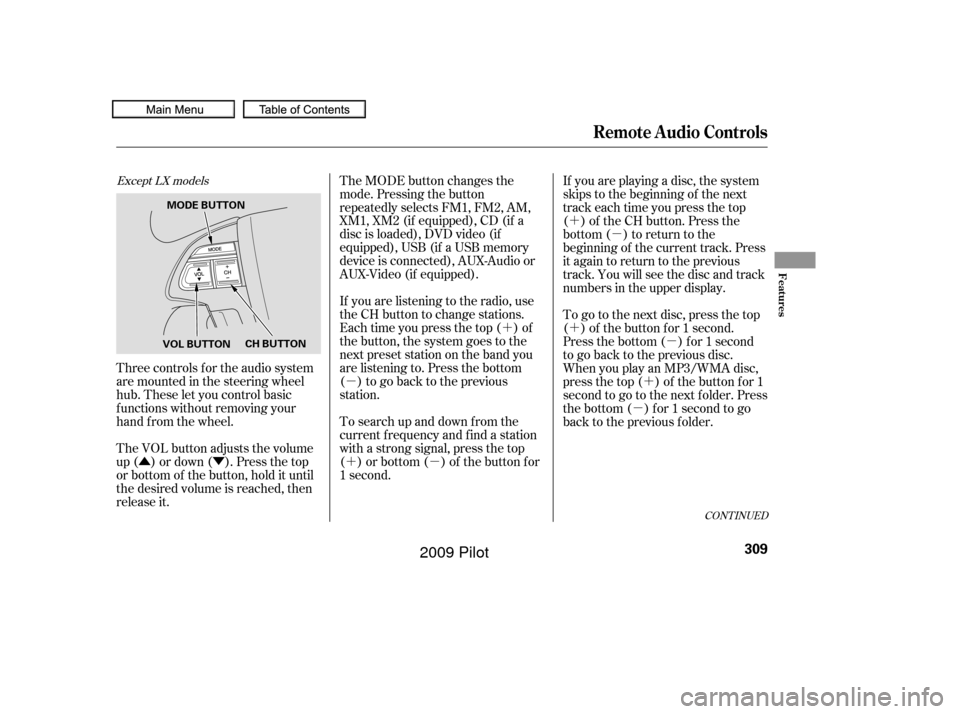
Three controls f or the audio system
are mounted in the steering wheel
hub. These let you control basic
f unctions without removing your
hand f rom the wheel.
The VOL button adjusts the volume
up ( ) or down ( ). Press the top
or bottom of the button, hold it until
the desired volume is reached, then
release it. The MODE button changes the
mode. Pressing the button
repeatedly selects FM1, FM2, AM,
XM1, XM2 (if equipped), CD (if a
disc is loaded), DVD video (if
equipped), USB (if a USB memory
device is connected), AUX-Audio or
AUX-Video (if equipped).
If you are listening to the radio, use
the CH button to change stations.
Each time you press the top ( ) of
the button, the system goes to the
next preset station on the band you
are listening to. Press the bottom
( ) to go back to the previous
station.
To search up and down from the
current f requency and f ind a station
with a strong signal, press the top
( ) or bottom ( ) of the button for
1 second.
If you are playing a disc, the system
skips to the beginning of the next
track each time you press the top
( ) of the CH button. Press the
bottom ( ) to return to the
beginning of the current track. Press
it again to return to the previous
track. You will see the disc and track
numbers in the upper display.
To go to the next disc, press the top
( ) of the button for 1 second.
Press the bottom ( ) f or 1 second
to go back to the previous disc.
When you play an MP3/WMA disc,
press the top ( ) of the button for 1
second to go to the next folder. Press
the bottom ( ) for 1 second to go
back to the previous folder.
Except LX models
Remote Audio Controls
Features
309
VOL BUTTON
CH BUTTON
MODE BUTTON
�����—�����—�
���y�
�������������y���
�(�/���������y�����
���y
2009 Pilot