Page 293 of 578
�Î
�Î
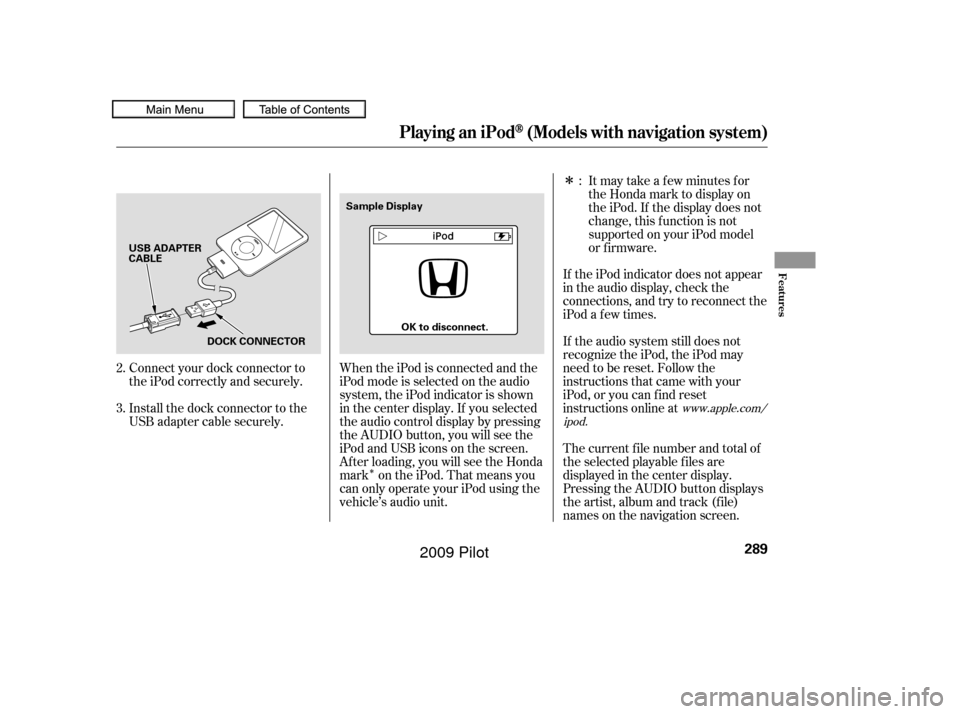
Connect your dock connector to
the iPod correctly and securely.
Install the dock connector to the
USB adapter cable securely. If the iPod indicator does not appear
in the audio display, check the
connections, and try to reconnect the
iPod a f ew times.
If the audio system still does not
recognize the iPod, the iPod may
need to be reset. Follow the
instructions that came with your
iPod, or you can f ind reset
instructions online at
The current f ile number and total of
the selected playable f iles are
displayed in the center display.
Pressing the AUDIO button displays
the artist, album and track (f ile)
names on the navigation screen.
When the iPod is connected and the
iPod mode is selected on the audio
system, the iPod indicator is shown
in the center display. If you selected
the audio control display by pressing
the AUDIO button, you will see the
iPod and USB icons on the screen.
Af ter loading, you will see the Honda
mark on the iPod. That means you
can only operate your iPod using the
vehicle’s audio unit. Itmaytakeafewminutesfor
the Honda mark to display on
the iPod. If the display does not
change, this f unction is not
supported on your iPod model
or f irmware.
2.
3. :
www.apple.com/
ipod.
Playing an iPod(Models with navigation system)
Features
289
USB ADAPTER
CABLE
DOCK CONNECTOR Sample Display
OK to disconnect.
�����—�����—�
���y�
���������
���y���
�(�/���������y���������y
2009 Pilot
Page 297 of 578
�µTo turn it off, have this mode
highlighted and press ENTER again.
You can also select another list from
theiPodmenuwhilekeepingthe
random f unction.
Available operating f unction varies
on models or versions. Some
f unctions may not be available on the
vehicle’s audio system.
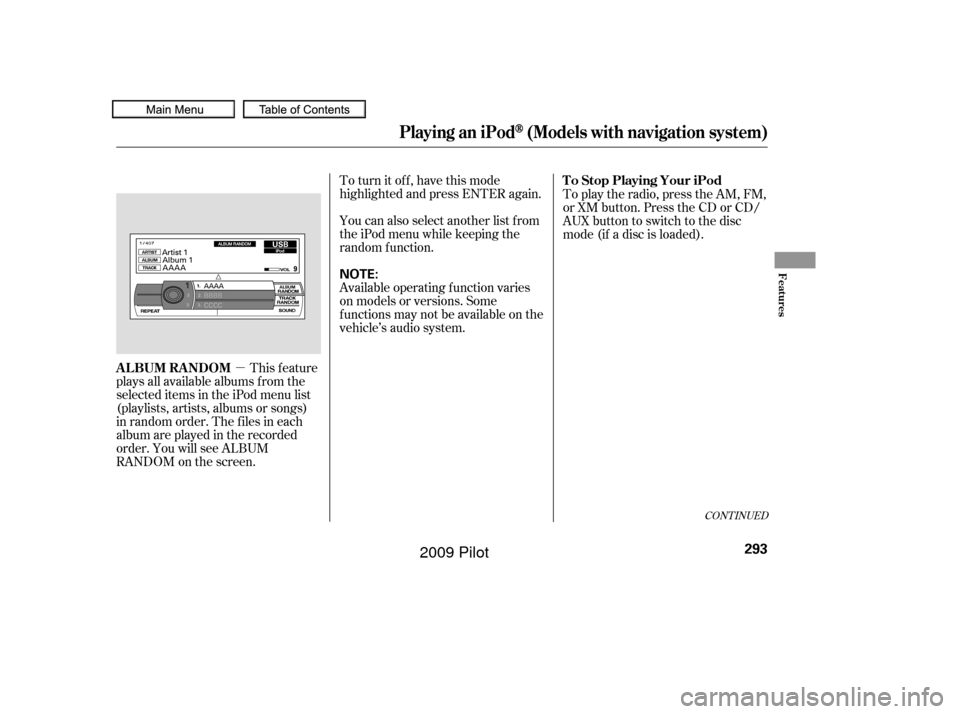
This feature
plays all available albums f rom the
selected items in the iPod menu list
(playlists, artists, albums or songs)
in random order. The f iles in each
album are played in the recorded
order. You will see ALBUM
RANDOM on the screen. To play the radio, press the AM, FM,
or XM button. Press the CD or CD/
AUX button to switch to the disc
mode (if a disc is loaded).
CONT INUED
T o Stop Playing Your iPod
ALBUM RANDOM
Playing an iPod(Models with navigation system)
Features
293
NOTE:
�����—�����—�
���y�
�������������y���
�(�/���������y���������y
2009 Pilot
Page 298 of 578
�Î
�ΠYou can disconnect the iPod at any
time when you see ‘‘OK to
Disconnect’’ message in the iPod
display. Always make sure you see
‘‘OK to Disconnect’’ message in the
iPod display bef ore you disconnect it.
Make sure to f ollow the iPod’s
instructions on how to disconnect
the dock connector f rom the USB
adapter cable.The displayed message may
vary on models or versions. On
some models, there is no
message to disconnect.
When you disconnect the iPod while
it is playing, the center display and
the audio screen (if selected) show
NO DATA. If you see an error message in the
center display, see page .
If you reconnect the same iPod, the
system may begin playing where it
lef t of f , depending on what mode the
iPod is in when it is reconnected.
: 295
Disconnect ing an iPodiPod Error Messages
Playing an iPod(Models with navigation system)
294
�����—�����—�
���y�
�������������y���
�(�/���������y���������y
2009 Pilot
Page 301 of 578
�Î
�ΠThis audio system can operate the
audio f iles on a USB f lash memory
device with the same controls used
f or the in-dash disc changer. To play
a USB f lash memory device, connect
it to the USB adapter cable in the
console compartment, then press the
AUX button. The ignition switch
must be in the ACCESSORY (I) or
ON (II) position.Only AAC f ormat f iles recorded
with iTunes are playable on this
audio unit. Do not keep the USB f lash
memory device in the vehicle.
Direct sunlight and high heat will
damage it.
We recommend backing up your
data bef ore playing a USB f lash
memory device.
Depending on the type and
number of f iles, it may take some
time bef ore they begin to play.
Depending on the sof tware the
f iles were made with, it may not be
possibletoplaysomefiles,or
display some text data.
You can select the AUX mode by
using the navigation system voice
control buttons, but cannot operate
theplaymodefunctions.
The recommended USB f lash
memory devices are 256 Mbyte or
higher USB f lash memory devices.
Some digital audio players may be
compatible as well.
The audio system reads and plays
the audio f iles on the USB f lash
memory device in MP3, WMA or
AAC f ormats. Depending on the
f ormat, the display shows MP3,
WMA or AAC when a USB flash
memory device is playing. The USB
f lash memory device limit is up to
700 f olders or up to 65535 f iles. Some USB f lash memory device
(such as devices with security lock-
out f eatures, etc.) will not work in
this audio unit.
Do not use a device such as a card
reader or hard drive as the device
or your f iles may be damaged.
Do not connect your USB f lash
memory device using a HUB.
Do not use an extension cable to
the USB adapter cable equipped
with your vehicle.
:
CONT INUED
To Play a USB Flash Memory
Device
Voice Cont rol Syst em
Playing a USB Flash Memory Device (Models with navigation system)
Features
297
NOTE:
�����—�����—�
���y�
���������
���y���
�(�/���������y���������y
2009 Pilot
Page 302 of 578
�µ�µ
�µ
�µ
�µ
�µ
�µ
�µ
�µ
�µ �µ
�µ
�µ
�µ
�µ
�µ
�µ
The specif ications f or compatible
MP3 f iles are:
Sampling f requency:
32/44.1/48 kHz (MPEG1)
16/22.05/24 kHz (MPEG2)
Bit rate:
32/40/48/56/64/80/96/112/128/
160/192/224/256/320/VBR kbps
(MPEG1)
Supported standards:
MPEG1 Audio Layer3
MPEG2 Audio Layer3
Partition:
Top partition only
The specif ications f or compatible
WMA f iles are: Maximum layers: 8
Sampling f requency:
32/44.1/48 kHz
Bit rate:
48 320/VBR kbps (Max 384)
Supported standards:
WMA version 7/8/9 Partition:
Top partition only
Maximum layers: 8
The specif ications f or compatible
AAC files are: Sampling f requency:
8/11.025/12/16/22.05/24/32/
44.1/48 kHz
Bit rate:
48 320 kbps
Supported standards:
MPEG4/AAC LC
MPEG2/AAC LC
Partition:
Top partition only
Maximum layers: 8
Even if recorded in MP3, WMA or
AAC f ormat, a f ile with unsupported
version cannot be played. If the
system f inds it, the audio unit
displays UNSUPPORTED, and then
skips to the next f ile. In WMA or AAC format, DRM
(digital rights management) f iles
cannot be played. If the system f inds
a DRM f ile, the audio unit displays
UNPLAYABLE FILE, and then skips
to the next file.
Playing a USB Flash Memory Device (Models with navigation system)
298
�����—�����—�
���y�
�������������y���
�(�/���������y���������y
2009 Pilot
Page 307 of 578
�µ�µ
You can also select the scan feature
with the SCAN button on the control
panel.
Press and release the SCAN button.
Press and hold the SCAN button to
get out of the scan mode and play
the last f ile sampled. You can also select the folder scan
f eature with the SCAN button on the
control panel. Press and release the
SCAN button repeatedly.
Press and hold the SCAN button to
get out of the f older scan mode and
play the last f ile sampled.
This f unction
samples all f iles in the selected
f older in the order they are stored.
To activate the scan feature, push
the selector to the right. You will see
TRACK SCAN on the screen. You
will also see SCAN on the center
display and the f ile number blinking.
You will get a 10 second sampling of
each f ile in the f older. Push the
selector to the right repeatedly to get
out of the scan mode. The system
plays the last f ile sampled. This f unction
samples the f irst f ile in each f older in
the order they are stored. To
activate the folder scan feature, push
the selector to the right repeatedly.
You will see FOLDER SCAN on the
screen. You will also see SCAN on
the center display and the folder
number blinking. You will get a 10
second sampling of each f irst f ile in
the f older(s). Push the selector to
the right to get out of the scan mode.
The system plays the last f ile
sampled. Pressing either side of the
CATEGORY or SKIP bar or button
also turns off the feature.
Playing a USB Flash Memory Device (Models with navigation system)
T RACK SCAN
FOL DER SCAN
Features
303
�����—�����—�
���y�
�������������y���
�(�/���������y���������y
2009 Pilot
Page 308 of 578
You can disconnect the USB f lash
memory device of any time even if
the USB mode is selected on the
audio system. Make sure to f ollow
the USB f lash memory device’s
instructions when you remove it.
When you disconnect the USB f lash
memory device while it is playing,
the center display and the audio
screen (if selected) show NO DATA.If you see an error message in the
center display, see page .
To play the radio, press the AM, FM,
or XM button. Press the CD or CD/
AUX button to switch to the disc
mode (if a disc is loaded).
If you reconnect the same USB f lash
memory device, the system will
begin playing where it lef t of f . 305
To Stop Playing a USB Flash
Memory Device
USB Flash Memory Device Error
Messages
Disconnect ing a USB Flash Memory
Device
Playing a USB Flash Memory Device (Models with navigation system)
304
�����—�����—�
���y�
���������
�
�y���
�(�/���������y���������y
2009 Pilot
Page 313 of 578
�Û�Ý�´
�µ
�´�µ �´
�µ
�´ �µ
�´
�µ
CONT INUED
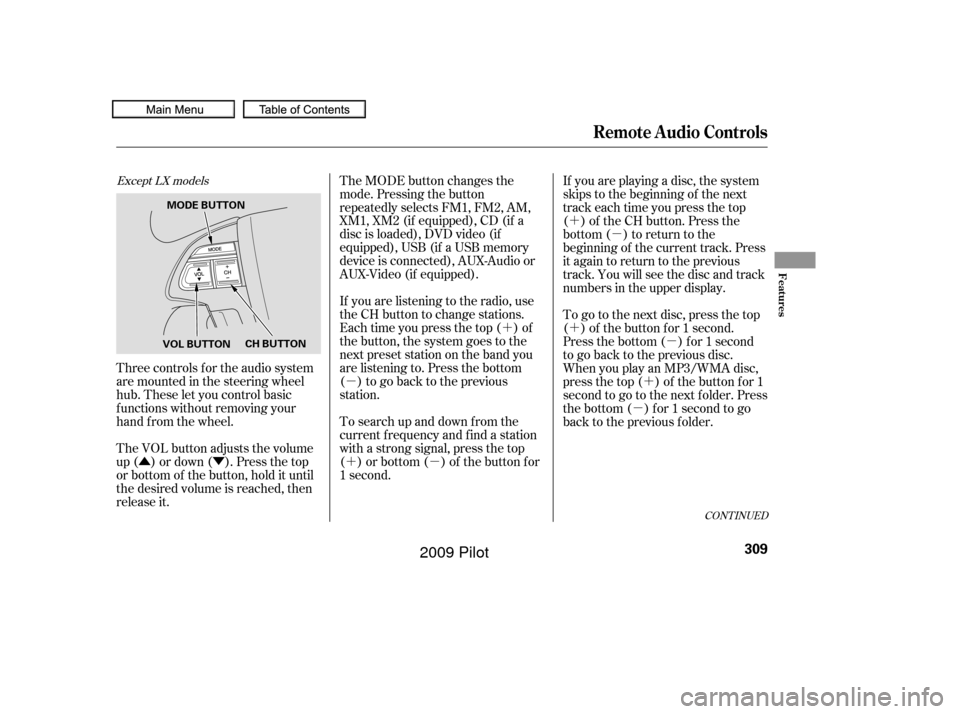
Three controls f or the audio system
are mounted in the steering wheel
hub. These let you control basic
f unctions without removing your
hand f rom the wheel.
The VOL button adjusts the volume
up ( ) or down ( ). Press the top
or bottom of the button, hold it until
the desired volume is reached, then
release it. The MODE button changes the
mode. Pressing the button
repeatedly selects FM1, FM2, AM,
XM1, XM2 (if equipped), CD (if a
disc is loaded), DVD video (if
equipped), USB (if a USB memory
device is connected), AUX-Audio or
AUX-Video (if equipped).
If you are listening to the radio, use
the CH button to change stations.
Each time you press the top ( ) of
the button, the system goes to the
next preset station on the band you
are listening to. Press the bottom
( ) to go back to the previous
station.
To search up and down from the
current f requency and f ind a station
with a strong signal, press the top
( ) or bottom ( ) of the button for
1 second.
If you are playing a disc, the system
skips to the beginning of the next
track each time you press the top
( ) of the CH button. Press the
bottom ( ) to return to the
beginning of the current track. Press
it again to return to the previous
track. You will see the disc and track
numbers in the upper display.
To go to the next disc, press the top
( ) of the button for 1 second.
Press the bottom ( ) f or 1 second
to go back to the previous disc.
When you play an MP3/WMA disc,
press the top ( ) of the button for 1
second to go to the next folder. Press
the bottom ( ) for 1 second to go
back to the previous folder.
Except LX models
Remote Audio Controls
Features
309
VOL BUTTON
CH BUTTON
MODE BUTTON
�����—�����—�
���y�
�������������y���
�(�/���������y�����
���y
2009 Pilot