Page 151 of 407
Cargo management system
The cargo management system consists of storage compartments located
in the floor of the rear cargo area.
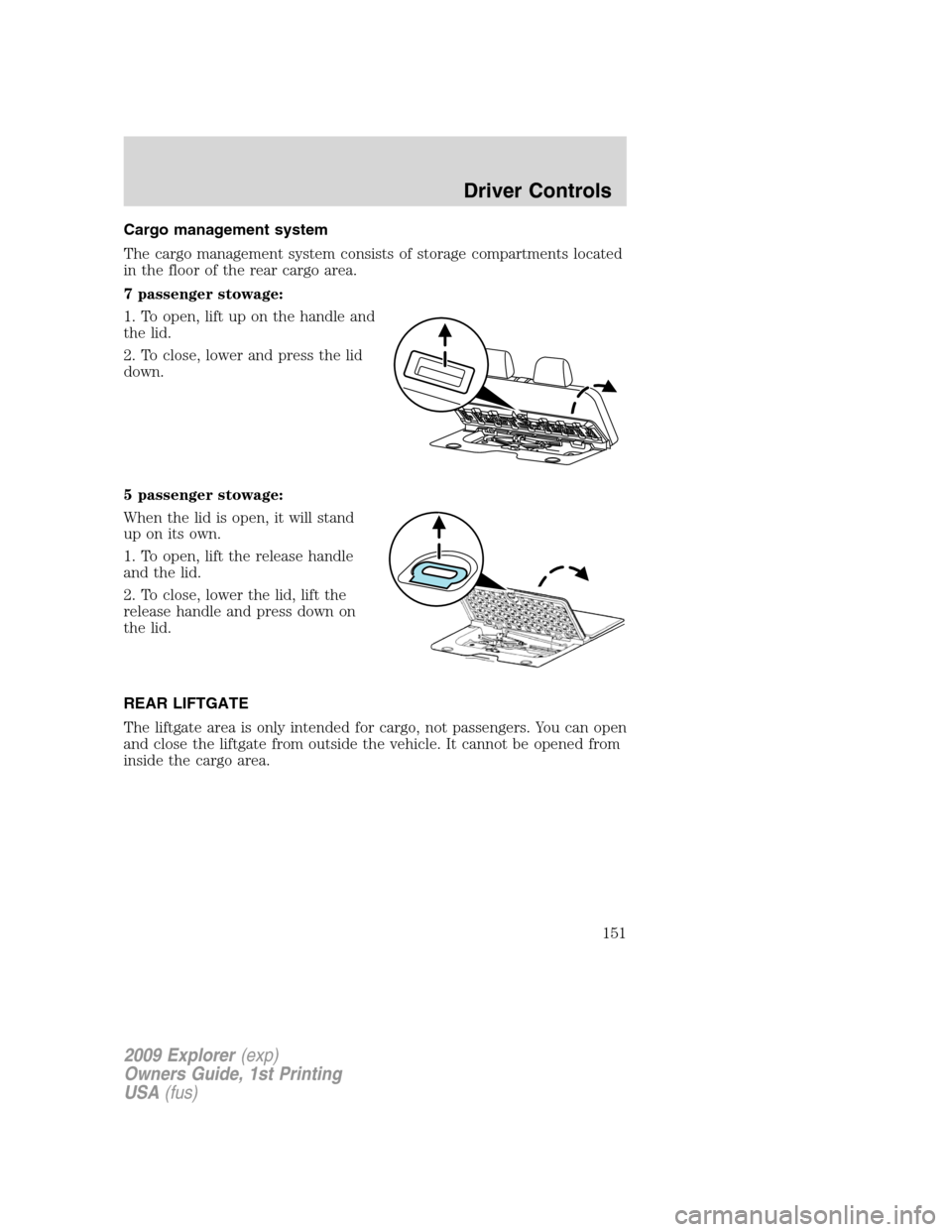
7 passenger stowage:
1. To open, lift up on the handle and
the lid.
2. To close, lower and press the lid
down.
5 passenger stowage:
When the lid is open, it will stand
up on its own.
1. To open, lift the release handle
and the lid.
2. To close, lower the lid, lift the
release handle and press down on
the lid.
REAR LIFTGATE
The liftgate area is only intended for cargo, not passengers. You can open
and close the liftgate from outside the vehicle. It cannot be opened from
inside the cargo area.
2009 Explorer(exp)
Owners Guide, 1st Printing
USA(fus)
Driver Controls
151
Page 159 of 407

CHILDPROOF DOOR LOCKS
•When these locks are set, the
rear doors cannot be opened from
the inside.
•The rear doors can be opened
from the outside when the doors
are unlocked.
The childproof locks are located on
rear edge of each rear door and
must be set separately for each
door. Setting the lock for one door
will not automatically set the lock for both doors.
•Move lock control up to engage the childproof lock.
•Move control down to disengage childproof locks.
REMOTE ENTRY SYSTEM
This device complies with part 15 of the FCC rules and with RSS-210 of
Industry Canada. Operation is subject to the following two conditions:
(1) This device may not cause harmful interference, and (2) This device
must accept any interference received, including interference that may
cause undesired operation.
Changes or modifications not expressly approved by the party
responsible for compliance could void the user’s authority to
operate the equipment.
The typical operating range for your remote entry transmitter is
approximately 33 feet (10 meters). A decrease in operating range could
be caused by:
•weather conditions,
•nearby radio towers,
•structures around the vehicle, or
•other vehicles parked next to your vehicle.
2009 Explorer(exp)
Owners Guide, 1st Printing
USA(fus)
Locks and Security
159
Page 168 of 407
•The theft indicator will illuminate for three seconds and then go out.
•If the theft indicator stays on for an extended period of time or
flashes rapidly, contact your authorized dealer as soon as possible.
Replacement keys
If your keys are lost or stolen and you don’t have an extra coded key,
you will need to have your vehicle towed to an authorized dealer. The
key codes need to be erased from your vehicle and new coded keys will
need to be programmed.
Replacing coded keys can be very costly. Store an extra programmed key
away from the vehicle in a safe place to help prevent any
inconveniences. Please visit an authorized dealer to purchase additional
spare or replacement keys.
Programming spare keys
You can program your own coded keys to your vehicle.
Tips:
•A maximum of eight keys can be coded to your vehicle.
•Only use SecuriLock™ keys.
•You must have two previously programmed coded keys (keys that
already operate your vehicle’s engine) and the new unprogrammed
key(s) readily accessible.
•If two previously programmed coded keys are not available, you must
take your vehicle to your authorized dealer to have the spare key(s)
programmed.
Please read and understand the entire procedure before you begin.
1. Insert the first previously programmedcoded keyinto the ignition.
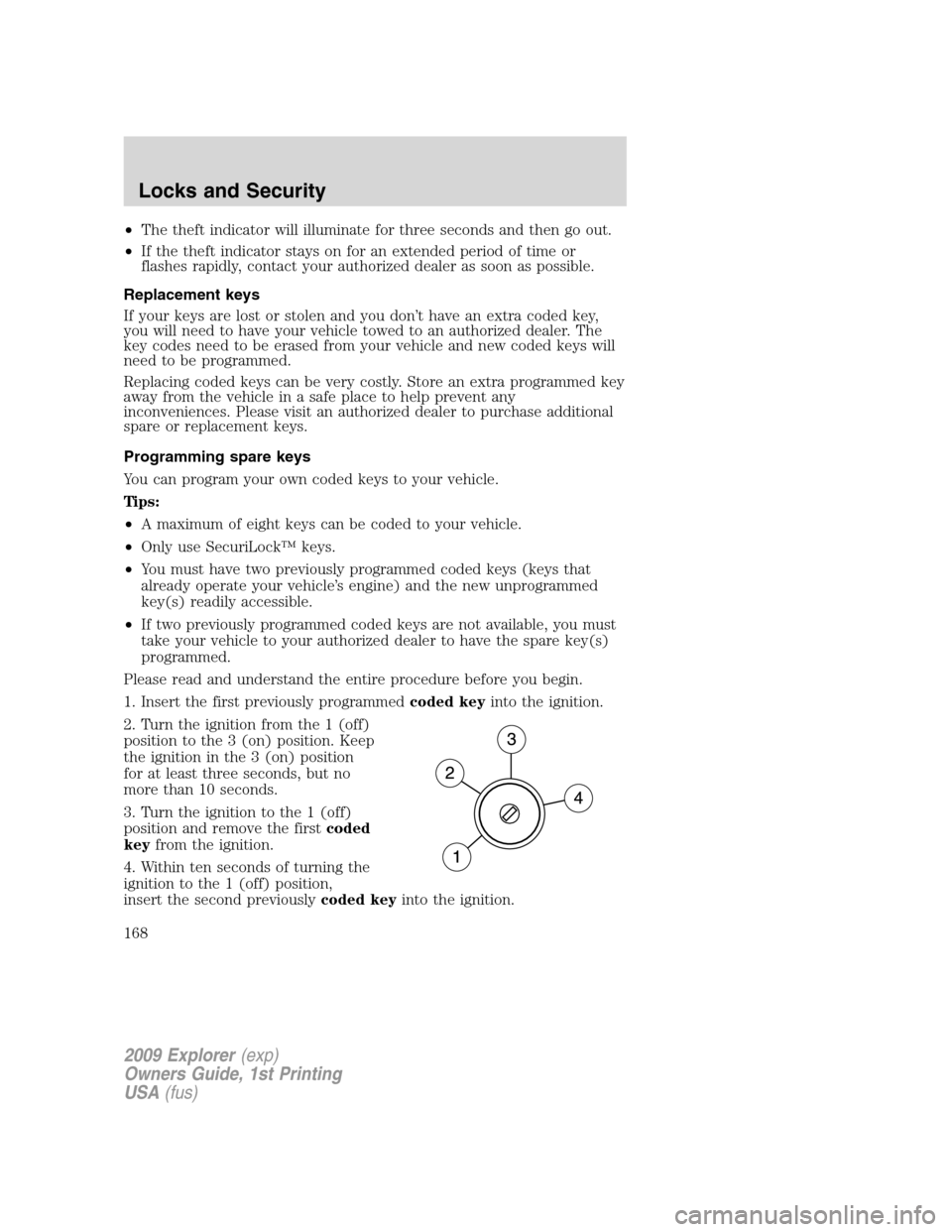
2. Turn the ignition from the 1 (off)
position to the 3 (on) position. Keep
the ignition in the 3 (on) position
for at least three seconds, but no
more than 10 seconds.
3. Turn the ignition to the 1 (off)
position and remove the firstcoded
keyfrom the ignition.
4. Within ten seconds of turning the
ignition to the 1 (off) position,
insert the second previouslycoded keyinto the ignition.
2009 Explorer(exp)
Owners Guide, 1st Printing
USA(fus)
Locks and Security
168
Page 174 of 407
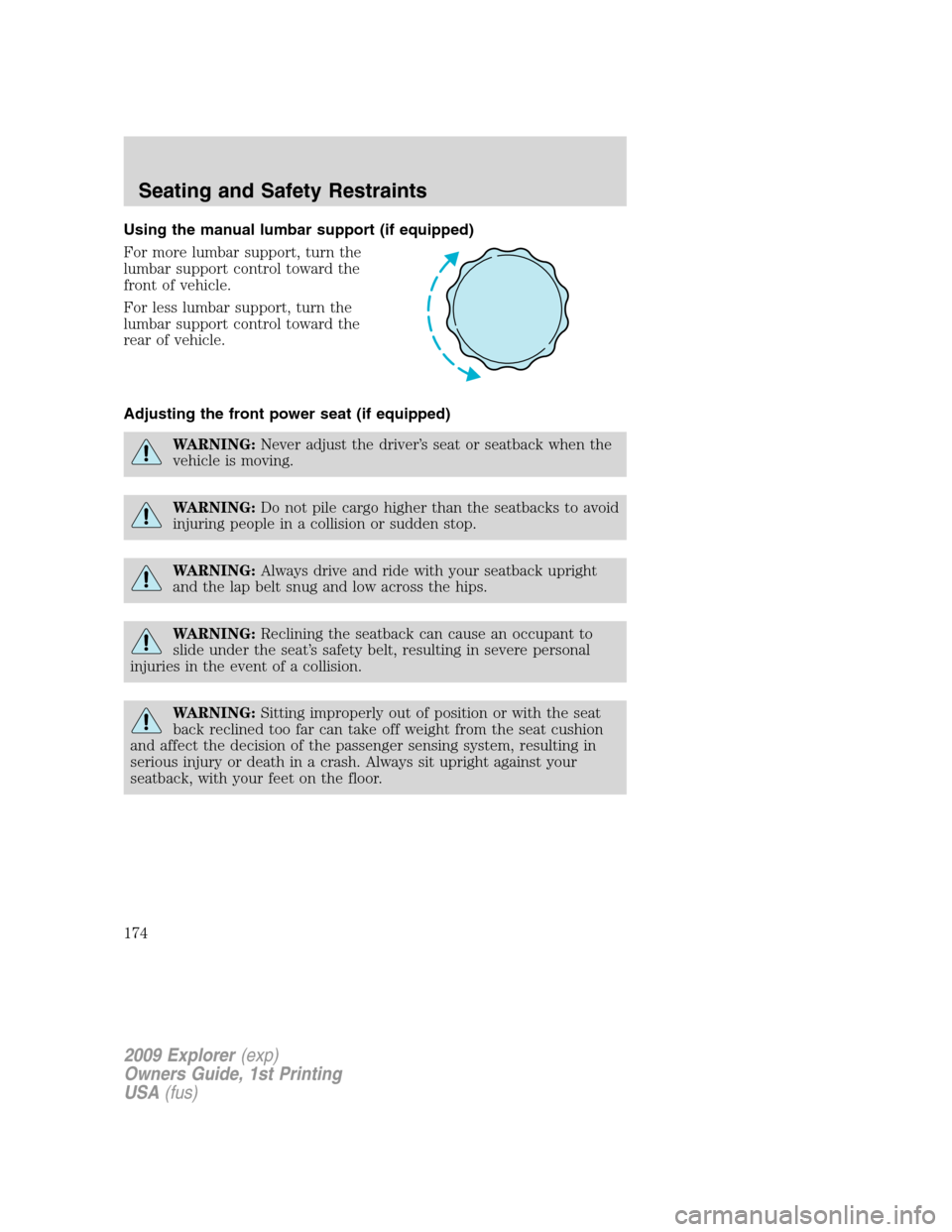
Using the manual lumbar support (if equipped)
For more lumbar support, turn the
lumbar support control toward the
front of vehicle.
For less lumbar support, turn the
lumbar support control toward the
rear of vehicle.
Adjusting the front power seat (if equipped)
WARNING:Never adjust the driver’s seat or seatback when the
vehicle is moving.
WARNING:Do not pile cargo higher than the seatbacks to avoid
injuring people in a collision or sudden stop.
WARNING:Always drive and ride with your seatback upright
and the lap belt snug and low across the hips.
WARNING:Reclining the seatback can cause an occupant to
slide under the seat’s safety belt, resulting in severe personal
injuries in the event of a collision.
WARNING:Sitting improperly out of position or with the seat
back reclined too far can take off weight from the seat cushion
and affect the decision of the passenger sensing system, resulting in
serious injury or death in a crash. Always sit upright against your
seatback, with your feet on the floor.
2009 Explorer(exp)
Owners Guide, 1st Printing
USA(fus)
Seating and Safety Restraints
174
Page 175 of 407
WARNING:To reduce the risk of possible serious injury: Do not
hang objects off seat back or stow objects in the seatback map
pocket (if equipped) when a child is in the front passenger seat. Do
not place objects underneath the front passenger seat or between the
seat and the center console (if equipped). Check the “passenger airbag
off” or “pass airbag off” indicator lamp for proper airbag status. Refer
toFront passenger sensing systemsection for additional details.
Failure to follow these instructions may interfere with the front
passenger seat sensing system.
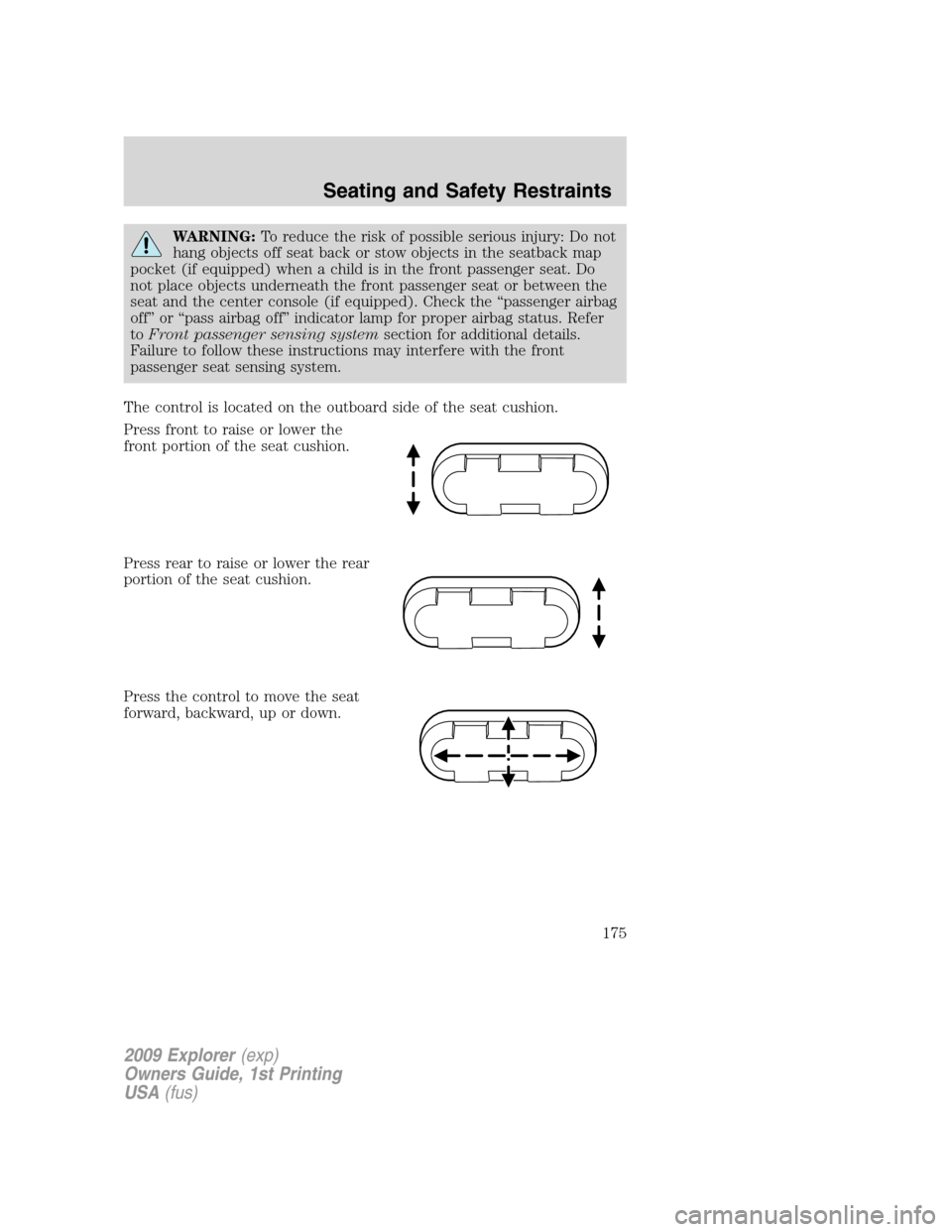
The control is located on the outboard side of the seat cushion.
Press front to raise or lower the
front portion of the seat cushion.
Press rear to raise or lower the rear
portion of the seat cushion.
Press the control to move the seat
forward, backward, up or down.
2009 Explorer(exp)
Owners Guide, 1st Printing
USA(fus)
Seating and Safety Restraints
175
Page 181 of 407
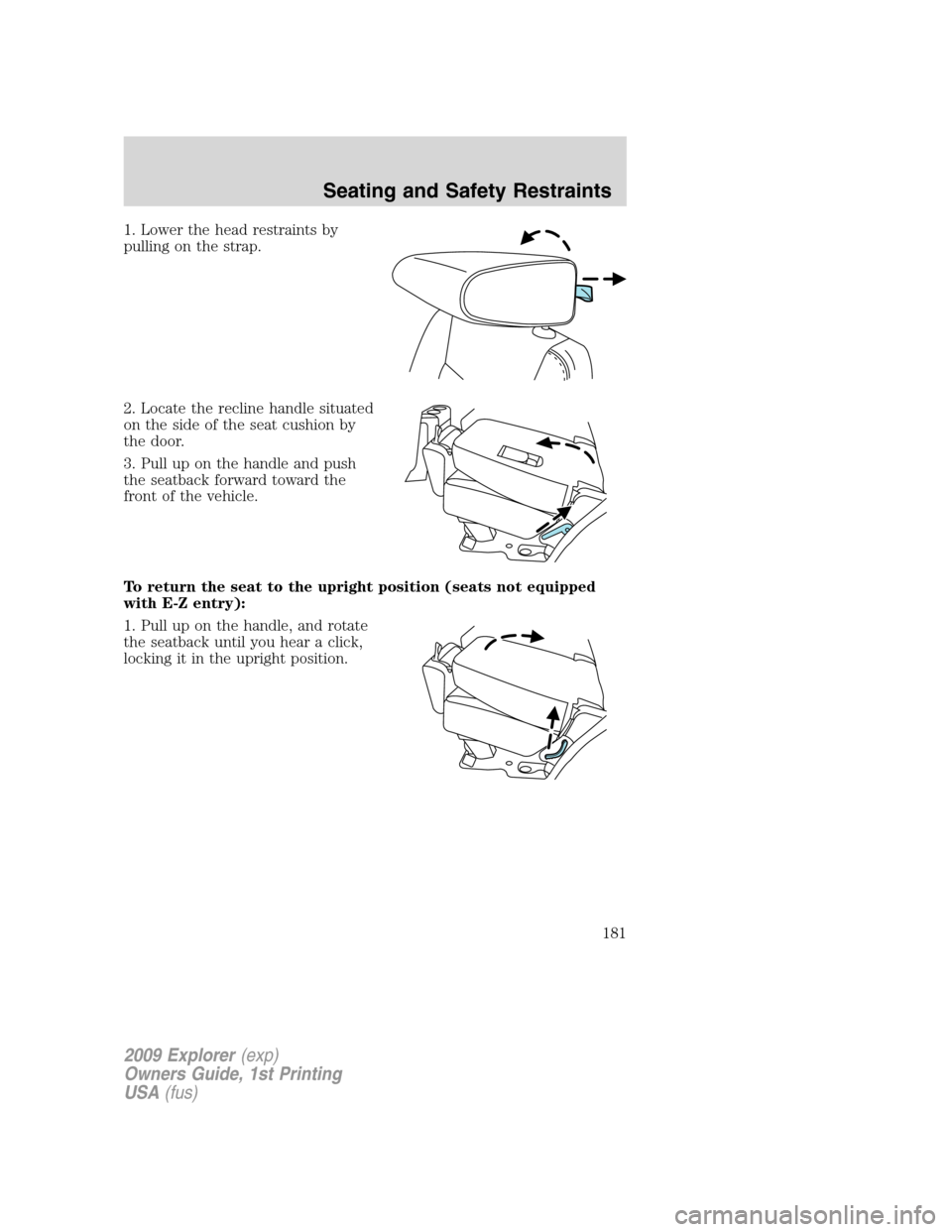
1. Lower the head restraints by
pulling on the strap.
2. Locate the recline handle situated
on the side of the seat cushion by
the door.
3. Pull up on the handle and push
the seatback forward toward the
front of the vehicle.
To return the seat to the upright position (seats not equipped
with E-Z entry):
1. Pull up on the handle, and rotate
the seatback until you hear a click,
locking it in the upright position.
2009 Explorer(exp)
Owners Guide, 1st Printing
USA(fus)
Seating and Safety Restraints
181
Page 182 of 407
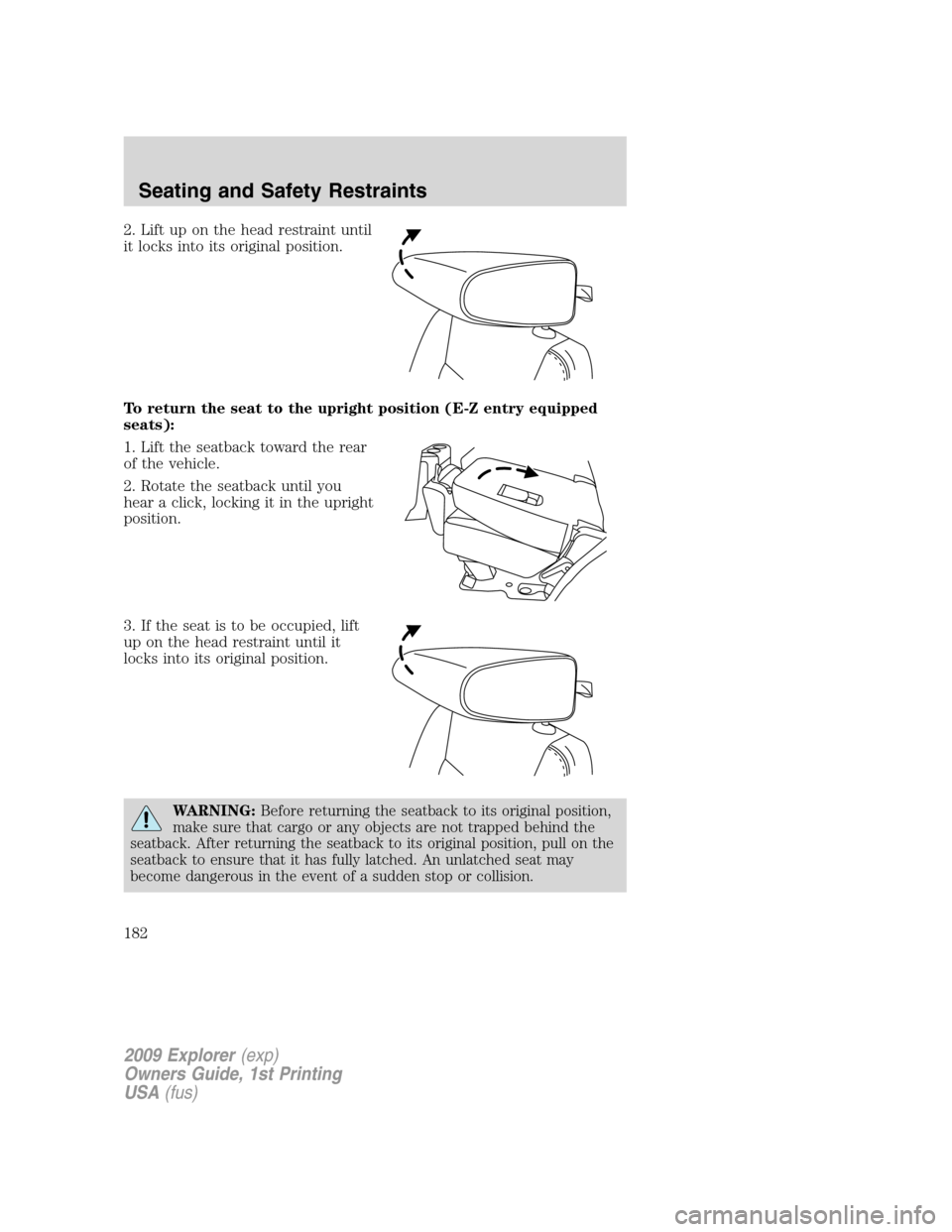
2. Lift up on the head restraint until
it locks into its original position.
To return the seat to the upright position (E-Z entry equipped
seats):
1. Lift the seatback toward the rear
of the vehicle.
2. Rotate the seatback until you
hear a click, locking it in the upright
position.
3. If the seat is to be occupied, lift
up on the head restraint until it
locks into its original position.
WARNING:Before returning the seatback to its original position,
make sure that cargo or any objects are not trapped behind the
seatback. After returning the seatback to its original position, pull on the
seatback to ensure that it has fully latched. An unlatched seat may
become dangerous in the event of a sudden stop or collision.
2009 Explorer(exp)
Owners Guide, 1st Printing
USA(fus)
Seating and Safety Restraints
182
Page 186 of 407
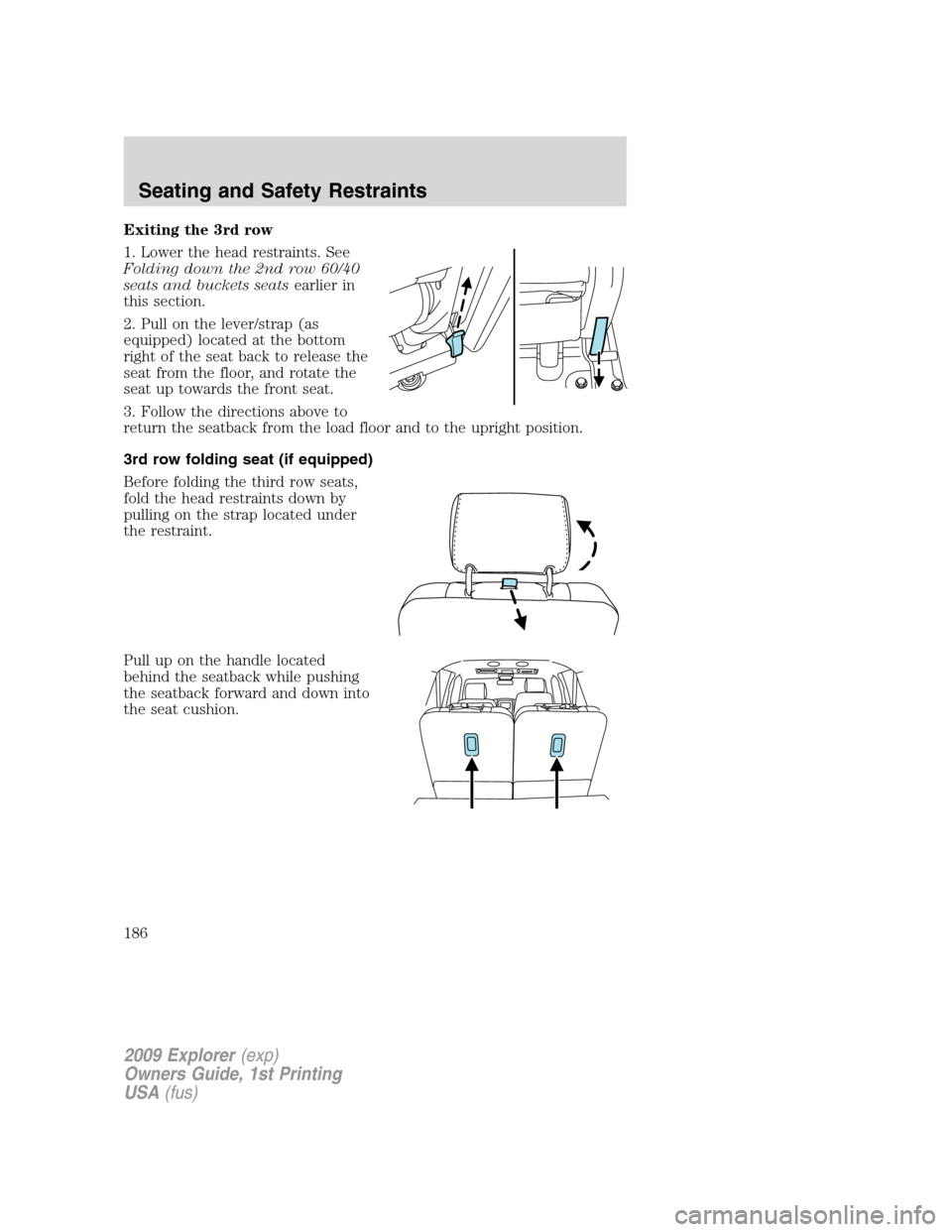
Exiting the 3rd row
1. Lower the head restraints. See
Folding down the 2nd row 60/40
seats and buckets seatsearlier in
this section.
2. Pull on the lever/strap (as
equipped) located at the bottom
right of the seat back to release the
seat from the floor, and rotate the
seat up towards the front seat.
3. Follow the directions above to
return the seatback from the load floor and to the upright position.
3rd row folding seat (if equipped)
Before folding the third row seats,
fold the head restraints down by
pulling on the strap located under
the restraint.
Pull up on the handle located
behind the seatback while pushing
the seatback forward and down into
the seat cushion.
2009 Explorer(exp)
Owners Guide, 1st Printing
USA(fus)
Seating and Safety Restraints
186