Page 196 of 534

CAUTION!
•To avoid vehicle damage the Rear Backup Camera
System should only be used as a parking aid and
is unable to view every obstacle, or object in your
drive path.
•To avoid vehicle damage the vehicle must be
driven slowly when using the Rear Backup Cam-
era System to be able to stop in time when an
obstacle is seen. It is recommended that the driver
look frequently over his/her shoulder.
NOTE:If snow, ice, mud, or anything else builds up on
the camera lens, clean the lens, rinse with water, and dry
with a soft cloth. Do not cover the lens.
OVERHEAD CONSOLES
Front Overhead Console
Two versions of the overhead console are available. The
base front overhead console model featured fixed incan-
descent courtesy/reading lights, flip-down sunglass stor-
age and conversation mirror. The premium front over-
head console model features a LED focused light that
illuminates the instrument panel cupholders, Infrared
Automatic Temperature Control Sensor (ATC equipped
only), two swiveling LED lights, flip-down sunglass
storage, conversation mirror, optional power sliding door
switches and an optional power liftgate switch.
NOTE:Premium sunroof console models include all of
above except sunglass storage.
194 UNDERSTANDING THE FEATURES OF YOUR VEHICLE
ProCarManuals.com
Page 197 of 534

Courtesy/Interior Lighting
At the forward end of the console are two courtesy lights
(standard dome light has two buttons). The lights turn onwhen a front door, a sliding door or the liftgate is opened.
If your vehicle is equipped with Remote Keyless Entry
(RKE), the lights will also turn on when the UNLOCK
button on the transmitter is pressed.
The courtesy lights also function as reading lights. Press
in on each lens to turn these lights on while inside the
vehicle. Press a second time to turn each light off. You
may adjust the direction of these lights by pressing the
outside ring, which is identified with four directional
arrows. (LED lamps only).
The area around the instrument panel cupholders is also
illuminated from a light in the overhead console (Pre-
mium console only). This light is turned on when the
headlight switch is on, and will adjust in brightness when
the dimmer control is rotated up or down.
Sunglass Storage (non-sunroof only)
At the rear of the front overhead console, a compartment
is provided for the storage of two pairs of sunglasses.
Front Premium Overhead Console Features
1 — Cupholder LED 4 — Storage/Mirror
2 — ATC Sensor 5 — Switch Bank
3 — Interior LightsUNDERSTANDING THE FEATURES OF YOUR VEHICLE 195
3
ProCarManuals.com
Page 208 of 534
Ignition OFF Operation
The power sunroof switch will remain active for 10 min-
utes after the ignition switch is turned OFF. Opening
either front door will cancel this feature.
Auto-Express with Anti–Pinch Protection
During express closing, anytime an obstacle that restricts
glass movement is detected, the motor will stop and
reverse travel to avoid pinching the object.
Auto Express will stop and reverse travel up to three
times in succession. After the third time, Auto Express
will enter a manual operation mode. This allows the
operator to manually control the power switch, in order
to close or open the sunroof in case of a malfunction.
Wind Buffeting
Wind buffeting can be described as the perception of
pressure on the ears or a helicopter-type sound in the
ears. Your vehicle may exhibit wind buffeting with the
windows down, or the sunroof (if equipped) in certainopen or partially open positions. This is a normal occur-
rence and can be minimized. If the buffeting occurs with
the rear windows open, open the front and rear windows
together to minimize the buffeting. If the buffeting occurs
with the sunroof open, adjust the sunroof opening to
minimize the buffeting or open any window.
Sunroof Maintenance
Use only a nonabrasive cleaner and a soft cloth to clean
the glass panel.
ELECTRICAL POWER OUTLETS — IF EQUIPPED
Two 12-Volt power outlets are located on the lower
instrument panel next to the open storage bin. The upper
outlet is controlled by the ignition switch and the lower
outlet is connected directly to the battery. The upper
outlet will also operate a conventional cigar lighter unit
(if equipped with an optional Smoker’s Package).
206 UNDERSTANDING THE FEATURES OF YOUR VEHICLE
ProCarManuals.com
Page 209 of 534
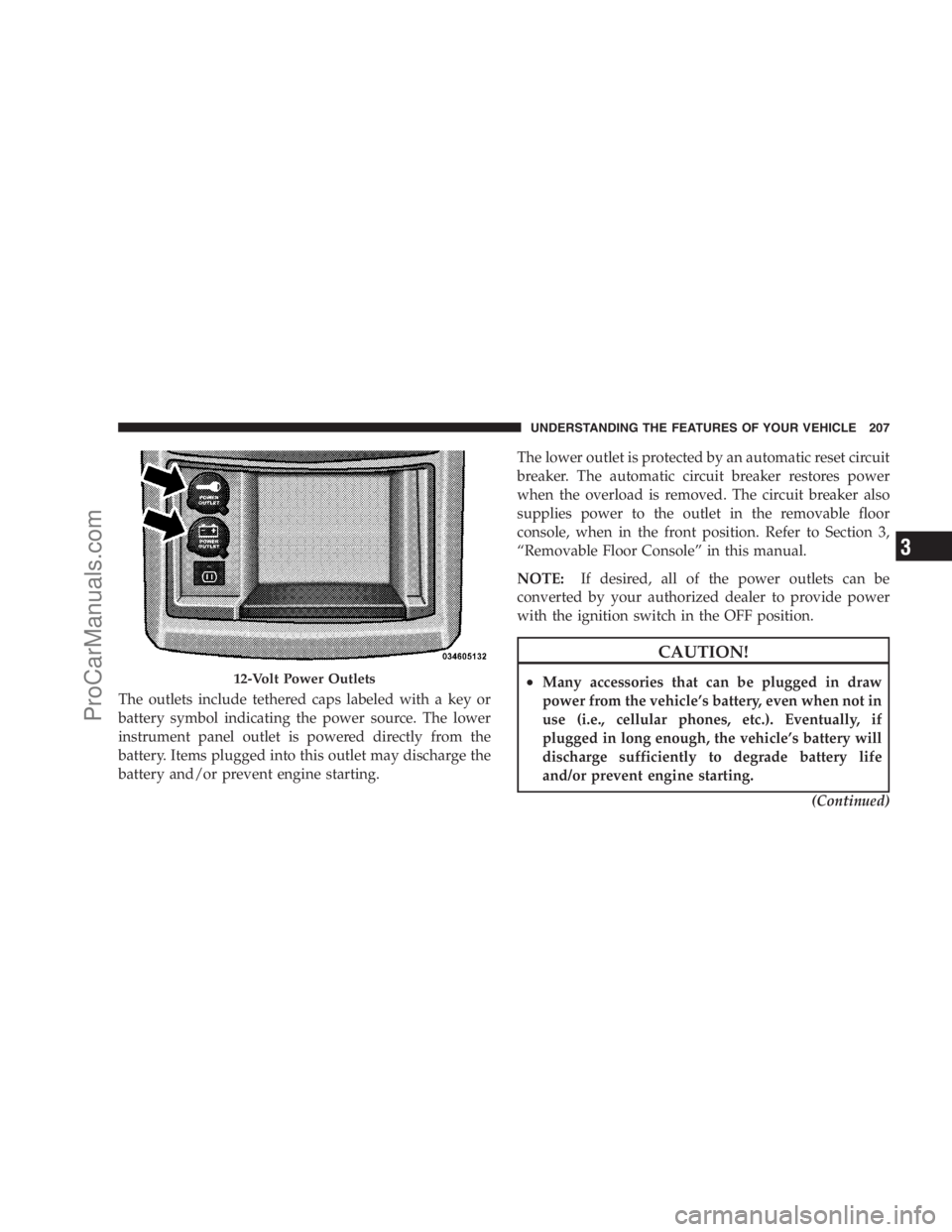
The outlets include tethered caps labeled with a key or
battery symbol indicating the power source. The lower
instrument panel outlet is powered directly from the
battery. Items plugged into this outlet may discharge the
battery and/or prevent engine starting.The lower outlet is protected by an automatic reset circuit
breaker. The automatic circuit breaker restores power
when the overload is removed. The circuit breaker also
supplies power to the outlet in the removable floor
console, when in the front position. Refer to Section 3,
“Removable Floor Console” in this manual.
NOTE:If desired, all of the power outlets can be
converted by your authorized dealer to provide power
with the ignition switch in the OFF position.
CAUTION!
•Many accessories that can be plugged in draw
power from the vehicle’s battery, even when not in
use (i.e., cellular phones, etc.). Eventually, if
plugged in long enough, the vehicle’s battery will
discharge sufficiently to degrade battery life
and/or prevent engine starting.
(Continued)12-Volt Power Outlets
UNDERSTANDING THE FEATURES OF YOUR VEHICLE 207
3
ProCarManuals.com
Page 211 of 534
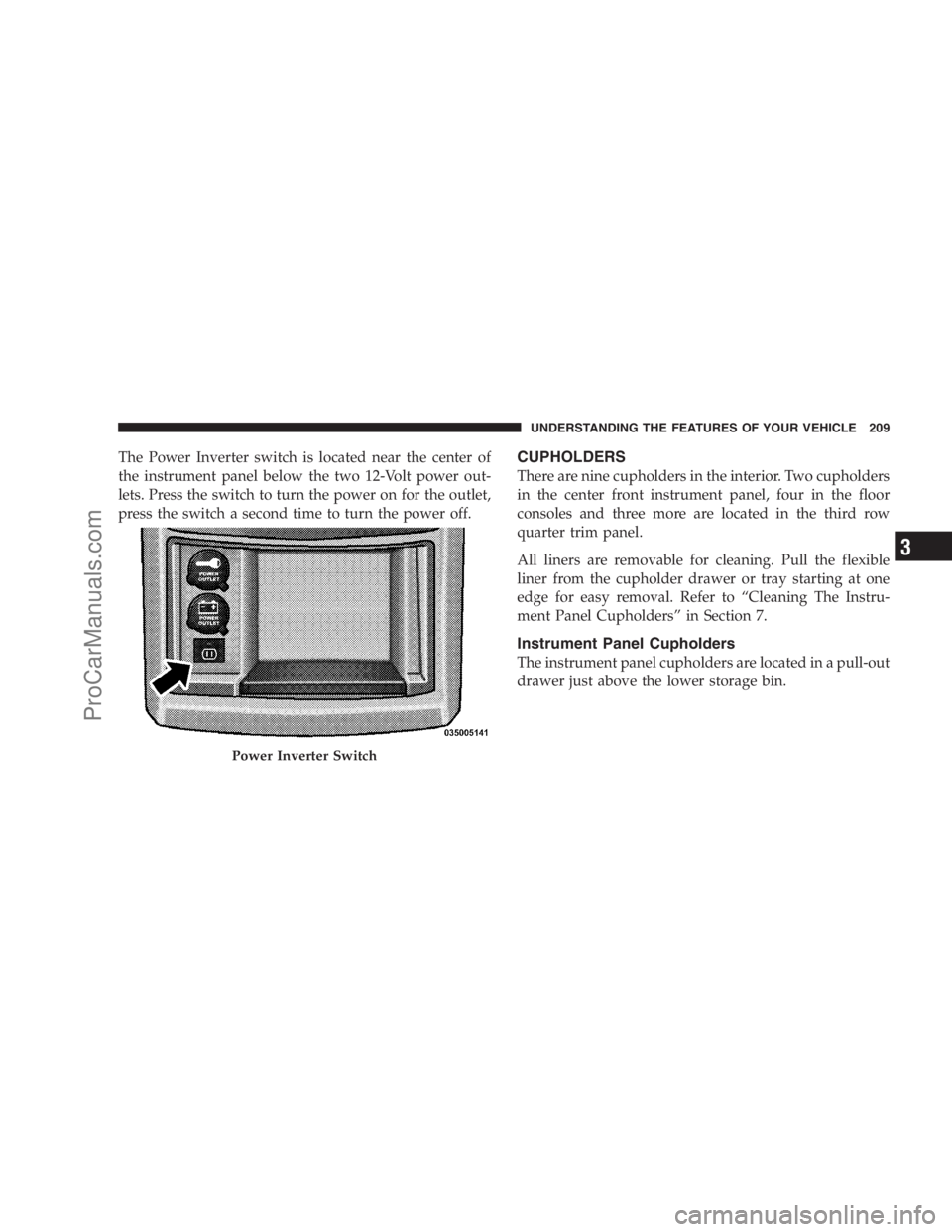
The Power Inverter switch is located near the center of
the instrument panel below the two 12-Volt power out-
lets. Press the switch to turn the power on for the outlet,
press the switch a second time to turn the power off.CUPHOLDERS
There are nine cupholders in the interior. Two cupholders
in the center front instrument panel, four in the floor
consoles and three more are located in the third row
quarter trim panel.
All liners are removable for cleaning. Pull the flexible
liner from the cupholder drawer or tray starting at one
edge for easy removal. Refer to “Cleaning The Instru-
ment Panel Cupholders” in Section 7.
Instrument Panel Cupholders
The instrument panel cupholders are located in a pull-out
drawer just above the lower storage bin.
Power Inverter Switch
UNDERSTANDING THE FEATURES OF YOUR VEHICLE 209
3
ProCarManuals.com
Page 212 of 534

Pull the drawer out firmly until it stops, and place the
container to be held in either one of the cupholder wells.
The cupholders are designed to accommodate a wide
variety of container types and sizes. Press down on the
container to engage the cupholder retention features.
Interior Bottle Holders
There are four bottle holders located in the interior. One
bottle holder is molded into each front interior door trim
panels, and one bottle holder is molded into each side
sliding interior door trim panel. Each holder accommo-
dates up to a 20 oz (1 L) plastic bottle.
Two outboard mesh pockets are on intermediate seating.
The mesh pockets are flexible enough to hold juice boxes,
toys, games or MP3 players, etc.
Smoker’s Package Kit — If Equipped
With the optional authorized dealer-installed Smoker’s
Package Kit, a removable ash receiver is inserted into one
of the two cupholders in the center front instrument
panel. To install the ash receiver, align the receiver so the
thumb grip on the lid is facing rearward. Press the ash
receiver into either of the cup wells to secure. Pull
upward on the ash receiver to remove for cleaning
and/or storage.
Front Cupholders
210 UNDERSTANDING THE FEATURES OF YOUR VEHICLE
ProCarManuals.com
Page 231 of 534
UNDERSTANDING YOUR INSTRUMENT PANEL
CONTENTS
�Instrument Panel Features................ 233
�Instrument Cluster – Base................ 234
�Instrument Cluster – Premium............ 235
�Instrument Cluster Descriptions............ 236
�Compass Mini-Trip Computer (CMTC) — If
Equipped............................ 248
▫CMTC Odometer Display............... 249
▫CMTC Reset Buttons.................. 249▫Compass/Temperature Display........... 250
�Electronic Vehicle Information Center (EVIC) —
If Equipped........................... 252
▫EVIC Displays....................... 254
▫Trip Functions....................... 255
▫Compass Display..................... 257
▫Personal Settings (Customer-Programmable
Features)........................... 2594
ProCarManuals.com
Page 232 of 534

�AM/FM/CD/DVD Multimedia System Radio
(RER/REN) – If Equipped................ 263
▫Operating Instructions — Voice Recognition
System (VR) — If Equipped............. 263
▫Operating Instructions — Hands-Free
Communication (UConnect�)—
If Equipped......................... 263
▫Clock Setting Procedure................ 263
�Sales Code RES — AM/FM Stereo Radio With
CD Player (MP3 AUX Jack)................ 266
▫Operating Instructions — Radio Mode...... 266
▫Operation Instructions — CD Mode For CD
And MP3 Audio Play.................. 269
▫Notes On Playing MP3 Files............. 271
▫Operation Instructions - Auxiliary Mode.... 274�Sales Code RES/RSC — AM/FM Stereo Radio
With CD Player (MP3 AUX Jack) And Sirius
Radio............................... 274
▫Operating Instructions — Radio Mode...... 275
▫Operation Instructions — CD Mode For CD
And MP3 Audio Play.................. 280
▫Notes On Playing MP3 Files............. 282
▫List Button (CD Mode For MP3 Play)...... 285
▫Info Button (CD Mode For MP3 Play)...... 285
�Universal Consumer Interface (UCI) — If
Equipped............................ 286
▫Connecting The iPod�................. 287
▫Using This Feature................... 287
▫Controlling The iPod�Using Radio
Buttons............................ 288
230 UNDERSTANDING YOUR INSTRUMENT PANEL
ProCarManuals.com