Page 97 of 534

Periodic Safety Checks You Should Make Outside
the Vehicle
Tires
Examine tires for excessive tread wear or uneven wear
patterns. Check for stones, nails, glass, or other objects
lodged in the tread. Inspect tread and sidewall for cuts or
cracks. Check wheel nuts for tightness. Check the tires
(including spare) for proper pressure.
Lights
Have someone observe the operation of exterior lights
while you work the controls. Check turn signal and high
beam indicator lights on the instrument panel.
Fluid Leaks
Check area under vehicle after overnight parking for fuel,
engine coolant, oil or other fluid leaks. Also, if gasoline
fumes are detected or fuel, power steering fluid, trans-
mission fluid or brake fluid leaks are suspected, the cause
should be located and corrected immediately.
Exhaust Gas
WARNING!
Exhaust gases can injure or kill. They contain carbon
monoxide (CO) which is colorless and odorless.
Breathing it can make you unconscious and can
eventually poison you. To avoid breathing (CO),
follow these safety tips:
Do not run the engine in a closed garage or in confined
areas any longer than needed to move your vehicle in or
out of the area.
If it is necessary to sit in a parked vehicle with the engine
running, adjust your heating or cooling controls to force
outside air into the vehicle. Set the blower at high speed.
THINGS TO KNOW BEFORE STARTING YOUR VEHICLE 95
2
ProCarManuals.com
Page 102 of 534
�Overhead Consoles..................... 194
▫Front Overhead Console................ 194
�Garage Door Opener — If Equipped........ 197
▫Programming HomeLink�.............. 199
▫Gate Operator/Canadian Programming..... 202
▫Security........................... 202
▫Troubleshooting Tips.................. 203
▫General Information................... 203
�Power Sunroof — If Equipped............. 204
▫Power Sunroof Operation............... 204
�Electrical Power Outlets — If Equipped...... 206
�Power Inverter — If Equipped............ 208
�Cupholders.......................... 209▫Instrument Panel Cupholders............ 209
▫Interior Bottle Holders................. 210
▫Smoker’s Package Kit — If Equipped...... 210
�Storage............................. 211
▫Glove Compartments.................. 211
▫Door Trim Panel Storage............... 212
▫Driver Seatback Storage — If Equipped..... 213
▫Second Row Seat Storage Bins —
If Equipped......................... 214
▫Rear Compartment Storage Bins.......... 215
▫Coat Hooks......................... 216
▫Cargo Area Storage................... 216
100 UNDERSTANDING THE FEATURES OF YOUR VEHICLE
ProCarManuals.com
Page 133 of 534
NOTE:
•You may not hear all of the tones due to cellular phone
network configurations; this is normal.
•Some paging and voice mail systems have system time
out settings that are too short and may not allow the
use of this feature.
Barge In - Overriding Prompts
The “Voice Recognition” button can be used when you
wish to skip part of a prompt and issue your voice
recognition command immediately. For example, if a
prompt is asking�Would you like to pair a phone, clear
a�,�you could press the “Voice Recognition” button and
say,�Pair a Phone�to select that option without having to
listen to the rest of the voice prompt.
Turning Confirmation Prompts On/Off
Turning confirmation prompts off will stop the system
from confirming your choices (e.g., the UConnect�sys-
tem will not repeat a phone number before you dial it).
•Press the PHONE button to begin.
•After the�Ready�prompt and the following beep, say
�Setup Confirmations.�The UConnect�system will
play the current confirmation prompt status and you
will be given the choice to change it.
Phone and Network Status Indicators
If available on the radio and/or on a premium display
such as the instrument panel cluster, and supported by
your cell phone, the UConnect�system will provide
notification to inform you of your phone and network
status when you are attempting to make a phone call
using UConnect�. The status is given for roaming, net-
work signal strength, phone battery strength, etc.
Dialing Using the Cellular Phone Keypad
You can dial a phone number with your cellular phone
keypad and still use the UConnect�system (while dial-
ing via the cell phone keypad, the user must exercise
caution and take precautionary safety measures). By
UNDERSTANDING THE FEATURES OF YOUR VEHICLE 131
3
ProCarManuals.com
Page 149 of 534
Heated Seats — If Equipped
This feature heats the front driver and passenger seats.
The controls for front heated seats are located on the
center instrument panel area. The switch indicator lights
will show when the High or Low heat is on.
Press the switch once to choose High
(two lights), press it a second time to
choose Low (one light), press it a third
time to turn the heater Off (no lights).
Second row heated seat switches are located in the
sliding side door handle trim panels and function the
same as front switches.
Heated Seat Switch
UNDERSTANDING THE FEATURES OF YOUR VEHICLE 147
3
ProCarManuals.com
Page 172 of 534
•When you remove the key from the ignition switch the
driver seat will move to a position 0.3 in (7.7 mm)
forward of the rear stop if the driver seat position is
between 0.9 – 2.7 in (22.7 – 67.7 mm) forward of the
rear stop. The seat will return to its previously set
position when you insert the key into the ignition
switch and turn it out of the LOCK position.
•The Easy Entry/Easy Exit feature is disabled when the
driver seat position is less than 0.9 in (22.7 mm)
forward of the rear stop. At this position, there is no
benefit to the driver by moving the seat for Easy Exit
or Easy Entry.
Each stored memory setting will have an associated Easy
Entry and Easy Exit Position.NOTE:The Easy Entry/Easy Exit feature can be en-
abled or disabled through the programmable features in
the Electronic Vehicle Information Center (EVIC). If your
vehicle is not equipped with an EVIC, your dealership
can activate/deactivate this feature for you. For details,
refer to “Automatically Move Seat Back on Exit,” section
of this manual.TO OPEN AND CLOSE THE HOOD
To open the hood, two latches must be released.
1. Pull the hood release lever located on the instrument
panel, below the steering column.
170 UNDERSTANDING THE FEATURES OF YOUR VEHICLE
ProCarManuals.com
Page 176 of 534
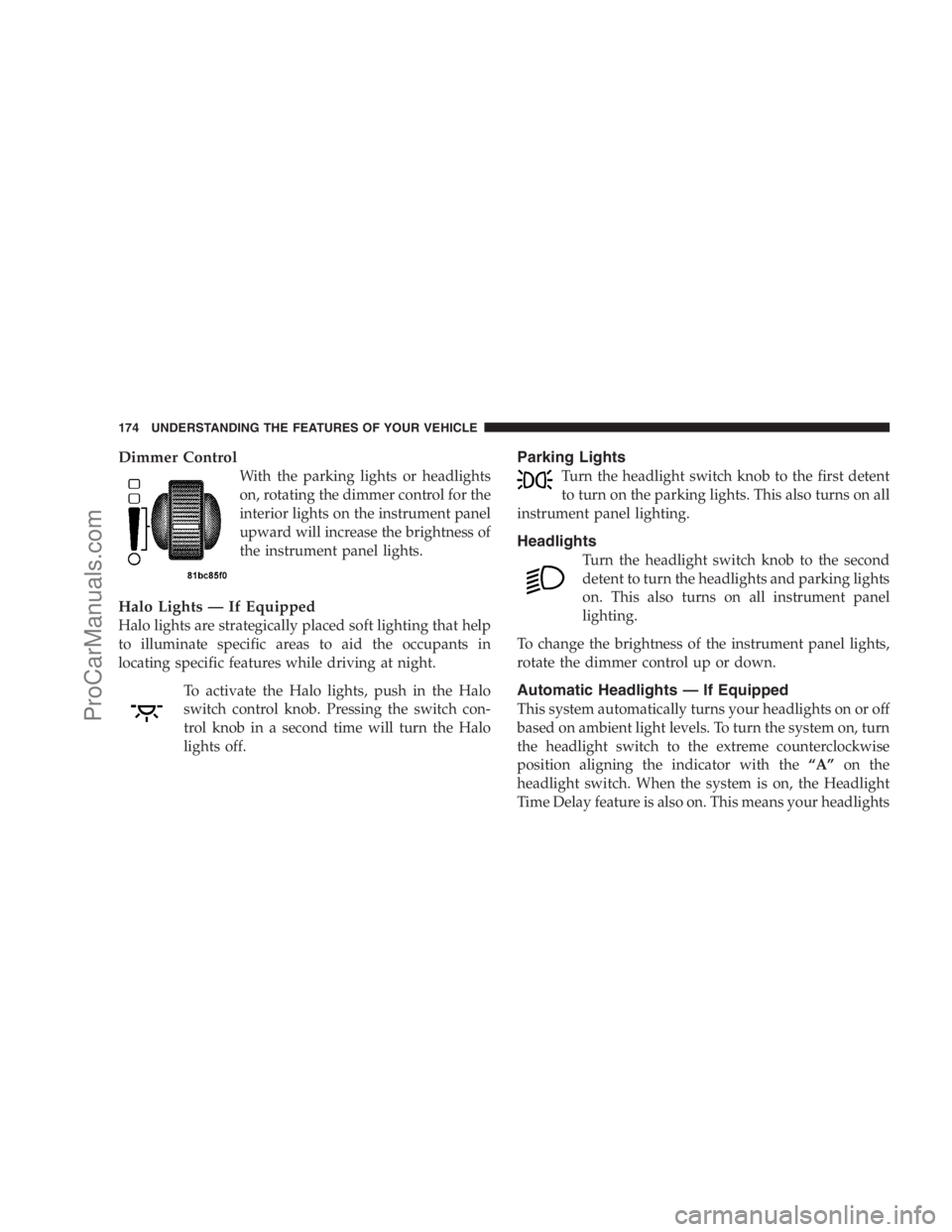
Dimmer Control
With the parking lights or headlights
on, rotating the dimmer control for the
interior lights on the instrument panel
upward will increase the brightness of
the instrument panel lights.
Halo Lights — If Equipped
Halo lights are strategically placed soft lighting that help
to illuminate specific areas to aid the occupants in
locating specific features while driving at night.
To activate the Halo lights, push in the Halo
switch control knob. Pressing the switch con-
trol knob in a second time will turn the Halo
lights off.
Parking Lights
Turn the headlight switch knob to the first detent
to turn on the parking lights. This also turns on all
instrument panel lighting.
Headlights
Turn the headlight switch knob to the second
detent to turn the headlights and parking lights
on. This also turns on all instrument panel
lighting.
To change the brightness of the instrument panel lights,
rotate the dimmer control up or down.
Automatic Headlights — If Equipped
This system automatically turns your headlights on or off
based on ambient light levels. To turn the system on, turn
the headlight switch to the extreme counterclockwise
position aligning the indicator with the“A”on the
headlight switch. When the system is on, the Headlight
Time Delay feature is also on. This means your headlights
174 UNDERSTANDING THE FEATURES OF YOUR VEHICLE
ProCarManuals.com
Page 181 of 534
High Beam/Low Beam Select Switch
When the headlights are turned on, pushing the multi-
function lever toward the instrument panel will switch
from Low beams to High beams. Pulling back to the
neutral position returns the headlights to the Low beam
operation.
Flash-To-Pass
You can signal another vehicle with your headlights by
lightly pulling the multifunction lever toward you. This
will cause the headlights to turn on at High beam and
remain on until the multifunction lever is released.
WINDSHIELD WIPER AND WASHERS
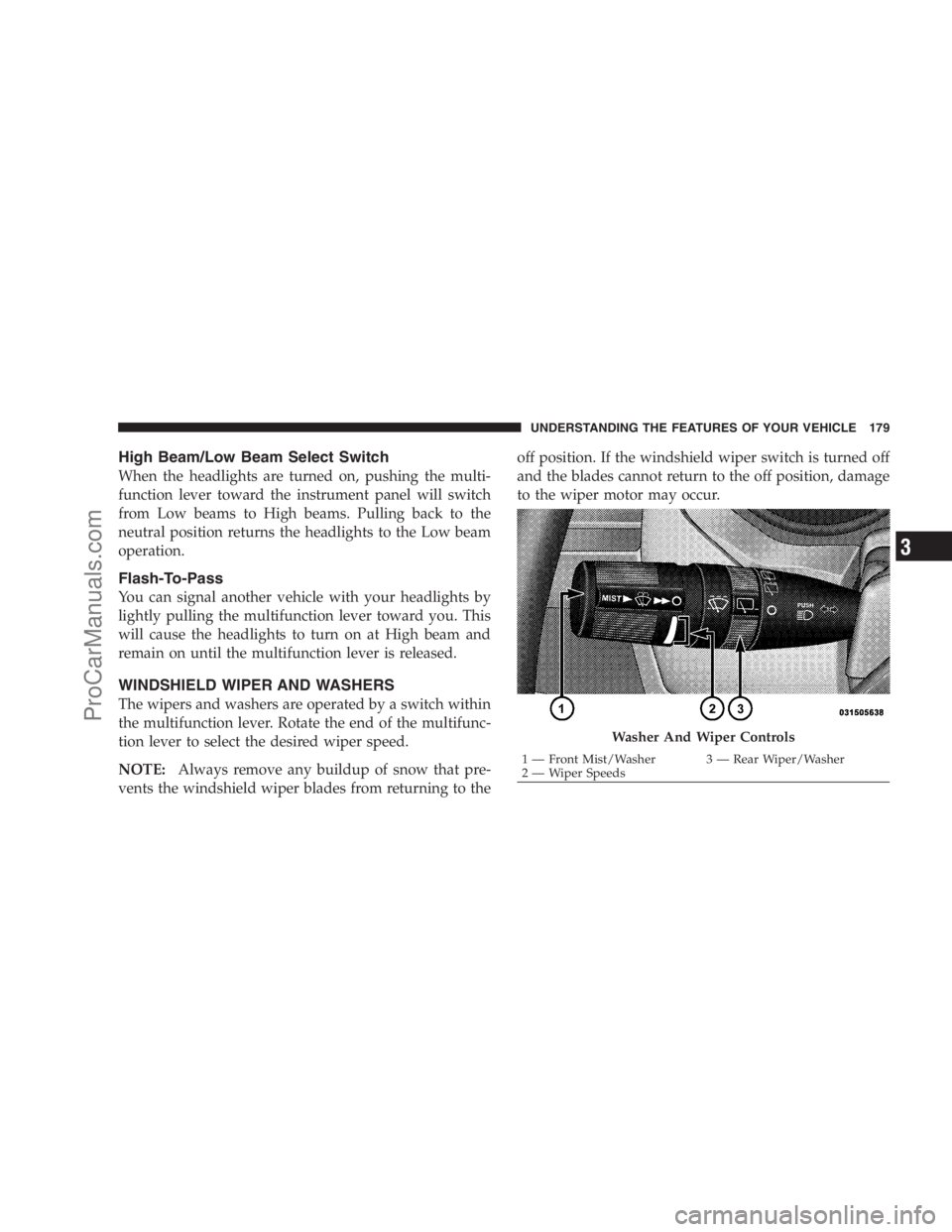
The wipers and washers are operated by a switch within
the multifunction lever. Rotate the end of the multifunc-
tion lever to select the desired wiper speed.
NOTE:Always remove any buildup of snow that pre-
vents the windshield wiper blades from returning to theoff position. If the windshield wiper switch is turned off
and the blades cannot return to the off position, damage
to the wiper motor may occur.
Washer And Wiper Controls
1 — Front Mist/Washer 3 — Rear Wiper/Washer
2 — Wiper SpeedsUNDERSTANDING THE FEATURES OF YOUR VEHICLE 179
3
ProCarManuals.com
Page 194 of 534

Vehicles Equipped With the Compass Mini-Trip
Computer (CMTC)
You can turn the Rear Park Assist system ON or OFF
through the CMTC by pressing the left reset button in the
instrument cluster. Turn the ignition switch to the ON
position, then press and hold the RESET button for
approximately two seconds.
Service The Rear Park Assist System
If the Rear Park Assist system malfunctions, the instru-
ment cluster will actuate a single chime, once per ignition
cycle, and it will display the�SERVICE PARK ASSIST
SYSTEM�message. Refer to “Compass Mini Trip Com-
puter (CMTC) or “Electronic Vehicle Information Center
(EVIC) — If Equipped”, in Section 4.
If�SERVICE PARK ASSIST SYSTEM�appears in the
Electronic Vehicle Information Center (EVIC), after mak-
ing sure the rear bumper is clean, please see your
authorized dealer.Should this wrench symbol display with the
letterPnext to it, your Park Sense system
needs servicing. Contact your authorized
dealer.
Cleaning The Rear Park Assist System
Clean the Rear Park Assist sensors with water, car wash
soap and a soft cloth. Do not use rough or hard cloths. Do
not scratch or poke the sensors, otherwise, you could
damage them.
REAR BACKUP CAMERA SYSTEM — IF
EQUIPPED
Your vehicle may be equipped with a Rear Camera
System that allows you to see an on-screen image of the
rear of your vehicle whenever the shift lever is put into
REVERSE. The Rear camera image will be displayed on
the radio display screen, located on the center stack of the
instrument panel. The camera is located in the light bar
over the rear license plate.
192 UNDERSTANDING THE FEATURES OF YOUR VEHICLE
ProCarManuals.com