Page 89 of 475
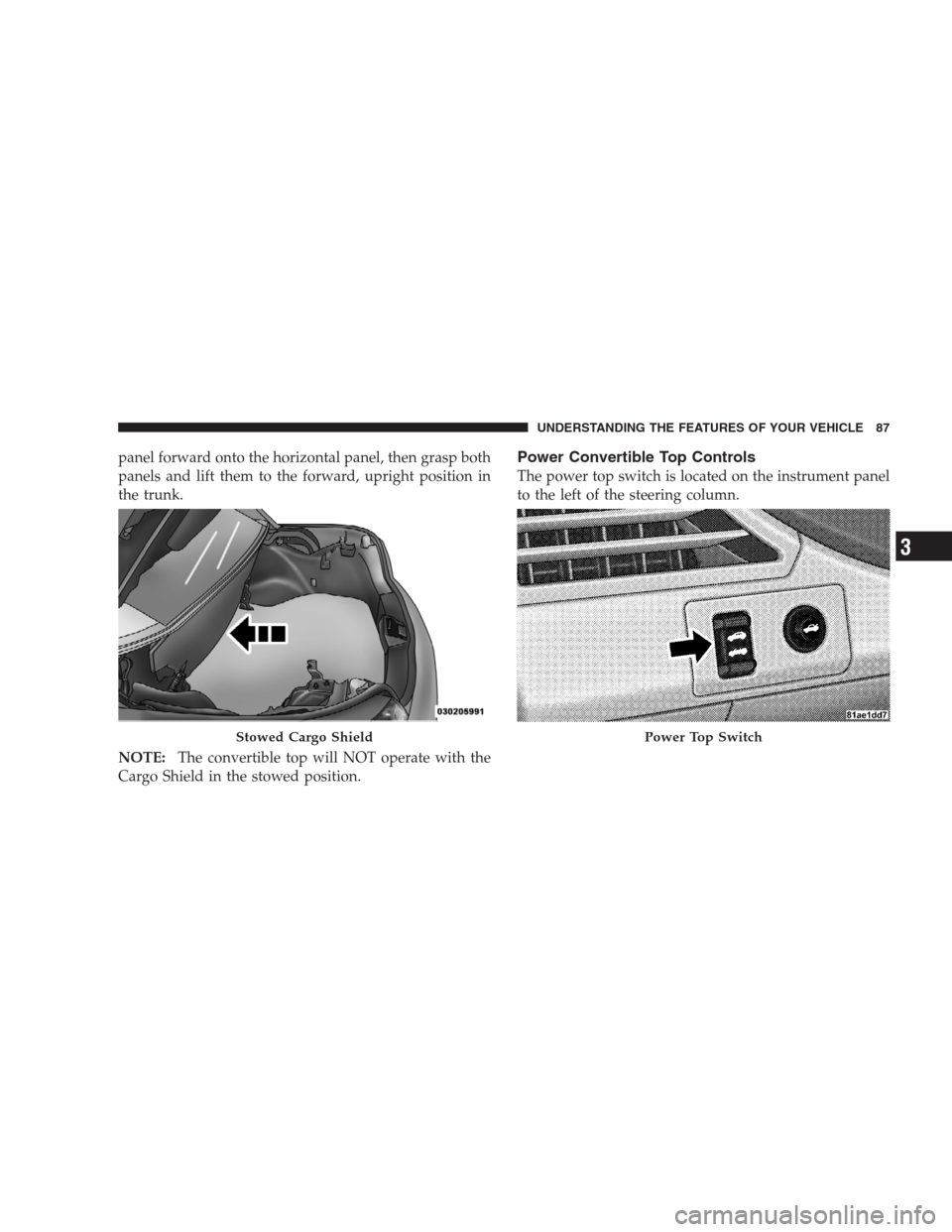
panel forward onto the horizontal panel, then grasp both
panels and lift them to the forward, upright position in
the trunk.
NOTE:The convertible top will NOT operate with the
Cargo Shield in the stowed position.Power Convertible Top Controls
The power top switch is located on the instrument panel
to the left of the steering column.
Stowed Cargo ShieldPower Top Switch
UNDERSTANDING THE FEATURES OF YOUR VEHICLE 87
3
Page 106 of 475

The UConnect�system is fully integrated with the vehi-
cle’s audio system. The volume of the UConnect�system
can be adjusted either from the radio volume control
knob or from the steering wheel radio control (right
switch), if so equipped.
The radio display will be used for visual prompts from
the UConnect�system such as�CELL�or caller ID on
certain radios.
Operation
Voice commands can be used to operate the UConnect�
system and to navigate through the UConnect�menu
structure. Voice commands are required after most
UConnect�system prompts. You will be prompted for a
specific command and then guided through the available
options.
•Prior to giving a voice command, one must wait for
the beep, which follows the�Ready�prompt or another
prompt.
•For certain operations, compound commands can be
used. For example, instead of saying�Setup�and then
�Phone Pairing,�the following compound command
can be said:�Setup Phone Pairing.�
•For each feature explanation in this section, only the
combined form of the voice command is given. You
can also break the commands into parts and say each
part of the command when you are asked for it. For
example, you can use the combined form voice com-
mand�Phonebook New Entry,�or you can break the
combined form command into two voice commands:
�Phonebook�and�New Entry.�Please remember, the
UConnect�system works best when you talk in a
normal conversational tone, as if speaking to someone
sitting a few feet/meters away from you.
Voice Command Tree
Refer to “Voice Tree” in this section.
104 UNDERSTANDING THE FEATURES OF YOUR VEHICLE
Page 145 of 475
Use the hood prop rod to secure the hood in the open
position. Place the upper end of the prop rod in the hole
on the underside of the hood.
Before closing the hood, make sure to stow the prop rod
in its proper location. To prevent possible damage, do notslam the hood to close it. Use a firm downward push at
the center of the hood to ensure that both latches engage.
WARNING!
If the hood is not fully latched, it could fly up when
the vehicle is moving and block your forward vision.
You could have a collision. Be sure all hood latches
are fully latched before driving.
LIGHTS
Exterior And Interior Lighting Control
The multifunction lever on the left side of the
steering column controls the operation of the
headlights, parking lights, turn signal lights, in-
strument panel lights, instrument panel light dimming,
interior lights and fog lights (if equipped).
Hood Prop Rod Hole Location
UNDERSTANDING THE FEATURES OF YOUR VEHICLE 143
3
Page 153 of 475
WINDSHIELD WIPERS AND WASHERS
The windshield wiper/washer control lever is
located on the right side of the steering column.Rotate the end of the lever to the first detent past the
intermittent settings for Low-speed wiper operation, or
to the second detent past the intermittent settings for
high-speed wiper operation.
NOTE:The wipers will automatically return to the
“Park” position if you turn the ignition switch OFF while
they are operating. The wipers will resume operation
when you turn the ignition switch to the ON position
again.
CAUTION!
•Turn the windshield wipers off when driving
through an automatic car wash. Damage to the
windshield wipers may result if the wiper control
is left in any position other than off.
(Continued)
Windshield Wiper/Washer Lever
UNDERSTANDING THE FEATURES OF YOUR VEHICLE 151
3
Page 155 of 475

Mist Feature
Push downward on the windshield wiper/washer con-
trol lever to activate a single wipe cycle to clear the
windshield of road mist or spray from a passing vehicle.
The wipers will continue to operate until you release the
lever.
Headlights with Wipers (Available with Auto
Headlights Only)
When this feature is active, the headlights will turn on
approximately 10 seconds after the wipers are turned on
if the multifunction lever (on the left side of the steering
column) is placed in the AUTO position. In addition, the
headlights will turn off when the wipers are turned off if
they were turned on by this feature.
The Headlights with Wipers feature can be turned on or
off through the Electronic Vehicle Information Center
(EVIC) — if equipped. For details, refer to ”Headlights
with Wipers,” under “Personal Settings (Customer-
Programmable Features),” under “Electronic Vehicle In-
formation Center” in Section 4 of this manual.
Windshield Washers
To use the washer, pull the windshield wiper/washer
control lever toward you and hold it for as long as
washer spray is desired.
Mist Control
UNDERSTANDING THE FEATURES OF YOUR VEHICLE 153
3
Page 156 of 475

If you activate the washer while the wiper control is in
the delay range, the wipers will operate in low speed for
two wipe cycles after releasing the lever and then resume
the intermittent interval previously selected.
If you activate the washer while the wiper control is in
the off position, the wipers will operate for two wipe
cycles and then turn off.
TILT/TELESCOPING STEERING COLUMN
This feature allows you to tilt the steering column
upward or downward. It also allows you to lengthen or
shorten the steering column. The tilt/telescoping control
handle is located below the steering wheel at the end of
the steering column.To unlock the steering column, push the control handle
downward. To tilt the steering column, move the steering
wheel upward or downward as desired. To lengthen or
shorten the steering column, pull the steering wheel
outward or push it inward as desired. To lock the steering
column in position, pull the control handle upward until
fully engaged.
154 UNDERSTANDING THE FEATURES OF YOUR VEHICLE
Page 157 of 475
WARNING!
Do not adjust the steering wheel while driving. The
tilt/telescoping adjustment must be locked while
driving. Adjusting the steering wheel while driving
or driving without the tilt/telescoping adjustment
locked could cause the driver to lose control of the
vehicle.
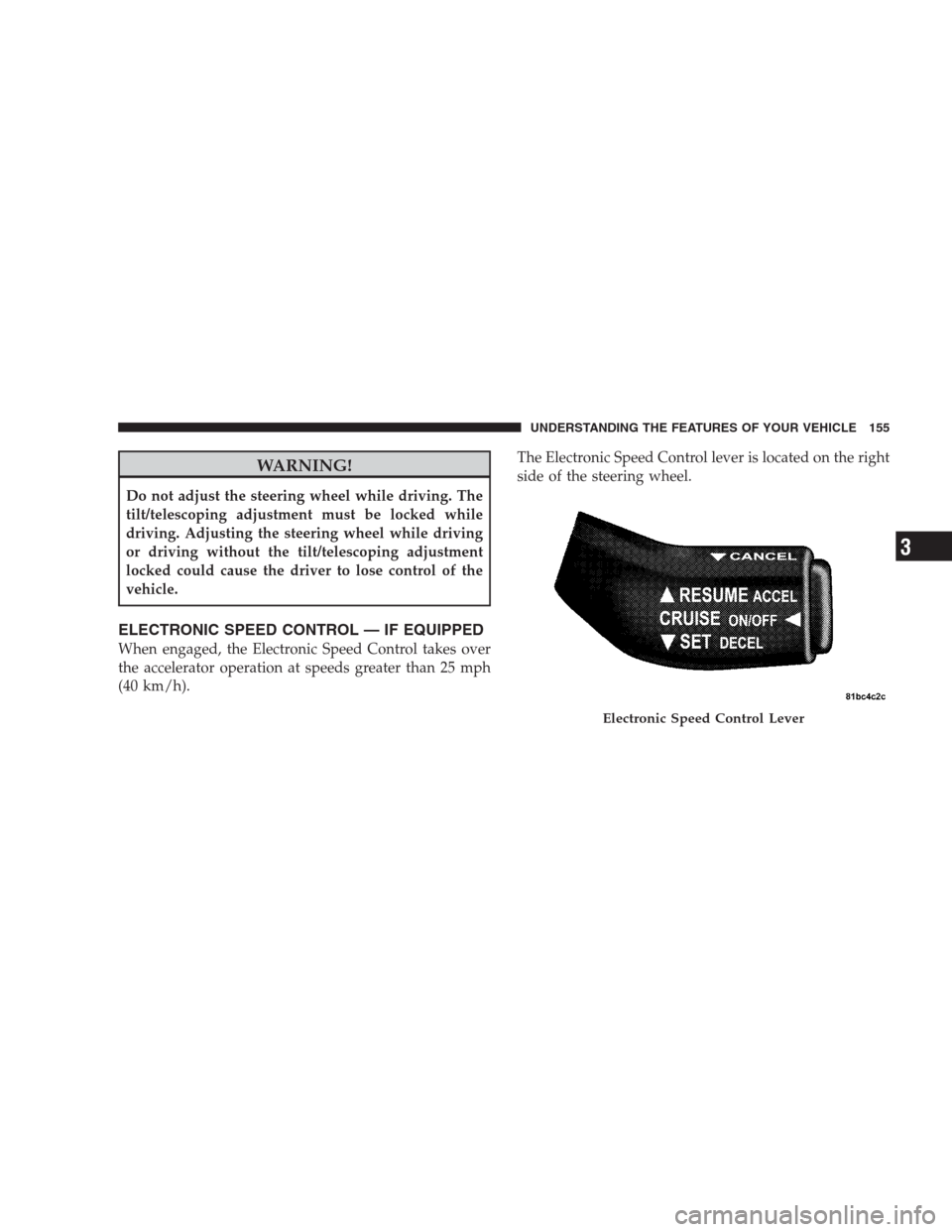
ELECTRONIC SPEED CONTROL — IF EQUIPPED
When engaged, the Electronic Speed Control takes over
the accelerator operation at speeds greater than 25 mph
(40 km/h).The Electronic Speed Control lever is located on the right
side of the steering wheel.
Electronic Speed Control Lever
UNDERSTANDING THE FEATURES OF YOUR VEHICLE 155
3
Page 250 of 475
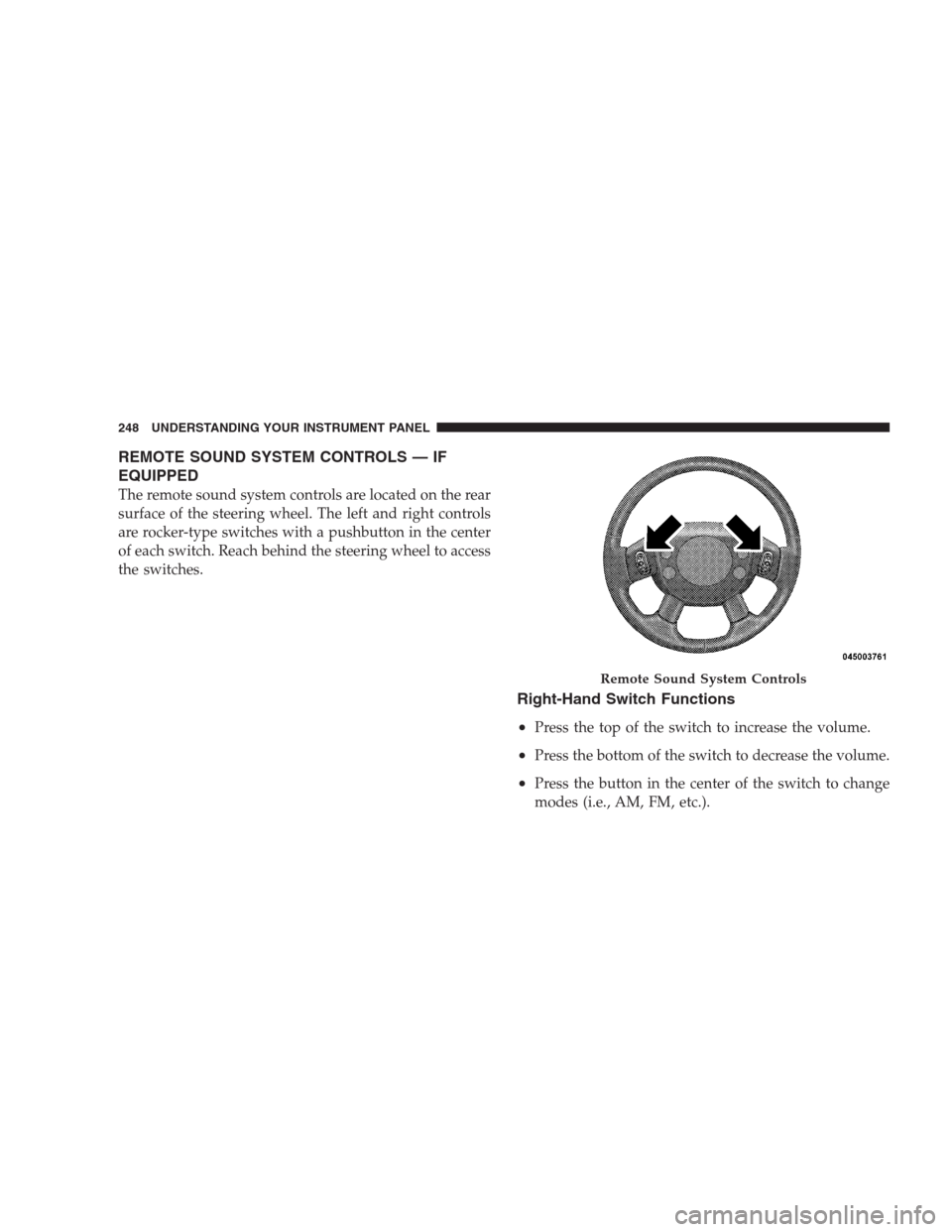
REMOTE SOUND SYSTEM CONTROLS — IF
EQUIPPED
The remote sound system controls are located on the rear
surface of the steering wheel. The left and right controls
are rocker-type switches with a pushbutton in the center
of each switch. Reach behind the steering wheel to access
the switches.
Right-Hand Switch Functions
•
Press the top of the switch to increase the volume.
•Press the bottom of the switch to decrease the volume.
•Press the button in the center of the switch to change
modes (i.e., AM, FM, etc.).
Remote Sound System Controls
248 UNDERSTANDING YOUR INSTRUMENT PANEL