Page 206 of 493
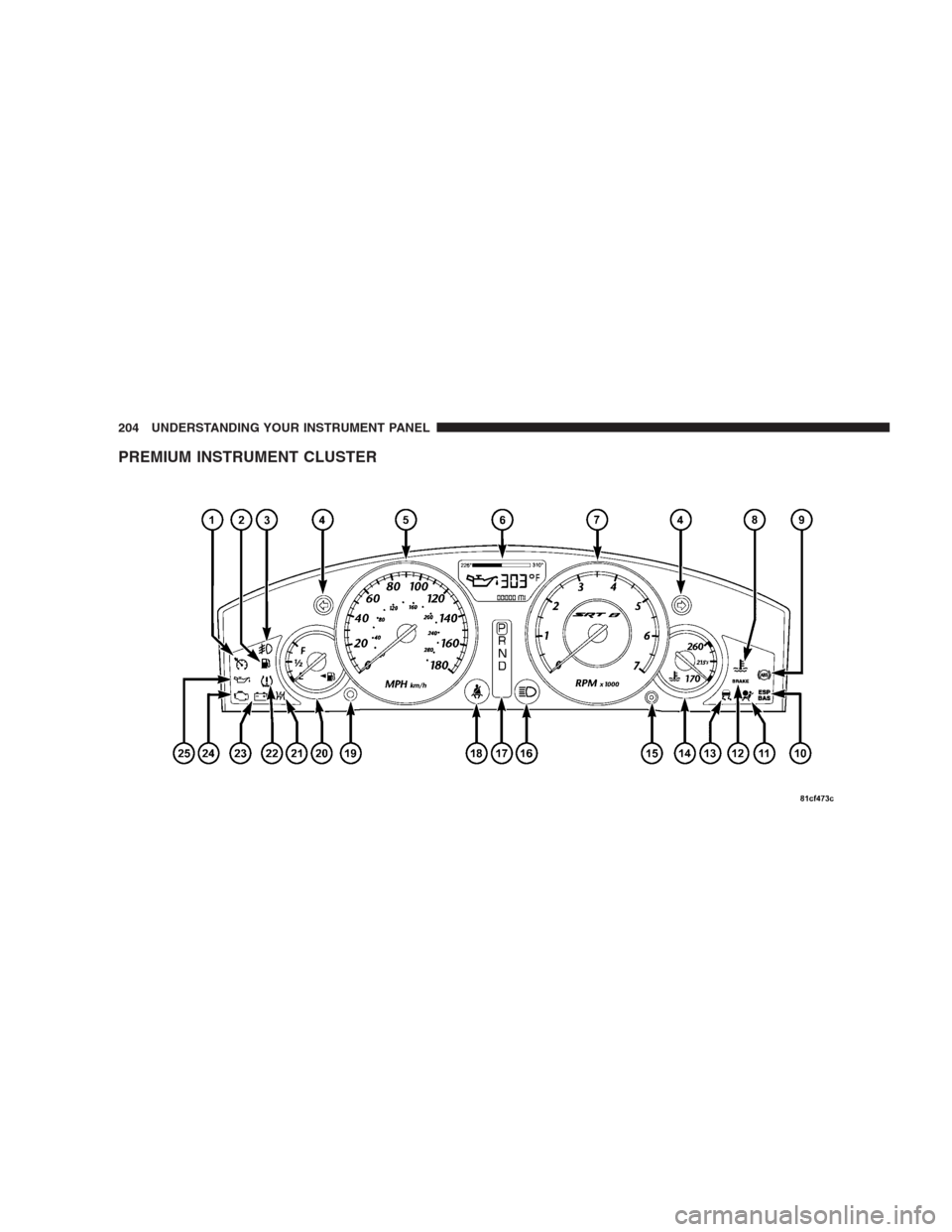
PREMIUM INSTRUMENT CLUSTER
204 UNDERSTANDING YOUR INSTRUMENT PANEL
Page 207 of 493
INSTRUMENT CLUSTER DESCRIPTIONS
1. Electronic Speed Control / Adaptive Cruise Control
(ACC) Indicator Light — If Equipped
This light will turn on when the electronic
speed control or Adaptive Cruise Control
(ACC) is ON.
2. Low Fuel Indicator Light
This light will turn on and a single chime will
sound when the fuel level drops to 1/8 tank.
3. Front Fog Light Indicator
This light will turn on when the front fog lights are
ON.
4. Turn Signal Indicators
The arrow will flash with the exterior turn signal
when the turn signal lever is operated.NOTE:•A continuous chime will sound if the vehicle is driven
more than 1 mile (1.6 km) with either turn signal on.
•Check for an inoperative outside light bulb if either
indicator flashes at a rapid rate.
5. Speedometer
Indicates vehicle speed.
6. Electronic Vehicle Information Center (EVIC)
Display
This display shows the Electronic Vehicle Information
Center (EVIC) messages when the appropriate conditions
exist.
Loose Fuel Filler Cap Message
If the vehicle diagnostic system determines that the fuel
filler cap is loose, improperly installed, or damaged, a
“Check Gascap” message will display in the EVIC.
Tighten the fuel filler cap properly and press the TRIP
UNDERSTANDING YOUR INSTRUMENT PANEL 205
4
Page 216 of 493
The MIL flashes to alert you to serious conditions that
could lead to immediate loss of power or severe catalytic
converter damage. The vehicle should be serviced as
soon as possible if this occurs.
25. Oil Pressure Warning Light
This light indicates low engine oil pressure. The
light should turn on momentarily when the engine
is started. If the light turns on while driving, stop the
vehicle, and shut OFF the engine as soon as possible. A
single chime will sound when this light turns on.
Do not operate the vehicle until the cause is corrected.
This light does not show how much oil is in the engine.
The engine oil level must be checked using the procedure
shown in Section 7.ELECTRONIC VEHICLE INFORMATION CENTER
(EVIC)
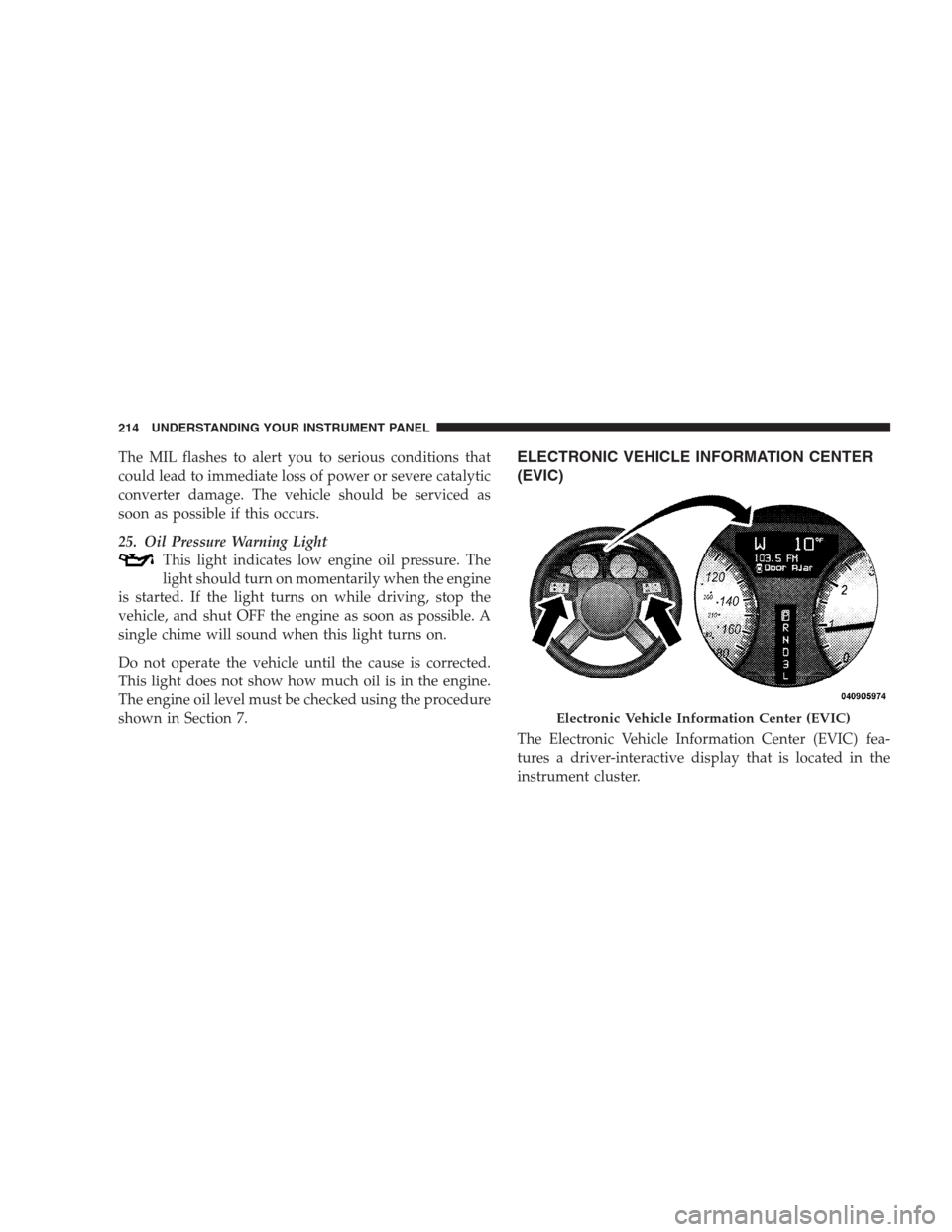
The Electronic Vehicle Information Center (EVIC) fea-
tures a driver-interactive display that is located in the
instrument cluster.
Electronic Vehicle Information Center (EVIC)
214 UNDERSTANDING YOUR INSTRUMENT PANEL
Page 226 of 493
Braking Distance
When selected, this screen displays the vehicle’s braking
distance and the speed at which the brake pedal was
depressed.
•This feature will only function when applying the
brakes at speeds above 30 mph (48 km/h).
•Engaging the parking brake will disable this feature.
•The word “READY” will flash when conditions are
met for the event to begin.
•The distance and speed measurements display while
the event is taking place.
•The distance measurement will be aborted if the brake
pedal is released before the vehicle comes to a com-
plete stop.
•The distance and speed measurements will continue to
display until the FUNCTION SELECT button is
pressed.
•Pressing the FUNCTION SELECT button will clear the
current run and prepare the cluster to record a new
run.
1/8 Mile, 1/4 Mile
When selected, this screen displays the time it takes the
vehicle to travel 1/8 mile (1/4 mile) within 30 seconds
and the vehicle’s speed when it reaches 1/8 mile (1/
4 mile).
•The feature will “ready” when the vehicle is at 0 mph
(0 km/h). The word “READY” will flash when condi-
tions are met for the event to begin.
•Dashes will display if the vehicle fails to reach
1/8 mile (1/4 mile) in less then 30 seconds.
224 UNDERSTANDING YOUR INSTRUMENT PANEL
Page 293 of 493
REMOTE SOUND SYSTEM CONTROLS — IF
EQUIPPED
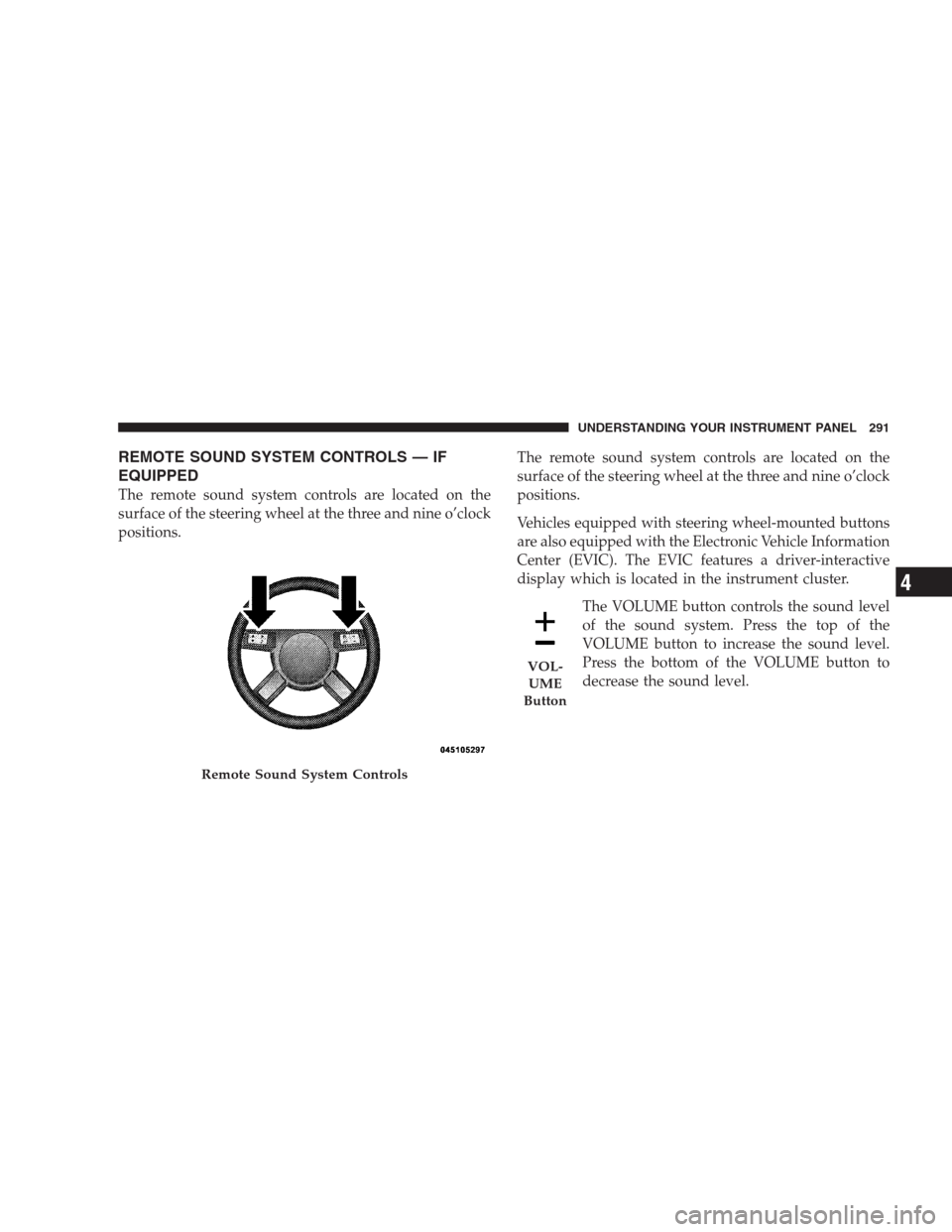
The remote sound system controls are located on the
surface of the steering wheel at the three and nine o’clock
positions.The remote sound system controls are located on the
surface of the steering wheel at the three and nine o’clock
positions.
Vehicles equipped with steering wheel-mounted buttons
are also equipped with the Electronic Vehicle Information
Center (EVIC). The EVIC features a driver-interactive
display which is located in the instrument cluster.
The VOLUME button controls the sound level
of the sound system. Press the top of the
VOLUME button to increase the sound level.
Press the bottom of the VOLUME button to
decrease the sound level.
Remote Sound System Controls
VOL-
UME
Button
UNDERSTANDING YOUR INSTRUMENT PANEL 291
4
Page 311 of 493
To reinstall the button, position it with its lettering
oriented horizontal and readable. Gently insert the but-
ton into the receptacle by pressing on the center of the
button. If the button slips in easily, it has been installed
correctly. Press firmly on the center of the button to seat
the button into the receptacle.
The ENGINE START/STOP button should only be re-
moved or inserted with the ignition in the OFF position.
Keyless Go Functions — With Driver ’s Foot Off
The Brake Pedal (In PARK Position)
•
Press the ENGINE START/STOP buttononce (ACC
position)to activate the radio, wipers, and windows.
•Press the ENGINE START/STOP buttontwice (ON
position)to activate the heating/air conditioning
(HVAC) controls, and the instrument cluster.
•Press the ENGINE START/STOP buttonthree times
(OFF position)to turn off the ignition switch.
Normal Starting
Using The ENGINE START/STOP Button
NOTE:Normal starting of either a cold or a warm
engine is obtained without pumping or depressing the
accelerator pedal.
To start the engine, the transmission must be in PARK or
NEUTRAL. From any ignition state, press and hold the
brake pedal while pressing the ENGINE START/STOP
button. The system takes over and attempts to start the
vehicle. If the vehicle fails to start, the starter will
disengage automatically after 10 seconds. If you wish to
stop the cranking of the engine prior to the engine
starting, press the button again.
STARTING AND OPERATING 309
5
Page 323 of 493
Have the transmission checked at your authorized dealer
as soon as possible.
If the problem has been momentary, the transmission can
be reset to regain all forward gears.
Permanent Transmission Limp Home Mode
Permanent Limp Home Mode will be activated if the
transmission enters temporary Limp Home Mode three
times. Follow the reset procedure described under “Tem-
porary Transmission Limp Home Mode” in this section.
In Permanent Limp Home Mode, PARK, REVERSE, and
NEUTRAL will continue to operate. Second gear will
operate in the DRIVE position. The Malfunction Indicator
Light (MIL) may illuminate.
AUTOSTICK�
Autostick�is a driver-interactive transmission that offers
manual gear shifting to provide you with more control of
the vehicle. Autostick�allows you to maximize engine
braking, eliminate undesirable upshifts and downshifts,
and improve overall vehicle performance. This system
can also provide you with more control during passing,
city driving, cold slippery conditions, mountain driving,
trailer towing, and many other situations.
Autostick�Operation
By placing the shift lever in the DRIVE position, it can be
moved from side to side. This allows the driver to select
a higher or lower range of gears. Moving the shift lever to
the left (-) triggers a downshift and to the right (+) an
upshift. The gear position will display in the instrument
cluster on the transmission range indicator.
STARTING AND OPERATING 321
5
Page 330 of 493
PARK. As an added precaution, turn the front wheels
toward the curb on a downhill grade and away from the
curb on an uphill grade.
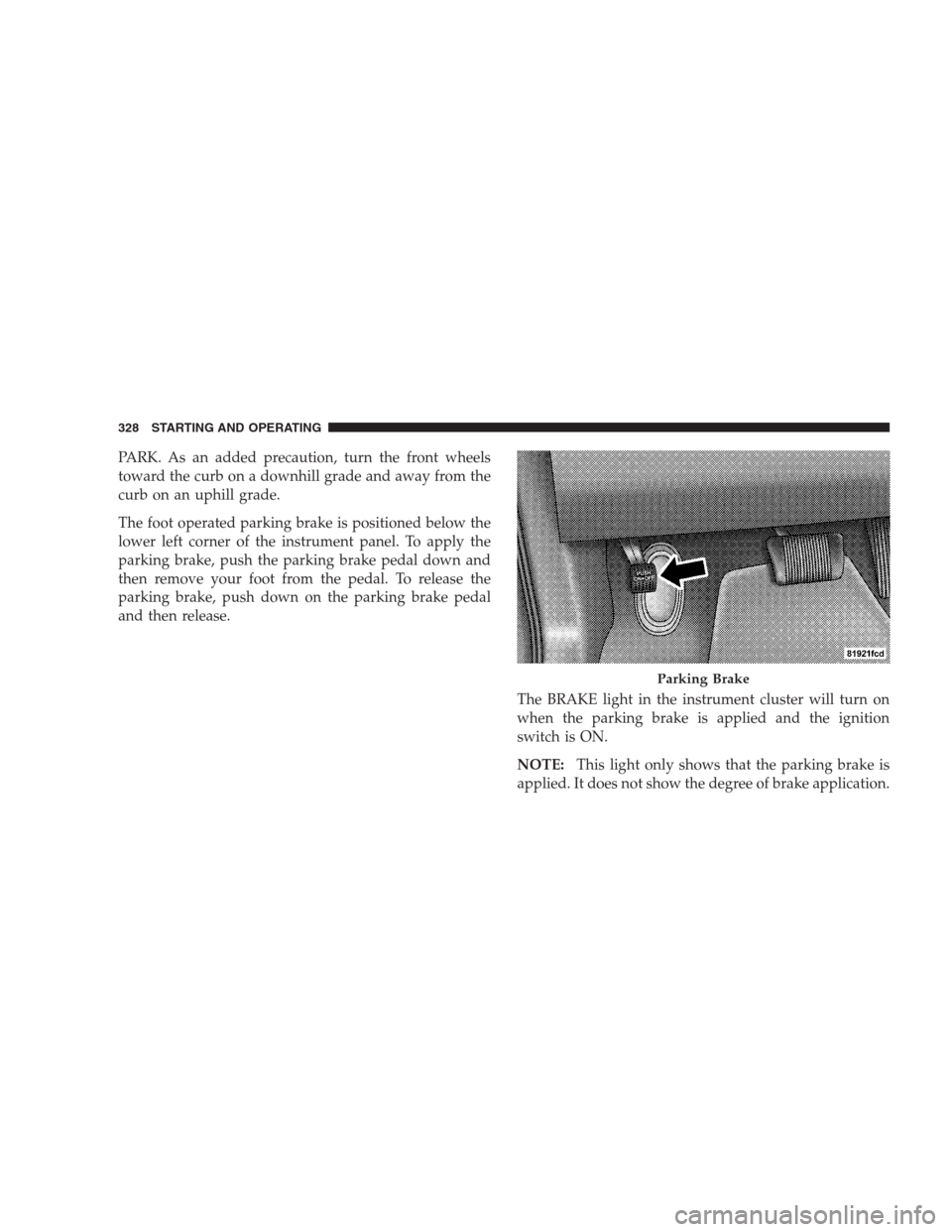
The foot operated parking brake is positioned below the
lower left corner of the instrument panel. To apply the
parking brake, push the parking brake pedal down and
then remove your foot from the pedal. To release the
parking brake, push down on the parking brake pedal
and then release.
The BRAKE light in the instrument cluster will turn on
when the parking brake is applied and the ignition
switch is ON.
NOTE:This light only shows that the parking brake is
applied. It does not show the degree of brake application.
Parking Brake
328 STARTING AND OPERATING