Page 149 of 526
•Low Temperature Wipe Inhibit— The rain sensing
feature will not operate when the ignition is first
switched ON, and the vehicle is stationary, and the
outside temperature is below 32°F (0°C), unless the
wiper control on the multifunction lever is moved, or
the vehicle speed becomes greater than 0 mph
(0 km/h), or the outside temperature rises above
freezing.
•Neutral Wipe Inhibit— The rain sensing feature will
not operate when the ignition is ON, and the trans-
mission shift lever is in the NEUTRAL position, and
the vehicle speed is less than 5 mph (8 km/h), unless
the wiper control on the multifunction lever is moved
or the shift lever is moved out of the NEUTRAL
position.
TILT/TELESCOPING STEERING COLUMN
This feature allows you to tilt the steering column
upward or downward. It also allows you to lengthen orshorten the steering column. The tilt/telescoping control
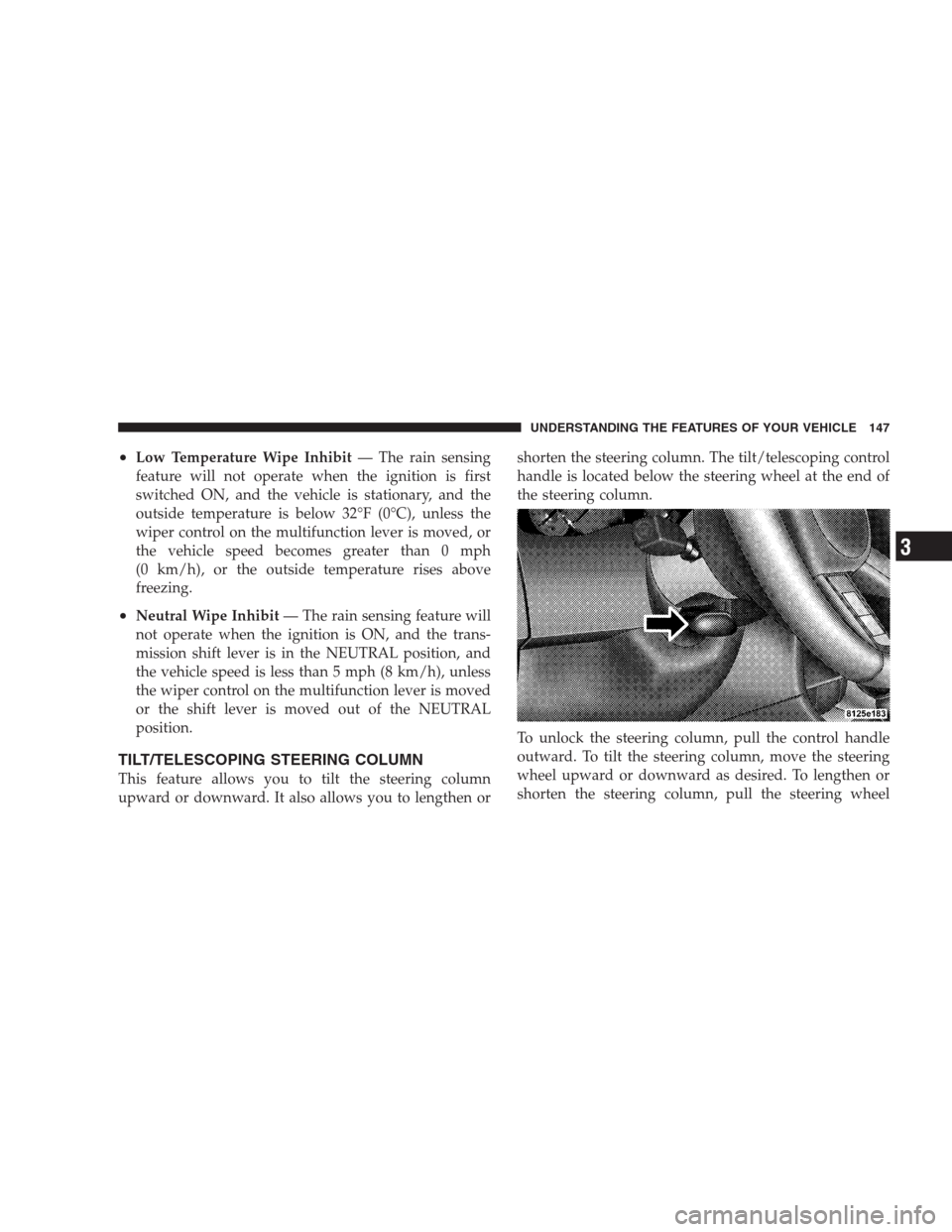
handle is located below the steering wheel at the end of
the steering column.
To unlock the steering column, pull the control handle
outward. To tilt the steering column, move the steering
wheel upward or downward as desired. To lengthen or
shorten the steering column, pull the steering wheel
UNDERSTANDING THE FEATURES OF YOUR VEHICLE 147
3
Page 150 of 526
outward or push it inward as desired. To lock the steering
column in position, push the control handle inward until
fully engaged.
WARNING!
Do not adjust the steering wheel while driving. The
telescoping adjustment must be locked while driv-
ing. Adjusting the steering wheel while driving or
driving without the telescoping adjustment locked
could cause the driver to lose control of the vehicle.
POWER TILT/TELESCOPING STEERING COLUMN
— IF EQUIPPED
This feature allows you to tilt the steering column
upward or downward. It also allows you to lengthen or
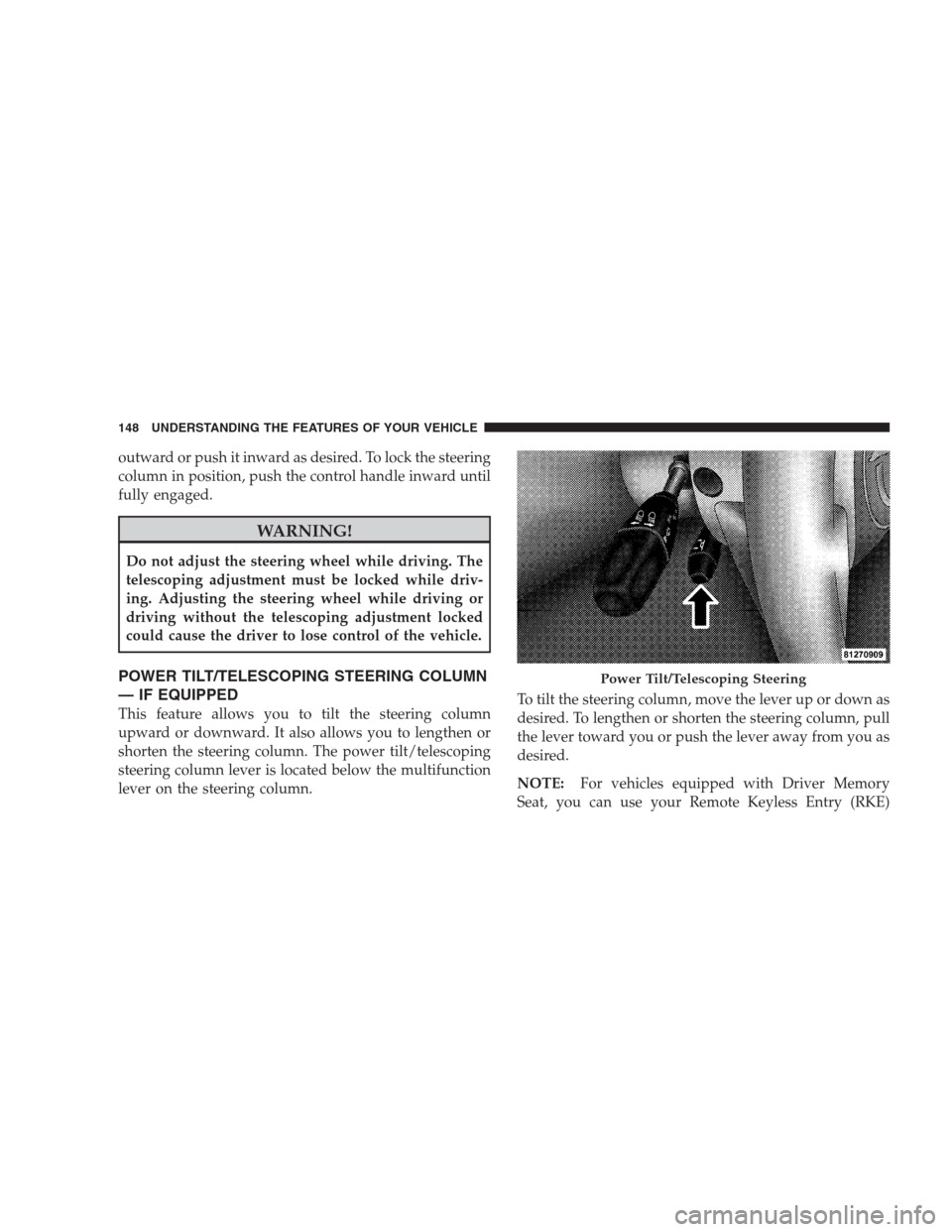
shorten the steering column. The power tilt/telescoping
steering column lever is located below the multifunction
lever on the steering column.To tilt the steering column, move the lever up or down as
desired. To lengthen or shorten the steering column, pull
the lever toward you or push the lever away from you as
desired.
NOTE:For vehicles equipped with Driver Memory
Seat, you can use your Remote Keyless Entry (RKE)
Power Tilt/Telescoping Steering
148 UNDERSTANDING THE FEATURES OF YOUR VEHICLE
Page 151 of 526
transmitter or the memory switch on the driver’s door
trim panel to return the tilt/telescopic steering column to
pre-programmed positions. Refer to “Driver Memory
Seat” in this section.
WARNING!
Moving the steering column while the vehicle is
moving is dangerous. Without a stable steering col-
umn, you could lose control of the vehicle and have
an accident. Adjust the column only while the ve-
hicle is stopped.
ADJUSTABLE PEDALS — IF EQUIPPED
The adjustable pedals system is designed to allow a
greater range of driver comfort for steering wheel tilt and
seat position. This feature allows both the brake and
accelerator pedal to move toward or away from the
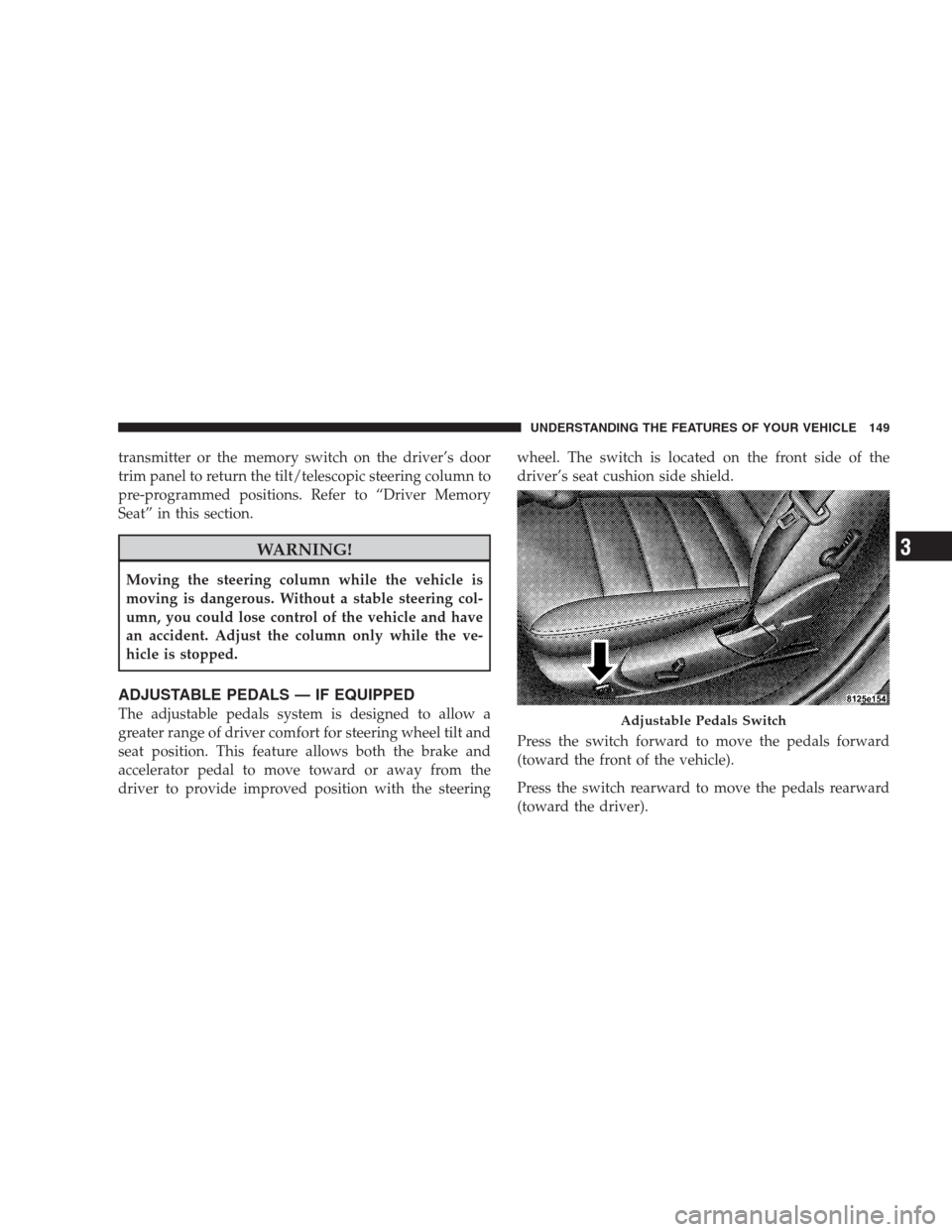
driver to provide improved position with the steeringwheel. The switch is located on the front side of the
driver’s seat cushion side shield.
Press the switch forward to move the pedals forward
(toward the front of the vehicle).
Press the switch rearward to move the pedals rearward
(toward the driver).Adjustable Pedals Switch
UNDERSTANDING THE FEATURES OF YOUR VEHICLE 149
3
Page 152 of 526
•The pedals can be adjusted with the ignition OFF.
•The pedals can be adjusted while driving.
•The pedalscannotbe adjusted when the vehicle is in
REVERSE or when the Electronic Speed Control is on.
One of the following messages will display in the
Electronic Vehicle Information Center (EVIC) (if
equipped) if a pedal adjustment is attempted when the
system is locked out: “Adjustable Pedal Disabled —
Cruise Control Engaged” or “Adjustable Pedal Dis-
abled — Vehicle In Reverse.”
NOTE:For vehicles equipped with Driver Memory
Seat, you can use your Remote Keyless Entry (RKE)
transmitter or the memory switch on the driver’s door
trim panel to return the adjustable pedals to pre-
programmed positions. Refer to “Driver Memory Seat”
in this section.
CAUTION!
Do not place any article under the adjustable pedals
or impede its ability to move as it may cause damage
to the pedal controls. Pedal travel may become lim-
ited if movement is stopped by an obstruction in the
adjustable pedal’s path.
ELECTRONIC SPEED CONTROL
When engaged, Electronic Speed Control takes over the
accelerator operation at speeds greater than 25 mph
(40 km/h).
The Electronic Speed Control lever located on the right
side of the steering wheel operates the system.
150 UNDERSTANDING THE FEATURES OF YOUR VEHICLE
Page 154 of 526
To Set At A Desired Speed
When the vehicle reaches the speed desired, push the
lever downward to SET DECEL and release. Remove
your foot from the accelerator pedal and the vehicle will
operate at the selected speed.
NOTE:
•Electronic Speed Control will only function in 3rd, 4th,
or 5th gear when in the Autostick�mode (if
equipped).
•The Electronic Speed Control may not engage if a
different size tire is installed on one wheel, such as the
compact spare tire.
To Deactivate
The system will disable Electronic Speed Control without
erasing the memory if you:
•Softly tap the brake pedal,
•Depress the brake pedal, or
•Pull the Electronic Speed Control lever toward you to
CANCEL.
Pushing and releasing the ON/OFF button or turning off
the ignition erases the set speed from memory.
To Resume Speed
If you deactivated the Electronic Speed Control without
erasing the set speed from memory and your vehicle
speed is above 20 mph (32 km/h) you can resume the
previous set speed. To do so, push the lever upward to
RESUME ACCEL and release. Then remove your foot
from the accelerator pedal.
To Vary the Speed Setting
When the Electronic Speed Control is set, you can in-
crease speed by pushing up and holding the Electronic
Speed Control lever in RESUME ACCEL. When the
Electronic Speed Control lever is released, a new set
speed will be established.
152 UNDERSTANDING THE FEATURES OF YOUR VEHICLE
Page 158 of 526
WARNING!
You should switch off the ACC system:
•When driving in fog, heavy rain, heavy snow,
sleet, heavy traffic, and complex driving situations
(i.e., in highway construction zones).
•When entering a turn lane or highway off ramp;
when driving on roads that are winding, icy,
snow-covered, slippery, or have steep uphill or
downhill slopes; and when towing a trailer.
•When circumstances do not allow safe driving at a
constant speed.
Failure to follow these warnings can result in an
accident or serious personal injury.The Cruise Control system has two control modes.
•Adaptive cruise control mode for maintaining an
appropriate distance between vehicles.
•Normal (fixed speed) cruise control mode for cruising
at a constant preset speed. For additional information,
refer to “Normal (Fixed Speed) Cruise Control Mode”
in this section. Note: The system will not react to
preceding vehicles. Always be aware of the mode
selected.
You can change the mode by using the control lever. The
two control modes function differently. Always confirm
which mode is selected.
Adaptive Cruise Control (ACC) Operation
The speed control lever (located on the right side of the
steering wheel) operates the ACC system.
156 UNDERSTANDING THE FEATURES OF YOUR VEHICLE
Page 166 of 526
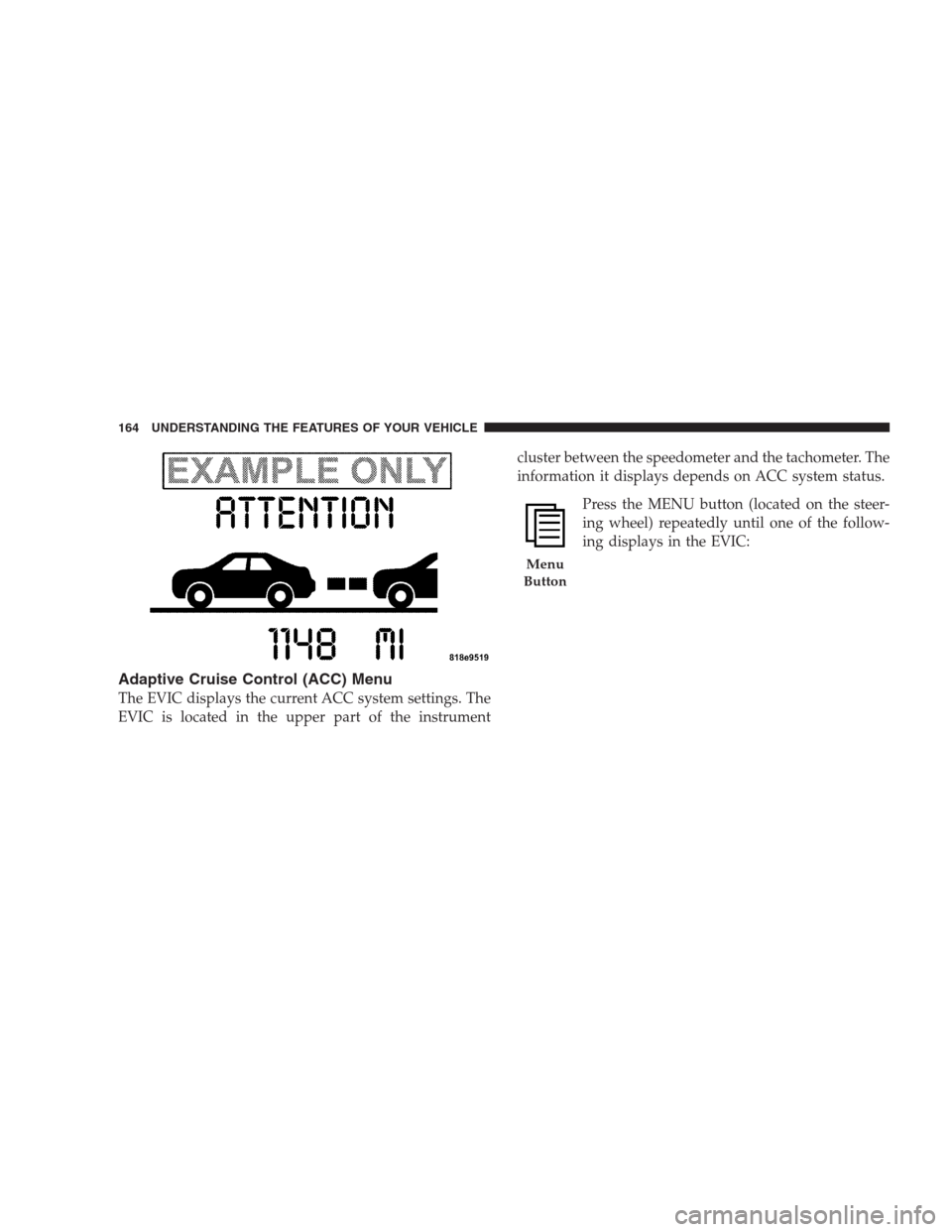
Adaptive Cruise Control (ACC) Menu
The EVIC displays the current ACC system settings. The
EVIC is located in the upper part of the instrumentcluster between the speedometer and the tachometer. The
information it displays depends on ACC system status.
Press the MENU button (located on the steer-
ing wheel) repeatedly until one of the follow-
ing displays in the EVIC:
Menu
Button
164 UNDERSTANDING THE FEATURES OF YOUR VEHICLE
Page 203 of 526
UNDERSTANDING YOUR INSTRUMENT PANEL
CONTENTS
�Instrument Panel Features............... 205
�Instrument Cluster — Base............... 206
�Instrument Cluster — Premium........... 207
�Instrument Cluster Descriptions........... 208
�Electronic Vehicle Information Center (EVIC)
— If Equipped........................ 220
▫Electronic Vehicle Information Center (EVIC)
Displays........................... 222
▫Oil Change Required.................. 225
▫Trip Functions...................... 226▫Automatic All Wheel Drive (AWD) Displays
— If Equipped...................... 228
▫Compass Display.................... 229
▫Driver-Selectable Surround Sound (DSS)
– If Equipped....................... 231
▫uconnect�gps (Navigation) — If Equipped . . 232
▫Personal Settings (Customer-Programmable
Features).......................... 232
�Setting The Analog Clock................ 2374