Page 211 of 526

reading is changed because of repair or replacement, be
sure to keep a record of the reading before and after the
service so that the correct mileage can be determined.
Rear Wheel Drive (RWD) / All Wheel Drive (AWD)
Displays (Base Cluster)
On vehicles equipped with a Base Instrument Cluster, the
odometer will display “2drivE” when the vehicle is in
Rear Wheel Drive (RWD), and “4drivE” when All Wheel
Drive (AWD) is activated.
If the odometer displays the “tCASE” warning message
after engine start up, or during driving, the AWD system
is not functioning properly and service is required.
NOTE:Vehicles equipped with Electronic Vehicle Infor-
mation Center (EVIC) will display “ALL WHEEL
DRIVE” and “REAR WHEEL DRIVE” when the appro-
priate condition exists. The EVIC will display “SERVICE
AWD SYSTEM” if the system is not functioning properlyand service is required. Refer to “Electronic Vehicle
Information Center (EVIC)” in this section for more
information.
Change Oil Message (Base Cluster)
Your vehicle is equipped with an engine oil change
indicator system. The “Change Oil” message will flash in
the instrument cluster odometer for approximately
12 seconds after a single chime has sounded to indicate
the next scheduled oil change interval. The engine oil
change indicator system is duty cycle based, which
means the engine oil change interval may fluctuate
dependent upon your personal driving style.
Unless reset, this message will continue to display each
time you turn the ignition switch to the ON position. To
turn off the message temporarily, press and release the
TRIP ODOMETER button on the instrument cluster. To
UNDERSTANDING YOUR INSTRUMENT PANEL 209
4
Page 217 of 526
WARNING!
A hot engine cooling system is dangerous. You or
others could be badly burned by steam or boiling
coolant. You may want to call a service center if your
vehicle overheats. If you decide to look under the
hood yourself, refer to Section 7 and follow the
warnings under the Cooling System Pressure Cap
paragraph.
15. Trip Odometer Button
Trip Odometer Button — Base Cluster
The word�TRIP�will appear when this button is pressed.
Push in and hold the button for two seconds when the
trip odometer displays to reset it to 0 miles (km). A
second press of the button will display the outside
temperature in the odometer.Trip Odometer Button — Premium Cluster
Press this button to change the display from odometer to
either of two trip odometer settings. The letter “A” or “B”
will appear when in the trip odometer mode. Push in and
hold the button for two seconds to reset the trip odometer
to 0 miles (km). The odometer must be in TRIP mode to
reset it.
16. High Beam Light
This light will turn on when the high beam
headlights are ON. Push the multifunction lever
away from the steering wheel to switch the headlights to
high beam.
17. Shift Lever Indicator
This indicator shows the automatic transmission shift
lever selection.
UNDERSTANDING YOUR INSTRUMENT PANEL 215
4
Page 220 of 526
When the malfunction indicator is illuminated, the sys-
tem may not be able to detect or signal low tire pressure
as intended. TPMS malfunctions may occur for a variety
of reasons, including the installation of replacement or
alternate tires or wheels on the vehicle that prevent the
TPMS from functioning properly. Always check the
TPMS malfunction telltale after replacing one or more
tires or wheels on your vehicle to ensure that the replace-
ment or alternate tires and wheels allow the TPMS to
continue to function properly.CAUTION!
The TPMS has been optimized for the original
equipment tires and wheels. TPMS pressures and
warning have been established for the tire size
equipped on your vehicle. Undesirable system opera-
tion or sensor damage may result when using re-
placement equipment that is not of the same size,
type, and/or style. Aftermarket wheels can cause
sensor damage. Do not use aftermarket tire sealants
or balance beads if your vehicle is equipped with a
TPMS, as damage to the sensors may result.
23. Charging System Light
This light shows the status of the electrical charg-
ing system. The light should come on when the
ignition switch is first turned ON and remain on briefly
as a bulb check. If the light stays on or comes on while
driving, turn off some of the vehicle’s non-essential
218 UNDERSTANDING YOUR INSTRUMENT PANEL
Page 222 of 526
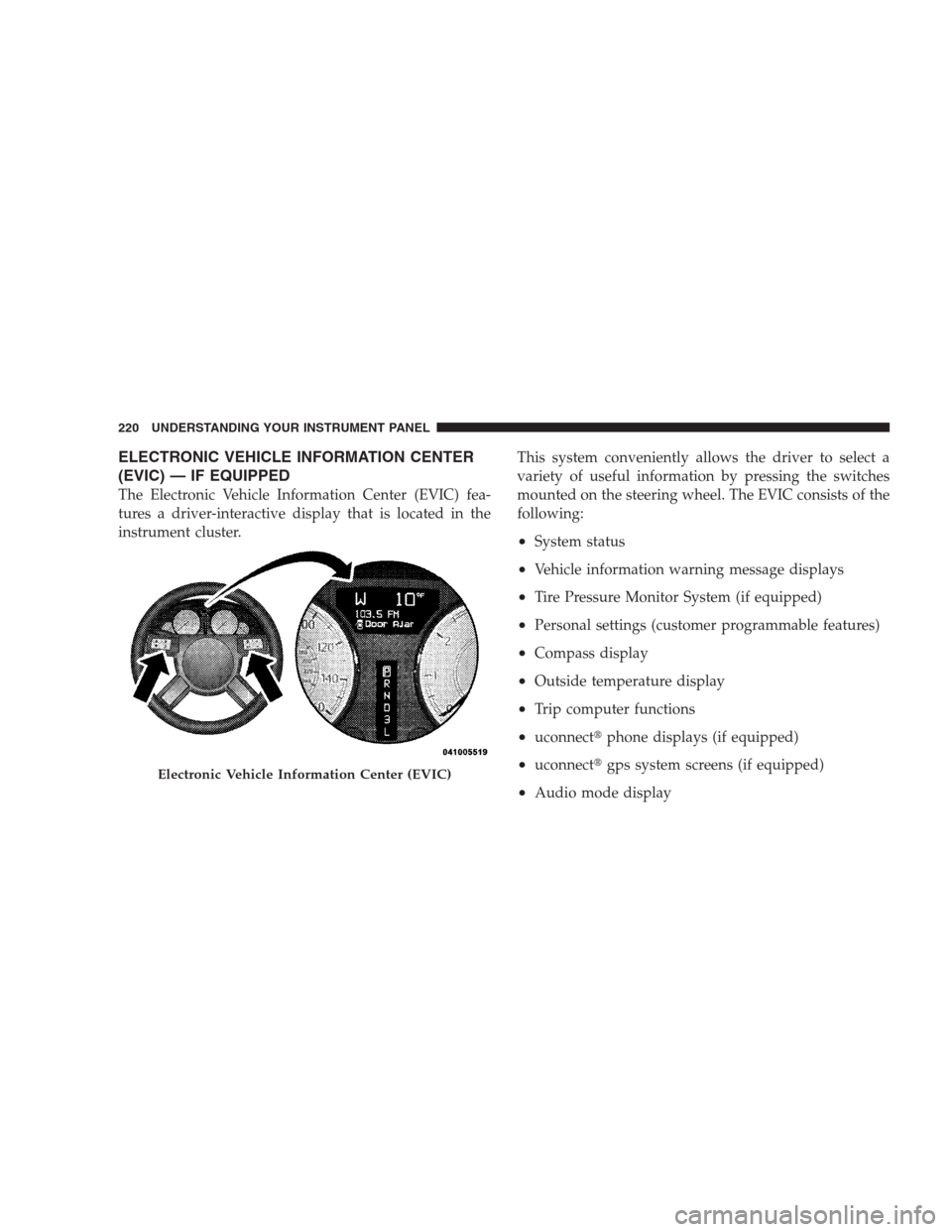
ELECTRONIC VEHICLE INFORMATION CENTER
(EVIC) — IF EQUIPPED
The Electronic Vehicle Information Center (EVIC) fea-
tures a driver-interactive display that is located in the
instrument cluster.This system conveniently allows the driver to select a
variety of useful information by pressing the switches
mounted on the steering wheel. The EVIC consists of the
following:
•System status
•Vehicle information warning message displays
•Tire Pressure Monitor System (if equipped)
•Personal settings (customer programmable features)
•Compass display
•Outside temperature display
•Trip computer functions
•uconnect�phone displays (if equipped)
•uconnect�gps system screens (if equipped)
•Audio mode display
Electronic Vehicle Information Center (EVIC)
220 UNDERSTANDING YOUR INSTRUMENT PANEL
Page 223 of 526
![CHRYSLER 300 2009 1.G Owners Manual •Surround Sound Modes (If Equipped with Driver-
Selectable Surround [DSS])
The system allows the driver to select information by
pressing the following buttons mounted on the steering
wheel.
Press a](/manual-img/25/8416/w960_8416-222.png "CHRYSLER 300 2009 1.G Owners Manual •Surround Sound Modes (If Equipped with Driver-
Selectable Surround [DSS])
The system allows the driver to select information by
pressing the following buttons mounted on the steering
wheel.
Press a")
•Surround Sound Modes (If Equipped with Driver-
Selectable Surround [DSS])
The system allows the driver to select information by
pressing the following buttons mounted on the steering
wheel.
Press and release the MENU button and the
mode displayed will change between Trip
Functions, uconnect�gps (if equipped), System
Status, and Personal Settings.
Press the FUNCTION SELECT button to accept
a selection. The FUNCTION SELECT button
also functions as a remote sound system con-
trol. Refer to “Remote Sound System Controls”
in this section.Press the SCROLL button to scroll through Trip
Functions, uconnect�gps (if equipped), System
Status Messages, and Personal Settings
(Customer-Programmable Features). The
SCROLL button also functions as a remote
sound system control. Refer to “Remote Sound
System Controls” in this section.
Press the AUDIO MODE button to select the
Compass/Temp/Audio screen. Along with
compass reading and outside temperature, this
screen will display radio and media mode
information depending on which radio is in the
vehicle. Refer to “Remote Sound System Con-
trols” in this section.
MENU
Button
FUNC-
TION
SELECT
Button
SCROLL
Button
AUDIO
MODE
Button
UNDERSTANDING YOUR INSTRUMENT PANEL 221
4
Page 225 of 526
•SERVICE AWD SYSTEM — All Wheel Drive (AWD)
system is not functioning properly and service is
required.
•Normal Cruise Ready — When Adaptive Cruise Con-
trol (ACC) system is turned off and Normal (Fixed
Speed) Cruise Control mode is available. Refer to
“Adaptive Cruise Control (ACC)” in Section 3 (if
equipped).
•Cruise Off — When the Adaptive Cruise Control
(ACC) system is turned off. Refer to “Adaptive Cruise
Control (ACC)” in Section 3 (if equipped).
•ACC Ready — When the ACC system is activated.
Refer to “Adaptive Cruise Control (ACC)” in Section 3
(if equipped).
•ACC Set — After setting the desired speed in the ACC
system. Refer to “Adaptive Cruise Control (ACC)” in
Section 3 (if equipped).
•ACC Cancelled — To disable the ACC system. Refer to
“Adaptive Cruise Control (ACC)” in Section 3 (if
equipped).
•Sensed Vehicle Indicator — The system detects a
slower moving vehicle in the same lane. Refer to
“Adaptive Cruise Control (ACC)” in Section 3 (if
equipped).
•Driver Override — If you apply the accelerator after
setting the desired speed in the ACC system. Refer to
“Adaptive Cruise Control (ACC)” in Section 3 (if
equipped).
•Distance Set — After changing the desired following
distance in the ACC system, this message will display
momentarily. Refer to “Adaptive Cruise Control
(ACC)” in Section 3 (if equipped).
UNDERSTANDING YOUR INSTRUMENT PANEL 223
4
Page 230 of 526
To Reset The Display
Reset will only occur while a resettable function is being
displayed. Press and release the FUNCTION SELECT
button once to clear the resettable function being dis-
played. To reset all resettable functions, press and release
the FUNCTION SELECT button a second time within
three seconds of resetting the currently-displayed func-
tion. (Reset ALL will display during this three-second
window).
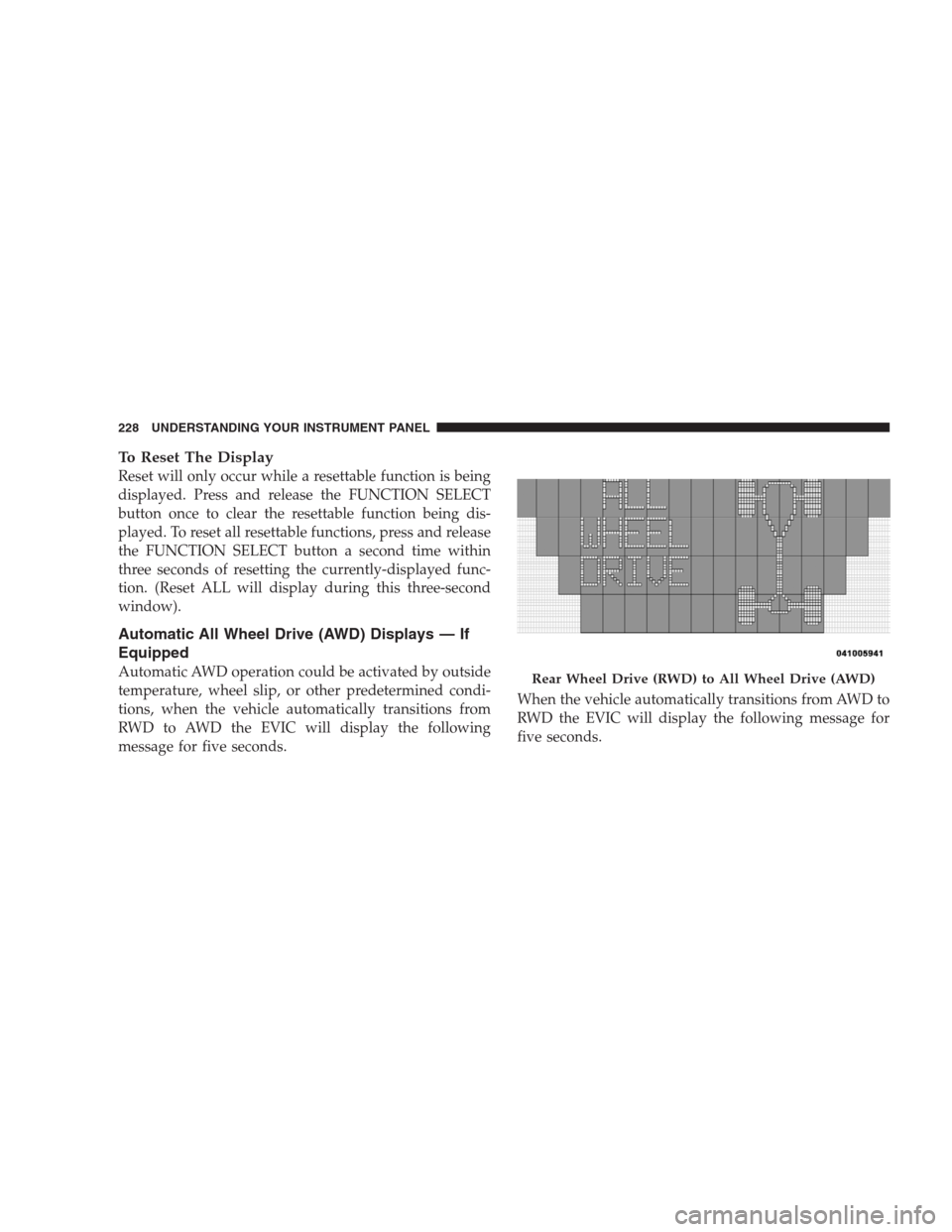
Automatic All Wheel Drive (AWD) Displays — If
Equipped
Automatic AWD operation could be activated by outside
temperature, wheel slip, or other predetermined condi-
tions, when the vehicle automatically transitions from
RWD to AWD the EVIC will display the following
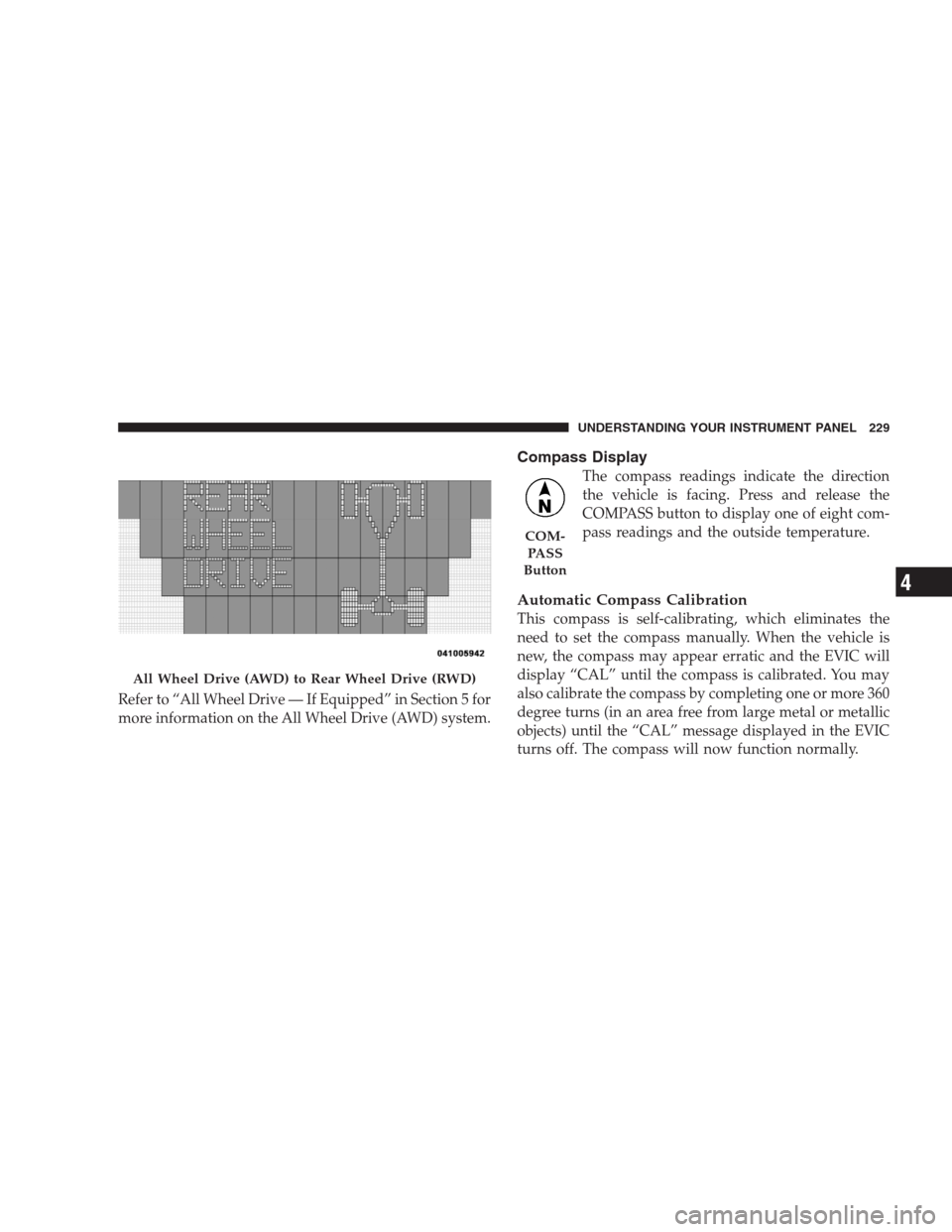
message for five seconds.When the vehicle automatically transitions from AWD to
RWD the EVIC will display the following message for
five seconds.Rear Wheel Drive (RWD) to All Wheel Drive (AWD)
228 UNDERSTANDING YOUR INSTRUMENT PANEL
Page 231 of 526
Refer to “All Wheel Drive — If Equipped” in Section 5 for
more information on the All Wheel Drive (AWD) system.
Compass Display
The compass readings indicate the direction
the vehicle is facing. Press and release the
COMPASS button to display one of eight com-
pass readings and the outside temperature.
Automatic Compass Calibration
This compass is self-calibrating, which eliminates the
need to set the compass manually. When the vehicle is
new, the compass may appear erratic and the EVIC will
display “CAL” until the compass is calibrated. You may
also calibrate the compass by completing one or more 360
degree turns (in an area free from large metal or metallic
objects) until the “CAL” message displayed in the EVIC
turns off. The compass will now function normally.
All Wheel Drive (AWD) to Rear Wheel Drive (RWD)
COM-
PA S S
Button
UNDERSTANDING YOUR INSTRUMENT PANEL 229
4