2009 CHEVROLET UPLANDER lock
[x] Cancel search: lockPage 253 of 464

CH Unauth:This channel is blocked or cannot be
received with your XM Subscription package.
CH Unavail:This previously assigned channel is no
longer assigned. Tune to another station. If this station
was one of the presets, choose another station for
that preset button.
No Info:No artist, song title, category, or text
information is available at this time on this channel. The
system is working properly.
Not Found:There are no channels available for the
selected category. The system is working properly.
XM Locked:The XM receiver in the vehicle may have
previously been in another vehicle. For security
purposes, XM receivers cannot be swapped between
vehicles. If this message is received after having
the vehicle serviced, check with your dealer/retailer.
Radio ID:If tuned to channel 0, this message will
alternate with the XM Radio 8 digit radio ID label. This
label is needed to activate the service.Unknown:If this message is received when tuned to
channel 0, there may be a receiver fault. Consult
with your dealer/retailer.
Chk XMRcvr:If this message does not clear within a
short period of time, the receiver may have a fault.
Consult with your dealer/retailer.
Rear Seat Entertainment (RSE)
System
Vehicles with an RSE system have a video display
screen, auxiliary inputs, two sets of wireless
headphones, a DVD player, and a remote control.
Before Driving
The RSE is designed for rear seat passengers only.
The driver cannot safely view the video screen
while driving and should not try to do so.
Normal operation could be limited under extremely low
or high temperatures in order to protect the system
from damage. Operate the RSE system under normal or
comfortable cabin temperature ranges.
3-93
Page 254 of 464
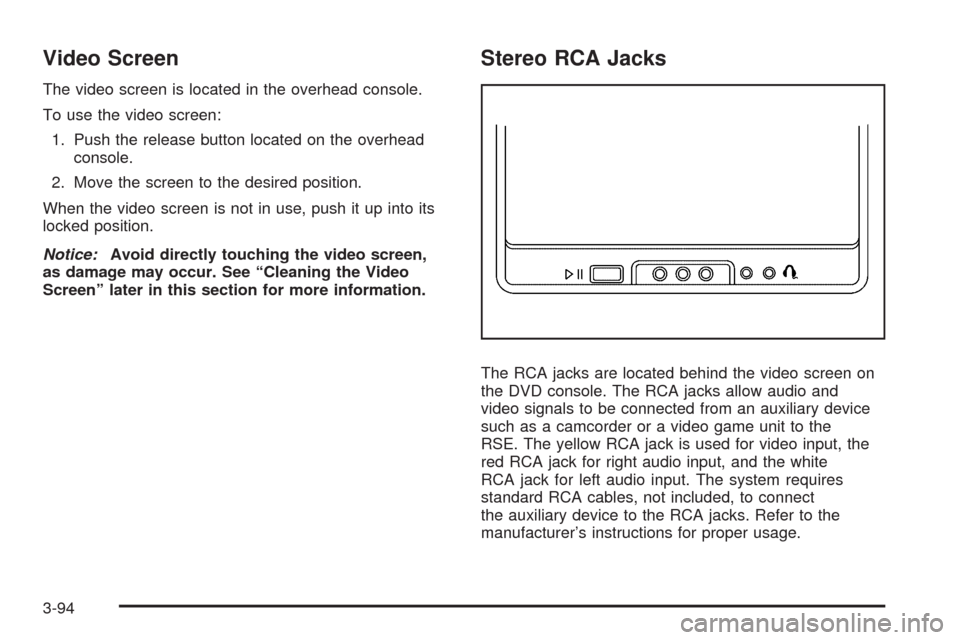
Video Screen
The video screen is located in the overhead console.
To use the video screen:
1. Push the release button located on the overhead
console.
2. Move the screen to the desired position.
When the video screen is not in use, push it up into its
locked position.
Notice:Avoid directly touching the video screen,
as damage may occur. See “Cleaning the Video
Screen” later in this section for more information.
Stereo RCA Jacks
The RCA jacks are located behind the video screen on
the DVD console. The RCA jacks allow audio and
video signals to be connected from an auxiliary device
such as a camcorder or a video game unit to the
RSE. The yellow RCA jack is used for video input, the
red RCA jack for right audio input, and the white
RCA jack for left audio input. The system requires
standard RCA cables, not included, to connect
the auxiliary device to the RCA jacks. Refer to the
manufacturer’s instructions for proper usage.
3-94
Page 260 of 464
Ejecting a Disc
When the disc is stopped presscYon the DVD
player faceplate to eject the disc. There is no eject
button on the remote control.
The DVD player reloads the disc after a short period
of time if the disc is ejected from the player and not
removed.
Remote Control
The RSE system includes a remote control (batteries
may be included with the remote control). To use the
remote control, aim it at the transmitter window next to
the RSE faceplate and press the desired button. Direct
sunlight or very bright light can affect the ability of the
transmitter to receive signals from the remote control. If
the remote control does not seem to be working, the
batteries may need to be replaced. See “Battery
Replacement” later in this section. Objects blocking the
line of sight will affect the function of the remote control.
Notice:Storing the remote control in a hot area or
in direct sunlight can damage it, and the repairs
will not be covered by your warranty. Storage
in extreme cold can weaken the batteries. Keep
the remote control stored in a cool, dry place.
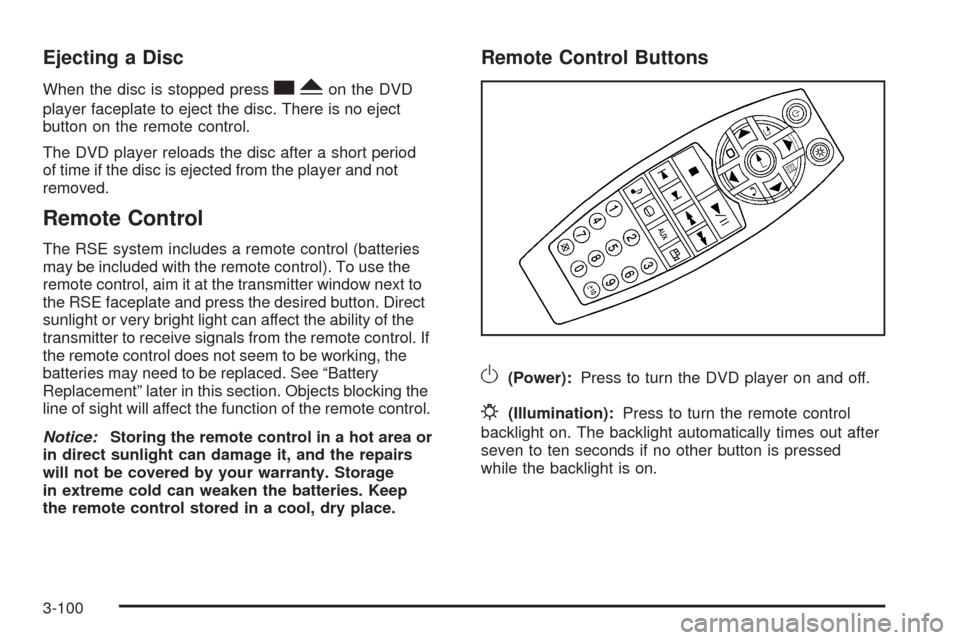
Remote Control Buttons
O(Power):Press to turn the DVD player on and off.
P(Illumination):Press to turn the remote control
backlight on. The backlight automatically times out after
seven to ten seconds if no other button is pressed
while the backlight is on.
3-100
Page 270 of 464

wj(Parental Control):This button is located behind
the video screen next to the auxiliary and headphone
jacks. Press
wjwhile using RSA, or when a DVD or CD
is playing to blank the video screen and to mute the
audio. The power indicator lights on the DVD player
ashes. The parental control also disables all other button
operations from the remote control and the DVD player,
except for the eject button. Press
wjagain to restore
operation of the RSA, DVD player, and remote control.
wjcan also be used to turn the DVD player power on
and automatically resume play if the vehicle is on and a
disc is in the player. If a disc is not in the player then the
system powers up in auxiliary mode.
Theft-Deterrent Feature
THEFTLOCK®is designed to discourage theft of the
vehicle’s radio by learning a portion of the Vehicle
Identication Number (VIN). The radio does not operate
and LOC, LOCK, or LOCKED displays if the radio is
stolen or moved to a different vehicle.
When the ignition is in the off position, a blinking red
light on the upper left side of the radio indicates
that THEFTLOCK
®is armed.
3-110
Page 275 of 464
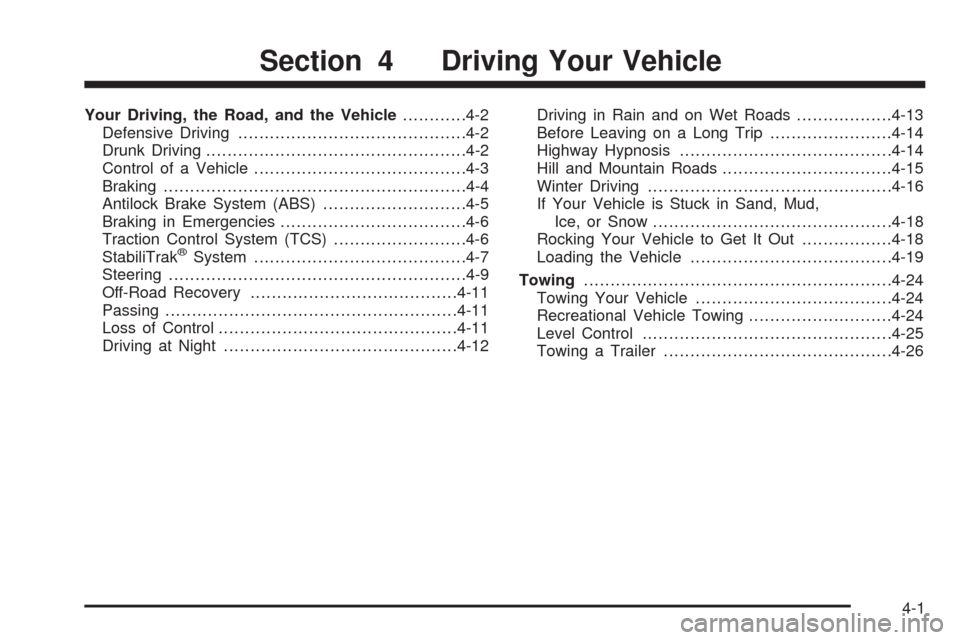
Your Driving, the Road, and the Vehicle............4-2
Defensive Driving...........................................4-2
Drunk Driving.................................................4-2
Control of a Vehicle........................................4-3
Braking.........................................................4-4
Antilock Brake System (ABS)...........................4-5
Braking in Emergencies...................................4-6
Traction Control System (TCS).........................4-6
StabiliTrak
®System........................................4-7
Steering........................................................4-9
Off-Road Recovery.......................................4-11
Passing.......................................................4-11
Loss of Control.............................................4-11
Driving at Night............................................4-12Driving in Rain and on Wet Roads..................4-13
Before Leaving on a Long Trip.......................4-14
Highway Hypnosis........................................4-14
Hill and Mountain Roads................................4-15
Winter Driving..............................................4-16
If Your Vehicle is Stuck in Sand, Mud,
Ice, or Snow.............................................4-18
Rocking Your Vehicle to Get It Out.................4-18
Loading the Vehicle......................................4-19
Towing..........................................................4-24
Towing Your Vehicle.....................................4-24
Recreational Vehicle Towing...........................4-24
Level Control...............................................4-25
Towing a Trailer...........................................4-26
Section 4 Driving Your Vehicle
4-1
Page 279 of 464

Antilock Brake System (ABS)
Your vehicle has the Antilock Brake System (ABS), an
advanced electronic braking system that will help
prevent a braking skid.
When you start the engine and begin to drive away,
ABS will check itself. You might hear a momentary
motor or clicking noise while this test is going on, and
you might even notice that the brake pedal moves
or pulses a little. This is normal.
If there is a problem with
ABS, this warning light will
stay on. SeeAntilock Brake
System (ABS) Warning
Light on page 3-36.Let us say the road is wet and you are driving safely.
Suddenly, an animal jumps out in front of you. You slam
on the brakes and continue braking. Here is what
happens with ABS:
A computer senses that the wheels are slowing down.
If one of the wheels is about to stop rolling, the computer
will separately work the brakes at each wheel.
ABS can change the brake pressure to each wheel, as
required, faster than any driver could. This can help
you steer around the obstacle while braking hard.
As you brake, the computer keeps receiving updates on
wheel speed and controls braking pressure accordingly.
Remember: ABS does not change the time you need to
get your foot up to the brake pedal or always decrease
stopping distance. If you get too close to the vehicle in
front of you, you will not have time to apply the brakes
if that vehicle suddenly slows or stops. Always leave
enough room up ahead to stop, even though you
have ABS.
4-5
Page 280 of 464

Using ABS
Do not pump the brakes. Just hold the brake pedal
down rmly and let antilock work for you. You might feel
a slight brake pedal pulsation or notice some noise,
but this is normal.
Braking in Emergencies
With ABS, you can steer and brake at the same time.
In many emergencies, steering can help you more than
even the very best braking.
Traction Control System (TCS)
Your vehicle may have a traction control system that
limits wheel spin. This is especially useful in slippery
road conditions. The system operates if it senses that
one or both of the front wheels are spinning or beginning
to lose traction. When this happens, the system
brakes the spinning wheel(s) and/or reduces engine
power to limit wheel spin.
The TRACTION CONTROL ACTIVE message will come
on in the Driver Information Center (DIC) when the
traction control system is limiting wheel spin. You may
feel or hear the system working, but this is normal.If your vehicle is in cruise control when the traction
control system begins to limit wheel spin, the cruise
control will automatically disengage. When road
conditions allow you to safely use it again, you may
re-engage the cruise control.
This warning light will come
on to let you know if there is
a problem with your traction
control system.
When this warning light is on, the system will not limit
wheel spin. Adjust your driving accordingly.
If the SERVICE TRACTION SYSTEM message in the
DIC comes on and stays on or comes on while you are
driving, there’s a problem with your traction control
system. Have the traction control system serviced by
your dealer/retailer as soon as possible.
When this warning message is on, the TRACTION
CONTROL OFF message in the DIC will come on to
remind you that the system will not limit wheel spin.
Adjust your driving accordingly.
4-6
Page 281 of 464

The traction control system automatically comes on
whenever you start your vehicle. To limit wheel spin,
especially in slippery road conditions, you should always
leave the system on. But you can turn the traction control
system off if you ever need to. You should turn the
system off if your vehicle ever gets stuck in sand, mud or
snow and rocking the vehicle is required. SeeRocking
Your Vehicle to Get It Out on page 4-18andIf Your
Vehicle is Stuck in Sand, Mud, Ice, or Snow on
page 4-18.
To turn the system off,
press the traction control
button located on the
center of the instrument
panel.
If the system is limiting wheel spin when you press the
button, the TRACTION CONTROL ACTIVE message will
go off, but the system will not turn off until there is no
longer a current need to limit wheel spin. The TRACTION
CONTROL OFF message will come on to remind you the
system is off. You can turn the system back on at any
time by pressing the button again. The traction control
system warning message should go off.Adding non-dealer/non-retailer accessories can affect
your vehicle’s performance. SeeAccessories and
Modifications on page 5-3for more information.
StabiliTrak®System
Your vehicle may be equipped with StabiliTrak which
combines anti-lock brake, traction and stability control
systems and helps the driver maintain directional control
of the vehicle in most driving conditions.
When you rst start your vehicle and begin to drive
away, the system performs several diagnostic checks to
insure there are no problems. You may hear or feel
the system working. This is normal and does not mean
there is a problem with your vehicle.
If the system fails to turn on or activate, the SERVICE
STABILITY SYSTEM message will be displayed on
the Driver Information Center (DIC). If the vehicle has
gone through heavy acceleration or braking or multiple
turns during the rst two miles of driving after starting
your vehicle, the STABILITY CONTROL OFF message
may appear on the DIC. If this is the case, your
vehicle does not need servicing. You will need to turn
the vehicle off and then restart it to initialize StabiliTrak.
If either message appears on the DIC, and your
vehicle has not gone through hard acceleration, braking
or multiple turns in the rst two miles of driving, your
vehicle should be taken in for service.
4-7