2009 CHEVROLET CORVETTE wheel
[x] Cancel search: wheelPage 150 of 434
Exterior Lamps
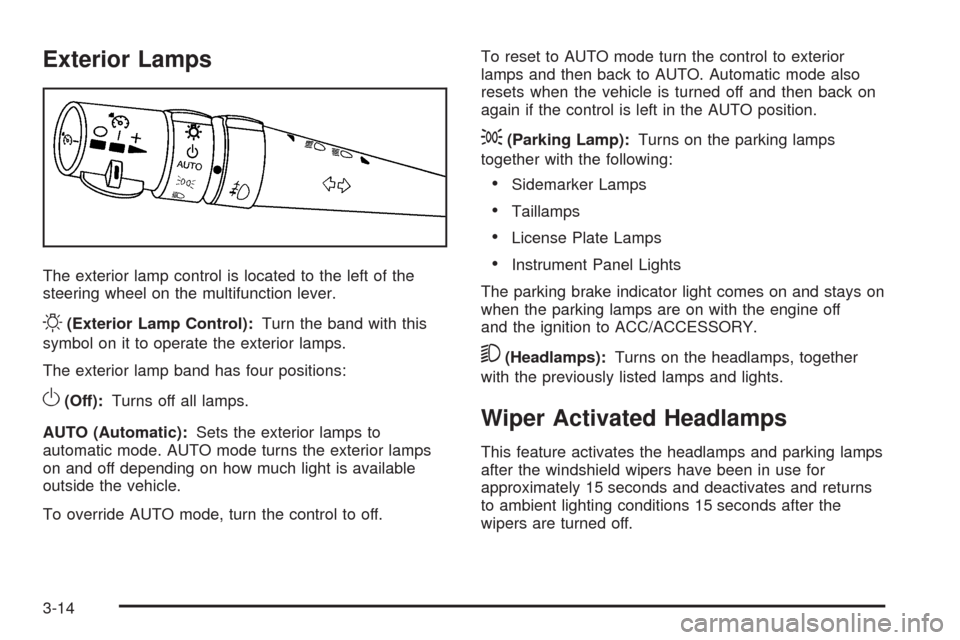
The exterior lamp control is located to the left of the
steering wheel on the multifunction lever.
O(Exterior Lamp Control):Turn the band with this
symbol on it to operate the exterior lamps.
The exterior lamp band has four positions:
O(Off):Turns off all lamps.
AUTO (Automatic):Sets the exterior lamps to
automatic mode. AUTO mode turns the exterior lamps
on and off depending on how much light is available
outside the vehicle.
To override AUTO mode, turn the control to off.To reset to AUTO mode turn the control to exterior
lamps and then back to AUTO. Automatic mode also
resets when the vehicle is turned off and then back on
again if the control is left in the AUTO position.
;(Parking Lamp):Turns on the parking lamps
together with the following:
Sidemarker Lamps
Taillamps
License Plate Lamps
Instrument Panel Lights
The parking brake indicator light comes on and stays on
when the parking lamps are on with the engine off
and the ignition to ACC/ACCESSORY.
5(Headlamps):Turns on the headlamps, together
with the previously listed lamps and lights.
Wiper Activated Headlamps
This feature activates the headlamps and parking lamps
after the windshield wipers have been in use for
approximately 15 seconds and deactivates and returns
to ambient lighting conditions 15 seconds after the
wipers are turned off.
3-14
Page 157 of 434
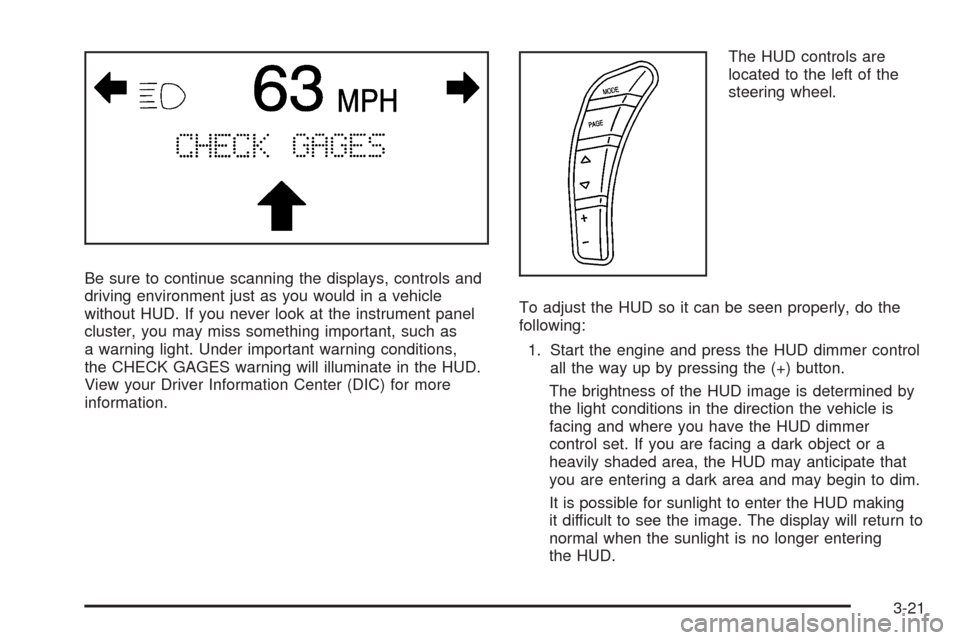
Be sure to continue scanning the displays, controls and
driving environment just as you would in a vehicle
without HUD. If you never look at the instrument panel
cluster, you may miss something important, such as
a warning light. Under important warning conditions,
the CHECK GAGES warning will illuminate in the HUD.
View your Driver Information Center (DIC) for more
information.The HUD controls are
located to the left of the
steering wheel.
To adjust the HUD so it can be seen properly, do the
following:
1. Start the engine and press the HUD dimmer control
all the way up by pressing the (+) button.
The brightness of the HUD image is determined by
the light conditions in the direction the vehicle is
facing and where you have the HUD dimmer
control set. If you are facing a dark object or a
heavily shaded area, the HUD may anticipate that
you are entering a dark area and may begin to dim.
It is possible for sunlight to enter the HUD making
it difficult to see the image. The display will return to
normal when the sunlight is no longer entering
the HUD.
3-21
Page 176 of 434
Traction Control System (TCS)
Warning Light
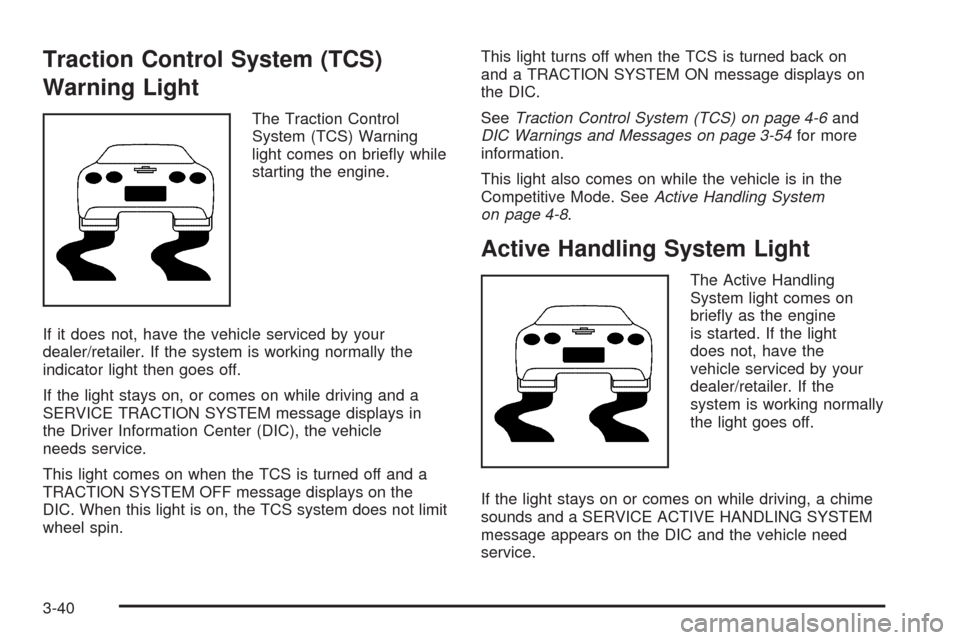
The Traction Control
System (TCS) Warning
light comes on briey while
starting the engine.
If it does not, have the vehicle serviced by your
dealer/retailer. If the system is working normally the
indicator light then goes off.
If the light stays on, or comes on while driving and a
SERVICE TRACTION SYSTEM message displays in
the Driver Information Center (DIC), the vehicle
needs service.
This light comes on when the TCS is turned off and a
TRACTION SYSTEM OFF message displays on the
DIC. When this light is on, the TCS system does not limit
wheel spin.This light turns off when the TCS is turned back on
and a TRACTION SYSTEM ON message displays on
the DIC.
SeeTraction Control System (TCS) on page 4-6and
DIC Warnings and Messages on page 3-54for more
information.
This light also comes on while the vehicle is in the
Competitive Mode. SeeActive Handling System
on page 4-8.
Active Handling System Light
The Active Handling
System light comes on
briey as the engine
is started. If the light
does not, have the
vehicle serviced by your
dealer/retailer. If the
system is working normally
the light goes off.
If the light stays on or comes on while driving, a chime
sounds and a SERVICE ACTIVE HANDLING SYSTEM
message appears on the DIC and the vehicle need
service.
3-40
Page 194 of 434
COOLANT OVER TEMPERATURE
This message displays and a sound will be heard if the
engine coolant exceeds 255°F (124°C). If you have
been operating the vehicle under normal driving
conditions, pull off the road, stop the vehicle, and turn
off the engine as soon as possible.
You can monitor the coolant temperature with the gages
button on the DIC or the engine coolant temperature
gage on the instrument panel cluster. SeeEngine
Overheating on page 5-39,DIC Operation and Displays
on page 3-49, andEngine Coolant Temperature
Gage on page 3-41.
To acknowledge the message, press the RESET button.
The message and sound will come back on until this
condition changes. If you do not press the RESET
button, the message remains on until the condition
changes.
CRUISE DISENGAGED
This message displays briey when you disengage the
cruise control system by stepping on the brake on
an automatic transmission vehicle or the clutch on a
manual transmission vehicle, or by turning off the cruise
control switch. SeeCruise Control on page 3-10for
more information.
ENGINE DRAG CONTROL ACTIVE
This message displays when engine drag control is
active. When driving in a lower gear in rainy, snowy, or
icy conditions and then letting up on the accelerator
or downshifting, the rear wheels may begin to slip and
this message displays. This message stays on for a
few seconds following the engine drag control event.
ENGINE OVERHEATED – STOP
ENGINE
This message displays and a sound will be heard when
the engine has overheated. Stop and turn the engine
off immediately to avoid severe engine damage.
SeeEngine Overheating on page 5-39.
ENGINE PROTECTION REDUCE
ENGINE RPM
This message displays if the engine oil temperature
exceeds 320°F (160°C). Check the engine coolant
temperature and engine oil level. If the engine is too hot,
seeEngine Overheating on page 5-39. The vehicle
may need service, so see your dealer/retailer.
You can monitor the oil temperature with the gages
button on the DIC. SeeDIC Operation and Displays
on page 3-49.
3-58
Page 200 of 434

SERVICE CHARGING SYSTEM
If this message displays while you are driving, there
may be a problem with the electrical charging system.
It could mean that there is a loose or broken drive belt
or that there is another electrical problem. Have the
vehicle checked right away by your dealer/retailer.
Driving while this message is on could drain the battery.
If you must drive a short distance with the message
on, be certain to turn off the vehicle’s accessories, such
as the radio and air conditioner.
Multiple chimes sound when this message is displayed.
To acknowledge the message, press the RESET
button. The message reappears every 10 minutes until
this condition changes.
SERVICE ELECTRICAL SYSTEM
This message displays if an electrical problem has
occurred within the Powertrain Control Module (PCM).
Have the vehicle serviced by your dealer/retailer.
SERVICE FUEL SYSTEM
This message displays if the Powertrain Control Module
(PCM) has detected a problem within the fuel system.
Have the vehicle serviced by your dealer/retailer.
This message also displays when the cluster is not
getting fuel information from the PCM.
SERVICE RIDE CONTROL
This message displays when the Selective Ride Control
system has detected a malfunction and the system
must be serviced. See your dealer/retailer. If a fault is
present in the Selective Ride Control system which
causes the shocks to be in their full soft condition, the
messages SERVICE RIDE CONTROL, SHOCKS
INOPERATIVE, and MAXIMUM SPEED 80 MPH
(129 km/h) will display together. SeeSelective Ride
Control on page 4-10for more information.
SERVICE TIRE MONITOR
This message displays if a part on the Tire Pressure
Monitor System (TPMS) is not working properly. The tire
pressure light also ashes and then remains on during
the same ignition cycle. SeeTire Pressure Light on
page 3-42. Several conditions may cause this message
to appear. SeeTire Pressure Monitor Operation on
page 5-74for more information. If the warning comes on
and stays on, there may be a problem with the TPMS.
See your dealer/retailer.
SERVICE TRACTION SYSTEM
If this message displays when you are driving, there is a
problem with the Traction Control System (TCS) and
the vehicle is in need of service. See your dealer/retailer.
When this message is displayed, the system will not
limit wheel spin. Adjust your driving accordingly.
3-64
Page 201 of 434
The traction control system (TCS) warning light on the
instrument panel cluster will also turn on and a
sound will be heard.
When this message is displayed, the computer
controlled systems will not assist the driver in controlling
the vehicle. Have the system repaired by your
dealer/retailer as soon as possible. Adjust your driving
accordingly. SeeTraction Control System (TCS) on
page 4-6for more information.
To acknowledge the message, press the RESET button.
SERVICE TRANSMISSION
This message displays when there is a problem with the
transmission. See your dealer/retailer for service.
SERVICE VEHICLE SOON
This message displays and a sound will be heard when
there may be an electrical or another system problem
with the vehicle. Have your vehicle checked by your
dealer/retailer if this message keeps appearing.
SET PARK BRAKE FOR SEAT RECALL
If the vehicle has a manual transmission, this message
displays if you try to recall the memory positions
when the ignition is on and the parking brake is not set.If the vehicle is on, you must set the parking brake in
order for the memory positions to recall. SeeMemory
Seat, Mirrors and Steering Wheel on page 1-4for more
information.
SET PARK BRAKE TO MOVE TOP
If the vehicle has a manual transmission, this message
displays and a sound will be heard if you try to
operate the power convertible top without rst setting
the parking brake. Set the parking brake before trying to
operate the power convertible top. SeeConvertible
Top (Manual) on page 2-59orConvertible Top (Power)
on page 2-66for more information.
SHIFT TO PARK
If the vehicle has an automatic transmission, this
message displays if the vehicle is not in P (Park) when
the engine is being turned off. The vehicle will be in
ACCESSORY Once the shift lever is moved to P (Park),
the vehicle will turn off.
The vehicle will remain in ACCESSORY, without the
20 minute time-out period, until the shift lever is moved
to P (Park) or until the driver presses the pushbutton
to restart the vehicle. SeeIgnition Positions on
page 2-22for more information.
3-65
Page 203 of 434
This message is followed by the MAXIMUM SPEED
55 MPH (90 km/h) message, and then by the REDUCED
HANDLING message. The Active Handling System
will intervene more quickly when a at tire has been
detected. Adjust your driving accordingly.
You can receive more than one tire pressure message
at a time. To read other messages that may have
been sent at the same time, press the RESET button.
If a tire pressure message appears on the DIC, stop as
soon as you can. Have the tire pressures checked
and set to those shown on the Tire Loading Information
label. SeeRun-Flat Tires on page 5-69,Loading the
Vehicle on page 4-22,Inflation - Tire Pressure on
page 5-70, andTire Pressure Monitor System on
page 5-73. The DIC also shows the tire pressure values.
SeeDIC Operation and Displays on page 3-49.
To acknowledge the message, press the RESET button.
A message reappears every 10 minutes until the
condition is corrected.
TOO COLD TO MOVE TOP
This message displays and a sound will be heard when
the power convertible top button is pressed and the
power convertible top pump motor temperature is
below -4°F (-20°C). Wait for the power convertible top
pump motor to warm up before using the power
convertible top.
TOP MOTOR OVER TEMPERATURE
This message displays and a sound will be heard when
the power convertible top button is pressed and the
power convertible top pump motor temperature is over
221°F (105°C). Wait for the power convertible top
pump motor to cool down before using the power
convertible top.
TOP NOT SECURE
This message displays and a sound will be heard when
the power convertible top button is released before
the top open or close operation is complete or if the top
is closed without the header latch engaged. Press and
hold the convertible top button to fully open or close the
top, and make sure that the header latch is engaged
after the top is closed.
TRACTION SYSTEM ACTIVE
This message displays when the Traction Control
System (TCS) is limiting wheel spin. Slippery road
conditions may exist if this message is displayed, so
adjust your driving accordingly. The message stays on
for a few seconds after the TCS stops limiting wheel
spin. SeeTraction Control System (TCS) on page 4-6
for more information.
3-67
Page 207 of 434
DIC Vehicle Personalization
Many features on your vehicle can be personalized.
This means that the operation of these features can be
set to operate differently depending on who is driving
the vehicle. See “Personal Options” later in this section
for the features that you can personalize.
The personalization settings for other features are
automatically updated and saved as the driver adjusts
them. These include the following settings and presets:
The radio presets, tone, volume, fade,
balance, equalization (EQ) settings and
source (radio or CD)
The last climate control setting
The Head-Up Display (HUD) position and
dimming level, if your vehicle has this feature
The instrument panel cluster dimming level
and last selected DIC display
Separate personalization settings are saved for
two different drivers. One of the keyless access
transmitters is assigned to driver 1. The other is
assigned to driver 2. The back of the keyless access
transmitters are labelled 1 or 2 to correspond to
each driver.The current driver’s preferences are recalled when
one of the following occurs:
The lock or unlock button on the keyless access
transmitter, labelled 1 or 2, is pressed.
The appropriate memory button, 1 or 2, located on
the driver’s door is pressed. SeeMemory Seat,
Mirrors and Steering Wheel on page 1-4for more
information.
A valid keyless access transmitter is detected upon
opening the driver’s door.
If more than one valid keyless access transmitter is
detected upon opening the driver’s door, the driver
preferences for the lowest driver number will be recalled.
If a keyless access transmitter that is not labelled 1 or 2
is used, the personalization system will not recognize
the transmitter. The Driver Information Center (DIC) will
not display a current driver number and the features
that are normally programmed through the DIC will be
set to the default states. Also, if the OPTION button
is pressed, the DIC does not display the menus used to
set personalizations, but instead displays OPTIONS
UNAVAILABLE for a few seconds.
3-71