2009 CHEVROLET CORVETTE wheel
[x] Cancel search: wheelPage 55 of 434
What Makes an Airbag Inate?
In a deployment event, the sensing system sends an
electrical signal triggering a release of gas from the
inator. Gas from the inator lls the airbag causing the
bag to break out of the cover and deploy. The inator, the
airbag, and related hardware are all part of the airbag
module.
Frontal airbag modules are located inside the
steering wheel and instrument panel. For vehicles
with seat-mounted side impact airbags, there are airbag
modules in the side of the front seatbacks closest to
the door.
How Does an Airbag Restrain?
In moderate to severe frontal or near frontal collisions,
even belted occupants can contact the steering wheel or
the instrument panel. In moderate to severe side
collisions, even belted occupants can contact the inside
of the vehicle.
Airbags supplement the protection provided by safety
belts. Frontal airbags distribute the force of the
impact more evenly over the occupant’s upper body,
stopping the occupant more gradually. Seat-mounted
side impact airbags distribute the force of the impact
more evenly over the occupant’s upper body.
But airbags would not help in many types of collisions,
primarily because the occupant’s motion is not
toward those airbags. SeeWhen Should an Airbag
Inflate? on page 1-49for more information.
Airbags should never be regarded as anything more
than a supplement to safety belts.
1-51
Page 62 of 434

Servicing Your Airbag-Equipped
Vehicle
Airbags affect how the vehicle should be serviced.
There are parts of the airbag system in several places
around the vehicle. Your dealer/retailer and the
service manual have information about servicing the
vehicle and the airbag system. To purchase a service
manual, seeService Publications Ordering Information
on page 7-15.
{CAUTION:
For up to 10 seconds after the ignition is turned off
and the battery is disconnected, an airbag can still
inate during improper service. You can be injured
if you are close to an airbag when it inates. Avoid
yellow connectors. They are probably part of the
airbag system. Be sure to follow proper service
procedures, and make sure the person performing
work for you is qualied to do so.
Adding Equipment to Your
Airbag-Equipped Vehicle
Q:Is there anything I might add to or change
about the vehicle that could keep the airbags
from working properly?
A:Yes. If you add things that change your vehicle’s
frame, bumper system, height, front end or side
sheet metal, they may keep the airbag system from
working properly. Changing or moving any parts of
the front seats, safety belts, the airbag sensing and
diagnostic module, steering wheel, instrument panel,
the inside review mirror, front sensors, or airbag
wiring can affect the operation of the airbag system.
1-58
Page 72 of 434
Keyless Trunk Opening
Press the hatch/trunk release button located on the rear
of the hatch/trunk lid above the license plate to open the
trunk if the keyless access transmitter is within range.
SeeHatch on page 2-13for additional information.
There are other conditions that can affect the
performance of the transmitter. SeeKeyless Access
System on page 2-4Keyless Access System.
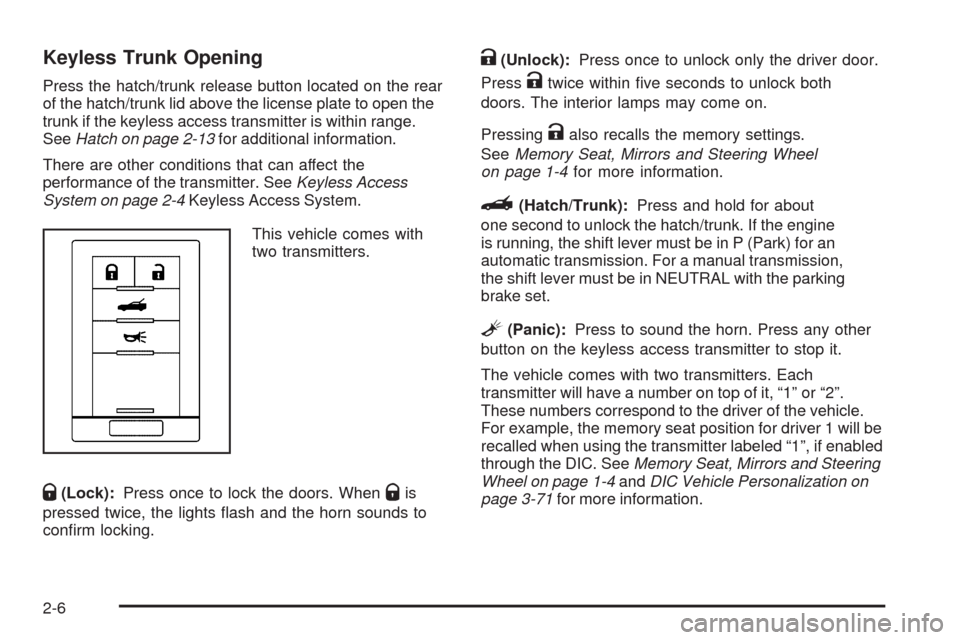
This vehicle comes with
two transmitters.
Q(Lock):Press once to lock the doors. WhenQis
pressed twice, the lights ash and the horn sounds to
conrm locking.
K(Unlock):Press once to unlock only the driver door.
Press
Ktwice within ve seconds to unlock both
doors. The interior lamps may come on.
Pressing
Kalso recalls the memory settings.
SeeMemory Seat, Mirrors and Steering Wheel
on page 1-4for more information.
}(Hatch/Trunk):Press and hold for about
one second to unlock the hatch/trunk. If the engine
is running, the shift lever must be in P (Park) for an
automatic transmission. For a manual transmission,
the shift lever must be in NEUTRAL with the parking
brake set.
L(Panic):Press to sound the horn. Press any other
button on the keyless access transmitter to stop it.
The vehicle comes with two transmitters. Each
transmitter will have a number on top of it, “1” or “2”.
These numbers correspond to the driver of the vehicle.
For example, the memory seat position for driver 1 will be
recalled when using the transmitter labeled “1”, if enabled
through the DIC. SeeMemory Seat, Mirrors and Steering
Wheel on page 1-4andDIC Vehicle Personalization on
page 3-71for more information.
2-6
Page 80 of 434
Hatch/Trunk Lid Release
There are several ways to release the hatch/trunk lid.
If your vehicle has an automatic transmission, the shift
lever must be in P (Park). For manual transmission
vehicles, the parking brake must be set when the
ignition is started for the hatch/trunk release to operate.
The parking brake does not need to be set when the
ignition is off for the hatch/trunk release to operate.
SeeParking Brake on page 2-32.
V(Hatch/Trunk):Press the hatch/trunk lid release
button, located on the instrument panel to the left of the
steering wheel. The theft-deterrent alarm system
must not be armed.
}(Hatch/Trunk):Press the hatch/trunk lid release
button on the keyless access transmitter. SeeKeyless
Access System on page 2-4.
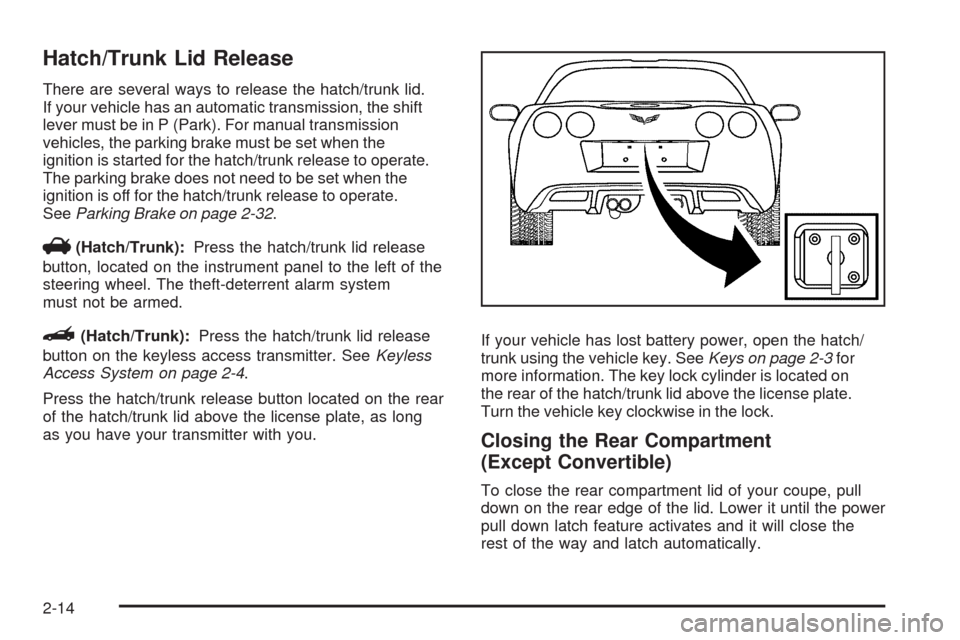
Press the hatch/trunk release button located on the rear
of the hatch/trunk lid above the license plate, as long
as you have your transmitter with you.If your vehicle has lost battery power, open the hatch/
trunk using the vehicle key. SeeKeys on page 2-3for
more information. The key lock cylinder is located on
the rear of the hatch/trunk lid above the license plate.
Turn the vehicle key clockwise in the lock.
Closing the Rear Compartment
(Except Convertible)
To close the rear compartment lid of your coupe, pull
down on the rear edge of the lid. Lower it until the power
pull down latch feature activates and it will close the
rest of the way and latch automatically.
2-14
Page 92 of 434
Automatic Transmission Operation
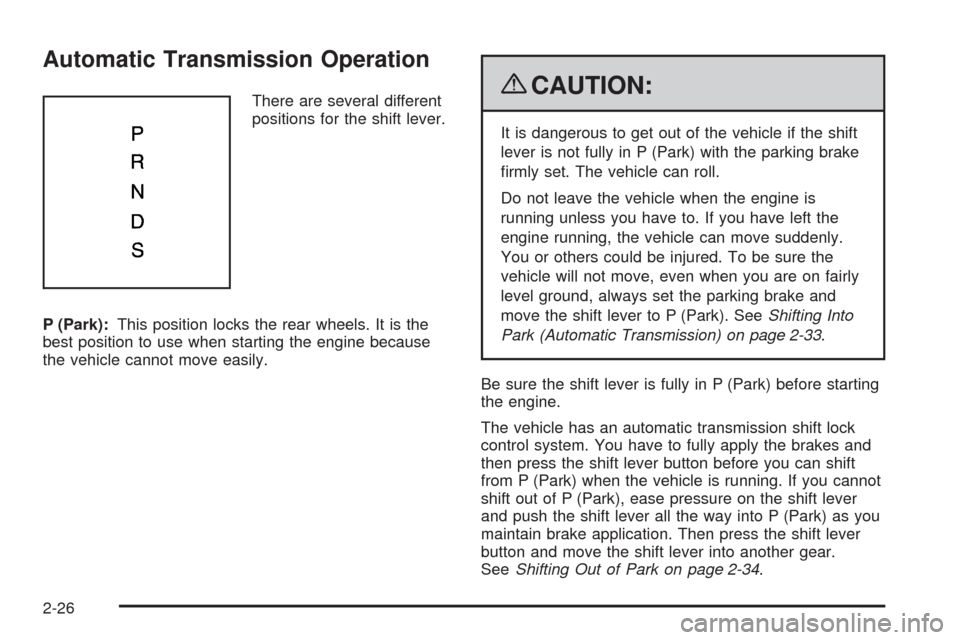
There are several different
positions for the shift lever.
P (Park):This position locks the rear wheels. It is the
best position to use when starting the engine because
the vehicle cannot move easily.{CAUTION:
It is dangerous to get out of the vehicle if the shift
lever is not fully in P (Park) with the parking brake
rmly set. The vehicle can roll.
Do not leave the vehicle when the engine is
running unless you have to. If you have left the
engine running, the vehicle can move suddenly.
You or others could be injured. To be sure the
vehicle will not move, even when you are on fairly
level ground, always set the parking brake and
move the shift lever to P (Park). SeeShifting Into
Park (Automatic Transmission) on page 2-33.
Be sure the shift lever is fully in P (Park) before starting
the engine.
The vehicle has an automatic transmission shift lock
control system. You have to fully apply the brakes and
then press the shift lever button before you can shift
from P (Park) when the vehicle is running. If you cannot
shift out of P (Park), ease pressure on the shift lever
and push the shift lever all the way into P (Park) as you
maintain brake application. Then press the shift lever
button and move the shift lever into another gear.
SeeShifting Out of Park on page 2-34.
2-26
Page 93 of 434
R (Reverse):Use this gear to back up.
Notice:Shifting to R (Reverse) while the vehicle is
moving forward could damage the transmission.
The repairs would not be covered by the vehicle
warranty. Shift to R (Reverse) only after the vehicle
is stopped.
To rock the vehicle back and forth to get out of snow,
ice, or sand without damaging the transmission, seeIf
Your Vehicle is Stuck in Sand, Mud, Ice, or Snow on
page 4-21.
N (Neutral):In this position, the engine does not
connect with the wheels. To restart the engine when
the vehicle is already moving, use N (Neutral) only.
If the vehicle needs towing, seeTowing Your Vehicle
on page 4-28.
{CAUTION:
Shifting into a drive gear while the engine is
running at high speed is dangerous. Unless your
foot is rmly on the brake pedal, the vehicle could
move very rapidly. You could lose control and hit
people or objects. Do not shift into a drive gear
while the engine is running at high speed.Notice:Shifting out of P (Park) or N (Neutral) with
the engine running at high speed may damage the
transmission. The repairs would not be covered by
the vehicle warranty. Be sure the engine is not
running at high speed when shifting the vehicle.
D (Drive):This position is for normal driving. It provide
the best fuel economy. If you need more power for
passing, and you are:
Going less than about 35 mph (56 km/h), push the
accelerator pedal about halfway down.
Going about 35 mph (56 km/h) or more, push the
accelerator all the way down.
Downshifting the transmission in slippery road conditions
could result in skidding, see “Skidding” underLoss of
Control on page 4-13.
S (Sport Mode):When in S (Sport Mode), the
transmission will work as an automatic until you use the
Manual Paddle Shift Controls, which activates driver
manual gear selection. See Manual Paddle Shift later in
this section. While in S (Sport Mode), the transmission’s
computer determines when the vehicle is being driven
in a competitive manner and will select and hold the
transmission in lower gears and have more noticeable
upshifts for sportier vehicle performance.
2-27
Page 94 of 434

Manual Paddle Shift
While in the S (Sport Mode) position, the paddles
located on the steering wheel can be used to manually
up-shift or down-shift the transmission.
While in S (Sport Mode), push the paddle above the
steering wheel spokes to up-shift to the next gear, or
pull on the paddle behind the steering wheel spokes to
down-shift to the next gear.
To use the system, shift from P (Park) position to
S (Sport Mode) while stopped and with the engine
running, or from D (Drive) with the vehicle moving.When accelerating the vehicle from a stop in snowy and
icy conditions, you may want to shift to 2 (Second) or
3 (Third) gear. A higher gear allows you to gain more
traction on slippery surfaces. If traction control is active,
upshifts are delayed to increase your control of the
vehicle. SeeTraction Control System (TCS) on page 4-6.
While the Manual Paddle Shift gear selection system
is active, the transmission will automatically downshift
through the gears as the vehicle slows. The transmission
will select 2 (Second) gear as the vehicle stops. From a
stop, the vehicle will start from and hold 2 (Second) gear
unless the driver manually paddle shifts into a different
gear or selects D (Drive). The driver can select 1 (First)
gear for maximum acceleration from a stop.
When using the Manual
Paddle Shift feature while
in S (Sport Mode), the
current gear will be
displayed in the Driver
Information (DIC), or the
Head-Up Display (HUD),
if the vehicle has either of
these features.
If the vehicle has a Navigation system, see “Head-Up
Display (HUD)” in the Index of the navigation manual.
2-28
Page 105 of 434
Outside Power Mirrors
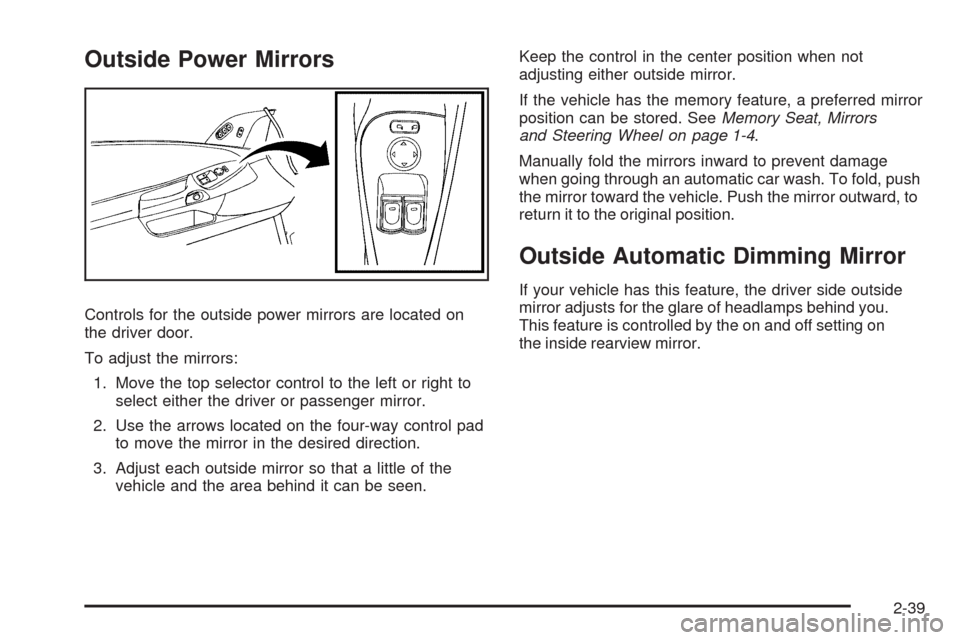
Controls for the outside power mirrors are located on
the driver door.
To adjust the mirrors:
1. Move the top selector control to the left or right to
select either the driver or passenger mirror.
2. Use the arrows located on the four-way control pad
to move the mirror in the desired direction.
3. Adjust each outside mirror so that a little of the
vehicle and the area behind it can be seen.Keep the control in the center position when not
adjusting either outside mirror.
If the vehicle has the memory feature, a preferred mirror
position can be stored. SeeMemory Seat, Mirrors
and Steering Wheel on page 1-4.
Manually fold the mirrors inward to prevent damage
when going through an automatic car wash. To fold, push
the mirror toward the vehicle. Push the mirror outward, to
return it to the original position.
Outside Automatic Dimming Mirror
If your vehicle has this feature, the driver side outside
mirror adjusts for the glare of headlamps behind you.
This feature is controlled by the on and off setting on
the inside rearview mirror.
2-39