2009 CHEVROLET CORVETTE navigation
[x] Cancel search: navigationPage 214 of 434

When the mode you want is selected, press the
OPTION button to set your choice and advance to the
next personal option.
Language:This option allows you to select the
language the DIC, the Head-Up Display (HUD), if your
vehicle has this feature, and the radio uses to display
messages. Each language mode will be displayed in its
own language. For example, English will be displayed
as ENGLISH, Spanish as ESPANOL, etc. If your vehicle
has the navigation system, you will not have the
Japanese language mode.
Press the OPTION button until LANGUAGE appears on
the display, then press the RESET button to scroll
through the following modes:
ENGLISH (default)
DEUTSCH (German)
FRANCAIS (French)
ITALIANO (Italian)
ESPANOL (Spanish)
If you choose a language that you do not understand,
press the OPTION and RESET buttons for ve seconds.
The DIC will begin displaying all of the various
languages one by one for as long as the buttons are
pressed. When the desired language is displayed,
release the buttons and the DIC will set to this language.When the mode you want is selected, press the
OPTION button to set your choice and advance to the
next personal option.
Personalize Name:This option allows you to type in a
name or greeting that will appear on the DIC display
whenever the corresponding keyless access
transmitter (1 or 2) is used or one of the memory
buttons (1 or 2) located on the driver’s door is pressed.
Press the OPTION button until PERSONALIZE
NAME appears on the display, then press the RESET
button to scroll through the following modes:
YES
NO (default)
If you choose YES, you can type in a name that will
appear on the DIC display.
To program a name, use the following procedure:
1. Enter the PERSONAL OPTIONS menu and
select the driver number (1 or 2) that you would
like to program by following the instructions
listed previously under “Entering the Personal
Options Menu”.
2. Press the OPTION button until the PERSONALIZE
NAME option appears on the display.
3-78
Page 231 of 434

XM Radio Messages
XL (Explicit Language Channels):These
channels, or any others, can be blocked by calling
1-800-852-XMXM (9696).
Updating:The encryption code in the receiver is being
updated, and no action is required. This process
should take no longer than 30 seconds.
No Signal:The system is functioning correctly, but the
vehicle is in a location that is blocking the XM signal.
When the vehicle is moved into an open area, the signal
should return.
Loading XM:The audio system is acquiring and
processing audio and text data. No action is needed.
This message should disappear shortly.
CH Off Air:This channel is not currently in service.
Tune in to another channel.
CH Unauth:This channel is blocked or cannot be
received with your XM Subscription package.
CH Unavail:This previously assigned channel is no
longer assigned. Tune to another station. If this station
was one of the presets, choose another station for
that preset button.No Info:No artist, song title, category, or text
information is available at this time on this channel.
The system is working properly.
Not Found:There are no channels available for the
selected category. The system is working properly.
XM Locked:The XM receiver in the vehicle may have
previously been in another vehicle. For security
purposes, XM receivers cannot be swapped between
vehicles. If this message is received after having
the vehicle serviced, check with your dealer/retailer.
Radio ID:If tuned to channel 0, this message will
alternate with the XM Radio 8 digit radio ID label.
This label is needed to activate the service.
Unknown:If this message is received when tuned to
channel 0, there may be a receiver fault. Consult
with your dealer/retailer.
Chk XMRcvr:If this message does not clear within a
short period of time, the receiver may have a fault.
Consult with your dealer/retailer.
Navigation/Radio System
For vehicles with a navigation radio system, see the
separate Navigation System manual.
3-95
Page 403 of 434
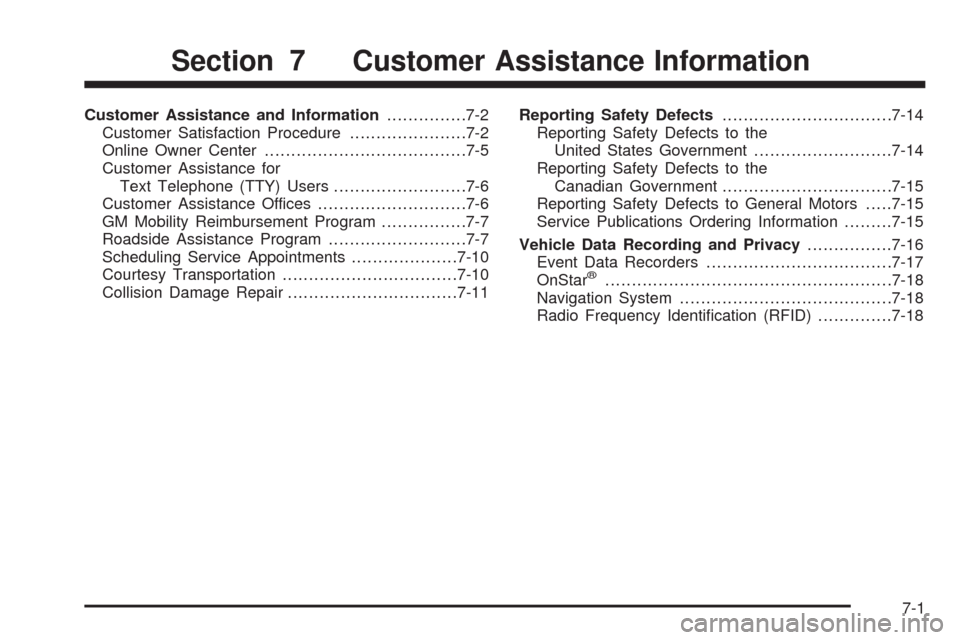
Customer Assistance and Information...............7-2
Customer Satisfaction Procedure......................7-2
Online Owner Center......................................7-5
Customer Assistance for
Text Telephone (TTY) Users.........................7-6
Customer Assistance Offices............................7-6
GM Mobility Reimbursement Program................7-7
Roadside Assistance Program..........................7-7
Scheduling Service Appointments....................7-10
Courtesy Transportation.................................7-10
Collision Damage Repair................................7-11Reporting Safety Defects................................7-14
Reporting Safety Defects to the
United States Government..........................7-14
Reporting Safety Defects to the
Canadian Government................................7-15
Reporting Safety Defects to General Motors.....7-15
Service Publications Ordering Information.........7-15
Vehicle Data Recording and Privacy................7-16
Event Data Recorders...................................7-17
OnStar
®......................................................7-18
Navigation System........................................7-18
Radio Frequency Identication (RFID)..............7-18
Section 7 Customer Assistance Information
7-1
Page 420 of 434
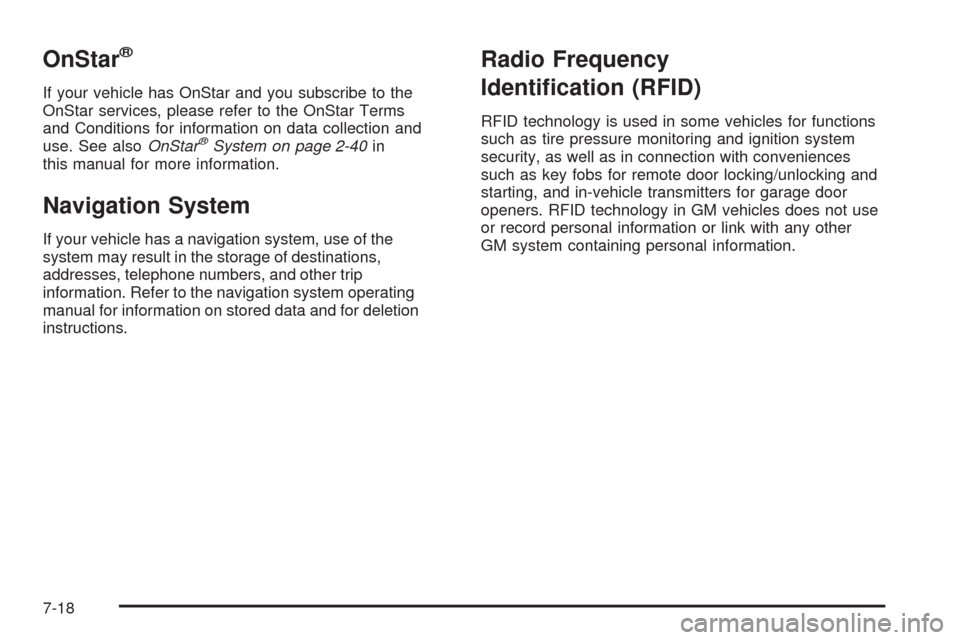
OnStar®
If your vehicle has OnStar and you subscribe to the
OnStar services, please refer to the OnStar Terms
and Conditions for information on data collection and
use. See alsoOnStar
®System on page 2-40in
this manual for more information.
Navigation System
If your vehicle has a navigation system, use of the
system may result in the storage of destinations,
addresses, telephone numbers, and other trip
information. Refer to the navigation system operating
manual for information on stored data and for deletion
instructions.
Radio Frequency
Identication (RFID)
RFID technology is used in some vehicles for functions
such as tire pressure monitoring and ignition system
security, as well as in connection with conveniences
such as key fobs for remote door locking/unlocking and
starting, and in-vehicle transmitters for garage door
openers. RFID technology in GM vehicles does not use
or record personal information or link with any other
GM system containing personal information.
7-18
Page 422 of 434

Audio System.................................................3-80
Audio Steering Wheel Controls....................3-106
Diversity Antenna System............................3-108
Navigation/Radio System,
see Navigation Manual..............................3-95
Radio Reception........................................3-108
Setting the Clock.........................................3-80
Theft-Deterrent Feature...............................3-106
XM™ Satellite Radio Antenna System...........3-108
Audio System(s).............................................3-81
Automatic Door Lock.......................................2-12
Automatic Transmission
Fluid..........................................................5-30
Operation...................................................2-26
B
Battery..........................................................5-50
Exterior Lighting Battery Saver......................3-17
Run-Down Protection...................................3-18
Bluetooth
®.....................................................3-96
Boost Gage...................................................3-49
Brake
Emergencies................................................ 4-6
Brake Fluid....................................................5-44
Brakes..........................................................5-44
System Warning Light..................................3-38
Braking........................................................... 4-4
Braking in Emergencies..................................... 4-6Break-In, New Vehicle.....................................2-21
Bulb Replacement...........................................5-56
Halogen Bulbs............................................5-57
Headlamp Aiming........................................5-56
Headlamps, Front Turn Signal,
and Parking Lamps..................................5-57
High Intensity Discharge (HID) Lighting...........5-56
Replacement Bulbs......................................5-59
Taillamps, Turn Signal, and Stoplamps............5-59
Buying New Tires...........................................5-78
C
Calibration.....................................................2-37
California Fuel.................................................. 5-7
California Perchlorate Materials Requirements....... 5-4
California Proposition 65 Warning....................... 5-4
Canadian Owners................................................ ii
Capacities and Specications..........................5-110
Carbon Monoxide...........................2-13, 2-35, 4-19
Care of
Safety Belts................................................5-95
Cargo Cover..................................................2-53
CD, MP3 .......................................................3-92
Center Console Storage Area...........................2-51
Chains, Tire...................................................5-85
Check
Engine Lamp..............................................3-42
Checking Things Under the Hood......................5-12
2
Page 428 of 434
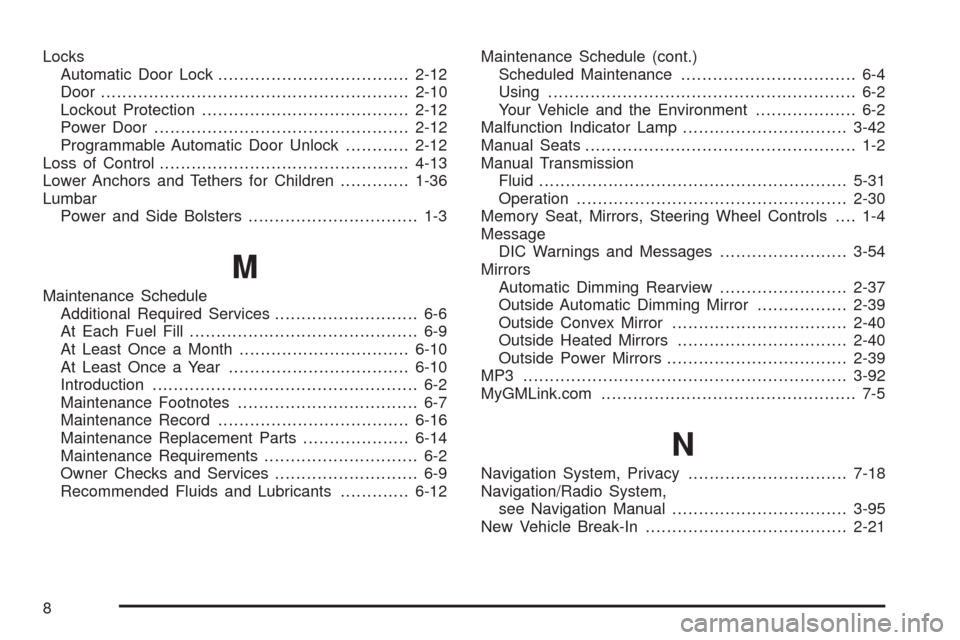
Locks
Automatic Door Lock....................................2-12
Door ..........................................................2-10
Lockout Protection.......................................2-12
Power Door ................................................2-12
Programmable Automatic Door Unlock............2-12
Loss of Control...............................................4-13
Lower Anchors and Tethers for Children.............1-36
Lumbar
Power and Side Bolsters................................ 1-3
M
Maintenance Schedule
Additional Required Services........................... 6-6
At Each Fuel Fill........................................... 6-9
At Least Once a Month................................6-10
At Least Once a Year..................................6-10
Introduction.................................................. 6-2
Maintenance Footnotes.................................. 6-7
Maintenance Record....................................6-16
Maintenance Replacement Parts....................6-14
Maintenance Requirements............................. 6-2
Owner Checks and Services........................... 6-9
Recommended Fluids and Lubricants.............6-12Maintenance Schedule (cont.)
Scheduled Maintenance................................. 6-4
Using.......................................................... 6-2
Your Vehicle and the Environment................... 6-2
Malfunction Indicator Lamp...............................3-42
Manual Seats................................................... 1-2
Manual Transmission
Fluid..........................................................5-31
Operation...................................................2-30
Memory Seat, Mirrors, Steering Wheel Controls.... 1-4
Message
DIC Warnings and Messages........................3-54
Mirrors
Automatic Dimming Rearview........................2-37
Outside Automatic Dimming Mirror.................2-39
Outside Convex Mirror.................................2-40
Outside Heated Mirrors................................2-40
Outside Power Mirrors..................................2-39
MP3 .............................................................3-92
MyGMLink.com................................................ 7-5
N
Navigation System, Privacy..............................7-18
Navigation/Radio System,
see Navigation Manual.................................3-95
New Vehicle Break-In......................................2-21
8
Page 430 of 434

Privacy..........................................................7-16
Event Data Recorders..................................7-17
Navigation System.......................................7-18
OnStar .......................................................7-18
Radio Frequency Identication.......................7-18
Programmable Automatic Door Unlock...............2-12
R
Racing or Other Competitive Driving..................4-15
Radio Frequency Identication (RFID), Privacy....7-18
Radio(s)........................................................3-81
Radios
Navigation/Radio System, see Navigation
Manual...................................................3-95
Reception.................................................3-108
Setting the Clock.........................................3-80
Theft-Deterrent..........................................3-106
Reading Lamps..............................................3-18
Rear Axle......................................................5-55
Limited-Slip.................................................4-10
Rear Storage Area..........................................2-52
Rearview Mirror, Automatic Dimming..................2-37
Reclining Seatbacks.......................................... 1-6
Recommended Fluids and Lubricants.................6-12Recreational Vehicle Towing.............................4-28
Remote, Keyless Access System........................ 2-4
Removing the Roof Panel................................2-55
Replacement Bulbs.........................................5-59
Replacement Parts, Maintenance......................6-14
Replacement, Windshield.................................5-60
Reporting Safety Defects
Canadian Government..................................7-15
General Motors...........................................7-15
United States Government............................7-14
Restraint System Check
Checking the Restraint Systems....................1-60
Replacing Restraint System Parts
After a Crash..........................................1-61
Retained Accessory Power...............................2-23
Roadside
Assistance Program....................................... 7-7
Rocking Your Vehicle to Get it Out....................4-22
Roof Panel....................................................2-54
Installing the Roof Panel...............................2-58
Removing the Roof Panel.............................2-55
Storing the Roof Panel.................................2-57
Routing, Engine Drive Belt...............................
6-15
Run-Flat Tires................................................5-69
Running the Vehicle While Parked.....................2-36
10