Page 288 of 572
08 SIENNA_U (L/O 0801)
280
2008 SIENNA from Aug. ’08 Prod. (OM45455U)
The audio system controls in the instru-
ment panel allow the operation of the rear
seat entertainment system by rear seat
passengers to be disabled.
Turning on the rear system lock prevents
small children from using the remote con-
troller or operation panel of the DVD play-
er unit to operate the rear seat entertain-
ment system during driving.
Turn the audio system on. Push the
“AUDIO CONTROL” knob repeatedly until
“RSE” is displayed. Then, turn the “AUDIO
CONTROL” knob until “ON” is displayed,
and then push the “AUDIO CONTROL”
knob.
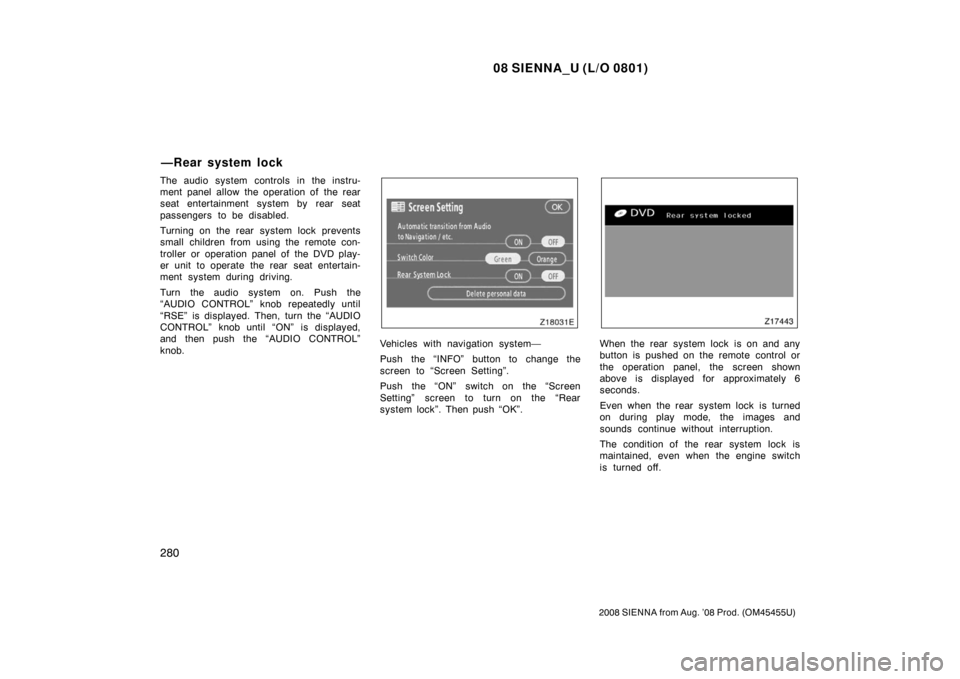
Vehicles with navigation system—
Push the “INFO” button to change the
screen to “Screen Setting”.
Push the “ON” switch on the “Screen
Setting” screen to turn on the “Rear
system lock”. Then push “OK”.When the rear system lock is on and any
button is pushed on the remote control or
the operation panel, the screen shown
above is displayed for approximately 6
seconds.
Even when the rear system lock is turned
on during play mode, the images and
sounds continue without interruption.
The condition of the rear system lock is
maintained, even when the engine switch
is turned off.
—Rear system lock
Page 289 of 572
08 SIENNA_U (L/O 0801)
281
2008 SIENNA from Aug. ’08 Prod. (OM45455U)
The DVD player can play audio CDs/
MP3 CDs, DVD video discs, CD texts,
dtsCDs and video CDs.
For appropriate discs for this player, see
“Audio/video system operating hints” on
page 309 in this Section.
The DVD player works when the engine
switch is in the “ACC” or “ON” position.
To turn on the DVD player, a disc must
be loaded in the player.
To turn off the player, eject the disc.
Error messages
If the player malfunctions, your audio sys-
tem will display following error messages.
If “DISC CHECK” appears on the
screen: It indicates that the disc is dirty,
damaged or it was inserted upside down.
Clean the disc or insert it correctly.
If “REGION ERROR” appears on the
screen: It indicates that the DVD region
code is not set properly.
If “DVD ERROR” appears on the
screen: There is a problem inside the
player. Eject the disc. Set the disc again.
If the malfunction still exists, take your
vehicle to your Toyota dealer.
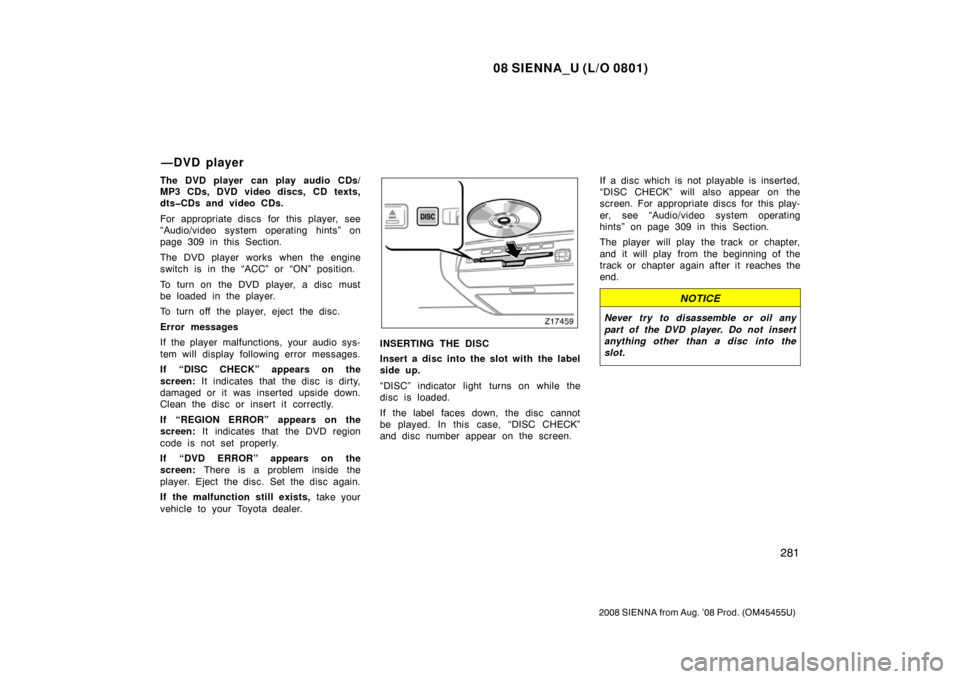
INSERTING THE DISC
Insert a disc into the slot with the label
side up.
“DISC” indicator light turns on while the
disc is loaded.
If the label faces down, the disc cannot
be played. In this case, “DISC CHECK”
and disc number appear on the screen. If a disc which is not playable is inserted,
“DISC CHECK” will also appear on the
screen. For appropriate discs for this play-
er, see “Audio/video system operating
hints” on page 309 in this Section.
The player will play the track or chapter,
and it will play from the beginning of the
track or chapter again after it reaches the
end.
NOTICE
Never try to disassemble or oil any
part of the DVD player. Do not insert
anything other than a disc into the
slot.
—DVD player
Page 294 of 572
08 SIENNA_U (L/O 0801)
286
2008 SIENNA from Aug. ’08 Prod. (OM45455U)
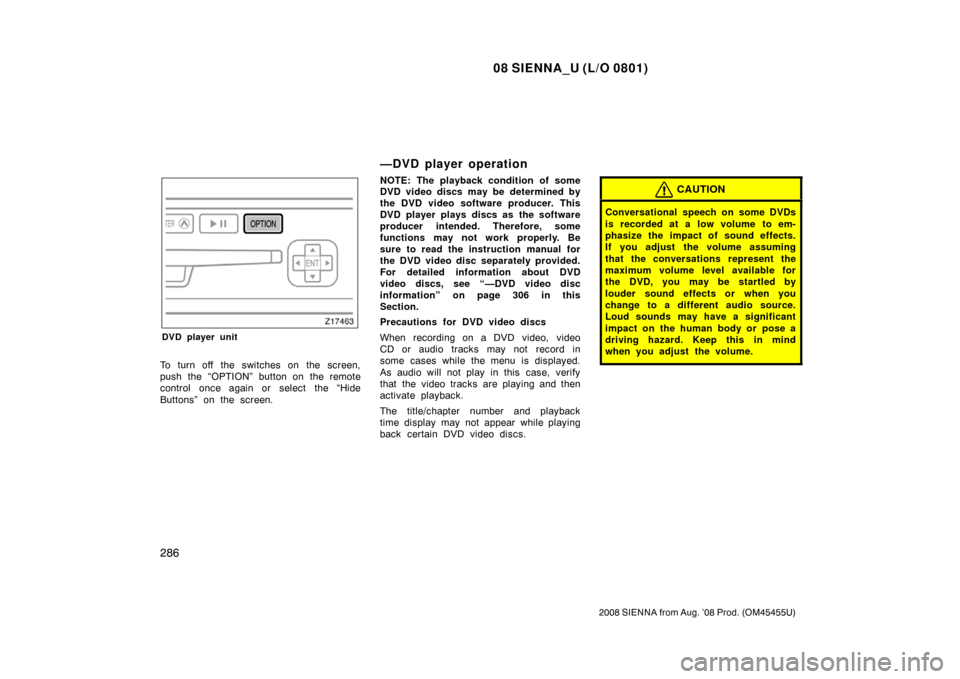
DVD player unit
To turn off the switches on the screen,
push the “OPTION” button on the remote
control once again or select the “Hide
Buttons” on the screen.
—DVD player operation
NOTE: The playback condition of some
DVD video discs may be determined by
the DVD video software producer. This
DVD player plays discs as the software
producer intended. Therefore, some
functions may not work properly. Be
sure to read the instruction manual for
the DVD video disc separately provided.
For detailed information about DVD
video discs, see “—DVD video disc
information” on page 306 in this
Section.
Precautions for DVD video discs
When recording on a DVD video, video
CD or audio tracks may not record in
some cases while the menu is displayed.
As audio will not play in this case, verify
that the video tracks are playing and then
activate playback.
The title/chapter number and playback
time display may not appear while playing
back certain DVD video discs.CAUTION
Conversational speech on some DVDs
is recorded at a low volume to em-
phasize the impact of sound effects.
If you adjust the volume assuming
that the conversations represent the
maximum volume level available for
the DVD, you may be startled by
louder sound effects or when you
change to a different audio source.
Loud sounds may have a significant
impact on the human body or pose a
driving hazard. Keep this in mind
when you adjust the volume.
Page 297 of 572
08 SIENNA_U (L/O 0801)
289
2008 SIENNA from Aug. ’08 Prod. (OM45455U)
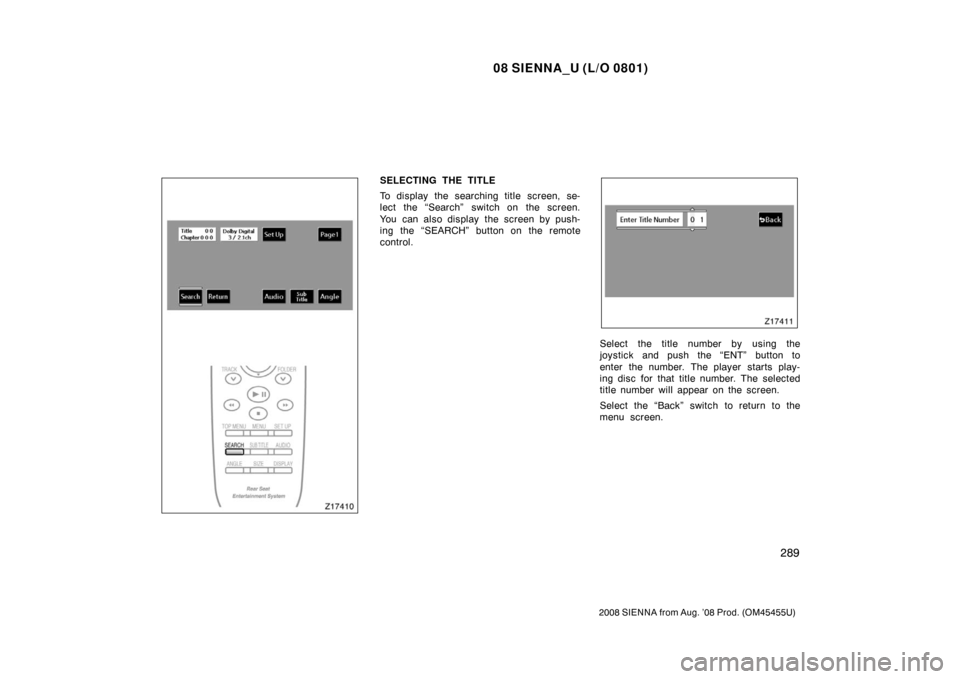
SELECTING THE TITLE
To display the searching title screen, se-
lect the “Search” switch on the screen.
You can also display the screen by push-
ing the “SEARCH” button on the remote
control.
Select the title number by using the
joystick and push the “ENT” button to
enter the number. The player starts play-
ing disc for that title number. The selected
title number will appear on the screen.
Select the “Back” switch to return to the
menu screen.
Page 298 of 572
08 SIENNA_U (L/O 0801)
290
2008 SIENNA from Aug. ’08 Prod. (OM45455U)
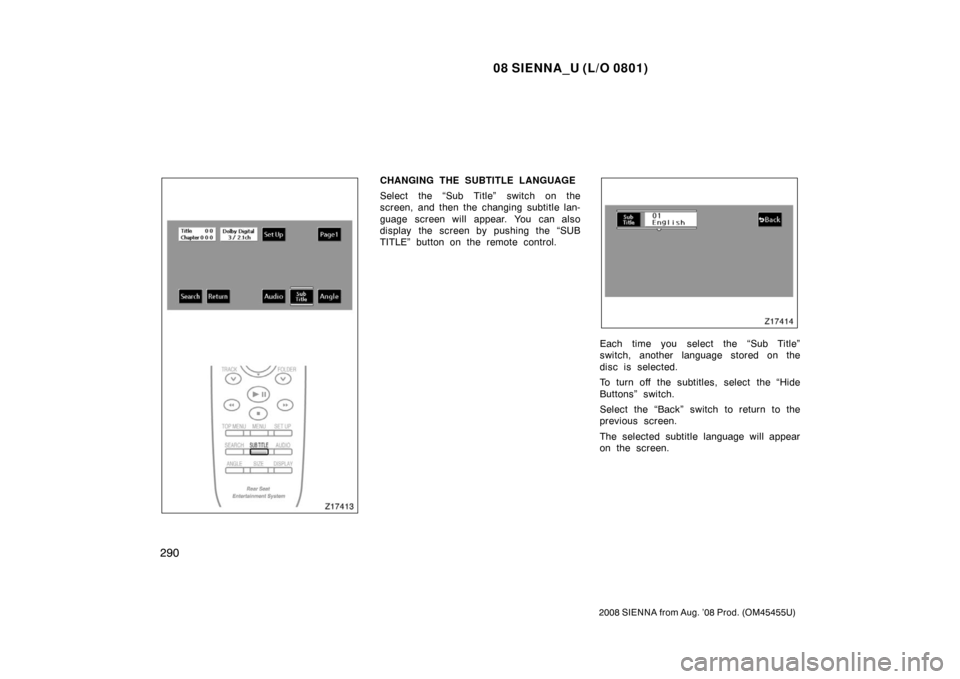
CHANGING THE SUBTITLE LANGUAGE
Select the “Sub Title” switch on the
screen, and then the changing subtitle lan-
guage screen will appear. You can also
display the screen by pushing the “SUB
TITLE” button on the remote control.
Each time you select the “Sub Title”
switch, another language stored on the
disc is selected.
To turn off the subtitles, select the “Hide
Buttons” switch.
Select the “Back” switch to return to the
previous screen.
The selected subtitle language will appear
on the screen.
Page 299 of 572
08 SIENNA_U (L/O 0801)
291
2008 SIENNA from Aug. ’08 Prod. (OM45455U)
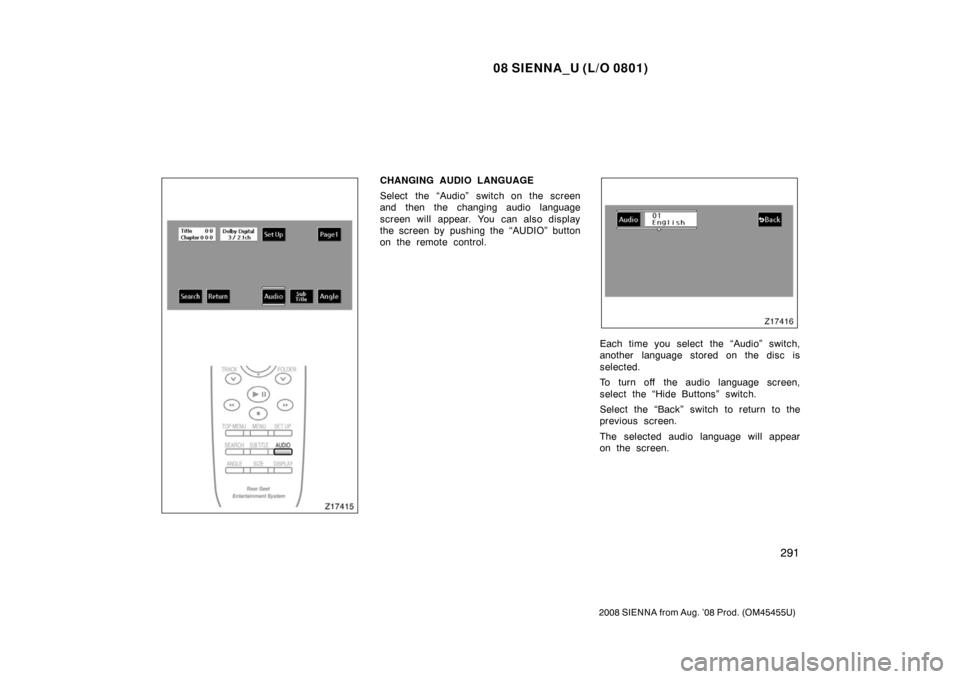
CHANGING AUDIO LANGUAGE
Select the “Audio” switch on the screen
and then the changing audio language
screen will appear. You can also display
the screen by pushing the “AUDIO” button
on the remote control.
Each time you select the “Audio” switch,
another language stored on the disc is
selected.
To turn off the audio language screen,
select the “Hide Buttons” switch.
Select the “Back” switch to return to the
previous screen.
The selected audio language will appear
on the screen.
Page 300 of 572
08 SIENNA_U (L/O 0801)
292
2008 SIENNA from Aug. ’08 Prod. (OM45455U)
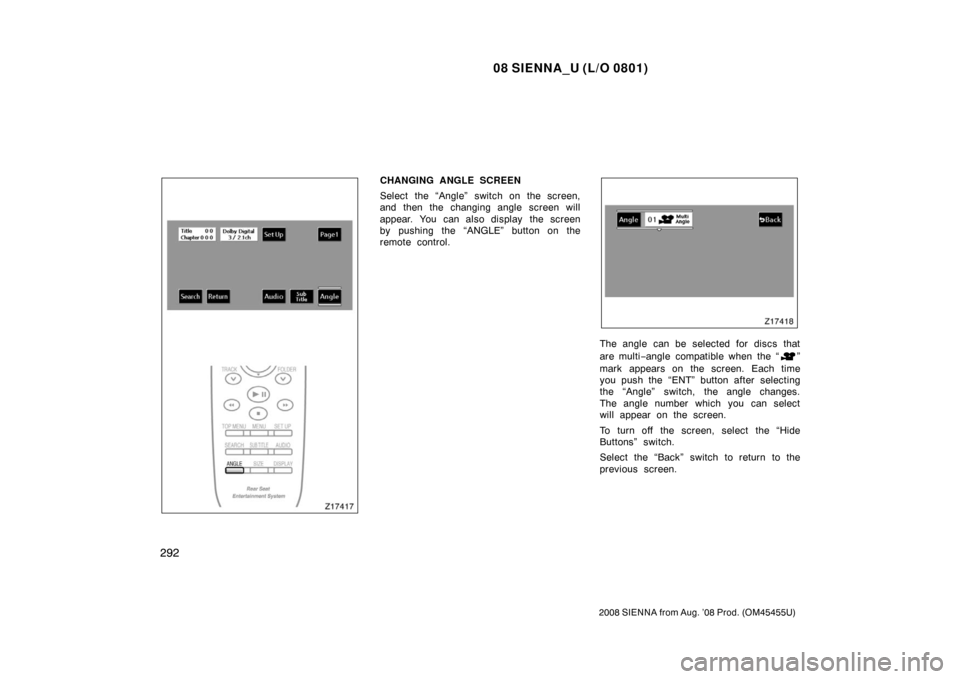
CHANGING ANGLE SCREEN
Select the “Angle” switch on the screen,
and then the changing angle screen will
appear. You can also display the screen
by pushing the “ANGLE” button on the
remote control.
The angle can be selected for discs that
are multi−angle compatible when the “
”
mark appears on the screen. Each time
you push the “ENT” button after selecting
the “Angle” switch, the angle changes.
The angle number which you can select
will appear on the screen.
To turn off the screen, select the “Hide
Buttons” switch.
Select the “Back” switch to return to the
previous screen.
Page 301 of 572
08 SIENNA_U (L/O 0801)
293
2008 SIENNA from Aug. ’08 Prod. (OM45455U)
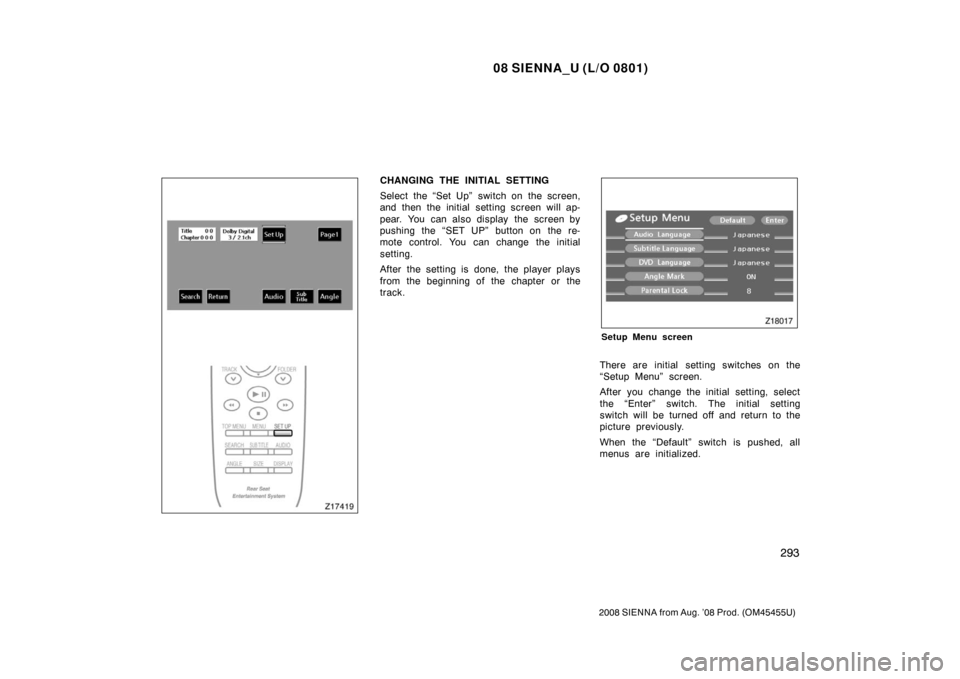
CHANGING THE INITIAL SETTING
Select the “Set Up” switch on the screen,
and then the initial setting screen will ap-
pear. You can also display the screen by
pushing the “SET UP” button on the re-
mote control. You can change the initial
setting.
After the setting is done, the player plays
from the beginning of the chapter or the
track.
Setup Menu screen
There are initial setting switches on the
“Setup Menu” screen.
After you change the initial setting, select
the “Enter” switch. The initial setting
switch will be turned off and return to the
picture previously.
When the “Default” switch is pushed, all
menus are initialized.