Page 374 of 596
374 3-6. Using the storage features
Lower boxPull the knob up to release the
lock. Lift the lid.
■The separator can be stowed
■ The separator can be used at either of two positions shown in the illus-
tration
Stow the separator.
Rear console box
Page 376 of 596
376 3-6. Using the storage features
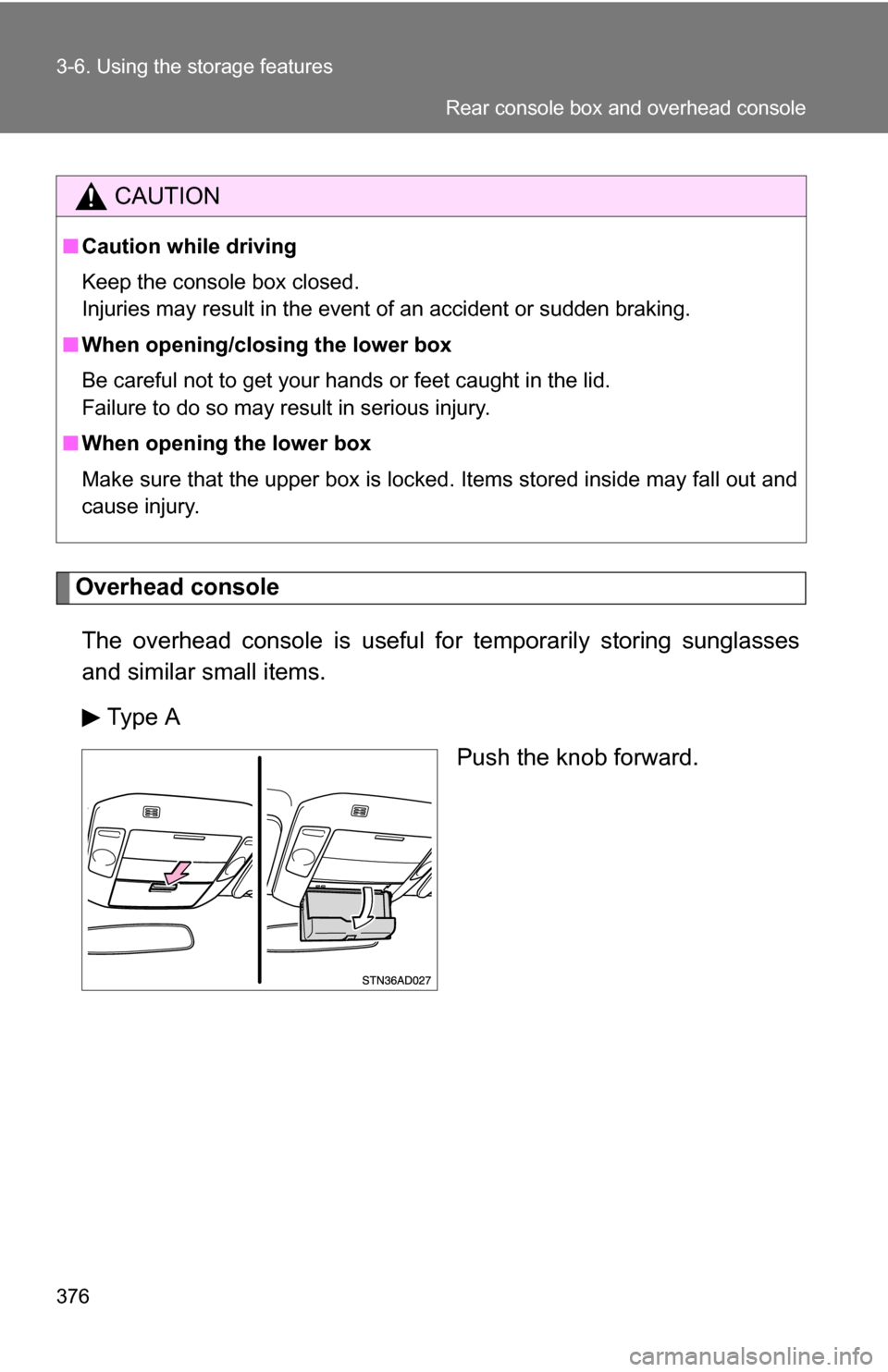
Overhead consoleThe overhead console is useful for temporarily storing sunglasses
and similar small items.
Type A Push the knob forward.
CAUTION
■Caution while driving
Keep the console box closed.
Injuries may result in the event of an accident or sudden braking.
■ When opening/closing the lower box
Be careful not to get your hands or feet caught in the lid.
Failure to do so may result in serious injury.
■ When opening the lower box
Make sure that the upper box is locked. Items stored inside may fall out and
cause injury.
Rear console box and overhead console
Page 379 of 596
379
3-6. Using the
storage features
3
Interior features
Rear console box (if equipped)
Attach the separator when using
either console box as a cup
holder.
Both cup holders cannot be used
at the same time.
■Removing the cup holder (front)
Push the tab down to release the lock.
Remove the lid.
Stow the lid.
Cup holders
Page 383 of 596
383
3-6. Using the
storage features
3
Interior features
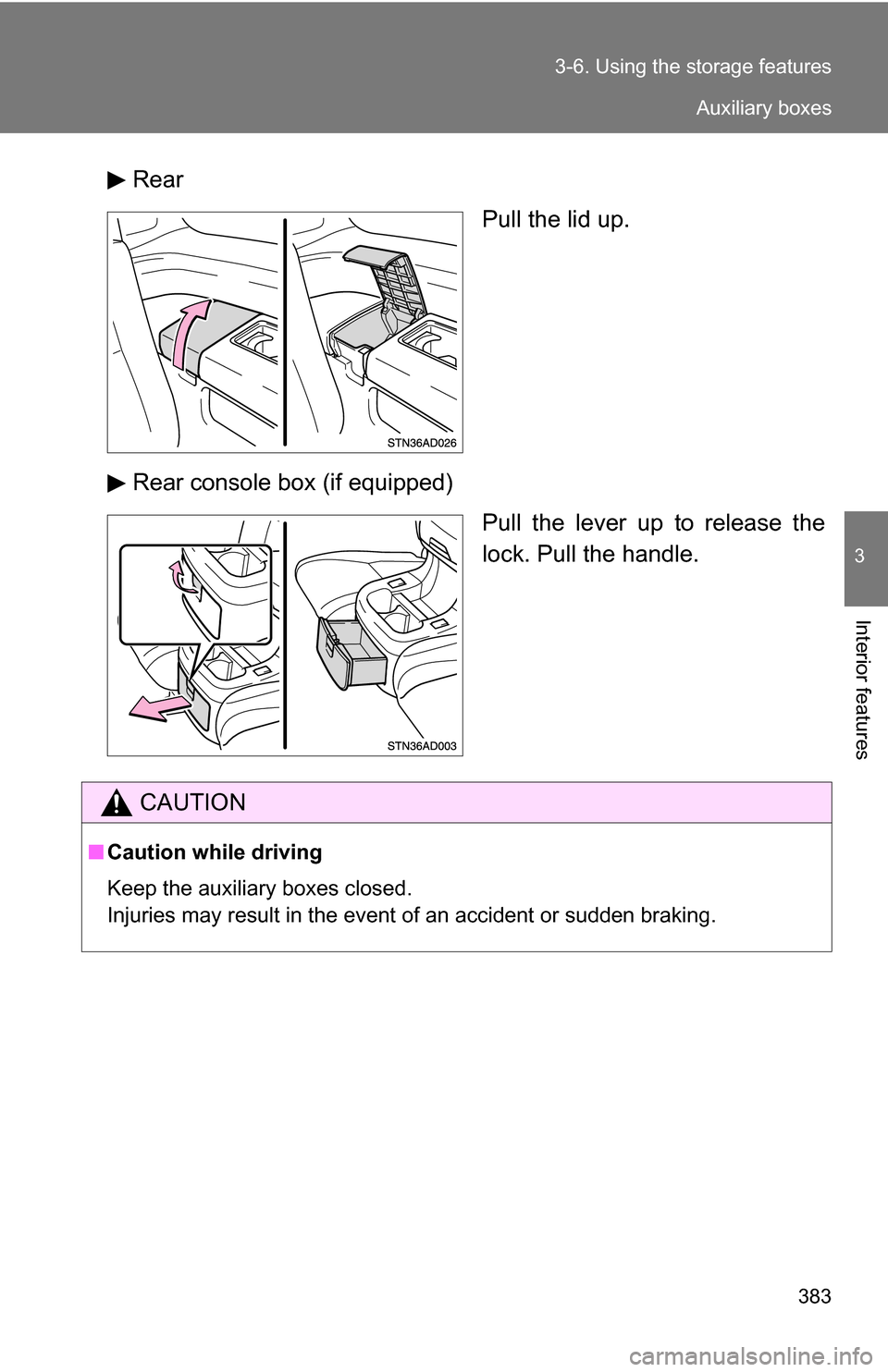
Rear
Pull the lid up.
Rear console box (if equipped) Pull the lever up to release the
lock. Pull the handle.
CAUTION
■Caution while driving
Keep the auxiliary boxes closed.
Injuries may result in the event of an accident or sudden braking.
Auxiliary boxes
Page 385 of 596
385
3-6. Using the
storage features
3
Interior features
CAUTION
■After folding a seat
Observe the following precautions. Failure to do so may result in death or
serious injury.
●Make sure that the seat and seatback are securely locked in position by
lightly rocking the seat back and forth.
● Do not sit on the folded seatback.
■ Caution while driving
Do not fold the seatback forward to set up the seatback table while the vehi-
cle is moving.
Seatback table
Page 388 of 596
388
3-7. Other interior features
Clock
■For quicker adjustment of the clock
Hold down the M or H button continuously. This allows faster advancement
of the minutes and hours.
■ The clock is displayed when
The engine switch is in the ACC or ON position.
■ When disconnecting and reco nnecting battery terminals
The time display will automatically be set to 1:00.
Adjusts the hours.
Adjusts the minutes.
Page 394 of 596
394 3-7. Other interior features
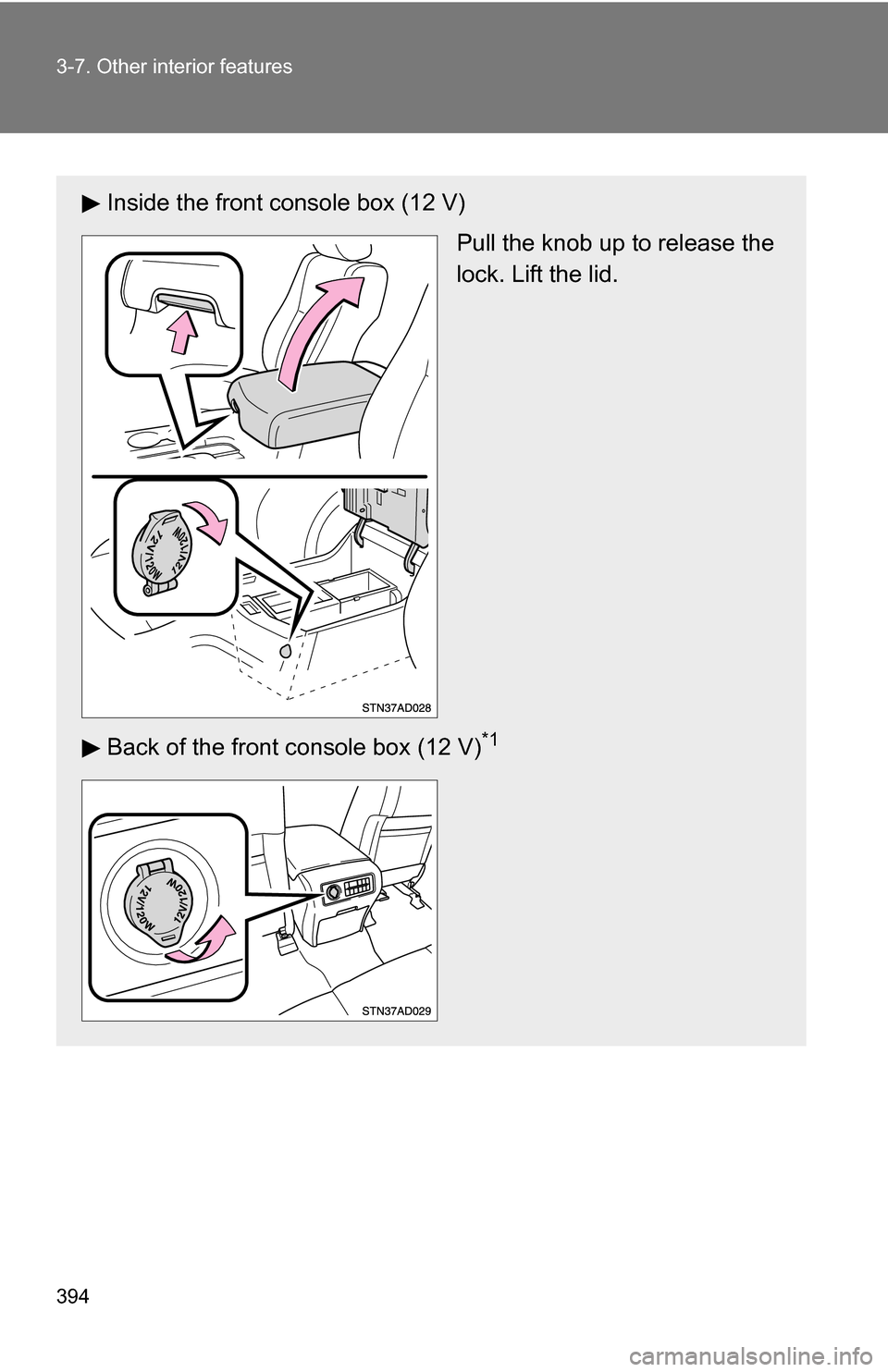
Inside the front console box (12 V)Pull the knob up to release the
lock. Lift the lid.
Back of the front console box (12 V)
*1
Page 402 of 596
402
3-7. Other interior features
Armrests (if equipped)
NOTICE
■To prevent damage to the armrest
●Do not place too much strain on the armrest.
● Do not sit on the armrest.
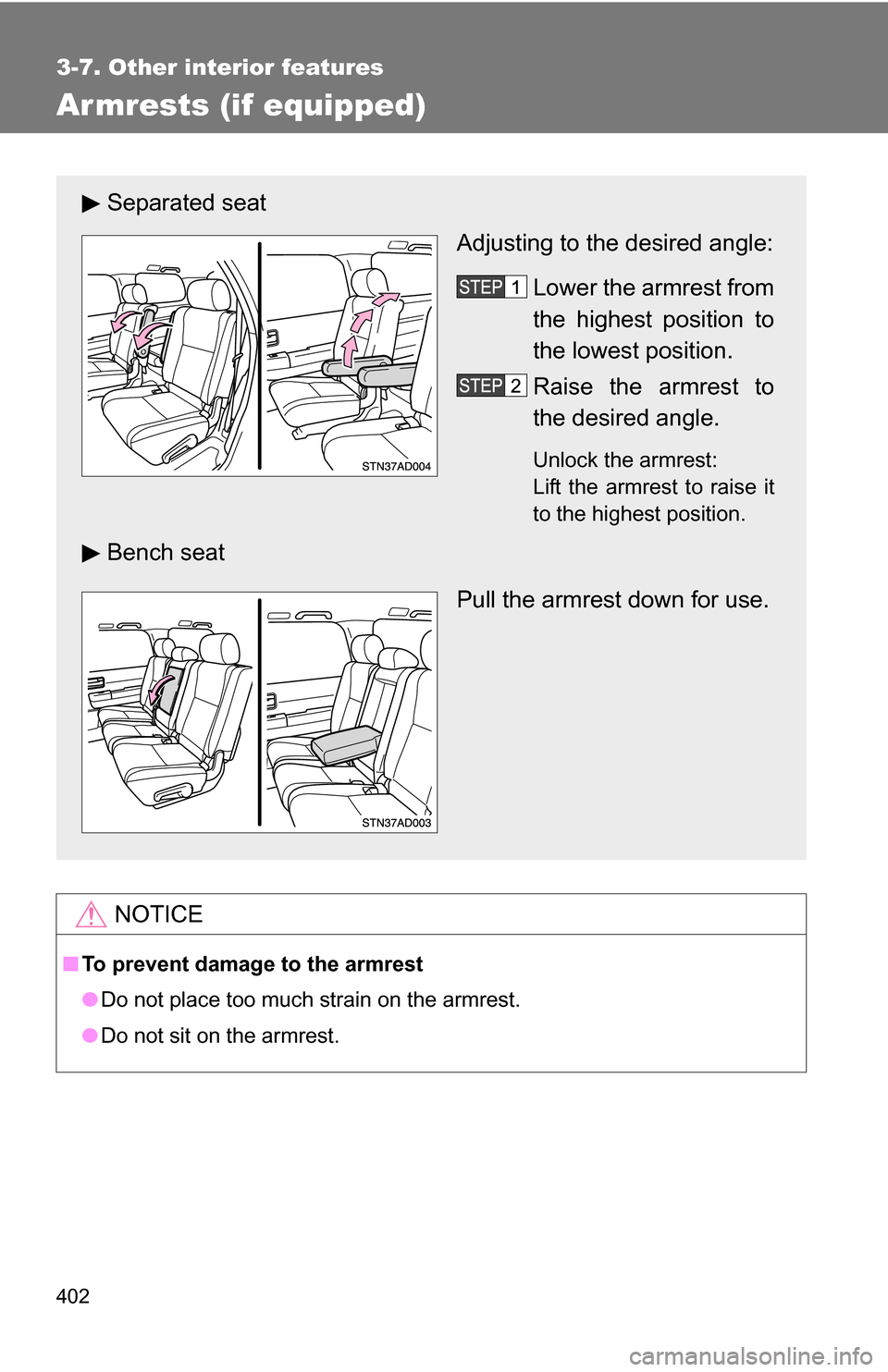
Separated seat
Adjusting to the desired angle:
Lower the armrest from
the highest position to
the lowest position.
Raise the armrest to
the desired angle.
Unlock the armrest:
Lift the armrest to raise it
to the highest position.
Bench seat
Pull the armrest down for use.