Page 362 of 596
362
3-5. Using the interior lights
Interior lights list
Your Toyota is equipped with an illuminated entry system to assist in
entering the vehicle. Due to the fu nction of the system, the lights
shown in the following illustration automatically turn on/off accord-
ing to whether the doo rs are locked/unlocked, whether the doors are
opened/closed, and the en gine switch position.
Outer foot lights (if equipped)
Interior light (P. 365)
Personal/interior lights ( P. 364)
Engine switch light
Foot well lighting
Door courtesy lights
Ashtray lighting
Page 367 of 596
367
3-6. Using the
storage features
3
Interior features
Glove boxes
Upper glove box Push the button.
Lower glove box Unlock with the master key
Lock with the master key
Pull the lever up.
CAUTION
■ Caution while driving
Keep the glove box closed.
Injuries may result in the event of an accident or sudden braking.
Glove boxes
Page 368 of 596
368 3-6. Using the storage features
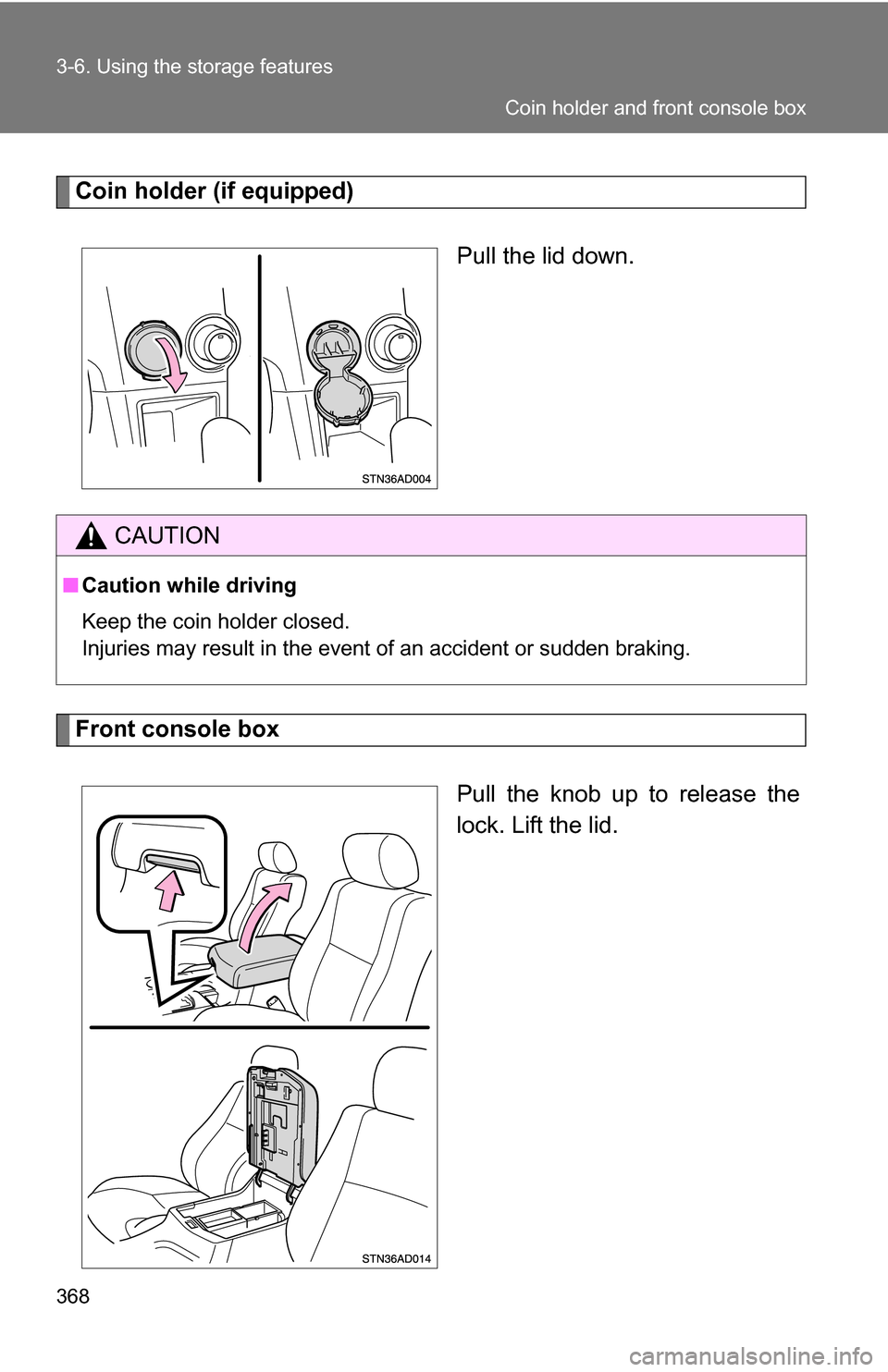
Coin holder (if equipped)Pull the lid down.
Front console box
Pull the knob up to release the
lock. Lift the lid.
CAUTION
■Caution while driving
Keep the coin holder closed.
Injuries may result in the event of an accident or sudden braking.
Coin holder and front console box
Page 369 of 596
369
3-6. Using the
storage features
3
Interior features
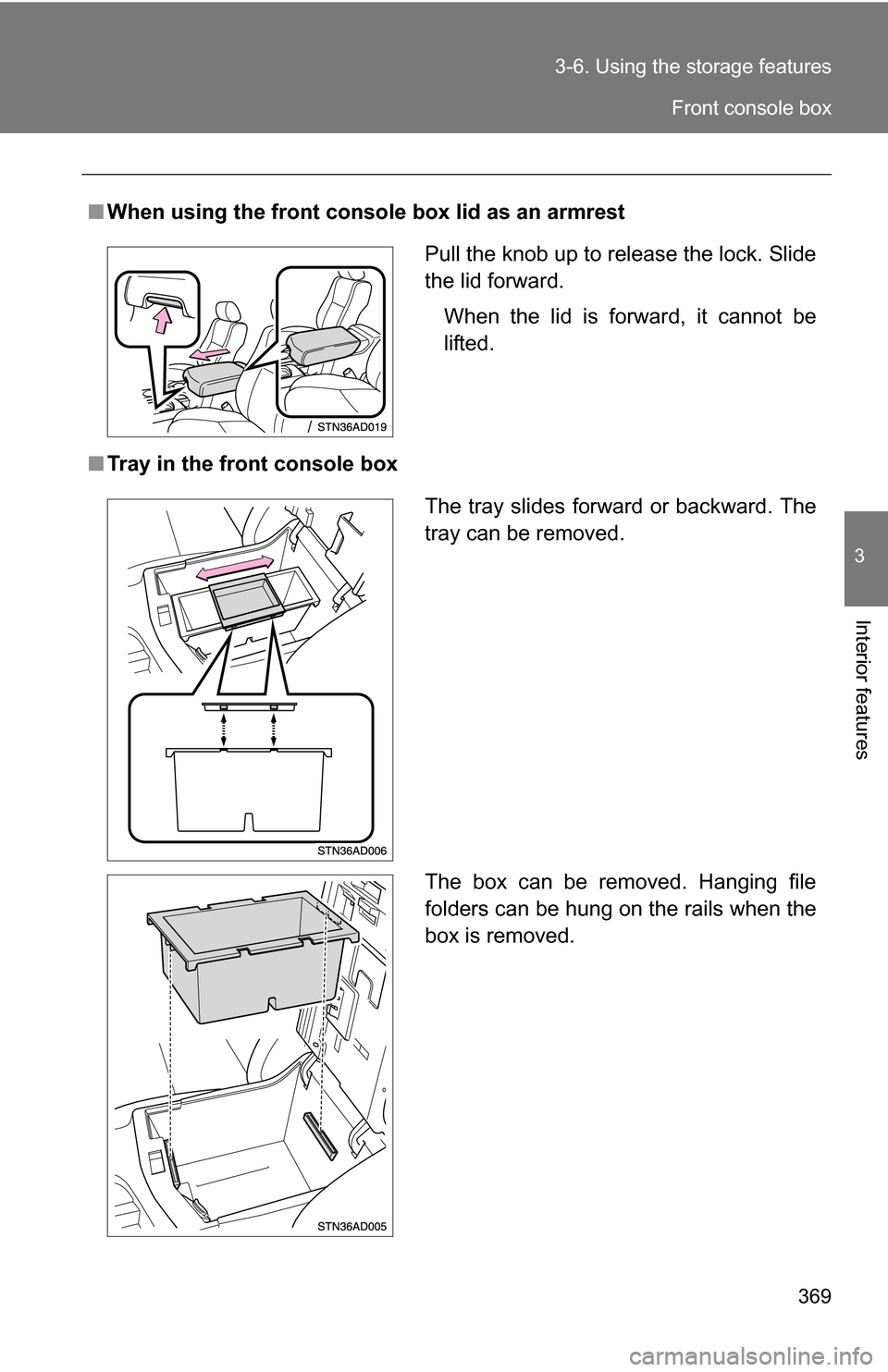
■When using the front console box lid as an armrest
■ Tray in the front console box
Pull the knob up to release the lock. Slide
the lid forward.
When the lid is forward, it cannot be
lifted.
The tray slides forward or backward. The
tray can be removed.
The box can be removed. Hanging file
folders can be hung on the rails when the
box is removed.
Front console box
Page 370 of 596
370 3-6. Using the storage features
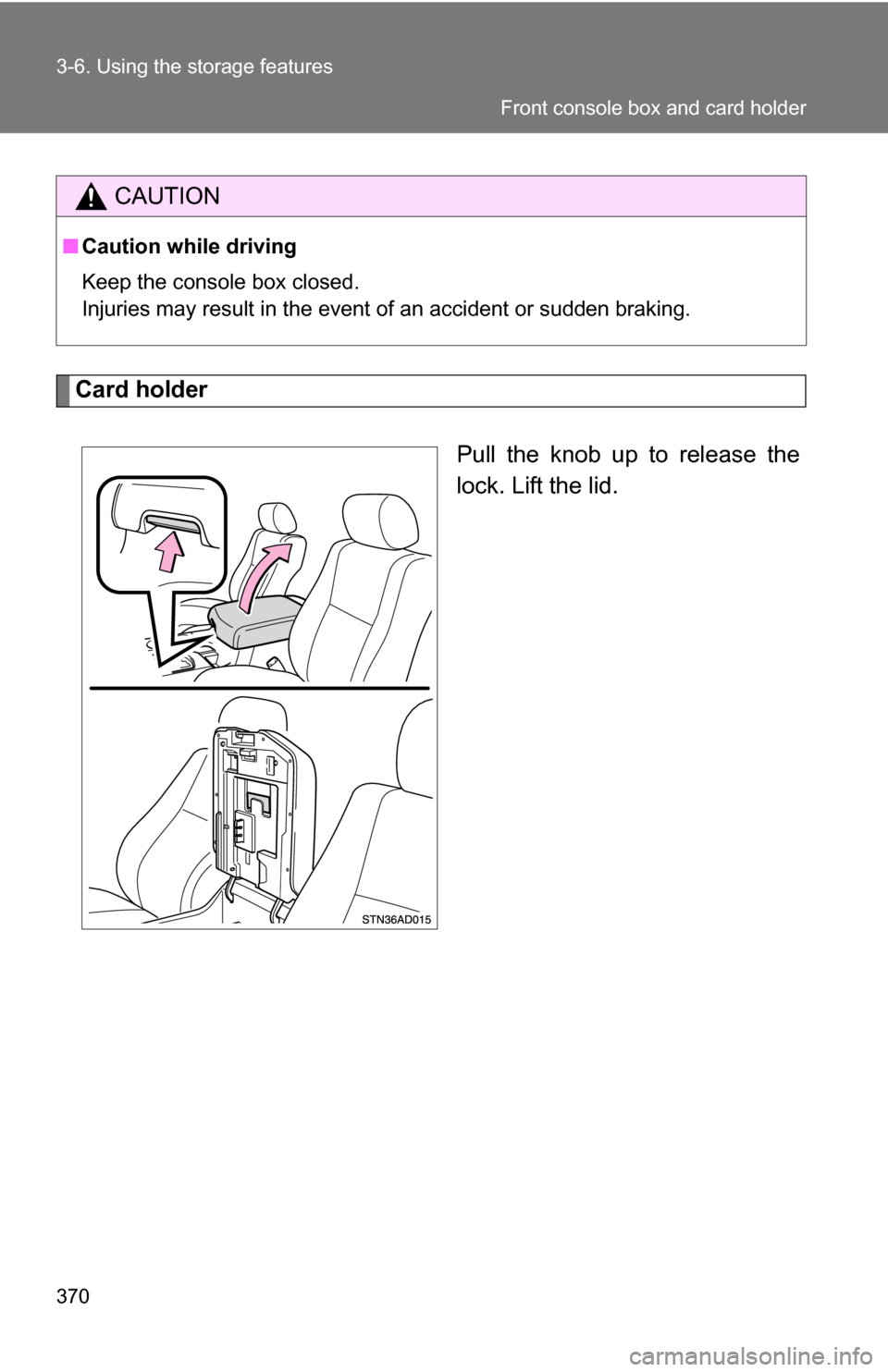
Card holderPull the knob up to release the
lock. Lift the lid.
CAUTION
■Caution while driving
Keep the console box closed.
Injuries may result in the event of an accident or sudden braking.
Front console box and card holder
Page 371 of 596
371
3-6. Using the
storage features
3
Interior features
Map holder
Center console Push the tab down to release
the lock. Remove the lid.
Stow the lid.
Map holder
Page 372 of 596
372 3-6. Using the storage features
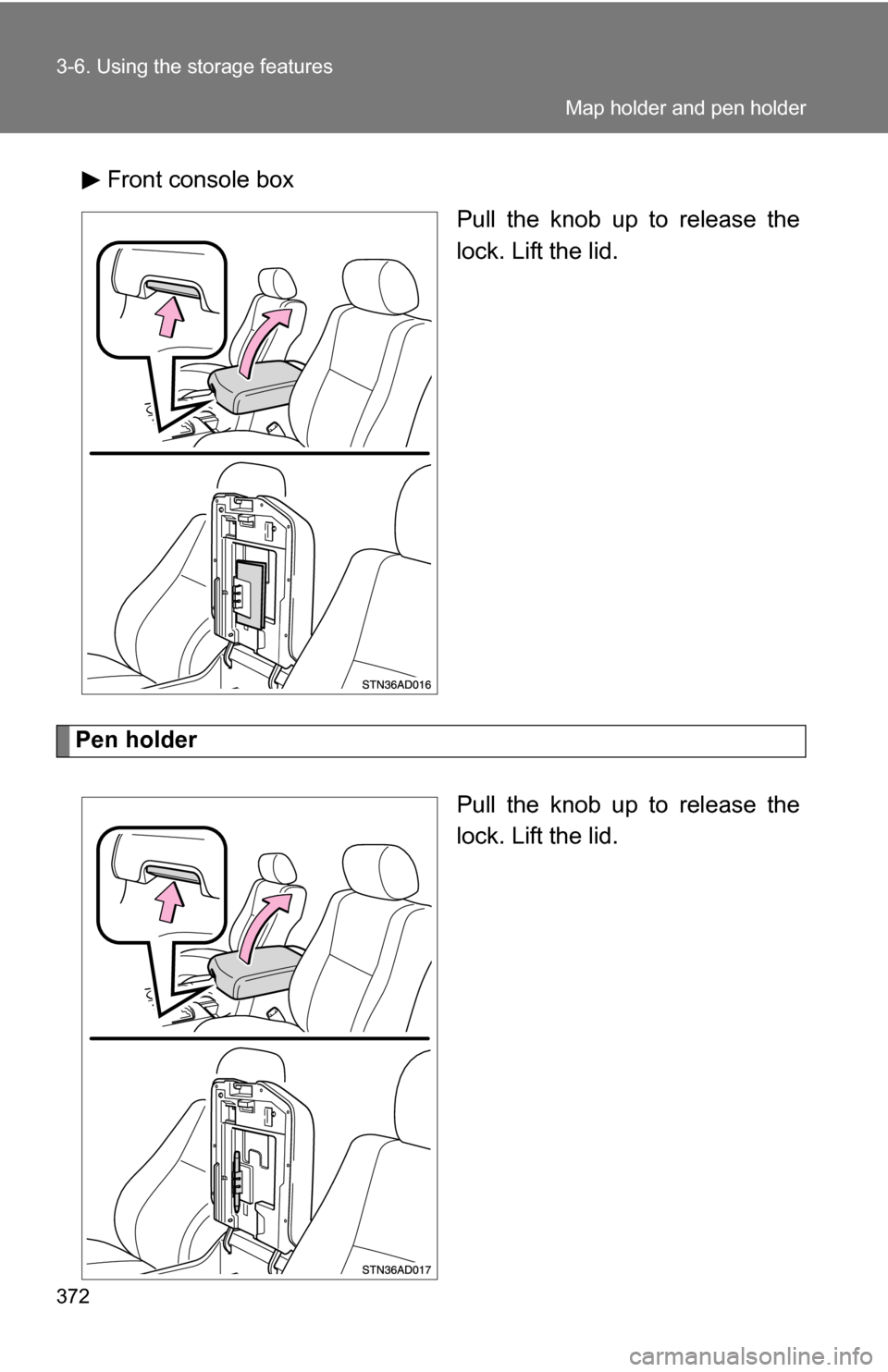
Front console boxPull the knob up to release the
lock. Lift the lid.
Pen holder
Pull the knob up to release the
lock. Lift the lid.
Map holder and pen holder
Page 373 of 596
373
3-6. Using the
storage features
3
Interior features
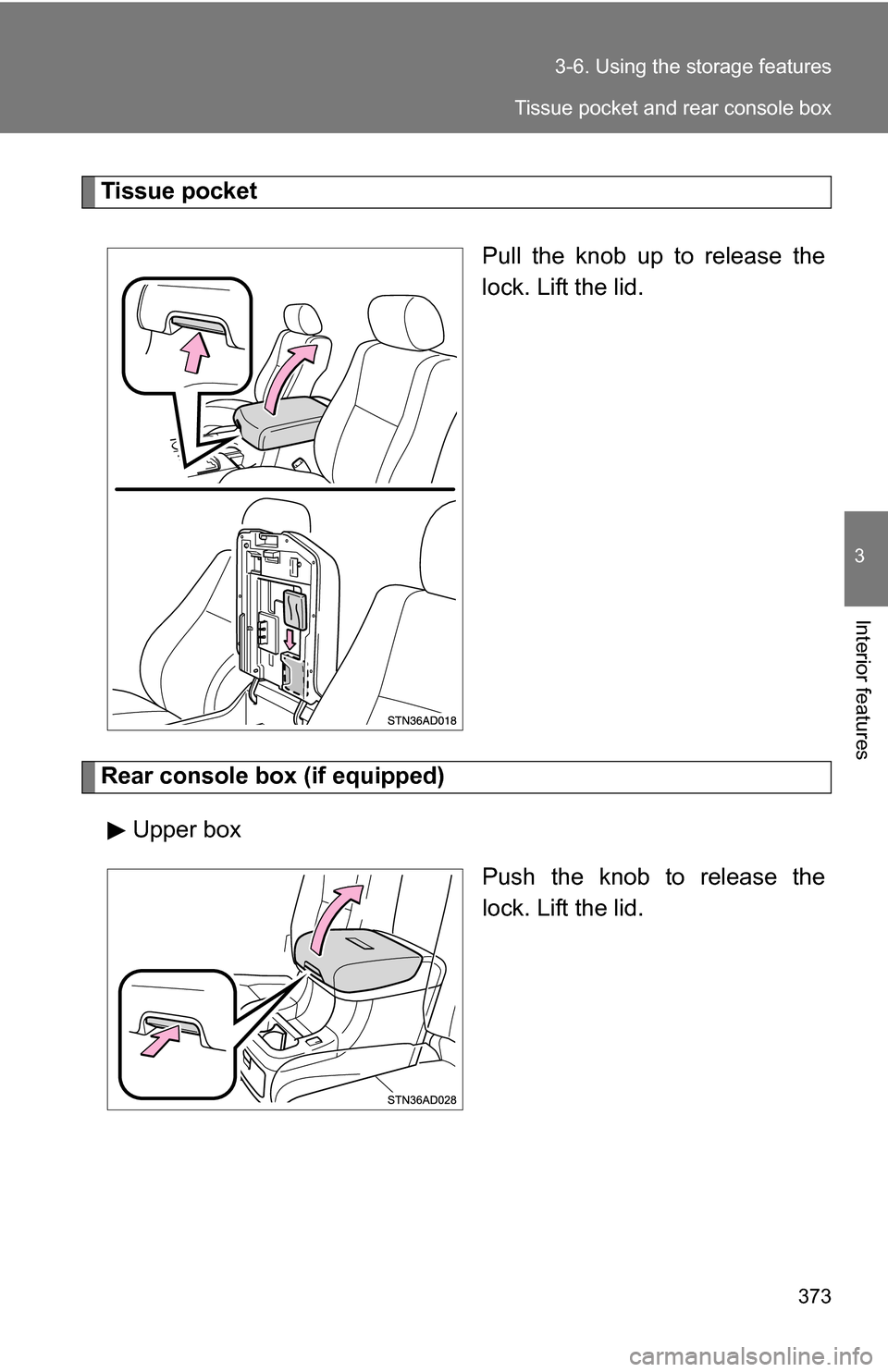
Tissue pocket
Pull the knob up to release the
lock. Lift the lid.
Rear console box (if equipped)Upper box Push the knob to release the
lock. Lift the lid.
Tissue pocket and rear console box