2008 SUBARU TRIBECA air condition
[x] Cancel search: air conditionPage 129 of 409

&Temperature gauge1) Normal operating rangeThe temperature gauge shows engine
coolant temperature when the ignition
switch is in the “ON”position.
The coolant temperature will vary in
accordance with the outside temperature
and driving conditions.
We recommend that you drive moderately
until the pointer of the temperature gauge
reaches near the middle of the range.
Engine operation is optimum with the
engine coolant at this temperature range.
Also, high revving operation while the
engine is not sufficiently warmed up
should be avoided.
CAUTION
If the pointer exceeds the normal
operating range, safely stop the
vehicle as soon as possible.
Refer to “In case of emergency ”in
chapter 9.
Warning and indicator lightsSeveral of the warning and indicator lights
come on momentarily and then go out
when the ignition switch is initially turned
to the “ON ”position. This permits check-
ing the operation of the bulbs.
Apply the parking brake and turn the
ignition switch to the “ON ”position. The
following lights come on:
: Driver ’s seatbelt warning light
(The seatbelt warning light goes out
only when the driver fastens the
seatbelt.): Front passenger ’s seatbelt warning
light
(The seatbelt warning light goes out
only when the front seat passenger
fastens the seatbelt.): SRS airbag system warning light: CHECK ENGINE warning light/ Malfunction indicator lamp: Charge warning light: Oil pressure warning light: AT OIL temperature warning light/
: ABS warning light
: Vehicle Dynamics Control operation
Instruments and controls
3-9
–CONTINUED –
ProCarManuals.com
Page 131 of 409
The warning light(s) for unfastened
seatbelt(s) will alternate between
steady illumination and flashing at
15-second intervals. The chime will
not sound.
.At speeds higher than approxi-
mately 9 mph (15 km/h)
The warning light(s) for unfastened
seatbelt(s) will alternate between
flashing and steady illumination at
15-second intervals and the chime
will sound while the warning light(s)
is/are flashing.
. It is possible to cancel the warning
operation that follows the 6-second
warning after turning ON the ignition
switch. When the ignition switch is
turned ON next time, however, the
complete sequence of the warning
operation resumes. For further details
about canceling the warning operation,
please contact your SUBARU dealer.
If there is no passenger on the front
passenger ’s seat, the seatbelt warning
device for the front passenger ’s seat will
be deactivated. The front passenger ’s
occupant detection system monitors
whether or not there is a passenger on
the front passenger ’s seat. Observe the
following precautions. Failure to do so
may prevent the device from functioning
correctly or cause the device to fail. .
Do not install any accessory such as a
table or TV onto the seatback.
. Do not store a heavy load in the
seatback pocket.
. Do not allow the rear seat occupant to
place his/her hands or legs on the front
passenger ’s seatback, or allow him/her to
pull the seatback.
If the seatbelt warning device for the front
passenger ’s seat does not function cor-
rectly (e.g., it is activated even when the
front passenger ’s seat is empty or it is
deactivated even when the front passen-
ger has not fastened his/her seatbelt),
take the following actions.
. Ensure that no article is placed on the
seat other than a child restraint system
and its child occupant.
. Ensure that there is no article left in the
seatback pocket.
If still the seatbelt warning device for front
passenger ’s seat does not function cor-
rectly after taking relevant corrective ac-
tions described above, immediately con-
tact your SUBARU dealer for an inspec-
tion.
&
SRS airbag system
warning light
When the ignition switch is turned to the
“ON ”position, the SRS airbag system
warning light will come on for approxi-
mately 6 seconds and go out. This shows
the SRS frontal airbag and SRS side
airbag and SRS curtain airbag and seat-
belt pretensioners are in normal operation.
WARNING
If the warning light exhibits any of
the following conditions, there may
be a malfunction in the seatbelt
pretensioners and/or SRS airbag
system. Immediately take your vehi-
cle to your nearest SUBARU dealer
to have the system checked. Unless
checked and properly repaired, the
seatbelt pretensioners and/or SRS
airbags will operate improperly (e.g.
SRS airbags may inflate in a very
minor collision or not inflate in a
severe collision), which may in-
crease the risk of injury.
. Flashing or flickering of the warn-
ing light
. No illumination of the warning
light when the ignition switch is
first turned to the “ON ”position
Instruments and controls
3-11
– CONTINUED –
ProCarManuals.com
Page 136 of 409
3-16
Instruments and controls
When the warning light is on, the
ABS function shuts down; however,
the conventional brake system con-
tinues to operate normally.
.The warning light does not come
on when the ignition switch is
turned to the “ON ”position.
. The warning light comes on when
the ignition switch is turned to
the “ON ”position, but it does not
go out even when the vehicle
speed exceeds approximately 8
mph (12 km/h).
. The warning light comes on dur-
ing driving.
If any of these conditions occur,
have the ABS system repaired at
the first available opportunity by
your SUBARU dealer.
The ABS warning light comes on together
with the brake system warning light if the
EBD system becomes faulty. For further
details of the EBD system fault warning,
refer to “Brake system warning light ”.NOTEIf the warning light behavior is as
described in the following, the ABS
system may be considered normal.
.The warning light comes on right after the engine is started but goes out
immediately, remaining off.
.
The warning light remains on after
the engine has been started, but it goes
out when the vehicle speed reaches
approximately 8 mph (12 km/h).
. The warning light comes on during
driving, but it goes out immediately and
remains off.
When driving with an insufficient battery
voltage such as when the engine is jump
started, the ABS warning light may come
on. This is due to the low battery voltage
and does not indicate a malfunction.
When the battery becomes fully charged,
the light will go out.
&
Brake system
warning light
WARNING
. Driving with the brake system
warning light on is dangerous.
This indicates your brake system
may not be working properly. If
the light remains on, have the
brakes inspected by a SUBARU
dealer immediately.
. If at all in doubt about whether
the brakes are operating prop-
erly, do not drive the vehicle. Have your vehicle towed to the
nearest SUBARU dealer for re-
pair.
This light has the following three functions:
! Parking brake warning
The light comes on with the parking brake
applied while the ignition switch is in the
“ ON ”position. It goes out when the
parking brake is fully released.
! Brake fluid level warning
This light comes on when the brake fluid
level has dropped to near the “MIN”level
of the brake fluid reservoir with the ignition
switch in the “ON”position and with the
parking brake fully released.
If the brake system warning light should
come on while driving (with the parking
brake fully released and with the ignition
switch positioned in “ON”), it could be an
indication of leaking of brake fluid or worn
brake pads. If this occurs, immediately
stop the vehicle at the nearest safe place
and check the brake fluid level. If the fluid
level is below the “MIN ”mark in the
reservoir, do not drive the vehicle. Have
the vehicle towed to the nearest SUBARU
dealer for repair.
ProCarManuals.com
Page 138 of 409
3-18
Instruments and controls
&
Windshield washer
fluid warning light
This light comes on when the fluid level in
the windshield washer fluid tank falls to
the lower limit (approximately 0.6 US qt,
0.6 liter, 0.5 Imp qt).&
All-Wheel Drive warn-
ing light
WARNING
Continued driving with the AWD
warning light flashing can lead to
powertrain damage. If the AWD
warning light flashes, promptly park
in a safe place then check whether
all four tires are the same diameter
and whether any of the tires has a
puncture or has lost air pressure for
some other reason.
The All-Wheel Drive warning light comes
on when the ignition switch is turned to the
“ ON ”position and goes out after the
engine has started.
This light flashes if the vehicle is driven
with tires of different diameters fitted on its
wheels or with the air pressure exces-
sively low in any of its tires.
&
Vehicle Dynamics
Control operation indi-
cator light
This light comes on when the ignition
switch is ON and goes out approximately
2 seconds later.
It blinks when the skid suppression func-
tion is activated. It illuminates when only
the traction control function is operating.
The Vehicle Dynamics Control system is
probably faulty under any of the following
conditions. Have your vehicle checked at
a SUBARU dealer immediately.
. The light does not come on when the
ignition switch is turned to the “ON ”
position.
. The light does not go out even after a
period of approximately 2 seconds after
the ignition switch has been turned to the
“ON ”position.&
Vehicle Dynamics
Control warning light/
Traction Control system
OFF indicator light
This warning light has both the function of
indicating faults in the Vehicle Dynamics
Control system and the function of indicat-
ing that the Traction Control system has
been deactivated. It comes on in the event of a fault in the
system and is on when the system is not
operating.
This warning light comes on when the
ignition switch is turned to the
“ON ”
position and goes out after the engine
has started. It indicates that the Vehicle
Dynamics Control system is in normal
operation.
! Vehicle Dynamics Control warning
light
The Vehicle Dynamics Control system is
probably inoperative under any of the
following conditions. Have your vehicle
checked at a SUBARU dealer immedi-
ately.
. The warning light does not come on
when the ignition switch is turned to the
“ON ”position.
. The warning light comes on while the
vehicle is running.
. If the electrical circuit of the Vehicle
Dynamics Control system itself becomes
faulty, the warning light only comes on. At
this time, the ABS (Anti-lock Brake Sys-
tem) remains fully operational.
. The warning light comes on when the
electronic control system of the ABS/
Vehicle Dynamics Control system be-
comes faulty.
ProCarManuals.com
Page 148 of 409
3-28
Instruments and controls
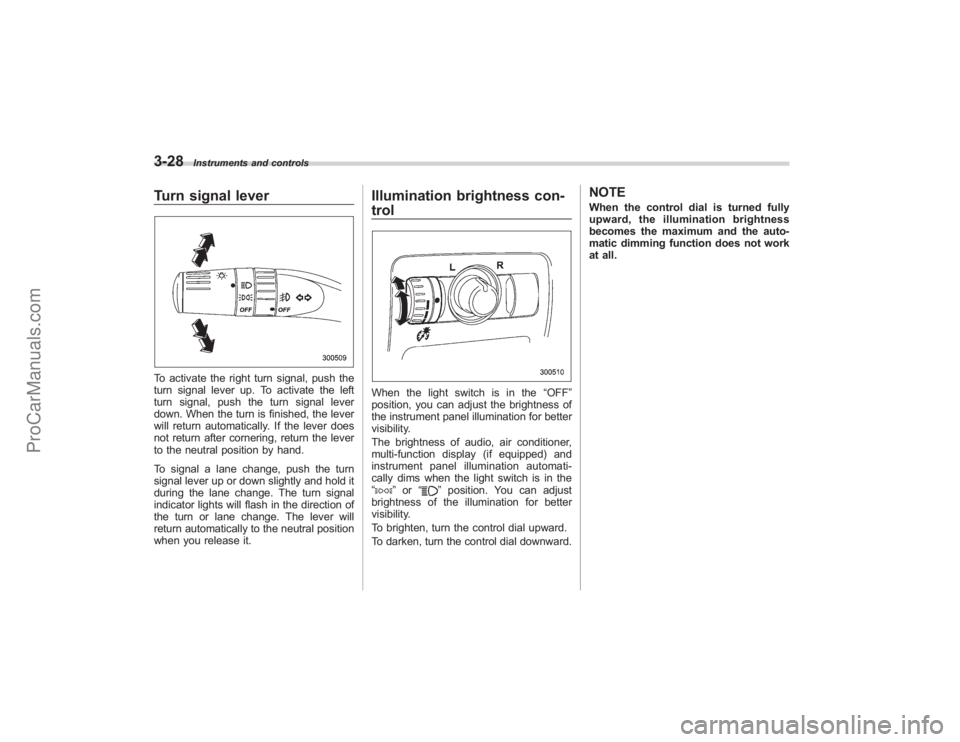
Turn signal leverTo activate the right turn signal, push the
turn signal lever up. To activate the left
turn signal, push the turn signal lever
down. When the turn is finished, the lever
will return automatically. If the lever does
not return after cornering, return the lever
to the neutral position by hand.
To signal a lane change, push the turn
signal lever up or down slightly and hold it
during the lane change. The turn signal
indicator lights will flash in the direction of
the turn or lane change. The lever will
return automatically to the neutral position
when you release it.
Illumination brightness con-
trolWhen the light switch is in the“OFF”
position, you can adjust the brightness of
the instrument panel illumination for better
visibility.
The brightness of audio, air conditioner,
multi-function display (if equipped) and
instrument panel illumination automati-
cally dims when the light switch is in the
“
” or “
”position. You can adjust
brightness of the illumination for better
visibility.
To brighten, turn the control dial upward.
To darken, turn the control dial downward.
NOTEWhen the control dial is turned fully
upward, the illumination brightness
becomes the maximum and the auto-
matic dimming function does not work
at all.
ProCarManuals.com
Page 159 of 409
other similar items. Periodically wipe the
sensors clean using a piece of dry soft
cotton cloth or an applicator.
!Compass calibration
1. For optimum calibration, switch off all
nonessential electrical accessories (rear
window defogger, heater/air conditioning
system, spotlight, etc.) and ensure all
doors are shut.
2. Drive to an open, level area away from
large metallic objects or structures and
make certain the ignition switch is in the
“ON ”position.
3. Press and hold the left button for 3
seconds then release, and the compass
will enter the calibration mode. “CAL”and
direction will be displayed.
4. Drive slowly in a circle until “CAL”
disappears from the display (approxi-
mately two or three circles). The compass
is now calibrated.
5. Further calibration may be necessary
should outside influences cause the mirror
to read inaccurately. You will know that
this has occurred if your compass begins
to read in only limited directions. Should
you encounter this situation, return to step
one of the above procedure and recali-
brate the mirror. !
Compass zone adjustment
1. The zone setting is factory preset to
Zone 8. Refer to the “Compass calibration
zone” map attached to the end of this
manual to verify that the compass zone
setting is correct for your geographical
location.
2. Press and hold the right button for 3
seconds then release, and the word
“ZONE ”will briefly appear and then the
zone number will be displayed.
3. Press the right-hand button repeatedly
to cycle the display through all possible
zone settings. Stop cycling when the
correct zone setting for your location is
displayed.
4. Releasing the button for 3 seconds will
exit the zone setting mode.
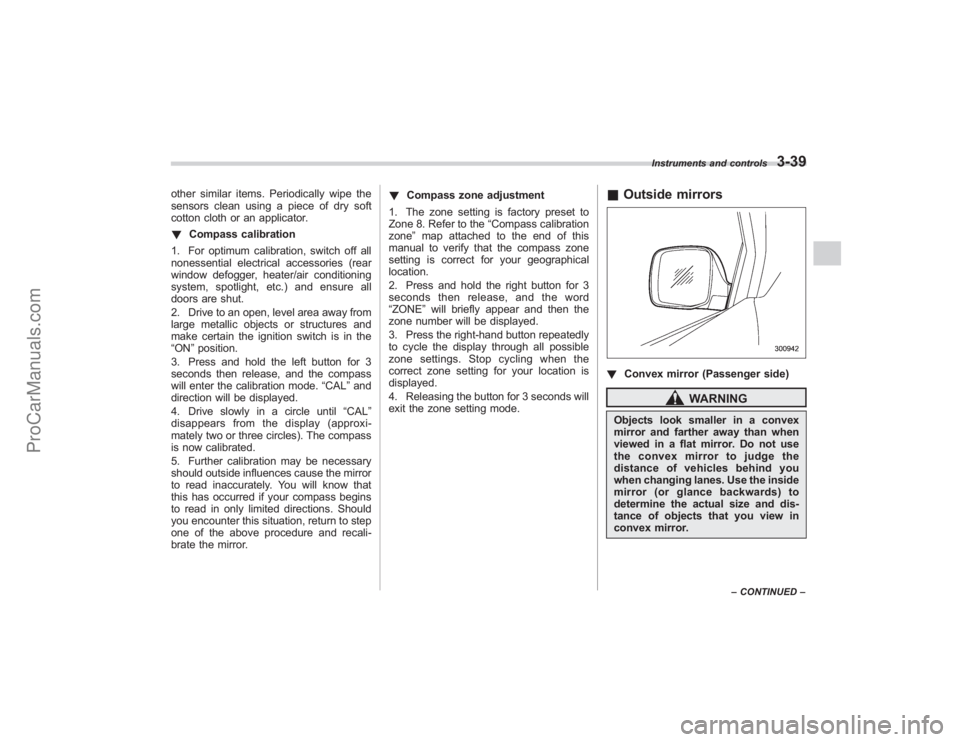
& Outside mirrors! Convex mirror (Passenger side)
WARNING
Objects look smaller in a convex
mirror and farther away than when
viewed in a flat mirror. Do not use
the convex mirror to judge the
distance of vehicles behind you
when changing lanes. Use the inside
mirror (or glance backwards) to
determine the actual size and dis-
tance of objects that you view in
convex mirror.
Instruments and controls
3-39
–CONTINUED –
ProCarManuals.com
Page 163 of 409
Ventilator........................................................... 4-2
Air flow............................................................ 4-2
Ventilator ......................................................... 4-4
Automatic climate control system .................. 4-5
Control panel................................................... 4-5
Rear air conditioner (if equipped) ...................... 4-8
Temperature sensors ........................................ 4-9
Operating tips for heater and air
conditioner ................................................... 4-10
Cleaning ventilator grille ................................. 4-10
Efficient cooling after parking in direct sunlight ....................................................... 4-10 Lubrication oil circulation in the refrigerant
circuit ........................................................... 4-10
Checking air conditioning system before summer season ......................................................... 4-10
Cooling and dehumidifying in high humidity and low temperature weather conditions .............. 4-10
Air conditioner compressor shut-off when engine is heavily loaded ........................................... 4-10
Refrigerant for your climate control system ......................................................... 4-10
Air filtration system ........................................ 4-11
Replacing the air filter ..................................... 4-11
Climate control
4
ProCarManuals.com
Page 167 of 409

Automatic climate control
systemNOTE.Operate the automatic climate con-
trol system when the engine is running.
. The blower fan rotates at a low
speed when the engine coolant tem-
perature is low.
For efficient defogging or dehumidify-
ing in cold weather, press the “A/C ”
button.
. Even when cooling is not necessary,
setting the temperature much lower
than the current outlet air temperature
turns on the air conditioner compres-
sor automatically and the “A/C ”indi-
cator light on the control panel comes
on.
. Seven-seater models each have a
rear air conditioner. The fan speed of
the rear air conditioner can be ad-
justed, but other adjustments (outlet
air temperature, air distribution, etc.)
are not possible for the rear air condi-
tioner. For details, refer to “Rear air
conditioner ”in this section.
The automatic climate control system
automatically controls outlet air tempera-
ture, fan speed, air flow distribution air-
inlet control, and air conditioner compres- sor operation. It activates when the
“AUTO
”button is pressed, and is used to
maintain a constant, comfortable climate
within the passenger compartment.
The temperature can be set within a range
of 65 to 85 8F (18 to 32 8C).
& Control panel1) Temperature control dial (driver ’s side)
2) Defroster button
3) Fan speed control dial
4) Rear window defogger button (Refer to the“Rear window defogger button ”in
chapter 3.)
5) Temperature control dial (passenger ’s
side)
6) Air conditioner button
7) Air flow mode selection button
8) Air inlet selection button
9) OFF button 10) AUTO button
!
AUTO button
AUTO mode operation:When the “AUTO”button is pressed, the
indicator light on the button comes on. In
this state, fan speed, air flow distribution,
air-inlet control, and air conditioner com-
pressor operation are automatically con-
trolled.
Manual mode operation:
If you operate any of the buttons on the
control panel other than the “OFF”button
and temperature control dial during auto-
matic mode operation, the indicator light
will go out. You can then manually control
the system as desired using the button
you operated.
Climate control
4-5
– CONTINUED –
ProCarManuals.com