Page 183 of 459
Interior features3
181
ES350_U_(L/O_0708)
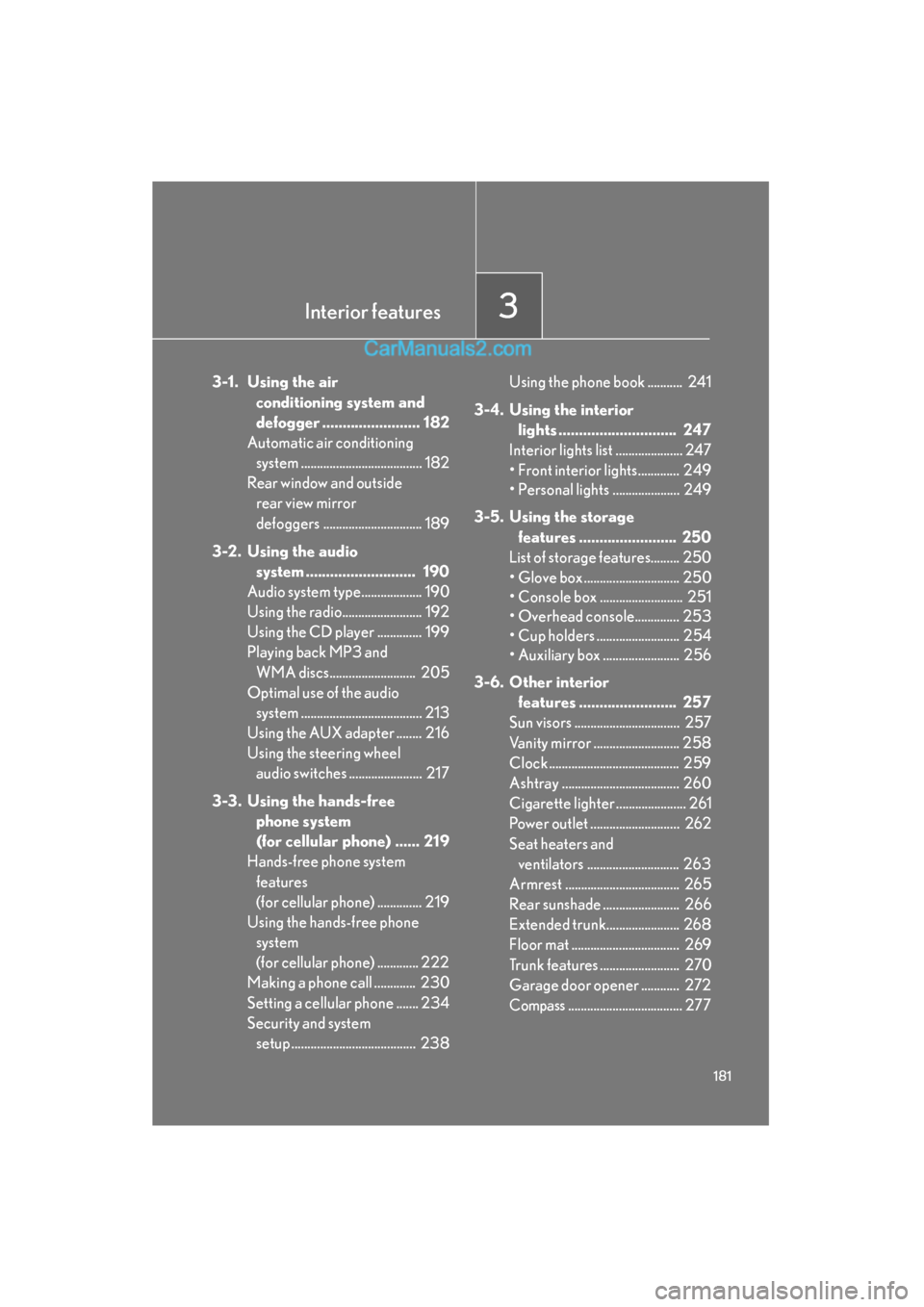
3-1. Using the air conditioning system and
defogger ........................ 182
Automatic air conditioning
system ...................................... 182
Rear window and outside rear view mirror
defoggers ............................... 189
3-2. Using the audio system ........................... 190
Audio system type................... 190
Using the radio......................... 192
Using the CD player .............. 199
Playing back MP3 and
WMA discs........................... 205
Optimal use of the audio system ...................................... 213
Using the AUX adapter ........ 216
Using the steering wheel audio switches ....................... 217
3-3. Using the hands-free phone system
(for cellular phone) ...... 219
Hands-free phone system
features
(for cellular phone) .............. 219
Using the hands-free phone
system
(for cellular phone) ............. 222
Making a phone call ............. 230
Setting a cellular phone ....... 234
Security and system setup ....................................... 238 Using the phone book ........... 241
3-4. Using the interior lights ............................. 247
Interior lights list ..................... 247
• Front interior lights............. 249
• Personal lights ..................... 249
3-5. Using the storage features ........................ 250
List of storage features......... 250
• Glove box .............................. 250
• Console box .......................... 251
• Overhead console.............. 253
• Cup holders .......................... 254
• Auxiliary box ........................ 256
3-6. Other interior features ........................ 257
Sun visors ................................. 257
Vanity mirror ........................... 258
Clock ......................................... 259
Ashtray ..................................... 260
Cigarette lighter ...................... 261
Power outlet ............................ 262
Seat heaters and ventilators ............................. 263
Armrest .................................... 265
Rear sunshade ........................ 266
Extended trunk....................... 268
Floor mat .................................. 269
Trunk features ......................... 270
Garage door opener ............ 272
Compass.................................... 277
Page 199 of 459

197
3-2. Using the audio system
3
Interior features
ES350_U_(L/O_0708)
■If the satellite radio does not operate normally
If a problem occurs with the XM
® tuner, a message will appear on the display. Refer
to the table below to identify the problem, and take the suggested corrective action.
ANTENNA
The XM® antenna is not connected. Check whether
the XM® antenna cable is attached securely.
There is a short-circuit in the antenna or the surround-
ing antenna cable. See a Lexus certified dealer.
UPDATING
You have not subscribed to the XM® Satellite Radio.
The radio is being updated with the latest encryption
code. Contact the XM
® Satellite Radio for subscrip-
tion information. When a contract is canceled, you can
choose the “CH000” and all free-to-air channels.
The premium channel you selected is not authorized.
Wait for about 2 seconds until the radio returns to the
previous channel or “CH001”. If it does not change
automatically, select another channel. If you want to lis-
ten to the premium channel, contact the XM
® Satellite
Radio.
NO SIGNAL
The XM® signal is too weak at the current location.
Wait until your vehicle reaches a location with a stron-
ger signal.
LOAD INGThe unit is acquiring audio or program information.
Wait until the unit has received the information.
OFF AIRThe channel you selected is not broadcasting any pro-
gramming. Select another channel.
-----
There is no song/program title or artist name/feature
associated with the channel at that time. No action
needed.
Page 221 of 459

219
3
Interior features
ES350_U_(L/O_0708)
3-3. Using the hands-free phone system (for cellular phone)
Hands-free phone system features (for cellular phone) (if equipped)
■Conditions affecting operation
The hands-free phone system may not operate normally in the following situations:
●The cellular phone is turned off, or located outside the service area.
●The cellular phone has a low battery.
●The cellular phone is not connected to the system.
●The cellular phone is behind the seat or in the glove box, or metal material cov-
ers or touches the phone.
■When transferring ownership of the vehicle
Be sure to initialize the system to prevent the personal data from being improperly
accessed.
■Required profiles for the cellular phone
●HFP (Hands Free Profile) Ver. 1.0
●OPP (Object Push Profile) Ver. 1.1
■Trademark owned by Bluetooth SIG. Inc.
This system supports Bluetooth®, which allows you to make or receive calls
without using cables to connect a cellular phone and the system, and with-
out operating the cellular phone.
TitlePa g e
Using the hands-free phone system (for cellular
phone)P. 222
Making a phone callP. 2 3 0
Setting a cellular phoneP. 2 3 4
Security and system setupP. 2 3 8
Using the phone bookP. 2 4 1
Page 229 of 459
227
3-3. Using the hands-free phone system (for cellular phone)
3
Interior features
ES350_U_(L/O_0708)
Setup
Security
Set PINSetting a PIN code
Phonebook LockLocking the phone book
Phonebook
UnlockUnlocking the phone book
Phone
Setup
Pa i r P h o n eRegistering a cellular phone to
be used
Change NameChanging a registered name of
a cellular phone
DeleteDeleting a registered cellular
phone
List phonesListing the registered cellular
phones
Select phoneSelecting a cellular phone to be
used
Set PasskeyChanging the passkey
System
SetupGuidance Volume
(Guidance Vol)Setting voice guidance volume
InitializeInitialization
First menuSecond menuThird menuOperation detail
Page 240 of 459
238
3-3. Using the hands-free phone system (for cellular phone)
ES350_U_(L/O_0708)
Security and system setup
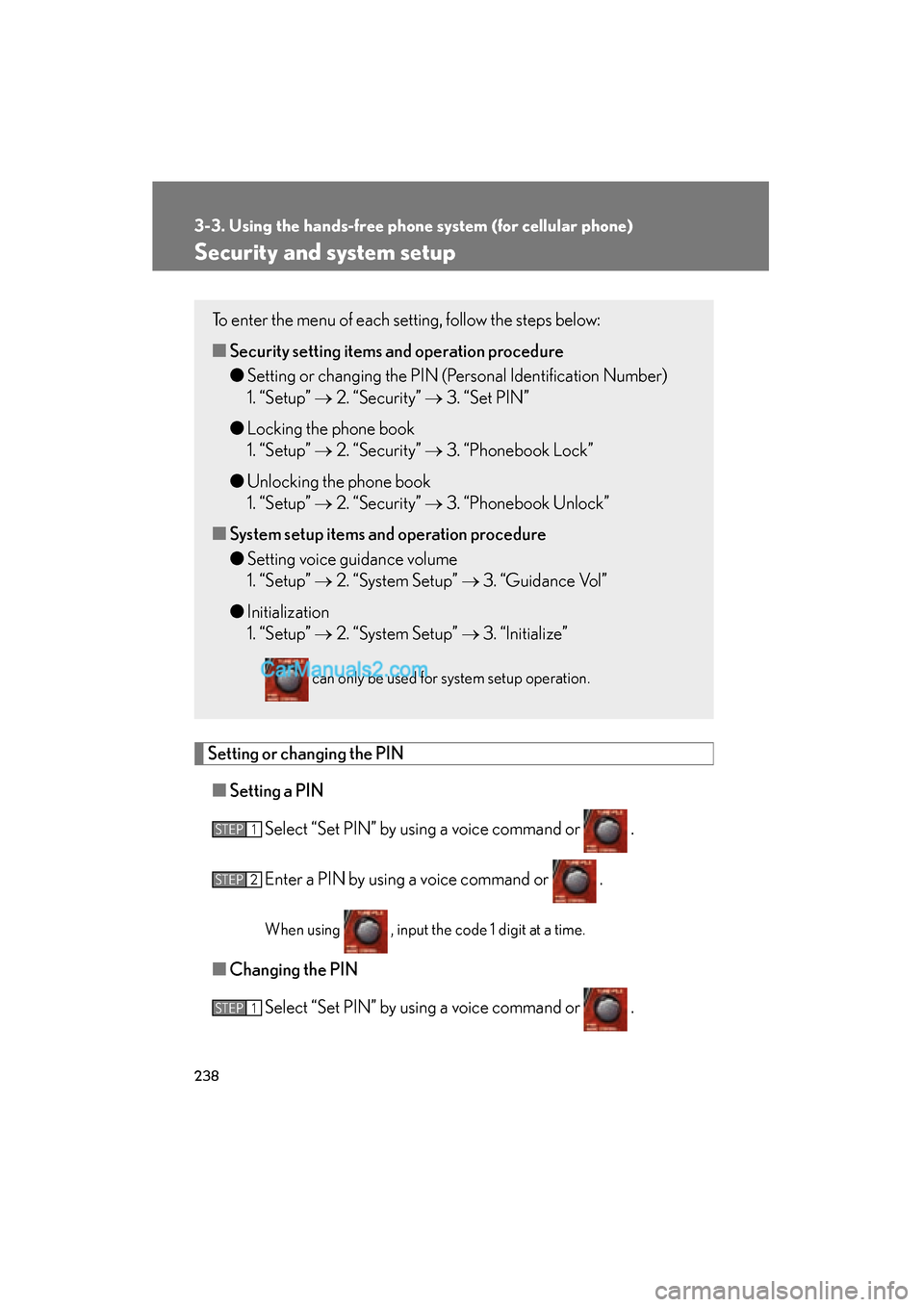
Setting or changing the PIN■ Setting a PIN
Select “Set PIN” by using a voice command or .
Enter a PIN by using a voice command or .
When using , input the code 1 digit at a time.
■Changing the PIN
Select “Set PIN” by using a voice command or .
To enter the menu of each setting, follow the steps below:
■Security setting items an d operation procedure
● Setting or changing the PIN (Personal Identification Number)
1. “Setup” → 2. “Security” → 3. “Set PIN”
● Locking the phone book
1. “Setup” → 2. “Security” → 3. “Phonebook Lock”
● Unlocking the phone book
1. “Setup” → 2. “Security” → 3. “Phonebook Unlock”
■ System setup items and operation procedure
● Setting voice guidance volume
1. “Setup” → 2. “System Setup” → 3. “Guidance Vol”
● Initialization
1. “Setup” → 2. “System Setup” → 3. “Initialize”
can only be used for system setup operation.
STEP1
STEP2
STEP1
Page 242 of 459
240
3-3. Using the hands-free phone system (for cellular phone)
ES350_U_(L/O_0708)
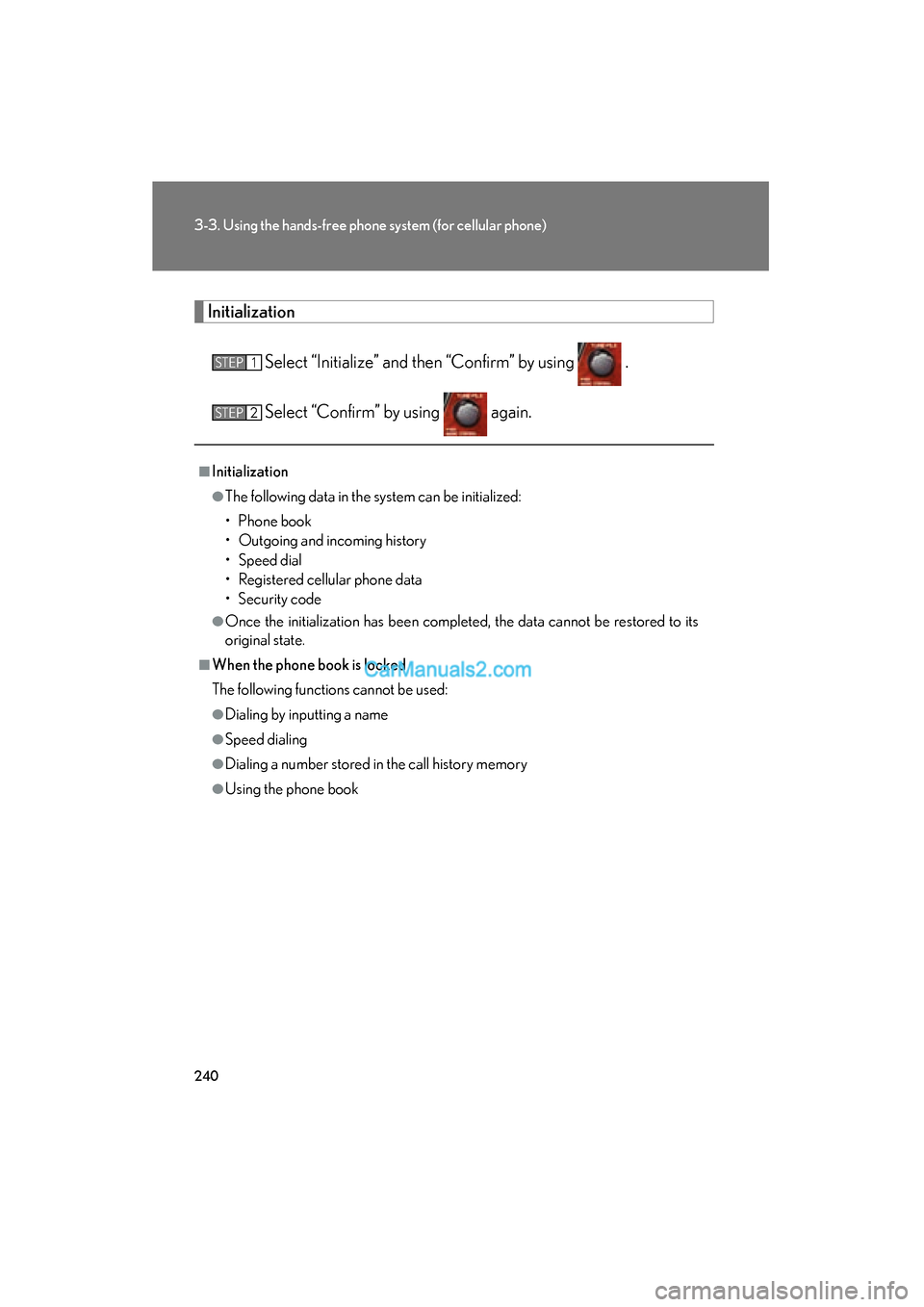
InitializationSelect “Initialize” and then “Confirm” by using .
Select “Confirm” by using again.
■Initialization
●The following data in the system can be initialized:
• Phone book
• Outgoing and incoming history
• Speed dial
• Registered cellular phone data
• Security code
●Once the initialization has been completed, the data cannot be restored to its
original state.
■When the phone book is locked
The following functions cannot be used:
●Dialing by inputting a name
●Speed dialing
●Dialing a number stored in the call history memory
●Using the phone book
STEP1
STEP2
Page 271 of 459
269
3-6. Other interior features
3
Interior features
ES350_U_(L/O_0708)
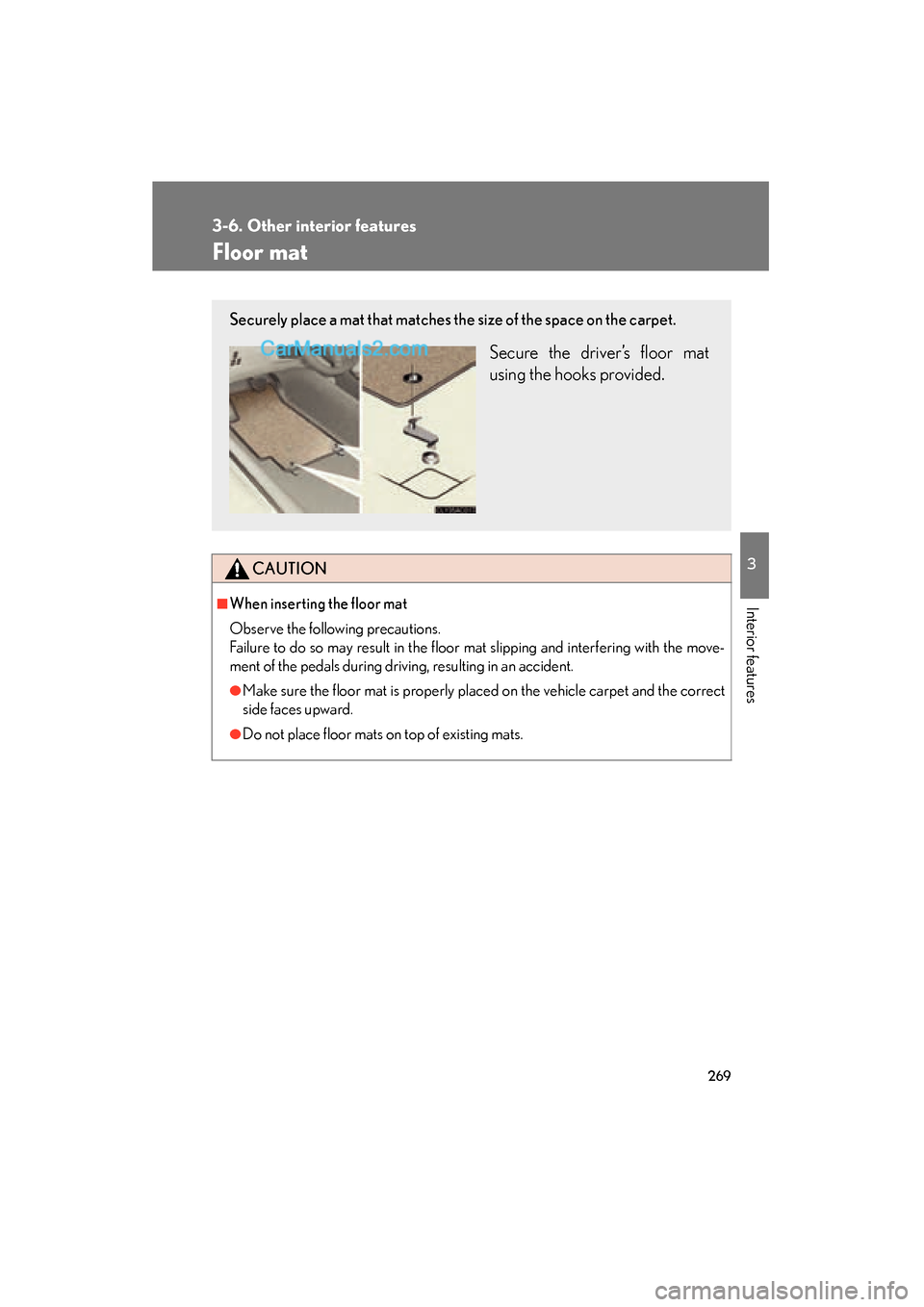
Floor mat
CAUTION
■When inserting the floor mat
Observe the following precautions.
Failure to do so may result in the floor mat slipping and interfering with the move-
ment of the pedals during driving, resulting in an accident.
●Make sure the floor mat is properly placed on the vehicle carpet and the correct
side faces upward.
●Do not place floor mats on top of existing mats.
Securely place a mat that matches the size of the space on the carpet.
Secure the driver’s floor mat
using the hooks provided.
Page 272 of 459
270
3-6. Other interior features
ES350_U_(L/O_0708)
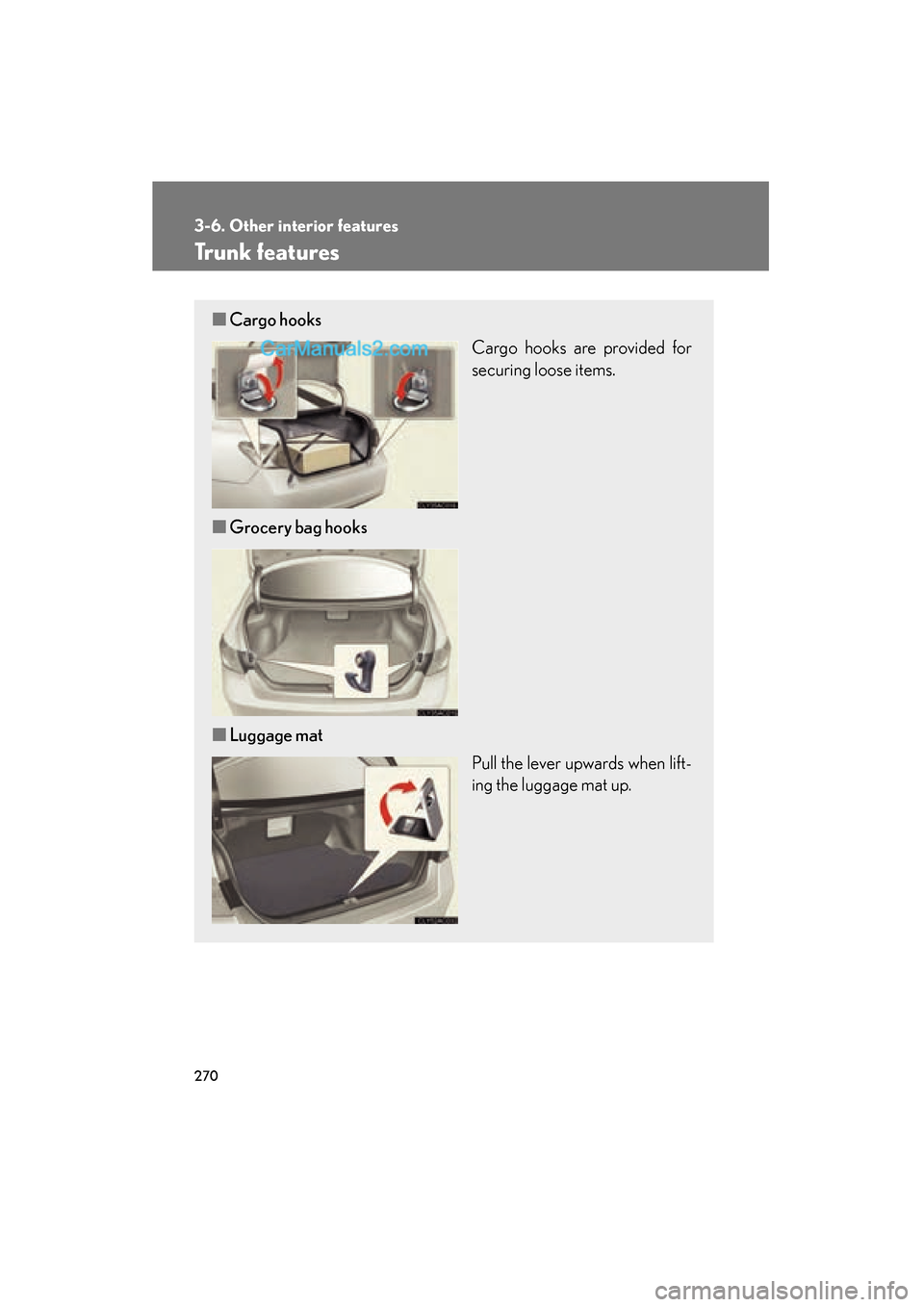
Trunk features
■Cargo hooks
Cargo hooks are provided for
securing loose items.
■ Grocery bag hooks
■ Luggage mat
Pull the lever upwards when lift-
ing the luggage mat up.