2008 KIA CERATO lock
[x] Cancel search: lockPage 113 of 327
3103
Knowing your vehicle
1 23456789
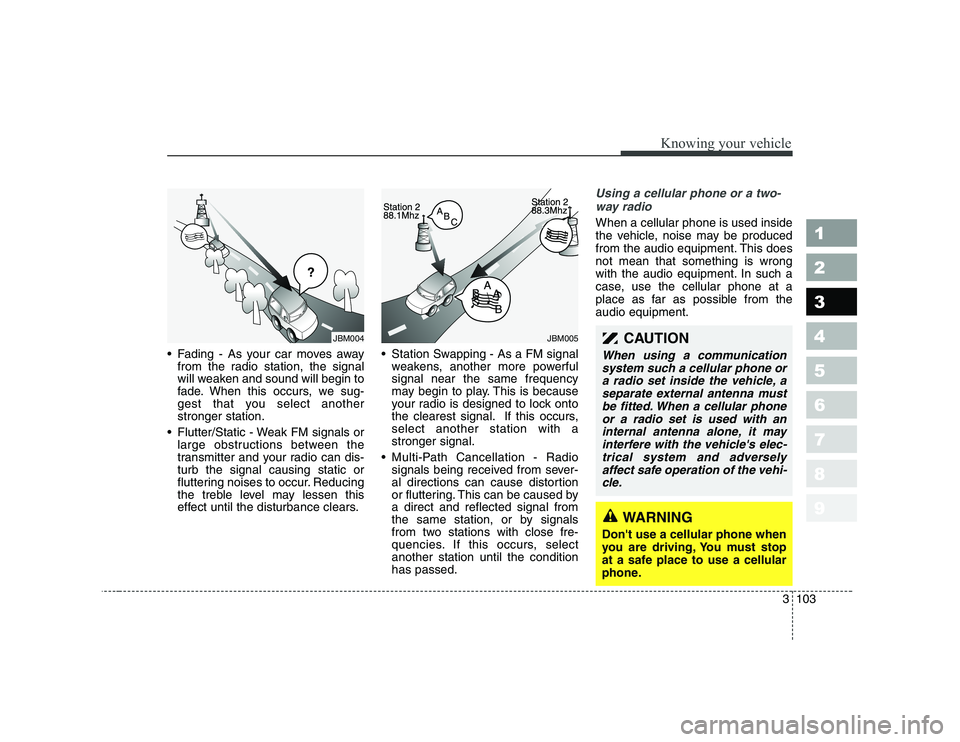
• Fading - As your car moves awayfrom the radio station, the signal
will weaken and sound will begin to
fade. When this occurs, we sug-
gest that you select anotherstronger station.
Flutter/Static - Weak FM signals or large obstructions between the
transmitter and your radio can dis-turb the signal causing static or
fluttering noises to occur. Reducing
the treble level may lessen this
effect until the disturbance clears. Station Swapping - As a FM signal
weakens, another more powerfulsignal near the same frequency
may begin to play. This is because
your radio is designed to lock onto
the clearest signal. If this occurs,select another station with astronger signal.
Multi-Path Cancellation - Radio signals being received from sever-
al directions can cause distortion
or fluttering. This can be caused bya direct and reflected signal from
the same station, or by signals
from two stations with close fre-
quencies. If this occurs, selectanother station until the conditionhas passed.
Using a cellular phone or a two-
way radio
When a cellular phone is used inside
the vehicle, noise may be produced
from the audio equipment. This doesnot mean that something is wrong
with the audio equipment. In such a
case, use the cellular phone at a
place as far as possible from theaudio equipment.
¢¢¢
JBM004JBM005CAUTION
When using a communicationsystem such a cellular phone ora radio set inside the vehicle, a separate external antenna mustbe fitted. When a cellular phoneor a radio set is used with an internal antenna alone, it mayinterfere with the vehicle's elec-trical system and adversely affect safe operation of the vehi-cle.
WARNING
Don't use a cellular phone when
you are driving, You must stop
at a safe place to use a cellular
phone.
Page 116 of 327

Knowing your vehicle
106
3
1 23456789
1. POWER ON-OFF Control Knob
The radio unit may be operated
when the ignition key is in the
“ACC”or “ON” position. Press the
knob to switch the power on. The
LCD shows the radio frequency in
radio mode, and displays the CD
track in CD mode. To switch the
power off, press the knob again.
Push the FM/AM(MW, LW) or CD to turn on that function without pushing
the Power ON-OFF control knob.
VOLUME Control
Rotate the knob clockwise to
increase the volume and turn the
knob counterclockwise to reduce the
volume.
2. BAND Selector
FM Selection Button
Pressing the button changes
the FM1 and FM2 bands.
AM(MW, LW) Selection Button
Pressing the button selects
the AM(MW, LW) band. AM(MW, LW)
mode is displayed on the LCD.
3. TUNE Select/AUDIO Control Knob
Rotate the knob clockwise to
increase the frequency and turn the
knob counterclockwise to reduce the
frequency. Mode Select
Pressing the TUNE knob changes
the BASS, MID-RANGE, TREBLE,
FADER and BALANCE mode.
The mode selected is shown on the
display.
After selecting each mode, rotate the
knob clockwise or counterclockwise.
BASS Control
To increase the BASS, rotate the
knob clockwise, while to decrease
the BASS, rotate the knob counter-
clockwise.
MID-RANGE Control
To increase the MID-RANGE, rotate
the knob clockwise, while todecrease the MID-RANGE, rotate
the knob counterclockwise. TREBLE Control
To increase the TREBLE, rotate the
knob clockwise, while to decrease
the TREBLE, rotate the knob coun-
terclockwise.
FADER Control
Rotate the control knob clockwise to
emphasize rear speaker sound (front
speaker sound will be attenuated).
When the control knob is turned
counterclockwise, front speaker
sound will be emphasized (rear
speaker sound will be attenuated).
BALANCE Control
Rotate the knob clockwise to empha-
size right speaker sound (left speak-
er sound will be attenuated). When
the control knob is turned counter-
clockwise, left speaker sound will be
emphasized (right speaker sound
will be attenuated).
AM
FM
Page 123 of 327

3113
Knowing your vehicle
1 23456789
1. POWER ON-OFF Control Knob
The radio unit may be operatedwhen the ignition key is in the
"ACC" or "ON" position. Press the
button to switch the power on. The
LCD shows the radio frequency in
the radio mode, the tape directionindicator in the tape mode or
CD/MP3 track in the CD/MP3
mode. To switch the power off,
press the button again.
Push the FM/AM(MW, LW), TAPE or CD/MP3 to turn on that function
without pushing the Power ON-
OFF control knob.
VOLUME Control
Rotate the knob clockwise to
increase the volume and turn the
knob counterclockwise to reduce the
volume.
2. AUDIO Select Button
Pressing the AUDIO button changes
the BASS, MID-RANGE, TREBLE,
FADER and BALANCE mode.
The mode selected is shown on the
display.
After selecting each mode, rotate the
Audio control knob clockwise or
counterclockwise.
BASS Control
To increase the BASS, rotate the
knob clockwise, while to decreasethe BASS, rotate the knob counter-
clockwise.
MID-RANGE Control
To increase the MID-RANGE, rotate
the knob clockwise, while todecrease the MID-RANGE, rotate
the knob counterclockwise.
TREBLE Control
To increase the TREBLE, rotate the
knob clockwise, while to decrease
the TREBLE, rotate the knob coun-
terclockwise. FADER Control
Turn the control knob clockwise to
emphasize rear speaker sound (front
speaker sound will be attenuated).
When the control knob is turned
counterclockwise, front speaker
sound will be emphasized (rear
speaker sound will be attenuated).
BALANCE Control
Rotate the knob clockwise to empha-
size right speaker sound (left speak-
er sound will be attenuated). When
the control knob is turned counter
clockwise, left speaker sound will be
emphasized (right speaker sound
will be attenuated).
3. BAND Select Button
Pressing the FM/AM button changes
the AM(MW, LW), FM1 and FM2
bands. The mode selected is shown
on the display.
Page 124 of 327

Knowing your vehicle
114
3
1 23456789
4. CD SCAN (BSM) Button
When the CD SCAN (BSM) button is pressed, the six channels from thehighest field intensity are selected
next and stored in memory. The sta-tions selected are stored in thesequence frequency from the first
preset key.
5. EQ Button
Press the EQ button to select the
CLASSIC, POPS, ROCK, JAZZ and
OFF MODE for the desired tone
quality. Each press of the button
changes the display as follows;
6. AUTO SEEK Select Button
(Automatic Channel Selection)
Press the AUTO SEEK select button.
When the side is pressed, theunit will automatically tune to the
next higher frequency and when the side is pressed, it will automati-
cally tune to the next lower frequen-
cy.
7. TUNE Select/Audio Control Knob
Rotate the knob clockwise to
increase the frequency and turn the
knob counterclockwise to reduce the
frequency.
8. PRESET STATION Select
Buttons
Six stations for AM(MW, LW), FM1
and FM2 respectively can be preset
in the electronic memory circuit.
HOW TO PRESET STATIONS
Six AM(MW, LW) and twelve FM sta-
tions may be programmed into the
memory of the radio. Then, by simply
pressing the AM(MW/LW)/FM band
select button and/or one of the six
station select buttons, you may recall
any of these stations instantly. To
program the stations, follow thesesteps:
Press AM(MW, LW)/FM selector toset the band for AM(MW, LW), FM1 and FM2.
Select the desired station to be stored by seek or manual tuning. Determine the preset station select
button you wish to use to accessthat station.
Press and hold the station select but- ton for more than 0.8 seconds. A
select button indicator will show in the
display indicating which select button
you have depressed. The frequency
display will flash after it has been
stored in to the memory. You should
then release the button, and proceed
to program the next desired station. Atotal of 24 stations can be pro-
grammed by selecting one AM(MW,
LW) and two FM stations per button.
When completed, any preset sta- tion may be recalled by selecting
AM(MW, LW), FM1 or FM2 band
and the appropriate station button.
CLASSIC ➟POPS ➟ROCK ➟JAZZ ➟OFF
CAUTION
Do not place beverages close
to the audio system. The play-back mechanism may be dam-aged if you spill them.
Do not strike or allow anything to impact the audio system,damage to the system mecha-nisms could occur.
Page 128 of 327

Knowing your vehicle
118
3
1 23456789
To erase a bookmarked track,
press the MARK button for more
than 0.8 seconds. The unit will
beep once when the bookmark is
erased.
✽✽ NOTICE
Tracks stored on Mark Memory will
be automatically erased after youeject CDs that contain those tracks.
7. SCROLL Button
Press the button, and you can check the file names with more than 16
characters on MP3 CD(max 34 char-
acters.).
The button doesn’t work on file
names less than 16 characters.
8. EQ Button
Press the EQ button to select the
CLASSIC, POPS, ROCK, JAZZ and
OFF MODE for the desired tone
quality. Each press of the button
changes the display as follows;
9. CD EJECT Button
When the button is pressed with a CD loaded, the CD will eject.
Forcing to eject : To force to eject a
CD, press this button for more than 3
seconds. (Do this only when a CD is jammed
and you can not eject it in the normal
way - e.g.) in case that you have
inserted 2 CDs by mistake)
10. CD SCAN (BSM) Button
To playback the first 10 seconds of each track, press the CD SCAN
(BSM) button more than 0.8 seconds.
To playback the first 10 seconds of each track in the selected folder,
press the CD SCAN (BSM) button
within 0.8 seconds. (MP3 CD only)
Press the CD SCAN (BSM) button again within 10 sec. when you
have reached the desired track.
11. FILE SEARCH Knob
(TUNE Select Knob)
You can skip the track (file) by turn-ing the FILE SEARCH knob clock-
wise or counterclockwise.
After selecting the desired track (file), press the FILE SEARCH
knob to playback the track (file).
If you do not press the FILE
SEARCH knob within five seconds,
the search will stop.
12. DIRECTORY SEARCH (DIR)
Button
You can move through the folder bypushing the DIR button to up ( )
and down( ).
After moving the desired folder, press the FILE SEARCH knob to
play back in the selected folder. If
you do not press the FILE
SEARCH knob within 5 seconds,
the folder searching function will be
released. It can not be operated in
a single folder.
CLASSIC ➟POPS ➟ROCK ➟JAZZ ➟OFF
Page 131 of 327
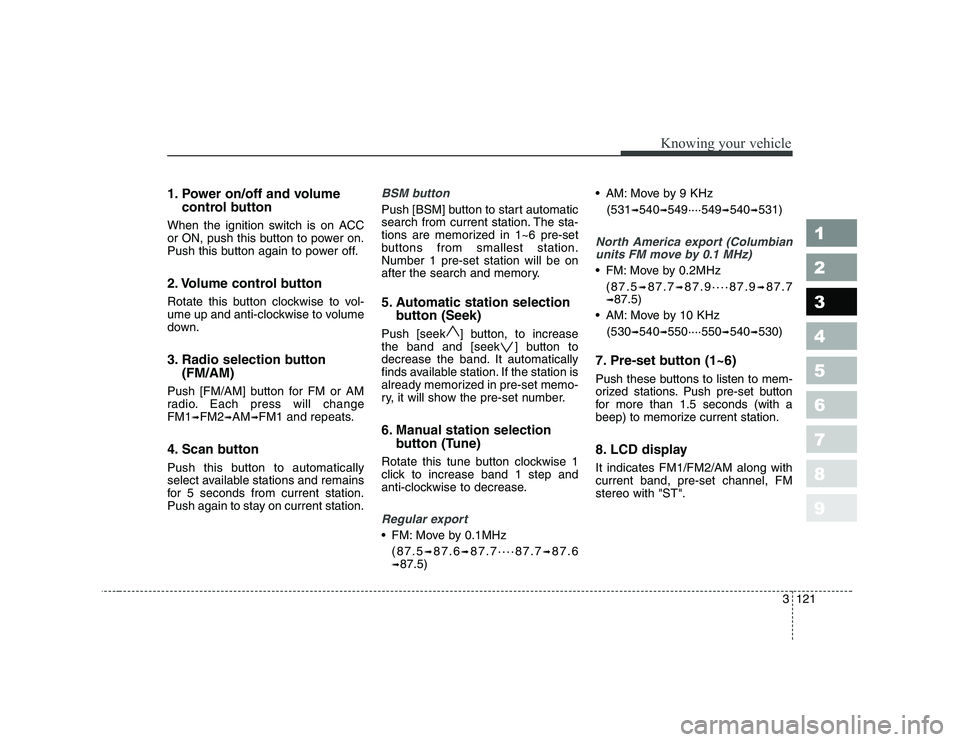
1. Power on/off and volumecontrol button
When the ignition switch is on ACC
or ON, push this button to power on.
Push this button again to power off.
2. Volume control button
Rotate this button clockwise to vol-
ume up and anti-clockwise to volume
down.
3. Radio selection button (FM/AM)
Push [FM/AM] button for FM or AM
radio. Each press will changeFM1 ➟FM2 ➟AM ➟FM1 and repeats.
4. Scan button
Push this button to automatically
select available stations and remains
for 5 seconds from current station.
Push again to stay on current station.BSM button
Push [BSM] button to start automatic
search from current station. The sta-
tions are memorized in 1~6 pre-set
buttons from smallest station.Number 1 pre-set station will be on
after the search and memory.
5. Automatic station selection button (Seek)
Push [seek ] button, to increase
the band and [seek ] button to
decrease the band. It automatically
finds available station. If the station is
already memorized in pre-set memo-
ry, it will show the pre-set number.
6. Manual station selection button (Tune)
Rotate this tune button clockwise 1
click to increase band 1 step and
anti-clockwise to decrease.
Regular export
FM: Move by 0.1MHz (87.5 ➟87.6 ➟87.7····87.7 ➟87.6
➟ 87.5) AM: Move by 9 KHz
(531 ➟540 ➟549····549 ➟540 ➟531)
North America export (Columbian
units FM move by 0.1 MHz)
FM: Move by 0.2MHz
(87.5 ➟87.7 ➟87.9····87.9 ➟87.7
➟ 87.5)
AM: Move by 10 KHz
(530 ➟
540 ➟550····550 ➟540 ➟530)
7. Pre-set button (1~6)
Push these buttons to listen to mem-
orized stations. Push pre-set button
for more than 1.5 seconds (with a
beep) to memorize current station.
8. LCD display It indicates FM1/FM2/AM along with current band, pre-set channel, FMstereo with "ST".
3121
Knowing your vehicle
1 23456789
Page 132 of 327
Knowing your vehicle
122
3
1 23456789
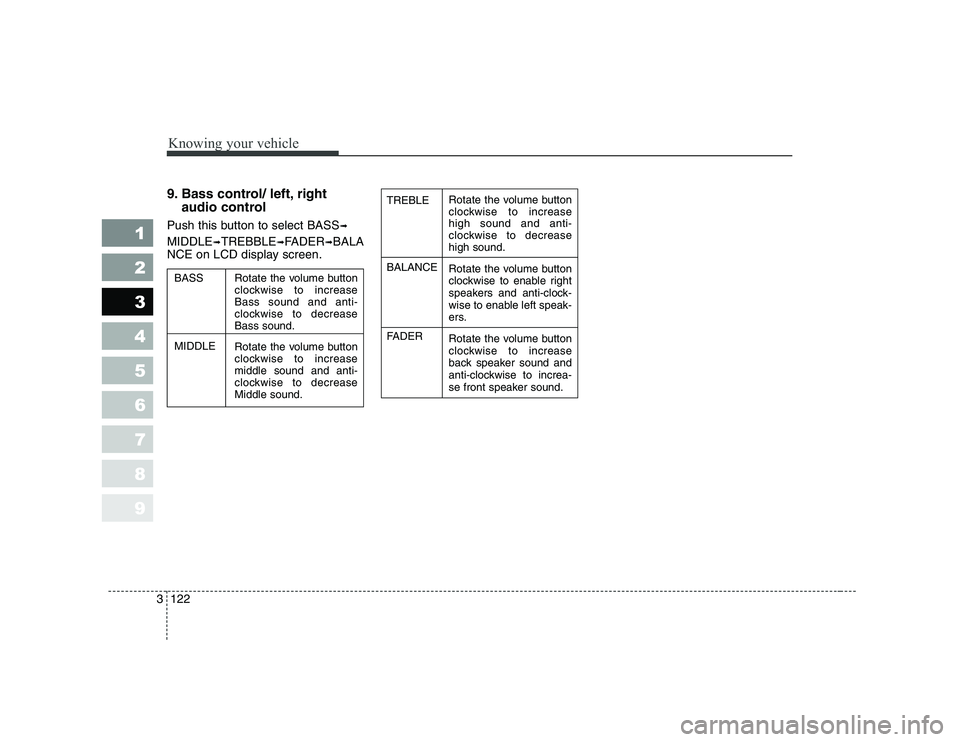
9. Bass control/ left, right
audio control
Push this button to select BASS ➟
MIDDLE ➟TREBBLE ➟FADER ➟BALA
NCE on LCD display screen.Rotate the volume button
clockwise to increasehigh sound and anti-
clockwise to decreasehigh sound.
Rotate the volume button
clockwise to enable right
speakers and anti-clock-
wise to enable left speak-
ers.
Rotate the volume button
clockwise to increase
back speaker sound and
anti-clockwise to increa-
se front speaker sound.
TREBLE BALANCE
FADER
Rotate the volume button
clockwise to increaseBass sound and anti-
clockwise to decreaseBass sound.
Rotate the volume button
clockwise to increasemiddle sound and anti-
clockwise to decreaseMiddle sound.
BASS MIDDLE
Page 137 of 327
Driving your vehicle
2
4
1 23456789
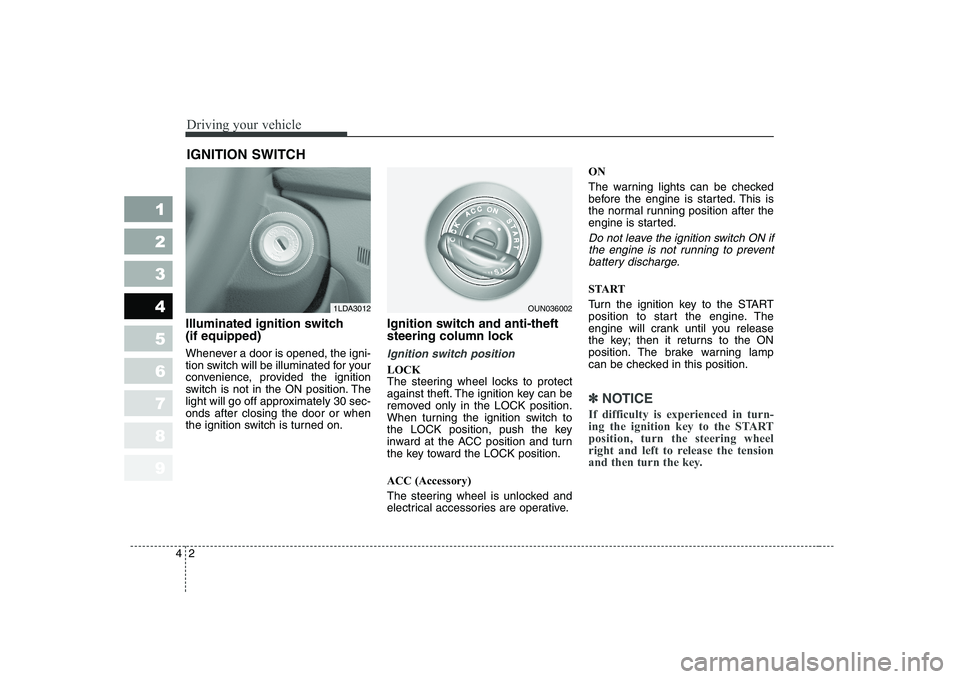
Illuminated ignition switch (if equipped)
Whenever a door is opened, the igni-
tion switch will be illuminated for your
convenience, provided the ignition
switch is not in the ON position. The
light will go off approximately 30 sec-onds after closing the door or when
the ignition switch is turned on. Ignition switch and anti-theft
steering column lock
Ignition switch position
LOCK
The steering wheel locks to protect
against theft. The ignition key can be
removed only in the LOCK position.
When turning the ignition switch to
the LOCK position, push the key
inward at the ACC position and turn
the key toward the LOCK position. ACC (Accessory)
The steering wheel is unlocked and
electrical accessories are operative.ON
The warning lights can be checked
before the engine is started. This is
the normal running position after the
engine is started.
Do not leave the ignition switch ON if
the engine is not running to preventbattery discharge.
START
Turn the ignition key to the START
position to start the engine. The
engine will crank until you release
the key; then it returns to the ON
position. The brake warning lamp
can be checked in this position.
✽✽
NOTICE
If difficulty is experienced in turn-
ing the ignition key to the STARTposition, turn the steering wheel
right and left to release the tension
and then turn the key.
IGNITION SWITCH
1LDA3012OUN036002