Page 64 of 268
1FEATURES OF YOUR HYUNDAI52
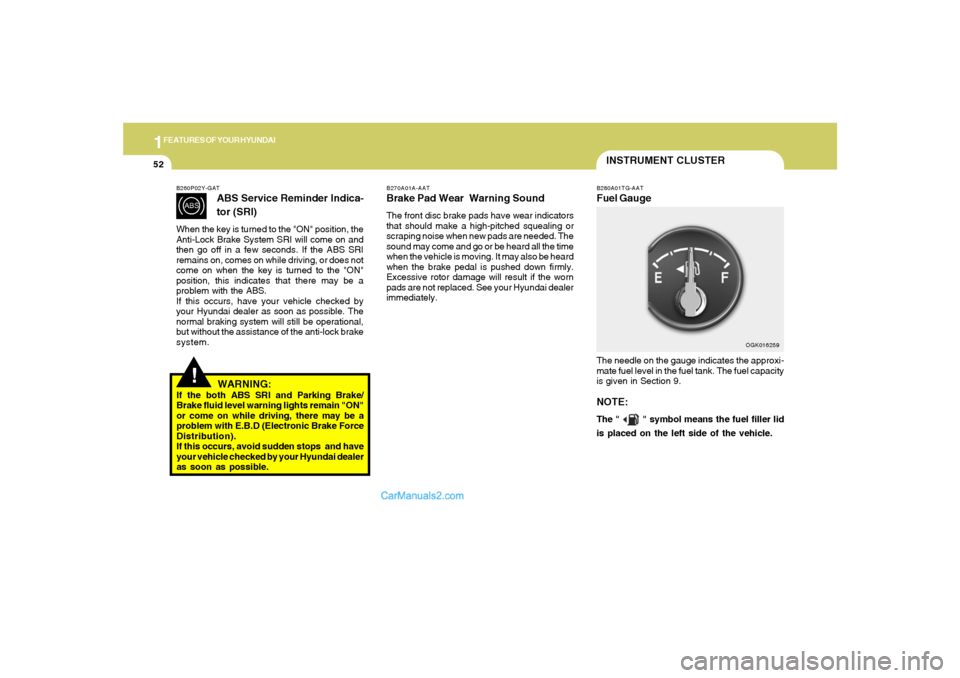
INSTRUMENT CLUSTERB280A01TG-AATFuel GaugeThe needle on the gauge indicates the approxi-
mate fuel level in the fuel tank. The fuel capacity
is given in Section 9.NOTE:The "
" symbol means the fuel filler lid
is placed on the left side of the vehicle.
OGK016259 B270A01A-AAT
Brake Pad Wear Warning SoundThe front disc brake pads have wear indicators
that should make a high-pitched squealing or
scraping noise when new pads are needed. The
sound may come and go or be heard all the time
when the vehicle is moving. It may also be heard
when the brake pedal is pushed down firmly.
Excessive rotor damage will result if the worn
pads are not replaced. See your Hyundai dealer
immediately.
!
B260P02Y-GAT
ABS Service Reminder Indica-
tor (SRI)
When the key is turned to the "ON" position, the
Anti-Lock Brake System SRI will come on and
then go off in a few seconds. If the ABS SRI
remains on, comes on while driving, or does not
come on when the key is turned to the "ON"
position, this indicates that there may be a
problem with the ABS.
If this occurs, have your vehicle checked by
your Hyundai dealer as soon as possible. The
normal braking system will still be operational,
but without the assistance of the anti-lock brake
system.
WARNING:
If the both ABS SRI and Parking Brake/
Brake fluid level warning lights remain "ON"
or come on while driving, there may be a
problem with E.B.D (Electronic Brake Force
Distribution).
If this occurs, avoid sudden stops and have
your vehicle checked by your Hyundai dealer
as soon as possible.
Page 76 of 268

1FEATURES OF YOUR HYUNDAI64
INSTRUMENT PANEL LIGHT
CONTROL (RHEOSTAT)B410A01A-AATThe instrument panel lights can be made brighter
or dimmer by turning the instrument panel light
control knob.
OGK046029
DIGITAL CLOCKB400A01A-AATThere are three control buttons for the digital
clock. Their functions are:
H- Push "H" to advance the hour indicated.
M- Push "M" to advance the minute indicated.
R- Push "R" to reset minutes to ":00" to
facilitate resetting the clock to the correct
time. When this is done:
Pressing "R" between 11 : 01 and 11 : 29
changes the readout to 11 : 00.
Pressing "R" between 11 : 30 and 11 : 59
changes the readout to 12 : 00.
Push the "R" button for 3 seconds to display
a 12 or 24-hour clock.
OGK046056
NOTE:The engine must be running for the rear
window defroster to operate.
CAUTION:
Do not clean the inner side of the rear
window glass with an abrasive type of glass
cleaner or use a scraper to remove foreign
deposits from the inner surface of the glass
as this may cause damage to the defroster
elements.
!
Page 80 of 268
1FEATURES OF YOUR HYUNDAI68
OGK046034L-1 B460E04GK-AAT
Resetting the Sunroof SystemIf the battery has been recharged, discon-
nected or the sunroof was been opened manu-
ally with the hexagonal head wrench, you may
need to reset the sunroof.To do this;1. Turn the ignition switch "OFF".
2. While pressing " " "up" button turn the
ignition switch "ON".
The resetting was not occur when the
ignition key is turned "OFF" within 1.5
seconds.
3. If the sunroof is set like this, the sunroof is
reset with tilting up/down automatically once
for all.
CAUTION:
If the sunroof is not reset, it may not operate
normally.
!
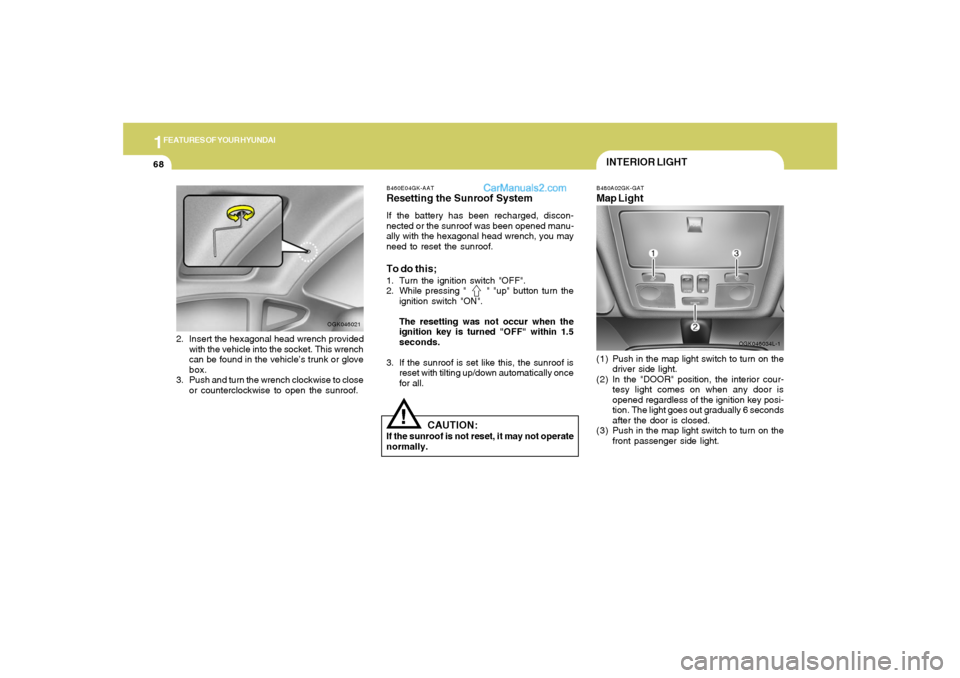
INTERIOR LIGHTB480A02GK-GATMap Light(1) Push in the map light switch to turn on the
driver side light.
(2) In the "DOOR" position, the interior cour-
tesy light comes on when any door is
opened regardless of the ignition key posi-
tion. The light goes out gradually 6 seconds
after the door is closed.
(3) Push in the map light switch to turn on the
front passenger side light.
2. Insert the hexagonal head wrench provided
with the vehicle into the socket. This wrench
can be found in the vehicle’s trunk or glove
box.
3. Push and turn the wrench clockwise to close
or counterclockwise to open the sunroof.
OGK046021
Page 81 of 268
1
FEATURES OF YOUR HYUNDAI
69
SUNGLASS HOLDER!
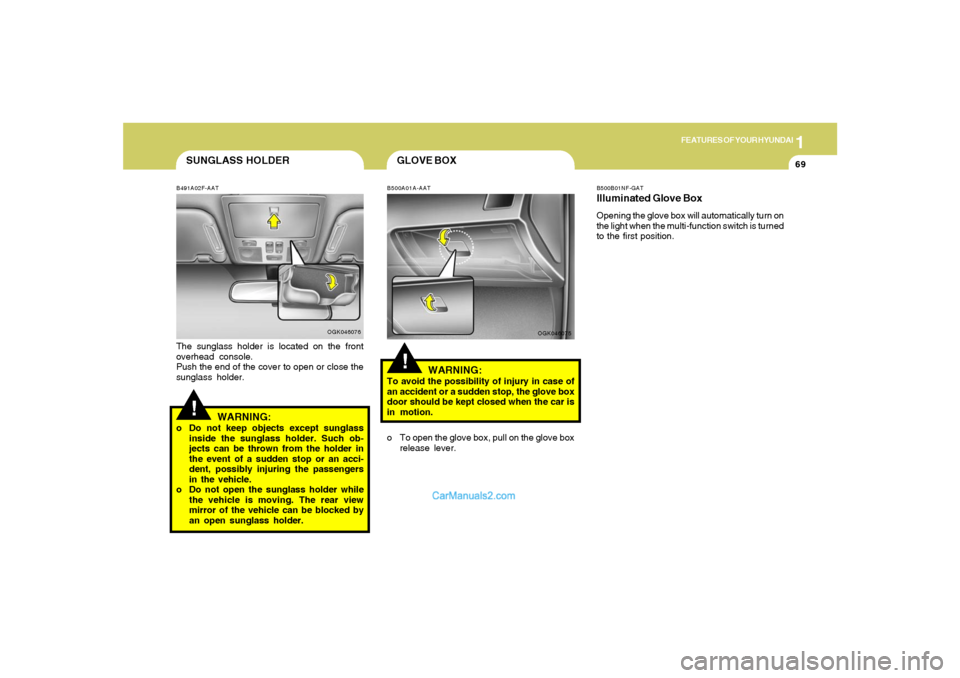
B491A02F-AATThe sunglass holder is located on the front
overhead console.
Push the end of the cover to open or close the
sunglass holder.
OGK046076
WARNING:
o Do not keep objects except sunglass
inside the sunglass holder. Such ob-
jects can be thrown from the holder in
the event of a sudden stop or an acci-
dent, possibly injuring the passengers
in the vehicle.
o Do not open the sunglass holder while
the vehicle is moving. The rear view
mirror of the vehicle can be blocked by
an open sunglass holder.
GLOVE BOX!
B500A01A-AAT
WARNING:
To avoid the possibility of injury in case of
an accident or a sudden stop, the glove box
door should be kept closed when the car is
in motion.
OGK046075
o To open the glove box, pull on the glove box
release lever.
B500B01NF-GATIlluminated Glove BoxOpening the glove box will automatically turn on
the light when the multi-function switch is turned
to the first position.
Page 86 of 268
1FEATURES OF YOUR HYUNDAI74
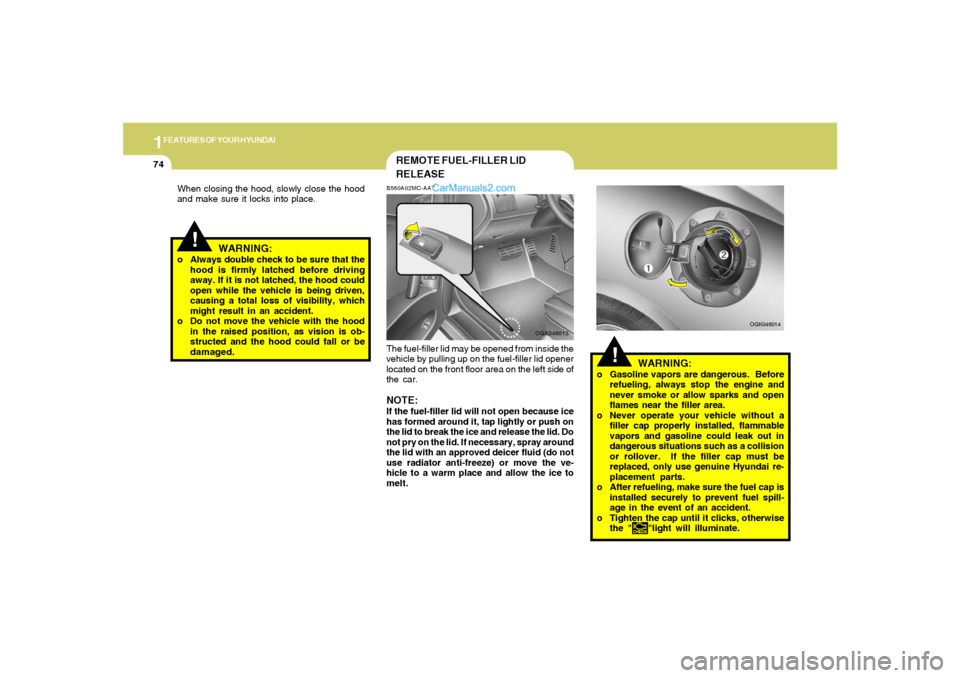
WARNING:
o Gasoline vapors are dangerous. Before
refueling, always stop the engine and
never smoke or allow sparks and open
flames near the filler area.
o Never operate your vehicle without a
filler cap properly installed, flammable
vapors and gasoline could leak out in
dangerous situations such as a collision
or rollover. If the filler cap must be
replaced, only use genuine Hyundai re-
placement parts.
o After refueling, make sure the fuel cap is
installed securely to prevent fuel spill-
age in the event of an accident.
o Tighten the cap until it clicks, otherwise
the "
"light will illuminate.
!
OGK046014
REMOTE FUEL-FILLER LID
RELEASEB560A02MC-AATThe fuel-filler lid may be opened from inside the
vehicle by pulling up on the fuel-filler lid opener
located on the front floor area on the left side of
the car.NOTE:If the fuel-filler lid will not open because ice
has formed around it, tap lightly or push on
the lid to break the ice and release the lid. Do
not pry on the lid. If necessary, spray around
the lid with an approved deicer fluid (do not
use radiator anti-freeze) or move the ve-
hicle to a warm place and allow the ice to
melt.
OGK046013
!
When closing the hood, slowly close the hood
and make sure it locks into place.
WARNING:
o Always double check to be sure that the
hood is firmly latched before driving
away. If it is not latched, the hood could
open while the vehicle is being driven,
causing a total loss of visibility, which
might result in an accident.
o Do not move the vehicle with the hood
in the raised position, as vision is ob-
structed and the hood could fall or be
damaged.
Page 88 of 268
1FEATURES OF YOUR HYUNDAI76
B540D01GK-GATwhen you close the tailgate
OGK016540HGK227 B540C01F-AAT
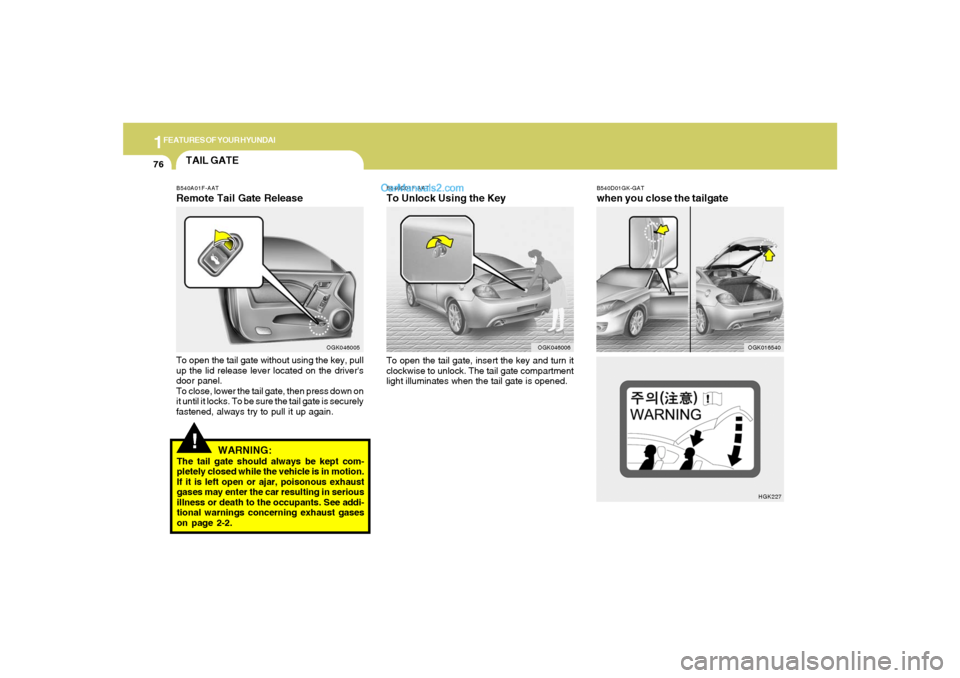
To Unlock Using the KeyTo open the tail gate, insert the key and turn it
clockwise to unlock. The tail gate compartment
light illuminates when the tail gate is opened.
OGK046006
!
WARNING:
The tail gate should always be kept com-
pletely closed while the vehicle is in motion.
If it is left open or ajar, poisonous exhaust
gases may enter the car resulting in serious
illness or death to the occupants. See addi-
tional warnings concerning exhaust gases
on page 2-2.TAIL GATEB540A01F-AATRemote Tail Gate ReleaseTo open the tail gate without using the key, pull
up the lid release lever located on the driver's
door panel.
To close, lower the tail gate, then press down on
it until it locks. To be sure the tail gate is securely
fastened, always try to pull it up again.
OGK046005
Page 90 of 268
1FEATURES OF YOUR HYUNDAI78
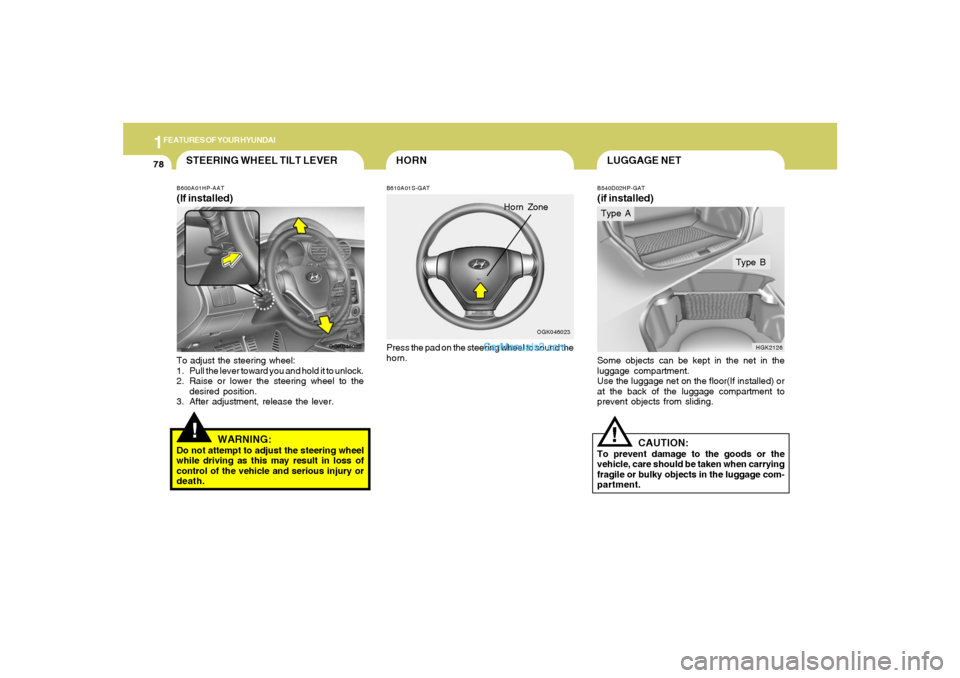
LUGGAGE NETB540D02HP-GAT(if installed)Some objects can be kept in the net in the
luggage compartment.
Use the luggage net on the floor(If installed) or
at the back of the luggage compartment to
prevent objects from sliding.
HGK2126
Type B
CAUTION:
To prevent damage to the goods or the
vehicle, care should be taken when carrying
fragile or bulky objects in the luggage com-
partment.
!Type A
HORN
Horn Zone
B610A01S-GATPress the pad on the steering wheel to sound the
horn.
OGK046023
!STEERING WHEEL TILT LEVERB600A01HP-AAT(If installed)To adjust the steering wheel:
1. Pull the lever toward you and hold it to unlock.
2. Raise or lower the steering wheel to the
desired position.
3. After adjustment, release the lever.
WARNING:
Do not attempt to adjust the steering wheel
while driving as this may result in loss of
control of the vehicle and serious injury or
death.
OGK046022
Page 107 of 268

1
FEATURES OF YOUR HYUNDAI
95
B970C01GK-GATAutomatic OperationThe FATC (Full Automatic Temperature Con-
trol) system automatically controls heating and
cooling by doing as follows:
1. Push the "AUTO" switch. The display
"AUTO" will illuminate confirming that the
Face, Floor and/or Bi-Level modes as well
as the blower speed and air conditioner will
be controlled automatically.2. Turn the "TEMP" knob to set the desired
temperature.
The temperature will increase to the maxi-
mum 32°C(90°F) by turning the knob clock-
wise.
The temperature will decrease to the mini-
mum 17°C(62°F) by turning the knob coun-
terclockwise.
NOTE:If the battery has been discharged or dis-
connected, the temperature mode will reset
to Centigrade degrees.
This is a normal condition and you can
change the temperature mode from Centi-
grade to Fahrenheit as follows;
Press the "OFF" and "AUTO " switch simul-
taneously for 3 seconds.
The display shows that the unit of tempera-
ture is adjusted to Centigrade or Fahrenheit
(°C
→ →→ →
→ °F or °F
→ →→ →
→ °C).
OGK046058OGK046061