Page 95 of 329
Use the ignition key to release the
seat belt from the detachable
anchor (see page ).
Unlock the seat-back by pulling
the handle. Push the seat-back
forward.
Make sure you clip the small latch
plate of each outer shoulder belt to
the seat belt webbing whenever the
third seat is f olded.
Reverse this procedure to return the
seat to its upright position.
Reinstall the head restraints,
reconnect the seat belts, and make
sure the seats are secured bef ore
driving.
Make sure all items in the cargo area
are secured. Loose items can f ly
f orward and cause injury if you have
to brake hard (See
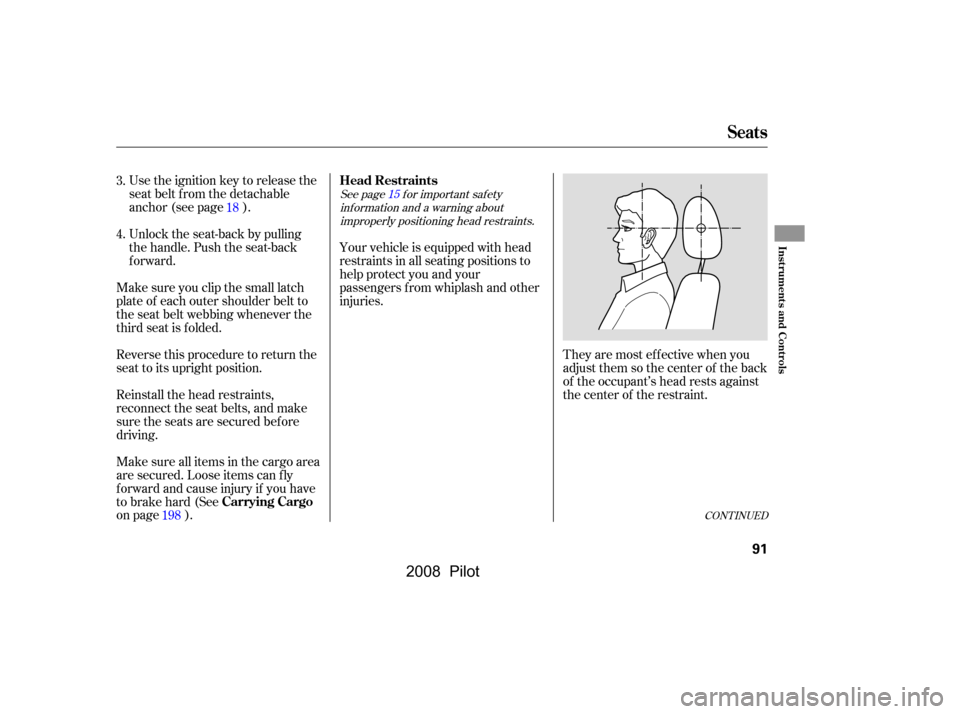
on page ). Your vehicle is equipped with head
restraints in all seating positions to
help protect you and your
passengers f rom whiplash and other
injuries.
They are most ef f ective when you
adjust them so the center of the back
of the occupant’s head rests against
the center of the restraint.
3.
4.
18
198
See pagef or important saf ety inf ormation and a warning aboutimproperly positioning head restraints. 15
CONT INUED
Seats
Head Restraints
Carrying Cargo
Inst rument s and Cont rols
91
�\f���—�\f���—�\f���y�
�
�������
���y���
�(���+�����\f�y�\f�\f�����y
2008 Pilot
Page 96 of 329
Keeptheinsideandoutsidemirrors
clean and adjusted f or best visibility.
Be sure to adjust the mirrors bef ore
you start driving.
The inside mirror has day and night
positions. The night position reduces
glare f rom headlights behind you.
Flip the tab on the bottom edge of
the mirror to select the day or night
position.
To remove one f or cleaning or repair,
push the release button, and lift the
restraint up.
Make sure the head restraint locks
in position when you reinstall it.
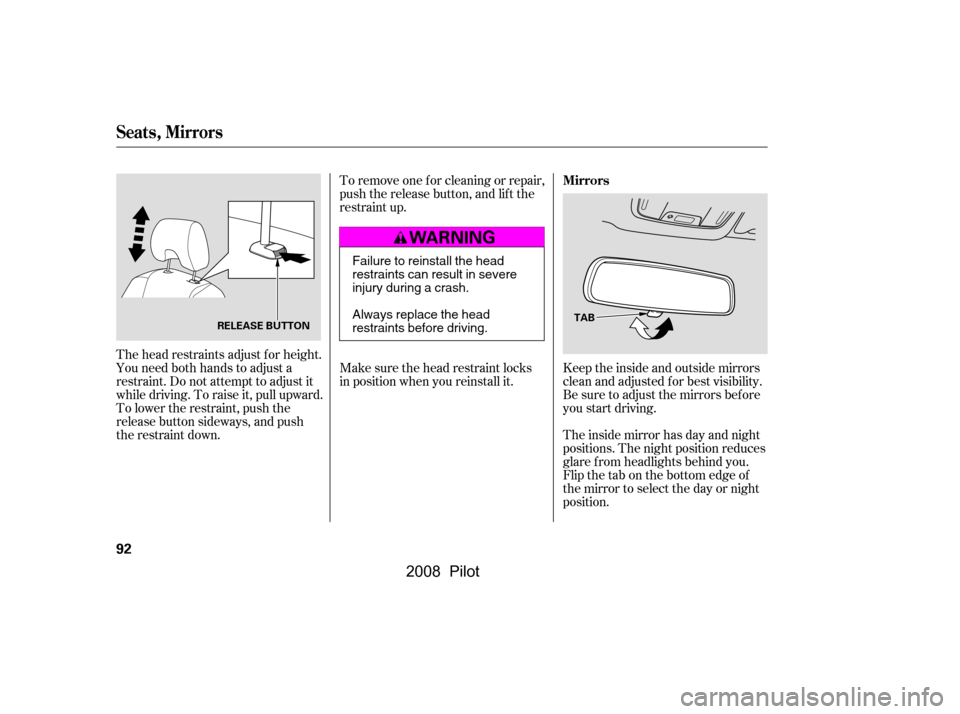
The head restraints adjust f or height.
You need both hands to adjust a
restraint. Do not attempt to adjust it
while driving. To raise it, pull upward.
To lower the restraint, push the
release button sideways, and push
the restraint down.
Seats, Mirrors
Mirrors
92
TAB
RELEASE BUTTON
Failure to reinstall the head
restraints can result in severe
injury during a crash.
Always replace the head
restraints before driving.
�\f���—�\f���—�\f���y�
�
���������\f�y���
�(���+�����\f�y�\f�\f�����y
2008 Pilot
Page 103 of 329
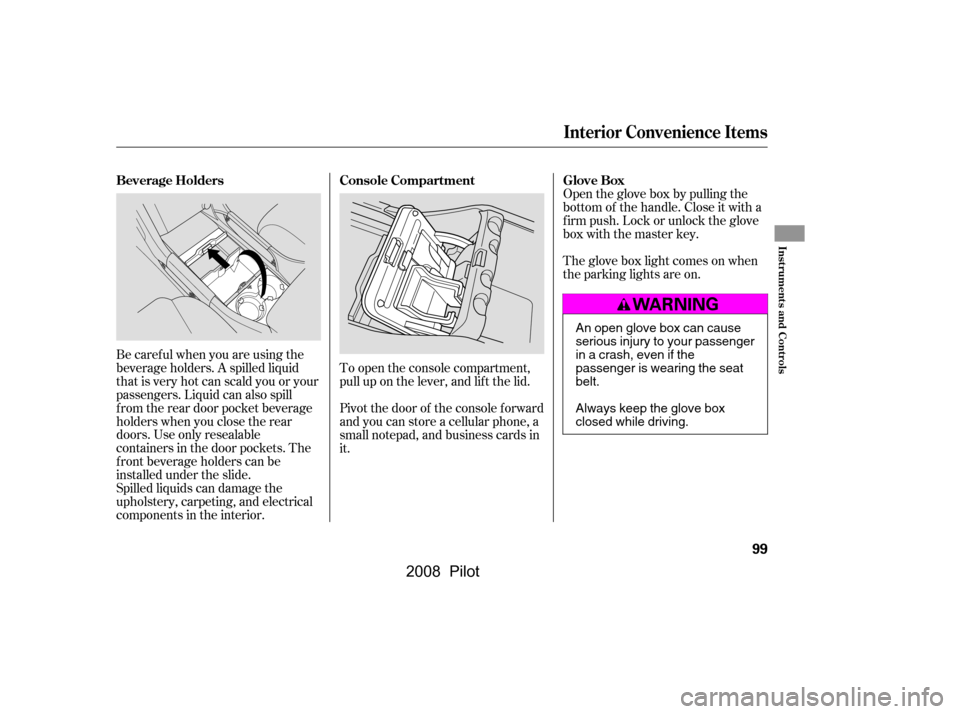
Be caref ul when you are using the
beverage holders. A spilled liquid
that is very hot can scald you or your
passengers. Liquid can also spill
f rom the rear door pocket beverage
holders when you close the rear
doors. Use only resealable
containers in the door pockets. The
f ront beverage holders can be
installed under the slide.
Spilled liquids can damage the
upholstery, carpeting, and electrical
components in the interior.Open the glove box by pulling the
bottom of the handle. Close it with a
f irm push. Lock or unlock the glove
box with the master key.
To open the console compartment,
pull up on the lever, and lif t the lid.
Pivot the door of the console f orward
and you can store a cellular phone, a
small notepad, and business cards in
it. The glove box light comes on when
the parking lights are on.
Interior Convenience Items
Beverage Holders Console Compartment Glove Box
Inst rument s and Cont rols
99
An open glove box can cause
serious injury to your passenger
inacrash,evenifthe
passenger is wearing the seat
belt.
Always keep the glove box
closed while driving.
�\f���—�\f���—�\f���y�
�
�������
�\f�y���
�(���+�����\f�y�\f�
�\f���y
2008 Pilot
Page 106 of 329
Always run the engine when you use
the AC power outlet.The maximum capacity f or this
power outlet is 115 volt AC at 100
watts or less. If you use an appliance
which requires more than 100 watts,
it automatically stops supplying the
power. If this happens, turn the
ignition switch of f and turn it on
again.
The AC power outlet is not
designed f or electric appliances
which require high initial peak
wattage such as cathode-ray tube
type televisions, ref rigerators,
electric pumps, etc. It is also not
suitable f or devices that process
precise data such as medical
equipment or measuring instruments.
Any appliances that require an
extremely stable power supply such
as microcomputer-controlled electric
blankets, touch sensor lamps, etc.,
should not be connected to this
outlet. All the individual map lights come
onandstayonaslongasthe
switch remains in the ON position.
The individual map lights in the
f ront can be turned on and of f with
the switches next to the lights.
None of the lights come on when a
door or the tailgate is opened.
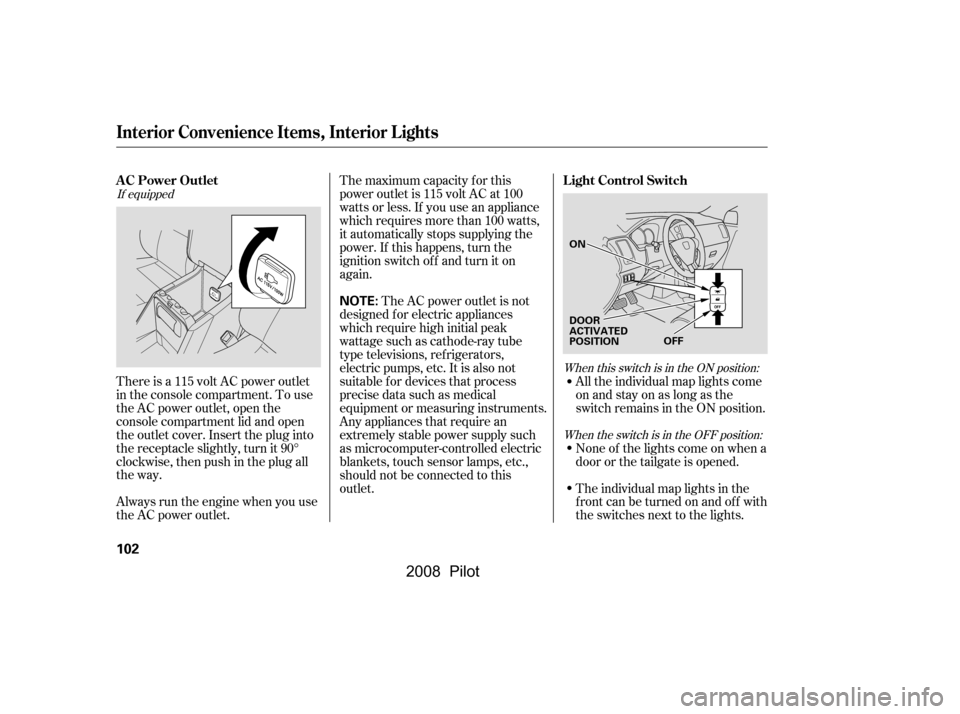
There is a 115 volt AC power outlet
in the console compartment. To use
the AC power outlet, open the
console compartment lid and open
the outlet cover. Insert the plug into
the receptacle slightly, turn it 90°
clockwise, then push in the plug all
the way.
When this switch is in the ON position:
If equipped
When the switch is in the OFF position:
Interior Convenience Items, Interior L ights
AC Power Outlet Light Control Switch
102
NOTE:
DOOR
ACTIVATED
POSITIONOFF
ON
�\f���—�\f���—�\f���y�
�
�����������y���
�(���+�����\f�y�\f�
�\f���y
2008 Pilot
Page 107 of 329

The individual map lights in the
second and third rows cannot be
turned on.The courtesy light between the map
lights comes on when you turn the
parking lights on. To adjust its
brightness, turn the select/reset
knob on the instrument panel.
The individual map lights come on
whenanydoororthetailgateis
opened, or when the remote
transmitter is used to unlock the
doors.
The individual map lights in the
second and third rows can be
turned on and of f by pressing the
lens.
The tailgate light comes on when
you open the tailgate if the light
switch is in the ON position.
The lights go out about 6 seconds
after all the doors and the tailgate
are closed. With any door or the
tailgate lef t open, the lights stay
on about 3 minutes, then go out. The light in the tailgate has an on-of f
switch to control if the light comes
on when the tailgate is opened.
The courtesy lights in the f ront
doors and around the ignition switch
come on when you open any door.
Af ter you close the door, the ignition
switch light stays on f or several
seconds.
Turn on the f ront and rear individual
map lights by pushing the lens of
each light. Push the lens again to
turn it off. You can also operate
these lights with the light control
switch (see page ).
102
When the switch is in the door activated
position:
Interior Lights
Courtesy Lights
Individual Map L ights
Tailgate Light
Individual Interior L ights
Inst rument s and Cont rols
103
�\f���—�\f���—�\f���y�
�
�����������y���
�(���+�����\f�y�\f�
�\f���y
2008 Pilot
Page 109 of 329

The heating and air conditioning
system in your vehicle provides a
comf ortable driving environment in
all weather conditions.
The standard audio system has
many f eatures. This section
describes those f eatures and how to
use them.
Your vehicle has an anti-theft audio
system that requires a code number
to enable it.
The security system helps to dis-
courage vandalism and thef t of your
vehicle..............
Vents, Heating, and A/C .106
......
Automatic Climate Control .112
.........
Using the Rear A/C Unit .113
................................
Audio System .115
..........................
Playing the Radio .117
............................
Radio Reception .122
.
Playing the XM
Satellite Radio .124
................................
Playing a Disc .130
........................
Disc Changer .131,134
..................
Protecting Your Discs .135
.......
Disc Player Error Messages .138
Disc Changer Error
...................................
Messages .139
................
Remote Audio Controls .140
.................
Radio Thef t Protection .141
..........................
Setting the Clock .142
........
Rear Entertainment System .144
............................
Security System .176
...............................
Cruise Control .177
.........................................
Compass .179
.
Rear View Camera and Monitor .182
HomeLink Universal
................................
Transceiver .183
Except f or LX models
Features
Features
105
�\f���—�\f���—�\f���y�
�
�����������y���
�(���+�����\f�y�\f�
�
�\f�y
2008 Pilot
Page 111 of 329

Press the RR A/C MANUAL button
to adjust the temperature of the rear
passenger compartment
independently. See page f or
inf ormation using the rear A/C unit.
This button turns the air
conditioning on and of f . On LX and
LX-VP models, the indicator in the
buttonisonwhentheA/Cison.On
EX, EX-L, and EX-SE models, you
will see A/C ON or A/C OFF in the
display.
The temperature setting is shown in
the display.
Turning this dial clockwise increases
the temperature of the airflow.
Select the f an speed by pressing the
fan control buttons ( or ).
The f an speed is shown in vertical
bars on the display.
Turn the dial clockwise to increase
the fan speed and airflow. Turn the
dial counterclockwise to decrease it.
The climate control system can also
be operated by voice control. See the
Navi section in your quick start
guide f or an overview of this system,
and the navigation system manual
f or complete details.
On EX, EX-L and EX-SE models, see
page f or inf ormation on
automatic climate control and semi-
automatic operation. When you turn the A/C of f , the
system cannot regulate the inside
temperature if you set the dial below
the outside air temperature. 113
112
On vehicles with navigation system
On LX and LX-VP models On EX, EX-L, and EX-SE models
On EX, EX-L, and EX-SE models On EX, EX-L, and EX-SE models
On EX, EX-L, and EX-SE models
Vents, Heating, and A/C
RR A/C MANUAL Button
Air Conditioning (A/C) Button
T emperature Control Dial
Fan Control
Voice Control System
Features
107
�\f���—�\f���—�\f���y�
�
�������
���y���
�(���+�����\f�y�\f�
�
���y
2008 Pilot
Page 117 of 329
�µ
�µ
�µ
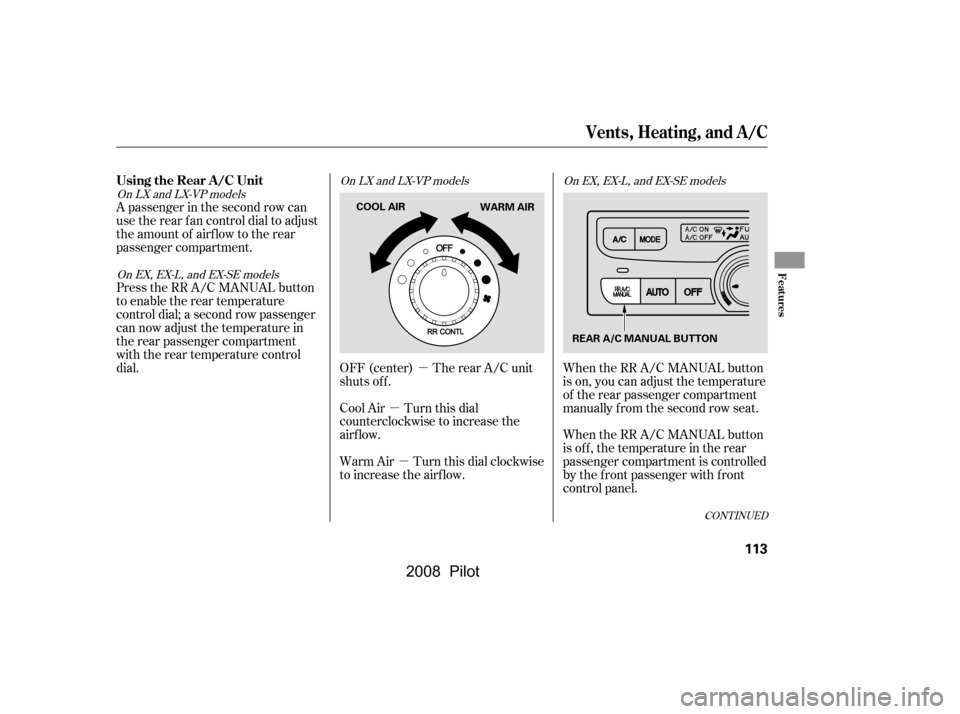
A passenger in the second row can
use the rear fan control dial to adjust
the amount of airf low to the rear
passenger compartment.
Press the RR A/C MANUAL button
to enable the rear temperature
control dial; a second row passenger
can now adjust the temperature in
the rear passenger compartment
with the rear temperature control
dial. OFF (center) The rear A/C unit
shuts off.
Cool Air Turn this dial
counterclockwise to increase the
airflow.
Warm Air Turn this dial clockwise
to increase the airflow.When the RR A/C MANUAL button
is on, you can adjust the temperature
of the rear passenger compartment
manually f rom the second row seat.
When the RR A/C MANUAL button
is off, the temperature in the rear
passenger compartment is controlled
by the f ront passenger with f ront
control panel.
CONT INUED
On LX and LX-VP models
On LX and LX-VP models
On EX, EX-L, and EX-SE models On EX, EX-L, and EX-SE models
Using the Rear A/C Unit
Vents, Heating, and A/C
Features
113
COOL AIR
WARM AIR
REAR A/C MANUAL BUTTON
�\f���—�\f���—�\f���y�
�
���������\f�y���
�(���+�����\f�y�\f�
�
���y
2008 Pilot