Page 84 of 329

As required by the FCC:This device complies with Part 15 of theFCC rules. Operation is subject to thef ollowing two conditions: (1) This devicemay not cause harmf ul interf erence, and(2) this device must accept anyinterf erence received, includinginterf erence that may cause undesiredoperation.
Changes or modif ications not expresslyapproved by the party responsible f orcompliance could void the user’sauthority to operate the equipment.
This device complies with IndustryCanada Standard RSS-210.Operation is subject to the f ollowing twoconditions: (1) this device may not causeinterf erence, and (2) this device mustaccept any interf erence that may causeundesired operation of the device.The immobilizer system protects
your vehicle f rom thef t. If an
improperly-coded key (or other
device) is used, the engine will not
start.
When you turn the ignition switch to
the ON (II) position, the immobilizer
system indicator should come on f or
a f ew seconds, then go of f . If the
indicator starts to blink, it means the
system does not recognize the
coding of the key. Turn the ignition
switch to the LOCK (0) position,
remove the key, reinsert it, and turn
the ignition switch to the ON (II)
position again. The system may not recognize your
key’s coding if another immobilizer
key or other metal object (i.e. key
f ob) is near the ignition switch when
you insert the key.
If the system repeatedly does not
recognize the coding of your key,
contact your dealer.
Do not attempt to alter this system
or add other devices to it. Electrical
problems could result that may make
your vehicle undrivable.
If you have lost your key and you
cannot start the engine, contact your
dealer.
Immobilizer System
80
Always take the ignition key with you
whenever you leave the vehicle alone.
�\f���—�\f���—�\f���y�
�
�����������y���
�(���+�����\f�y�\f�\f�����y
2008 Pilot
Page 85 of 329
�µ�µ
�µ
�µ
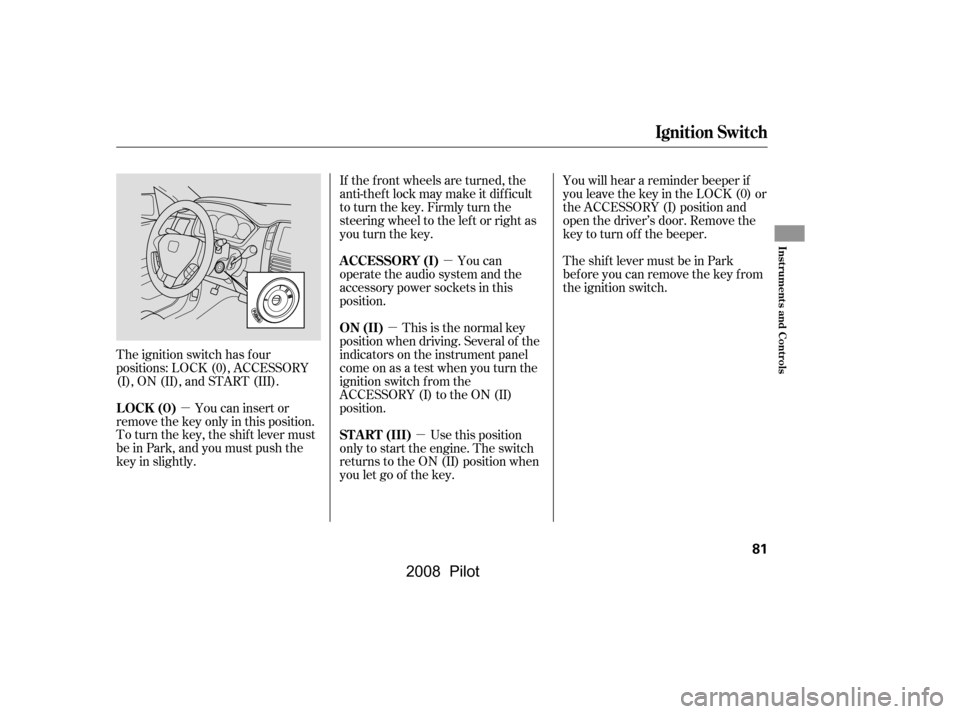
The ignition switch has f our
positions: LOCK (0), ACCESSORY
(I), ON (II), and START (III). You can insert or
remove the key only in this position.
To turn the key, the shift lever must
be in Park, and you must push the
key in slightly. You can
operate the audio system and the
accessory power sockets in this
position.
If the f ront wheels are turned, the
anti-theft lock may make it difficult
to turn the key. Firmly turn the
steering wheel to the lef t or right as
you turn the key.
Use this position
only to start the engine. The switch
returns to the ON (II) position when
you let go of the key. You will hear a reminder beeper if
you leave the key in the LOCK (0) or
the ACCESSORY (I) position and
open the driver’s door. Remove the
key to turn of f the beeper.
TheshiftlevermustbeinPark
bef ore you can remove the key f rom
the ignition switch.
This is the normal key
position when driving. Several of the
indicators on the instrument panel
come on as a test when you turn the
ignition switch f rom the
ACCESSORY (I) to the ON (II)
position.
LOCK (0) A CCESSORY (I)
ST A RT (III)
ON (II)
Ignition Switch
Inst rument s and Cont rols
81
�\f���—�\f���—�\f���y�
�
�����������y���
�(���+�����\f�y�\f�\f�����y
2008 Pilot
Page 86 of 329
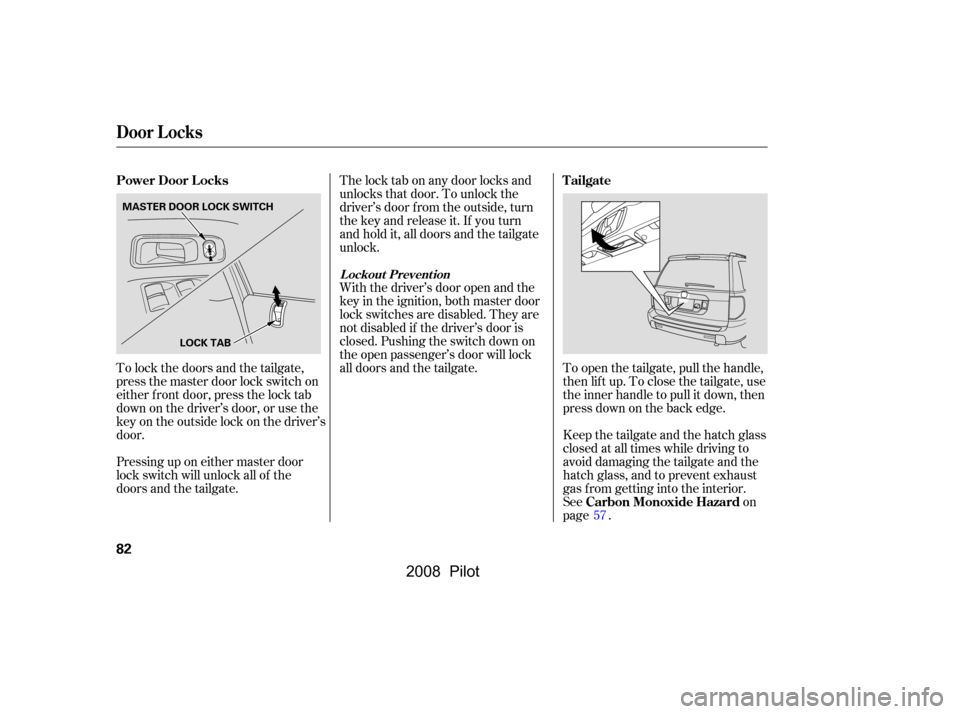
To lock the doors and the tailgate,
press the master door lock switch on
either f ront door, press the lock tab
down on the driver’s door, or use the
keyontheoutsidelockonthedriver’s
door.
Pressing up on either master door
lock switch will unlock all of the
doors and the tailgate.The lock tab on any door locks and
unlocks that door. To unlock the
driver’s door f rom the outside, turn
the key and release it. If you turn
and hold it, all doors and the tailgate
unlock.
Keep the tailgate and the hatch glass
closed at all times while driving to
avoid damaging the tailgate and the
hatch glass, and to prevent exhaust
gas from getting into the interior.
See on
page .
With the driver’s door open and the
key in the ignition, both master door
lock switches are disabled. They are
not disabled if the driver’s door is
closed. Pushing the switch down on
the open passenger’s door will lock
all doors and the tailgate. To open the tailgate, pull the handle,
then lif t up. To close the tailgate, use
the inner handle to pull it down, then
press down on the back edge.
57
Power Door L ocks Tailgate
Carbon Monoxide Hazard
Door L ocks
L ockout Prevent ion
82
MASTER DOOR LOCK SWITCHLOCK TAB
�\f���—�\f���—�\f���y�
�
�����������y���
�(���+�����\f�y�\f�\f�����y
2008 Pilot
Page 87 of 329

�µ
�µ
The childproof door locks are
designed to prevent children seated
in the rear f rom accidentally opening
the rear doors. Each rear door has a
lock lever near the edge. With the
lever in the LOCK position, the door
cannot be opened f rom inside
regardless of the position of the lock
tab. To open the door, pull the lock
tab up, and use the outside door
handle. Pressthisbuttononce
to unlock the driver’s door. Push it
twice to unlock the other doors and
the tailgate. Some exterior lights will
f lash twice each time you press the
button.
Press this button once to
lock all doors and the tailgate. Some
exterior and interior lights will f lash.
When you push LOCK twice within 5
seconds, you will hear a beep to
verify that the security system has
set. You cannot lock it if any door is
not f ully closed or the key is in the
ignition switch. When you press the UNLOCK
button, the f ront and rear individual
map lights, depending on the interior
light control switch position, will
come on (see page ). If you do
not open any door, the lights stay on
f or about 30 seconds, then go out. If
you relock the doors and the tailgate
with the remote transmitter before
30 seconds have elapsed, the lights
will go of f immediately.
If you do not open any door or the
tailgate within 30 seconds, they will
automatically relock, and the
security system (if equipped) will
reset.
102
CONT INUED
Childproof Door L ocks UNL OCK
LOCK
Remote Transmitter
Childproof Door L ocks, Remot e T ransmit t er
Inst rument s and Cont rols
83
PANIC
BUTTONLOCK
BUTTON UNLOCK
BUTTON
LED
LOCK LEVER Unlock
Lock
�\f���—�\f���—�\f���y�
�
�������\f�
�y���
�(���+�����\f�y�\f�\f�����y
2008 Pilot
Page 88 of 329
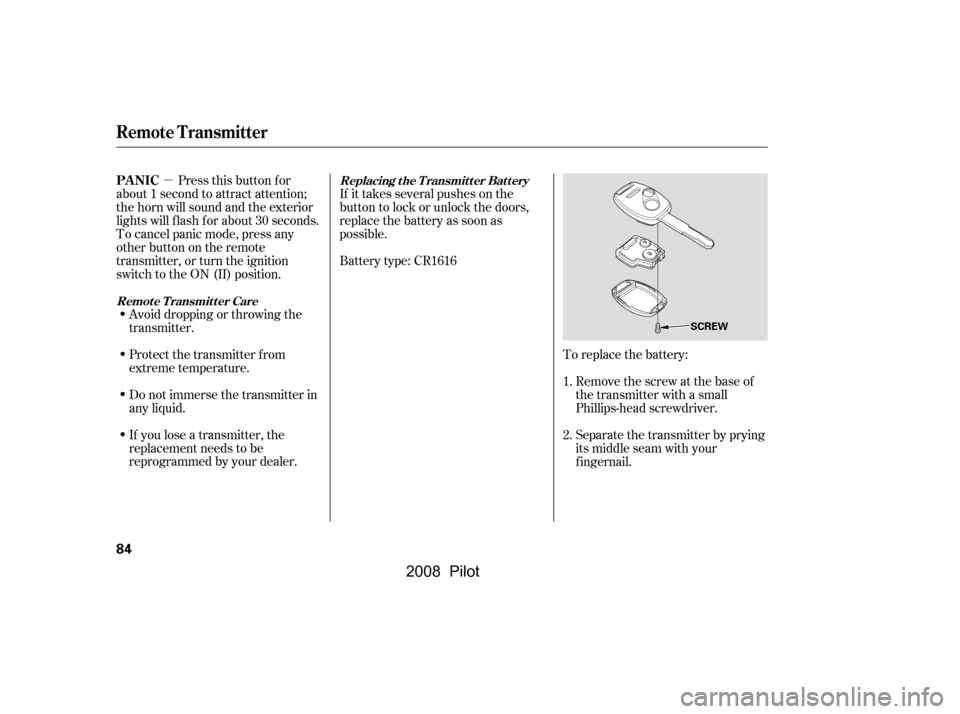
�µTo replace the battery:Remove the screw at the base of
the transmitter with a small
Phillips-head screwdriver.
Separate the transmitter by prying
its middle seam with your
f ingernail.
Battery type: CR1616
If it takes several pushes on the
button to lock or unlock the doors,
replace the battery as soon as
possible.
Pressthisbuttonfor
about 1 second to attract attention;
thehornwillsoundandtheexterior
lights will f lash f or about 30 seconds.
To cancel panic mode, press any
other button on the remote
transmitter, or turn the ignition
switch to the ON (II) position.
Avoid dropping or throwing the
transmitter.
If you lose a transmitter, the
replacement needs to be
reprogrammed by your dealer.
Do not immerse the transmitter in
any liquid.
Protect the transmitter from
extreme temperature. 1.
2.Replacing the Transmitter Battery
Remote Transmitter CarePA NIC
Remote Transmitter
84
SCREW
�\f���—�\f���—�\f���y�
�
�������
�
�y���
�(���+�����\f�y�\f�\f�����y
2008 Pilot
Page 92 of 329
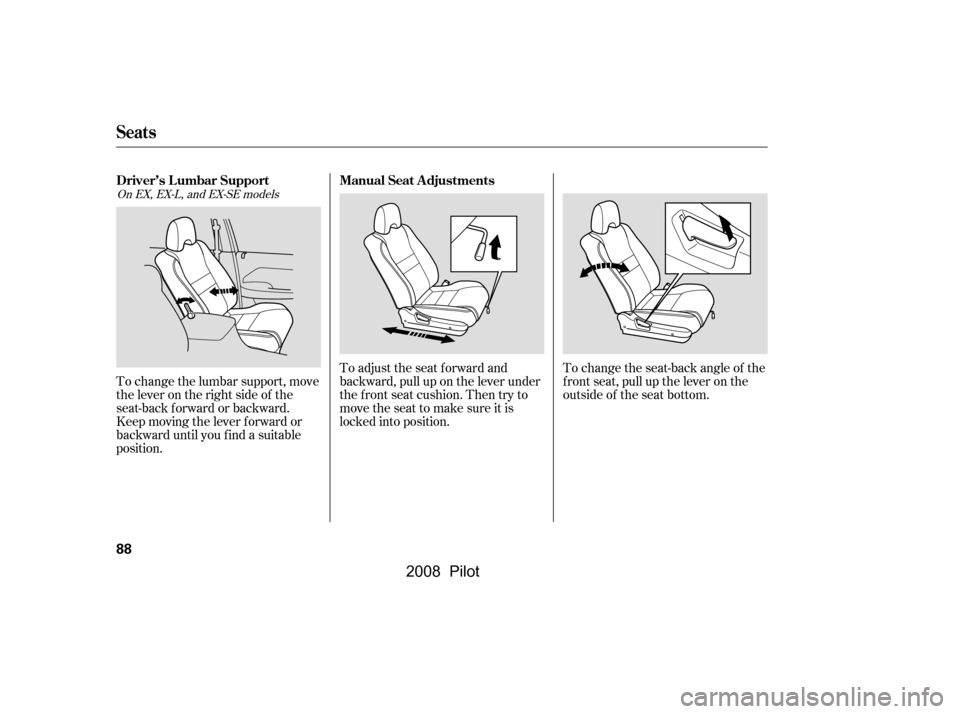
To change the seat-back angle of the
f ront seat, pull up the lever on the
outside of the seat bottom.
To adjust the seat forward and
backward, pull up on the lever under
the f ront seat cushion. Then try to
movetheseattomakesureitis
locked into position.
To change the lumbar support, move
the lever on the right side of the
seat-back forward or backward.
Keep moving the lever f orward or
backward until you f ind a suitable
position.
On EX, EX-L, and EX-SE models
Seats
Manual Seat Adjustments
Driver’s L umbar Support
88
�\f���—�\f���—�\f���y�
�
�����������y���
�(���+�����\f�y�\f�\f�����y
2008 Pilot
Page 93 of 329
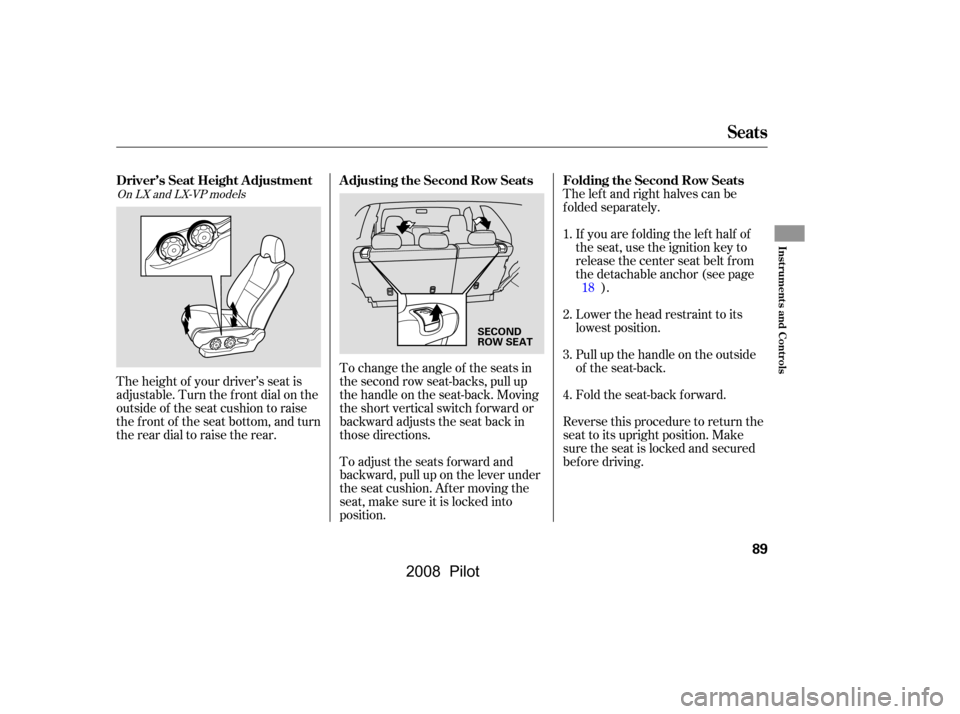
The left and right halves can be
f olded separately.If you are f olding the lef t half of
the seat, use the ignition key to
release the center seat belt from
thedetachableanchor(seepage ).
Lower the head restraint to its
lowest position.
Pull up the handle on the outside
of the seat-back.
Fold the seat-back forward.
To change the angle of the seats in
the second row seat-backs, pull up
the handle on the seat-back. Moving
the short vertical switch f orward or
backward adjusts the seat back in
those directions.
To adjust the seats forward and
backward, pull up on the lever under
the seat cushion. Af ter moving the
seat, make sure it is locked into
position.
The height of your driver’s seat is
adjustable. Turn the front dial on the
outside of the seat cushion to raise
the front of the seat bottom, and turn
the rear dial to raise the rear.
Reverse this procedure to return the
seat to its upright position. Make
sure the seat is locked and secured
bef ore driving.
2.
3.
1.
4.18On LX and LX-VP models
Seats
Folding the Second Row Seats
Adjusting the Second Row Seats
Driver’s Seat Height A djustment
Inst rument s and Cont rols
89
SECOND
ROW SEAT
�\f���—�\f���—�\f���y�
�
�����������y���
�(���+�����\f�y�\f�\f�����y
2008 Pilot
Page 94 of 329
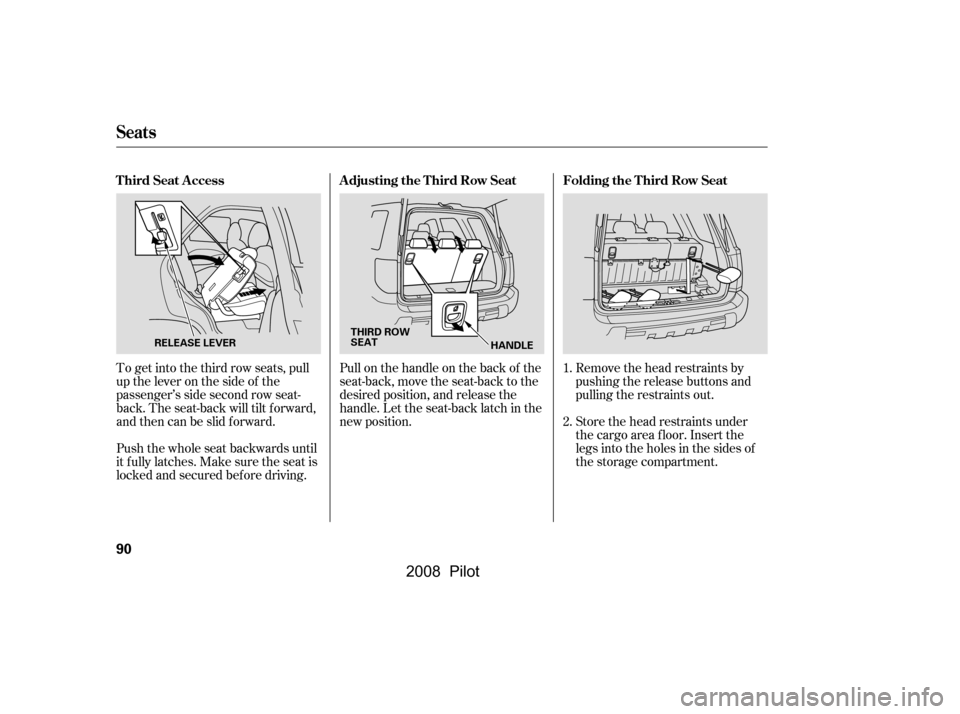
Remove the head restraints by
pushing the release buttons and
pulling the restraints out.
Store the head restraints under
the cargo area floor. Insert the
legs into the holes in the sides of
the storage compartment.
Pull on the handle on the back of the
seat-back, move the seat-back to the
desired position, and release the
handle. Let the seat-back latch in the
new position.
To get into the third row seats, pull
uptheleveronthesideof the
passenger’s side second row seat-
back. The seat-back will tilt f orward,
and then can be slid forward.
Push the whole seat backwards until
it f ully latches. Make sure the seat is
locked and secured bef ore driving. 1.
2.
Seats
Folding the T hird Row Seat
A djusting the T hird Row Seat
T hird Seat A ccess
90
THIRD ROW
SEAT
HANDLE
RELEASE LEVER
�\f���—�\f���—�\f���y�
�
�������\f���y���
�(���+�����\f�y�\f�\f�����y
2008 Pilot