2008 HONDA CR-V ECO
[x] Cancel search: ECOPage 16 of 145
16Navigation System
Getting Started
Each entered letter will appear at the top
of the display. Say or select Space to
enter a space between words. Say or
select Delete to erase a letter entered
incorrectly.
When entering an address, the system
searches the database for words that
match the letters you are entering. As a
result, you will notice that some letters
are no longer available.
When the system finds only one entry
that matches, it completes the entry of
the name for you. If the system finds
more than one entry that matches your
input, the system displays a list.
Tip:
If you are unsure of the spelling of a
name, enter the lette rs that you are sure
of, and then select List. The system
displays a list of names that most closely
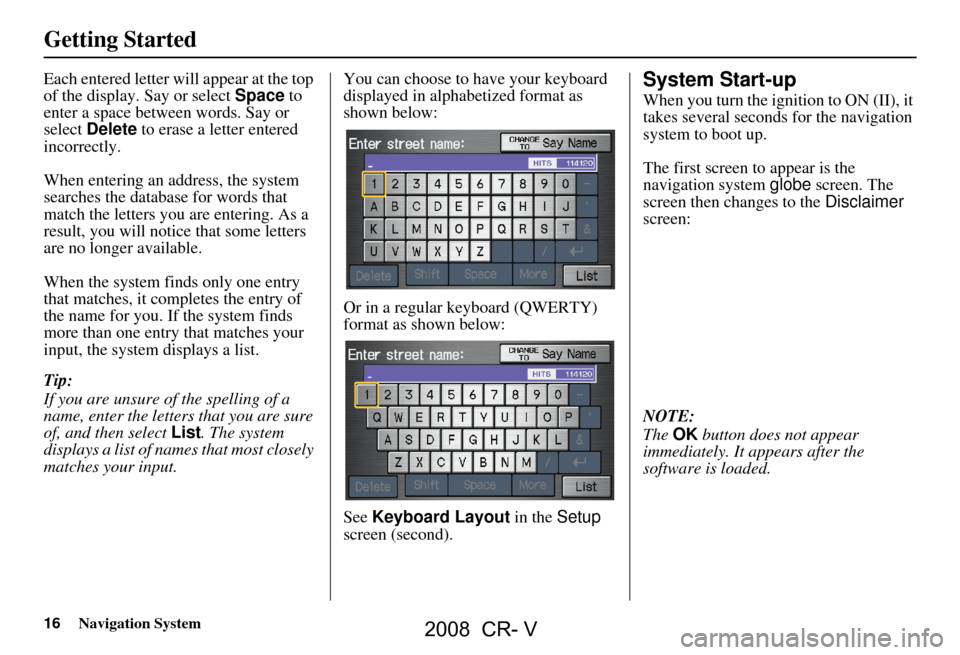
matches your input. You can choose to have your keyboard
displayed in alphabetized format as
shown below:
Or in a regular keyboard (QWERTY)
format as shown below:
See
Keyboard Layout in the Setup
screen (second).System Start-up
When you turn the ignition to ON (II), it
takes several seconds for the navigation
system to boot up.
The first screen to appear is the
navigation system globe screen. The
screen then changes to the Disclaimer
screen:
NOTE:
The OK button does not appear
immediately. It appears after the
software is loaded.
2008 CR- V
Page 17 of 145

Navigation System17
Getting Started
Read this disclaimer carefully so you
understand it before continuing. Push in
on the joystick, or touch OK, and the
map screen will appear on the display.
The “OK” cannot be activated by voice.
NOTE:
If you do not select OK, and then enter
the Setup or Information screens, some
items are not available, and will show
up as darkened buttons (grayed out).
See System Function Diagram on
page20.
If you do not press the joystick or touch
OK , the screen will display the clock
after 30 seconds.
If you are not planning to use the
navigation system at this time, touch
DISPLAY OFF to turn off the screen. By touching
CLOCK TYPE , you can
change the design of the clock screen.
For details of the clock type, see
page93.
Tip:
For information on the clock
adjustment, see page91.
To return to the Disclaimer screen,
press any navigation or voice control
button.
If you have entered any Calendar
reminders, they are displayed after you
select OK.
The Calendar reminder screen
remains displayed until you select OK,
Remind Later or press the CANCEL
button. If you select
OK, the reminder will not
show up again. If you wish to have the
reminder show up agai n later in the day,
touch the Remind Later button.
If you press the CANCEL button, the
message will be displayed the next time
you start the vehicle.
NOTE:
The system will display the current
message and any older or previously
unread messages, with the newest
message listed first.
2008 CR- V
Page 20 of 145

20Navigation System
Getting Started
System Function Diagram
This diagram shows the navigation
system features, starting at the center
and working outward in layers. The
navigation program starts at “Key ON,”
and then displays the globe screen
(blue). If OK is selected on the
Disclaimer screen, the functions in the
yellow segments of the diagram become
available in the Setup and Information
screens. The white segments of the
diagram are available anytime, even if
you do not select OK.
The items above the map screen show
various methods to begin driving to
your destination (orange). You are
provided with map/voice guidance,
routing cautions, and a direction list.
While driving to your destination, use
the voice control system as much as
possible to interact with the navigation
and audio syst ems (green).
VOICE:
"HELP"
(ALL)
(pg. 131)
VOICE:
"INFORMA TION
SCREEN" (pg. 67)
VOICE:
"MENU" (to
change route) (pg. 62)
VOICE:
"HOW FAR TO THE
DESTINATION?"
(pg. 131)
VOICE:
"DISPLAY (OR SAVE)CURRENT LOCA TION"(pg. 60)VOICE:
"WHAT TIME
IS IT?"
(pg. 131)
VOICE:
"A UDIO"(pg. 135 - 137)
VOICE:
DISPLA YENTIRE ROUTE(pg. 47)
VOICE"SETUP"(pg. 71)
VOICECOMMANDS
ENTER (pg. 69)
NAVI, AUDIO, CLIMA TE
(pg. 67)
LIST (pg. 68)CONVERT (pg. 70)
MATH (pg. 70)
LiST (pg. 69)
ees,noitamrofnieromroF
.launams'renwoelciheveht
CALENDAR
CALCULA TOR
MAP LEGENDVOICE HELPSELECT
BAND/
FREQUNCY
VOL
BALANCECD
FUNCTIONS
PC CARD
FUNCTIONS
AUDIO
BUTTON (pg. 11)
INFO
BUTTON (pg. 67)
OK
NOT
PRESSEDTHEDISCLAIMERSCREEN(pg.16)
REMINDERS(pg.17)
-THEMAPSCREEN(pg.18)-
VOICE:
"MENU" FOR ENTER
DESTINATION SCREEN(pg. 21)
SELECT A
DESTINATION WITH
JOYSTICK (pg. 65)
VOICE:
"GO HOME" (pg. 43)
VOICE: "FINDNEAREST..."
ATM, ETC.(pg. 133)
CONTINUE TO THE
DESTINATION (RESUME)
AFTER RESTAR
T
(pg. 66)
(MAP/VOICEGUIDANCE,ROUTINGCAUTIONS,DIRECTIONLIST)
-DRIVINGTOYOURDESTINATION-
SET UP
BUTTON (pg. 71)
PERSONAL
BASIC
VOICE:
"HIDE/DISPLAY ICONS" (pg. 57, 132)
VOICE:
"ZOOM IN/ZOO M OUT"
(pg. 53, 132)
PRESS OK
OKNOTPRESSED
ADD B OOK ( pg. 74)PINs (pg. 78)UNITS MI/KM (pg. 90)UNVERIFIED (pg. 81)AVOID AREAS (pg. 85)TIME ZONE (p g. 92)ADJ. TIME (pg. 92)DAYLIGHT SAV. (pg. 91)OFF-ROAD TRACKING(pg. 59, 88)CORRECT VEHICLE
POSITION (pg. 89)MAP COLOR (pg. 93)MENU COLOR (pg. 94)GUIDE. PROMPTS (pg. 73)VERSION (pg. 90)BRIGHTNESS (pg. 71)VOLUME (p g. 71)
ROUTING
GUIDANCE
CLOCK
ADJUSTMENT
VEHICLECOLORSYSTEM INFO.
SETUP
SCREEN (FIRST)
DISPLAY (pg. 72)CONTRAST (pg. 73)
CALENDARINFO SCREEN (pg. 137)
AUDIO (pg. 135 - 137)
NAVIGATION DISPLAY (pg. 132)
GLOBESCREENKEY
ON
REAR CAMERA (REVERSE)
BRIGHTNESS
ZOOM IN/OUT
2008 CR- V
Page 22 of 145
22Navigation System
By Address
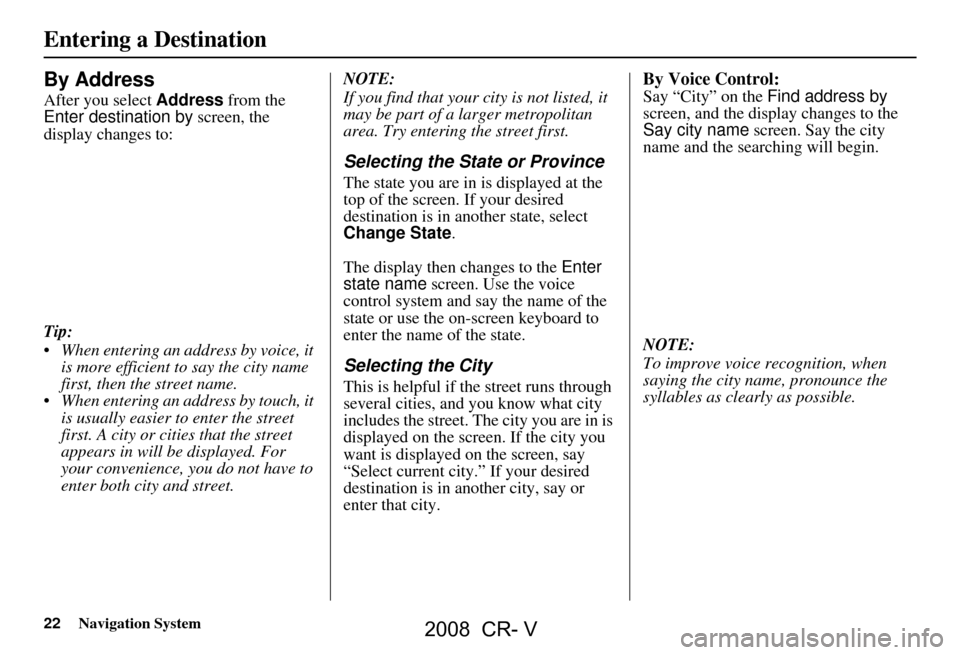
After you select Address from the
Enter destination by screen, the
display changes to:
Tip:
When entering an address by voice, it is more efficient to say the city name
first, then the street name.
When entering an address by touch, it is usually easier to enter the street
first. A city or cities that the street
appears in will be displayed. For
your convenience, you do not have to
enter both city and street. NOTE:
If you find that your city is not listed, it
may be part of a larger metropolitan
area. Try entering the street first.
Selecting the State or Province
The state you are in is displayed at the
top of the screen. If your desired
destination is in another state, select
Change State
.
The display then changes to the Enter
state name screen. Use the voice
control system and say the name of the
state or use the on-s creen keyboard to
enter the name of the state.
Selecting the City
This is helpful if the street runs through
several cities, and you know what city
includes the street. Th e city you are in is
displayed on the screen. If the city you
want is displayed on the screen, say
“Select current city .” If your desired
destination is in another city, say or
enter that city.
By Voice Control:
Say “City” on the Find address by
screen, and the display changes to the
Say city name screen. Say the city
name and the searching will begin.
NOTE:
To improve voice recognition, when
saying the city name, pronounce the
syllables as clearly as possible.
Entering a Destination
2008 CR- V
Page 23 of 145

Navigation System23
To enter the city name by voice spelling,
say or select CHANGE TO Spell
Mode on the Say city name screen,
and the display will change to the Enter
city name screen.
Say the city name by saying individual
letters, one at a time. The system has a talk back function. If
your spoken letter is
not recognized, the
system will talk back to you. For
example, if you say “E” but the system
does not recognize the command, it will
ask you “Please select the number of the
input letter from the list” and the
following pop-up box will appear:
You should select a letter by saying the
number.
Alternatively, to improve voice
recognition, you can say “Echo” or
“Edward” instead of “E.”
See page15 for a list of available words
for each letter.By Touch Control:
Select City, and the display then
changes to the Enter city name screen.
Use the on-screen keyb oard to enter the
name of the city.
The system will display a list of city
names, with the closest match to the
name you entered at the top of the list.
Select the number (1-6) of the desired
city from the list.
Entering a Destination
2008 CR- V
Page 25 of 145

Navigation System25
The system has a talk back function. If
your spoken letter is not recognized, the
system will talk back to you. For
example, if you say “E” but the system
does not recognize the command, it will
ask you “Please select the number of the
input letter from the list” and the
following pop-up box will appear:
You should select a letter by saying the
number.
Alternatively, to improve voice
recognition, you can say “Echo” or
“Edward” instead of “E.”
See page15 for a list of available words
for each letter.By Touch Control:
After you have selected the city, or if
you selected Street in the beginning,
the display changes to the Enter street
name screen. Use the on-screen
keyboard to enter the name of the street
(like ELM or 42ND) that is your
destination.
To enter the name of a major highway,
you must use the full name, including a
hyphen. For interstates, use an “I”
(I-10). For U.S. highways, use US
(US-18). For state highways, use the
two character state designation
(CA-101). For county roads, use the
appropriate designation (G-2, for
example).
Tip:
When entering a street, you do not need
to enter the direction (N, S, E, W) or the
type (St, Ave, etc.). The system will
automatically determine that for you,
based on your entered city and street
number. The system will display a list of street
names, with the closest match to the
name you entered at the top of the list.
Select the number (1-6) of the desired
street from the list.
Entering a Destination
2008 CR- V
Page 28 of 145

28Navigation System
The system has a talk back function. If
your spoken letter is not recognized, the
system will talk back to you. For
example, if you say “E” but the system
does not recognize the command, it will
ask you “Please select the number of the
input letter from the list” and the
following pop-up box will appear:
You should select a letter by saying the
number.
Alternatively, to improve voice
recognition, you can say “Echo” or
“Edward” instead of “E.”
See page15 for a list of available words
for each letter.By Touch Control:
Select City, and the display then
changes to the Enter city name screen.
Use the on-screen keyboard to enter the
name of the city.
The system will display a list of city
names, with the closest match to the
name you entered at the top of the list.
Select the number (1-6) of the desired
city from the list. If the system does not find an exact
match, select
List when you finish
entering the name of the city. Most of
the cities and towns for that state are
listed.
Listings of cities and towns in the non-
detailed coverage area may have an
asterisk “*” next to their names. If you
select one, a pop-up box is displayed
saying; “No detailed street data...”, and
a street address cannot be entered (see
Map Coverage on page106).
Select View Dest. Map and use the
joystick to select an icon, approximate
area, or street you wish to choose as
your destination. Otherwise, a central
location of the city will be selected. If
you select a point of interest (POI) or
road in an unverified area, you may or
may not have routing in these areas (see
Map Overview on page6).
Entering a Destination
2008 CR- V
Page 29 of 145

Navigation System29
Selecting the Street
By Voice Control:
After you have selected the city, or if
you say “Street” on the Find
intersection by screen, the display
changes to the Say street name screen.
Say the street name and the searching
will begin.
To enter the street name by voice
spelling, say or select CHANGE TO
Spell Mode on the Say street name
screen, and the disp lay will change to
the Enter street name screen. Say the street name by saying individual
letters or numbers, one at a time.
After you have completed the first
name, the display
changes to the Say
intersecting street screen. Say the
name of the other intersecting street. The system has a talk back function. If
your spoken letter is not recognized, the
system will talk back to you. For
example, if you say “E” but the system
does not recognize the command, it will
ask you “Please select the number of the
input letter from the list” and the
following pop-up box will appear:
You should select a letter by saying the
number.
Alternatively, to improve voice
recognition, you can say “Echo” or
“Edward” instead of “E.”
See page15 for a list of available words
for each letter.
Entering a Destination
2008 CR- V