Page 234 of 531
brakes. If the ABS light does not turn on when the
Ignition switch is turned to the ON position, have the
light inspected by an authorized dealer.
14. Electronic Stability Program (ESP) Indicator
Light/Traction Control System (TCS) Indicator Light
If this indicator light flashes during accelera-
tion, apply as little throttle as possible. While
driving, ease up on the accelerator. Adapt your
speed and driving to the prevailing road con-
ditions, and do not switch off the ESP, or TCS.
15. Tachometer
The red segments indicate the maximum permissible
engine revolutions per minute (RPM x 1000) for each gear
range. Before reaching the red area, ease up on the
accelerator.16. High Beam Light
This light shows that the headlights are on high
beam. Pull the turn signal lever towards the
steering wheel to switch the headlights from high or low
beam.
17. Front Fog Light Indicator Ð If Equipped
This light shows when the front fog lights are ON.
18. Seat Belt Reminder Light
When the ignition switch is first turned ON, this
light will turn on for five to eight seconds as a bulb
check. During the bulb check, if the driver's seat
belt is unbuckled, a chime will sound. After the bulb
check or when driving, if the driver's seat belt remains
unbuckled, the Seat Belt Reminder Light will illuminate
and the chime will sound. Refer to the Occupant Re-
straints section for more information.
232 UNDERSTANDING YOUR INSTRUMENT PANEL
Page 245 of 531
ELECTRONIC VEHICLE INFORMATION CENTER
(EVIC) Ð IF EQUIPPED
NOTE:The compass on your vehicle is self-calibrating,
eliminating the need to manually calibrate the compass.
The Electronic Vehicle Information Center (EVIC) fea-
tures a driver-interactive display that is located in the
instrument cluster.
This system conveniently allows the driver to select a
variety of useful information by pressing the switches
mounted on the steering wheel. The EVIC consists of the
following:
²System Status display
²Vehicle information warning message displays
²Tire Pressure Monitor System
²Personal Settings (Customer Programmable Features)
²Compass display
²Outside temperature display
²Trip computer functions
²Audio Modes display
EVIC Menu / Step Control Button as it
appears on the left side of the steering
column.
Press and release the MENU button and the
mode displayed will change between
Compass/Temperature, Trip, System Status,
and Personal Settings.
UNDERSTANDING YOUR INSTRUMENT PANEL 243
4
Page 246 of 531
Press the STEP button to scroll through sub
menus (i.e. Trip Functions, Avg. Fuel Economy,
DTE, Elapsed Time, and Units.
Steering Wheel EVIC Compass/Temp
Control Button as it appears on the
right side of the steering column
Press and release the C/T button to for instant
access to the Compass/Temperature Screens.
Press this button to RESET Trip Functions and
Change Personal Settings.EVIC Displays
When the appropriate conditions exist, the EVIC displays
the following messages:
²Door(s) Ajar (with a single chime if vehicle is in
motion)
²Liftgate Ajar (chime will sound when vehicle starts
moving)
²Hood Ajar (If equipped with hood switch)
²Check TPM System. Refer to ªTire Pressure Monitor-
ing Systemº in Section 5 of this manual.
²Turn Signal On
²RKE Battery Low
²LOW WASHER FLUID
²Oil Change Required
²Left Front Turn Signal Light Out
244 UNDERSTANDING YOUR INSTRUMENT PANEL
Page 255 of 531
you understand and save you concern about these ªap-
parentº malfunctions, you must understand a point or
two about the transmission and reception of radio sig-
nals.
Two Types of Signals
There are two basic types of radio signals:
1. AM or Amplitude Modulation, in which the transmit-
ted sound causes the amplitude, or height, of the radio
waves to vary.
2. FM or Frequency Modulation, in which the frequency
of the wave is varied to carry the sound.
AM Reception
AM sound is based on wave amplitude, so AM reception
can be disrupted by such things as lightning, power lines
and neon signs.
FM Reception
Because FM transmission is based on frequency varia-
tions, interference that consists of amplitude variations
can be filtered out, leaving the reception relatively clear,
which is the major feature of FM radio.
NOTE:The radio, steering wheel radio controls (if
equipped), and six-disc CD/DVD changer (if equipped)
will remain active for up to 90 seconds after the ignition
switch has been turned OFF, depending upon the EVIC,
Accessory Delay setting. Opening a vehicle front door
will cancel this feature.
Electrical Disturbances
Radio waves may pick up electrical disturbances during
transmission. They mainly affect the wave amplitude,
and thus remain a part of the AM reception. They
interfere very little with the frequency variations that
carry the FM signal.
UNDERSTANDING YOUR INSTRUMENT PANEL 253
4
Page 302 of 531
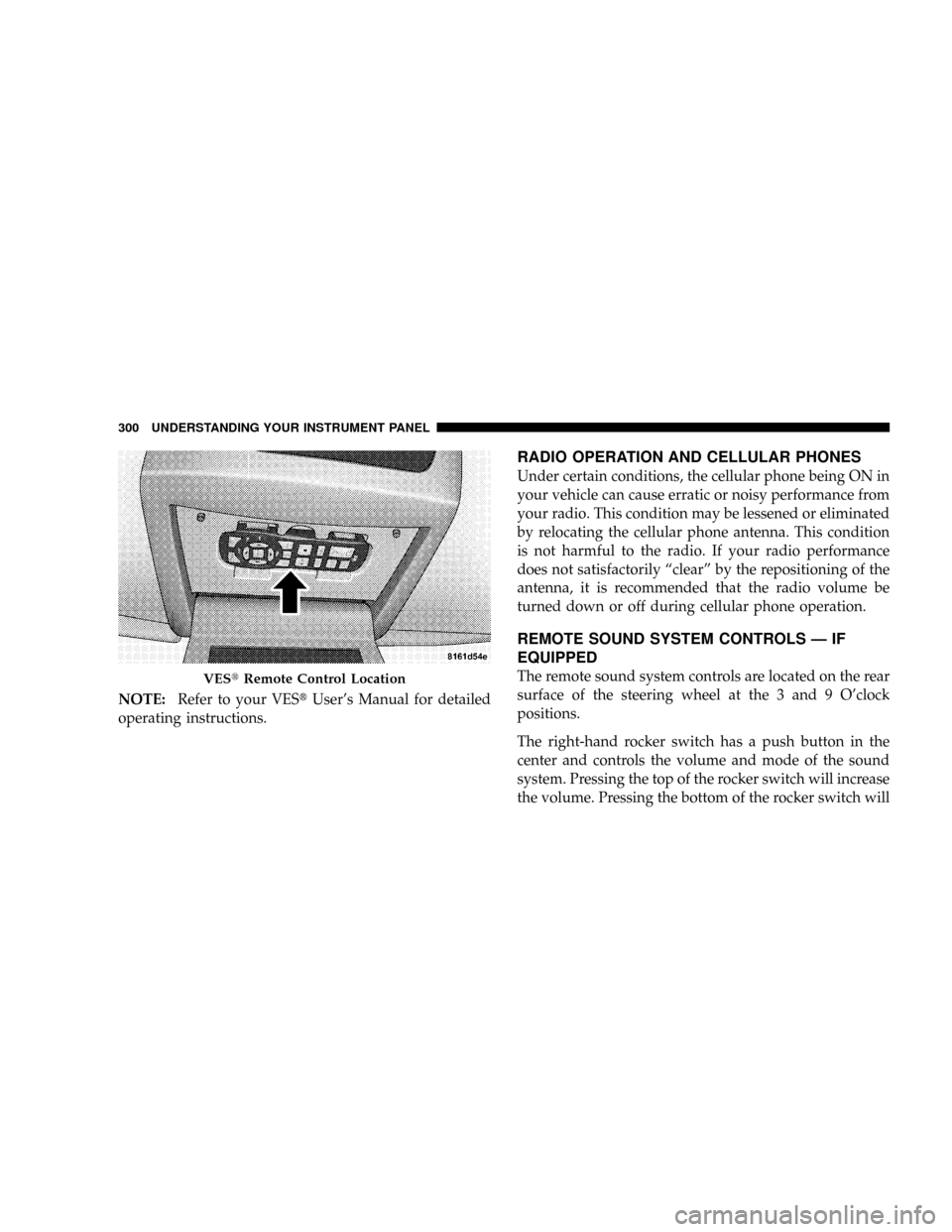
NOTE:Refer to your VEStUser's Manual for detailed
operating instructions.
RADIO OPERATION AND CELLULAR PHONES
Under certain conditions, the cellular phone being ON in
your vehicle can cause erratic or noisy performance from
your radio. This condition may be lessened or eliminated
by relocating the cellular phone antenna. This condition
is not harmful to the radio. If your radio performance
does not satisfactorily ªclearº by the repositioning of the
antenna, it is recommended that the radio volume be
turned down or off during cellular phone operation.
REMOTE SOUND SYSTEM CONTROLS Ð IF
EQUIPPED
The remote sound system controls are located on the rear
surface of the steering wheel at the 3 and 9 O'clock
positions.
The right-hand rocker switch has a push button in the
center and controls the volume and mode of the sound
system. Pressing the top of the rocker switch will increase
the volume. Pressing the bottom of the rocker switch willVEStRemote Control Location
300 UNDERSTANDING YOUR INSTRUMENT PANEL
Page 336 of 531
CAUTION!
Before moving the gear selector lever out of PARK,
you must turn the ignition from LOCK/OFF to ON so
the steering wheel and gear selector lever are re-
leased. Otherwise, damage to the steering column or
gear selector lever could result.
REVERSE
Use REVERSE for moving the vehicle rearward. Shift into
REVERSE only after the vehicle has come to a complete
stop.
NEUTRAL
Shift the gear selector lever into this gear only after the
vehicle has come to a complete stop. The engine may be
started in this range.
WARNING!
Do not coast in NEUTRAL and never turn off the
ignition to coast down a hill. These are unsafe
practices that limit your response to changing traffic
or road conditions. You might lose control of the
vehicle and have an accident.
DRIVE Ð Six-Speed Transmission
This range should be used for most city and highway
driving. It provides the smoothest upshifts, downshifts,
and best fuel economy. However, use the Electronic
Range Select (ERS) mode by moving the leverÐ/+and
select the ª5º range when frequent transmission shifting
occurs while using the DRIVE range, such as when
operating the vehicle under heavy loading conditions,
(i.e., in hilly terrain, traveling into strong head winds or
while towing heavy trailers). Under these conditions,
334 STARTING AND OPERATING
Page 347 of 531
Electronic Stability Program (ESP)
This system enhances directional control and stability of
the vehicle under various driving conditions. ESP cor-
rects for over/under steering of the vehicle by applying
the brake of the appropriate wheel to assist in counter-
acting the over/under steer condition. Engine power
may also be reduced to help the vehicle maintain the
desired path.
ESP uses sensors in the vehicle to determine the vehicle
path intended by the driver and compares it to the actual
path of the vehicle. When the actual path does not match
the intended path, ESP applies the brake of the appropri-
ate wheel to assist in counteracting the oversteer or
understeer condition.
²Oversteer - when the vehicle is turning more than
appropriate for the steering wheel position.
²Understeer - when the vehicle is turning less than
appropriate for the steering wheel position.ESP ON
This is the normal operating mode for ESP on 2WD
vehicles. Whenever the vehicle is started, the ESP system
will be in this mode. This mode should be used for most
driving situations. ESP should only be turned off for
specific reasons as noted below.
ESP Partial OFF
This mode is entered by momentarily depressing the ESP
OFF switch (located in the center switch bank, next to the
hazard flasher switch).
When in Partial OFF mode, the TCS portion of
ESP, except for the ªlimited slipº feature de-
scribed in the TCS section, has been disabled
and the ESP/TCS Indicator Light will be illu-
minated. All other stability features of the ESP function
normally. This mode is intended to be used if the vehicle
is in deep snow, sand or gravel conditions and more
wheel spin than ESP would normally allow is required to
STARTING AND OPERATING 345
5
Page 349 of 531
POWER STEERING
The standard power steering system will give you good
vehicle response and increased ease of maneuverability
in tight spaces. The system will provide mechanical
steering capability if power assist is lost.
If for some reason the power assist is interrupted, it will
still be possible to steer your vehicle. Under these condi-
tions, you will observe a substantial increase in steering
effort, especially at very low vehicle speeds and during
parking maneuvers.
NOTE:Increased noise levels at the end of the steering
wheel travel are considered normal and do not indicate
that there is a problem with the power steering system.
Upon initial start-up in cold weather, the power steering
pump may make noise for a short amount of time. This is
due to the cold, thick fluid in the steering system. This
noise should be considered normal, and it does not in any
way damage the steering system.WARNING!
Continued operation with reduced power steering
assist could pose a safety risk to yourself and others.
Service should be obtained as soon as possible.
CAUTION!
Prolonged operation of the steering system at the end
of the steering wheel travel will increase the steering
fluid temperature and it should be avoided when
possible. Damage to the power steering pump may
occur.
STARTING AND OPERATING 347
5
