2008 CHEVROLET SILVERADO reset
[x] Cancel search: resetPage 310 of 596
PROG (Program):Press this button to go to the next
preset radio station or channel set on the main
radio. This function is inactive, with some radios, if the
front seat passengers are listening to the radio.
While a CD or DVD audio disc is playing, press this
button to go to the beginning of the CD or DVD audio.
This function is inactive, with some radios, if the
front seat passengers are listening to the CD or
DVD audio.
While a disc is playing in the CD or DVD changer, press
this button to select the next disc, if multiple discs are
loaded. This function is inactive, with some radios,
if the front seat passengers are listening to the disc.
While a DVD video menu is being displayed, press the
PROG button to perform the menu function, Enter.
Theft-Deterrent Feature
THEFTLOCK®is designed to discourage theft of the
vehicle’s radio. The feature works automatically by
learning a portion of the Vehicle Identication
Number (VIN). If the radio is moved to a different
vehicle, it does not operate and LOC, LOCK, or
LOCKED could display.
With THEFTLOCK
®activated, the radio does not
operate if stolen.
Audio Steering Wheel Controls
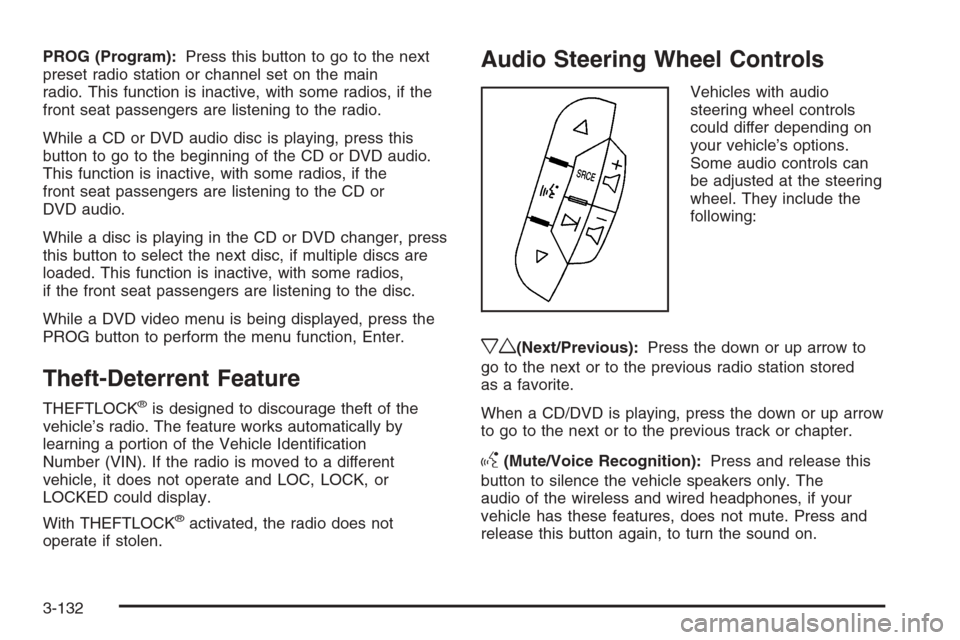
Vehicles with audio
steering wheel controls
could differ depending on
your vehicle’s options.
Some audio controls can
be adjusted at the steering
wheel. They include the
following:
xw(Next/Previous):Press the down or up arrow to
go to the next or to the previous radio station stored
as a favorite.
When a CD/DVD is playing, press the down or up arrow
to go to the next or to the previous track or chapter.
g(Mute/Voice Recognition):Press and release this
button to silence the vehicle speakers only. The
audio of the wireless and wired headphones, if your
vehicle has these features, does not mute. Press and
release this button again, to turn the sound on.
3-132
Page 318 of 596
StabiliTrak®System
Your vehicle may have the StabiliTrak®system which
combines antilock brake, traction and stability control
systems and helps the driver maintain directional control
of the vehicle in most driving conditions.
When you rst start your vehicle and begin to drive away,
the system performs several diagnostic checks to ensure
there are no problems. You may hear or feel the system
working. This is normal and does not mean there is a
problem with your vehicle. The system should initialize
before the vehicle reaches 20 mph (32 km/h). In some
cases, it may take approximately two miles of driving
before the system initializes.
If the system fails to turn on or activate, the StabiliTrak
®
light along with one of the following messages will be
displayed on the Driver Information Center (DIC):
TRACTION CONTROL OFF, SERVICE TRACTION
CONTROL, STABILITRAK OFF, SERVICE
STABILITRAK. If these DIC messages appear, make
sure the StabiliTrak
®system has not been turned
off using the StabiliTrak®on/off button.Then turn the steering wheel clockwise from the nine
o’clock position to the three o’clock position. If this clears
the message(s), your vehicle does not need servicing. If
this does not clear the message(s), then turn the vehicle
off, wait 15 seconds, and then turn it back on again to
reset the system. If any of these messages still appear on
the Driver Information Center (DIC), your vehicle should
be taken in for service. For more information on the DIC
messages, seeDriver Information Center (DIC) on
page 3-56.
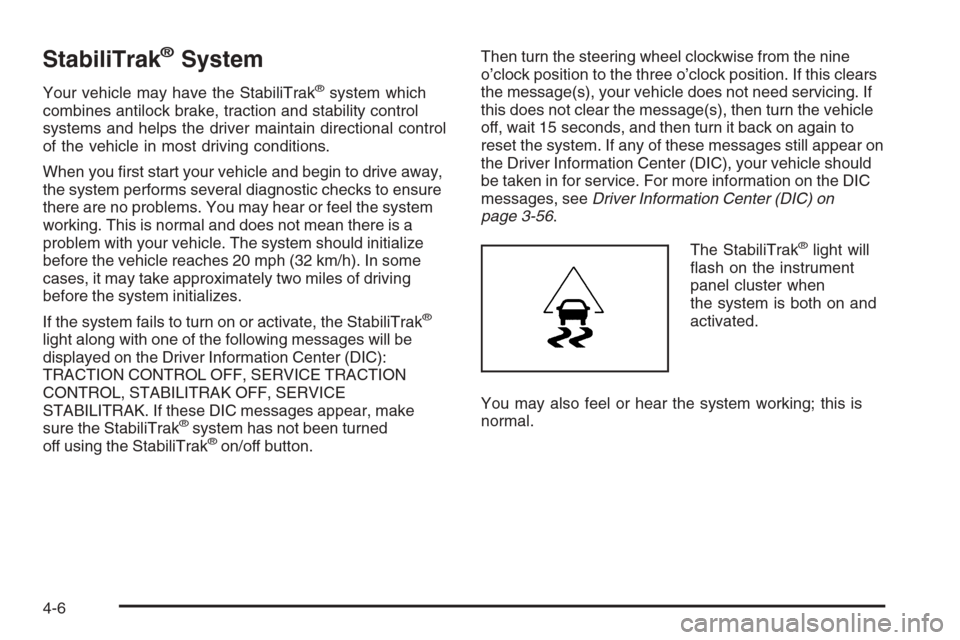
The StabiliTrak
®light will
ash on the instrument
panel cluster when
the system is both on and
activated.
You may also feel or hear the system working; this is
normal.
4-6
Page 424 of 596
If you are in an area of extreme cold, where the
temperature falls below−20°F (−29°C), it is
recommended that you use either an SAE 5W-30
synthetic oil or an SAE 0W-30 oil. Both provide easier
cold starting and better protection for the engine at
extremely low temperatures.
Engine Oil Additives
Do not add anything to the oil. The recommended oils
with the starburst symbol that meet GM Standard
GM6094M are all you need for good performance and
engine protection.
Engine Oil Life System
When to Change Engine Oil
Your vehicle has a computer system that lets you know
when to change the engine oil and lter. This is based
on engine revolutions and engine temperature, and
not on mileage. Based on driving conditions, the mileage
at which an oil change will be indicated can vary
considerably. For the oil life system to work properly,
you must reset the system every time the oil is changed.When the system has calculated that oil life has been
diminished, it will indicate that an oil change is
necessary. A CHANGE ENGINE OIL SOON message
will come on. SeeDIC Warnings and Messages on
page 3-66. Change the oil as soon as possible within the
next 600 miles (1 000 km). It is possible that, if you
are driving under the best conditions, the oil life system
might not indicate that an oil change is necessary for
over a year. However, the engine oil and lter must be
changed at least once a year and at this time the
system must be reset. Your dealer/retailer has trained
service people who will perform this work using genuine
parts and reset the system. It is also important to
check the oil regularly and keep it at the proper level.
If the system is ever reset accidentally, you must change
the oil at 3,000 miles (5 000 km) since your last oil
change. Remember to reset the oil life system whenever
the oil is changed.
5-18
Page 425 of 596
How to Reset the Engine Oil Life System
The Engine Oil Life System calculates when to change
the engine oil and lter based on vehicle use.
Whenever the oil is changed, reset the system so it
can calculate when the next oil change is required.
If a situation occurs where you change the oil prior to a
CHANGE ENGINE OIL SOON message coming on,
reset the system.
Always reset the engine oil life to 100% after every oil
change. It will not reset itself. To reset the Engine
Oil Life System:
1. Display the OIL LIFE REMAINING on the DIC.
If your vehicle does not have DIC buttons, the
vehicle must be in PARK (P) to access this display.
SeeDIC Operation and Displays (With DIC
Buttons) on page 3-57orDIC Operation and
Displays (Without DIC Buttons) on page 3-63.
2. Press and hold the SET/RESET button on the DIC,
or the trip odometer reset stem if your vehicle does
not have DIC buttons, for more than ve seconds.
The oil life will change to 100%.
If the CHANGE ENGINE OIL SOON message comes
back on when you start your vehicle, the Engine Oil Life
System has not reset. Repeat the procedure.
What to Do with Used Oil
Used engine oil contains certain elements that can be
unhealthy for your skin and could even cause cancer.
Do not let used oil stay on your skin for very long.
Clean your skin and nails with soap and water, or a
good hand cleaner. Wash or properly dispose of
clothing or rags containing used engine oil. See the
manufacturer’s warnings about the use and disposal of
oil products.
Used oil can be a threat to the environment. If you
change your own oil, be sure to drain all the oil from the
lter before disposal. Never dispose of oil by putting it
in the trash, pouring it on the ground, into sewers,
or into streams or bodies of water. Instead, recycle it by
taking it to a place that collects used oil. If you have
a problem properly disposing of used oil, ask your
dealer/retailer, a service station, or a local recycling
center for help.
5-19
Page 427 of 596
How to Inspect the Engine
Air Cleaner/Filter
Vehicles With an Air Filter Restriction
Indicator
Locate the air lter restriction indicator on the engine air
cleaner/lter cover. When the indicator turns black or
is in the red/orange “change” zone, replace the lter and
reset the indicator. See Steps 1 through 7 to replace
the engine air cleaner/lter and to reset the air lter
restriction indicator.
Vehicles Without an Air Filter Restriction
Indicator
To inspect the air cleaner/lter, remove the engine
air cleaner/lter from the vehicle by following
Steps 1 through 7. When you have the engine air
cleaner/lter removed, lightly shake it to release loose
dust and dirt. If the engine air cleaner/lter remains
caked with dirt, a new lter is required.
Replacing the Engine Air Cleaner/Filter
and Resetting the Air Filter Restriction
Indicator
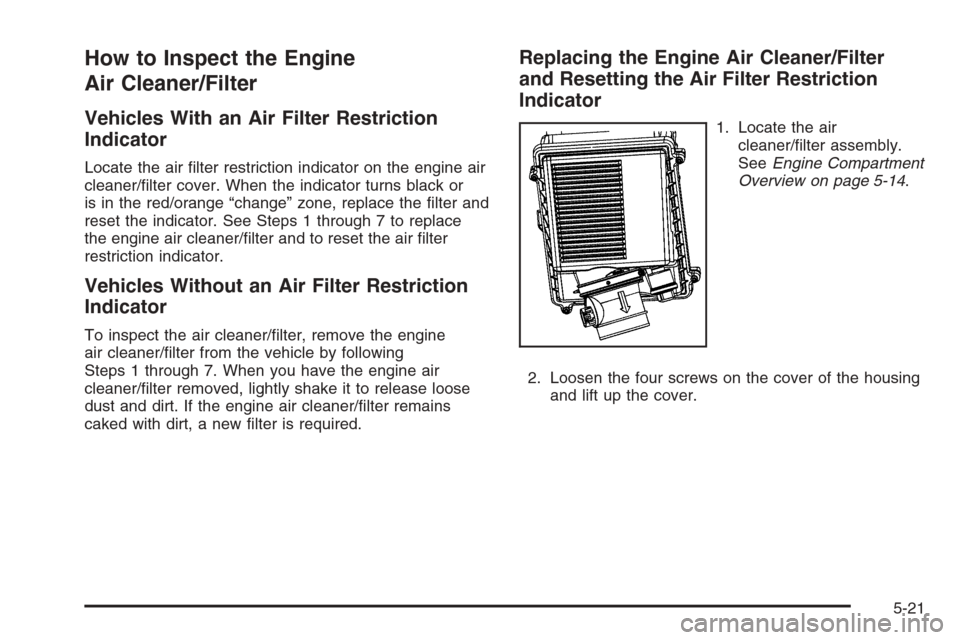
1. Locate the air
cleaner/lter assembly.
SeeEngine Compartment
Overview on page 5-14.
2. Loosen the four screws on the cover of the housing
and lift up the cover.
5-21
Page 428 of 596
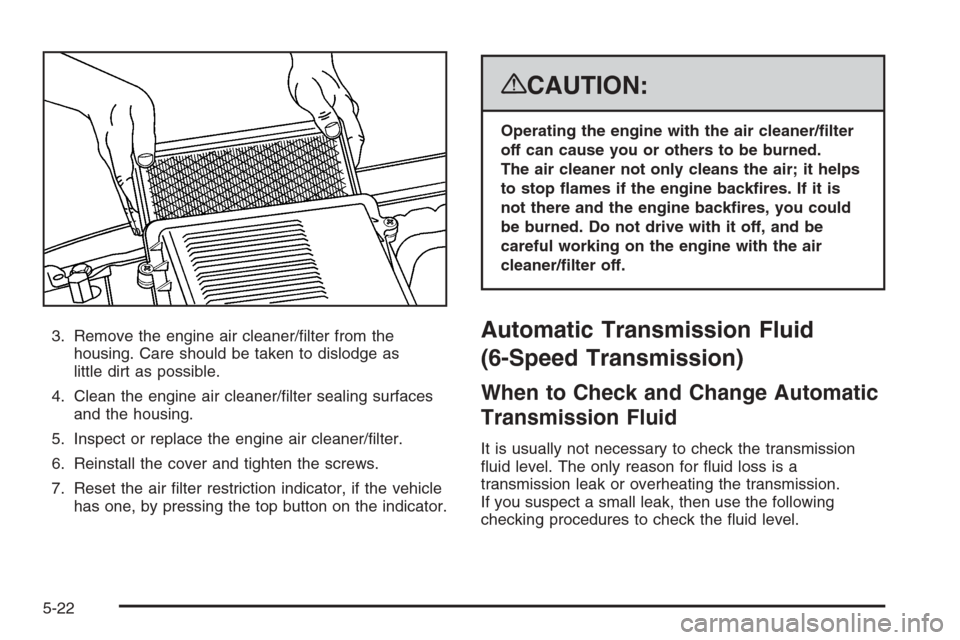
3. Remove the engine air cleaner/lter from the
housing. Care should be taken to dislodge as
little dirt as possible.
4. Clean the engine air cleaner/lter sealing surfaces
and the housing.
5. Inspect or replace the engine air cleaner/lter.
6. Reinstall the cover and tighten the screws.
7. Reset the air lter restriction indicator, if the vehicle
has one, by pressing the top button on the indicator.
{CAUTION:
Operating the engine with the air cleaner/lter
off can cause you or others to be burned.
The air cleaner not only cleans the air; it helps
to stop ames if the engine backres. If it is
not there and the engine backres, you could
be burned. Do not drive with it off, and be
careful working on the engine with the air
cleaner/lter off.
Automatic Transmission Fluid
(6-Speed Transmission)
When to Check and Change Automatic
Transmission Fluid
It is usually not necessary to check the transmission
uid level. The only reason for uid loss is a
transmission leak or overheating the transmission.
If you suspect a small leak, then use the following
checking procedures to check the uid level.
5-22
Page 429 of 596
However, if there is a large leak, then it may be
necessary to have the vehicle towed to a dealer/retailer
service department and have it repaired before driving
the vehicle further.
Notice:Use of the incorrect automatic transmission
uid may damage your vehicle, and the damages
may not be covered by your warranty. Always
use the automatic transmission uid listed in
Recommended Fluids and Lubricants on page 6-14.
Change the uid and lter at the intervals listed in
the Maintenance Schedule. SeeScheduled Maintenance
(Gasoline Engine) on page 6-4. Be sure to use the
transmission uid listed inRecommended Fluids and
Lubricants on page 6-14.
How to Check Automatic
Transmission Fluid
Notice:Too much or too little uid can damage
your transmission. Too much can mean that some
of the uid could come out and fall on hot engine
parts or exhaust system parts, starting a re.
Too little uid could cause the transmission to
overheat. Be sure to get an accurate reading if you
check your transmission uid.Before checking the uid level, prepare your vehicle
as follows:
1. Start the engine and park your vehicle on a level
surface. Keep the engine running.
2. Apply the parking brake and place the shift lever
in P (PARK).
3. With your foot on the brake pedal, move the shift
lever through each gear range, pausing for about
three seconds in each range. Then, move the
shift lever back to P (PARK).
4. Allow the engine to idle (500 – 800 rpm) for at least
one minute. Slowly release the brake pedal.
5. Keep the engine running and press the Trip/Fuel
button or trip odometer reset stem until TRANS
TEMP (Transmission Temperature) displays on the
Driver Information Center (DIC).
6. Using the TRANS TEMP reading, determine and
perform the appropriate check procedure. If the
TRANS TEMP reading is not within the required
temperature ranges, allow the vehicle to cool,
or operate the vehicle until the appropriate
transmission uid temperature is reached.
5-23
Page 440 of 596
If the warning continues, pull over, stop, and park your
vehicle immediately.
If there is still no sign of steam and your vehicle has an
engine-driven cooling fan, push down the accelerator
until the engine speed is about twice as fast as normal
idle speed for at least ve minutes while you are parked.
If there is still no sign of steam and your vehicle has an
electric cooling fan, idle the engine for ve minutes
while you are parked.
If you still have the warning, turn off the engine and
get everyone out of the vehicle until it cools down.
Also, see “Overheated Engine Protection Operating
Mode” later in this section.
You may decide not to lift the hood but to get service
help right away.Overheated Engine Protection
Operating Mode (V8 Engines Only)
If an overheated engine condition exists and the
REDUCED ENGINE POWER message is displayed,
an overheat protection mode which alternates ring
groups of cylinders helps prevent engine damage.
In this mode, you will notice a loss in power and engine
performance. This operating mode allows your vehicle
to be driven to a safe place in an emergency. Driving
extended miles (km) and/or towing a trailer in the
overheat protection mode should be avoided.
Notice:After driving in the overheated engine
protection operating mode, to avoid engine damage,
allow the engine to cool before attempting any
repair. The engine oil will be severely degraded.
Repair the cause of coolant loss, change the oil and
reset the oil life system. SeeEngine Oil (Gasoline
Engine) on page 5-15.
5-34