Page 293 of 430
Notice:If you leave your radio or other accessories
on during the jump starting procedure, they could
be damaged. The repairs would not be covered
by your warranty. Always turn off your radio and
other accessories when jump starting your vehicle.
3. Turn off the ignition on both vehicles. Unplug
unnecessary accessories plugged into the cigarette
lighter or the accessory power outlet. Turn off
the radio and all lamps that are not needed.
This will avoid sparks and help save both batteries.
And it could save the radio!
4. Open the hood on the other vehicle and locate the
positive (+) and negative (−) terminal locations on
that vehicle.
You will not see the battery of your vehicle under
the hood. It is located in the rear cargo area.
You will not need to access your battery for jump
starting. Your vehicle has a remote positive (+) and
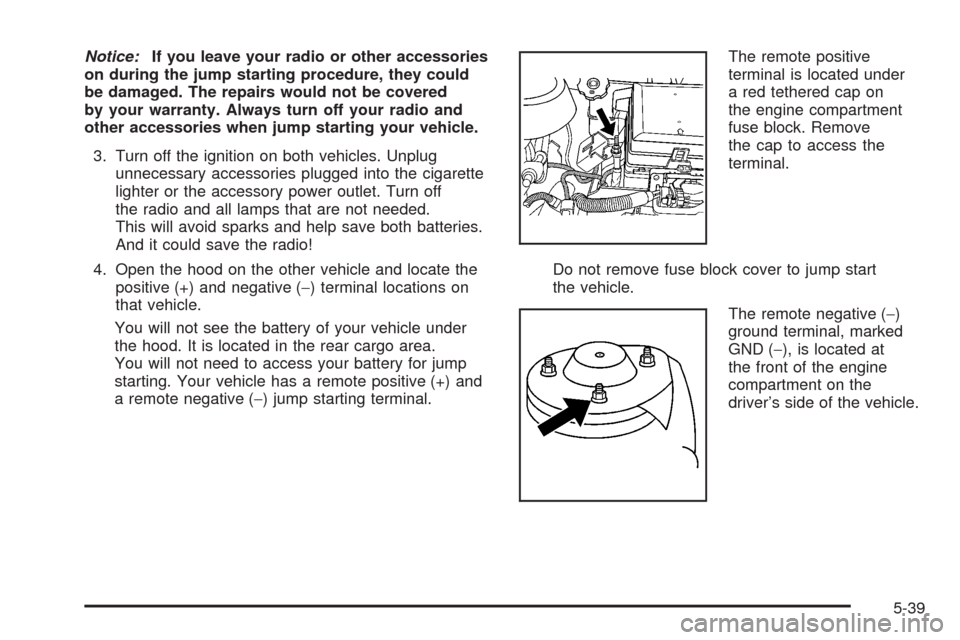
a remote negative (−) jump starting terminal.The remote positive
terminal is located under
a red tethered cap on
the engine compartment
fuse block. Remove
the cap to access the
terminal.
Do not remove fuse block cover to jump start
the vehicle.
The remote negative (−)
ground terminal, marked
GND (−), is located at
the front of the engine
compartment on the
driver’s side of the vehicle.
5-39
Page 299 of 430
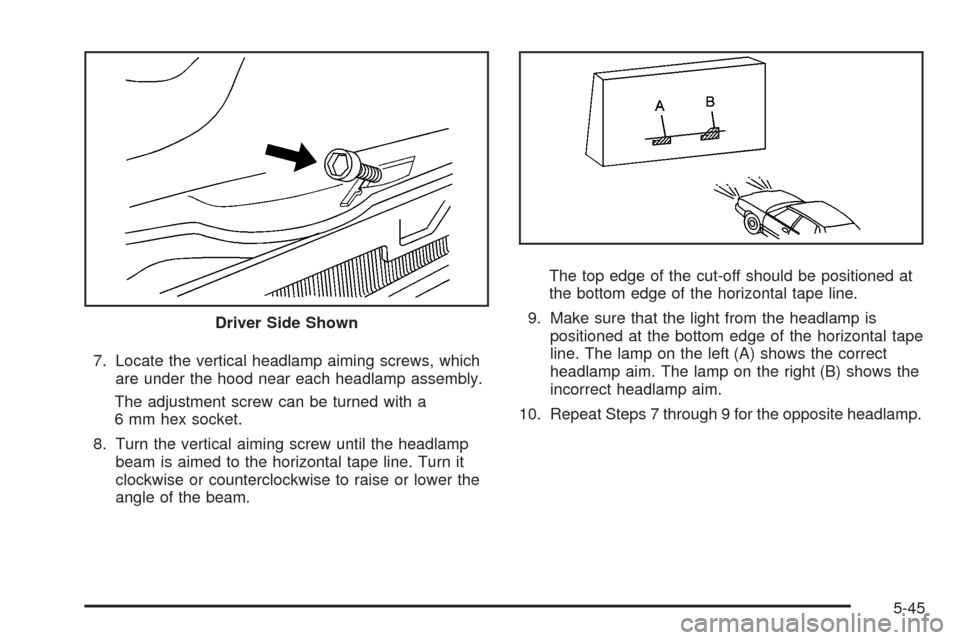
7. Locate the vertical headlamp aiming screws, which
are under the hood near each headlamp assembly.
The adjustment screw can be turned with a
6 mm hex socket.
8. Turn the vertical aiming screw until the headlamp
beam is aimed to the horizontal tape line. Turn it
clockwise or counterclockwise to raise or lower the
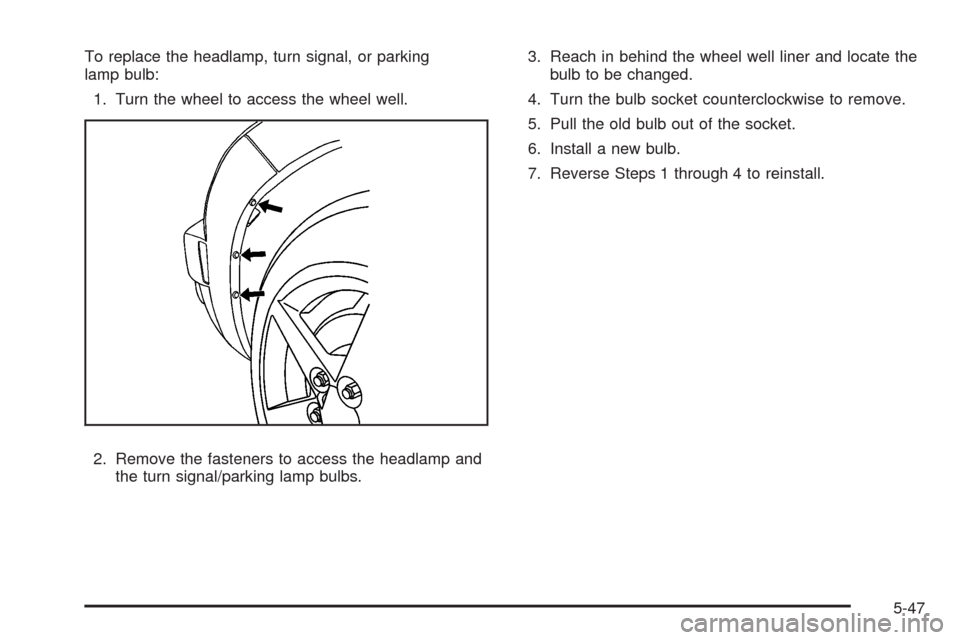
angle of the beam.The top edge of the cut-off should be positioned at
the bottom edge of the horizontal tape line.
9. Make sure that the light from the headlamp is
positioned at the bottom edge of the horizontal tape
line. The lamp on the left (A) shows the correct
headlamp aim. The lamp on the right (B) shows the
incorrect headlamp aim.
10. Repeat Steps 7 through 9 for the opposite headlamp. Driver Side Shown
5-45
Page 301 of 430
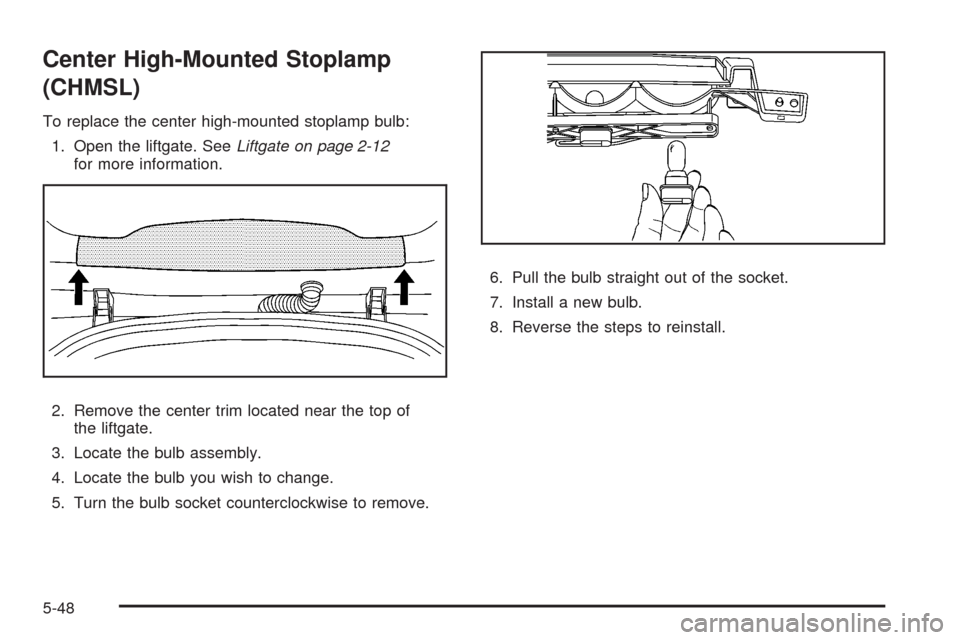
To replace the headlamp, turn signal, or parking
lamp bulb:
1. Turn the wheel to access the wheel well.
2. Remove the fasteners to access the headlamp and
the turn signal/parking lamp bulbs.3. Reach in behind the wheel well liner and locate the
bulb to be changed.
4. Turn the bulb socket counterclockwise to remove.
5. Pull the old bulb out of the socket.
6. Install a new bulb.
7. Reverse Steps 1 through 4 to reinstall.
5-47
Page 302 of 430
Center High-Mounted Stoplamp
(CHMSL)
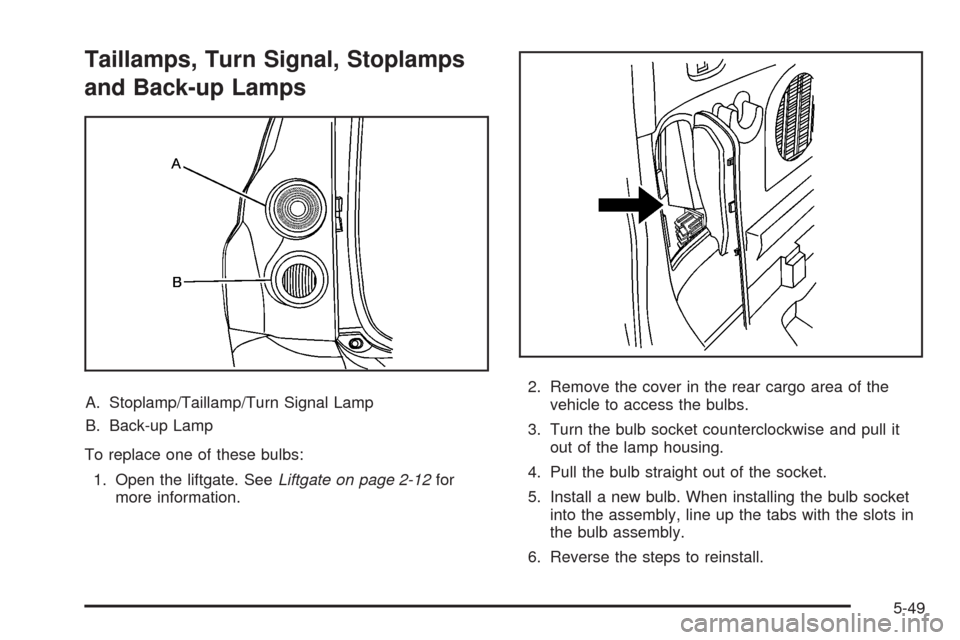
To replace the center high-mounted stoplamp bulb:
1. Open the liftgate. SeeLiftgate on page 2-12
for more information.
2. Remove the center trim located near the top of
the liftgate.
3. Locate the bulb assembly.
4. Locate the bulb you wish to change.
5. Turn the bulb socket counterclockwise to remove.6. Pull the bulb straight out of the socket.
7. Install a new bulb.
8. Reverse the steps to reinstall.
5-48
Page 303 of 430
Taillamps, Turn Signal, Stoplamps
and Back-up Lamps
A. Stoplamp/Taillamp/Turn Signal Lamp
B. Back-up Lamp
To replace one of these bulbs:
1. Open the liftgate. SeeLiftgate on page 2-12for
more information.2. Remove the cover in the rear cargo area of the
vehicle to access the bulbs.
3. Turn the bulb socket counterclockwise and pull it
out of the lamp housing.
4. Pull the bulb straight out of the socket.
5. Install a new bulb. When installing the bulb socket
into the assembly, line up the tabs with the slots in
the bulb assembly.
6. Reverse the steps to reinstall.
5-49
Page 304 of 430
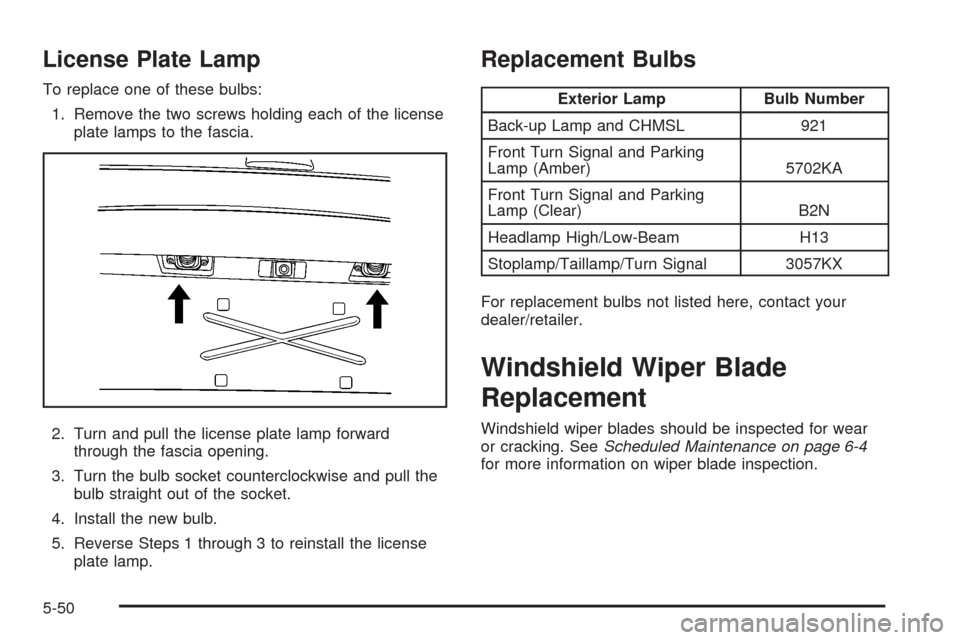
License Plate Lamp
To replace one of these bulbs:
1. Remove the two screws holding each of the license
plate lamps to the fascia.
2. Turn and pull the license plate lamp forward
through the fascia opening.
3. Turn the bulb socket counterclockwise and pull the
bulb straight out of the socket.
4. Install the new bulb.
5. Reverse Steps 1 through 3 to reinstall the license
plate lamp.
Replacement Bulbs
Exterior Lamp Bulb Number
Back-up Lamp and CHMSL 921
Front Turn Signal and Parking
Lamp (Amber) 5702KA
Front Turn Signal and Parking
Lamp (Clear) B2N
Headlamp High/Low-Beam H13
Stoplamp/Taillamp/Turn Signal 3057KX
For replacement bulbs not listed here, contact your
dealer/retailer.
Windshield Wiper Blade
Replacement
Windshield wiper blades should be inspected for wear
or cracking. SeeScheduled Maintenance on page 6-4
for more information on wiper blade inspection.
5-50
Page 319 of 430

TPMS Sensor Matching Process
Each TPMS sensor has a unique identication code.
Any time you replace one or more of the TPMS sensors
or rotate the vehicle’s tires, the identication codes
need to be matched to the new tire/wheel location.
The sensors are matched, to the tire/wheel locations,
in the following order: driver side front tire, passenger
side front tire, passenger side rear tire, and driver
side rear tire using a TPMS diagnostic tool. See your
dealer/retailer for service.
The TPMS sensors can also be matched to each
tire/wheel position by increasing or decreasing the tire’s
air pressure. When increasing the tire’s pressure, do
not exceed the maximum ination pressure indicated on
the tire’s sidewall. To decrease the tire’s air-pressure
use the pointed end of the valve cap, a pencil-style
air pressure gage, or a key.
You have two minutes to match each tire and wheel
position. If it takes longer than two minutes to match any
tire and wheel position, the matching process stops
and you need to start over.The TPMS matching process is outlined below:
1. Set the parking brake.
2. Turn the ignition switch to ON/RUN with the
engine off.
3. Press and hold the Remote Keyless Entry (RKE)
transmitter’s LOCK and UNLOCK buttons, at the
same time, for about ve seconds to start the TPMS
learn mode. The horn sounds twice indicating the
TPMS receiver is ready and in learn mode.
4. Start with the driver side front tire. The driver side
front turn signal also comes on to indicate that
corner’s sensor is ready to be learned.
5. Remove the valve cap from the tire’s valve stem.
Activate the TPMS sensor by increasing or
decreasing the tire’s air pressure for about
eight seconds. The horn chirp, can take up to
30 seconds to sound. It chirps one time and then
all the turn signals ash one time to conrm the
sensor identication code has been matched to the
tire/wheel position.
6. The passenger side front turn signal comes on to
indicate that corner sensor is ready to be learned.
Proceed to the passenger side front tire and
repeat the procedure in Step 5.
5-65
Page 320 of 430
7. The passenger side rear turn signal comes on to
indicate that corner sensor is ready to be learned.
Proceed to the passenger side rear tire and
repeat the procedure in Step 5.
8. The driver side rear turn signal comes on to
indicate that corner sensor is ready to be learned.
Proceed to the driver side rear tire, and repeat
the procedure in Step 5.
9. After hearing the single horn chirp for the driver
side rear tire, two additional horn chirps sound to
indicate the tire learning process is done. Turn the
ignition switch to LOCK/OFF.
If no tires are learned after entering the TPMS
learn mode, or if communication with the receiver
stops, or if the time limit has expired, turn the
ignition switch to LOCK/OFF and start over
beginning with Step 2.
10. Set all four tires to the recommended air pressure
level as indicated on the Tire and Loading
Information label.
11. Put the valve caps back on the valve stems.Tire Inspection and Rotation
We recommend that you regularly inspect your
vehicle’s tires, including the spare tire, for signs of
wear or damage. SeeWhen It Is Time for New
Tires on page 5-68for more information.
Tires should be rotated every 5,000 to 8,000 miles
(8 000 to 13 000 km). SeeScheduled Maintenance
on page 6-4.
The purpose of a regular tire rotation is to
achieve a uniform wear for all tires on the vehicle.
This will ensure that your vehicle continues to
perform most like it did when the tires were new.
Any time you notice unusual wear, rotate the
tires as soon as possible and check wheel
alignment. Also check for damaged tires or wheels.
SeeWhen It Is Time for New Tires on page 5-68
andWheel Replacement on page 5-73.
5-66