2008 CHEVROLET EQUINOX light
[x] Cancel search: lightPage 104 of 436
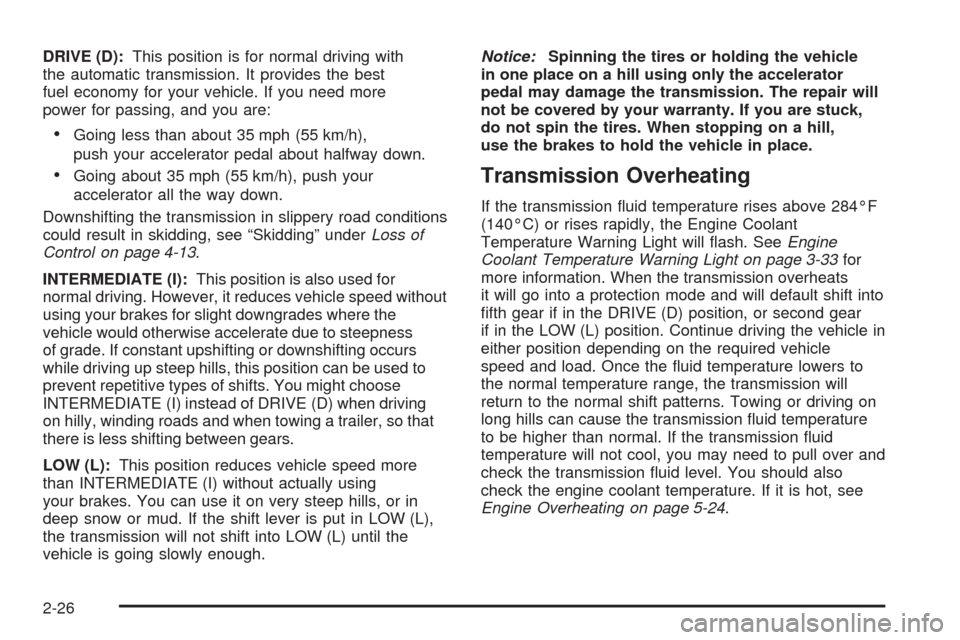
DRIVE (D):This position is for normal driving with
the automatic transmission. It provides the best
fuel economy for your vehicle. If you need more
power for passing, and you are:
Going less than about 35 mph (55 km/h),
push your accelerator pedal about halfway down.
Going about 35 mph (55 km/h), push your
accelerator all the way down.
Downshifting the transmission in slippery road conditions
could result in skidding, see “Skidding” underLoss of
Control on page 4-13.
INTERMEDIATE (I):This position is also used for
normal driving. However, it reduces vehicle speed without
using your brakes for slight downgrades where the
vehicle would otherwise accelerate due to steepness
of grade. If constant upshifting or downshifting occurs
while driving up steep hills, this position can be used to
prevent repetitive types of shifts. You might choose
INTERMEDIATE (I) instead of DRIVE (D) when driving
on hilly, winding roads and when towing a trailer, so that
there is less shifting between gears.
LOW (L):This position reduces vehicle speed more
than INTERMEDIATE (I) without actually using
your brakes. You can use it on very steep hills, or in
deep snow or mud. If the shift lever is put in LOW (L),
the transmission will not shift into LOW (L) until the
vehicle is going slowly enough.Notice:Spinning the tires or holding the vehicle
in one place on a hill using only the accelerator
pedal may damage the transmission. The repair will
not be covered by your warranty. If you are stuck,
do not spin the tires. When stopping on a hill,
use the brakes to hold the vehicle in place.Transmission Overheating
If the transmission uid temperature rises above 284°F
(140°C) or rises rapidly, the Engine Coolant
Temperature Warning Light will ash. SeeEngine
Coolant Temperature Warning Light on page 3-33for
more information. When the transmission overheats
it will go into a protection mode and will default shift into
fth gear if in the DRIVE (D) position, or second gear
if in the LOW (L) position. Continue driving the vehicle in
either position depending on the required vehicle
speed and load. Once the uid temperature lowers to
the normal temperature range, the transmission will
return to the normal shift patterns. Towing or driving on
long hills can cause the transmission uid temperature
to be higher than normal. If the transmission uid
temperature will not cool, you may need to pull over and
check the transmission uid level. You should also
check the engine coolant temperature. If it is hot, see
Engine Overheating on page 5-24.
2-26
Page 108 of 436
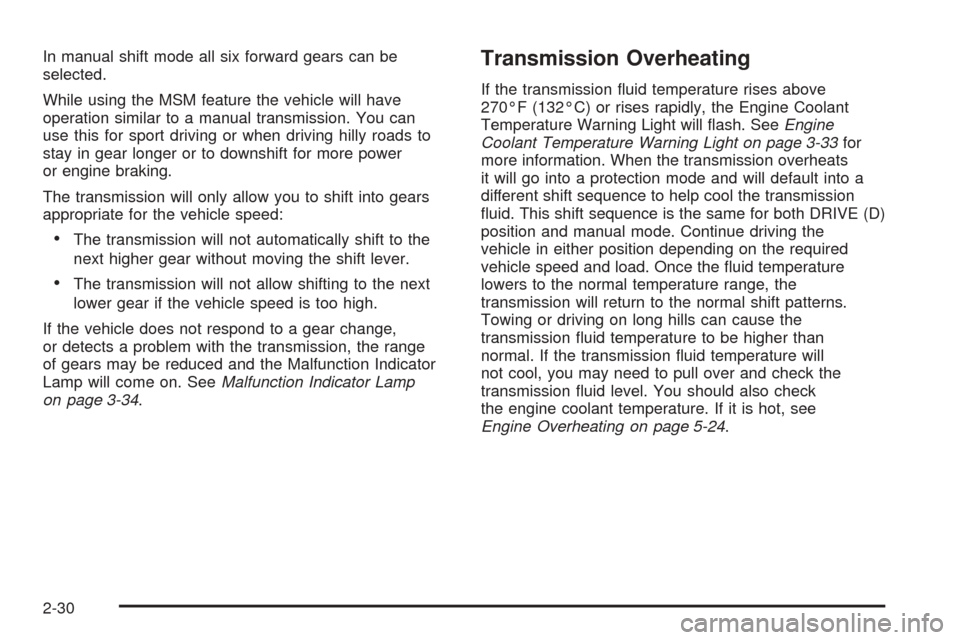
In manual shift mode all six forward gears can be
selected.
While using the MSM feature the vehicle will have
operation similar to a manual transmission. You can
use this for sport driving or when driving hilly roads to
stay in gear longer or to downshift for more power
or engine braking.
The transmission will only allow you to shift into gears
appropriate for the vehicle speed:
The transmission will not automatically shift to the
next higher gear without moving the shift lever.
The transmission will not allow shifting to the next
lower gear if the vehicle speed is too high.
If the vehicle does not respond to a gear change,
or detects a problem with the transmission, the range
of gears may be reduced and the Malfunction Indicator
Lamp will come on. SeeMalfunction Indicator Lamp
on page 3-34.
Transmission Overheating
If the transmission uid temperature rises above
270°F (132°C) or rises rapidly, the Engine Coolant
Temperature Warning Light will ash. SeeEngine
Coolant Temperature Warning Light on page 3-33for
more information. When the transmission overheats
it will go into a protection mode and will default into a
different shift sequence to help cool the transmission
uid. This shift sequence is the same for both DRIVE (D)
position and manual mode. Continue driving the
vehicle in either position depending on the required
vehicle speed and load. Once the uid temperature
lowers to the normal temperature range, the
transmission will return to the normal shift patterns.
Towing or driving on long hills can cause the
transmission uid temperature to be higher than
normal. If the transmission uid temperature will
not cool, you may need to pull over and check the
transmission uid level. You should also check
the engine coolant temperature. If it is hot, see
Engine Overheating on page 5-24.
2-30
Page 109 of 436
SECOND (2) and THIRD (3) Gear
Start Feature
When accelerating your vehicle from a stop in snowy
and icy conditions, you may want to select SECOND (2)
and THIRD (3) gear. A higher gear, and light application
of the gas pedal, may allow you to gain more traction
on slippery surfaces.
With the Manual Shift Mode, the vehicle can accelerate
from a stop in SECOND (2) or THIRD (3).
1. Move the shift lever from DRIVE (D) into the
manual gate.
2. With the vehicle stopped, move the shift lever
forward to select SECOND (2) or THIRD (3).
The vehicle will start from a stop position in
SECOND (2) or THIRD (3).
3. Once the vehicle is moving select the desired
drive gear or move the shift lever to the
DRIVE (D) position.
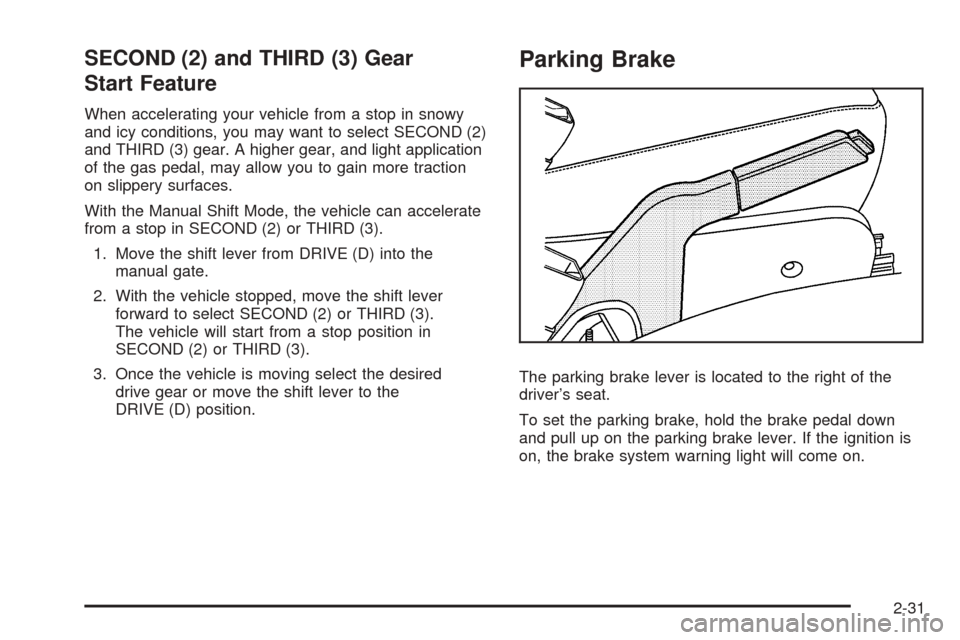
Parking Brake
The parking brake lever is located to the right of the
driver’s seat.
To set the parking brake, hold the brake pedal down
and pull up on the parking brake lever. If the ignition is
on, the brake system warning light will come on.
2-31
Page 110 of 436
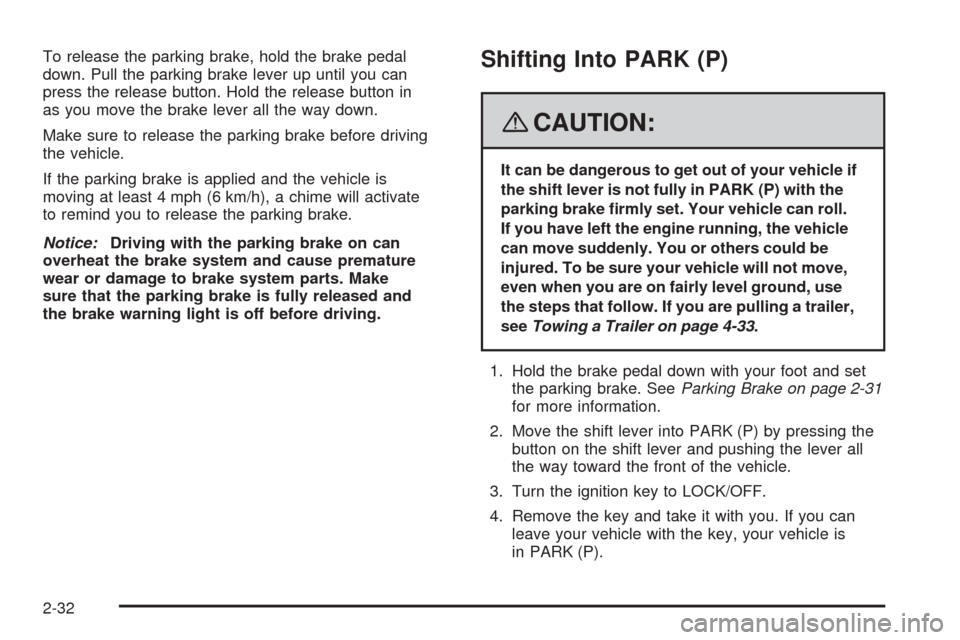
To release the parking brake, hold the brake pedal
down. Pull the parking brake lever up until you can
press the release button. Hold the release button in
as you move the brake lever all the way down.
Make sure to release the parking brake before driving
the vehicle.
If the parking brake is applied and the vehicle is
moving at least 4 mph (6 km/h), a chime will activate
to remind you to release the parking brake.
Notice:Driving with the parking brake on can
overheat the brake system and cause premature
wear or damage to brake system parts. Make
sure that the parking brake is fully released and
the brake warning light is off before driving.Shifting Into PARK (P)
{CAUTION:
It can be dangerous to get out of your vehicle if
the shift lever is not fully in PARK (P) with the
parking brake rmly set. Your vehicle can roll.
If you have left the engine running, the vehicle
can move suddenly. You or others could be
injured. To be sure your vehicle will not move,
even when you are on fairly level ground, use
the steps that follow. If you are pulling a trailer,
seeTowing a Trailer on page 4-33.
1. Hold the brake pedal down with your foot and set
the parking brake. SeeParking Brake on page 2-31
for more information.
2. Move the shift lever into PARK (P) by pressing the
button on the shift lever and pushing the lever all
the way toward the front of the vehicle.
3. Turn the ignition key to LOCK/OFF.
4. Remove the key and take it with you. If you can
leave your vehicle with the key, your vehicle is
in PARK (P).
2-32
Page 115 of 436
Mirrors
Manual Rearview Mirror
When you are sitting in a comfortable driving position,
adjust the mirror so you can see clearly behind your
vehicle. Hold the mirror in the center to move it up or
down and side to side. The day/night adjustment allows
you to adjust the mirror to avoid glare from the lamps
behind you. Push the tab forward for daytime use
and pull it for nighttime use.
Manual Rearview Mirror with
OnStar
®
To adjust the angle of the mirror, move the mirror
to a position that allows you see to out of the back
window. To adjust the height of the mirror, adjust
the arm that connects the mirror to the windshield.
To reduce glare from lights behind you, move the
lever toward you to the night position.
There are also OnStar
®buttons located at the bottom
of the mirror face. See your dealer for more information
on the system and how to subscribe to OnStar
®. See
OnStar®System on page 2-39for more information
about the services OnStar®provides.
Automatic Dimming Rearview Mirror
with OnStar
®
The vehicle may have an automatic dimming inside
rearview mirror with OnStar®controls. For more
information about OnStar®, seeOnStar®System
on page 2-39.
O(On/Off):The on/off button, located on the lower
left side of the mirror, is used for the automatic dimming
functions of the rearview mirror.
Mirror Operation
The automatic dimming feature comes on each time
the vehicle is started. Automatic dimming reduces
the glare of lights from behind the vehicle.
To turn the automatic dimming feature on or off,
press and release the AUTO/
((off) button. The
indicator light will come on when this feature is on.
2-37
Page 120 of 436
Your vehicle must have a working electrical system
(including adequate battery power) for the OnStar
equipment to operate. There are other problems OnStar
cannot control that may prevent OnStar from providing
OnStar service to you at any particular time or place.
Some examples are damage to important parts of your
vehicle in an accident, hills, tall buildings, tunnels,
weather or wireless phone network congestion.
Your Responsibility
Increase the radio volume if you cannot hear the
OnStar advisor. If the light next to the OnStar buttons
is red, this means that your system is not functioning
properly and should be checked by your dealer/retailer.
If the light appears clear (no light is appearing),
your OnStar subscription has expired. You can
always press the OnStar button to conrm that
your OnStar equipment is active.
Storage Areas
Glove Box
To open the glove box, pull the handle to the left
and pull the glove box door down until it stops and
is fully open.
Cupholder(s)
There are two cupholders located at the lower front of
the center console armrest and a molded cupholder
on the oor of the center console. To use the cupholders
on the armrest, pull the tray forward. There are two
cupholders located at the rear of the center console.
Pull downward on the lid to use the cupholders.
Center Console Storage
Your vehicle may have a center console armrest with
storage area. Use the lever on the front of the console
to open it.
2-42
Page 129 of 436
Instrument Panel Overview...............................3-4
Hazard Warning Flashers................................3-6
Other Warning Devices...................................3-6
Horn.............................................................3-6
Tilt Wheel.....................................................3-6
Turn Signal/Multifunction Lever.........................3-7
Turn and Lane-Change Signals........................3-8
Headlamp High/Low-Beam Changer..................3-8
Flash-to-Pass.................................................3-8
Windshield Wipers..........................................3-9
Windshield Washer.......................................3-10
Rear Window Wiper/Washer...........................3-10
Cruise Control..............................................3-10
Headlamps..................................................3-13
Headlamps on Reminder................................3-13
Daytime Running Lamps (DRL).......................3-14
Automatic Headlamp System..........................3-14
Fog Lamps..................................................3-15
Instrument Panel Brightness...........................3-15
Dome Lamp.................................................3-16
Entry Lighting...............................................3-16
Map Lamps.................................................3-16
Cargo Lamp.................................................3-16
Electric Power Management...........................3-17
Battery Run-Down Protection..........................3-17
Accessory Power Outlet(s).............................3-18Ashtray(s) and Cigarette Lighter......................3-18
Climate Controls............................................3-19
Climate Control System.................................3-19
Outlet Adjustment.........................................3-22
Passenger Compartment Air Filter...................3-22
Warning Lights, Gages, and Indicators............3-24
Instrument Panel Cluster................................3-25
Speedometer and Odometer...........................3-26
Trip Odometer..............................................3-26
Tachometer.................................................3-26
Safety Belt Reminders...................................3-27
Airbag Readiness Light..................................3-27
Passenger Airbag Status Indicator...................3-28
Charging System Light..................................3-30
Brake System Warning Light..........................3-31
Antilock Brake System Warning Light...............3-32
Traction Control System (TCS) Warning Light . . .3-32
Engine Coolant Temperature Warning Light......3-33
Engine Coolant Temperature Gage..................3-33
Tire Pressure Light.......................................3-34
Malfunction Indicator Lamp.............................3-34
Oil Pressure Light.........................................3-37
Change Engine Oil Light................................3-38
Security Light...............................................3-38
Fog Lamp Light............................................3-38
Cruise Control Light......................................3-38
Section 3 Instrument Panel
3-1
Page 130 of 436
Reduced Engine Power Light.........................3-39
Highbeam On Light.......................................3-39
Service All-Wheel Drive Light.........................3-39
All-Wheel Drive Disabled Light........................3-40
Gate Ajar Light.............................................3-40
Door Ajar Light.............................................3-40
Service Vehicle Soon Light............................3-41
Fuel Gage...................................................3-41
Low Fuel Warning Light.................................3-42
Driver Information Center (DIC).......................3-42
DIC Operation and Displays...........................3-43
DIC Compass..............................................3-46
DIC Warnings and Messages.........................3-49
DIC Vehicle Personalization............................3-58Audio System(s).............................................3-64
Setting the Time...........................................3-65
Radio(s)......................................................3-68
Using an MP3 (Radio with CD
or Six-Disc CD Player)...............................3-87
Using an MP3 (Radio with CD
and DVD Player).......................................3-92
XM Radio Messages.....................................3-97
Navigation/Radio System...............................3-98
Rear Seat Entertainment (RSE) System...........3-99
Theft-Deterrent Feature................................3-108
Audio Steering Wheel Controls......................3-108
Radio Reception.........................................3-110
Multi-Band Antenna.....................................3-110
Section 3 Instrument Panel
3-2