2008 CHEVROLET CORVETTE ignition
[x] Cancel search: ignitionPage 101 of 432
Mirrors
Automatic Dimming Rearview Mirror
with OnStar
®and Compass
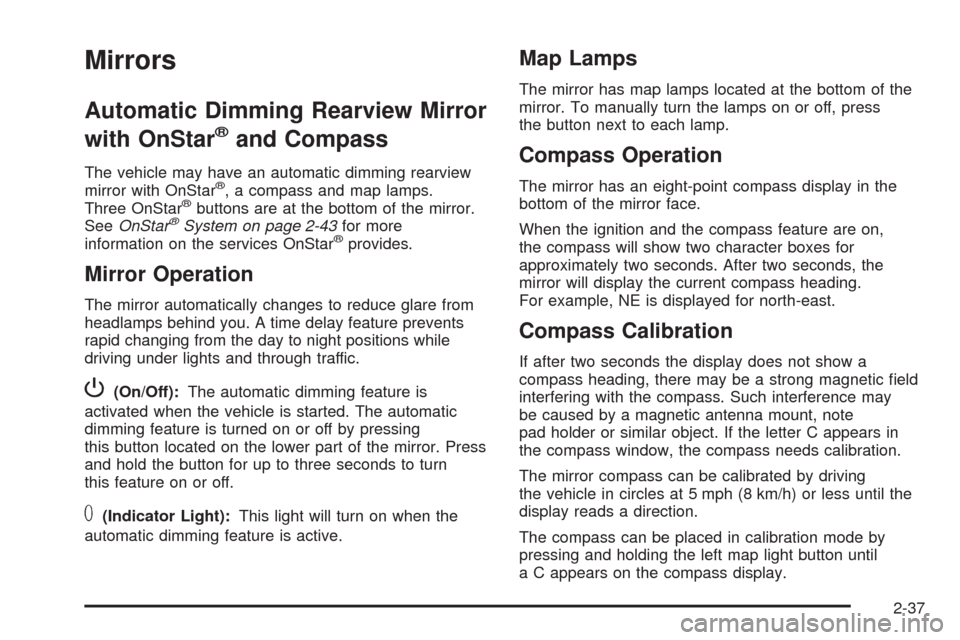
The vehicle may have an automatic dimming rearview
mirror with OnStar®, a compass and map lamps.
Three OnStar®buttons are at the bottom of the mirror.
SeeOnStar®System on page 2-43for more
information on the services OnStar®provides.
Mirror Operation
The mirror automatically changes to reduce glare from
headlamps behind you. A time delay feature prevents
rapid changing from the day to night positions while
driving under lights and through traffic.
P(On/Off):The automatic dimming feature is
activated when the vehicle is started. The automatic
dimming feature is turned on or off by pressing
this button located on the lower part of the mirror. Press
and hold the button for up to three seconds to turn
this feature on or off.
T(Indicator Light):This light will turn on when the
automatic dimming feature is active.
Map Lamps
The mirror has map lamps located at the bottom of the
mirror. To manually turn the lamps on or off, press
the button next to each lamp.
Compass Operation
The mirror has an eight-point compass display in the
bottom of the mirror face.
When the ignition and the compass feature are on,
the compass will show two character boxes for
approximately two seconds. After two seconds, the
mirror will display the current compass heading.
For example, NE is displayed for north-east.
Compass Calibration
If after two seconds the display does not show a
compass heading, there may be a strong magnetic eld
interfering with the compass. Such interference may
be caused by a magnetic antenna mount, note
pad holder or similar object. If the letter C appears in
the compass window, the compass needs calibration.
The mirror compass can be calibrated by driving
the vehicle in circles at 5 mph (8 km/h) or less until the
display reads a direction.
The compass can be placed in calibration mode by
pressing and holding the left map light button until
a C appears on the compass display.
2-37
Page 103 of 432
Cleaning the Mirror
When cleaning the mirror, use a paper towel or similar
material dampened with glass cleaner. Do not spray
glass cleaner directly on the mirror as that may cause
the liquid cleaner to enter the mirror housing.
Automatic Dimming Rearview Mirror
with Compass
If the vehicle has this feature, an automatic dimming
mirror automatically dims to the proper level to minimize
glare at night from lights behind your vehicle.
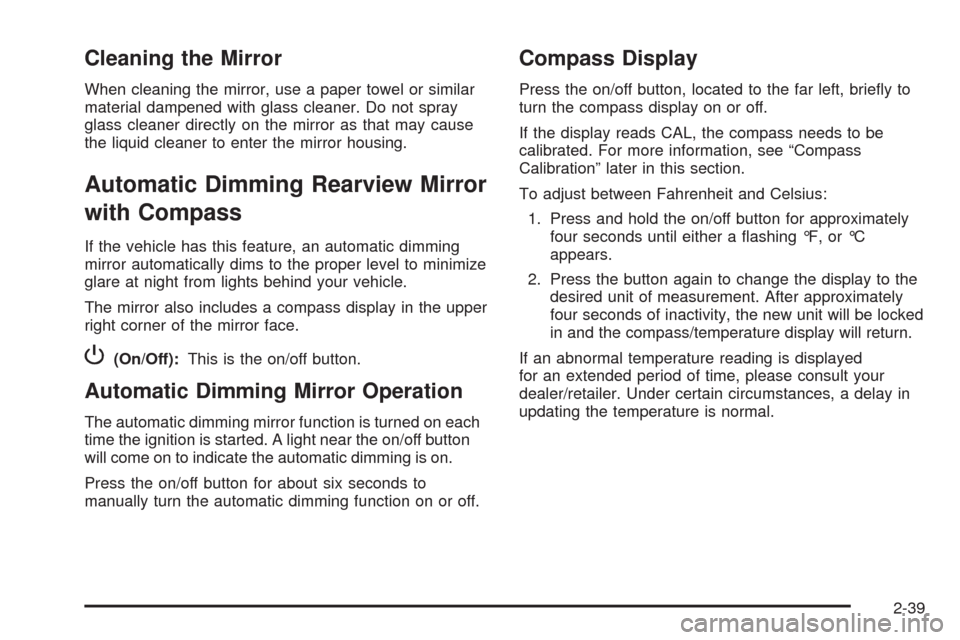
The mirror also includes a compass display in the upper
right corner of the mirror face.
P(On/Off):This is the on/off button.
Automatic Dimming Mirror Operation
The automatic dimming mirror function is turned on each
time the ignition is started. A light near the on/off button
will come on to indicate the automatic dimming is on.
Press the on/off button for about six seconds to
manually turn the automatic dimming function on or off.
Compass Display
Press the on/off button, located to the far left, briey to
turn the compass display on or off.
If the display reads CAL, the compass needs to be
calibrated. For more information, see “Compass
Calibration” later in this section.
To adjust between Fahrenheit and Celsius:
1. Press and hold the on/off button for approximately
four seconds until either a ashing °F, or °C
appears.
2. Press the button again to change the display to the
desired unit of measurement. After approximately
four seconds of inactivity, the new unit will be locked
in and the compass/temperature display will return.
If an abnormal temperature reading is displayed
for an extended period of time, please consult your
dealer/retailer. Under certain circumstances, a delay in
updating the temperature is normal.
2-39
Page 111 of 432
Be sure to keep the original remote control transmitter for
use in other vehicles, as well as, for future programming.
Only the original remote control transmitter is needed for
Fixed Code programming. The programmed buttons
should be erased when the vehicle is sold or the lease
ends. See “Erasing Universal Home Remote Buttons”
later in this section.
Park the vehicle outside of the garage when
programming a garage door. Be sure that people and
objects are clear of the garage door or gate that is being
programmed.
Programming Universal Home
Remote — Rolling Code
For questions or help programming the Universal Home
Remote System, call 1-866-572-2728 or go to
www.learcar2u.com.
Most garage door openers sold after 1996 are Rolling
Code units.
Programming a garage door opener involves
time-sensitive actions, so read the entire procedure
before starting. Otherwise, the device will time out and
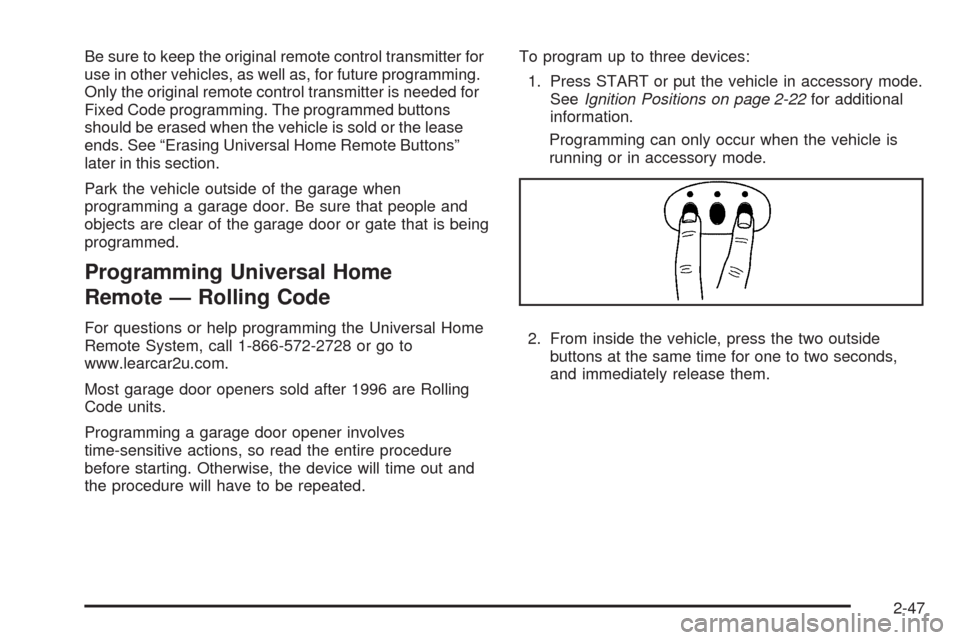
the procedure will have to be repeated.To program up to three devices:
1. Press START or put the vehicle in accessory mode.
SeeIgnition Positions on page 2-22for additional
information.
Programming can only occur when the vehicle is
running or in accessory mode.
2. From inside the vehicle, press the two outside
buttons at the same time for one to two seconds,
and immediately release them.
2-47
Page 113 of 432
Programming Universal Home
Remote — Fixed Code
For questions or help programming the Universal Home
Remote System, call 1-866-572-2728 or go to
www.learcar2u.com.
Most garage door openers sold before 1996 are Fixed
Code units.
Programming a garage door opener involves
time-sensitive actions, so read the entire procedure
before starting. Otherwise, the device will time out and
the procedure will have to be repeated.
To program up to three devices:
1. Press START or put the vehicle in accessory mode.
SeeIgnition Positions on page 2-22for additional
information.
Programming can only occur when the vehicle is
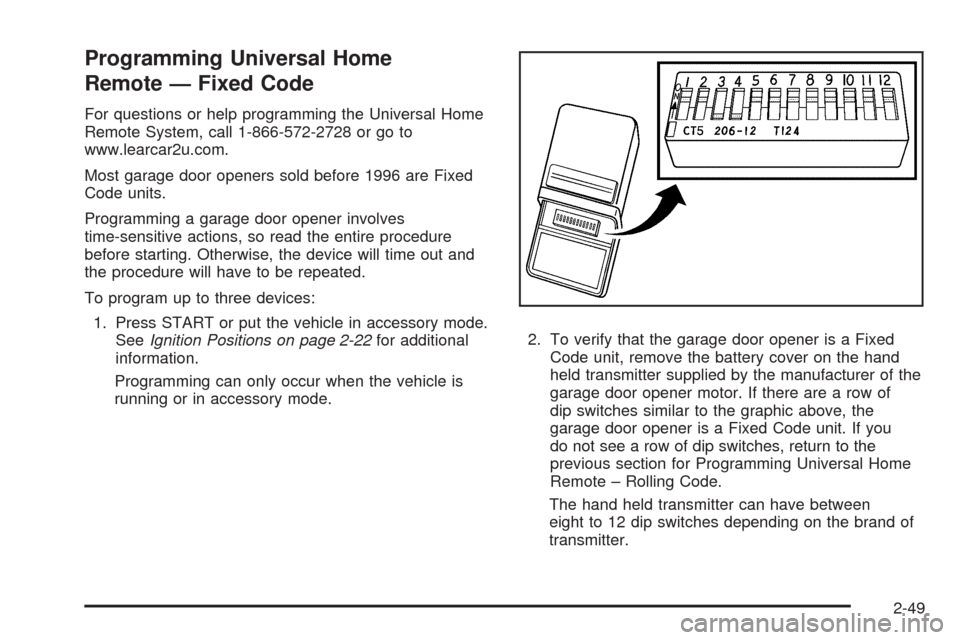
running or in accessory mode.2. To verify that the garage door opener is a Fixed
Code unit, remove the battery cover on the hand
held transmitter supplied by the manufacturer of the
garage door opener motor. If there are a row of
dip switches similar to the graphic above, the
garage door opener is a Fixed Code unit. If you
do not see a row of dip switches, return to the
previous section for Programming Universal Home
Remote – Rolling Code.
The hand held transmitter can have between
eight to 12 dip switches depending on the brand of
transmitter.
2-49
Page 121 of 432
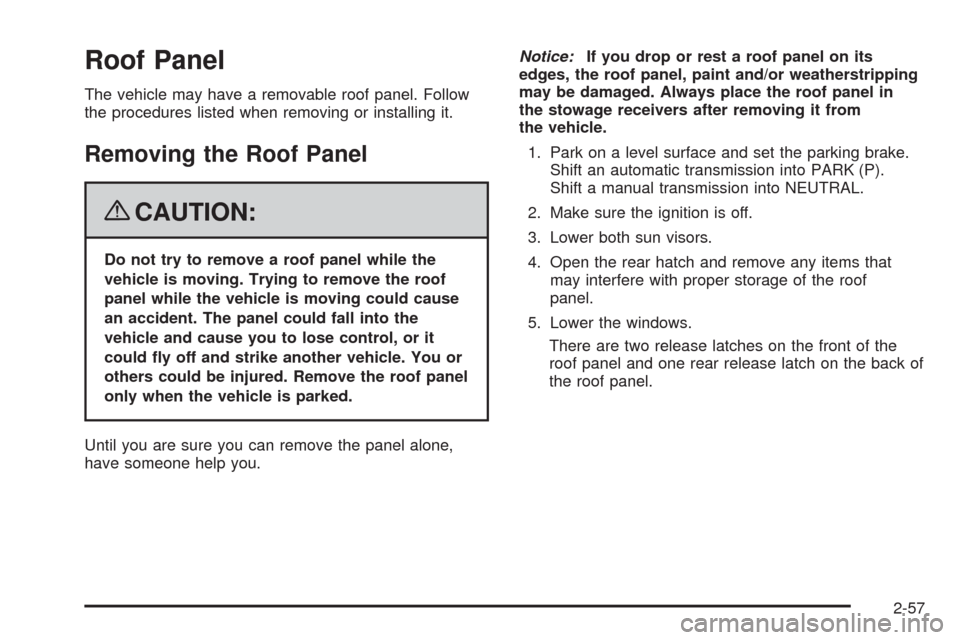
Roof Panel
The vehicle may have a removable roof panel. Follow
the procedures listed when removing or installing it.
Removing the Roof Panel
{CAUTION:
Do not try to remove a roof panel while the
vehicle is moving. Trying to remove the roof
panel while the vehicle is moving could cause
an accident. The panel could fall into the
vehicle and cause you to lose control, or it
could y off and strike another vehicle. You or
others could be injured. Remove the roof panel
only when the vehicle is parked.
Until you are sure you can remove the panel alone,
have someone help you.Notice:If you drop or rest a roof panel on its
edges, the roof panel, paint and/or weatherstripping
may be damaged. Always place the roof panel in
the stowage receivers after removing it from
the vehicle.
1. Park on a level surface and set the parking brake.
Shift an automatic transmission into PARK (P).
Shift a manual transmission into NEUTRAL.
2. Make sure the ignition is off.
3. Lower both sun visors.
4. Open the rear hatch and remove any items that
may interfere with proper storage of the roof
panel.
5. Lower the windows.
There are two release latches on the front of the
roof panel and one rear release latch on the back of
the roof panel.
2-57
Page 127 of 432
Notice:Lowering the convertible top when there
are objects in the storage area could damage
it or break the glass rear window. Always verify that
no objects are in the storage area before lowering
the convertible top.
Notice:Lowering the top if it is damp, wet, or dirty
can cause stains, mildew, and damage to the
inside of your vehicle. Dry off the top before
lowering it.
Notice:If you lower the top on your vehicle in cold
weather (0°F/-18°C or lower), you may damage
top components. Do not lower the top in cold
weather.
Notice:If you raise or lower the convertible top
while the vehicle is in motion, you could damage the
top or the top mechanism. The repairs would not
be covered by your warranty. Always put an
automatic transmission in PARK (P) or a manual
transmission in NEUTRAL before raising or lowering
the convertible top.Lowering the Manual Convertible Top
1. Park on a level surface. Shift an automatic
transmission into PARK (P) and set the parking
brake. Shift a manual transmission into NEUTRAL
and set the parking brake.
2. Make sure the ignition is off.
3. Make sure the trunk is closed.
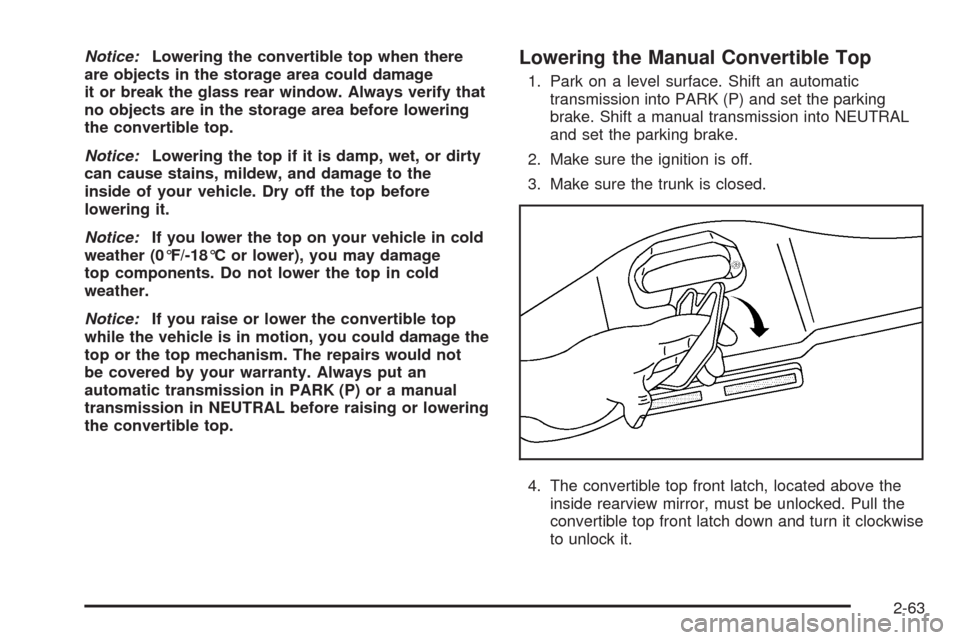
4. The convertible top front latch, located above the
inside rearview mirror, must be unlocked. Pull the
convertible top front latch down and turn it clockwise
to unlock it.
2-63
Page 130 of 432
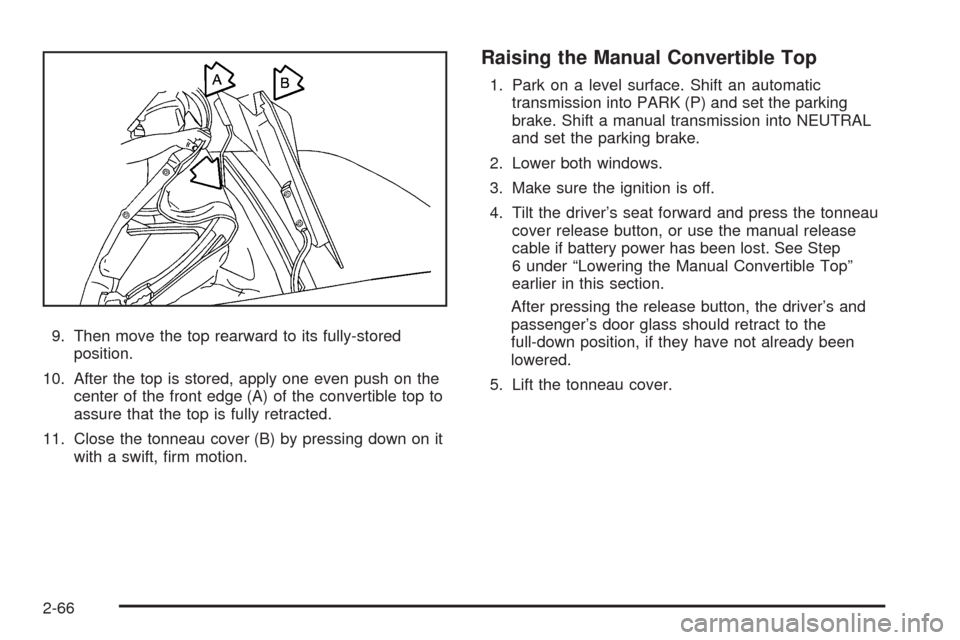
9. Then move the top rearward to its fully-stored
position.
10. After the top is stored, apply one even push on the
center of the front edge (A) of the convertible top to
assure that the top is fully retracted.
11. Close the tonneau cover (B) by pressing down on it
with a swift, rm motion.
Raising the Manual Convertible Top
1. Park on a level surface. Shift an automatic
transmission into PARK (P) and set the parking
brake. Shift a manual transmission into NEUTRAL
and set the parking brake.
2. Lower both windows.
3. Make sure the ignition is off.
4. Tilt the driver’s seat forward and press the tonneau
cover release button, or use the manual release
cable if battery power has been lost. See Step
6 under “Lowering the Manual Convertible Top”
earlier in this section.
After pressing the release button, the driver’s and
passenger’s door glass should retract to the
full-down position, if they have not already been
lowered.
5. Lift the tonneau cover.
2-66
Page 141 of 432
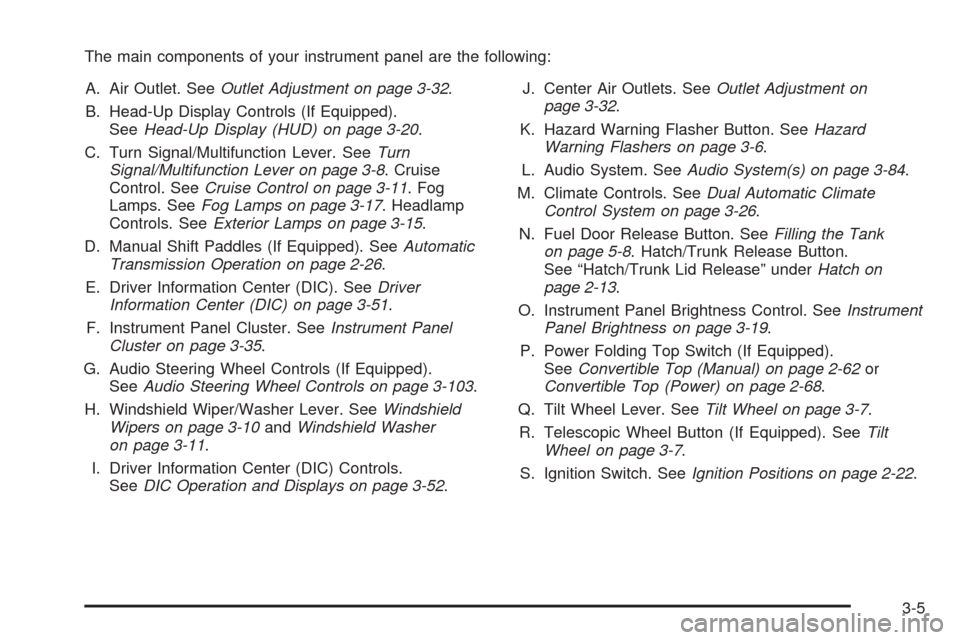
The main components of your instrument panel are the following:
A. Air Outlet. SeeOutlet Adjustment on page 3-32.
B. Head-Up Display Controls (If Equipped).
SeeHead-Up Display (HUD) on page 3-20.
C. Turn Signal/Multifunction Lever. SeeTurn
Signal/Multifunction Lever on page 3-8. Cruise
Control. SeeCruise Control on page 3-11. Fog
Lamps. SeeFog Lamps on page 3-17. Headlamp
Controls. SeeExterior Lamps on page 3-15.
D. Manual Shift Paddles (If Equipped). SeeAutomatic
Transmission Operation on page 2-26.
E. Driver Information Center (DIC). SeeDriver
Information Center (DIC) on page 3-51.
F. Instrument Panel Cluster. SeeInstrument Panel
Cluster on page 3-35.
G. Audio Steering Wheel Controls (If Equipped).
SeeAudio Steering Wheel Controls on page 3-103.
H. Windshield Wiper/Washer Lever. SeeWindshield
Wipers on page 3-10andWindshield Washer
on page 3-11.
I. Driver Information Center (DIC) Controls.
SeeDIC Operation and Displays on page 3-52.J. Center Air Outlets. SeeOutlet Adjustment on
page 3-32.
K. Hazard Warning Flasher Button. SeeHazard
Warning Flashers on page 3-6.
L. Audio System. SeeAudio System(s) on page 3-84.
M. Climate Controls. SeeDual Automatic Climate
Control System on page 3-26.
N. Fuel Door Release Button. SeeFilling the Tank
on page 5-8. Hatch/Trunk Release Button.
See “Hatch/Trunk Lid Release” underHatch on
page 2-13.
O. Instrument Panel Brightness Control. SeeInstrument
Panel Brightness on page 3-19.
P. Power Folding Top Switch (If Equipped).
SeeConvertible Top (Manual) on page 2-62or
Convertible Top (Power) on page 2-68.
Q. Tilt Wheel Lever. SeeTilt Wheel on page 3-7.
R. Telescopic Wheel Button (If Equipped). SeeTilt
Wheel on page 3-7.
S. Ignition Switch. SeeIgnition Positions on page 2-22.
3-5