2008 AUDI TT ROADSTER warning
[x] Cancel search: warningPage 69 of 316
& WARNING
• When raising the folding top, take care not to reach into the
linkage that operates the folding top or any of its other moving
parts. Otherwise, your hands may be trapped in the mechanism -
risk of injury!
• When pushing the top down onto the frame for the windshield,
ensure that neither you nor the person helping you become caught
in the mechanism -risk of injury!
0 Note
To avoid damage when opening the folding top, make sure both
covers are completely open and the connecting rods are clipped
in. a
Appl ies to vehicles: with power folding top
Step 4: Locking the top
The locking system for the folding top latches is located
on the inside of the folding top.
Contro ls and eq uip
ment
Fig . 59 On the inside
of the folding top:
Remove the protective
cap
Removing the protective cap
Folding top
Fig . 60 On the inside
of the folding top:
Crank for emergency
operation
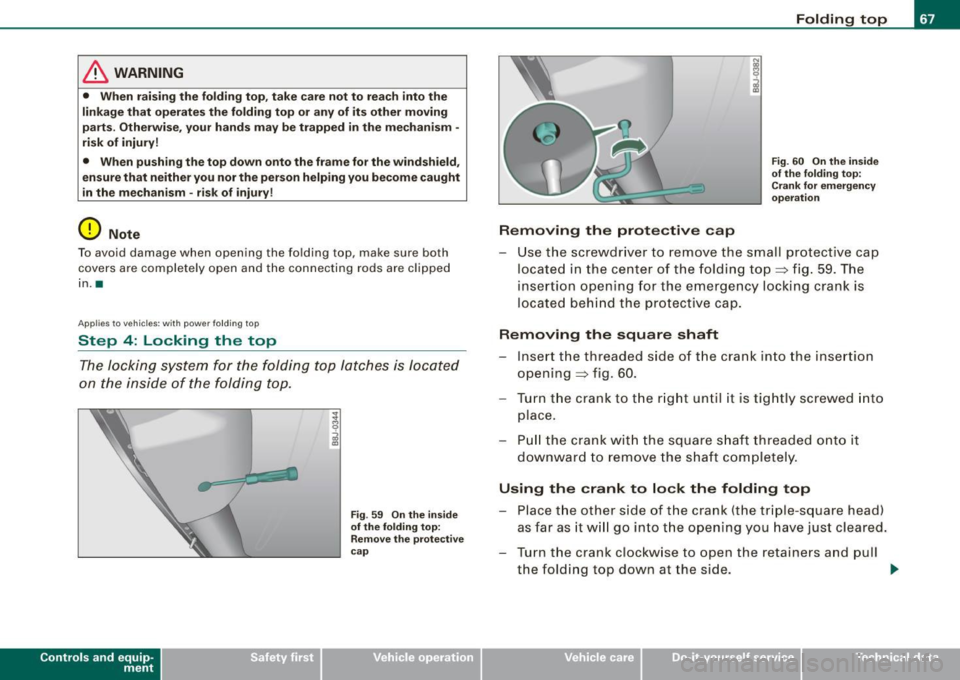
- Use the screwdriver to remove the small protective cap
located in the center of the foldin g top=> fig. 59. The
insertion opening for the emergency locking crank is
located behind the protective cap.
Removing the square shaft
-Inse rt the threaded side of the crank into the insertion
opening => fig. 60.
- Turn the crank to the right until it is tightly screwed into
place.
- Pull the crank with the square shaft threaded onto it
downward to remove the shaft completely.
Using the crank to lock the folding top
-Place the other side of the crank (the triple-square head)
as far as it will go into the opening you have just cleared.
- Turn the crank clockwise to open the retainers and pull the folding top down at the side. ..,_
Vehicle care I I irechnical data
Page 71 of 316
Clear vision
Lights
Switching the headlights on and off ·'t!-·
Fig. 6 1 Ins trum ent
p ane l: lig ht sw itch
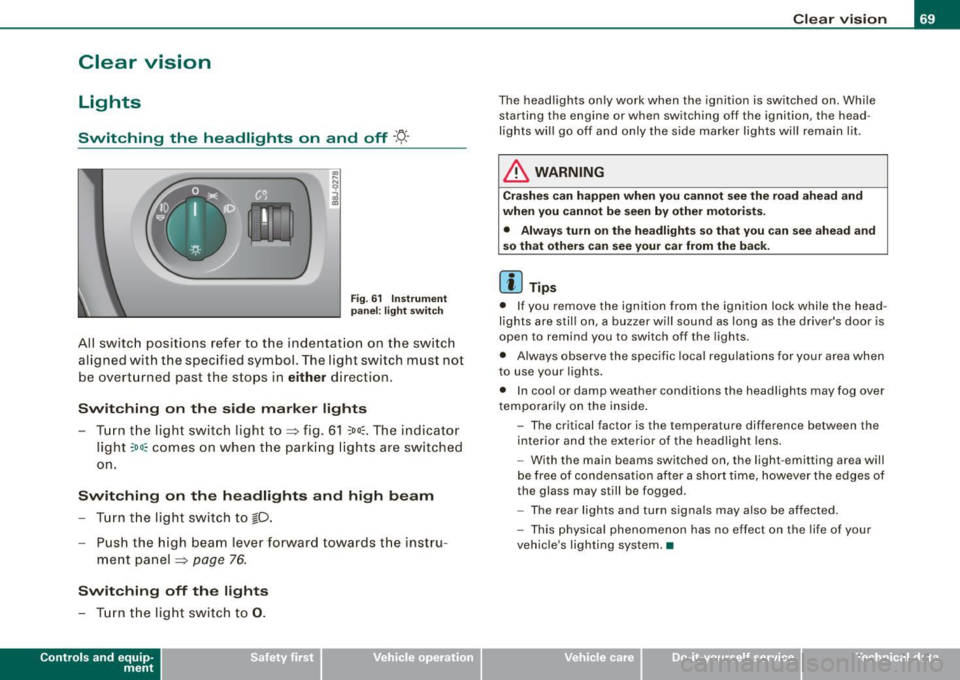
All sw itc h positions refer to the indentat ion on the switch
aligned with the specified symbol. The light switch must not
be overturned past the stops in
either direction .
Switching on the side marker lights
-Tur n t he light switch ligh t to ==> fig. 61 ;oo; . The indi ca tor
light
; oo ~ comes o n when t he park ing lig hts are sw itched
on .
Switching on the headlights and high beam
- Turn t he light switch to lD.
- Push the high beam leve r fo rward towards t he instru -
ment panel ==> page
76.
Switching off the lights
-Tur n t he lig ht switch to 0 .
Con tro ls and eq uip
ment
Clear vision
The headlights only work when the ignition is switched on . While
starting the engine or when switching off the ignition, the head
lights will go off and only the side marker lights will remain lit .
& WARNING
Crashe s can happen when you cannot see the road ahead and
when you c annot be seen by other motori sts.
• Always tu rn on the headlight s so th at you can see ahead and
so that others can see your ca r from the ba ck.
[ i ] Tips
• I f you remove the ignition from the ignition lock wh ile the head
lights are still on, a buzzer will sound as long as the driver's doo r is
open to remind you to switch off the lights .
• Always observe the spec ific local regulations for your area when
to use your lights .
• I n coo l or damp weather conditions the headlights may fog over
tempo ra rily on the inside .
- The critical factor is the t emperature diff erence between the
interior and the ex te rior of the headlight lens .
- With the main beams switched on, the light -emitting area will
be free o f condensation after a short time, however the edges of
the glass may still be fogged .
- The rear lights and turn signa ls may also be affected.
- This physical phenomenon has no effect on the life of your
vehicle 's lighting system. •
Vehicle care I I irechnical data
Page 72 of 316

Clear vision
Ap plies to vehicles: with light senso r package
Sensor activated head and tail light control
In the "AU TO" position light sensors swit ch the he ad and
t a il lights on and off.
F ig . 62 Instru ment
pan el: light switch in
AUTO po siti on
T he se nsor-activated low beams have the same c haracteris
t ics as the headlig hts=>
page 69.
Activating
- Tur n th e lig ht s witch => fig. 62 t o p ositi on AUTO.
Deactivating
- Turn t he light swi tch to position 0 .
In the switch position AUTO the automatic head -and taillight
control
i s activated . The correspo nding symbol on the light swi tch
is lit .
With automatic head lights, the high -beam function is also avai lab le,
bu t with one restrict io n: If you have not switched the h ig h beams
back to low beams during automatic headlight operation (for
example, afte r driving through a tun nel), on ly the low beams come
on the next time automatic headlights are switched on. To use the
h igh beams, you first have to pull the high beam lever back and then
push the lever forward again. Parking
lights, headlights, fog lights and the rear fog light can be
swi tch ed on manually using the ligh t switch ~
page 69.
Light sensors located in the inside mirror housing and stem
constantly check the light conditions surrounding the vehicle. If
am bie nt brightness falls below a facto ry set value (e.g. wh en driv ing
into a tunnel), the head -and tai llights inc luding the license p late
ill um inat ion are automatica lly t urn ed on. When ambient br ightness
increases again, the external lights are turned off again~&.
Light sens or malfunction
If there is a light sensor malfunct ion, the symbol comes on in the
display . For sa fety reasons, the low beams are turned on perma
nent ly with the switch in
AUTO . However, you can continue to turn
the lights on and o ff using the light swi tch . Have the light sensor
checked as soon as possible at a dealership .
& WARNING
• Automatic head- and taillight control is only intended to ass ist
the driver . This feature doe s not relieve the dr iver of hi s re spon si
bil ity to check the headlights and to turn them on manually
ac cording to the current light and vi sibility conditions. For
e x ample , fog and rain cannot be detected by the light sensors .
Con sequently , always switch the headlights
io on under thes e
weather conditions and when driving
in the dark .
• Crashe s can happen when you cannot see the road ahead and
when you cannot be seen by other motor ists .
• Alway s turn on the headlights so that you can see ahead and
so that others can see your car from the ba ck .
[ i ] Tips
• I n the AUTO mode, the low beams are turned off when the igni
t ion is turned o ff. The remaining lights are turned o ff when the key
is taken out of the ignition lock. _.,
Page 73 of 316

• Do not attach stickers to the windshie ld in front of the sensors as
this can disable the automatic head -and tail light control and the
automatic glare -dimming of the rearview mirror(s) .
• Always o bserve the spec ific loca l regu la tions f or your area when
to use your lights .
• I n the event of a light sensor mal function, the d river informa tion
display will show the symbol . If a light sensor malfunct ion is indi
ca te d , you must use the ligh t switch to turn the low beams on and
off .•
Daytime running lights (DRL ) (USA models )
The daytime running ligh ts are tu rne d o n auto maticall y
w hen t he ignit ion is s witche d on.
Activating functions
Fig . 63 Sw itch for
daytime running lights
- Move the right thumbwhee l@ "D RL" ~ fig. 63 to posi
t io n
(D .
Deactivating functions
- Mov e th e rig ht thum bwh eel "DR L" to posi tion @ .
Con tro ls and eq uip
ment
Clear vision
T he daytime running lights can be turned on or off using this func
t ion. If the f unc tion is ac tive, the dayti me r unning ligh ts are turn ed
on automatically when the ignition is switched on .
The daytime running lights are activated
only when the light switch
=> fig . 63 @ is at the O or AUTO* position .
& WARNING
Never use daytime running lights to see where you are going . They
are not bright enough and will not let you see far enough ahead for
s afety , e speci ally at dusk o r when it is dark . Be aware of changes
in outside light conditions when you are driving and respond by
sw itching on your low beams
io.
0 Note
Alway s be aware of change s in outside light conditions while you
a re dr iving. Respond in time to fading daylight by turning the light
s witch to position
io (or "AUTO" if your car is equipped with this
feature)
to turn on your headlights .•
Daytime running lights (Canada models only)
W hen yo u turn on the ig nit io n the daytime running lights
will come on automatically.
The daytime running lights are activated only when the light switch
@ =>fig. 63 is e ither at the
O o r the :oo: position . Whe n the ignition
is switched on, there is a difference between vehicles with bi -xenon
lig hts and ha logen lamps :
• On vehicles with bi -xenon lights only the daytime running lamps
in the headlights will c ome on.
• On vehicles with halogen lights the front fog lights, side marker
lights and tail ligh ts come on automa tica lly
~
Vehicle care I I irechnical data
Page 74 of 316
Clear vision
& WARNING
Never use daytime running lights to see where you are going. They
are not bright enough and will not let you see far enough ahead for
safety , especially at dusk or when it is dark . Be aware of changes
in outside light conditions when you are driving and respond by
switching on your low beams
fD.
0 Note
• With the light switch at the O or ;:oo: position , only your front fog
lights remain turned on when it turns dark outside . Even though
your instruments appear well lit, the road ahead of you is not. The
light pattern provided by fog lights alone is not suffic ient for safe
driving in poor light or darknes s. Therefore:
• Always be aware of changes in outside light conditions while
you are driving. Respond in time to fading daylight by turning the
light swit ch to position @:D (or "AUTO" if your car is equipped with
th is feature) to turn on your headlights.
[ i ] Tips
The day tim e run ning lig ht s fu nct io n c annot b e tur ned off. •
Applies to vehicles: with Adap tive ligh t
Adaptive light
W he n dri vin g around be nds , the r eleva nt area of the road
is b ette r illumin ated.
Fig. 64 Adapt ive light
when driving
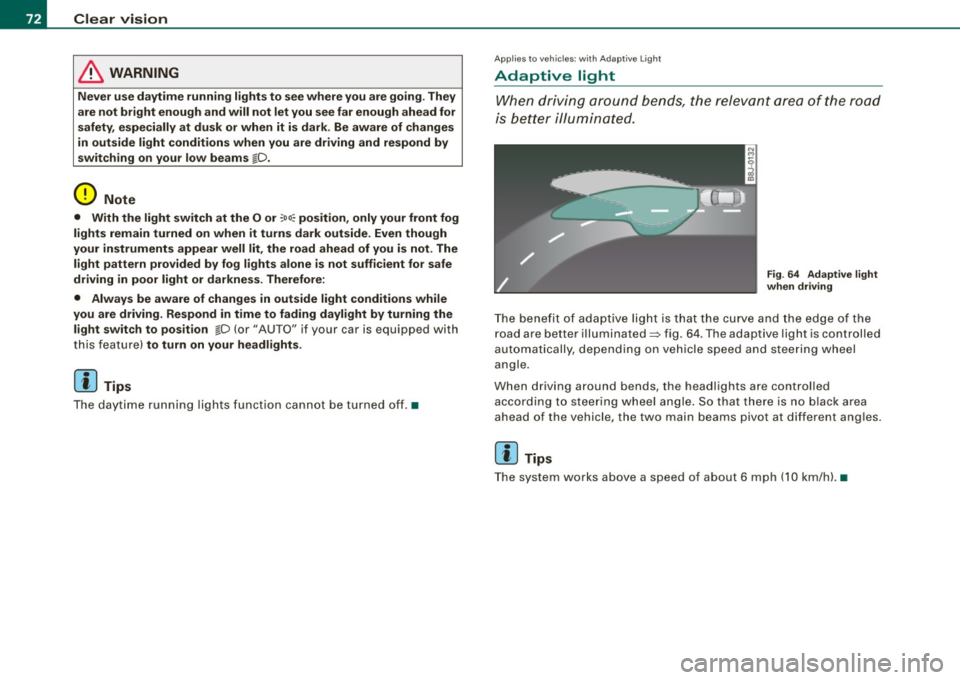
T he bene fit of ada ptive lig ht is th at t he cu rve a nd the e dge of the
road are b etter illuminated=> fig. 64 . The adaptive light is controlled
a uto ma tically, de pendin g on ve hicle speed a nd s tee rin g w heel
angle.
When d riving around bends , the headlights are controlled
according t o steeri ng w heel angle. S o that ther e is no blac k ar ea
ahead of the veh icle, the two main beams pivot at different angles.
[ i ] Tips
T he system wor ks above a speed of about 6 mp h (10 km/ h). •
Page 77 of 316

Ignition ON , light swit ch at @ .
With the ignition switched ON, the g low of instrument needles can
be adjusted to appear brighter or dimmer.
Ignition ON , ligh t switch at :oo ; or io.
With the lights switched on , the brightness of instrument cluster
(i .e. needles, gauges and displays) and center conso le i llu m in ation
can be adjusted .
0 Note
The instrument c luster and center console illumination (gauges and
needles) comes on when you switch on the igni tion and the
vehicle
headlights are off .
Be aware of the followin g difference be tween
models built to US o r Canadian specifications :
• USA models : illumination of the in strument cluster (gauges and
needles), dash and center console around the gearshift lever is
controlled by a light sensor located in the instrument panel. The
instrument panel illum ination will automatically become dimmer
as the daylight fades away and eventually will go out completely
when outside light is very low . This is to remind you , the d river , to
s witch on the headlight s before it gets too dark.
• Canada models : instrument panel illum ination will stay br ight
regardle ss of the inten sity of ambient light . Always be aware of
c hanges in outside light conditions while you are driving . Respond
in time to fading dayli ght by turning the light switch to position
iD
(or "AUTO" if your car is equipped with this feature) to turn on your
headlights. •
Bi-Xenon headlights*
Afte r starting the engi ne, the b i- xeno n headlights are au tomatical ly
adjusted to the load and angle of the vehic le (for example, during
acce lera tion and braking). This prevents oncoming traffi c from
experiencing unnecessary headlight g lare from your bi -xenon head
lig hts .
Con tro ls and eq uip
ment
Clear vision
I f the system is not operating properly, a warning symbo l in the
Au to-Check C ontr ol is displayed
=> page 35 . •
Emergency flasher tfft,,.
T he e mergency flasher m akes other motor ists aware that
y o u or yo ur vehicle are i n an e merge ncy si tuation.
Fig . 68 Center
co nsole : emergency
fla sher sw itch
Press the sw itch ~=:,fig. 68, to s witch t he emergency
flasher on or off.
When the emergency flasher is on, all four turn signal blink at the
same time . The tu rn signal indi cato r lights
¢i Q in the instrument
c luster, as well as the light in the emergency flasher switch
J:&. b link
likewise.
The eme rgency flashe r will automat ically switch on i f you are in an
accident where the airbag has deployed .
[ i ] Tips
You should switch on the emergency flasher when:
• you are the last vehicle standing in a traffic jam so that any other
vehicles coming can see you, or when
• your vehicle has broken down or you are in an emergency s itua -
tion, o r when _,,,
Vehicle care I I irechnical data
Page 80 of 316

Clear vision
Wiper and washer system
Windshield wiper ~
The windshield wiper lever controls both the windshield
wipers and the washer system.
Fig. 72 Wiper lever:
windshield wiper lever
positions
T he windshield wiper lever :::::> fig. 72 has the following posi
tions:
One -touch wiping
Move the lever to position G), when you want to wipe the
windshield
briefly.
Intermittent wiping ~ l (activating rain sensor)*
Move the lever up to position 0-
- Move the interval set switch@, to change the inter vals .
Low wiper speed
-Move the lever up to position ©-
High wiper speed
- Move the lever up to position @.
Automatic wiper/washer
- Pull the lever to position© (toward the steering wheel)
and hold.
- Re lease the lever . The washer stops and the wipers keep
going for about four seconds .
Turning off the wipers
-Move the lever back to position @.
The windshield wipers and washer only work when the ignition is
turned on. If you switch off the ignition with th e windshield wiper
lever still in the interval wipe position and then come back a while
later and drive off, the rain sensor will reactivate itse lf after the
vehic le speed has exceeded 4 mph (6 km/h).
The rain sensor* is only activated with the wiper lever set to posi
tion
G) . When it starts to rain, the rain sensor will automatically acti
vate the intermittent wiping mode.
To reduce the sensitivity of the sensor , move switch
@ down . To
increase the sensitivity , move the switch up. The higher you adjust
the sensi tivity, the faster the sensor will react when it senses mois
ture on the windshield. The pauses between wiper turns depend not
only on the sensitivity setting , but on the vehicle speed as well.
During brief stops , e.g. at a r ed light, wiper mot ion wil l automati
cally be reduced to the next lower speed. Wipers a lready turning at
low speed . change to intermittent wip ing.
When the igni tion is turned on, the washer jets are heated.
& WARNING
• Wiper blades are crucial for safe driving! Only when they are in
good condition are they able to clear the windows properly to
provide uncompromising visibility. Worn or damaged wiper blades
are a safety hazard~
page 81 , "Replacing front wiper blades"! ..,_
Page 84 of 316
Clear vision
& WARNING
• Clea n your wiper blade s regu larly w ith a w indshi eld w asher
s oluti on t o prev ent stre aking . If the wiper blade s are very dirt y, for
exa mpl e wit h inse cts, c arefull y cle an th e wi per blades w ith a
sponge or a soft bru sh .
• For yo ur safety , you should rep lac e th e w iper b lade s on ce or
twi ce a ye ar. S ee y our auth orized Audi de aler f or replacement
b lad es.
0 Note
• The wiper blades may on ly be changed=> page 80 in service
posit ion! Otherwise, you risk damaging the paint on the hood or the
windshield wiper motor .
• To prevent damage to the wiper system:
-Always loosen blades which are fro zen to the windshield
before operating wipers.
- Do not use gasoline , kerosene , paint th inner , or other solvents
on or near the wiper blades .
- Do not attempt to move the wipers by hand.
[ i ] Tip s
Commercial hot waxes applied by automatic car washes affect the
cleanab ility of the g lass surface .
• The front wiper blades are different lengths; the blade on th e
driver's side is longer. •
Mirrors
Manual glare dimming
Standard setting
- Move the small leve r !located on the bottom edge of t he
m irror) to the front.
Anti -glare setting
Move the small lever (located on the bottom edge of t he
m irror) to the rear. •
Applies to vehic les: wit h autom atically dimm in g inside rearview mirro r
Automatically dimming inside mirror
The automatic dimming function can be turned on and off
if required.
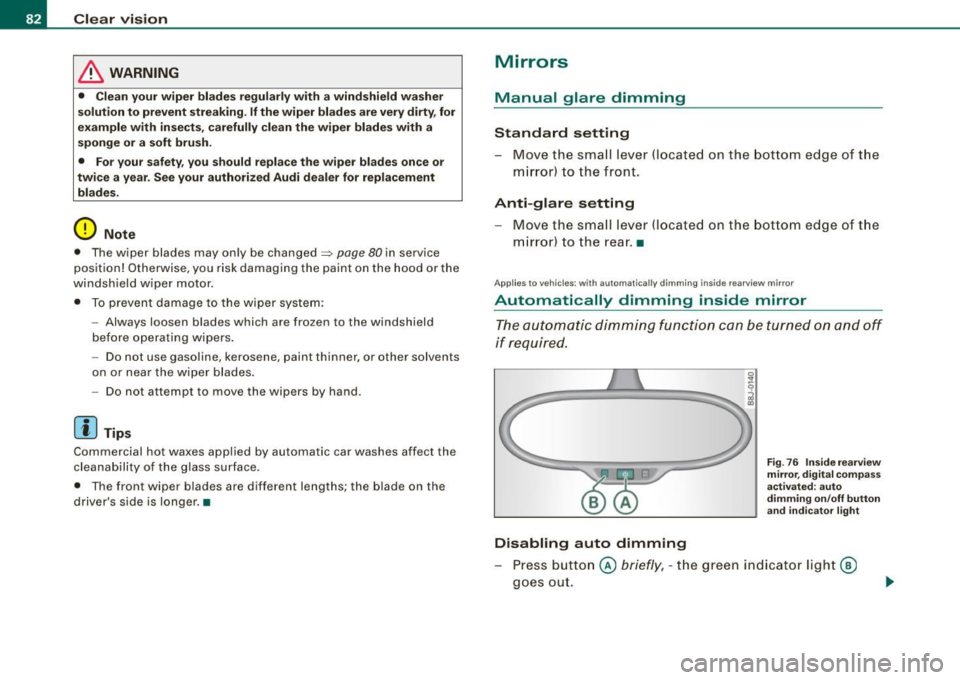
Disabling auto dimming
F ig . 76 Insid e rea rview
mir ror, d ig ital co m pa ss
activate d: au to
d imm in g on /off butt on
an d in dicator light
Press button @ briefly, -the green indicator light@
goes out.