2008 AUDI S5 tow
[x] Cancel search: towPage 44 of 294
Downloaded from www.Manualslib.com manuals search engine Doors and windows 42Central locking systemDescriptionThe vehicle can be locked and unlocked via the central locking
system. You can use any of the following:•
Remote control key ⇒page 43
•
Door handles in conjunction with advanced key* ⇒page 44
•
Lock on driver's door ⇒page 45
•
Interior central locking switch ⇒page 46
Unlocking one side of the vehicle only
When you lock the vehicle, the central locking system will lock the
doors and the boot lid. When you unlock the vehicle, the central
locking system will unlock either the driver's door only, or all the
locks on the vehicle, depending on the setting you have selected on
the sound system or MMI* ⇒page 43.
Automatic locking function (Auto Lock)
The Auto Lock function locks the doors and the boot lid when the
vehicle exceeds a speed of about 15 km/h.
The vehicle is unlocked again when the ignition key is removed.
Alternatively, the vehicle can also be unlocked via the central
locking switch or by pulling one of the inside door handles. The Auto
Lock function can be switched on and off on the sound system or
MMI* ⇒page 43.
In the event of an accident in which the airbags inflate, the doors
will be automatically unlocked to facilitate access and assistance.
Deadlock mechanism
The central locking system is combined with a deadlock mecha-
nism. Once the vehicle has been locked from the outside, the door
handles on the inside are deactivated. This makes it more difficult
to break into the vehicle.Anti-theft alarm system*
If the anti-theft alarm system senses interference with the vehicle it
triggers an audible and visible alarm.
The anti-theft alarm system switches on automatically when the
vehicle is locked. It switches off automatically if you unlock the
vehicle using the remote control.
If you unlock the vehicle by inserting the key in the drivers door, the
ignition must be switched on within 15 seconds, otherwise the
alarm will be triggered. On some export versions, the alarm is trig-
gered immediately when you open a door.
To deactivate the alarm, press the unlock button on the remote
control key or switch on the ignition. The alarm will also switch itself
off when it comes to the end of its cycle.
Switch off the interior monitor and tow-away protection if you wish
to prevent the alarm from being triggered accidentally.
Turn signals
The turn signals will flash twice when the vehicle is unlocked and
once when the vehicle is locked. If the turn signals do not flash, one
of the doors, the bonnet or the boot lid is still open.
Accidental lock-out
The central locking system prevents you from being locked out of
the vehicle in the following situations:
•
When the driver's door is open, it cannot be locked together with
the other door by pressing the central locking switch and then
closing the door ⇒page 46.
•
On vehicles with advanced key*, the boot lid will be released
again automatically if the remote control key that was last in use is
left inside the boot when the boot lid is closed ⇒page 48.
To prevent yourself from being locked out, do not lock the vehicle
with the remote control key before closing the doors or boot lid.
document_0900452a81793dcc.book Seite 42 Mittwoch, 21. März 2007 5:42 17
Page 49 of 294
Downloaded from www.Manualslib.com manuals search engine Doors and windows47
Controls
Safety
Driving tips
General maintenance
Self-help
Technical data
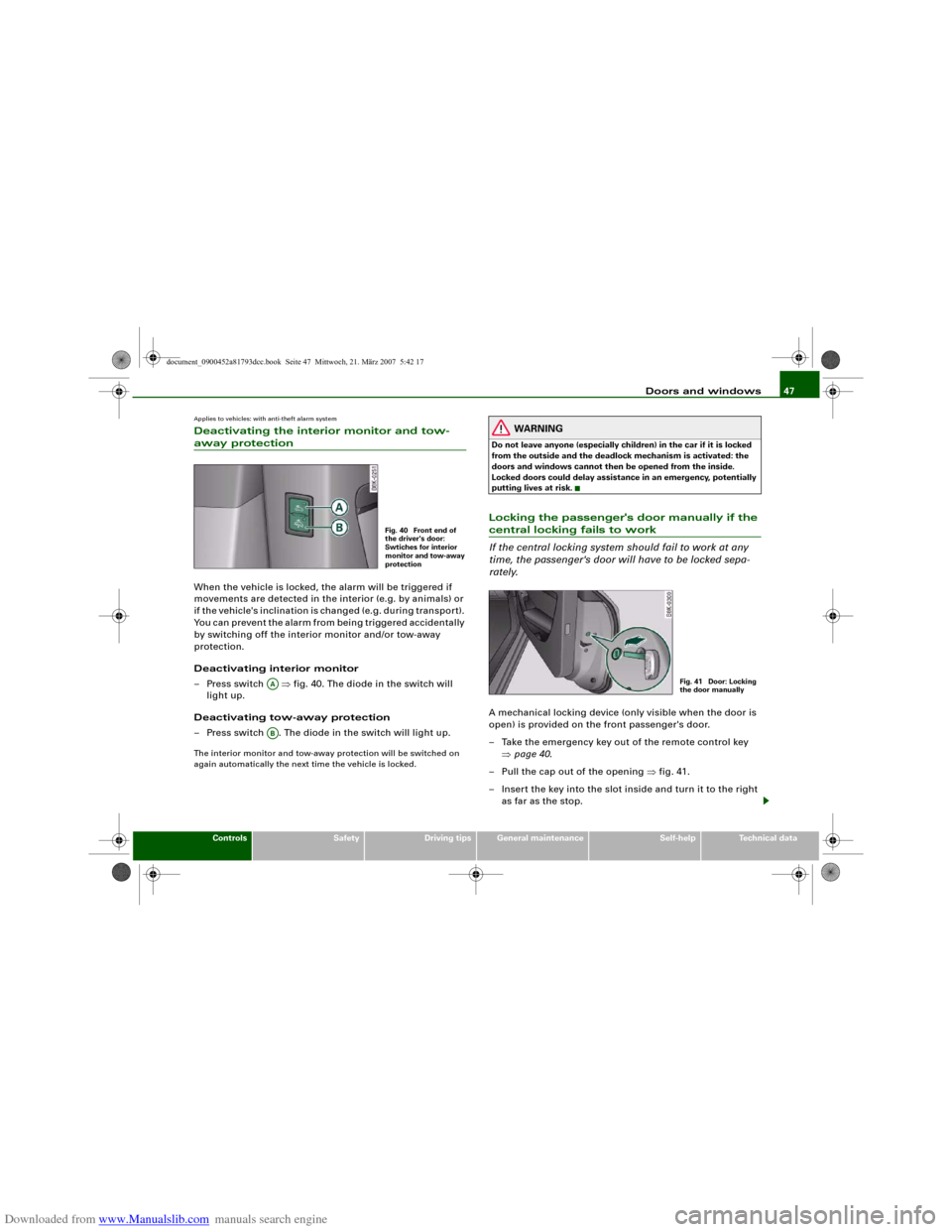
Applies to vehicles: with anti-theft alarm systemDeactivating the interior monitor and tow-away protectionWhen the vehicle is locked, the alarm will be triggered if
movements are detected in the interior (e.g. by animals) or
if the vehicle's inclination is changed (e.g. during transport).
You can prevent the alarm from being triggered accidentally
by switching off the interior monitor and/or tow-away
protection.
Deactivating interior monitor
– Press switch ⇒fig. 40. The diode in the switch will
light up.
Deactivating tow-away protection
– Press switch . The diode in the switch will light up.The interior monitor and tow-away protection will be switched on
again automatically the next time the vehicle is locked.
WARNING
Do not leave anyone (especially children) in the car if it is locked
from the outside and the deadlock mechanism is activated: the
doors and windows cannot then be opened from the inside.
Locked doors could delay assistance in an emergency, potentially
putting lives at risk.Locking the passenger's door manually if the central locking fails to work
If the central locking system should fail to work at any
time, the passenger's door will have to be locked sepa-
rately.A mechanical locking device (only visible when the door is
open) is provided on the front passenger's door.
– Take the emergency key out of the remote control key
⇒page 40.
– Pull the cap out of the opening ⇒fig. 41.
– Insert the key into the slot inside and turn it to the right
as far as the stop.
Fig. 40 Front end of
the driver's door:
Swtiches for interior
monitor and tow-away
protection
AAAB
Fig. 41 Door: Locking
the door manually
document_0900452a81793dcc.book Seite 47 Mittwoch, 21. März 2007 5:42 17
Page 57 of 294
Downloaded from www.Manualslib.com manuals search engine Lights and vision55
Controls
Safety
Driving tips
General maintenance
Self-help
Technical data
WARNING
The automatic headlights are only intended to assist the driver.
The driver must always ensure that the headlights are used when
required, and may have to switch them on manually when the light
conditions or visibility are poor. For example, the light sensors are
not able to detect fog. Therefore, you should always switch on the
headlights
in these conditions and when driving after dark.
Note
•
The light sensor for automatic headlight control is located in the
mounting for the interior mirror. Do not affix any stickers on this
section of the windscreen to avoid malfunctioning of the sensor.
•
The default sensitivity of the light sensor, which is set at the
factory, can be changed in the MMI menu Auto headlights
⇒page 56.
•
If the lights are left on after the key has been taken out of the
ignition lock, a buzzer sounds when the driver's door is opened.
•
The use of the lighting described here is subject to the relevant
statutory requirements.
•
The coming home/leaving home function is active only when the
light switch is set to AUTO.
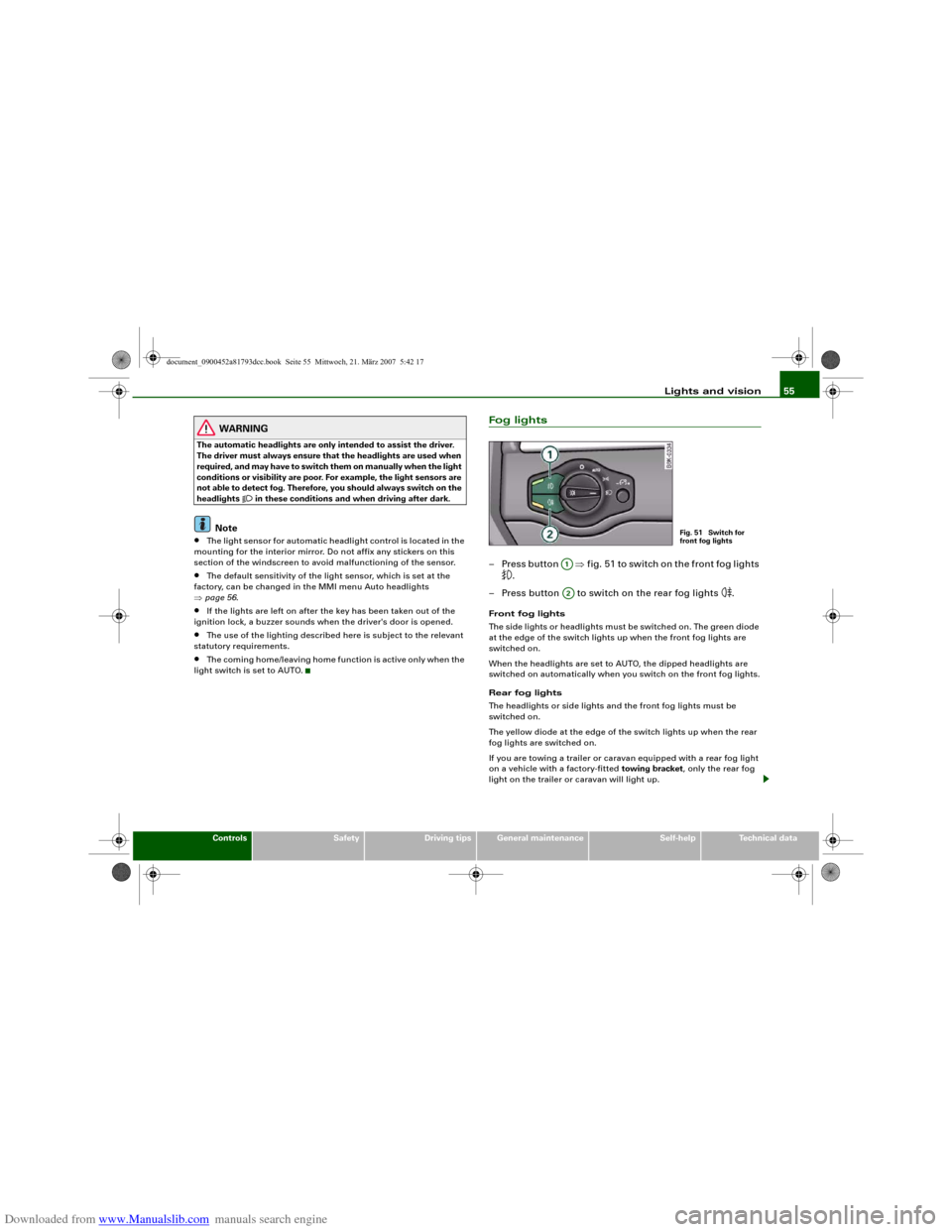
Fog lights– Press button ⇒fig. 51 to switch on the front fog lights
.
– Press button to switch on the rear fog lights
.
Front fog lights
The side lights or headlights must be switched on. The green diode
at the edge of the switch lights up when the front fog lights are
switched on.
When the headlights are set to AUTO, the dipped headlights are
switched on automatically when you switch on the front fog lights.
Rear fog lights
The headlights or side lights and the front fog lights must be
switched on.
The yellow diode at the edge of the switch lights up when the rear
fog lights are switched on.
If you are towing a trailer or caravan equipped with a rear fog light
on a vehicle with a factory-fitted towing bracket, only the rear fog
light on the trailer or caravan will light up.
Fig. 51 Switch for
front fog lights
A1A2
document_0900452a81793dcc.book Seite 55 Mittwoch, 21. März 2007 5:42 17
Page 60 of 294
Downloaded from www.Manualslib.com manuals search engine Lights and vision 58Hazard warning lights
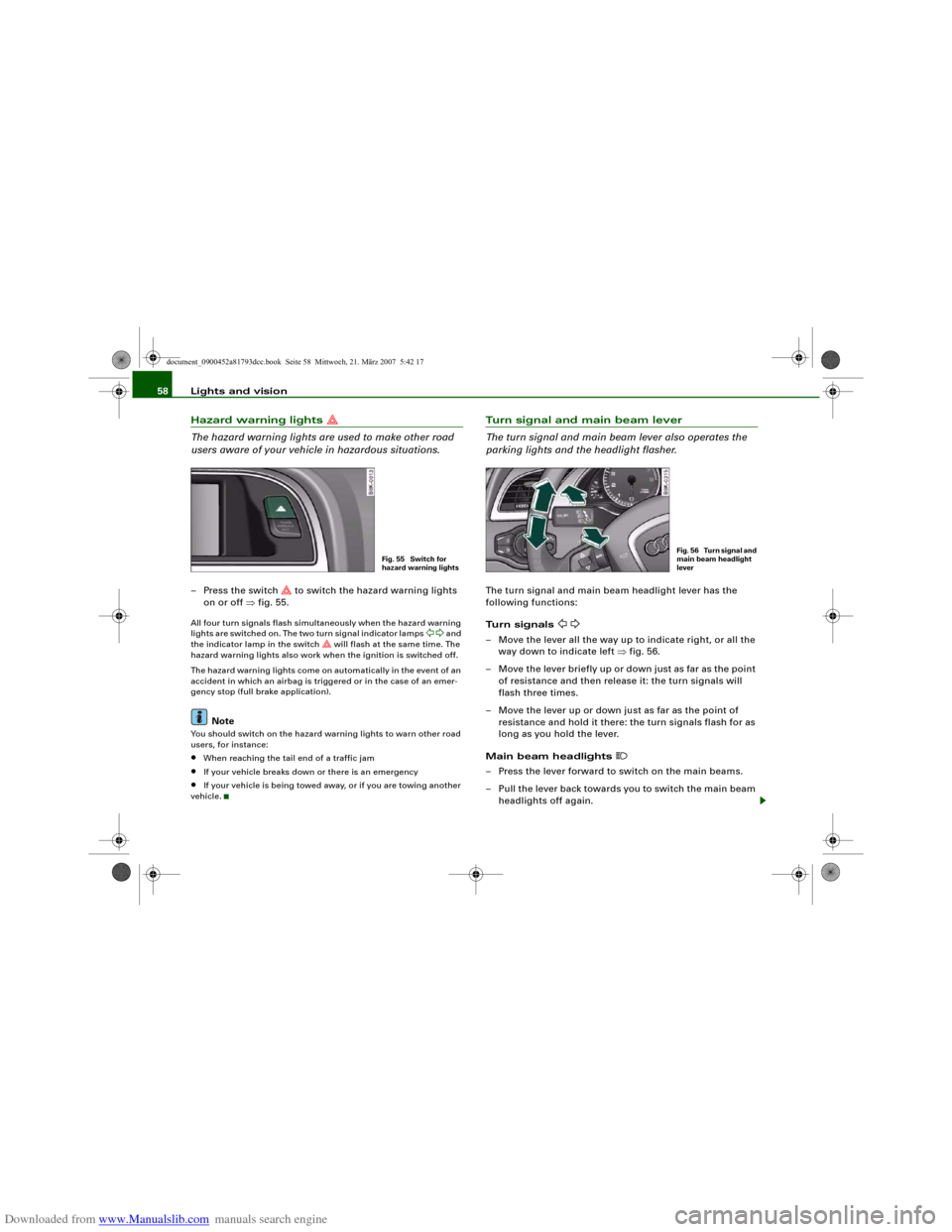
The hazard warning lights are used to make other road
users aware of your vehicle in hazardous situations.– Press the switch
to switch the hazard warning lights
on or off ⇒fig. 55.
All four turn signals flash simultaneously when the hazard warning
lights are switched on. The two turn signal indicator lamps
and
the indicator lamp in the switch
will flash at the same time. The
hazard warning lights also work when the ignition is switched off.
The hazard warning lights come on automatically in the event of an
accident in which an airbag is triggered or in the case of an emer-
gency stop (full brake application).
Note
You should switch on the hazard warning lights to warn other road
users, for instance:•
When reaching the tail end of a traffic jam
•
If your vehicle breaks down or there is an emergency
•
If your vehicle is being towed away, or if you are towing another
vehicle.
Turn signal and main beam lever
The turn signal and main beam lever also operates the
parking lights and the headlight flasher.The turn signal and main beam headlight lever has the
following functions:
Turn signals
– Move the lever all the way up to indicate right, or all the
way down to indicate left ⇒fig. 56.
– Move the lever briefly up or down just as far as the point
of resistance and then release it: the turn signals will
flash three times.
– Move the lever up or down just as far as the point of
resistance and hold it there: the turn signals flash for as
long as you hold the lever.
Main beam headlights
– Press the lever forward to switch on the main beams.
– Pull the lever back towards you to switch the main beam
headlights off again.
Fig. 55 Switch for
hazard warning lights
Fig. 56 Turn signal and
main beam headlight
lever
document_0900452a81793dcc.book Seite 58 Mittwoch, 21. März 2007 5:42 17
Page 61 of 294
Downloaded from www.Manualslib.com manuals search engine Lights and vision59
Controls
Safety
Driving tips
General maintenance
Self-help
Technical data
Headlight flasher
– Pull the lever towards the steering wheel to operate the
flasher.
Parking lights
– Switch off the ignition.
– Move the lever up or down to turn on the right or left-
hand parking lights respectively.Notes on these functions•
The turn signals only work when the ignition is switched on. The
corresponding indicator lamp
or
flashes in the instrument
cluster.
•
The turn signals are cancelled automatically when the steering
wheel is returned to the straight-ahead position.
•
The main beam headlights can only be switched on if the dipped
beam headlights are already on. The main beam headlight indicator
lamp then comes on in the instrument cluster.
•
The headlight flasher comes on for as long as you pull the lever –
even if no other lights are switched on. The main beam headlight
indicator lamp
then comes on in the instrument cluster.
•
When the parking lights are switched on, the headlight and the
rear light on one side of the car light up with reduced intensity. The
parking lights will only work with the ignition off. A warning buzzer
will sound for as long as the driver's door is open.Caution
Do not use the main beam headlights or the headlight flasher if this
would dazzle oncoming traffic.
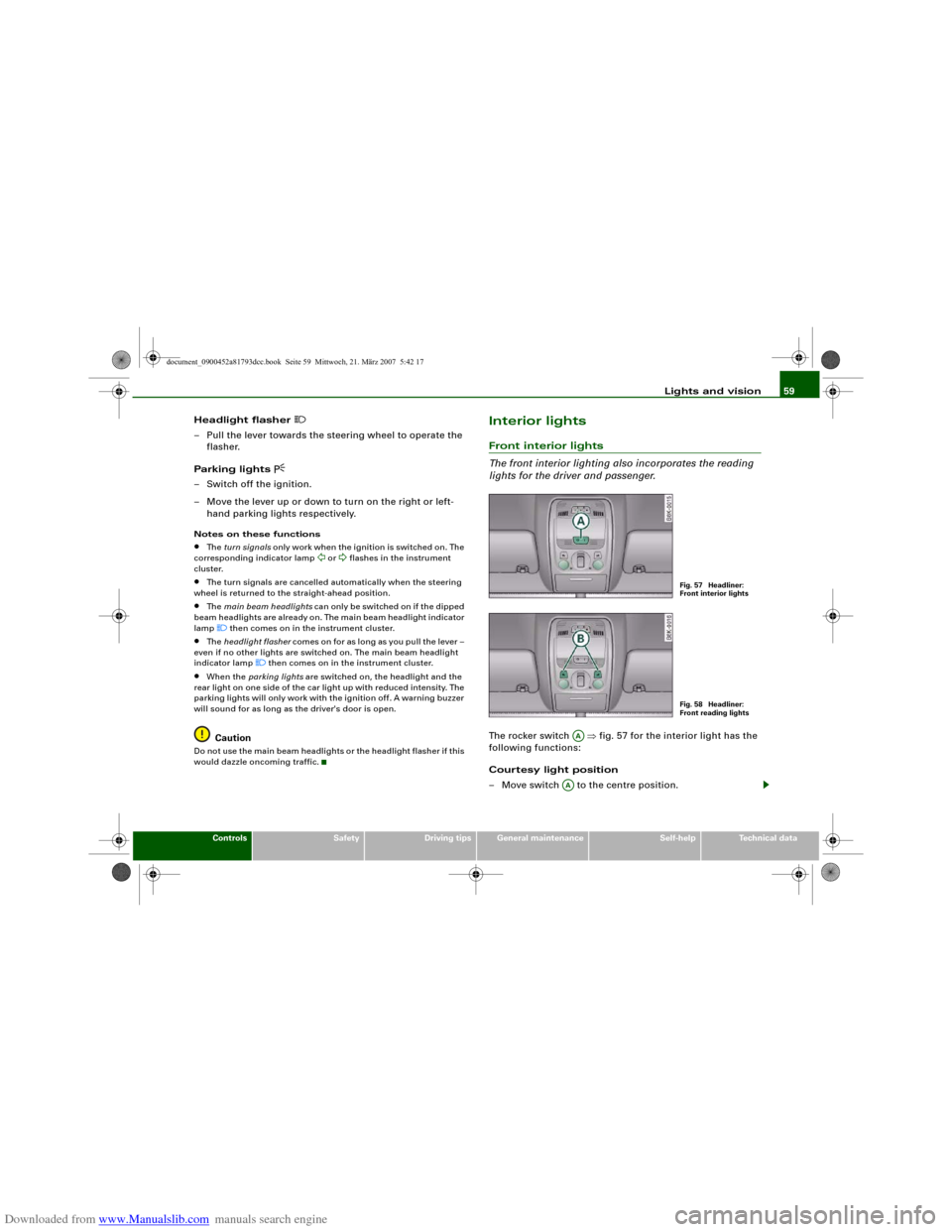
Interior lightsFront interior lights
The front interior lighting also incorporates the reading
lights for the driver and passenger.The rocker switch ⇒fig. 57 for the interior light has the
following functions:
Courtesy light position
– Move switch to the centre position.
Fig. 57 Headliner:
Front interior lightsFig. 58 Headliner:
Front reading lights
AA
AA
document_0900452a81793dcc.book Seite 59 Mittwoch, 21. März 2007 5:42 17
Page 62 of 294
Downloaded from www.Manualslib.com manuals search engine Lights and vision 60
Interior light switched on
– Move switch to position I.
Interior light switched off
– Move switch to position O.
Front reading lights
– Press one of the switches ⇒page 59, fig. 58 to switch
the left or right reading light on and off.If you switch on the courtesy lighting, the interior lights come on
automatically when the vehicle is unlocked or the doors are opened.
The light also comes on when the key is pulled out of the ignition. It
goes out approximately 30 seconds after the doors are closed. The
interior light is switched off immediately when the vehicle is locked
or when the ignition is switched on.
If a door is left open, the light is switched off after about 10 minutes
to prevent the battery from running flat.
The brightness of the light is automatically adjusted by a dimmer
when it is switched on.Rear interior lights
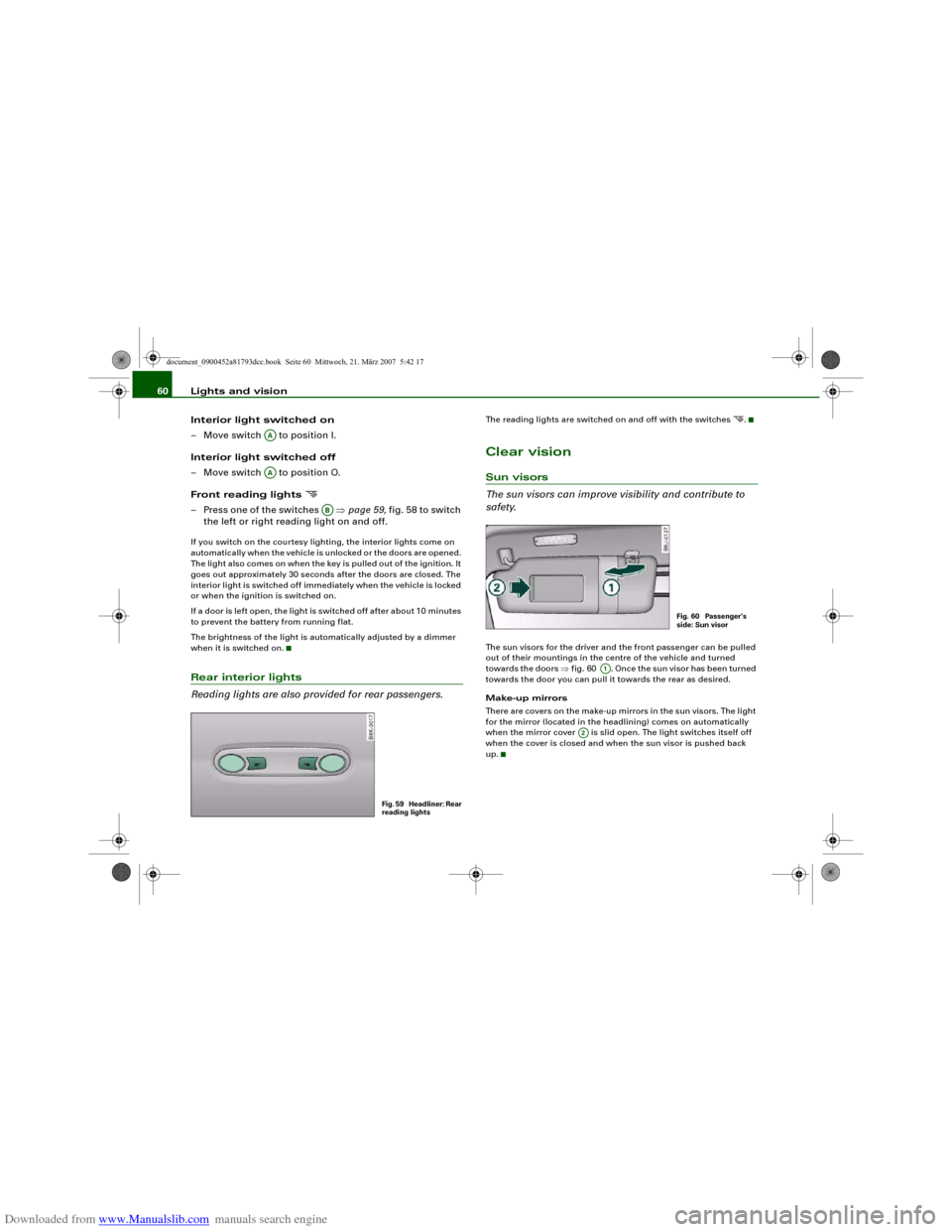
Reading lights are also provided for rear passengers.
The reading lights are switched on and off with the switches
.
Clear visionSun visors
The sun visors can improve visibility and contribute to
safety.The sun visors for the driver and the front passenger can be pulled
out of their mountings in the centre of the vehicle and turned
towards the doors ⇒fig. 60 . Once the sun visor has been turned
towards the door you can pull it towards the rear as desired.
Make-up mirrors
There are covers on the make-up mirrors in the sun visors. The light
for the mirror (located in the headlining) comes on automatically
when the mirror cover is slid open. The light switches itself off
when the cover is closed and when the sun visor is pushed back
up.
AAAA
AB
Fig. 59 Headliner: Rear
reading lights
Fig. 60 Passenger's
side: Sun visor
A1
A2
document_0900452a81793dcc.book Seite 60 Mittwoch, 21. März 2007 5:42 17
Page 67 of 294
Downloaded from www.Manualslib.com manuals search engine Lights and vision65
Controls
Safety
Driving tips
General maintenance
Self-help
Technical data
– Lift the wiper arm away from the glass.
– Press the release button on the wiper blade
⇒page 64, fig. 66. Hold the wiper blade firmly and press
it forwards slightly .
– Slide the wiper blade upwards .
Fitting the wiper blade
– Fit the new wiper blade into the mounting on the wiper
arm . You should hear it engage in the wiper arm.
– Fold the wiper arm back down onto the glass.
WARNING
•
To prevent smearing on the glass, the wiper blades should be
cleaned regularly using a window cleaner solution. If the wiper
blades are very dirty (insects etc.), they should be cleaned using a
sponge or cloth – bad visibility can cause accidents.
•
For safety, the wiper blades should be changed once or twice a
year.Caution
The windscreen wipers must be in the service position ⇒page 64
when replacing the blades! Otherwise the wiper motor or the paint-
work on the bonnet may be damaged.Rear-view mirrorsManual anti-dazzle adjustmentNormal setting
– Push the lever at the bottom of the mirror away from you.Anti-dazzle setting
– Pull the lever at the bottom of the mirror towards you.
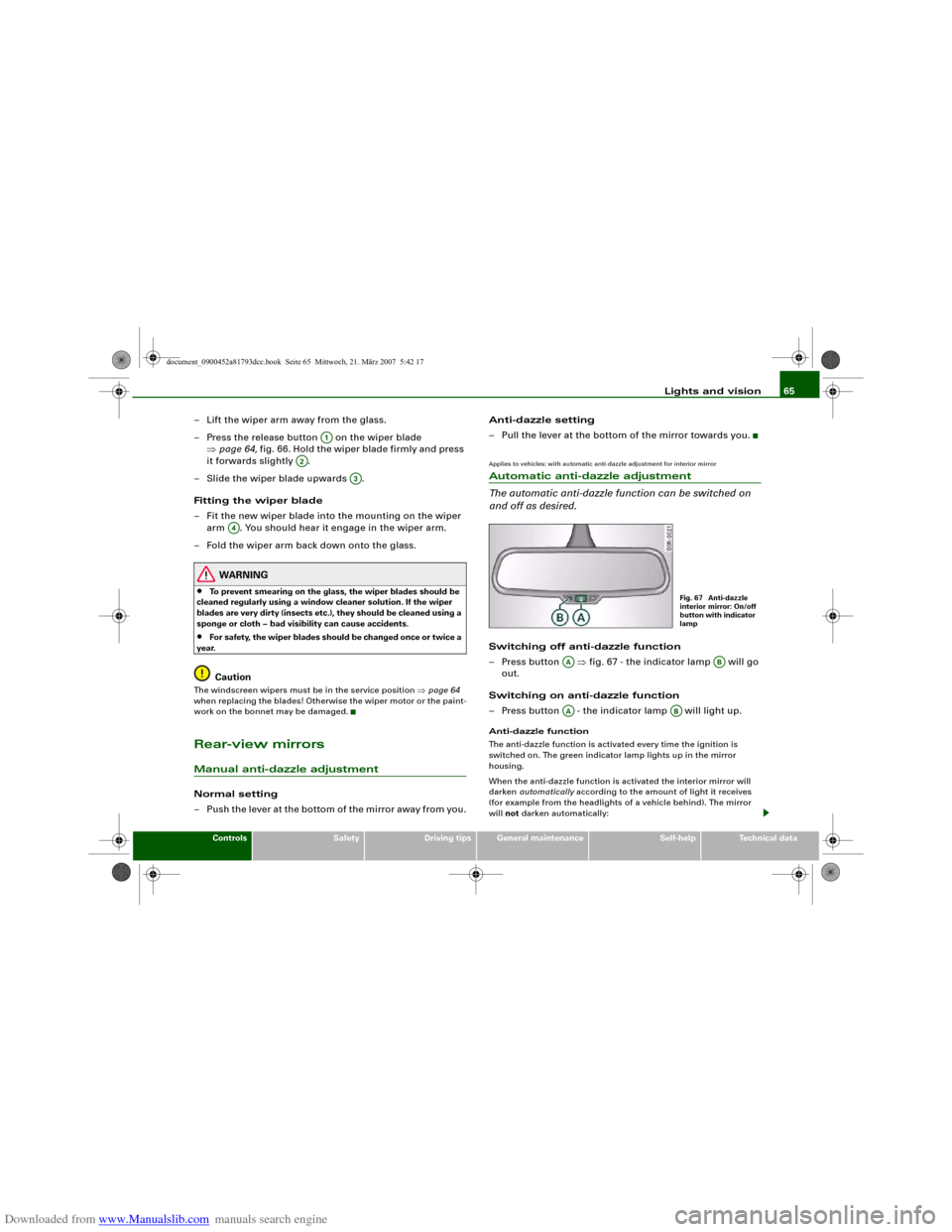
Applies to vehicles: with automatic anti-dazzle adjustment for interior mirrorAutomatic anti-dazzle adjustment
The automatic anti-dazzle function can be switched on
and off as desired.Switching off anti-dazzle function
– Press button ⇒fig. 67 - the indicator lamp will go
out.
Switching on anti-dazzle function
– Press button - the indicator lamp will light up.Anti-dazzle function
The anti-dazzle function is activated every time the ignition is
switched on. The green indicator lamp lights up in the mirror
housing.
When the anti-dazzle function is activated the interior mirror will
darken automatically according to the amount of light it receives
(for example from the headlights of a vehicle behind). The mirror
will not darken automatically:
A1
A2
A3
A4
Fig. 67 Anti-dazzle
interior mirror: On/off
button with indicator
lamp
AA
AB
AA
AB
document_0900452a81793dcc.book Seite 65 Mittwoch, 21. März 2007 5:42 17
Page 90 of 294
Downloaded from www.Manualslib.com manuals search engine Seats and storage 88If you connect more than one appliance, the total power rating of all
appliances must not exceed 150 W. If necessary, check the type
plates on the connected appliances for details of the power ratings.
Connected appliances must be in perfect condition and free of
defects.
WARNING
•
Heavy appliances or plugs (such as power supply units) can
damage the mounting of the 230 Volt Euro socket if they are
suspended directly from the socket – Risk of injury!
•
Make sure that all connected appliances are securely stowed
when driving to prevent them from being catapulted through the
car under braking or in an accident – Danger to life!
•
Never spill liquid over the socket – Danger to life! If the socket
does get wet, ensure that it is absolutely dry before using it again.
•
Improper use of the electrical socket or appliances connected
to it can cause injuries or fire – Risk of injury!
•
Never leave children unattended in the vehicle while the engine
is running – Risk of injury!
•
Connected appliances behave differently than when they are
connected to the public electricity grid. As a result, the connected
appliances may become hot during operation – Risk of injury!
•
When using adapters or extension cables, please remember
that the child safety device on the 230 Volt Euro socket is deacti-
vated and the socket is live – Risk of injury!
•
Do not insert conductive materials, such as knitting needles,
into the contacts of the 230 Volt Euro socket – Danger to life!
•
Switch off the connected electrical appliances if the inverter
trips out due to overheating – Risk of injury!Caution
•
Please observe the operating instructions for the connected
appliances.
•
If the power drawn by the connected appliances is above 150 W,
the inverter in the socket will get warm. The inverter will trip out if
the temperature exceeds a certain limit. The inverter can trip out on
hot days even when an appliance with a suitable power rating is
used. The inverter will switch on again automatically after it has
cooled down. Appliances which are already connected and
switched on will be activated again automatically ⇒.
•
Do not connect lamps which contain a neon tube. For technical
reasons, this may damage the lamp.
•
Do not connect 115 Volt appliances to the 230 Volt Euro socket.
This may cause irreparable damage to the appliance. Check the type
plate on the appliance if you are unsure of the voltage rating.
•
With some power supplies (e.g. on laptop computers), the inte-
grated surge suppressor prevents the equipment from being
switched on because the starting current is too high. If this
happens, please disconnect the power supply unit from the load
and wait for about 10 seconds before re-connecting.Note
•
Unshielded equipment can cause interference on the radio, TV
and vehicle's electrical system.
•
The Euro socket has an integrated child safety device. There is no
power at the socket until the Euro connector is fully inserted.
•
Some appliances may not function normally due to the lower
power rating (wattage).
•
The socket can be operated with 115 Volt power supplies, as is
the case in certain countries. In this case, a different type of inverter
must be installed in the vehicle. Retrofit kits are available from your
Audi dealer. Do not connect 115 Volt appliances to the 230 Volt Euro
socket.
•
Interference can occur on the radio's AM waveband if electrical
appliances are used near the rear window aerial.
document_0900452a81793dcc.book Seite 88 Mittwoch, 21. März 2007 5:42 17