2008 AUDI A4 Arm
[x] Cancel search: ArmPage 116 of 342
Heating and cooling 114Transmitting range
The range of the remote control transmitter is about 600 metres.
However, this can be greatly reduced by obstacles (buildings, etc.)
between the remote control transmitter and the vehicle. Hold the
aerial upright when using the remote control.
You should not normally use the remote control at a distance of less
than 3 metres from the vehicle. If you are closer than this, or if you
use the remote control inside the vehicle, this can cause signal over-
load.
For the sake of the environment
Please dispose of old batteries in the proper manner so that they do
not harm the environment.Seat heatingApplies to vehicles: with front seat heating/ventilationSeat heating / ventilation
The seat cushions and backrests of the front seats can be
heated and ventilated* electrically.
Seat heating
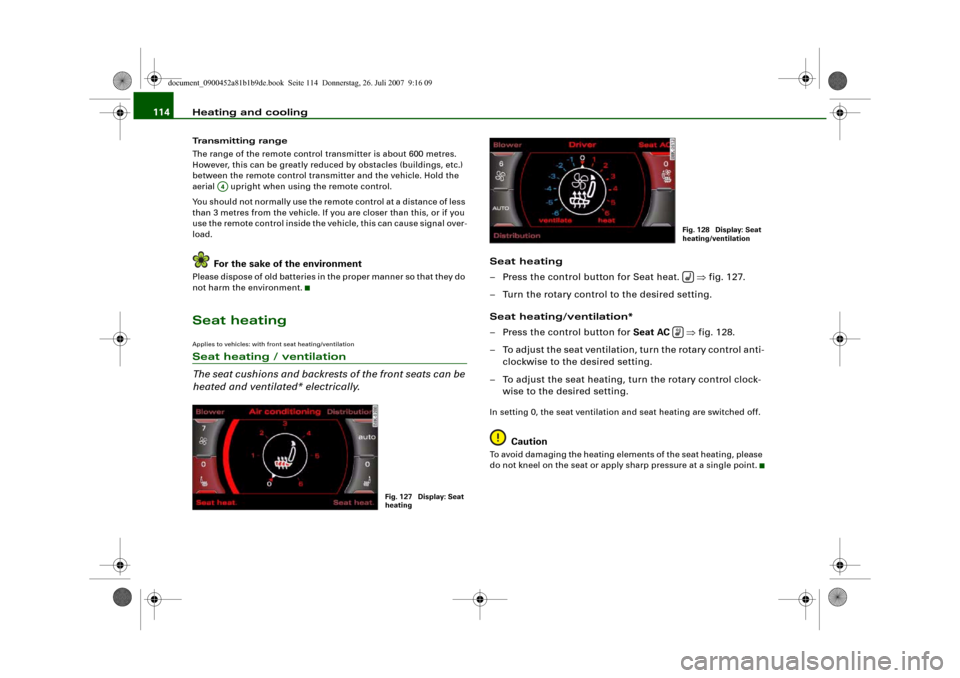
– Press the control button for Seat heat. ⇒fig. 127.
– Turn the rotary control to the desired setting.
Seat heating/ventilation*
– Press the control button for Seat AC ⇒fig. 128.
– To adjust the seat ventilation, turn the rotary control anti-
clockwise to the desired setting.
– To adjust the seat heating, turn the rotary control clock-
wise to the desired setting.In setting 0, the seat ventilation and seat heating are switched off.
Caution
To avoid damaging the heating elements of the seat heating, please
do not kneel on the seat or apply sharp pressure at a single point.
A4
Fig. 127 Display: Seat
heating
Fig. 128 Display: Seat
heating/ventilation
document_0900452a81b1b9de.book Seite 114 Donnerstag, 26. Juli 2007 9:16 09
Page 119 of 342
Driving117
Controls
Safety
Driving tips
General maintenance
Self-help
Technical data If you press in the key without pressing the clutch or brake pedal,
the ignition will be switched on or off. The steering lock is released
when the ignition is switched on. Diesel engines continue to be
automatically preheated.
The key can be removed only when the ignition is off. The key has to
be pressed in briefly to switch off the ignition. On vehicles with an
automatic gearbox, the selector lever has to be in position P.
Electrical components with a high power consumption are switched
off temporarily while you start the engine.
When starting from cold the engine may be a little noisy for the first
few seconds until oil pressure has built up in the hydraulic tappets.
This is quite normal and no cause for concern.
If the engine fails to start immediately, the starter will be switched
off automatically after a few seconds. Try to start the engine again.
Driver message in the instrument cluster display
Press brake pedal to start engine
This message appears on vehicles with an automatic gearbox if you
try to start the engine without first pressing the brake pedal.
Press clutch pedal to start engine
This message appears on vehicles with a manual gearbox if you try
to start the engine without first pressing the clutch pedal.
Engage N or P to start engine
This message will appear if you try to start the engine when the
selector lever of the automatic gearbox is not in P or N.
Shift to P, otherwise vehicle can roll away. Doors do not lock if lever
is not in P. or Please move selector lever to position P. Vehicle
cannot be locked.
For safety reasons, this message will appear and a warning buzzer
will sound if the selector lever of the automatic gearbox is not in
position P after you switch off the ignition. Put the selector lever in
position P; otherwise the vehicle can roll away. If the lever is not in position P you will not be able to lock the vehicle using the exterior
locking switch on the door handle or the remote control key.
Steering lock
The steering is locked when the key is not in the ignition. The
steering lock acts as a theft deterrent.
WARNING
•
Always take the key with you when you leave the vehicle.
Otherwise the engine can be started or power-operated equip-
ment such as the electric windows can be used. This could result
in serious injury.
•
Never leave children or disabled people alone in the car. The
doors could be locked with the remote control key and the occu-
pants could become trapped in the vehicle. The vehicle occupants
could be exposed to extremely high or low temperatures,
depending on the time of year.
•
Never remove the key from the ignition while the vehicle is
moving. The steering lock could engage suddenly, and you would
not be able to steer the car.Caution
•
If a malfunction occurs in the electronic ignition lock, a flashing
symbol and the message Ignition lock defective will appear in the
instrument cluster display.
•
Avoid high engine speeds, full throttle and extreme load condi-
tions until the engine has reached its normal operating tempera-
ture, otherwise this can damage the engine.For the sake of the environment
Do not warm up the engine by running it with the car stationary. You
should drive off immediately whenever possible. This will help avoid
unnecessary exhaust emissions.
document_0900452a81b1b9de.book Seite 117 Donnerstag, 26. Juli 2007 9:16 09
Page 137 of 342
adaptive cruise control (ACC)135
Controls
Safety
Driving tips
General maintenance
Self-help
Technical data Target speed
The target speed set by the driver is indicated by a red diode in the
speedometer.
If the speed setting is between two graduations on the speedom-
eter dial, the two closest diodes will both light up ⇒fig. 143.
It is only possible to set target speeds ranging from 30 to 200 km/h.
This speed range is illuminated slightly by the diodes on the speed-
ometer dial.
Indicator lamp (symbol)
•
No vehicle in front: The green indicator lamp ⇒page 134,
fig. 144 shows that the adaptive cruise control system is in cruise
mode and that there is no vehicle in front. It maintains the stored
target speed.
•
Vehicle in front: The green indicator lamp shows that the
system has detected a vehicle in front. The speed is adapted to the
vehicle in front. The adaptive cruise control system accelerates and
brakes the vehicle automatically.
•
Driver intervention prompt: When the red indicator lamp
flashes , this is a warning for the driver to intervene. The driver
has to brake the vehicle with the foot brake. This warning lamp will
always appear when the adaptive cruise control system alone is not
able to brake the vehicle sufficiently to maintain a safe distance to
a vehicle in front. An audible alarm (warning tone) will also sound
when the lamp starts to flash. For further information on the driver
intervention prompt ⇒page 138.Note
•
If you exceed the target speed by using the accelerator, the
driver intervention prompt will not be accompanied by a warning
tone. The indicator lamp shown in the speedometer will also switch
off if the target speed is exceeded.
•
You can change the volume of the warning tone on the sound
system or MMI* ⇒page 139, “Setting the warning tone volume and
driving program”.
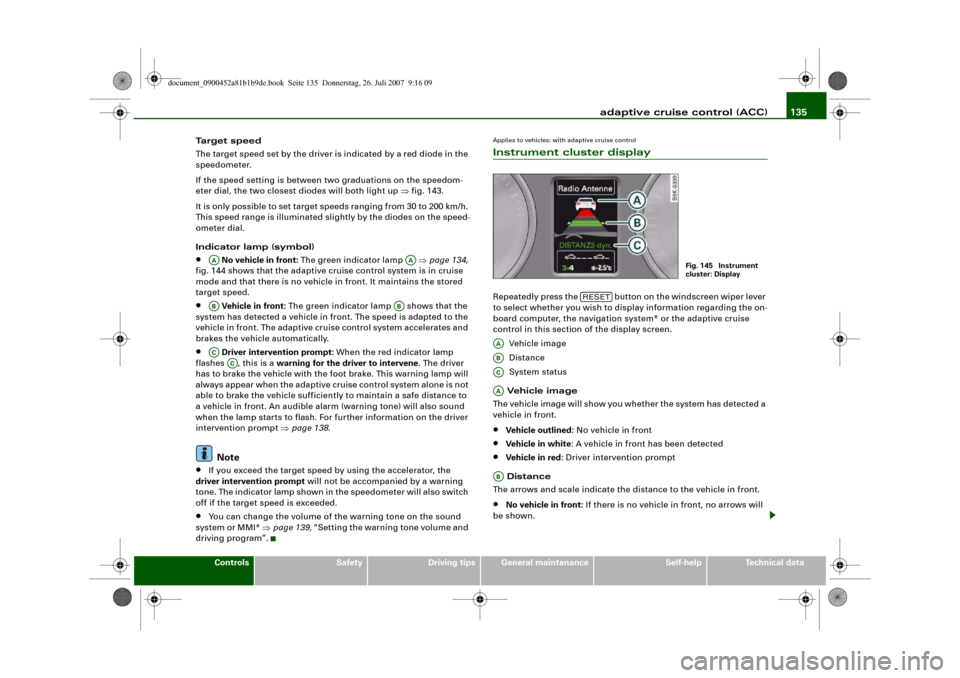
Applies to vehicles: with adaptive cruise controlInstrument cluster displayRepeatedly press the button on the windscreen wiper lever
to select whether you wish to display information regarding the on-
board computer, the navigation system* or the adaptive cruise
control in this section of the display screen.
Vehicle image
Distance
System status
Vehicle image
The vehicle image will show you whether the system has detected a
vehicle in front.•
Vehicle outlined: No vehicle in front
•
Vehicle in white: A vehicle in front has been detected
•
Vehicle in red: Driver intervention prompt
Distance
The arrows and scale indicate the distance to the vehicle in front.
•
No vehicle in front: If there is no vehicle in front, no arrows will
be shown.
AA
AA
AB
AB
AC
AC
Fig. 145 Instrument
cluster: Display
RESET
AAABACAAAB
document_0900452a81b1b9de.book Seite 135 Donnerstag, 26. Juli 2007 9:16 09
Page 175 of 342
Parking aid173
Controls
Safety
Driving tips
General maintenance
Self-help
Technical data
•
Moisten the lens using a commercially available, alcohol-based
glass cleaning agent and clean the lens with a dry cloth ⇒.
•
Use a small brush to remove snow and a de-icer spray to remove
ice ⇒.
WARNING
•
The parking aid cannot replace the full concentration of the
driver. The driver is always responsible for safety during parking
and other manoeuvres.
•
Always keep a close watch on the area around the vehicle and
make full use of the rear-view mirrors.
•
Do not allow the camera images in the MMI display to distract
you from watching the traffic.
•
For safety reasons, you should not use the system if the posi-
tion and installation angle of the camera have been changed, e.g.
in a rear-end collision. Have it checked by a qualified workshop.Caution
•
Please note that low obstacles detected by the system may no
longer be registered by the sensors as the car moves closer, so the
system will not give any further warning. Certain kinds of obstacles
(such as wire fences, chains, thin painted posts or trailer draw bars,
etc.) may not always be detected by the system, so take care not to
damage the vehicle in such cases.
•
Never remove snow and ice from the lens of the reversing
camera using warm or hot water - danger of cracks appearing on the
lens.
•
Never use abrasive cleaning agents on the lens.
Applies to vehicles: with Audi parking system advancedSwitching on/off
The reversing camera is automatically switched on
together with the acoustic signals and graphic display
when you select reverse gear.Switching on
– Switch on the MMI system.
– Engage reverse gear, or
– Press the switch
in the centre console ⇒page 170,
fig. 185. You will hear a brief acknowledgement tone and
the diode in the switch will light up.
Switching off
– Drive forwards faster than 10 km/h, or
– Press the switch
, or
– Switch off the ignition.
Changing display via MMI
– Press the control button for Graphic ⇒page 174, fig. 192
to show the graphic display on the screen.
– Press the control button for Rear View to display the
picture from the reversing camera.
WARNING
•
Some objects (e.g. narrow posts or bars), recesses in the
ground or protruding parts on other vehicles may not be displayed
in a satisfactory manner or may not be displayed at all on the MMI
screen.A5
document_0900452a81b1b9de.book Seite 173 Donnerstag, 26. Juli 2007 9:16 09
Page 188 of 342
Safe driving 186Safe drivingGeneral notesSafety is the first priority
Your safety is our first priority.This chapter contains important information, tips, sugges-
tions and warnings that you should read and observe for
your own safety and the safety of your passengers.
WARNING
•
The information in this chapter is important for the driver of
the vehicle and all passengers. The other chapters in this manual
(and, where applicable, in the other literature supplied with the
vehicle) contain further important notes which you should read
and observe for your own safety and that of your passengers.
•
Ensure that the complete vehicle wallet is always in the vehicle.
This is especially important when you lend or sell the vehicle to
others.
Safety features
The safety features listed here are part of the vehicle's
occupant restraint system. They work together to help
reduce the risk of injury in a wide variety of accident situ-
ations.Your safety and the safety of your passengers should not be left to
chance. In the event of an accident, the safety features incorporated
in your vehicle are capable of reducing the risk of injury. These are
just a few of the safety features in your Audi:•
Optimised three-point seat belts for all seats,
•
Belt force limiters for the front seats,
•
Belt pre-tensioners for the front seats,
•
Head restraints for all seats,
•
Optimised protection against injuries of the cervical vertebrae,
•
Front airbags,
•
Side airbags in the front seat backrests and on the outer rear
seats*,
•
Head-protection airbags (sideguard system),
•
“ISOFIX” mountings* for “ISOFIX” child safety seats on the rear
seats,
•
Height-adjustable head restraints on the seats,
•
Adjustable steering column.
These individual safety features are harmonised to provide you and
your passengers with the best possible protection in accident situ-
ations. However, they can only be effective if you and your passen-
gers sit in the correct position and adjust and use the safety equip-
ment properly.
For these reasons, this chapter explains why these safety features
are so important, how they can protect you, what you need to
remember when using them, and how you and your passengers can
gain the most benefit from them. There are also a number of impor-
tant safety warnings which you and your passengers should always
observe in order to minimise the risk of injury.
Safety is everyone's responsibility!
document_0900452a81b1b9de.book Seite 186 Donnerstag, 26. Juli 2007 9:16 09
Page 190 of 342
Safe driving 188Correct sitting positionsCorrect sitting position for driver
The correct driving position is important for safe and
fatigue-free driving.For your own safety, and to reduce the risk of injury in the
event of an accident, we recommend the following driving
position.
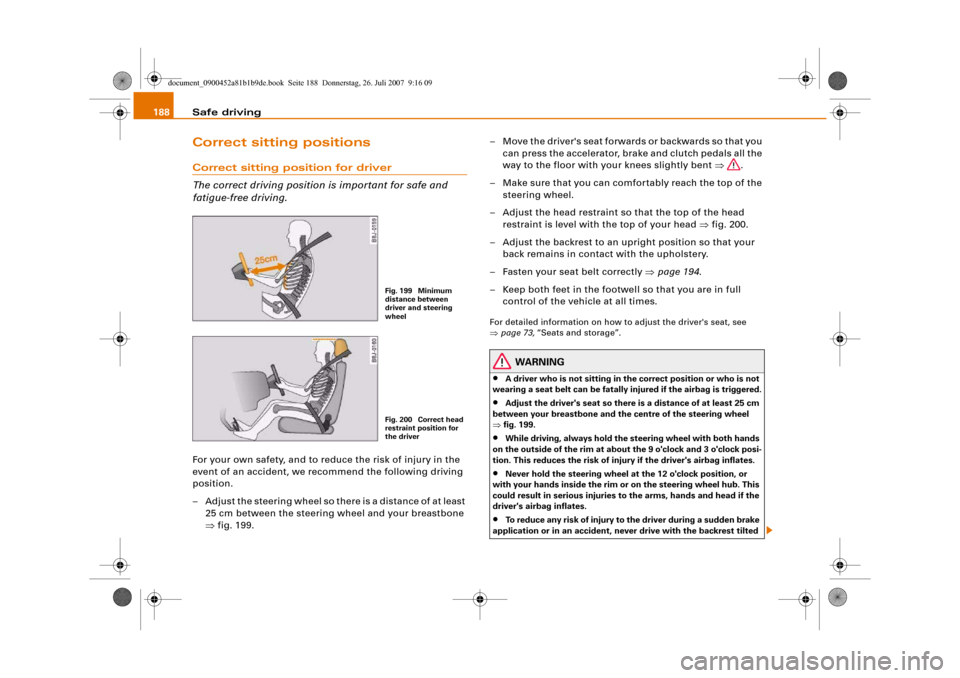
– Adjust the steering wheel so there is a distance of at least
25 cm between the steering wheel and your breastbone
⇒fig. 199.– Move the driver's seat forwards or backwards so that you
can press the accelerator, brake and clutch pedals all the
way to the floor with your knees slightly bent ⇒.
– Make sure that you can comfortably reach the top of the
steering wheel.
– Adjust the head restraint so that the top of the head
restraint is level with the top of your head ⇒fig. 200.
– Adjust the backrest to an upright position so that your
back remains in contact with the upholstery.
– Fasten your seat belt correctly ⇒page 194.
– Keep both feet in the footwell so that you are in full
control of the vehicle at all times.
For detailed information on how to adjust the driver's seat, see
⇒page 73, “Seats and storage”.
WARNING
•
A driver who is not sitting in the correct position or who is not
wearing a seat belt can be fatally injured if the airbag is triggered.
•
Adjust the driver's seat so there is a distance of at least 25 cm
between your breastbone and the centre of the steering wheel
⇒fig. 199.
•
While driving, always hold the steering wheel with both hands
on the outside of the rim at about the 9 o'clock and 3 o'clock posi-
tion. This reduces the risk of injury if the driver's airbag inflates.
•
Never hold the steering wheel at the 12 o'clock position, or
with your hands inside the rim or on the steering wheel hub. This
could result in serious injuries to the arms, hands and head if the
driver's airbag inflates.
•
To reduce any risk of injury to the driver during a sudden brake
application or in an accident, never drive with the backrest tilted
Fig. 199 Minimum
distance between
driver and steering
wheelFig. 200 Correct head
restraint position for
the driver
document_0900452a81b1b9de.book Seite 188 Donnerstag, 26. Juli 2007 9:16 09
Page 210 of 342
Airbag system 208second). The airbag releases a fine dust when it inflates. This is quite
normal and does not mean there is a fire in the vehicle.Important safety notes on the head-protection airbags
There are a number of safety points concerning the airbag
system which you should remember. This will help to
reduce the risk of injury in an accident.
WARNING
•
It is important to ensure that the area around the openings for
the head-protection airbags remains unobstructed at all times, so
that the airbags can inflate properly if needed.
•
The built-in coat hooks should only be used for lightweight
clothing. Do not leave any heavy or sharp-edged objects in the
pockets. When using the coat hooks, do not hang the clothes on
coat hangers.
•
The space between the passengers and the head-protection
airbags must never be occupied by children, other passengers or
pets. Passengers should never lean out or put a hand or arm out of
the window while the vehicle is in motion.
•
Do not move the sun visors out to cover the side windows if
there is anything attached to them (such as pens or a remote
control for the garage door). These objects could cause injury if the
head-protection airbag is triggered.
•
The sensors for the airbags are located in the front doors. You
must therefore not make any modifications to the doors or door
trim (e.g. retrofitting loudspeakers), as this could impair the func-
tion of the side airbags. Any damage to the front doors could lead
to faults in the system. Repairs or any other work on the front
doors must therefore always be carried out by a qualified work-
shop.
•
Where sun blinds are fitted on the rear doors, these must not
obstruct or impair the airbags in any way.
•
If unsuitable accessories are installed near the head-protection
airbag, the protection afforded by the airbag can be seriously
impaired if the system is triggered. When the head-protection
airbag opens, parts of these accessories could be thrown into the
vehicle and injure passengers ⇒page 277.
•
Any work involving the head-protection airbags, or removal
and installation of the airbag components for other repairs (such
as repairs to the roof liner), must always be performed by a quali-
fied workshop. Otherwise the airbag system may fail to work
properly.
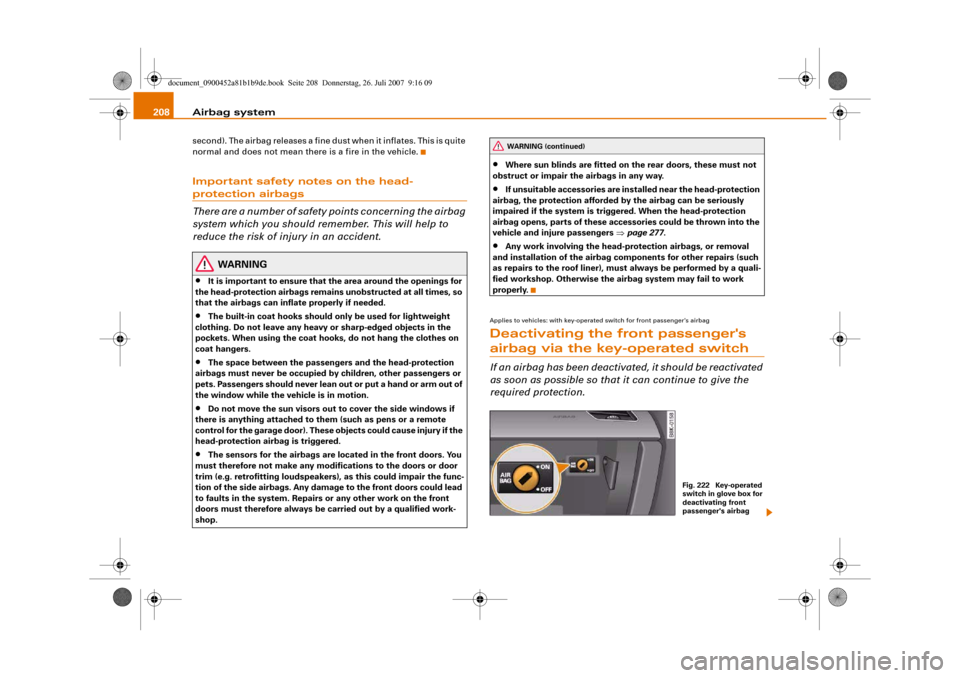
Applies to vehicles: with key-operated switch for front passenger's airbagDeactivating the front passenger's airbag via the key-operated switchIf an airbag has been deactivated, it should be reactivated
as soon as possible so that it can continue to give the
required protection.
WARNING (continued)
Fig. 222 Key-operated
switch in glove box for
deactivating front
passenger's airbag
document_0900452a81b1b9de.book Seite 208 Donnerstag, 26. Juli 2007 9:16 09
Page 213 of 342
Child safety211
Controls
Safety
Driving tips
General maintenance
Self-help
Technical data
•
If children lean forward or are otherwise out of position when
the car is moving, they are at greater risk of injury in an accident.
This is particularly the case if the child is travelling on the front
passenger's seat and the airbag system is triggered in an accident.
There is then a risk of serious or potentially fatal injury.
•
To ensure proper protection, it is important to wear the seat
belts in the correct position ⇒page 197, “How to wear seat belts
properly”. Always check that the belt is properly positioned
according to the instructions provided by the manufacturer of the
child safety seat. Incorrectly worn seat belts can give rise to inju-
ries even in a minor collision.
•
Never install a rearward-facing child safety seat on the front
passenger's seat if the front passenger's airbag has not been deac-
tivated ⇒page 211.
•
Extra caution is advised if you are installing a child safety seat
using the same mounting bolts as the existing car seat belts. The
bolts must be screwed in all the way to the full depth of the
mounting holes and tightened to a torque of 50 Nm. Failure to
observe this precaution could result in potentially fatal injury. We
recommend having the installation performed by a qualified
workshop.
Using a child safety seat on the front passenger's seat
Whenever possible, child safety seats should always be
installed on the rear seat.For safety reasons, we recommend that child safety seats should be
installed on the rear seats whenever possible. However, if you have
to use a child seat on the front passenger's seat when there is no
other alternative, it is most important to note the following warn-
ings:
WARNING
•
Do not use a rearward-facing child safety seat on the front
passenger's seat unless the front passenger's airbag has been
deactivated. The child seat would be directly in the path of the
airbag as it inflates, and the child could sustain serious or fatal
injuries if the airbag were to be deployed.
•
However, if you have no alternative but to use a rearward-
facing child seat on the front passenger's seat, the front
passenger's airbag must be deactivated beforehand by means of
the key-operated switch* ⇒page 208. Failure to observe this
precaution could result in serious or potentially fatal injury.
•
Make sure that the front passenger's airbag is reactivated by
means of the key-operated switch* as soon as the child seat is no
longer needed on the front passenger's seat.
•
When using a child safety seat of the type which faces in the
direction of travel, the front passenger's seat must be moved back
to the rearmost position.
WARNING (continued)
document_0900452a81b1b9de.book Seite 211 Donnerstag, 26. Juli 2007 9:16 09