2008 AUDI A4 AVANT light
[x] Cancel search: lightPage 19 of 368

Switching on the clock and odometer
With the ignition is switched off, the odometer and digital clock with
date disp lay can be switched on for a few seconds by pressing the
CHECK
button => page 16, fig. 7.
Starting the Auto-Che ck sequence
The Auto -Check
system => page 28 consistently monitors certain
individual functions and components of the vehicle when the igni
tion is turned on and when the vehicle is moving .
With the ignition switched on, you can start the "Auto-Check
sequence" by pressing the CHECK button. You can perform an Auto
Check sequence both when the vehicle is at a standstill and the igni
tion is switched on or when the vehicle is moving not faster than
3 mph (5 km/h).
Calling up the driver informat ion
When a first priority symbo l starts to
flash => page 28 or when a
defective light
bulb=> page 35, has been detected, you can press
the CHECK button to display the driver information. For example:
SWITCH OFF ENGINE , CHECK OIL LEVEL
The information disappears after approximate ly five seconds .
Setting the speed warning
By pressing the CHECK button you can set speed warning
1
=> page 36, "Speed warning 1: setting a speed limit" while the
vehicle is moving.
Speed warning
2* => page 37, "Speed warning 2 : setting a speed
limit" can only be set with the ignition switched off. •
Controls and equip
ment
Instruments and warning /indicator lights
Service interval display
The service interval display reminds you when your next
service is due.
Display remaining distance
Fig. 8 Service interval
display in the instru
ment cluster
With the ignition on, briefly push button G) to disp lay the distance
remaining (miles/kilometers) until the next service is due. You can
recall the service countdown with the engine in idle or while driving
at a slow speed up to
3 mph (5 km/h). The remaining distance will
be upda ted every 300 miles (500 km):
On a new vehicle, or immediately after a service has been
performed, the following message will be displayed:
SERVICE IN---- Ml (KM) ---DAYS
For the first 300 miles (500 km) of driving after a service, the display
will keep showing dashes. This
is NOT a malfunction . Rather, the
system needs the mileage to (re-)adjust to your driving
style. Only
then can it start generating and updating figures for the distance and
days until the next scheduled service .
.,
irechnical data
Page 21 of 368

Warning/indicator lights
Overview
The warning/indicator lights indicate different functions
or a p ossible malfunction.
Fig . 9 Instrume nt cluste r wi th warn ing/ ind ica tor l ights
Your vehicle is equipped with several important warning and indi
cator lights to help you monitor the continued reliable operation of
your vehicle
=> & .
AIR
BAG
Controls and equip
ment U
SA mod els:
Ma lfunction Indicato r lamp {MIU => page 20
Canad a mo del s:
Malfunction lndictor Lamp {MIU => page20
Airbag system => page 20
Inst rum ents and w arning /indi cator li ght s
Tire pressure monitoring system* => page20
CRUISE
USA model s: => page21 Cruise contro l activated
-ti(') Can ada mod els: => page21 Cruise control activated
U SA m odel s: => page 21 Anti-lock brake system {ABS)
Canad a model s: => page 21 Anti-lock brake system {ABS)
~ Safety belt => page22
·-
¢ Left turn signal => page22
Electronic stabi lization program => page22 {ESP)
D Generator => page22
D High beam => page 23
Electronic power control => page23
BRAKE
U SA model s: => page23 Brake system, parking brake set
CCD>
Canad a model s: => page23 Brake system, parking brake set •
c> Right turn signal => page 22 .,,
irechnical data
Page 22 of 368
Instruments and warning/indicator lights
& WARNING
• Failure to heed warning lights and other important vehicle
information may result in serious personal injury or vehicle
damage .
• Whenever stalled or stopped for repair, move the vehicle a safe
distance off the road, stop the engine, and turn on the emergency
flasher
=> page 79.
• The engine compartment of any motor vehicle is a potentially
hazardous area. Before you check anything in the engine compart
ment, stop the engine and let it cool down . Always exercise
extreme caution when working under the engine hood
=> page 265 , "Engine compartment"
[ i] Tips
Many functions are monitored by the Auto-Check system
=> page 28. Malfunctions or faults will be identified either with a red
symbol (priority 1 - Danger!) or with a yellow symbol (priority 2 -
Warning). •
Malfunction Indicator Lamp (MIL)
~ (USA models)/ 0 (Canada models)
The Malfunction Indicator Lamp (MIU is part of the On-Board Diag
nostic (OBD II) system. The
symbol ~ lights up when the ignition is
turned on and will turn off after the engine has started and has
settled at constant idle speed . This indicates that the MIL is working
properly.
The warning light illuminates when there is a malfunction in the
eng ine electronic system. Contact your authorized Audi dealer and
have the malfunction corrected.
For more information
=> page 27. •
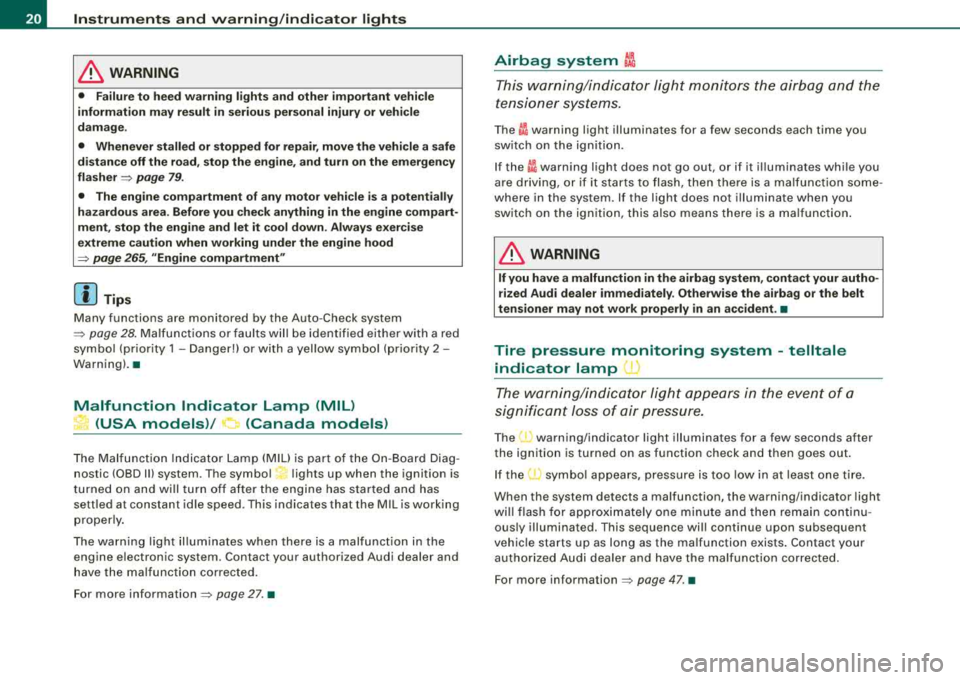
Airbag system ~
This warning/indicator light monitors the airbag and the
tensioner systems.
The I warning light illuminates for a few seconds each time you
switch on the ignition.
If the
~i warning light does not go out, or if it illum inates while you
are driving, or if it starts to flash, then there is a malfunction some
where in the system. If the light does not illuminate when you
switch on the ignition, this also means there is a malfunction.
& WARNING
If you have a malfunction in the airbag system, contact your autho
rized Audi dealer immediately. Otherwise the airbag or the belt
tensioner may not work properly in an accident. •
Tire pressure monitoring system -telltale
indicator lamp
U)
The warning/indicator light appears in the event of a
significant loss of air pressure.
The (1) warning/indicator light illuminates for a few seconds after
the ignition is turned on as function check and then goes out.
If the
(l) symbol appears, pressure is too low in at least one tire.
When the system detects a malfunction, the warning/indicator light
will flash for approximately one minute and then remain continu
ously illuminated. This sequence will continue upon subsequent
vehicle starts up as long as the malfunction exists. Contact your
authorized Audi dealer and have the malfunction corrected.
For more information
=> page 47. •
Page 23 of 368

Cruise control
CRUISE (USA models)/ ·~ (Canada models)
The CRU ISE wa rn in g/ ind icato r light illuminates whe n the cruise
control is act ivated. •
Anti-lock brake system
ABS (USA models)/
<0 (Canada models)
This warning /indicator light mon itor s the ABS and the
e lec tr oni c di fferent ial loc k (EDL ).
The ABS warning light will come on for a few seconds when the igni
t ion is sw itched on. T he lig ht wi ll go out a fter an autom ati c ch eck
sequenc e is complet ed .
There is a malfunction in the ABS when :
• the warning/indicator light does not ill uminate when you switch
o n t he ign ition .
• the warning/indicator light does not go out after a few seconds .
• the warning/i ndicator light illu minates while driving .
Without the electronic assistance of the ABS , the brake system will
still respond and brake the car . Have the brake system checked and
restored to its full performance by an authorized Audi dealer as
soon as possible.
Fo r m ore info rm ation re gar din g th e ABS s ee
=> pa ge 24 0.
Since any malfunction of the AB S also affects the
ESP, that s ystem's
warning symbol !;.
=> page 22 will light up along with the ABS/
0 (Canada mode ls) warning light.
Unspecific malfun ction in the brake system
If both th e bra ke warn ing lig ht => page 23 and the ABS w arn ing l ig ht
illum inate when t he park in g brake is released, t he likely cause is a
serious malfunction in the brake system beyond an inoperative AB S
=>& .
Controls and equip
ment
Instruments and warning /indicator lights
If an unsp ecific defect in the brake system is indicated, the entire
br ak e syste m is lik ely to be a ffec ted a nd you
mus t exp ect deg ra d ed
b rake r espons e and performance .
Since any malfunction of the ABS also effects the ESP , that system 's
w ar ning symbol
f;.. => page 2 2 will l ight up alo ng with th e ABS/ 0
(Canada models) warning light.
Malfunction in the electroni c differential lock
(EDL )
The two systems ED L and ABS interact . For th is reason the ABS
warning light/ 8 (Canada mode ls) wi ll come on to ind icate a
ma lfunction in the EDL syste m
=> page 237. See your authorized
Aud i deale r as s oon as poss ible.
& WARNING
• If the ABS/ 8 (Canada models) warning light does not go out ,
or if it comes on while driving, the ABS system is not working
properly . The vehicle can then be stopped only with the brakes
operating without ABS support . You will not have the protection
ABS provides. Contact your Audi dealer as soon as possible.
• USA models : If both the BRAKE warning light and the ABS
warning light come on at the same time, the rear wheels could lock up first under hard braking. Rear wheel brake lock-up can
cause loss of vehicle control and an accident . Have your vehicle
repaired immediately by your authorized Audi dealer or a qualified
workshop. Drive slowly and avoid sudden , hard brake application .
• Canada models : If both the brake warning light ((DJ and the ABS
warning light
0 come on at the same time , the rear wheels could
lock up first under hard braking. Rear wheel brake lock-up can
cause loss of vehicle control and an accident . Have your vehicle
repaired immediately by your authorized Audi dealer or a qualified
workshop. Drive slowly and avoid sudden, hard brake
application. •
Page 24 of 368

Instruments and warnin g/indi cat or li ghts
Safety belts i
This warning/indicator light reminds y ou to put on your
safety belt.
The .ft warning/indicator light i lluminates when the ignition is
switched on to remind the driver and (on USA mode ls only) any front
passenger to put on the safety belt. Additiona lly, an acoustic
warn ing (gong) w ill also sound.
For more
information~ page 176 , "Safety belt warning light 4". •
Turn signals ¢ ¢
The in dicator light flashes when you use either turn
signal.
Whenever you use the left ¢ or the right ¢ turn signal, the indicator
l ight flashes. W hen you use the emerge ncy flasher, both indicator
lights f lash .
I f one of the turn signal light bulbs burn out, the turn signal will
flash twice as fast as normal. •
Electronic Stabilization Program (ESP) fJ
The warning/indicator ligh t monit ors the electr onic s tabi
lization program.
The ~ warning/indicator light has the fol lowing functions:
• it flashes while you are driving, when the ESP is working .
• it illuminates when you switch on the ignition for approximately
2 seconds as a funct ion check.
• it illuminates when there is a ma lfunction in the ESP.
• it illuminates after the battery has been disconnected .
• it illuminates continuous ly when the ESP is switched off . •
it illuminates if there is a malfunction in the ABS, since the ESP
is part o f the ABS system.
If the ESP warning/indicator light illuminates and stays on after you
have started the engine, this may mean that the control system has
temporar ily switched o ff the ESP . If this is case, you can reactivate
the ESP by switching the ignition off and then on again . The
warning/indicator light should go out to show that the system is
ful ly functional again .
I f the battery terminals were disconnected and re -connected, the
vehic le was jump started or the battery is very weak, the ESP sensor
system goes through a learning p rocess for the firs t few yards.
D uring th is time, t he ind icator l ight i llu minates. It goes out as soo n
as the learning process is comp lete.
For more information about the
ESP ~ page 236. •
Generator 0
T his warning/indicator light detects a malfunction in the
generator or i n t he vehicle's elec trical system.
T he O warning/indicator light i lluminates w hen you switch on the
ignition and must go out after the engine has started .
I f the
O warni ng/ind icator light illum inates while you a re driv ing,
you shou ld contact your authorized Audi dealer . Since the vehicle
battery is dischargi ng, you should sw itch off any unnecessary elec
trical consumers (for example, the air conditioner) .
0 Note
If the _JL warning/indicator light (ma lfunction in the engine coo ling
system) i n the instrument cluster shou ld
i llumi nate ~ page 31, stop
the ve hicle and turn o ff the engine . The coo lant pump is not work ing
-this can cause engine damage! •
Page 25 of 368

High beam [D
The ~D warning/indicator light il lu m inates when the high beams are
on or w hen you use the head lig ht flash er. For mo re inf ormation
about using the h igh beams,
see=> page 80 . •
Electronic power control EPC
Th is warn ing /indicator l ig ht m on ito rs the ele ctr onic
po wer co nt rol.
The EPC warning/indicator light (E lectronic Power Control) illumi
n at es w he n yo u switch o n the ignitio n as a functi on ch ec k.
[ i] Tips
If thi s wa rning/indi cator light i llum ina tes w hile you a re driving , then
there is a ma lfunction in the engine electronics . Have the malfunc
t io n co rre cte d as so on as p oss ible by your auth orized Audi de aler or
qualified wor kshop .•
Brake system BRAKE (USA models)/ (CD)
(Canada models)
Th is warn ing /indicator l ight i llu minates when the brake
fl uid leve l is t oo low or wh en ther e is a ma lf u nct io n in t he
ABS , or when the pa rkin g brake i s se t.
T he lig ht illu min ate s w hen the igni tio n is turn ed on. It goes out aft er
the engine has be en started and the parking bra ke is fu lly released .
T his i ndicate s th at th e br ake w arni ng lig ht is fun cti onin g prop erl y.
If the brake warning light does not light up when the engine is
cranking or the parking brake is applied , there may be a malfunction
in the electrical system. In this case, contact your Audi dealer.
When the l ig ht comes on, an audible warning si gnal is also given.
Controls and equip
ment
Instruments and warning /indicator lights
Parking brake set
T he BRAKE or CCD) (Canada) wa rning/indicat or l igh t illum in ate s wh en
t h e pa rkin g b rake is
se t=> ,&.
& WARNING
• USA models : If the BRAKE warning light and the ABS warning
light come on together , the rear wheels could lock up first under
hard braking . Rear wheel lock-up can cause loss of vehicle control
and an accident . Have your vehicle repaired immediately by your
authorized Audi dealer or a qualified workshop. Drive slowly and
avoid sudden, hard brake applications.
• Canada models : If the brake warning light
{(j)) and the ABS
warning light
0 come on together , the rear wheels could lock up
first under hard braking . Rear wheel lock-up can cause loss of
vehicle control and an accident. Have your vehicle repaired imme
diately by your authorized Audi dealer or a qualified workshop .
Drive slowly and avoid sudden , hard brake applications.
• If the brake warning/indicator light does not go out after a few
seconds and the parking brake released, or lights up while you are
driving, the fluid level in the brake fluid reservoir is too low. If you
believe that it is safe to do so , proceed immediately at low speed
to the nearest authorized Audi dealer or qualified repair facility and have the brake system inspected .
• Always keep in mind that after several brake applications , you
will need greater pressure on the brake pedal to stop your vehicle .
Do not rely on strained brakes to respond with maximum stopping
power in critical situations . You must allow for increased braking
distances . The extra distance u sed up by fading brakes could lead
to an accident . •
Page 26 of 368

Driver inf orma tion di spl ay
Driver information display
Introduction
Applies to vehicles: w ith Driver information display
General notes
The driver information display inside the instrument
cluster provides you, the driver, with important informa tion.
Fig. 1 O Ins tru ment
c lu st er: ce nte r dis play
The driver information display is located in the center of the instru
ment
cluster:::> fig. 10.
The driver information system updates important information in the center display in clear view of the driver . In an easy to understand
format, the display tel ls you how your vehicle is functioning
at th e
c urr ent m om ent .
For example, the display can te ll you how many
miles (ki lometers) you can still drive until it is time to bring your
vehic le to your authorized Audi dealer for a scheduled Maintenance
Service. This feature helps preventing costly repairs. It is just one of
many different items o f information available for recall. The display also gives you a "status report" whenever the
sou
nd sys te m and
n av igatio n
systems are being used.
Detailed instructions for operating the Aud i Naviga tion System* are
provided in separate manuals.
[ i] Tips
If your vehic le has an automatic transmission, the various display
contents will appear only after you have moved the selector lever
into
R , D or S. •
Driver information display with on -board
computer
Radio display
Outside air temperature
Door open indicator
Selector lever position tiptronic®
Speed limiter
Auto Check system Driver information
Parking brake warning
Service interval disp lay
Headlight/taillight malfunction ::::> page25
=:> page25
=:> page26
=:> page 144
=:> page34
::::> page 28
::::> page 29
=:> page29
=:> page 17
=:> page 35
Page 27 of 368

Tire pressure monitoring system
On-board computer
Audi Navigation System*
Sound system display
~ page45
~ page38
See separate man-
ual •
Fig. 1 1 Center d isp lay:
sound system
If, after switching on the radio, the Auto Check system has detected
no priority 2 malfunctions, then the "OK" will disappear and the
radio station call letters and frequency (plus any othe r additional
information) will appear in the display.
These displays appear in addition to the radio display.•
Controls and equip
ment
Dri ver inf orma tio n di spl ay
Outside temperature display
F ig. 12 Ce nter disp lay:
o utside te mperature
The outside temperature wil l be displayed when you switch on the
ignition~ fig . 12. If your vehicle has an Automatic transmission, the
outside temperature will appear in the disp lay only after you have
moved the selector lever into a gear (for example, when you shift
into
" D "l.
The snowflake symbo l also appears when the outside temperature
is between 41 °F (+5 °Cl and 23 °F (-5 °Cl. This is to warn you, the
driver, to be extra cautious because the road surfaces may be
ic y. If
the vehicle is at a standstill, or if you are driving at a very low speed,
the tempe rature shown in the display might be s lightly higher than
the actual outside temperature. This is caused by the heat being
radiated from the engine.
Remember, your vehicle is equipped with air conditioning and if
you change the display from °F (Fahrenheit) to °C (Centigrade), then
the outside temperature will automatically be displayed in °C (Centi -
grade)~ page 128. ...
irechnical data